-
-
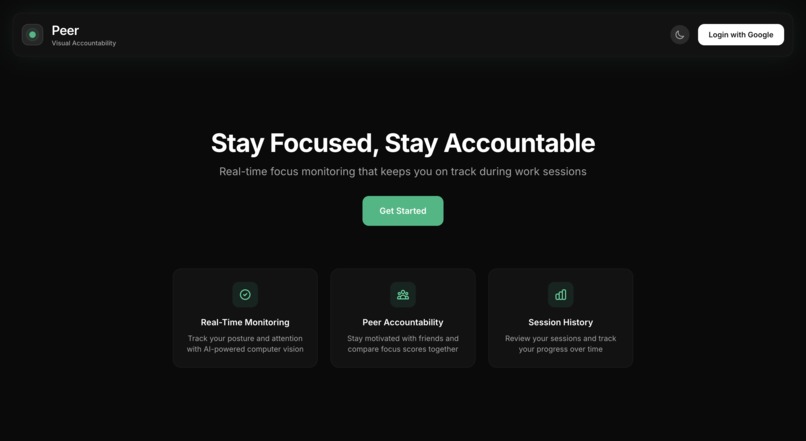
Home Page
-
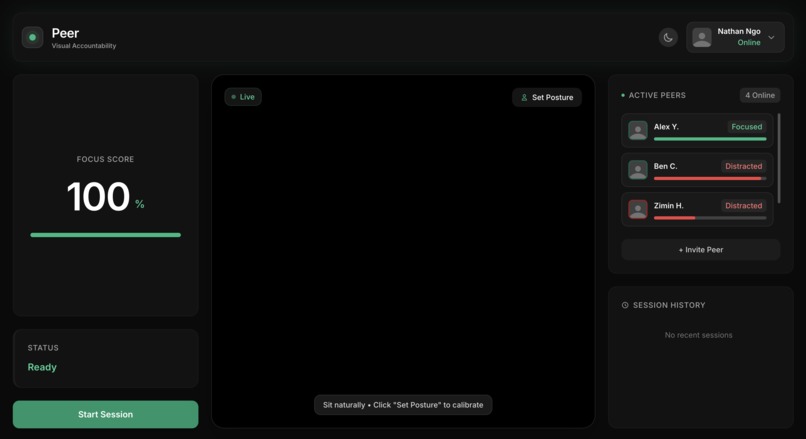
Dashboard
-
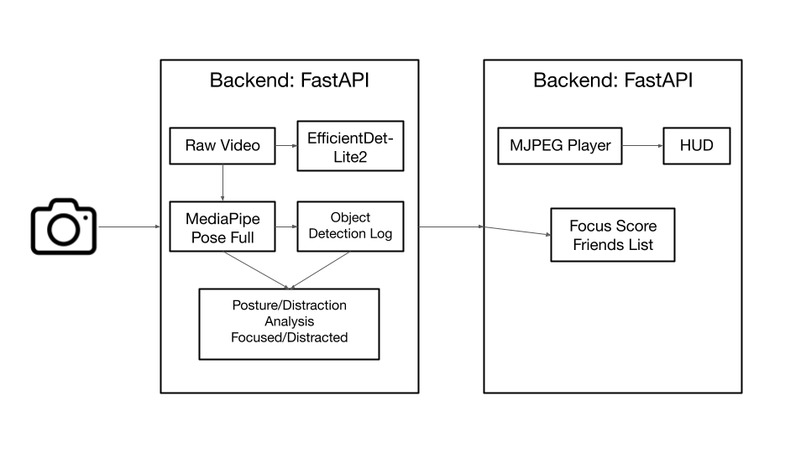
Design
Inspiration
During long hackathons and late-night study sessions, the biggest hurdle isn't the code; it is the "quick check" of a smartphone that inevitably spirals into a 20-minute distraction. We built Peer to serve as a digital accountability partner. We wanted something that does not just track time, but actively nudges you back into a flow state the second your focus drifts, helping you protect your most valuable resource: your attention.
What it does
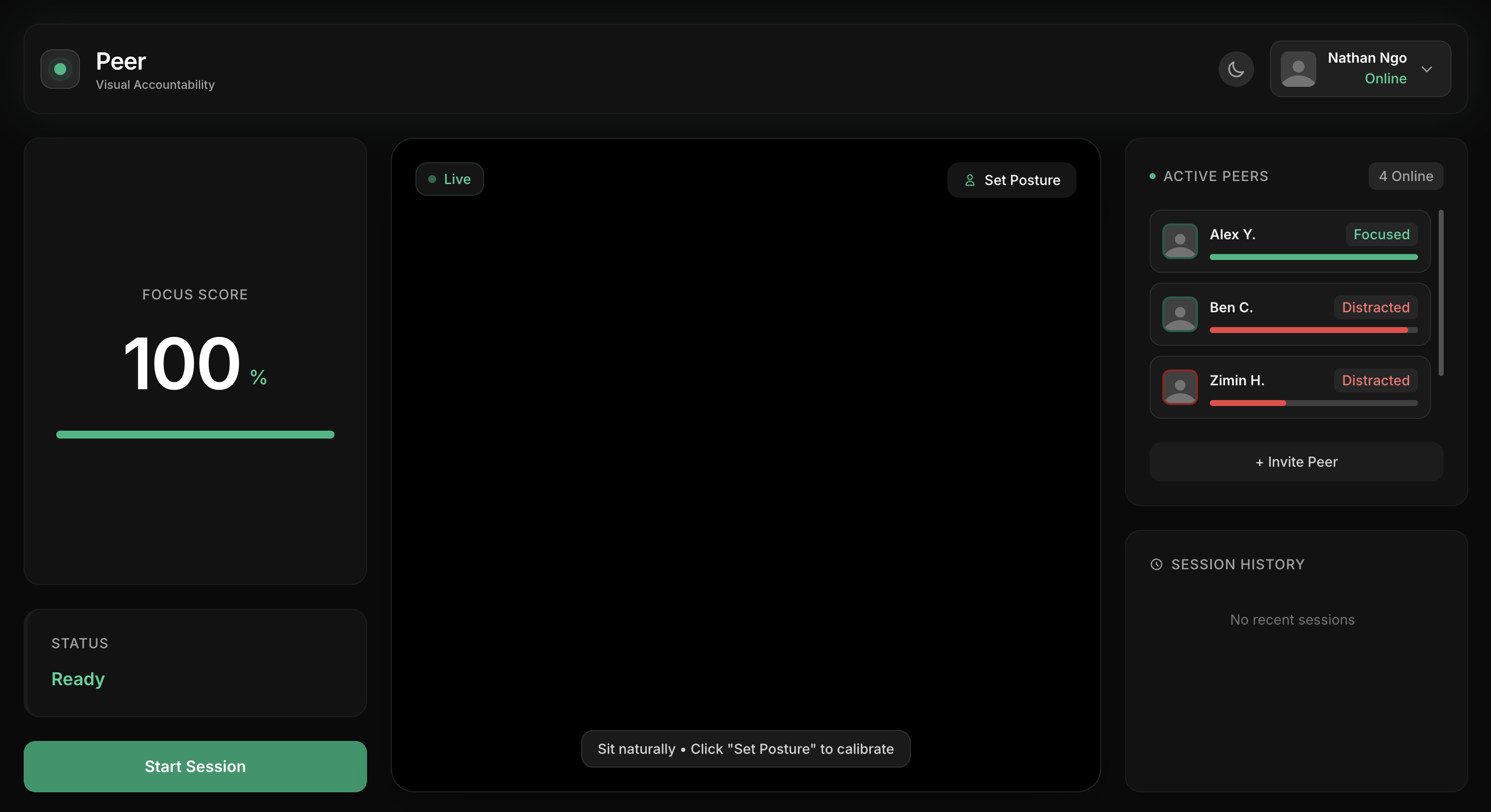
Peer is a real-time visual monitoring system that transforms your webcam into a productivity guardian:
- Posture Tracking: It calibrates to your unique "work stance" and alerts you if you slump, lean back too far, or disengage from the screen.
- Object Detection: The system continuously scans for blacklisted items, such as smartphones, entering your workspace.
- Cinema Zoom HUD: A clever UX trick where the user sees a 110% zoomed "Cinema" view to block out background clutter, while the AI simultaneously monitors the full raw 1080p frame to catch distractions in your periphery before you even see them.
How we built it
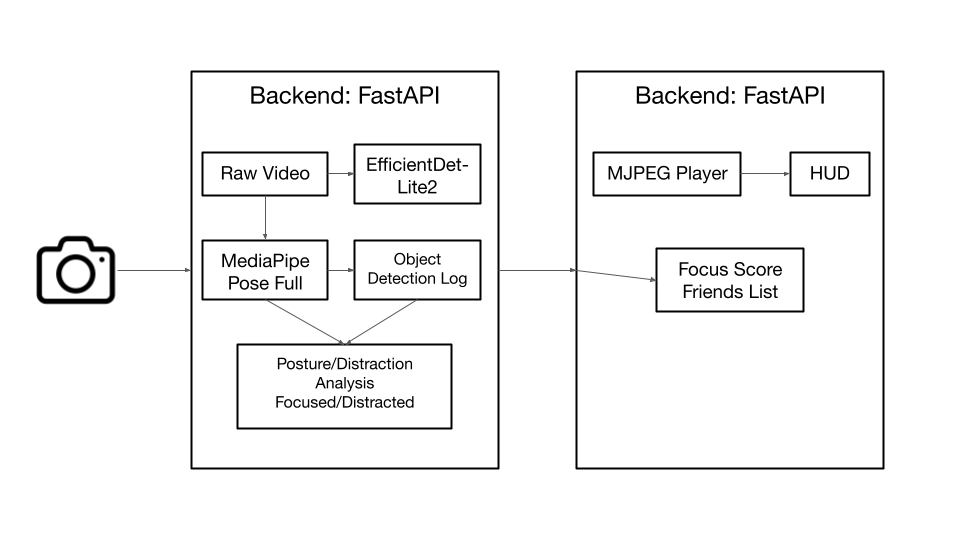
Peer was engineered to prioritize high-performance local inference over expensive, high-latency cloud APIs:
- The Brain: A Python FastAPI application managing a dual-model computer vision pipeline.
- The Vision: We leveraged MediaPipe Pose (Full) for biometric tracking and EfficientDet-Lite2 for high-resolution object detection.
- The Face: A sleek, glassmorphism dashboard built with Tailwind CSS and JavaScript for a non-intrusive user experience.
Challenges we ran into
This project was a battle against technical constraints. We faced persistent OpenCV stability issues, which we thought were resolved until demo day, when OpenCV crashed even with a fix applied.
Beyond that, the logic tuning was a massive hurdle. We spent hours manually adjusting detection tolerances and coordinate mapping to ensure the "Peripheral Trap" worked without lag. We also had to find a way to distinguish between a user holding a phone versus just resting their hand on their chin. Balancing this accuracy with energy efficiency was key; we did not want the app to kill the laptop's battery before the user finished their study session.
Accomplishments that we're proud of
We are incredibly proud of the speed we achieved. Running high-fidelity object detection locally at 30+ FPS on a laptop is no small feat. We are also particularly proud of the "Cinema Zoom" logic; implementing a system where the AI literally "sees" more than the human does to protect their focus felt like a genuine breakthrough in productivity UX. It tricks the user a bit, but the zoom is subtle enough to where it looks natural.
What we learned
This hackathon was a deep dive into the world of Real-Time CV Pipelines. I learned how to translate normalized model coordinates into raw pixel values for accurate overlays, and how to manage asynchronous processing in Python to keep the UI responsive while the backend is doing heavy math. Most importantly, I learned the importance of Contextual AI; that raw data is useless unless you can determine the intent behind a movement or a detected object.
What's next for Peer
The roadmap for Peer is all about sophistication:
- Fatigue Detection/Eye Tracking: Integrating MediaPipe Face Mesh to track Eye Aspect Ratio and iris movement to detect when a user is getting tired, or not paying attention to the screen anymore.
- Smart Whitelisting: Building a "Study Material Memory" that recognizes when you are looking at a textbook or iPad so the AI knows you are still working.
- Social & Auth: Implementing the friend system and integrating Google OAuth so users can compete with friends for "Deep Work" streaks.
- Interactive Audio Nudges: Integration of API's such as Deepgram Aura to replace generic alert sounds with natural, context-aware voice feedback. Instead of a beep, Peer will "whisper" personalized nudges like, "Eyes back on the screen" or "You're nearly at your goal, put the phone down," to create more natural, less jarring audio cues.
- Multimodal Focus Verification: Advanced audio processing to create a dual-input validation system. By leveraging voice activity detection, Peer will be able to distinguish between productive silence, thinking aloud, and environmental distractions like background speech or media. This allows the system to maintain focus monitoring even when the user is in a deep "thinking" phase that involves looking away from the screen, ensuring the mic and camera work in tandem to protect the flow state.
Built With
- efficientdet-lite2
- fastapi
- javascript
- mediapipe
- python
- tailwind
- tensorflowlite

Log in or sign up for Devpost to join the conversation.