-
-
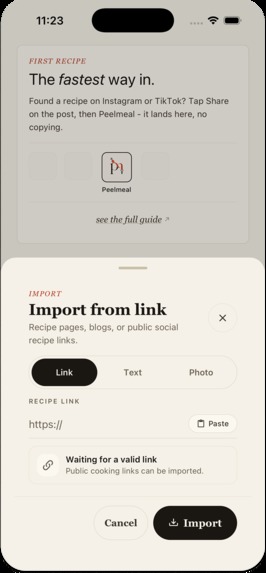
Import feature
-
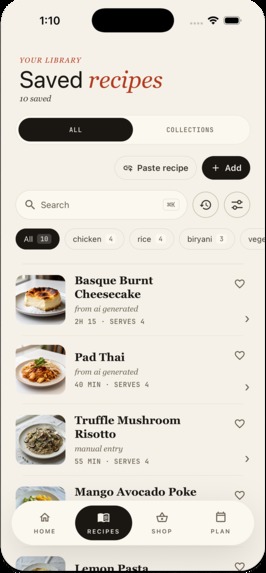
Recipes filtered list + collections
-
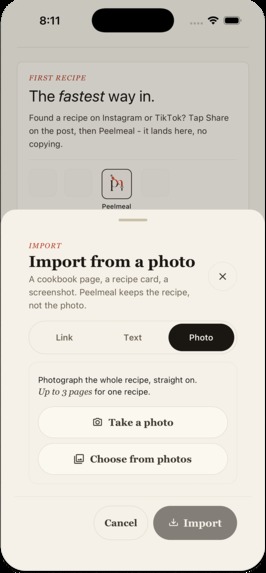
Import by taking photo of a recipe
-
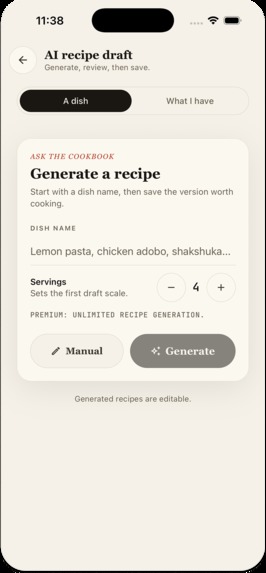
Recipe generation feature - by name
-
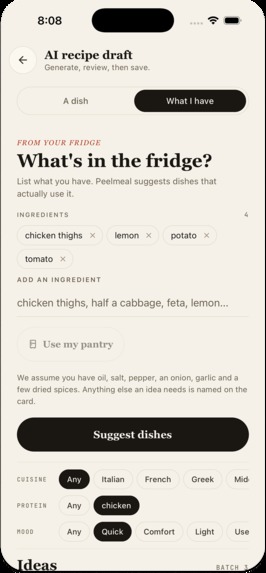
Recipe generation feature - by ingredients
-
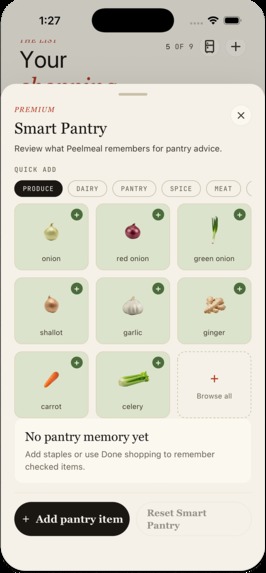
Smart pantry feature
-
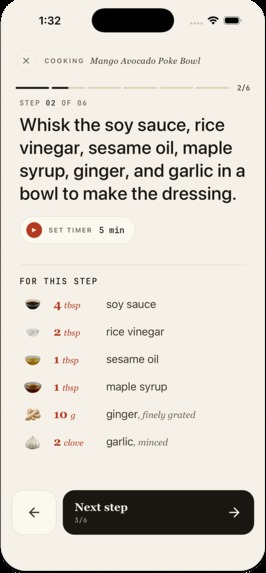
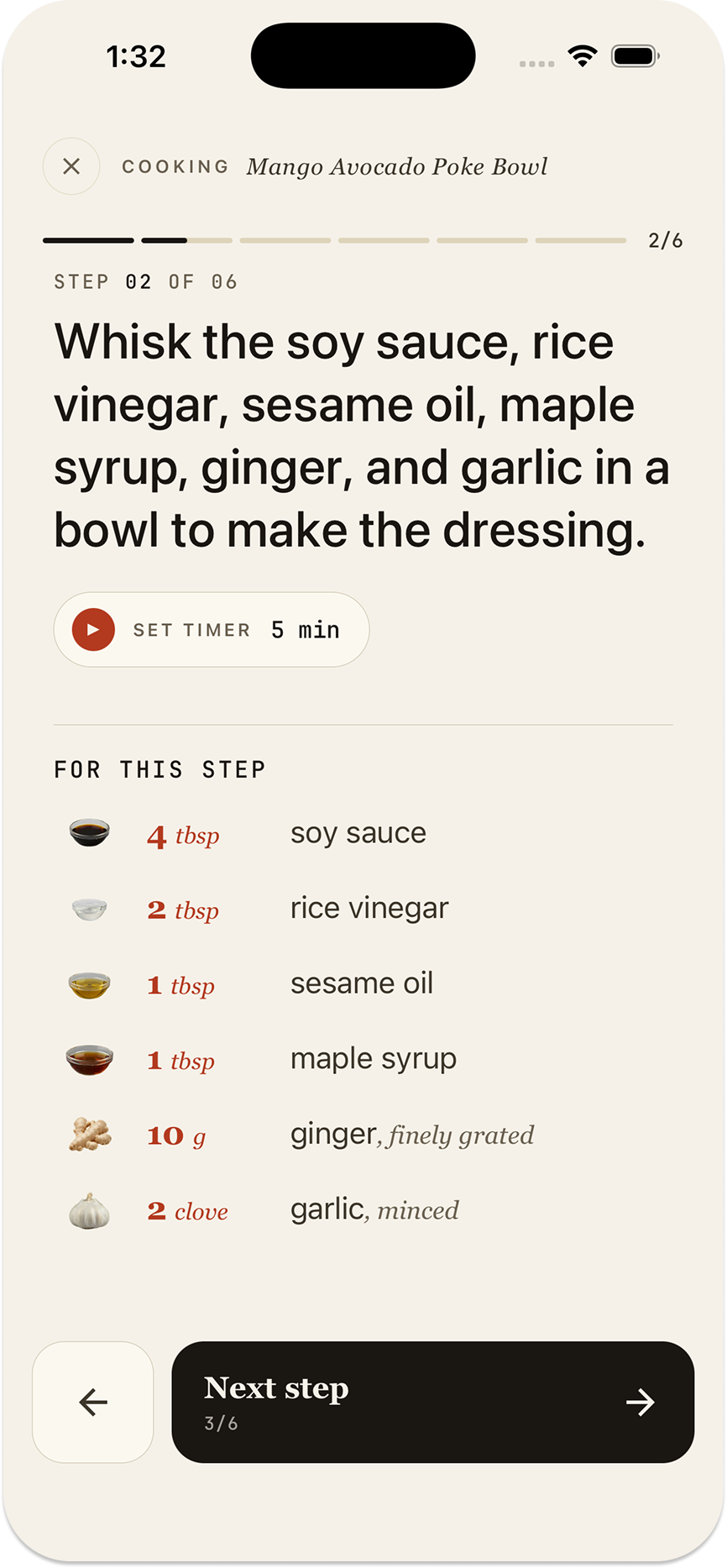
Step-by-step cooking guide
-
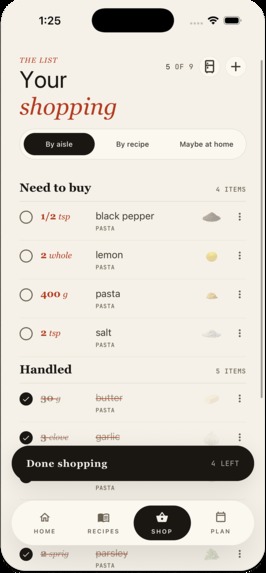
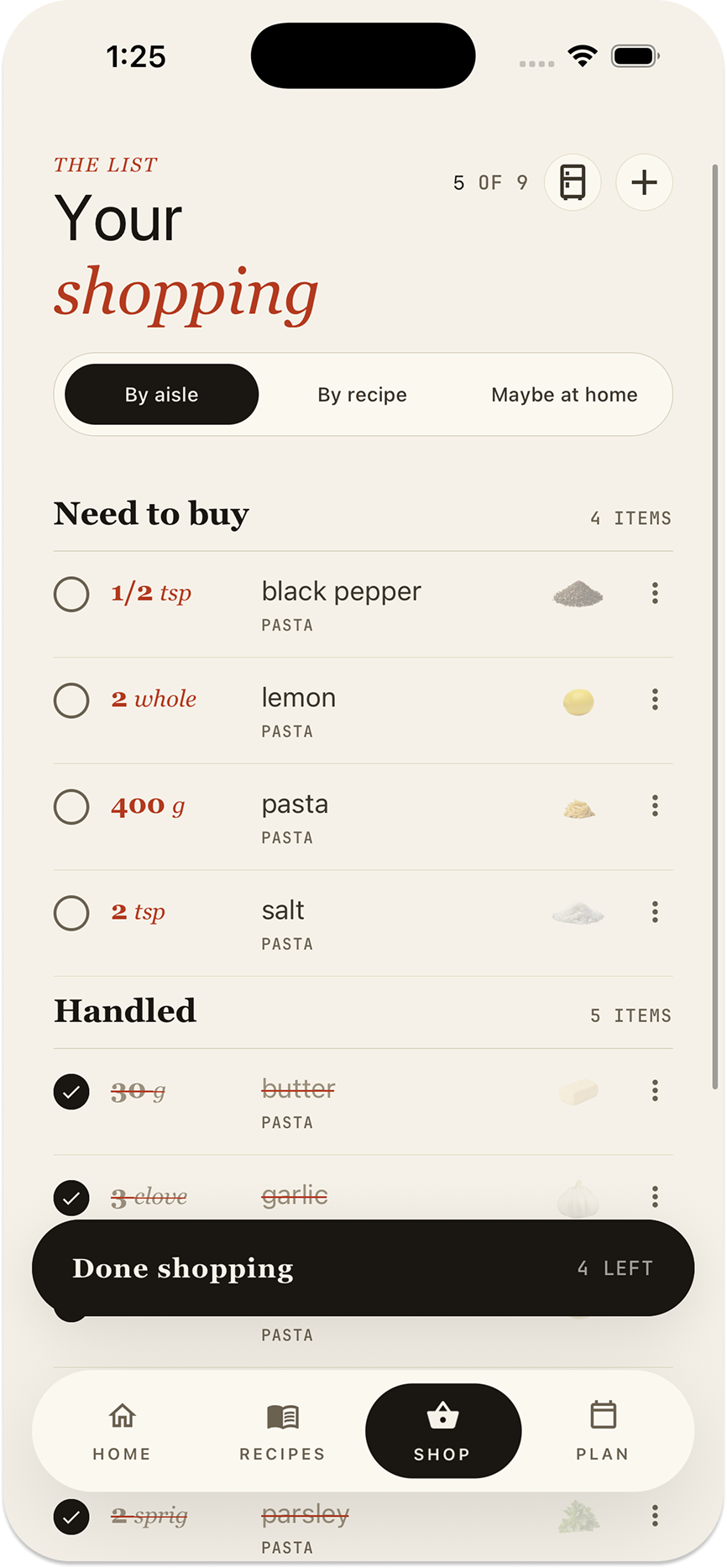
Shopping list
-
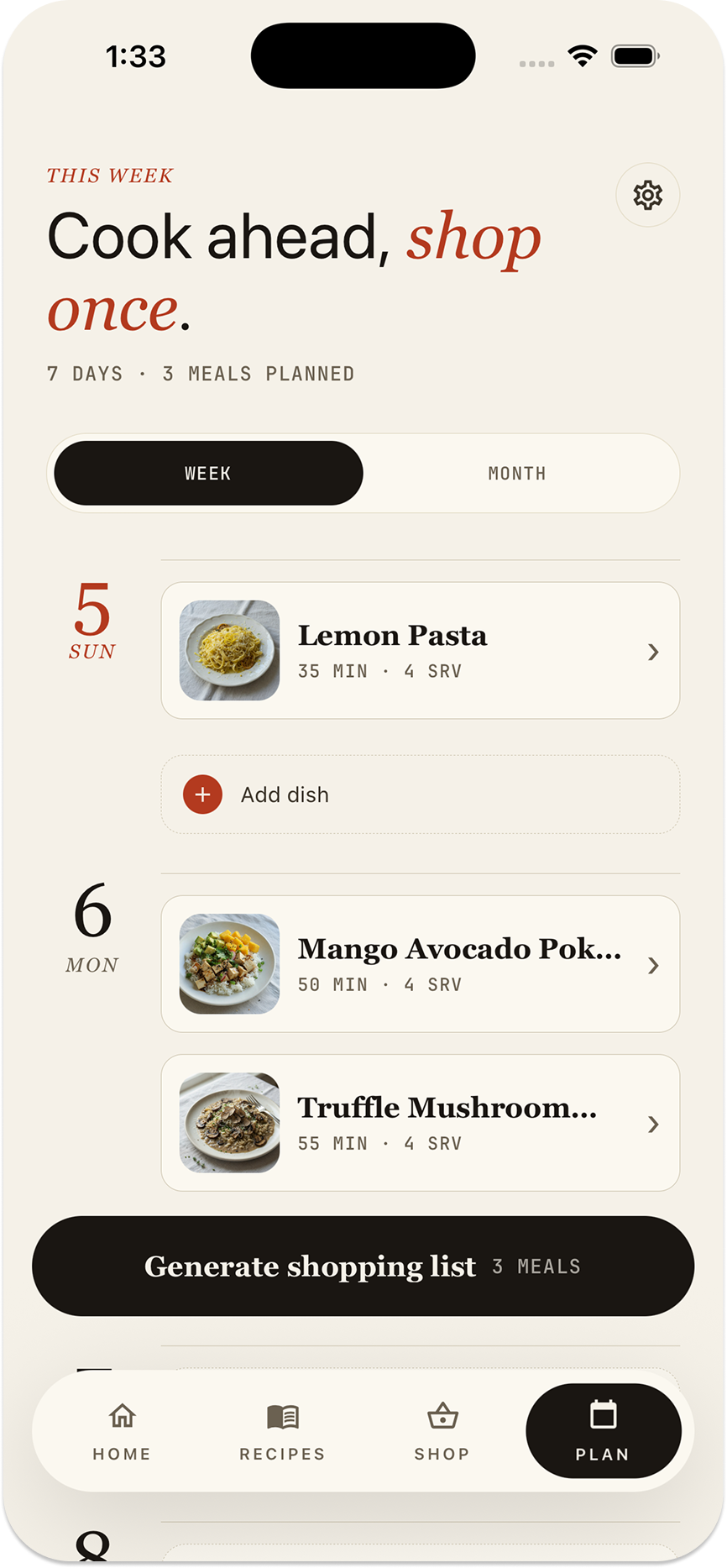
Meal planner
-
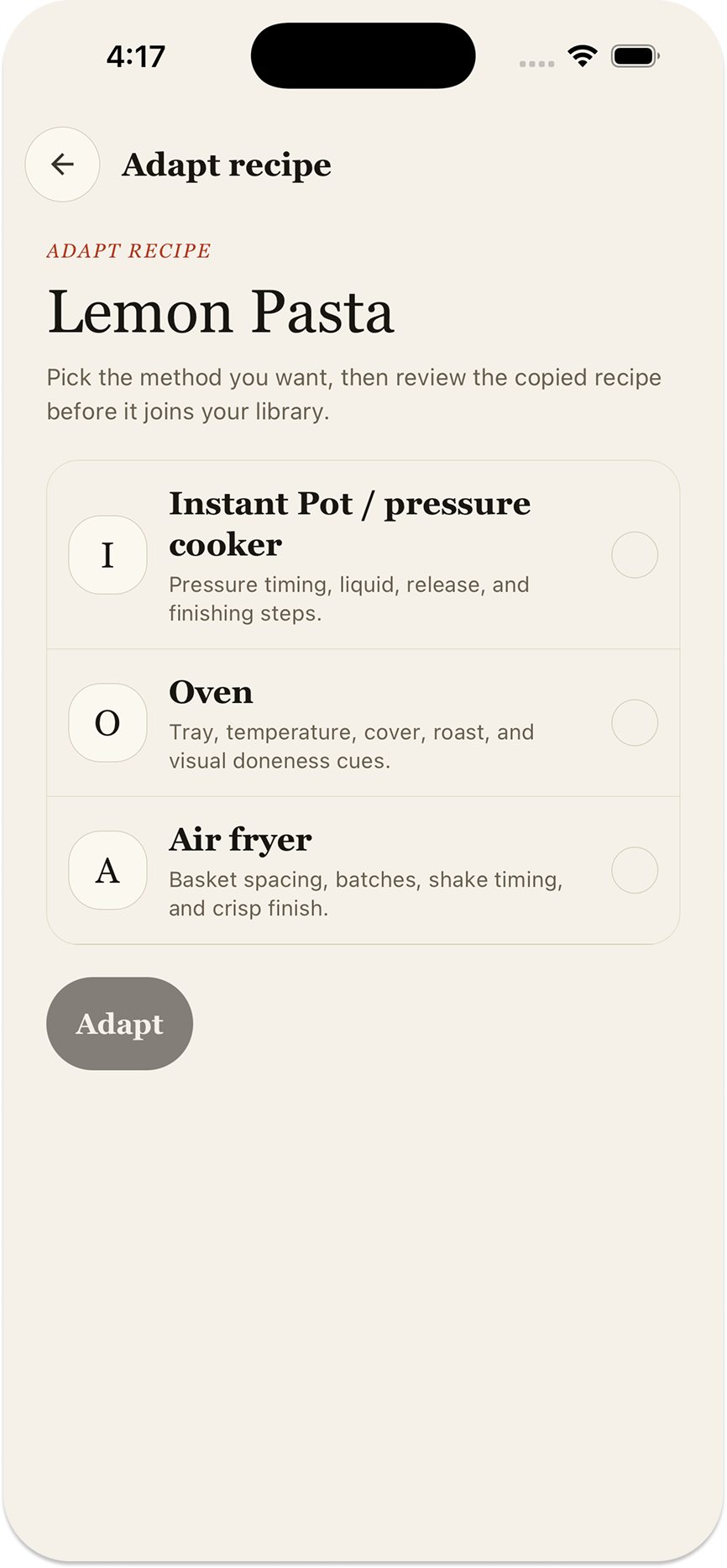
Recipe adaptation feature
Inspiration
My family grew, and cooking quietly became my job. I wasn't a cook. I was just the person who now had to put dinner on the table most nights.
My wife would send me recipes constantly. Every one of them was a small ordeal. A recipe page would bury four steps under two thousand words about a trip to Tuscany, a newsletter pop-up, three ad breaks, and a "Jump to recipe" button that jumped somewhere else. The information was always there. It was just never in a shape I could cook from with one hand and a timer running.
So Peelmeal started selfishly: take the thing my wife just sent me and turn it into the thing I can actually cook from. Then it turned out everyone I described it to had the same folder of saved recipes they'd never cooked.
The idea grew from there. Sometimes the recipe is on a cookbook page or a handwritten card. Sometimes there is no recipe at all, just ingredients in the fridge and the question: what can I make with these?
What it does
Peelmeal is a private pocket cookbook that helps you get from finding a recipe to putting dinner on the table.
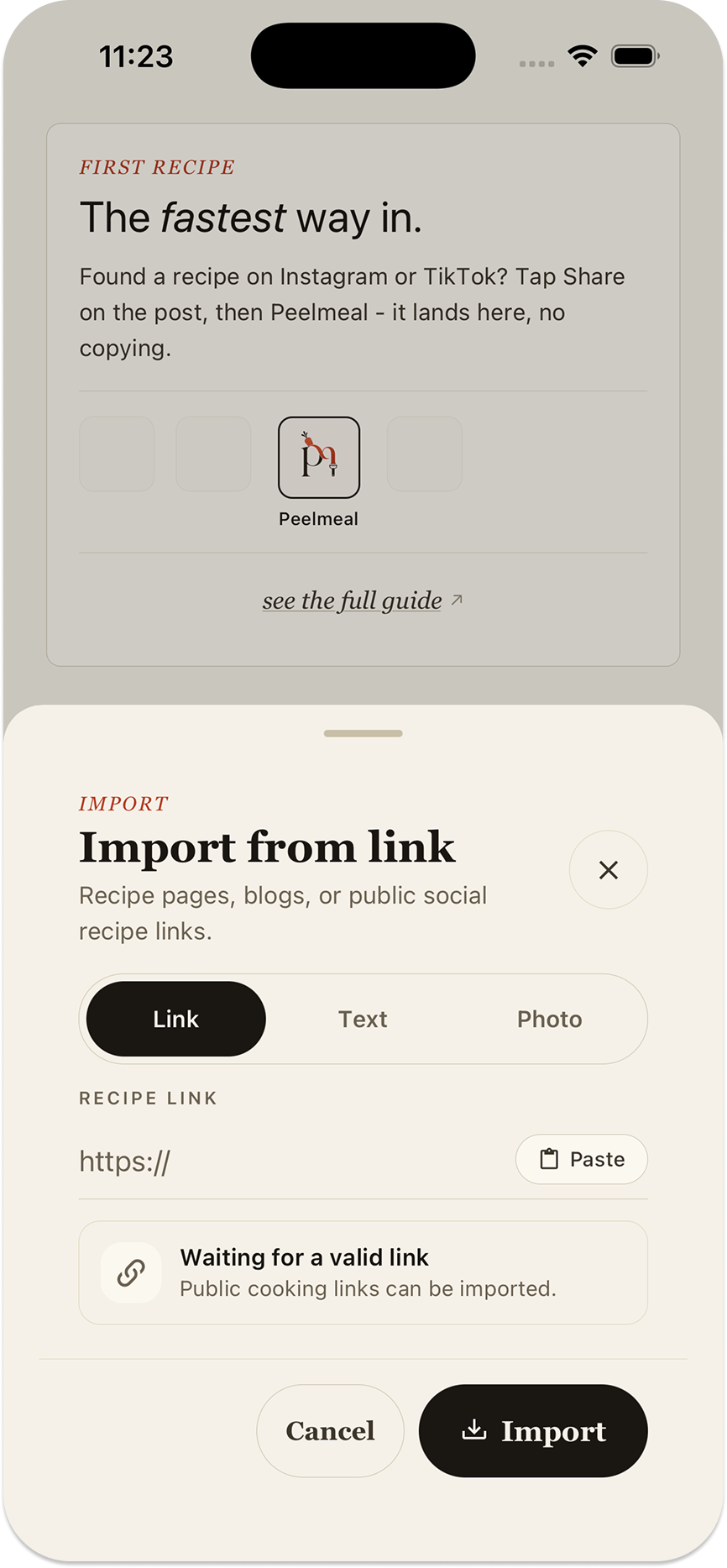
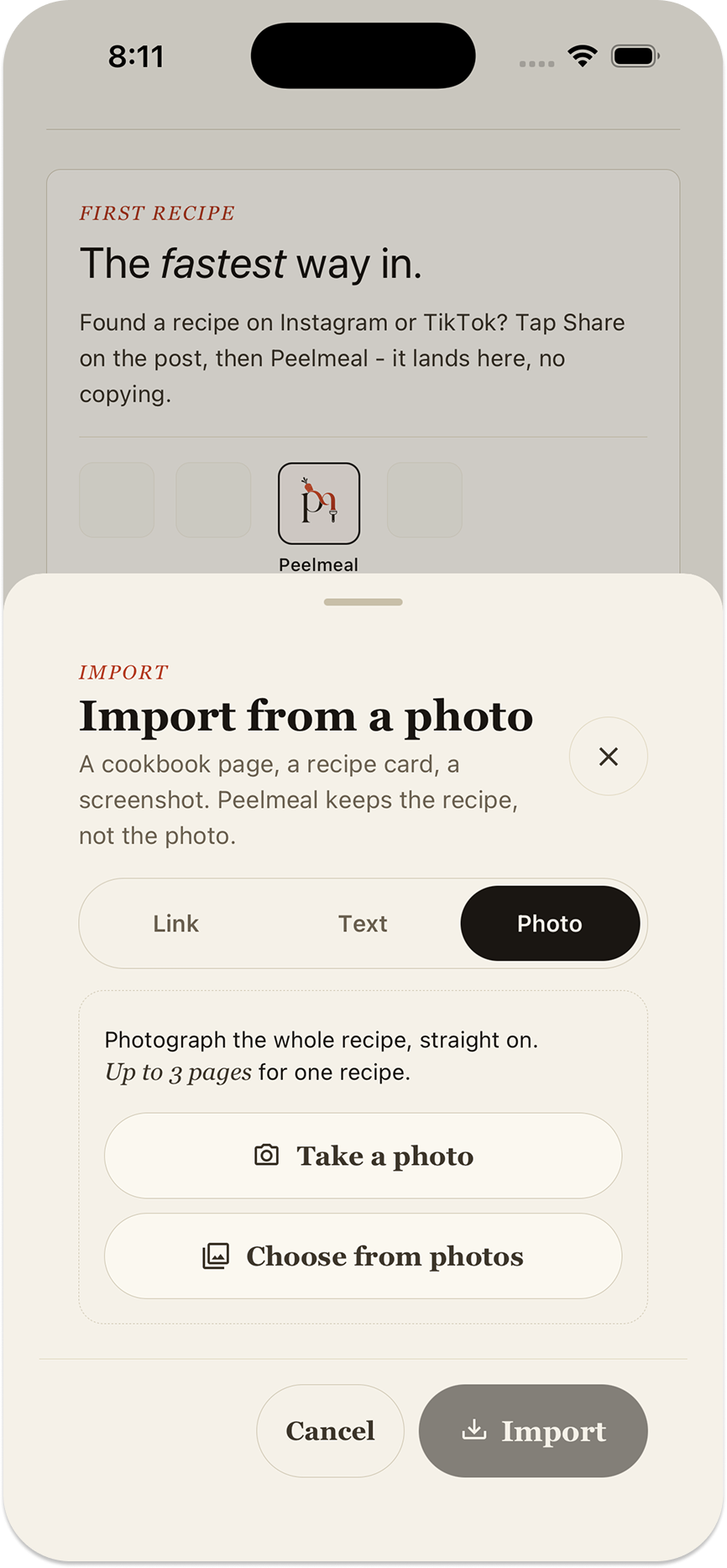
Bring a recipe in. Paste a recipe link or copied text, enter one yourself, or take a photo of a recipe. Photo import reads cookbook pages, handwritten recipe cards, and screenshots, turning them into editable ingredients, quantities, steps, and timings. A recipe spread across multiple pages can become one recipe in your library.
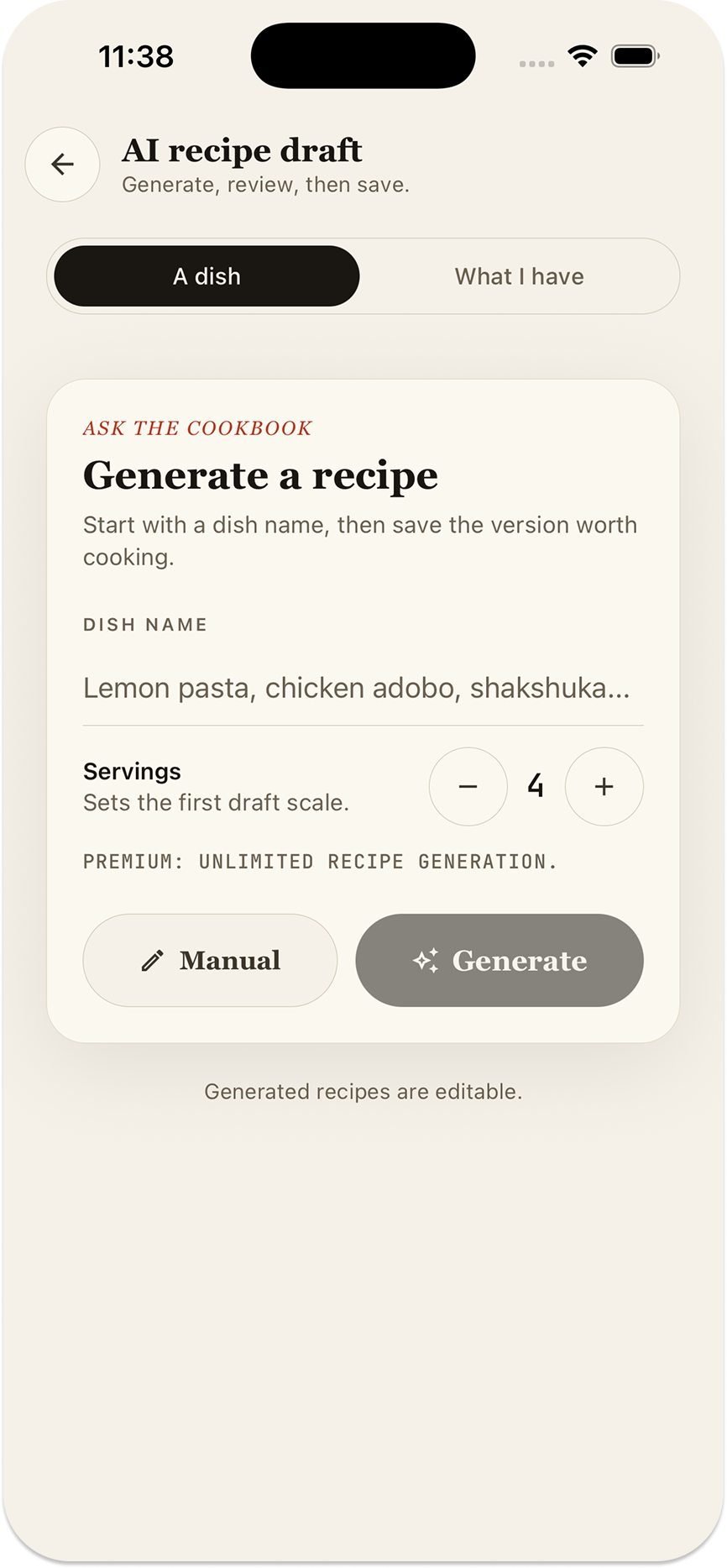
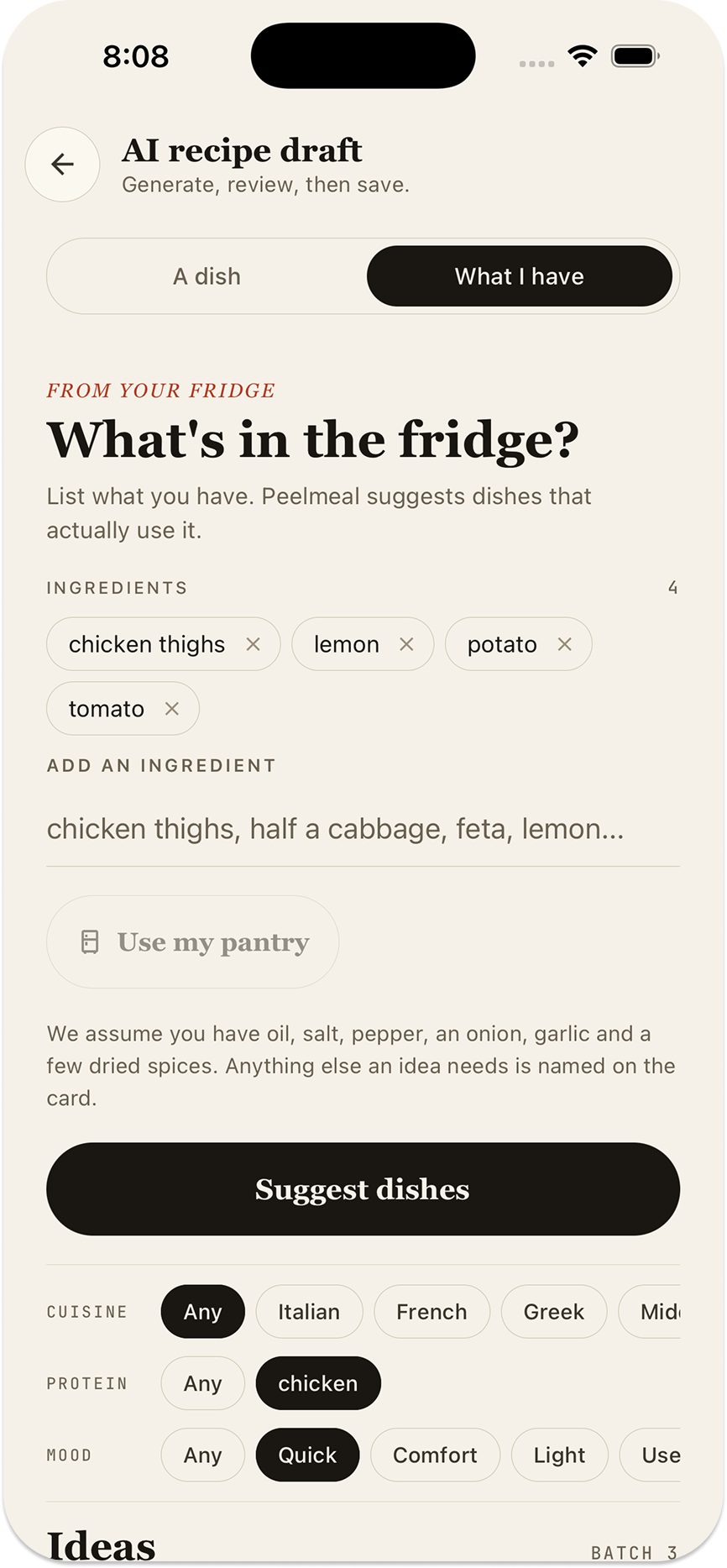
Start with what you have. List the ingredients in your fridge and Peelmeal suggests dishes that use them. Each idea shows what you already have and what else you would need. Narrow the suggestions by cuisine or mood, ask for different ideas, then choose one to generate a full recipe. You can also generate a recipe directly from a dish name.
Once a recipe is in your cookbook, you can:
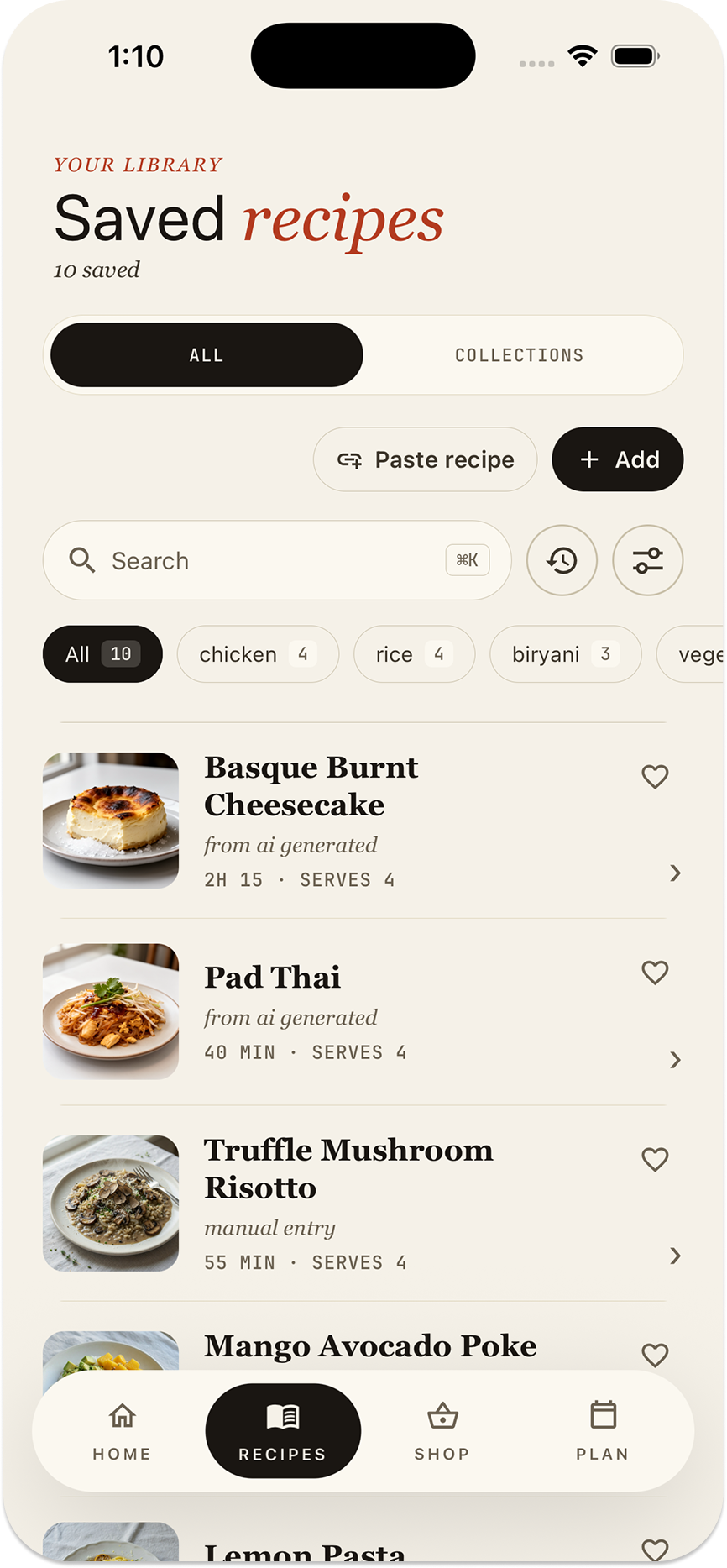
- Organize it. File recipes into collections you name yourself.
- Scale it. Change the servings and the quantities follow, with gentler scaling for seasonings and coating fats.
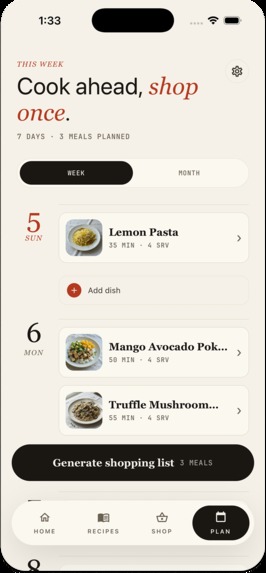
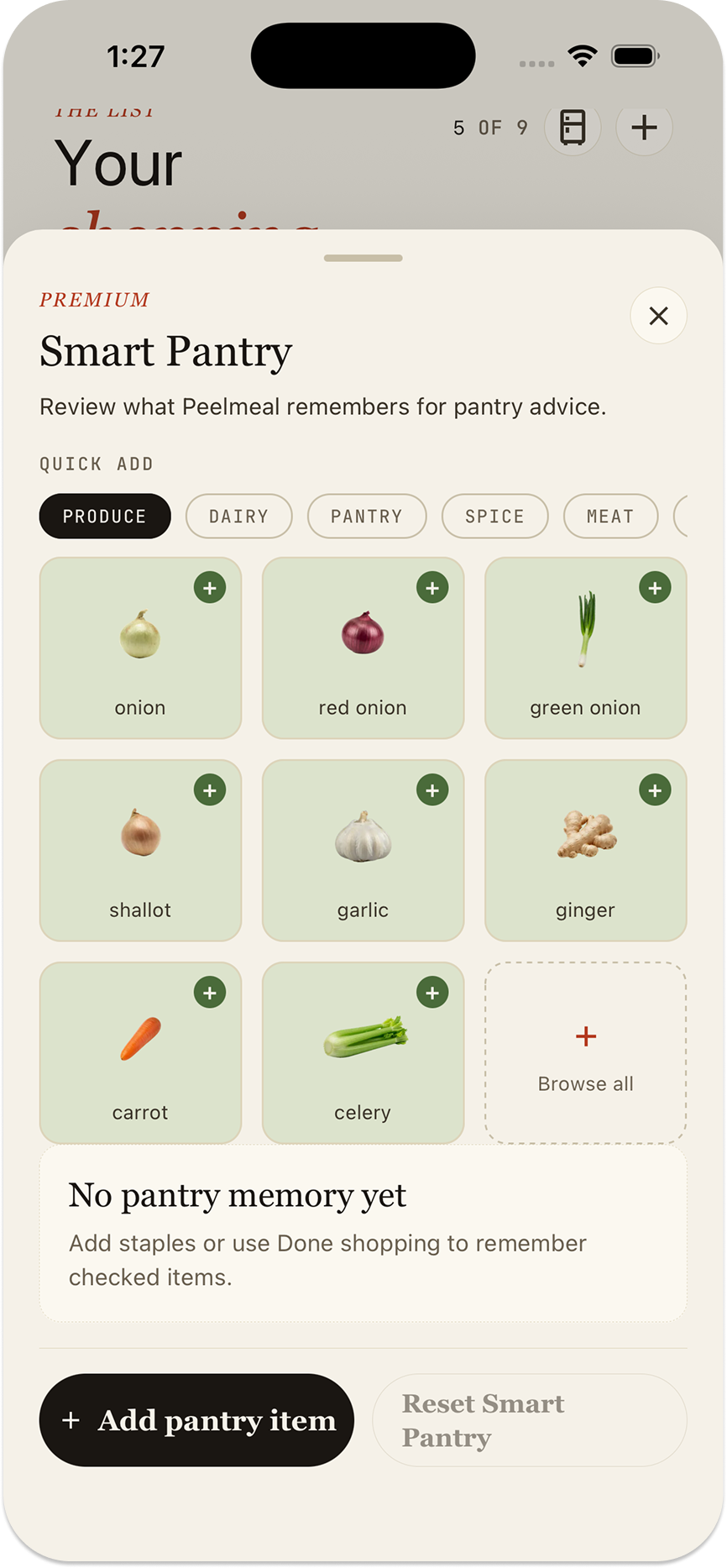
- Plan and shop from it. Put meals on your calendar and build a combined shopping list, merging compatible duplicate ingredients across recipes.
- Cook from it. Follow large, step-by-step instructions with the ingredients each step needs, a screen that stays awake, and timers drawn from the recipe.
- See your progress. Record completed cooks and see your recent meals and weekly home-cooking momentum.
The whole app supports 15+ languages, including navigation, settings, shopping, and cook mode. Recipe language is a separate choice: keep the source language or have imported and generated recipes written in the language you prefer.
Your library stays private to your account. Photo imports use the captured pages to read the recipe; Peelmeal does not store those pages or turn them into the recipe's cover image.
How I built it
I built Peelmeal with React Native, Expo, and TypeScript, backed by Firebase Authentication, Firestore, Cloud Functions, and Storage. Anonymous sign-in lets someone start saving recipes before creating a permanent account.
The AI work runs server-side. Provider keys stay off the device, and the server checks access and usage limits before making paid calls.
Different inputs feed the same structured recipe format. Links provide page content and recipe metadata. Supported video imports can use transcription when the written description is insufficient. Photo imports send compressed images to a model that can read the recipe directly.
The model returns structured data against a strict schema, and the server validates the result before saving it. Every successful path produces the same kind of editable recipe, so scaling, shopping, and cook mode work regardless of where it came from.
Ingredient-based generation uses two stages: suggest possible dishes first, then write the recipe the user chooses. That gives people a chance to decide what sounds good before committing to a full recipe.
Challenges I ran into
Reading a photo without inventing dinner. A picture might contain a complete recipe, a continuation page, an unrelated dish, or no recipe at all. The importer needs to join pages that belong together without blending different recipes. It also needs a way to say it could not find a recipe instead of confidently making one up.
Making ingredient-based suggestions useful. Listing chicken, rice, and broccoli should produce specific dinner ideas, with a clear account of any missing ingredients. I built the suggestions around that distinction and included previous suggestions in subsequent requests to discourage repetition.
Scaling a recipe is not always multiplication. More servings usually need proportionally more protein, but seasoning and oil used for coating need more judgment. Ingredients carry a scaling role:
$$ q_{\text{scaled}} = q_{\text{base}} \cdot \left(\frac{s_{\text{target}}}{s_{\text{base}}}\right)^{\alpha} $$
The exponent controls how strongly an ingredient follows the serving change. These are practical estimates, so damped quantities are marked as approximate. The original recipe's quantities remain unchanged.
A failed connection does not necessarily mean a failed import. The server can save a recipe successfully and then lose the connection before the phone receives confirmation. Treating that network error as the final verdict made successfully imported recipes appear broken. The saved document now determines the outcome, with background cleanup for work that genuinely stalls.
Translation reaches beyond buttons. Supporting 15+ languages meant handling dates, numbers, ingredient names, permission prompts, and recipe units too. Separating interface language from recipe language lets someone use the app in one language while keeping their recipes in another.
What I learned
The hard part of an AI feature is almost never just the model call. It is deciding what evidence to trust, how to recover when part of the process fails, and how to communicate uncertainty.
A step without a stated duration should not receive an invented timer. An ambiguous ingredient reference should not confidently show the wrong ingredient at the stove. An unreadable photo needs an honest failure state.
I also learned that saving a recipe is only the beginning. People still need to decide when to cook it, buy what is missing, and follow it with their hands full. Those connections are what make the saved recipe useful.
What's next
I want to keep improving the difficult everyday cases: awkward recipe layouts, incomplete source material, and suggestions that make better use of what someone already has.
The goal is still the same as when I started: make it easier to get dinner on the table.
Built With
- android
- bun
- expo.io
- firebase
- firebase-authentication
- firebase-storage
- firestore
- google-cloud
- google-cloud-functions
- ios
- javascript
- node.js
- openai
- react
- react-native
- redux
- revenuecat
- typescript
- vitest

Log in or sign up for Devpost to join the conversation.