Introduction
I've always wanted to experiment with using smartwatches as game controllers. They come with everything necessary: buttons, gyroscopes, accelerometers, sometimes even touchscreens.
This particular project was made during a Hackster Live meetup in Livingston, NJ and the goal was to convert a Pebble into a game controller.
How it works
Pebble - runs a javascript app and uses ajax to post data to a local IP
Node.js - runs an application with express and listens for data receive
Unity3D - runs a simple script to just fetch data from node.js
I haven't supplied the Node.js and Unity3D scripts because those would have to be tailored for your specific game. In node.js, include Express and the following:
var x = 0;
var y = 0;
var z = 0;
//add variables here that can be logged
app.get('/log', function(req,res) {
x=req.query.x; y=req.query.y; z=req.query.z;
res.send("Success");
}); //your request must be in format lcoalhost:port/log?x=X_VALUE&y=Y_VALUE&z=Z_VALUE
app.get('/update', function(req,res){
res.send("x="+x+" y="+y+" z="+z); //add variables here
});
That is a skeleton of logging and updating data.
Using the WWW class API reference in Unity3D, you can get data by navigating to the page and updating in that manner. Attach it to a controller and run.
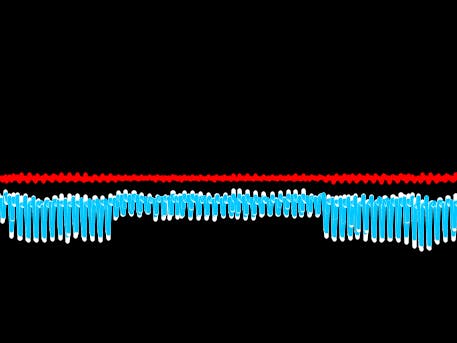
(Cover Pic: this is the difference between the current accelerometer reading and the Unity app. The two most pronounced zig-zag lines are the difference in the reading, blue is the first 5 seconds and white is the next 5 seconds. The red line represents the lag in milliseconds.)


Log in or sign up for Devpost to join the conversation.