-
-
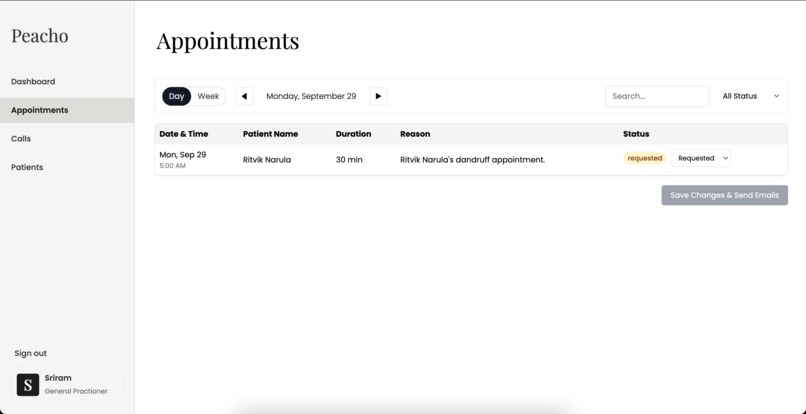
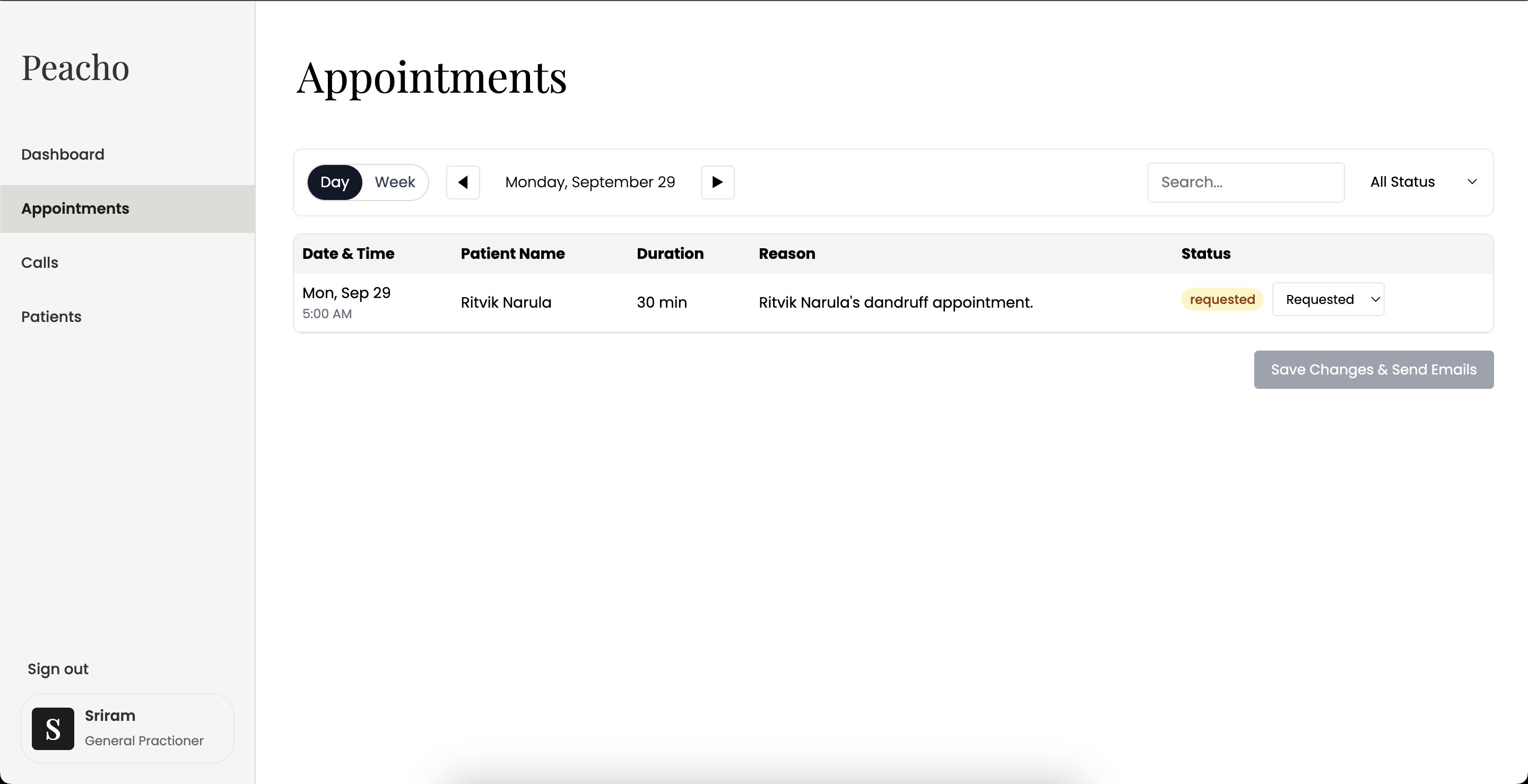
Appointments Page of WebApp
-
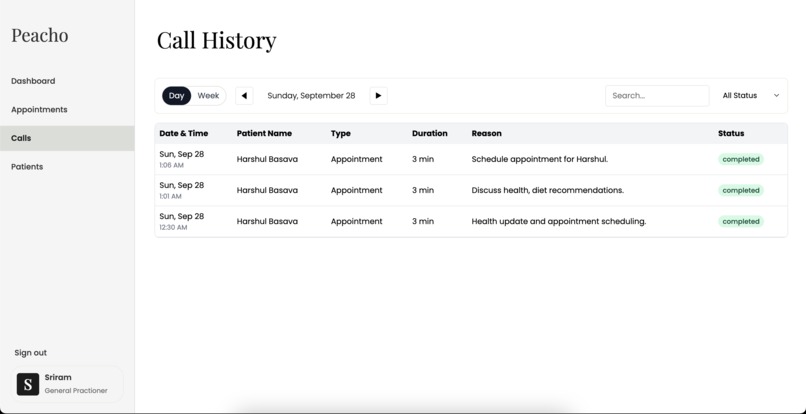
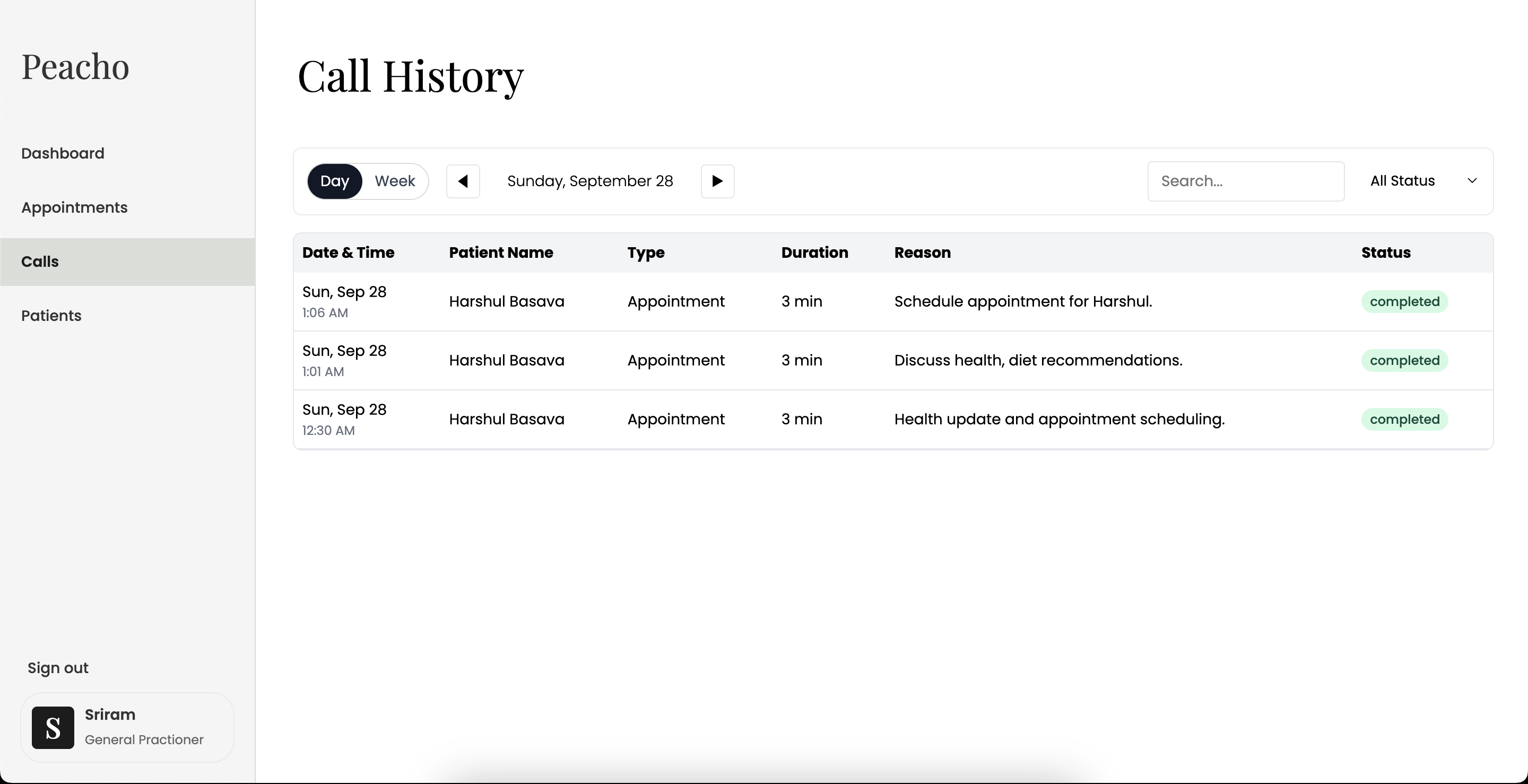
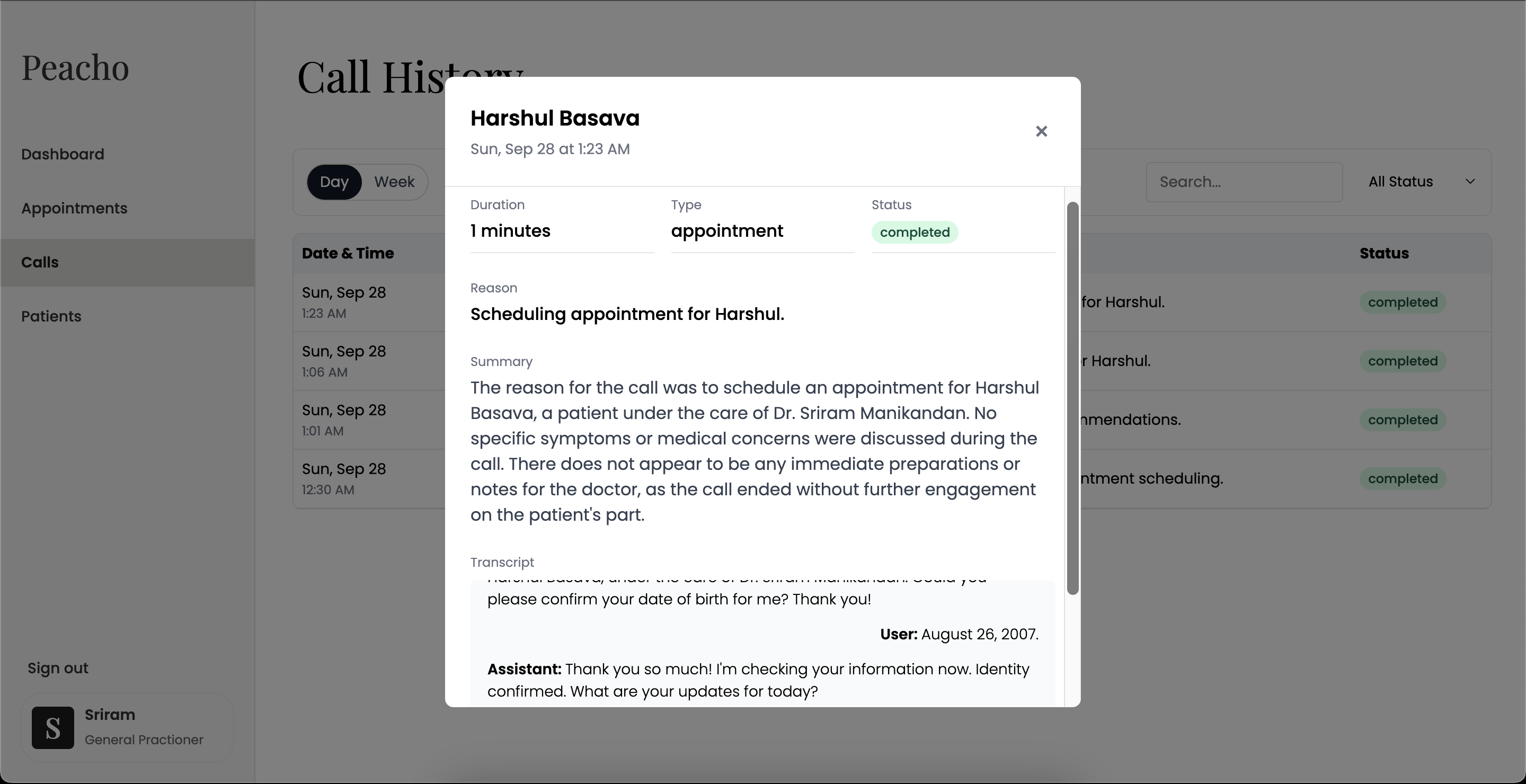
Call History Page of WebApp
-
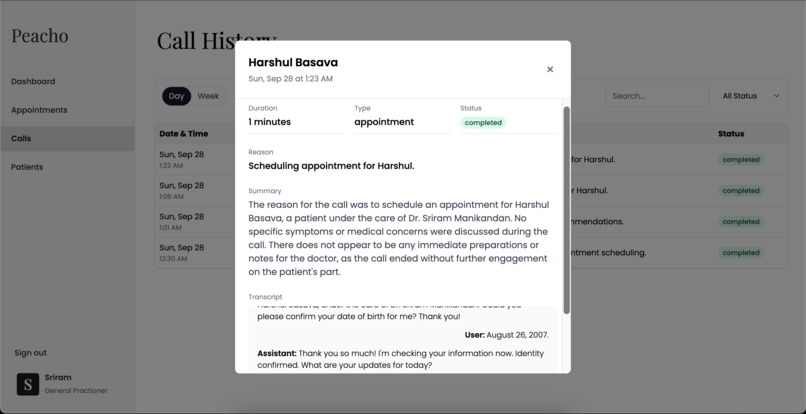
Call History Page of WebApp
-
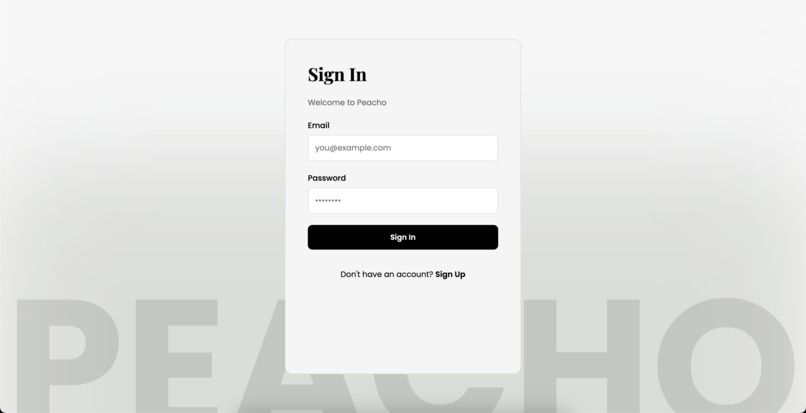
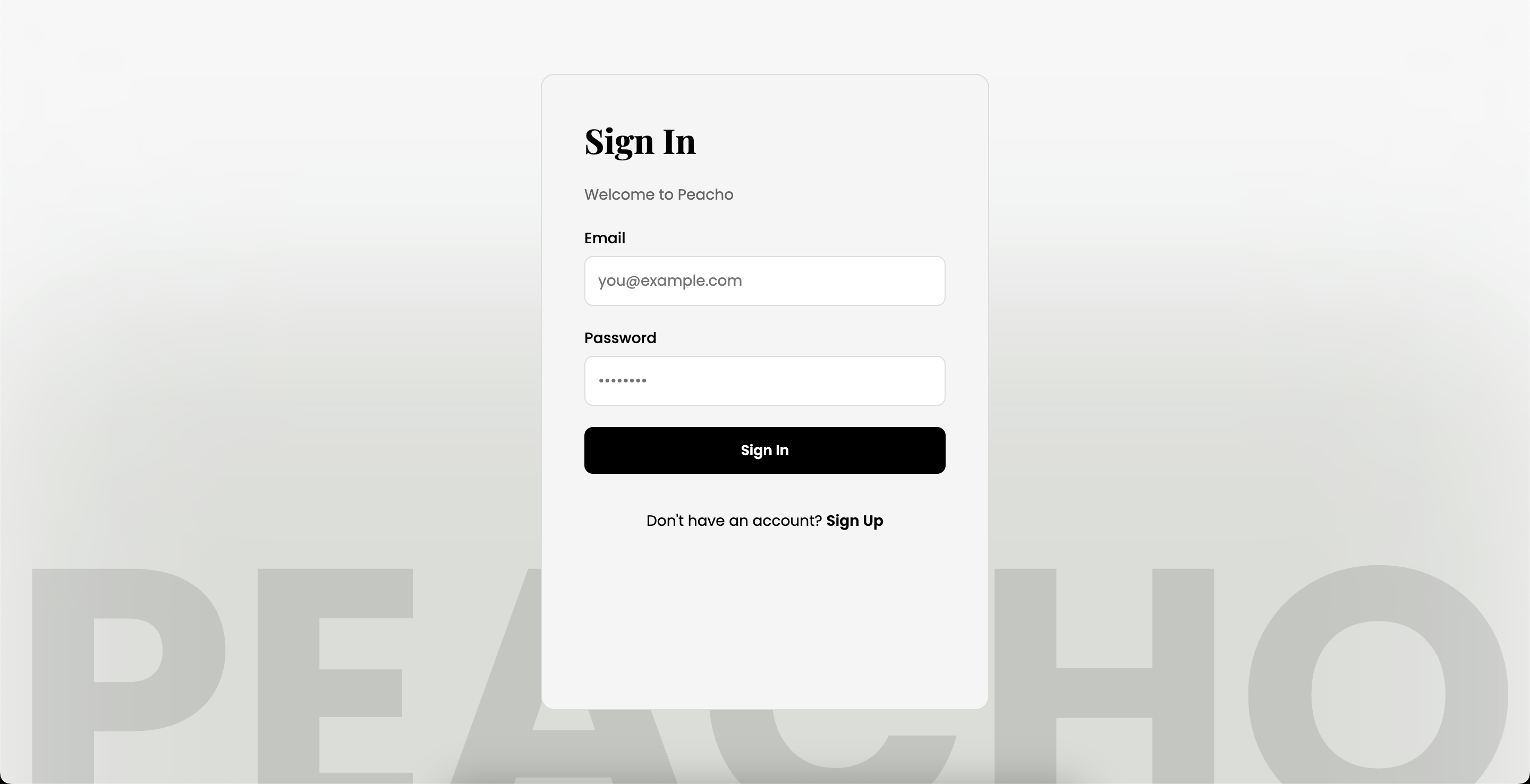
Sign In Page
-
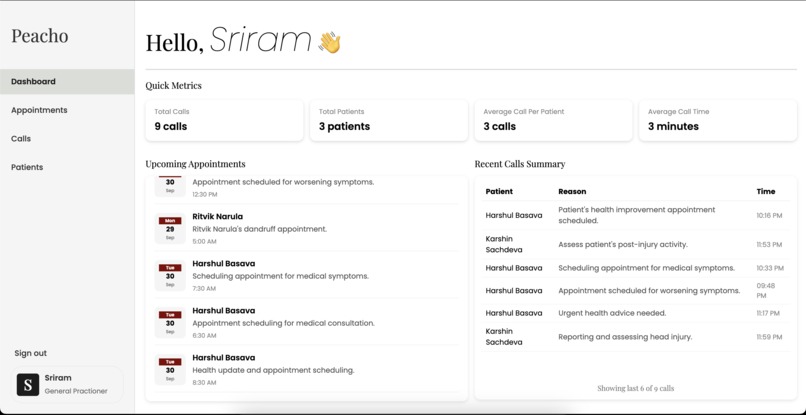
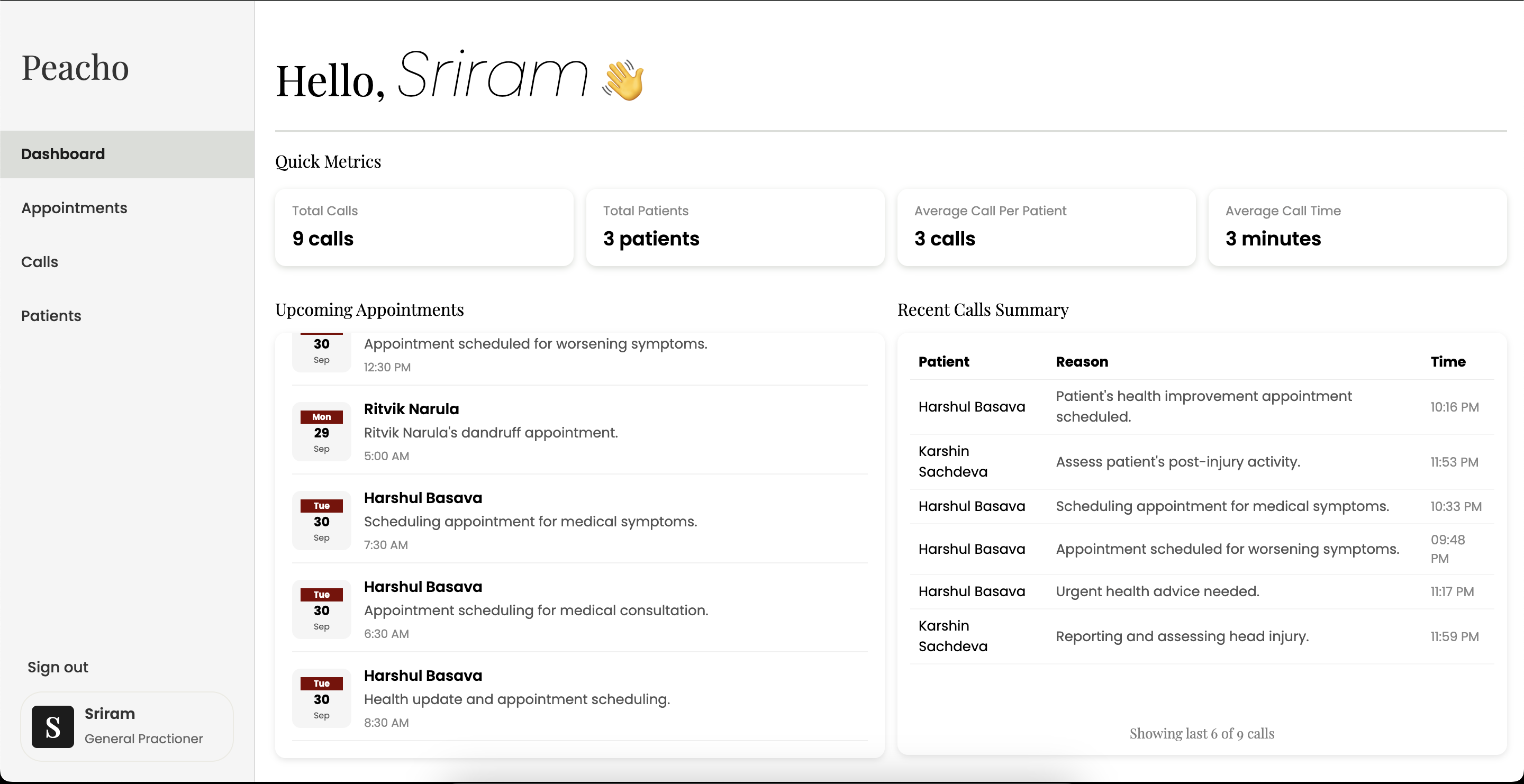
Dashboard of WebApp
The Inspiration for Peacho!
As three students who prioritise health above all else, we performed research on the state of American healthcare and the significant barriers that limit patients from receiving the care they urgently need. Through papers like link, long waiting times, misinformation, and outdated booking systems force people to forgo medical attention, leaving conditions untreated and health outcomes at risk. For many, especially older adults, accessing a healthcare provider/professional (HCP) feels less like seeking help and more like navigating an obstacle course of cancellations, uncertainty, and digital chaos. Thus, we wanted to tackle this problem head-on and reimagine what healthcare access could look like: fast, clear, and empowering. We decided to choose a voice-based workflow as it is the most accessible, convenient, and intuitive for patients of all backgrounds. But this is not all. Our goal is also to empower healthcare professionals with a smarter, more intuitive way to manage patient care. Today’s systems are outdated, clunky, and create unnecessary friction in everyday tasks. We’re reimagining the experience by streamlining patient operations and simplifying workflows—so providers can focus less on navigating software and more on delivering care. This is just the first step in building tools that help HCPs do more, with less effort.
How Peacho works:
Peacho is a dual-benefit telecommunication service that streamlines the HCP booking system for doctors and patients alike, reducing health misinformation and minimising unnecessary human interaction throughout the process.
Patient Experience:
- Patients call up their health care professional/provider, and Peacho responds
- Peacho identifies the caller and pulls the record with personal information like date of birth, name, and phone number
- Patient medical records are actively updated as symptoms are described
- Peacho answers any questions asked by the patient regarding the HCP and their medical condition, based on the HCP's personal notes on the patient.
- Patients can schedule appointments depending on the HCP's availability.
Doctor/HCP Experience:
- View requested appointments by patients and confirm/reject them by sending patients an email.
- View and analyze call logs between patients and Peacho's voice agent.
- Add, edit, and monitor patient profiles using a simple electronic medical record (EMR).
- Track symptoms of patients with each call and have AI answer general questions set by the HCP to save human resources.
How Peacho was Built:
To build Peacho, a plethora of tools were used:
Front End:
- For the frontend framework, we used React.js to help us build reusable components.
- We used Firebase's Authentication System and Database to validate user (doctor/HCP) authentication, and display real-time data to the frontend.
Back End:
- The voice assistant is hosted on a personal server with Uvicorn
- For the voice assistant, a Twilio API was utilised, which sends HTTP requests to the server when there is an incoming call from the patient
- ngrok was used to create a temporary public URL that Twilio could use
- Using python and the OpenAI API, we edited the speech and controlled outputs/responses
- AssemblyAI was used to transcribe the speech of both the user and the AI assistant into text
- We used Firebase's Email Trigger Extension to write emails to patients regarding the status of their appointments.
Challenges we faced:
- Engineering the AI assistant to wait for responses: When implementing the speech assistant, the AI would begin to produce responses at any breaks in speech, which was unnatural in regular conversation. This meant that the AI would produce several outputs to a single statement made by the user. Ultimately, this was solved by a buffering process that delayed the creation of a response until the AI was certain that the user had stopped talking
- Transferring calls from the AI to a human: If the user wants to speak directly to a human, as the AI may not be able to satisfy its request, it can request to speak to a receptionist. This meant the user's call had to be redirected from an AI assistant to a real phone number, which caused several problems as we were unable to forward the call without hanging up. We ultimately solved this by creating another webhook with Twilio for a receptionist's phone number, which could be transferred to when requested.
- Transcribing the user and AI assistant in real time: For several hours, we were unable to retrieve the data, which included the transcript of the AI assistant. The transcripts were necessary in order to control Peacho's responses so that it could provide accurate answers to critical questions by the user. Utilising a combination of several libraries like AssemblyAI and FastAPI, we ultimately were able to read the metadata of the AI assistant to dissect its transcript.
Accomplishments and what we learned:
Throughout this hackathon, our team gained invaluable insights into both the technical and societal aspects of healthcare. It was daunting to learn that over 40% of Americans have experienced unreasonable wait times for healthcare services, with nearly half of those individuals abandoning their attempts to seek care due to these delays. Additionally, a staggering 28% of adults reported delaying or forgoing medical care, prescription drugs, mental health services, or dental care due to cost. These statistics underscore the urgent need for innovative solutions to address the inefficiencies and inequities within the healthcare system. In response to these challenges, our project focused on developing Peacho, an AI-powered medical assistant designed to streamline patient interactions and reduce administrative burdens. Throughout the development process, we delved into the intricacies of natural language processing and real-time voice-to-text transcription. We utilized new technologies such as Twilio for telephony services and AssemblyAI for speech recognition, and OpenAI’s speech models to facilitate dynamic and context-aware conversations. This integration allowed Peacho to not only transcribe patient symptoms but also provide immediate responses to inquiries, schedule appointments, and update medical records in real time. Beyond the technical achievements, this project deepened our understanding of the broader healthcare landscape. We learned about the complexities of medical workflows, the challenges patients face in navigating the system, and the potential of AI to bridge gaps in care delivery.
What's next for Peacho
Expanded adoption across healthcare facilities: Implementing Peacho at HPCs across the nation will allow every American to easily control their appointments, update their symptoms, and streamline communication with their doctor with minimal human interaction. As a result, a greater number of appointments can be scheduled, and there will be easier access to healthcare facilities.
Personalise AI per user: Based on user responses, the AI should be able to adapt its language and personalise the experience for the patient
HIPAA & Data Security Compliance: Implement encryption for all patient data, secure storage, and access controls to meet healthcare privacy regulations.
Multi-Language Support: Expand accessibility for non-English speakers by adding multilingual speech recognition and AI responses.
**Faster Response Times:" One of our biggest challenges was to stream the voice into the phone call at a reasonably quick pace. Currently, there's a slight delay between when the patient is done talking and when our voice agent begins to respond. We would like to continue working on this project to make it faster.
Note: We managed to fit in a lot more than we expected into our project, so we obviously couldn't fit everything into a 2-minute video. Feel free to reach out to us if you want the complete demo!

Log in or sign up for Devpost to join the conversation.