-
-
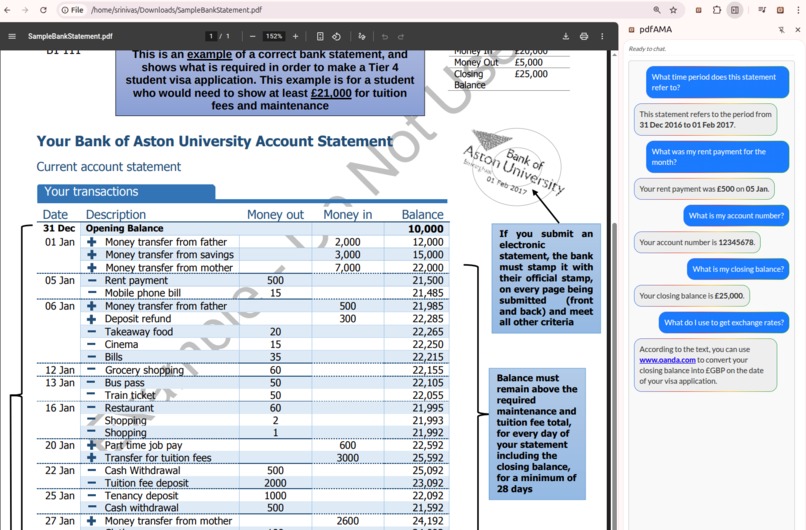
Fully local querying
-
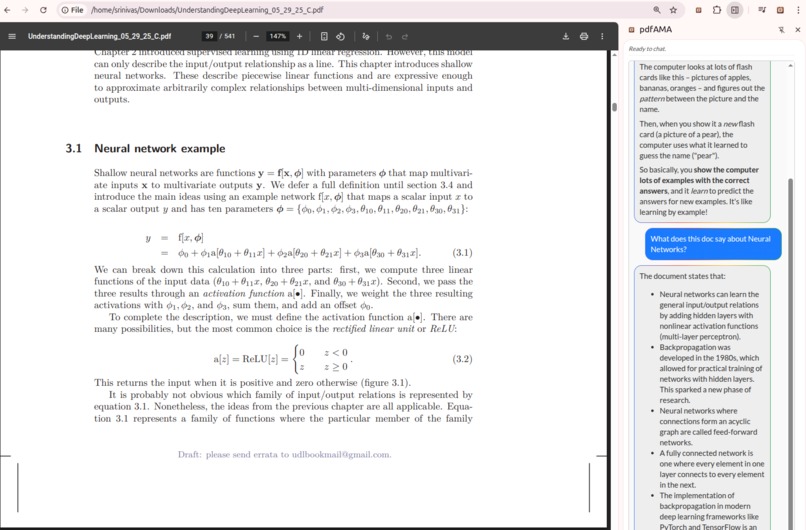
Query large documents
-
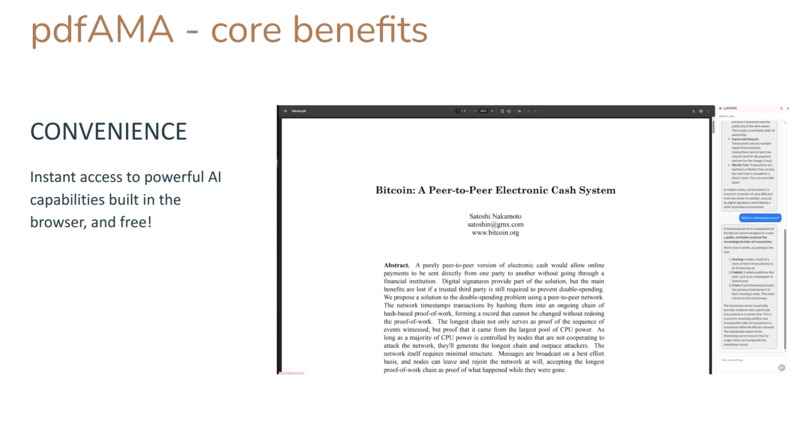
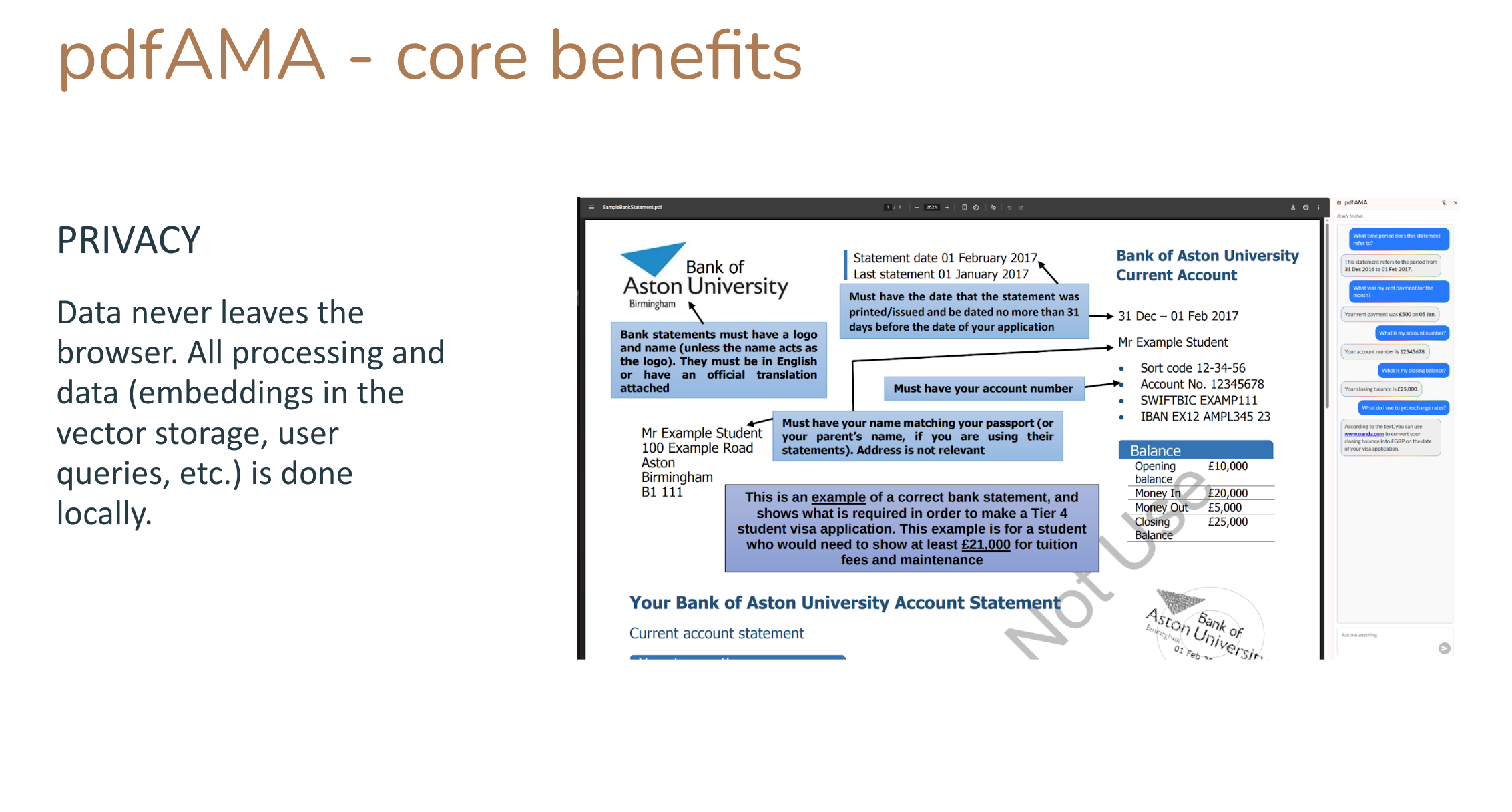
Benefits - Private
-
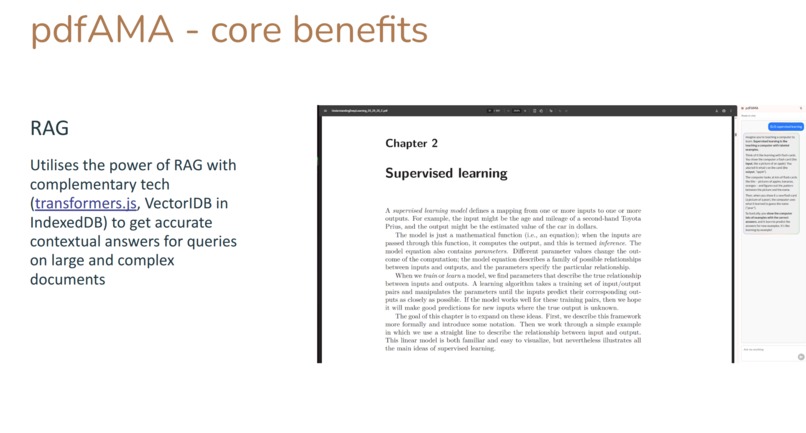
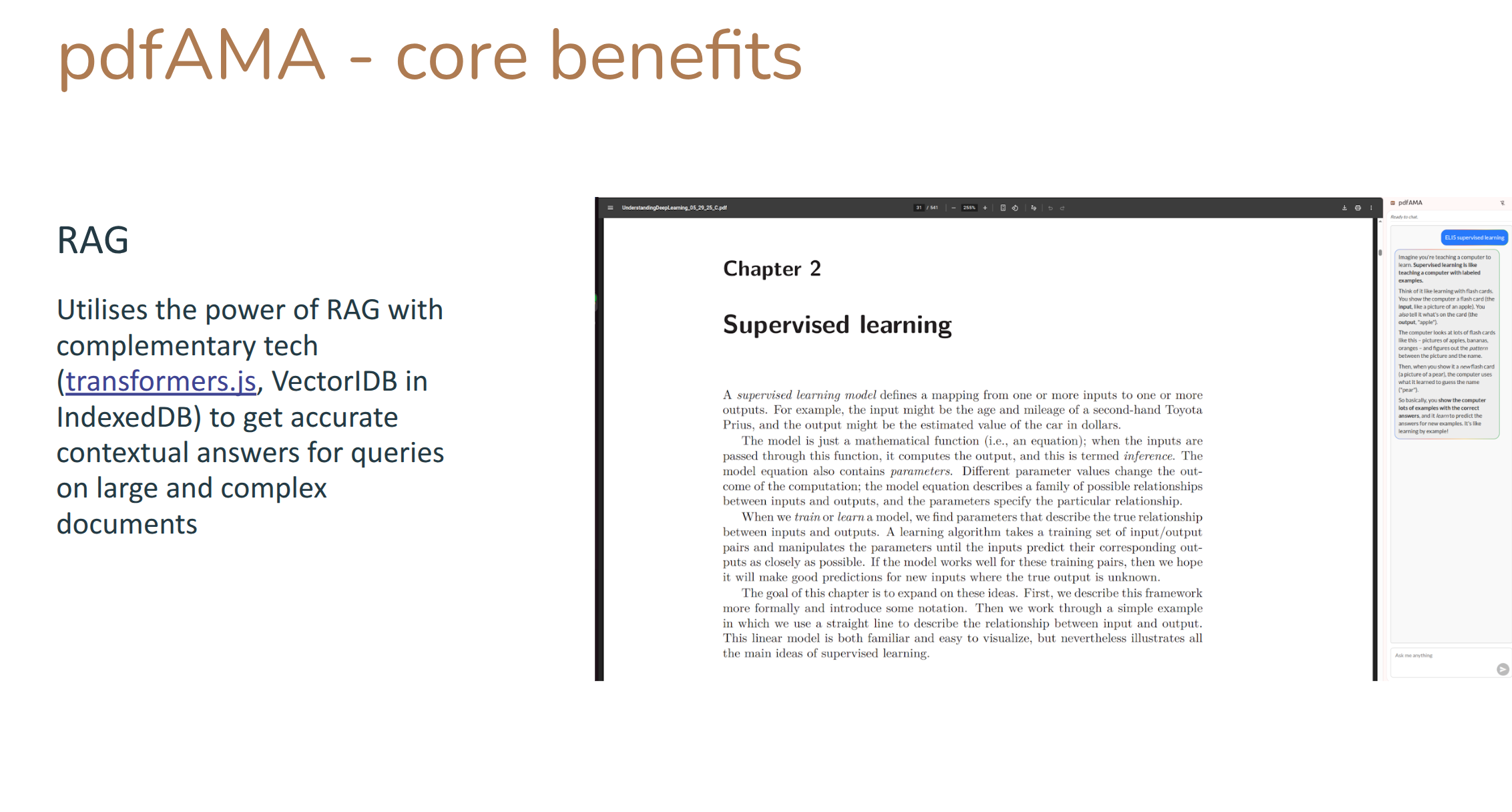
Benefits - Contextual
-
Benefits - Convenient
pdfAMA: Ask Me Anything about your PDF
Inspiration
In today's information-rich world, extracting insights from documents quickly and securely is paramount. Yet, the reliance on cloud-based AI for PDF analysis often forces a difficult compromise: privacy for convenience. Users are faced with the dilemma of uploading sensitive documents to external servers, risking data exposure and enduring frustrating latency.
We have been impressed with the potential of making GenAI more accessible with smaller models like Gemini Nano embedded directly in the browser, powered by Chrome Built-in APIs. This gives us the power of advanced AI directly to the user's browser, ensuring complete data privacy and faster responses. This inspired pdfAMA – demonstrating this capability of intelligent querying as a seamless, secure, and entirely local experience.
What it does
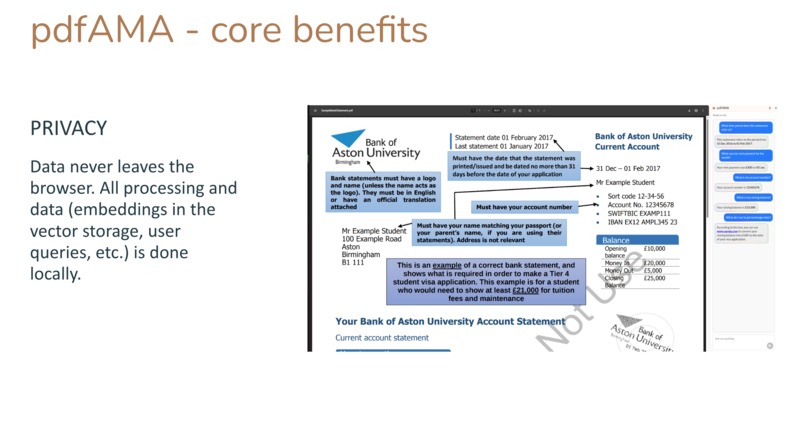
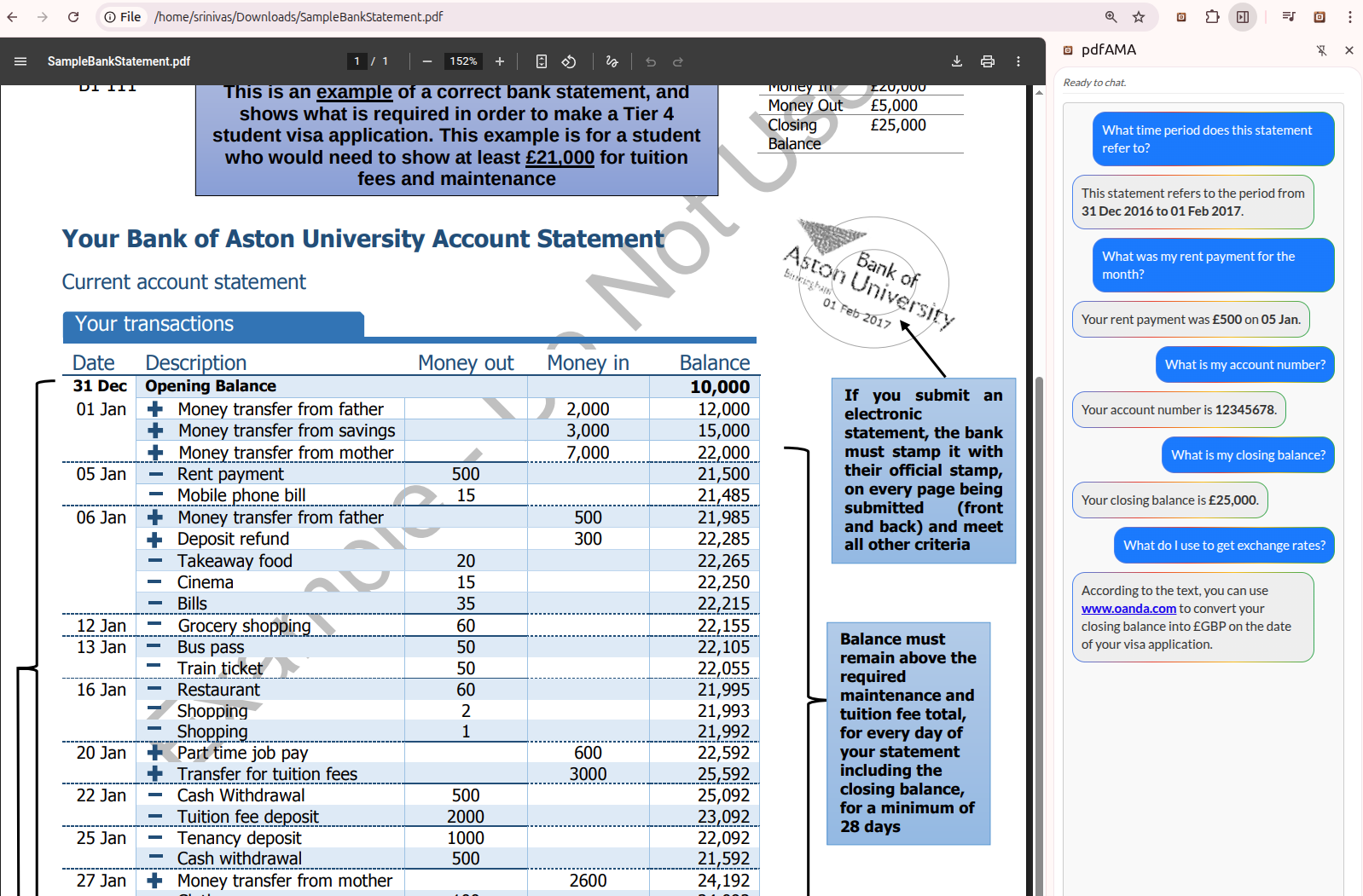
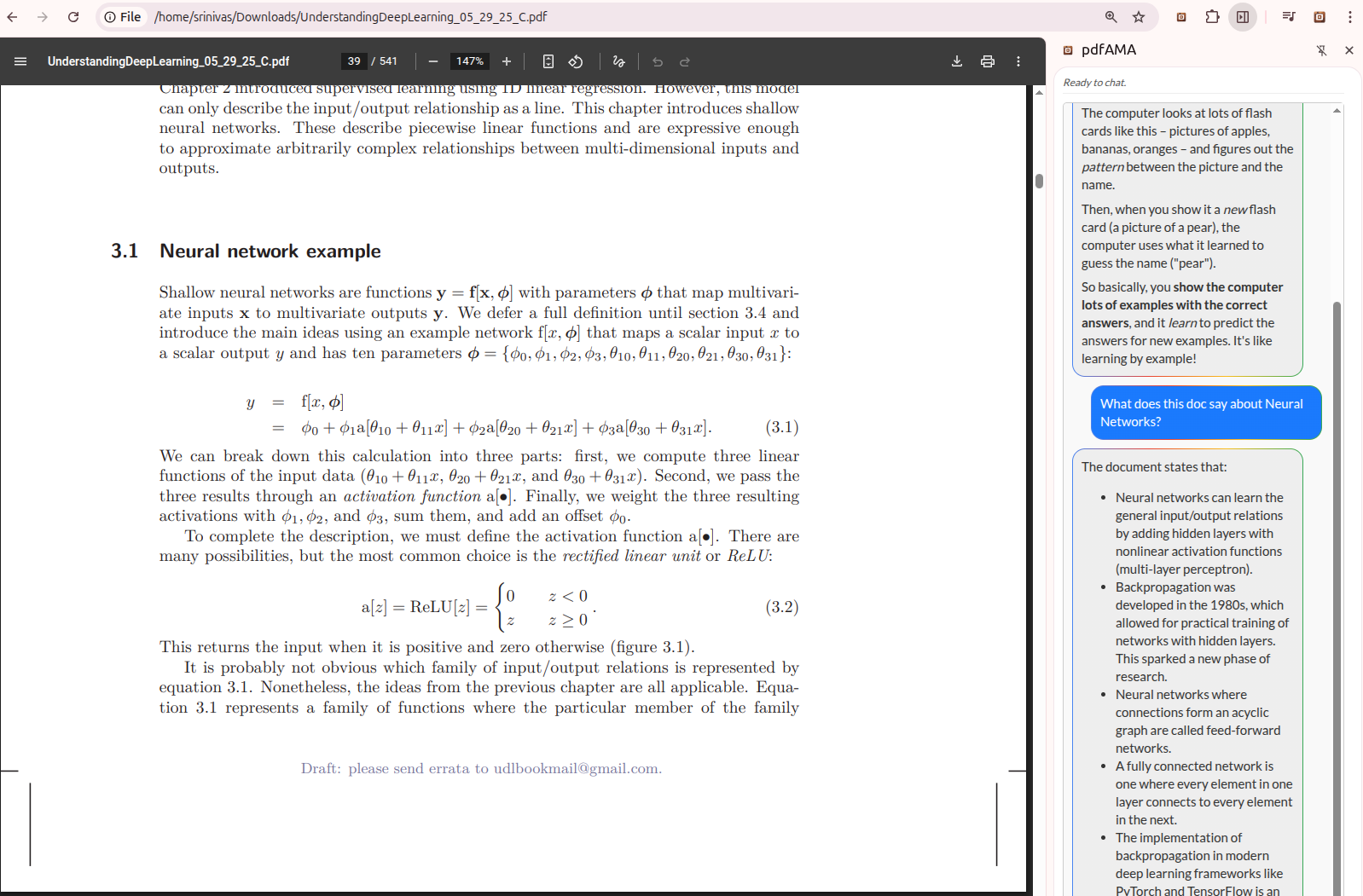
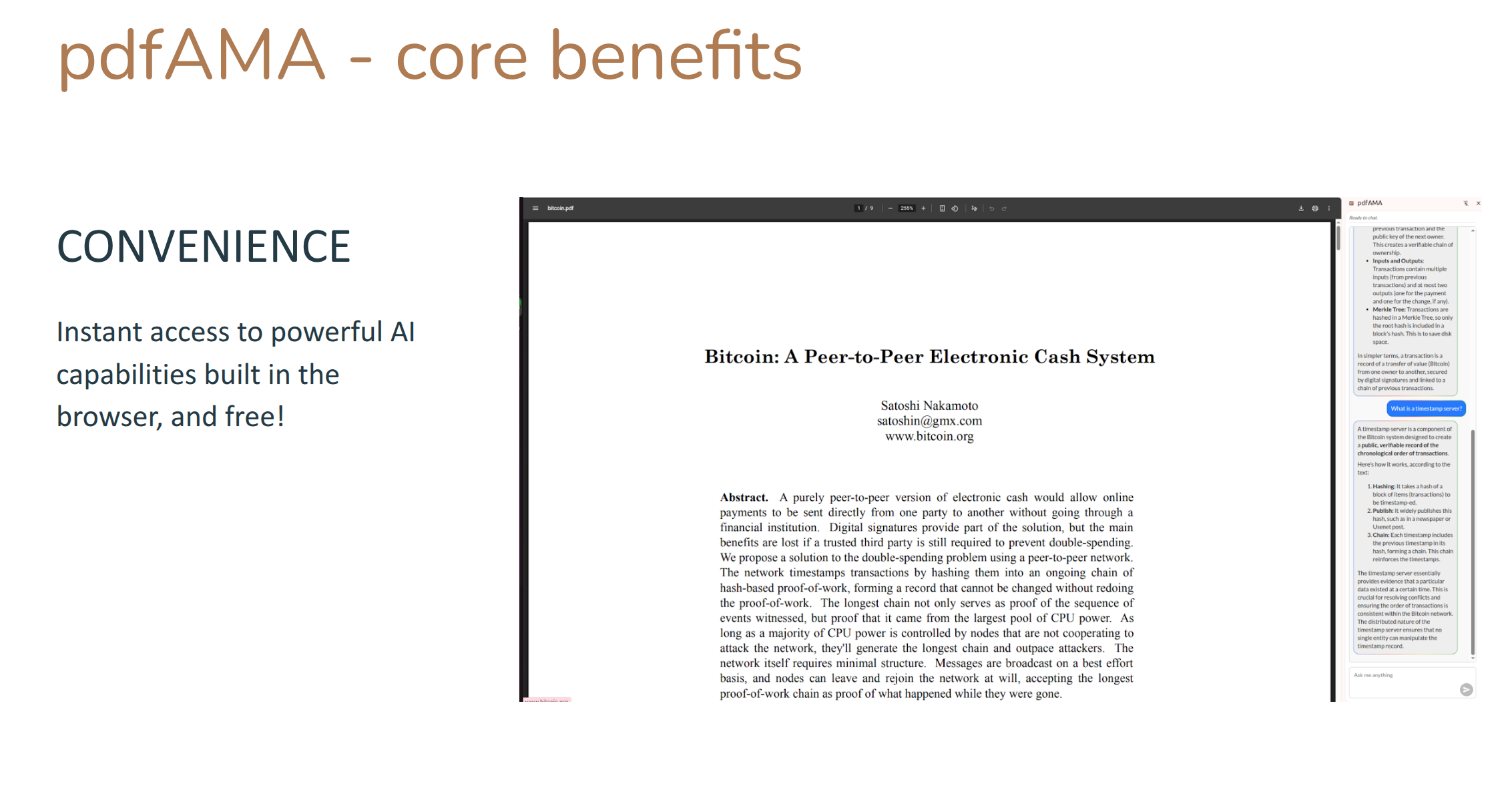
pdfAMA is a powerful, privacy-first AI assistant for PDFs, a Chrome extension that is always available to understand your PDFs better. It allows you to "Ask Me Anything" about any PDF, including large documents and PDFs stored locally, providing instant, contextual answers without ever sending your document data to the cloud. Imagine effortlessly querying your statements, complex reports, academic papers, or legal documents, receiving precise answers in real-time, all while your sensitive information remains securely on your device.
Key features include:
- Instantaneous Q&A: Get answers to your PDF questions, without waiting for network requests
- Complete Data Privacy: All processing happens locally, within your browser. It works for local PDF files too.
- Seamless Integration: Works directly within your Chrome browser, no external applications needed.
- Contextual Understanding: AI-powered insights derived directly from your document's content.
- Zero cost: Leverages local resources to totally eliminate expensive cloud model costs.
How we built it
pdfAMA is engineered for privacy and performance, operating entirely client-side. Our architecture combines robust components and smart communication to deliver on-device AI.
Key Architectural Elements:
- PDF Content Extraction: We use a browser-native PDF parsing library (pdf.js), isolating heavy text extraction from the main browser thread, keeping your experience smooth and secure.
- Local Vector Database (RAG Foundation): For larger documents, extracted text is chunked and converted into embeddings by an in-browser AI model, using transformers.js. These embeddings are stored as a local vector database in the browsers's IndexedDB, forming the core of our Retrieval Augmented Generation (RAG) system.
- Inter-component Messaging: The sidebar UI communicates with a background script, which orchestrates tasks. Intensive operations like embedding generation are delegated to the offscreen document via message passing, ensuring a fluid user experience without blocking the UI.
- AI-Powered Q&A (RAG in Action): User queries are embedded, and a similarity search retrieves relevant text chunks from the local vector database. These chunks, along with the query, are fed to Gemini Nano via Chrome's Prompt API to synthesize precise, contextual answers. This RAG approach ensures answers are grounded in your document, enhancing trustworthiness.
Challenges we ran into
Developing a fully local, AI-powered PDF query tool presented several interesting challenges, key ones being:
- Performance Optimization within Browser Limits: Ensuring that complex AI models and vector search operations run efficiently without causing browser unresponsiveness or excessive resource consumption, especially on less powerful devices.
- Effective Text Chunking Strategy: Dividing PDF text into meaningful segments for efficient storage and querying on large documents.
- Security considerations: Working around limitations imposed on extensions for security purposes; trade-offs against using more complex messaging patterns for better reliability and performance.
Accomplishments that we're proud of
We are proud of pdfAMA's ability to deliver a truly private and powerful AI experience directly in the browser, with response times and quality comparable to commercial cloud solutions. Our key accomplishments include:
- Achieving 100% On-Device AI Processing: Successfully implementing a complete AI pipeline—from PDF parsing to question answering—that operates entirely within the user's browser that works for large and complex documents.
- Fast Response Times: By eliminating network latency,
pdfAMAprovides answers almost instantly, significantly enhancing the user experience. - Robust Local Storage: Developing an efficient, in-browser vector database capable of handling complex document embeddings and rapid similarity searches.
- Seamless Integration with Chrome's Built-in AI: Effectively leveraging the Prompt API to power intelligent document interactions without compromising performance or privacy.
What we learned
Building pdfAMA was an interesting exercise to explore the potential of Chrome Built-in AI and related technologies:
- Chrome extensions: How extensions can function in this context, specifically as a sidepanel that is always accessible.
- Client-Side PDF Text Extraction: Utilizing the power of existing pdf parsing libraries to extract data from PDF documents.
- On-Device AI: We gained insights into integrating with the Gemini model as well as transformers to run efficiently within the browser environment, balancing performance with minimal resource consumption, e.g., with our RAG-based approach to work on large documents.
- Optimizing Local Vector Search: Developing and fine-tuning an efficient vector database and search mechanism that delivers results quickly in the browser.
- Designing for Privacy: Understanding and implementing best practices for data security and user privacy within the strict confines of a browser extension.
What's next for pdfAMA
Our feature list includes:
- Multimodal Capabilities: Exploring the integration of image and table understanding within PDFs using advanced on-device AI models.
- Advanced Summarization and Content Generation: Leveraging Chrome's other Built-in AI APIs - Summarization, etc. - to offer more sophisticated document analysis and content creation features.
- Collaborative Features (Privacy-Preserving): Investigating secure, local-first methods for users to share insights or annotated PDFs without compromising privacy.
- Broader Accessibility: Expanding language support and accessibility features, in addition to expanding usage beyond PDFs.
Built With
- indexeddb
- pdf.js
- promptapi
- transformers
- vectoridb

Log in or sign up for Devpost to join the conversation.