-
-
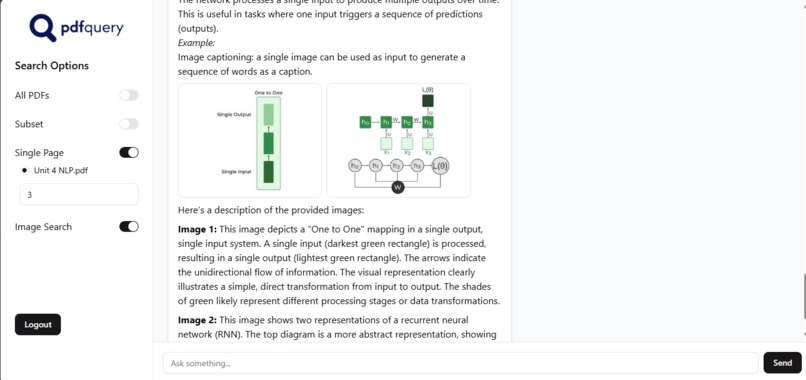
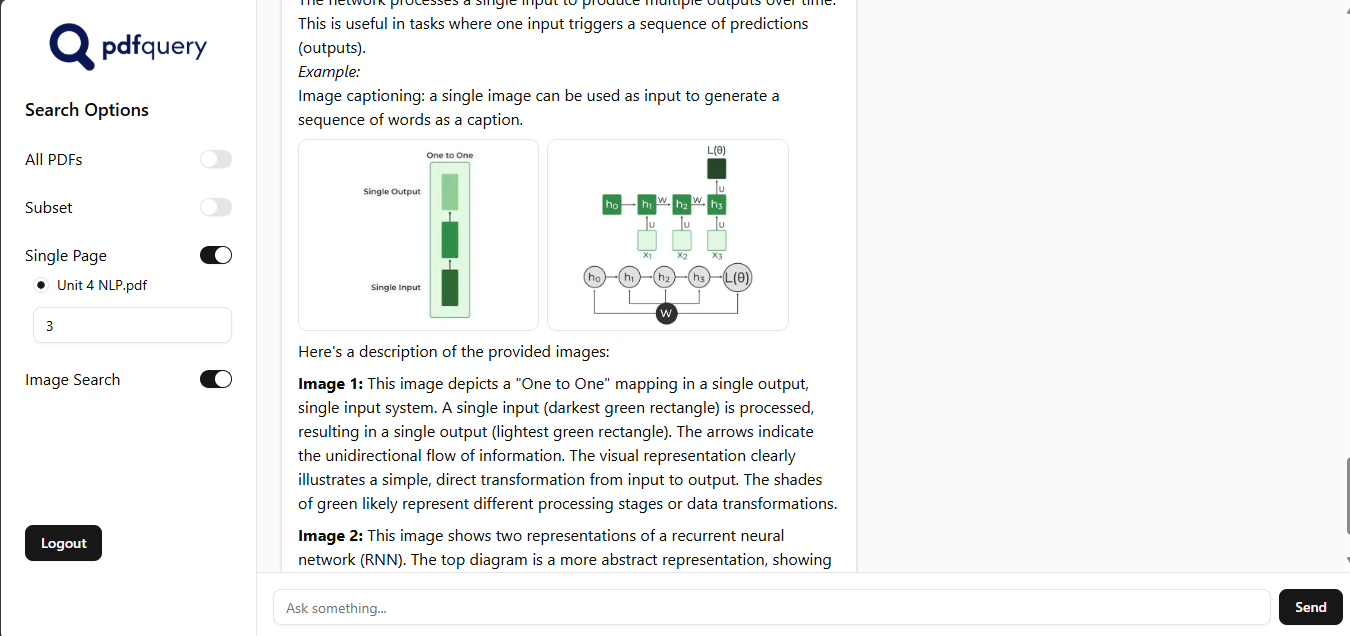
This screenshot contains a chat snippet
Inspiration
I built this project because of a common challenge I faced in college. Professors would insist that answers to questions must have direct citations from the PDF documents they provided. Manually sifting through large, often image-heavy, PDFs to find specific information was incredibly time consuming and frustrating. I wanted to create a tool that could instantly find and cite the exact source material from these documents, making studying more efficient and accurate.
What it does
PDF Query allows a user to upload multiple PDF documents. The application then processes these files, extracting both text and images and creating a smart, searchable database of their content. After this, you can simply ask questions about the PDFs, and the system will provide detailed, accurate answers. It not only finds the relevant text but also identifies and provides the source page number and any related images, ensuring your answers are always rooted in the original documents.
How I built it
The backend is built with FastAPI, which handles the API endpoints for user authentication, file uploads, and chat interactions. When a user uploads a PDF, the application uses PyMuPDF to parse the document, extracting text and images. These are then converted into numerical representations (embeddings) using a HuggingFace model for text and a CLIP model for images. We store these embeddings in a ChromaDB vector database.
The core of the system is a LangGraph pipeline that orchestrates the entire process. When a user asks a question, this pipeline uses the user's query to retrieve the most relevant text and image embeddings from ChromaDB. Finally, it feeds this retrieved context to a Google Gemini model to generate a comprehensive answer.
The backend is containerized using Docker for a consistent and portable runtime environment and it is hosted in Azure web apps. The frontend, built with React and TypeScript, is deployed on Vercel for a smooth user experience.
Challenges we ran into
Multi-tenancy and Data Security: Designing the system to be a true multi-tenant solution was a significant challenge. I needed to ensure that each user's data and documents were completely isolated and secure from other users.
Vector Store Refactoring: Initially, I used FAISS as the vector store. However, I quickly realized its limitations in a multi-tenant environment, which led to a major refactoring effort to switch to ChromaDB. This change was crucial for achieving better data isolation and simplifying user-specific data management.
Concurrency of Operations: Managing multiple simultaneous user operations, such as file uploads, parsing, and querying, without causing performance bottlenecks or data corruption required careful handling of asynchronous tasks and state management.
Deployment Issues: I faced several deployment challenges, particularly when trying to deploy the containerized backend to Azure. Overcoming these issues required a deep understanding of cloud infrastructure, networking, and container orchestration within the Azure ecosystem.
Accomplishments that I am proud of
Multi-modal RAG: Successfully implemented a RAG system that handles both text and images, a key feature that few similar projects possess.
Seamless Pipeline: The LangGraph pipeline effectively orchestrates all the components, from retrieval to generation, in a logical and efficient manner.
Fully Deployed Service: Taking this project from a local prototype to a fully containerized and deployed service on Azure and Vercel was a significant achievement that demonstrates a strong grasp of the full software development lifecycle.
What I learned
Architectural Design: I gained practical experience in designing a multi-tenant system that ensures data isolation and security for each user.
Vector Database Management: The refactoring from FAISS to ChromaDB taught me the critical importance of selecting a vector store that supports multi-tenancy and efficient data management at scale.
Concurrency and Performance: I learned to handle concurrent operations to ensure the application remains performant and stable under simultaneous file uploads, parsing, and query requests.
End-to-End Deployment: The process of containerizing the application with Docker and deploying it to Azure Web Apps provided hands-on experience with cloud services.
What's next for PDF Query
Implement a more robust authentication system: Refactor the session management to use JWTs for better security.
Improve error handling and logging: Replace generic try/except blocks with more specific error handling and implement a proper logging library to make debugging easier.
Add support for more file types: Expand the project to handle different file formats beyond PDFs, such as Word documents or markdown files.
Introduce a history feature: Allow users to review their past queries and answers.
Optimize for performance: Implement caching strategies to reduce latency and improve the user experience.

Log in or sign up for Devpost to join the conversation.