Inspiration
The inspiration for the PDF Mastermind project arose from recognizing the common challenges faced by professionals, researchers, and students when dealing with PDF documents. These challenges include the time-consuming process of manually searching through lengthy documents to find relevant information, the need to generate concise summaries for better understanding, and the desire to extract insights efficiently. I aimed to address these pain points by leveraging artificial intelligence (AI) technologies to automate and streamline document management tasks.
What it does
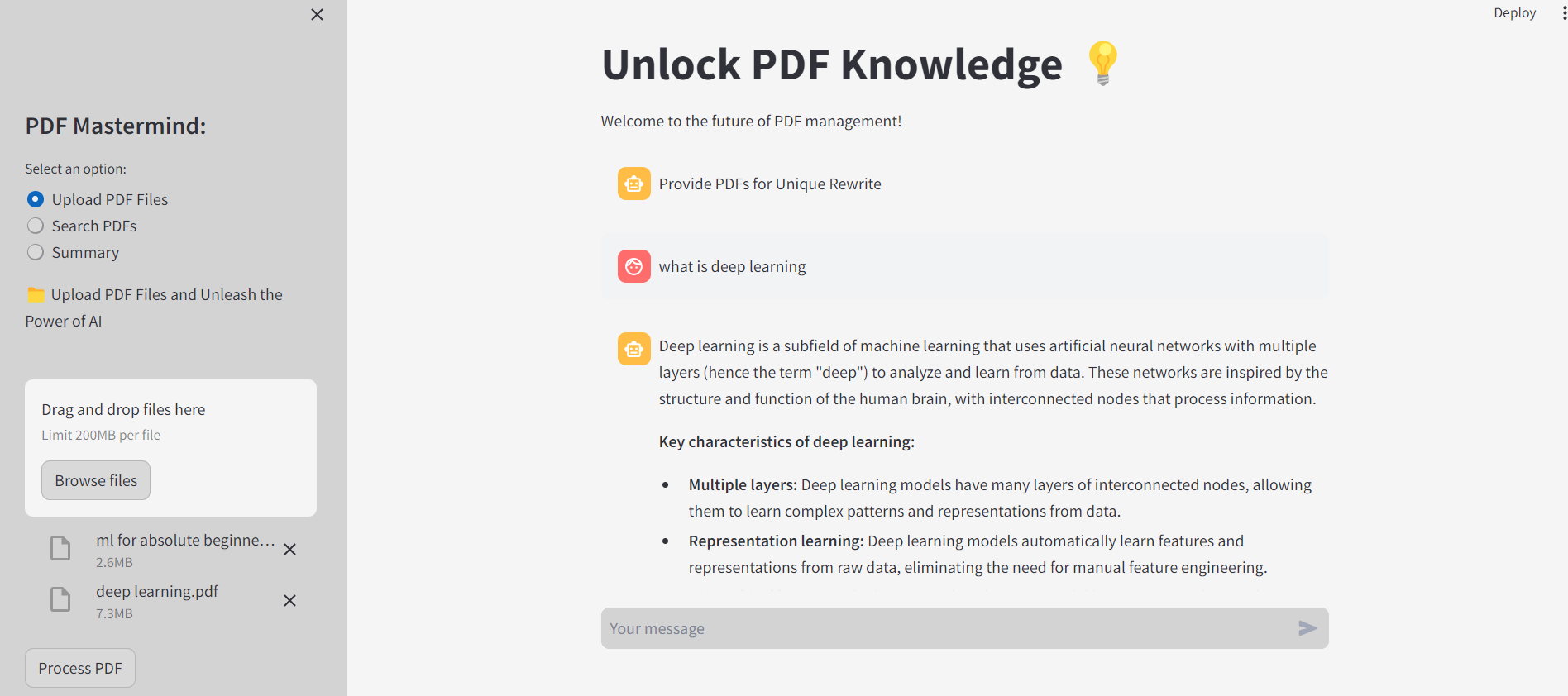
PDF Mastermind is a comprehensive document management tool that empowers users to efficiently process, analyze, and extract insights from PDF documents using artificial intelligence. Here's what it offers:
- Text Extraction: Automatically extracts text from uploaded PDF documents, enabling easy access to the content within.
- Text Summarization: Utilizes advanced summarization techniques to generate concise summaries of PDF content, allowing users to grasp key information quickly.
- Keyword Search: Creates a search index for PDF documents, enabling users to search for keywords and phrases within the documents.
- Conversational AI: Integrates conversational AI functionality, powered by Vertex AI and Google AI, enabling the system to respond to user queries based on the content of uploaded PDFs, thereby enhancing user interaction and delivering tailored responses.
How I built it
PDF Mastermind was developed using a systematic approach, incorporating various technologies and methodologies:
- Requirement Analysis: Conducted thorough analysis of user needs and pain points related to PDF document management.
- Technology Selection: Selected appropriate languages, frameworks, and APIs, including Vertex AI for authentication and initialization and Google AI for conversational AI capabilities, based on project requirements.
- Development Iterations: Implemented features incrementally, starting from text extraction and progressing to advanced AI integration and user interface development.
- Testing and Feedback: Rigorously tested the application and collected user feedback to ensure reliability, accuracy, and user-friendliness.
- Deployment: Deployed the final application on Streamlit Sharing, providing users with easy access via a web interface.
Challenges I ran into
The development of PDF Mastermind presented several challenges, including:
- Text Extraction Accuracy: Ensuring accurate text extraction from PDFs, particularly those with complex layouts or scanned images, required robust error handling and mitigation strategies.
- Model Integration Complexity: Integrating multiple AI models and libraries into a cohesive system posed challenges related to compatibility, performance optimization, and seamless user interface interaction.
- Performance Optimization: Optimizing the performance of text summarization, search indexing, and conversational AI functionalities demanded thorough optimization and resource management.
Accomplishments that I'm proud of
Despite the challenges, PDF Mastermind represents a significant achievement, and we're proud of:
- Comprehensive Functionality: Successfully implementing a wide range of features to address diverse user needs, including text extraction, summarization, keyword search, and conversational AI capabilities.
- User-Friendly Interface: Designing an intuitive and interactive web interface using Streamlit, enabling seamless user interaction and access to document insights.
- Robust Performance: Achieving robust performance and reliability through extensive testing, optimization, and feedback-driven improvements, ensuring a smooth user experience.
What I learned
The development of PDF Mastermind provided valuable learning experiences, including:
- Advanced Text Processing Techniques: Gained insights into advanced text processing techniques such as summarization, keyword extraction, and similarity search.
- AI Integration: Learned how to integrate and fine-tune AI models including those from Vertex AI and Google AI, for document analysis, conversational interaction, and content generation.
- User-Centric Design: Emphasized the importance of user-centric design principles in creating intuitive and efficient user interfaces for complex applications.
What's next for PDF-MasterMind
- Advanced AI Capabilities: Enhance semantic understanding, implement sentiment analysis, and integrate entity recognition for deeper document analysis leveraging Vertex AI and Google AI.
- Integration with Cloud Services: Enable real-time collaboration and version control features by integrating with platforms like Google Drive or Dropbox.
- Improved User Experience: Offer customizable summaries and interactive document visualizations for a more engaging experience.
- Scalability and Performance: Explore distributed processing and optimize search indexing to handle large document volumes efficiently.
- User Feedback and Iterative Improvement: Implement feedback mechanisms and adopt agile development practices for continuous enhancement.
- Security and Privacy Enhancements: Enhance data encryption and access control mechanisms for improved security.
- Expand Compatibility and Accessibility: Support additional file formats and develop mobile-friendly versions to cater to diverse user needs.
Built With
- dotenv
- faiss
- google-generativeai-api
- pygooglegenerativeai
- pypdf2
- python
- pytoch
- streamlit
- sumy
- vertex-ai
- whoosh

Log in or sign up for Devpost to join the conversation.