-
-
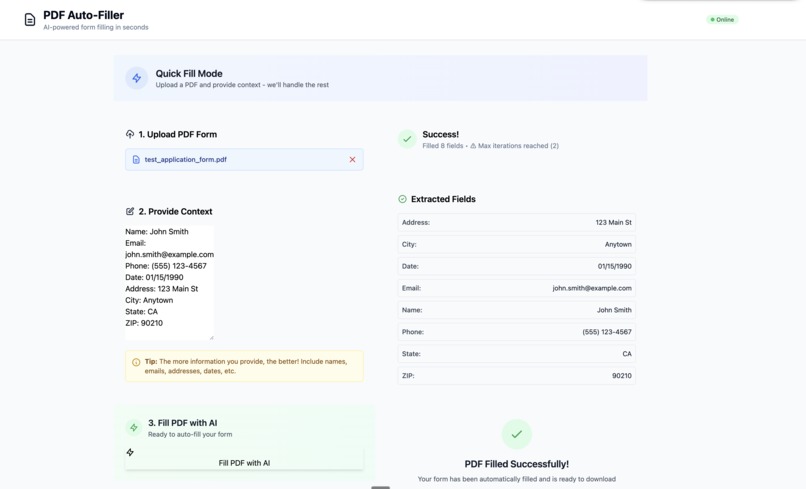
Interface
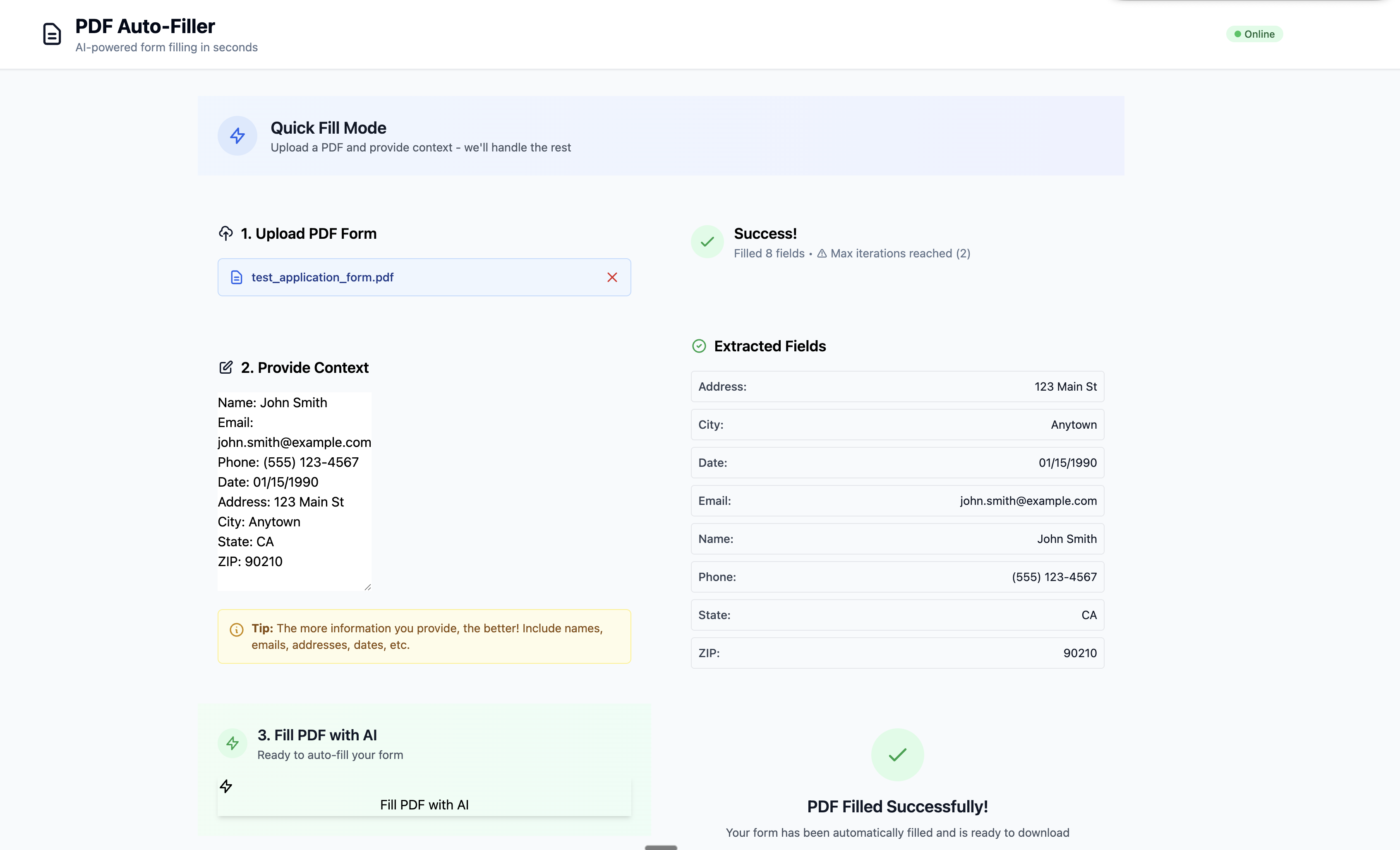
Inspiration
We spoke to multiple people who struggle with repetitive form filling - spending dozens of hours each week downloading PDFs from emails, opening them in software, and manually filling fields. The context they need is often scattered across email threads, making it even more tedious.
What it does
PDF Filler automatically reads email threads, extracts relevant context (names, addresses, dates, etc.), and fills out PDF forms with pixel-perfect accuracy. It works on any PDF - even scanned forms without fillable fields.
How we built it
We combined multiple AI technologies in a feedback loop:
- OCR (PyMuPDF) - Detects field positions on the PDF
- Claude AI - Extracts data from email context using regex patterns
- Gemini Vision AI - Takes screenshots of filled PDFs and suggests pixel-level adjustments
- LangGraph - Orchestrates the vision feedback loop with LangSmith tracing
- ReportLab - Overlays text directly on PDFs
Challenges we ran into
- Vision model accuracy: Balancing the number of iterations vs. degradation from too many adjustments
- Form field creation: Initially tried creating fillable fields programmatically, but it was unreliable
- Pivot to text overlay: Realized directly overlaying text on PDFs was simpler and more robust
Accomplishments that we're proud of
- High accuracy with minimal iterations
- Works on any PDF - fillable forms, scanned documents, anything with text fields
- AI-in-the-loop architecture that self-corrects alignment issues
What we learned
Sometimes the simpler solution (text overlay) beats the "proper" approach (form field creation). Also learned to balance AI feedback loops - more iterations isn't always better.
What's next for PDF Filler
Gmail API integration! This is the core technology - next step is connecting it to our inbox so it automatically processes form requests from emails and generates drafts without any manual intervention.


Log in or sign up for Devpost to join the conversation.