Inspiration
Freelancers and small businesses spend time filling in invoice forms, and small mistakes in names, amounts or due dates cause delays in getting paid. I wanted invoicing to feel as easy as describing the job out loud.
What it does
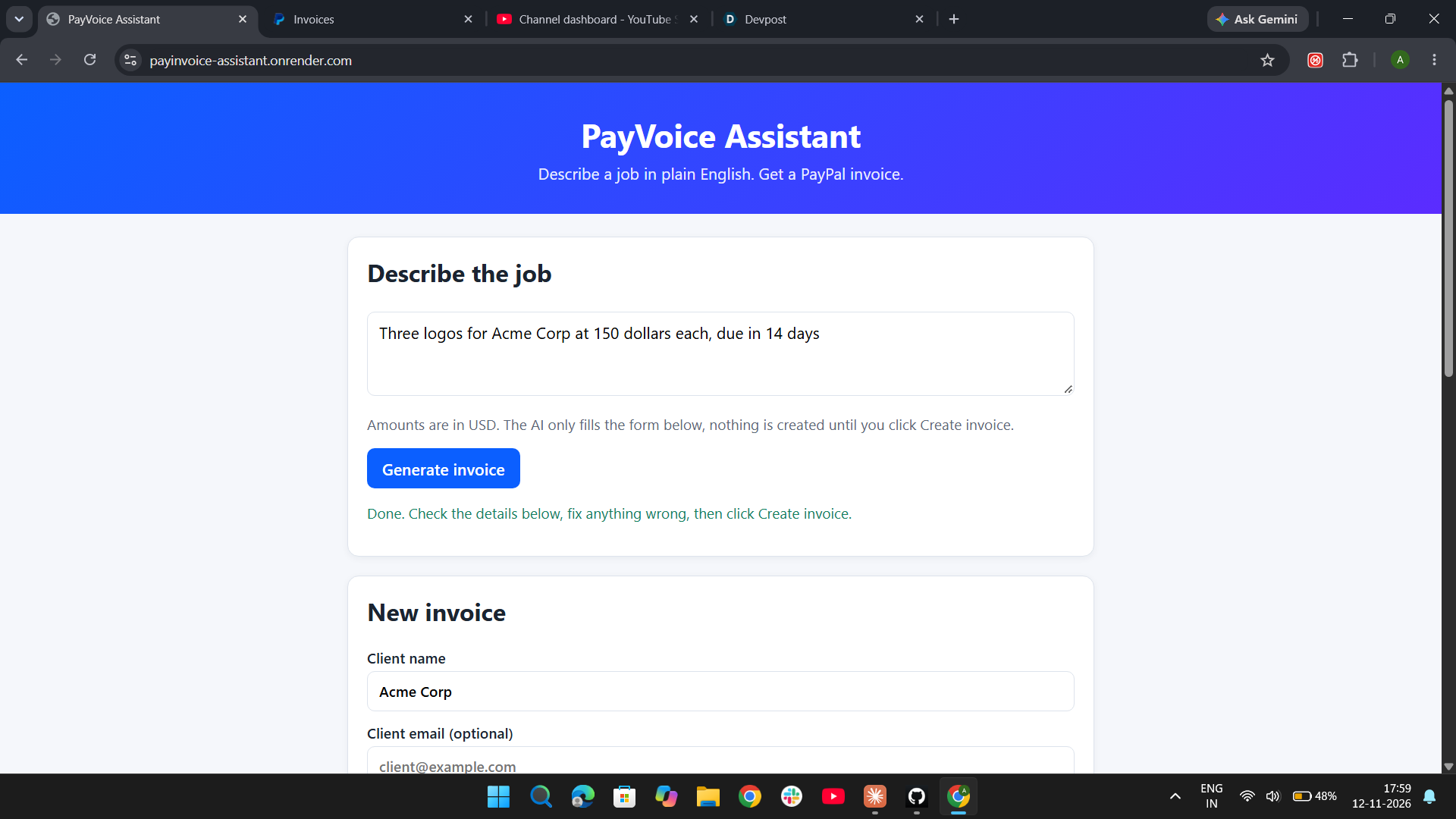
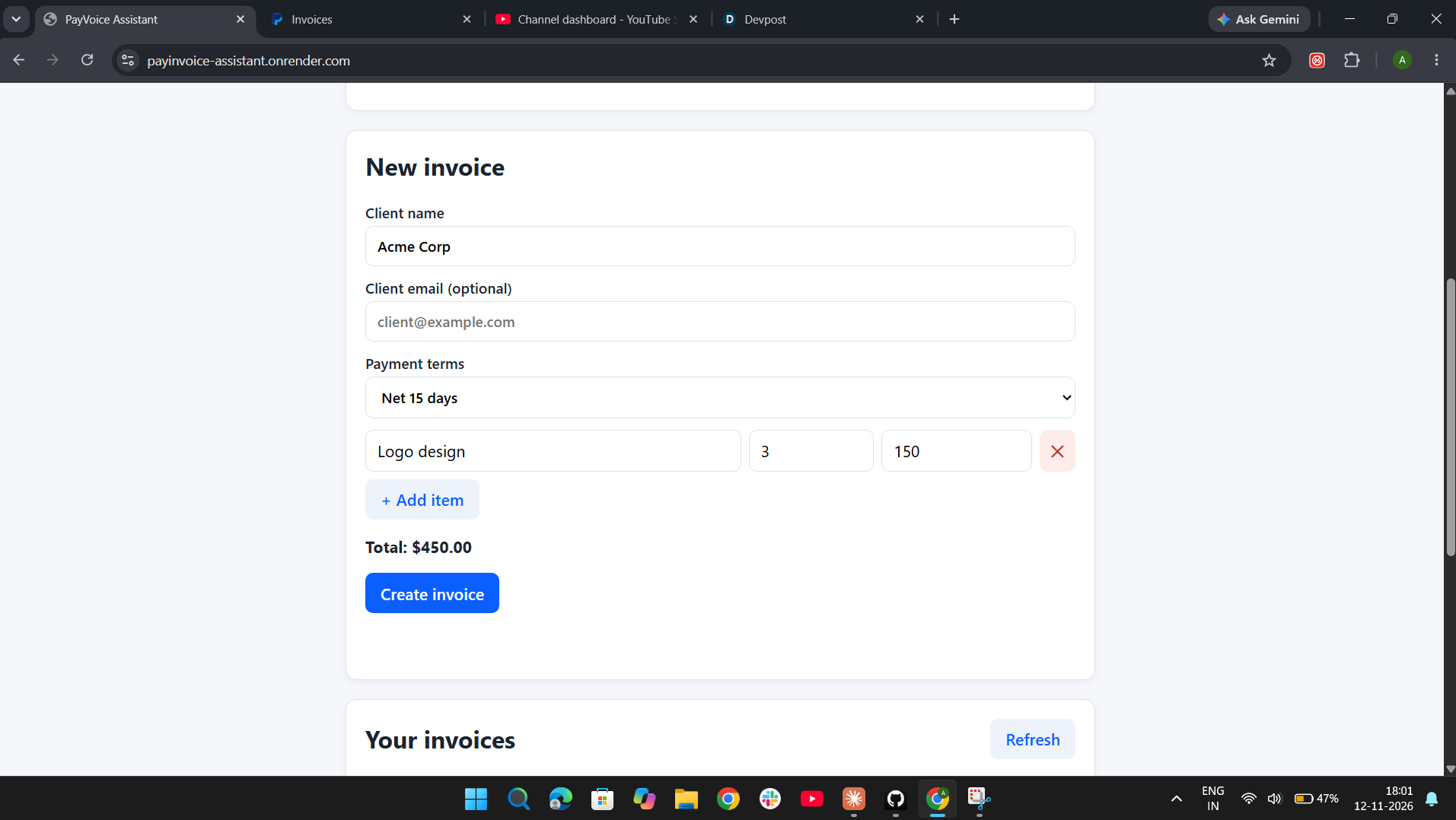
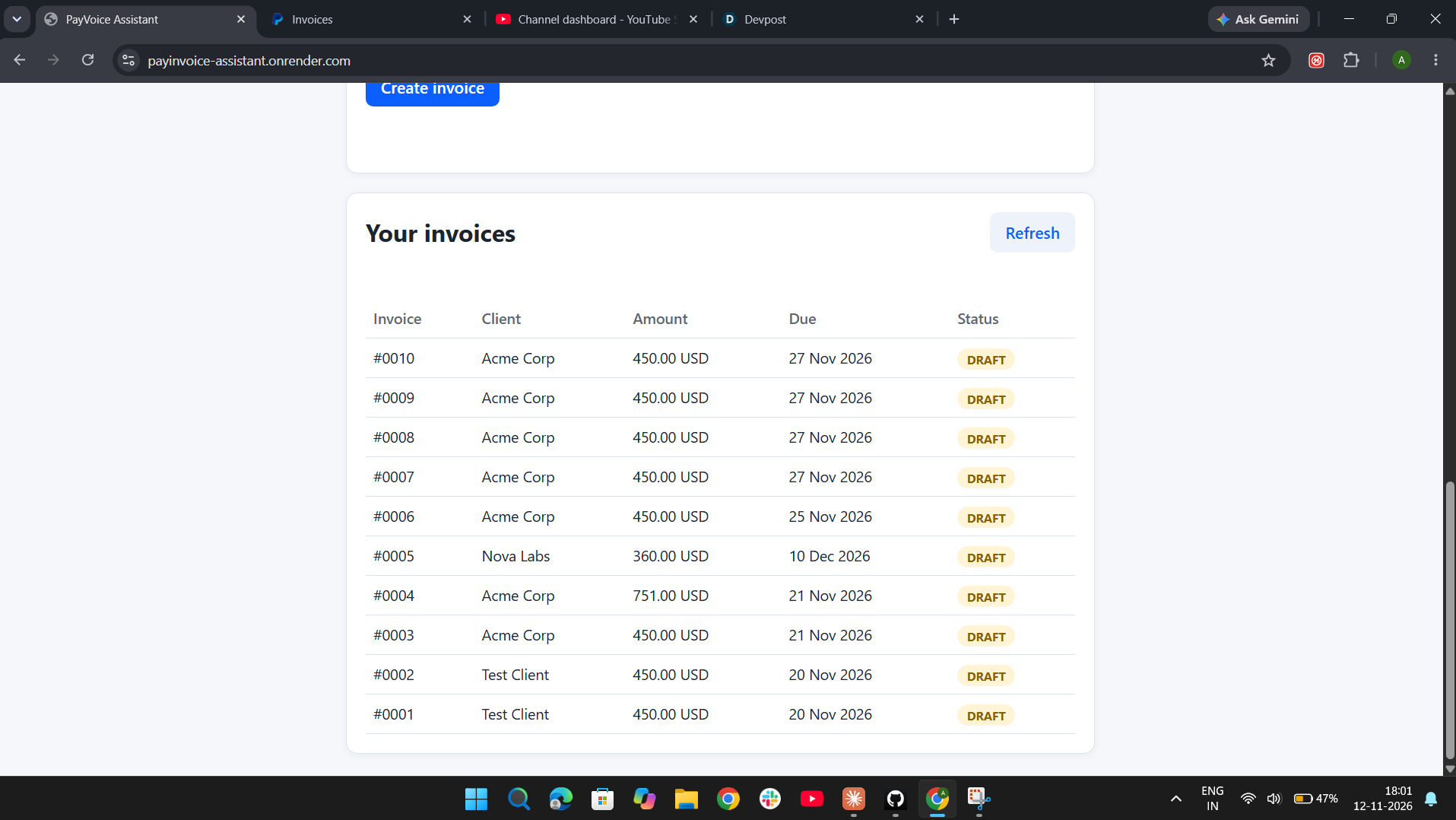
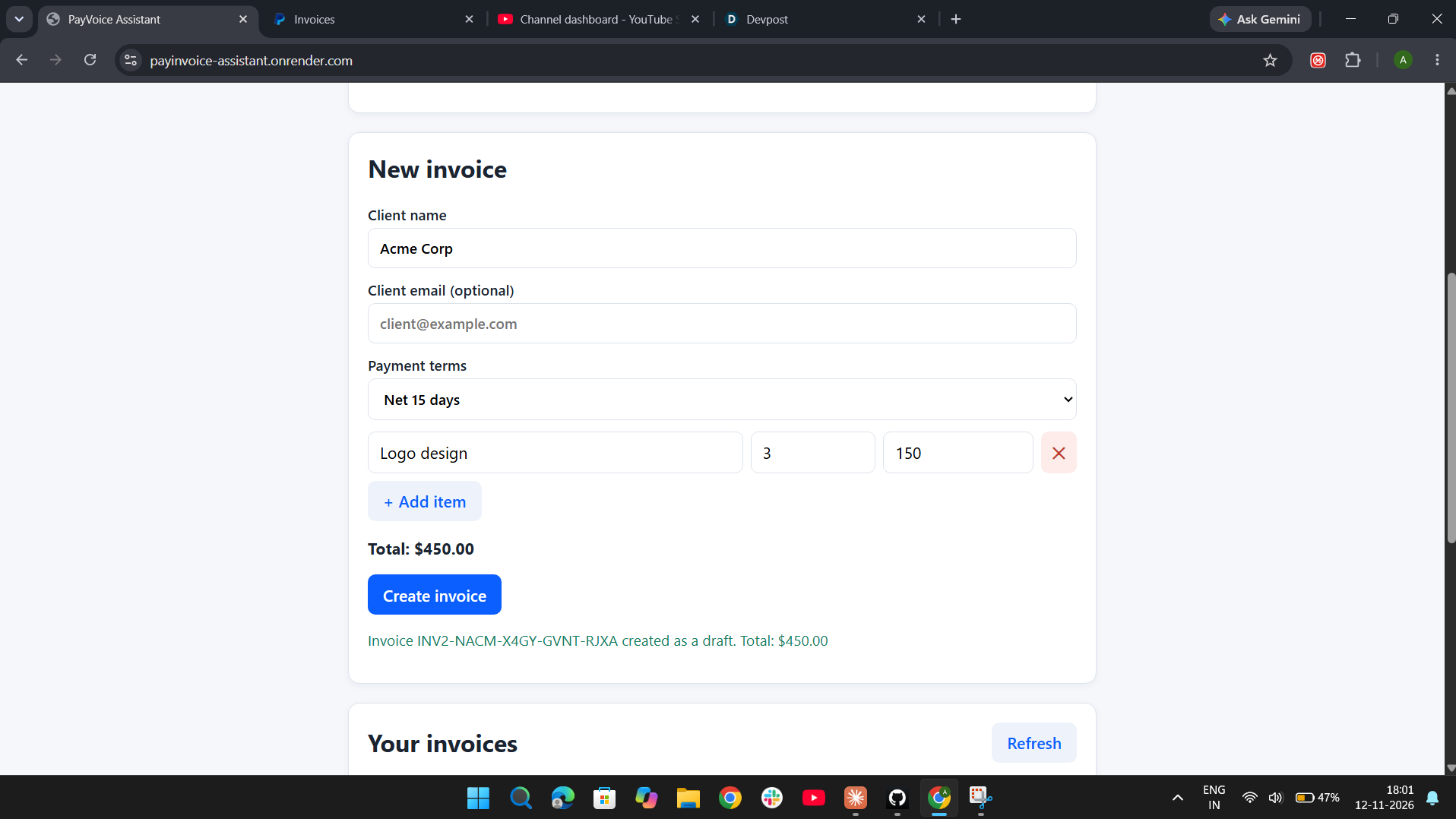
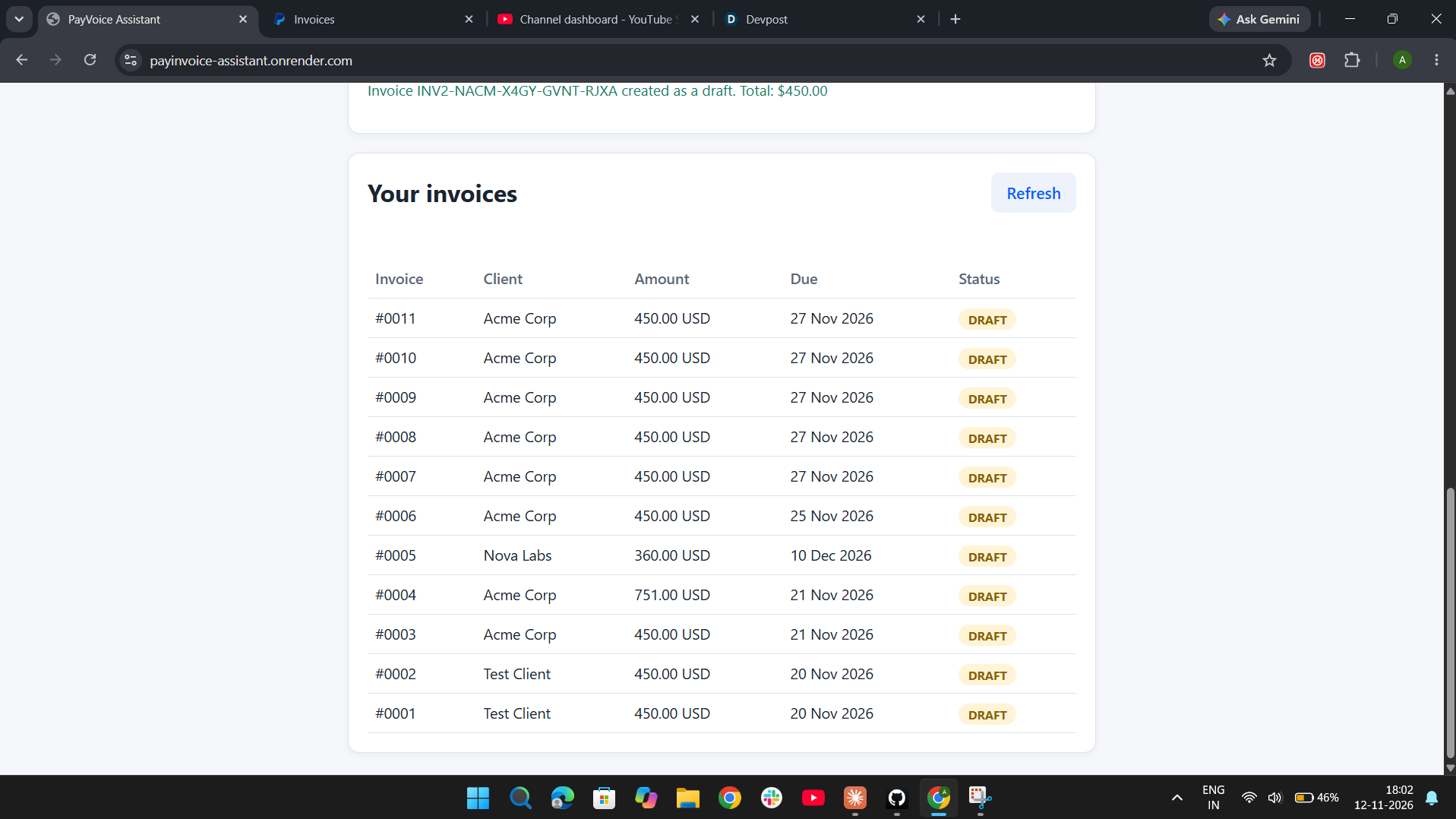
You describe a job in plain English, for example "Three logos for Acme Corp at 150 dollars each, due in 14 days". AI turns that into a structured invoice form: client, email, items, quantities, unit prices and payment terms. You review and edit it, then approve it, and the app creates a draft invoice in PayPal. A dashboard lists all invoices with their status.
How PayPal is used
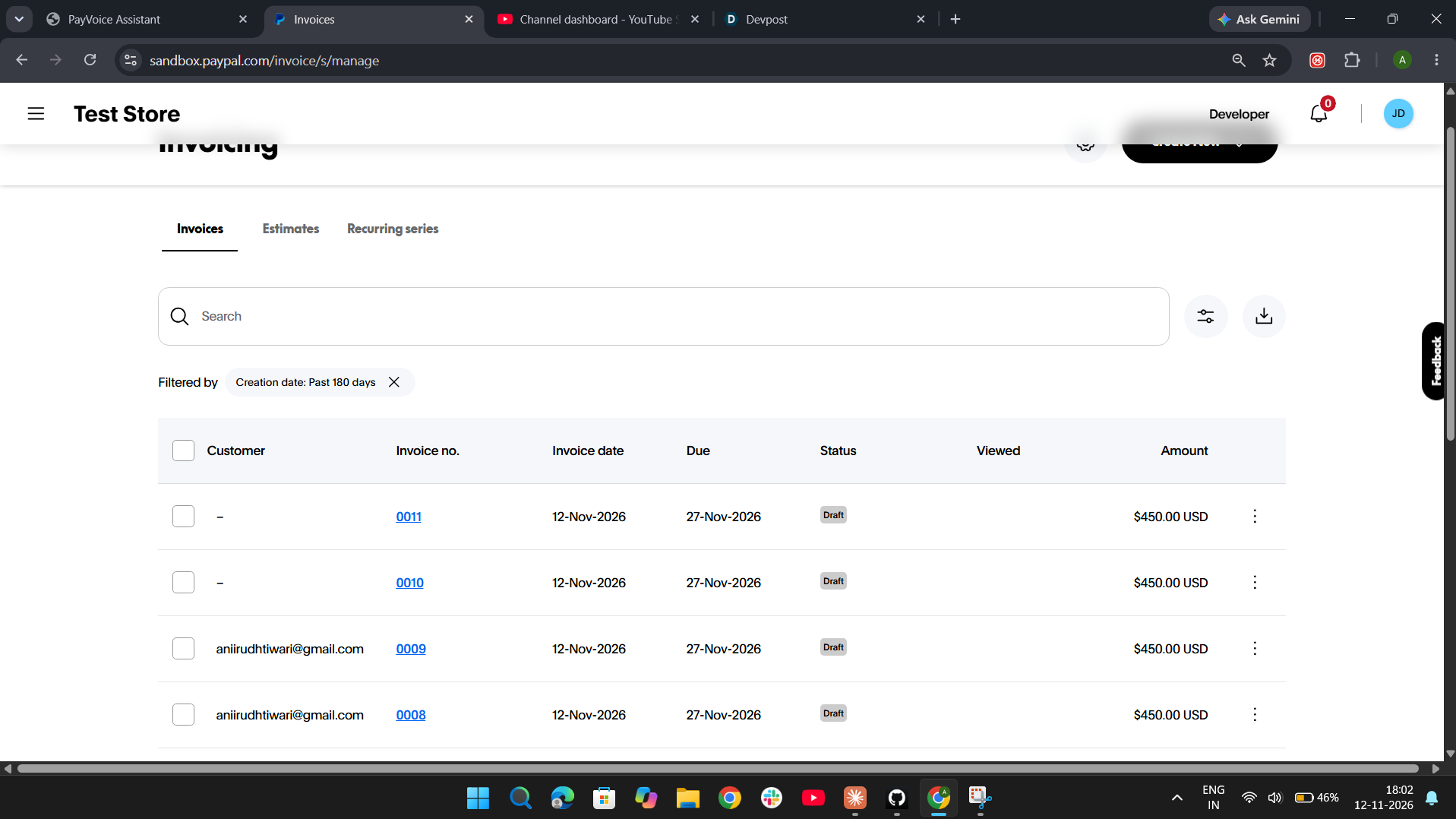
The app uses the PayPal Invoicing API (v2) in the sandbox to create and list invoices, authenticated with the OAuth 2.0 client credentials flow. PayPal is central to the project: every invoice the app creates is a real PayPal sandbox invoice that also shows up inside a PayPal business account.
How AI is used
A Google Gemini Flash-Lite model reads the plain-English text and returns structured JSON. The AI never creates an invoice by itself. It only fills the form, a human approves every invoice, and the server validates all fields again before anything is sent to PayPal.
How we built it
- Node.js and Express backend
- Vanilla HTML, CSS and JavaScript frontend
- PayPal Invoicing API for creating and listing invoices
- Gemini API for turning text into invoice JSON
- Deployed on Render, with API keys stored as environment variables
- Open source under the MIT license
Challenges we ran into
This was my first full project. I hit PayPal permission errors and schema errors, and learned to read the API's error messages to fix them. I also had to design validation so the AI's output can never create a bad invoice: every field is checked on the server, prices must be above zero, and there is a $10,000 safety limit per invoice.
Accomplishments that we're proud of
A complete, working flow from plain English to a real PayPal sandbox invoice, with a human approval step, deployed online and open source. I built it as a beginner who had been learning HTML, CSS and JavaScript for a few months.
What we learned
How OAuth and REST APIs work, how to prompt an AI so it returns reliable JSON, and why server-side validation matters when an AI is involved.
What's next for PayVoice Assistant
- Sending invoices to clients and tracking payments
- Voice input, so you can speak the job instead of typing it
- Support for more currencies
Built With
- api
- bash
- css
- express.js
- gemini
- git
- github
- html
- javascript
- node.js
- paypal
- paypaldeveloper
- render
- vscode
