Inspiration
Late payments are one of the biggest cash-flow problems for small businesses, and the hardest part is not sending invoices. It is deciding which overdue invoice to chase first, what to say, and when. Most tools answer with blanket automation: the same reminder to every customer on a fixed schedule. That irritates reliable customers, ignores invoices under dispute, and gives the owner no explanation for why anything was sent.
I wanted the opposite: a tool that looks at the facts, ranks the invoices, explains why, suggests what to do, and then waits for the owner to decide. I named it PayTriage after hospital triage, where the first job is deciding who needs attention most urgently and being able to justify that choice.
What it does
PayTriage is a payment recovery assistant built on PayPal Sandbox invoices. It turns a list of overdue invoices into a prioritized, explained, and approved action plan.
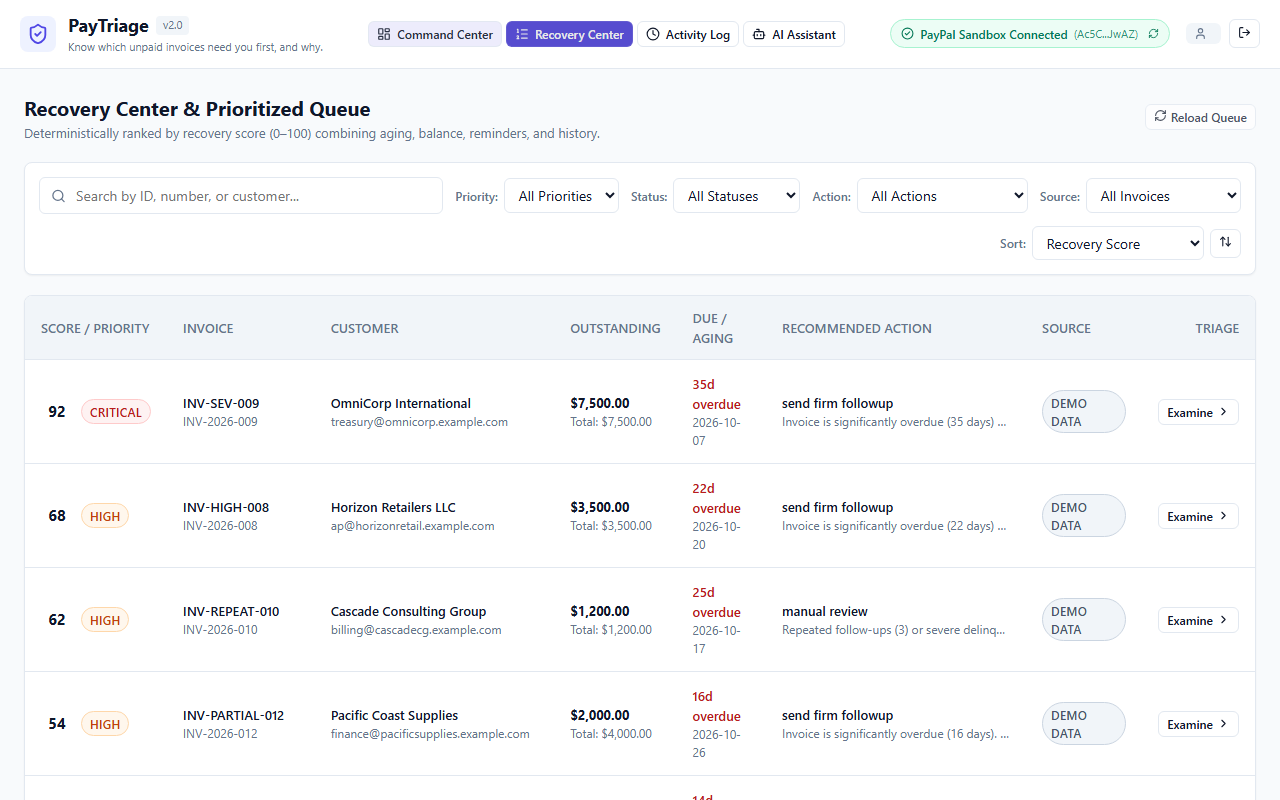
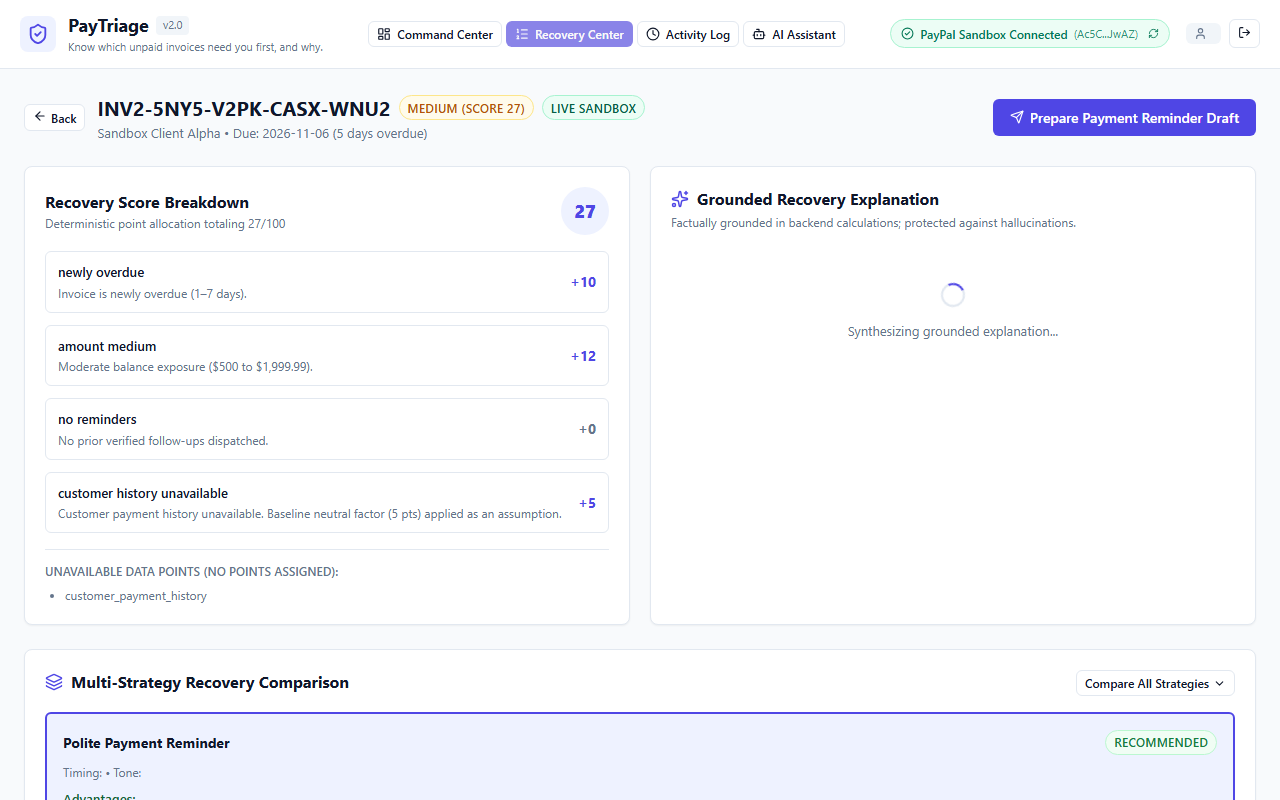
1. Prioritize. Every overdue invoice gets a recovery priority score from 0 to 100 and a level: Critical, High, Medium, or Low. The score adds up four documented parts: days overdue (up to 40 points), outstanding amount (up to 25), verified reminder history (up to 20), and customer payment history (up to 15). Critical is 75 and above, High is 50 to 74, Medium is 25 to 49, and Low is below 25. Every point is shown with its reason.
The score is a decision-support priority score, not a prediction of payment. There is no trained model behind it, and the interface says so. When customer history is unavailable, the app states that and labels the small baseline it applies as an assumption. Paid, cancelled, disputed, draft, and not-yet-due invoices do not get an ordinary score, and disputed invoices go to manual review instead of receiving a payment reminder.
2. Recommend. Fixed, visible rules suggest the next best action: a polite reminder, a firm follow-up, a scheduled follow-up when the customer has promised a date, waiting during a reminder cooldown, or manual review for disputes and repeated failures. A strategy comparison lists the advantages and limits of each option. I deliberately show no invented success percentages.
3. Explain and draft. Explanations and reminder drafts (professional, friendly, polite, or firm) use only verified facts: the invoice reference, the amount, and the due date. The owner can edit the draft. I integrated Google Gemini for this, with schema validation and a check of the output against the real invoice data. If the model is slow, unavailable, or returns anything that fails validation, PayTriage falls back to a deterministic template and labels it "Generated without AI", with the reason.
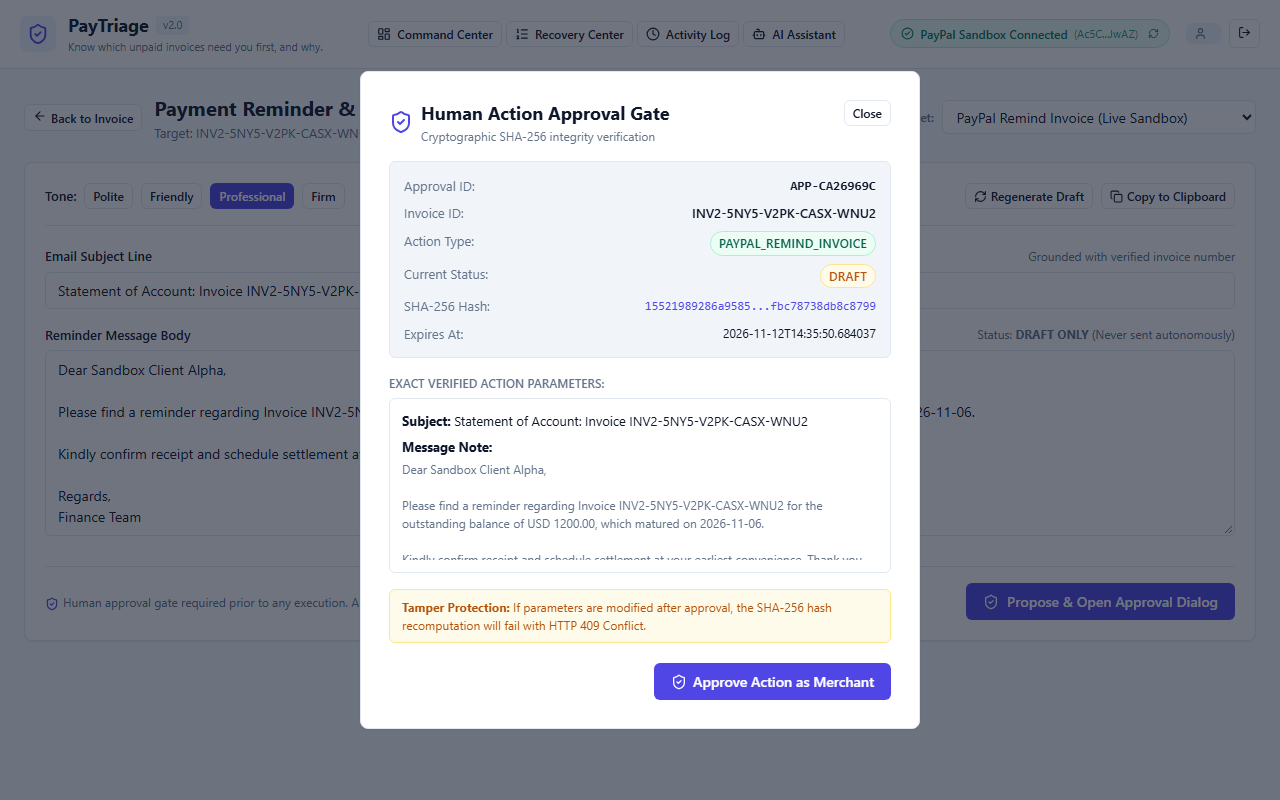
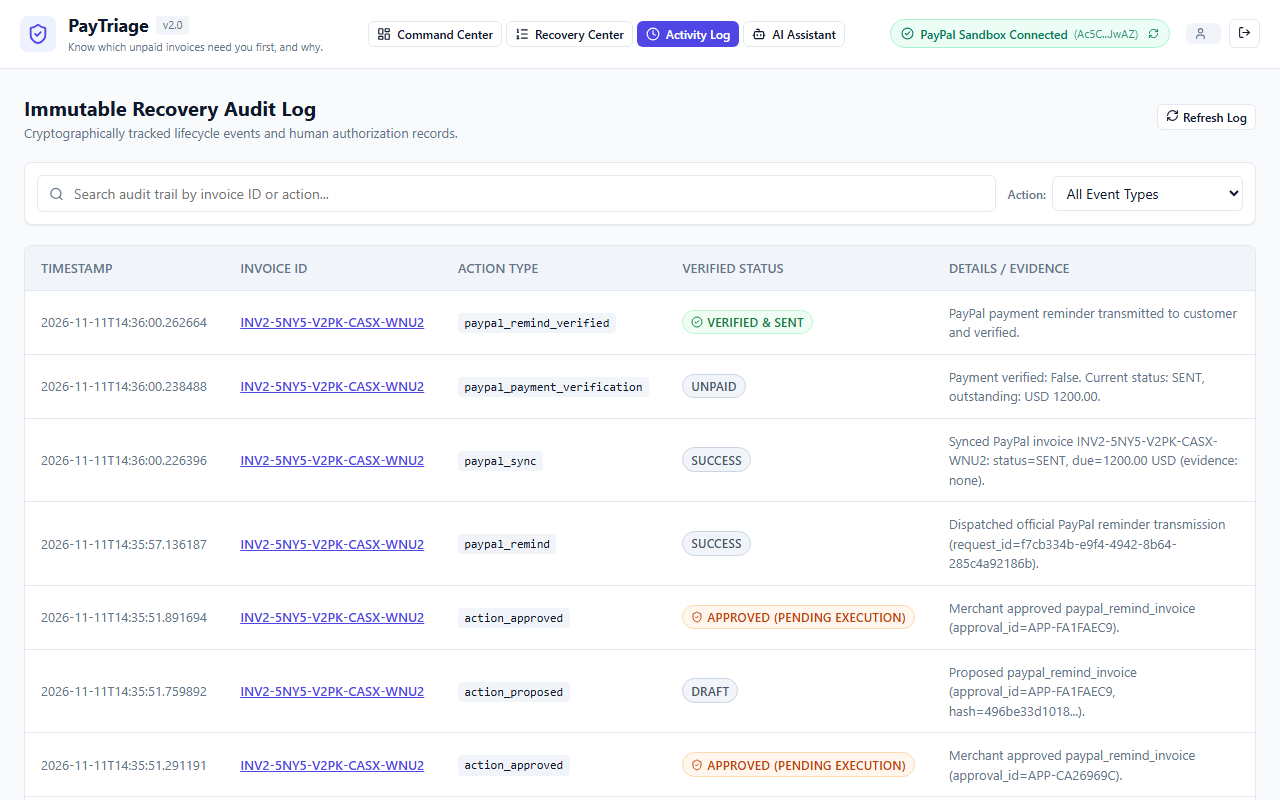
4. Approve, execute, and verify. Nothing runs on its own. The owner approves one exact action, and the approval dialog shows its parameters and a SHA-256 fingerprint. The backend then runs that action through the PayPal Sandbox API, re-fetches the invoice from PayPal, and records it as verified only if PayPal confirms it. The activity log shows "Verified & Sent" only after that confirmation.
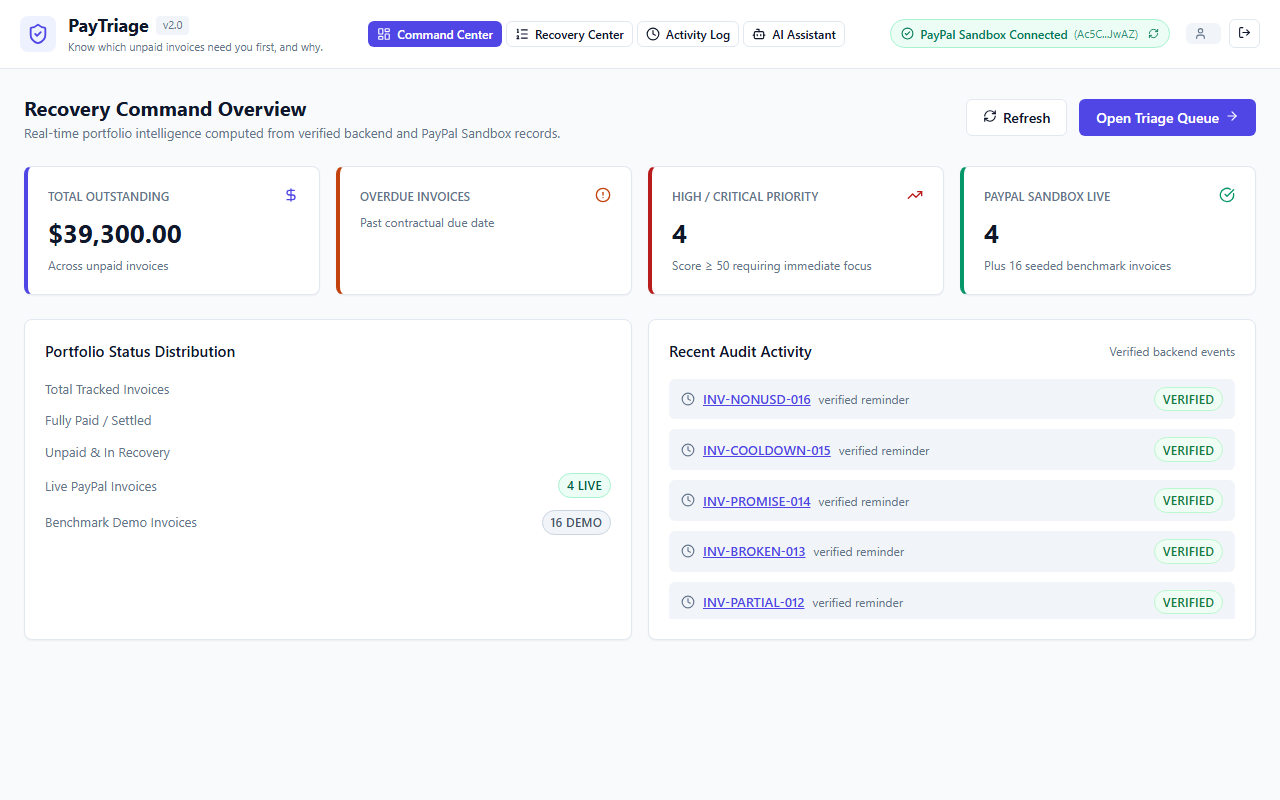
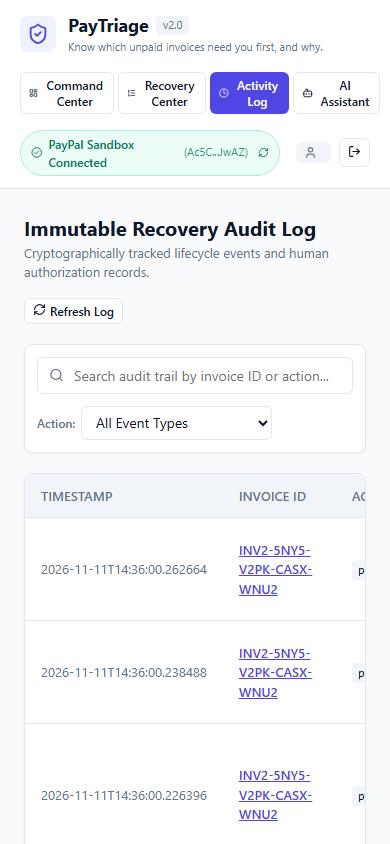
The app also includes a Command Center dashboard with portfolio metrics computed from backend data, a Recovery Center queue with filters and sorting, an invoice detail view, a reminder editor, an immutable activity log, an assistant panel that answers through read-only backend tools, and a PayPal status badge that shows the real connection state.
Security and trust
Because the app can trigger payment-related actions, I treated safety as a core feature.
- The AI never acts on its own. It can only propose and draft. It cannot approve or execute anything, and its output is untrusted until validated against backend facts. An invented amount or invoice ID is rejected.
- Approval is enforced by the server. Each proposed action is stored with a SHA-256 hash of its exact parameters. At execution time the server recomputes the hash, and any change after approval is rejected with a 409 Conflict and requires re-approval. Approvals are single-use and expire, and repeated clicks on Execute are blocked.
- A fixed allow-list of actions. Only recording a copied reminder, sending a PayPal invoice, and reminding on one can run. Nothing else is possible, whatever the request says.
- Prompt-injection defense. Invoice notes, customer names, and user questions are placed in a delimited untrusted-data block, and the model is told never to follow instructions inside it. My tests include malicious invoice text.
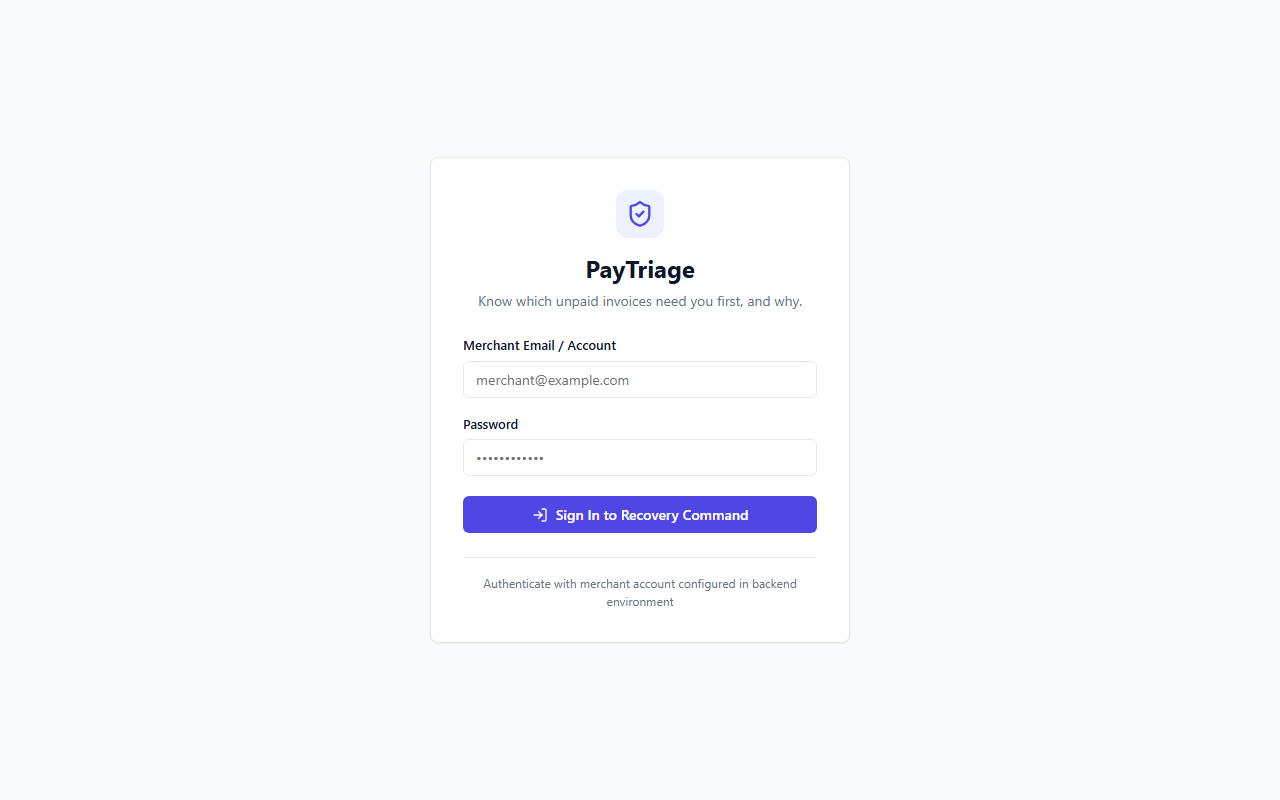
- Authentication and ownership. Passwords are hashed with PBKDF2 and compared in constant time. Session tokens are signed and kept in browser memory, not localStorage. Protected endpoints return 401 without a token, and invoices are checked against their owner.
- Secrets stay on the server. PayPal and Gemini keys live only in a git-ignored backend file and never reach the browser. I scanned the full Git history and the built frontend for the real secret values and found none. Only a placeholder
.env.exampleis tracked. - Hardening. CORS is restricted with no wildcard. Login, AI, assistant, and action endpoints are rate limited. Errors return clean messages with no stack traces. Every input is validated with Pydantic, and all money uses
Decimal. - Safe PayPal integration. The app uses Sandbox only. Write requests carry a
PayPal-Request-Idfor idempotency, authentication failures, timeouts, and malformed responses are handled, and an invoice is never marked paid without PayPal evidence. - Honest states. Draft, copied, approved, executed, and verified are separate states, and every change is written to an audit log. The UI never shows "Reminder Sent" or "Payment Received" without verified evidence.
How I built it
- Backend: Python 3.12, FastAPI, Pydantic v2, and SQLite.
- Recovery engine: a deterministic, versioned scoring module with no AI and no network calls. Today's date is passed in as a parameter, so the same input always gives the same score. I wrote the scoring specification first, then tests for every boundary, such as 7 versus 8 days overdue and 24 versus 25 points.
- PayPal integration: the Invoicing v2 API, with OAuth and token caching, invoice creation, retrieval, status mapping, synchronization into the app, and the send and remind operations.
- AI layer: Google Gemini behind a validation layer with the deterministic fallback.
- Frontend: React, TypeScript, and Vite, responsive from phone to desktop.
- Verification: 156 backend tests pass (2 live tests are opt-in), plus 4 frontend tests and a Playwright browser walkthrough with zero console errors. In live Sandbox testing, an action proposed in PayTriage was approved, executed through PayPal, and confirmed by a re-fetch showing the status SENT. A tampered parameter returned 409, and a repeated execution was blocked.
Challenges I ran into
- Making approval real. Drawing an Approve button is easy. Making the server refuse anything that was changed, repeated, or expired took careful design and many tests.
- Keeping the AI honest. A fluent model can invent an amount or a customer history. I gave it facts only, validated its output, and built a fallback.
- An unreliable AI provider. Live Gemini calls often timed out or hit limits on my free-tier setup, even after forcing IPv4 and adding retries. Instead of hiding it, I made the fallback a first-class feature with a visible label. As a result, the demo mostly shows the labelled template.
- Smaller lessons. One demo invoice's score disagreed with the specification, so every seeded invoice's expected score is now pinned by a test. The newest Python release could not install some dependencies, so I moved to a stable version.
Accomplishments that I'm proud of
- A scoring method where every point has a stated reason, documented in the repository.
- An approval flow that blocks tampered, duplicate, and expired actions, tested and demonstrated against the live PayPal Sandbox.
- A strict separation between what the AI says and what the system does.
- An interface that tells the truth when something is not working.
What I learned
Explainability is a product feature, not something added at the end. In financial software, the difference between "drafted", "approved", and "verified" matters as much as the happy path. And treating AI output as untrusted until it is validated makes the whole system easier to reason about, not harder.
What's next for PayTriage
- Reliable live AI responses on a higher-quota model.
- Real email delivery with verified delivery status, and calendar-based follow-ups.
- Customer payment history built from verified PayPal data.
- Configurable thresholds for different business sizes and currencies. The dollar limits are currently fixed and apply to USD only.
- Multi-merchant accounts with a production identity system and rate limits that survive a restart.
- Testing whether a trained model could add a real predictive layer on top of the rules.
Limitations
- PayTriage runs on the PayPal Sandbox only. No real payments happen.
- Live Gemini responses frequently timed out in my testing, so the labelled fallback appears often.
- The score is rule-based and has not been statistically validated.
- Reminders use PayPal's invoice operations. Email delivery outside PayPal is not built.
- The login is a single demo account, and rate limiting and the duplicate guard are in memory, so they reset on restart.
- Frontend test coverage is small.

