Inspiration
Ask anyone who mows lawns, cleans houses, tutors or fixes things on weekends how they run their business. You'll hear about a notes app, a pile of texts, and "uh, did you pay me for last Tuesday?" Booking and getting paid are two separate chores, and the money slips through the gap between them. We wanted one sentence to cover the whole loop: schedule it, bill it, and make sure it gets paid.
What it does
You type something like "Lawn mowing for Alice Chen 2h Friday at 10am $80" and PayPilot:
- Understands it. An AI model pulls out the service, client, price, duration, date, start time and service line. The result is validated, and a deterministic parser steps in if the model is unavailable.
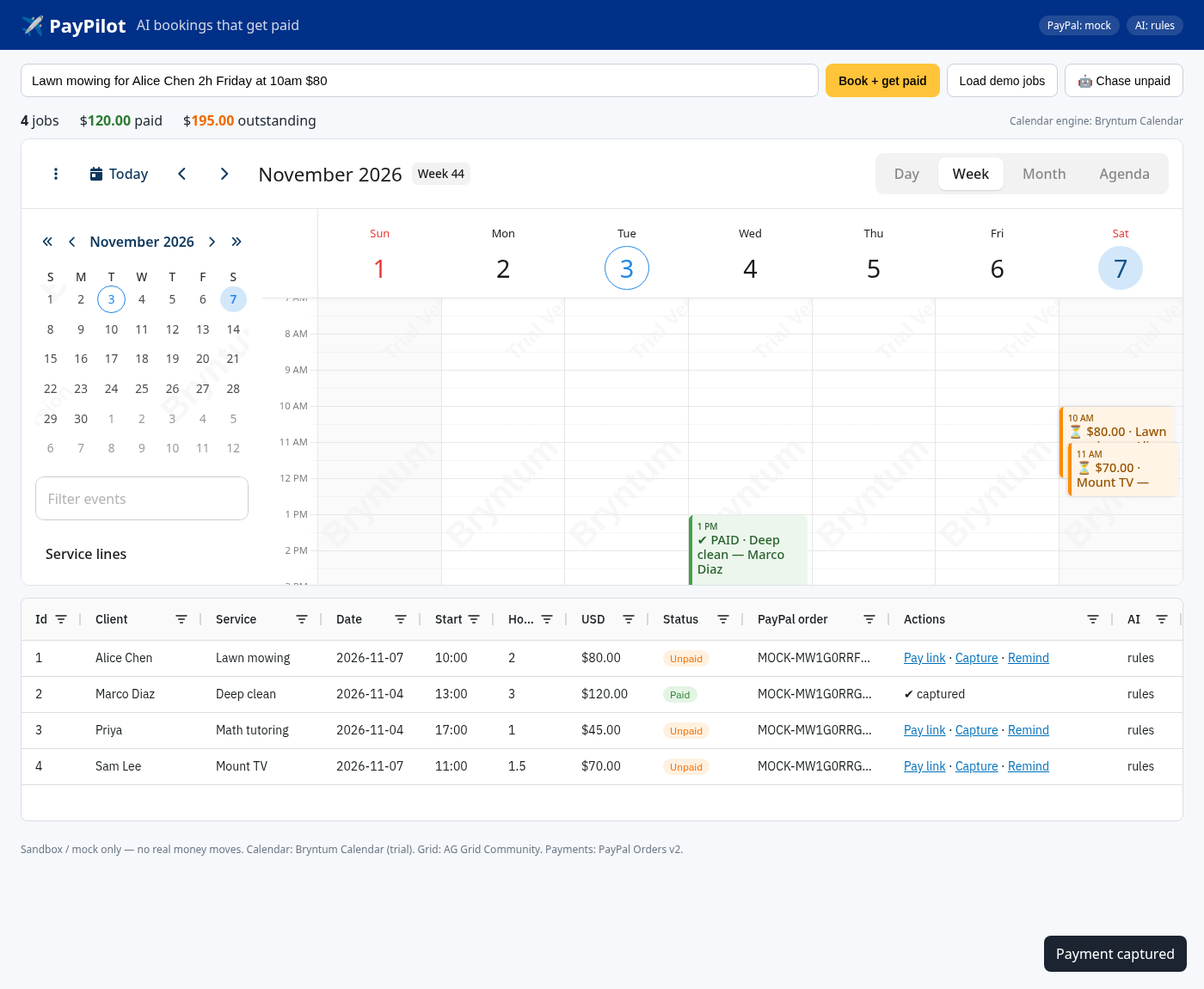
- Schedules it on a Bryntum Calendar (day/week/month/agenda), color-coded by paid status and filterable by service line. Drag or resize a job and the reschedule syncs to the server.
- Bills it. It creates a PayPal Orders v2 order and attaches the approval link to the booking. When the client approves, PayPal sends them back to PayPilot and the server captures the payment.
- Tracks it on an AG Grid board with PayPal order IDs, Paid/Unpaid pills, totals, and one-click actions for the pay link, capture and remind.
- Chases it. One click on "🤖 Chase unpaid" and the agent drafts a friendly reminder for every unpaid job, with the exact PayPal link included.
How we built it
- Backend: Node.js + Express.
lib/parse.jshandles LLM extraction (any OpenAI-compatible model) with schema validation and a rule-based fallback that understands weekdays, "tomorrow", month names, am/pm, minutes, and so on.lib/paypal.jshas a cached OAuth token, Orders v2 create withPayPal-Request-Idand return/cancel URLs, and capture.lib/agent.jswrites reminders and refuses any LLM output that drops the pay link. - Bryntum Calendar sits behind a small adapter (
createCalendar(el,{onMove})), so the rest of the app doesn't care which engine renders. TheeventStoreupdate events drive the reschedule API. - AG Grid Community uses custom cell renderers for status pills and inline actions.
- Testing: 9
node:testtests, including a full HTTP end-to-end run in mock mode and one against a fake PayPal sandbox API that checks the exact token → create → capture sequence. A headless-Chrome smoke test confirms both calendar engines and the grid actually render.
Challenges we ran into
- Trusting AI with money. The model only proposes values. Amount, hours, date, time and category are validated before anything reaches PayPal, and bad values fall back to the rule parser.
- Making the demo work offline. Mock mode simulates the PayPal approval page and capture, so judges can run the whole loop with zero keys. Adding sandbox keys switches to real Orders v2 calls.
- Keeping the calendar and the payment state in sync when a job is dragged, paid, or reminded.
Accomplishments that we're proud of
- One sentence takes you from a booking to a pay link to a captured payment to a green row.
- The agent loop closes the "who still owes me?" gap that small businesses actually lose money in.
- It degrades gracefully: no LLM key, no PayPal key, or no Bryntum assets, and it still runs.
What we learned
PayPal's Orders v2 return-URL flow is a great fit for agentic commerce. The agent creates the order, the human approves, and the server captures, so a person stays in control of the money. We also learned that Bryntum's event store makes drag-to-reschedule nearly free once the data model is right.
What's next for PayPilot
PayPal Invoicing v2 for repeat clients, webhooks for instant paid status, SMS/email delivery of reminders, persistent storage, and multi-crew scheduling with Bryntum resource views.
Built With
- ag-grid
- bryntum
- bryntum-calendar
- css3
- express.js
- html5
- javascript
- node.js
- openai-compatible-llm
- paypal
- paypal-orders-v2
