-
-
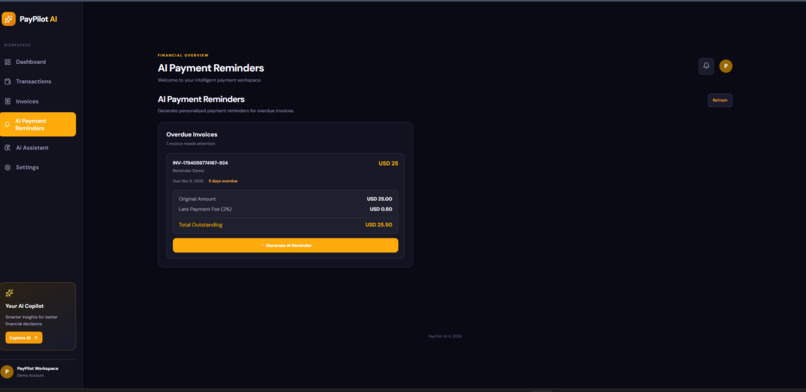
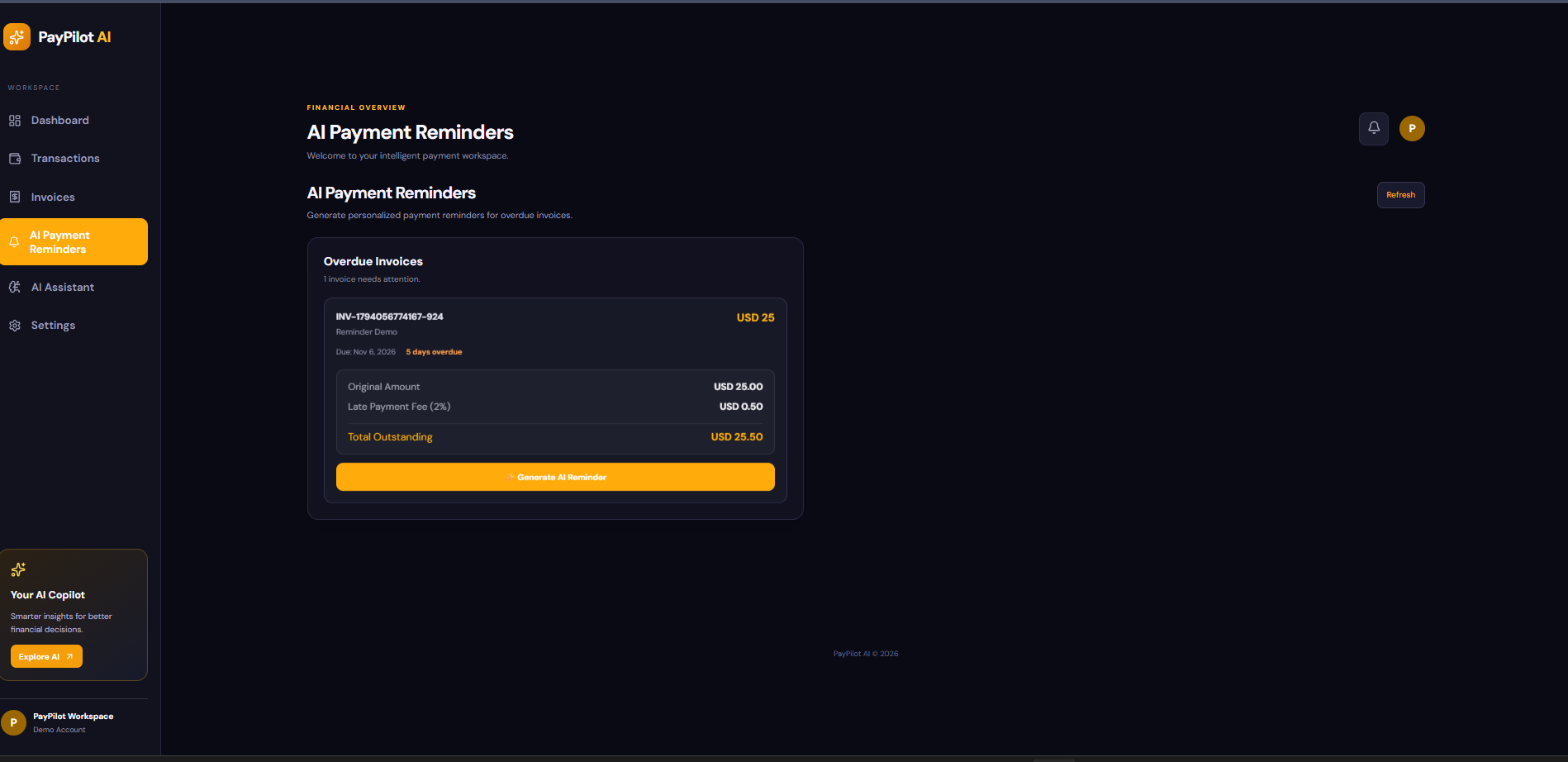
remainder
-
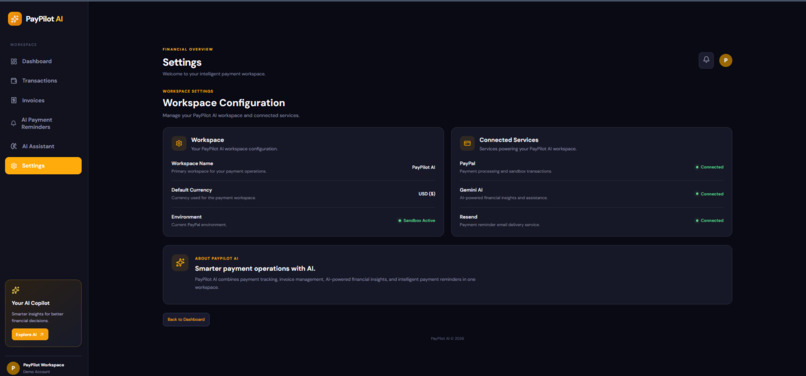
setting
-
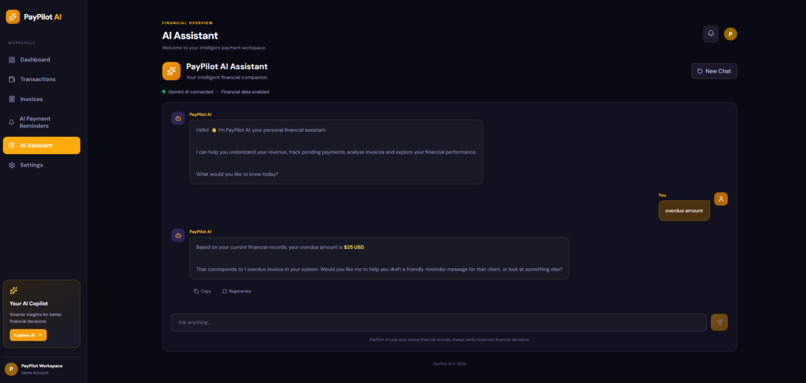
AI chat assisstent
-
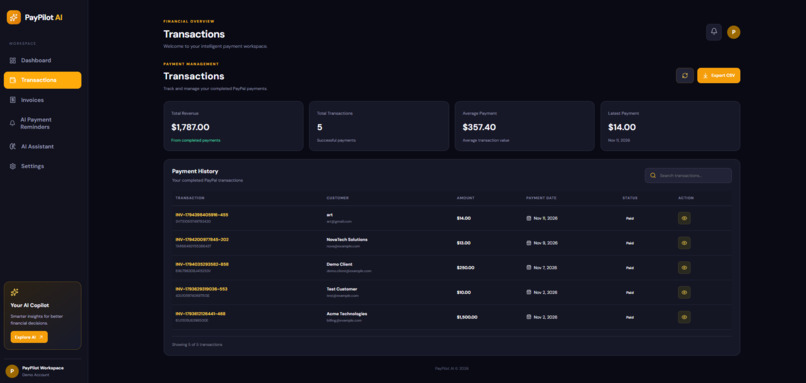
transaction
-
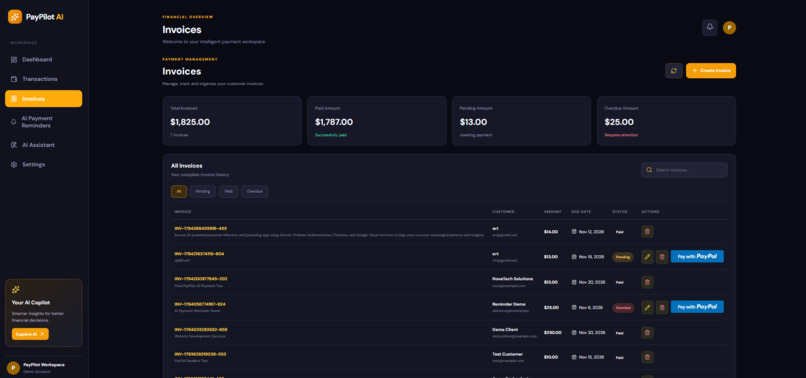
invoice
-
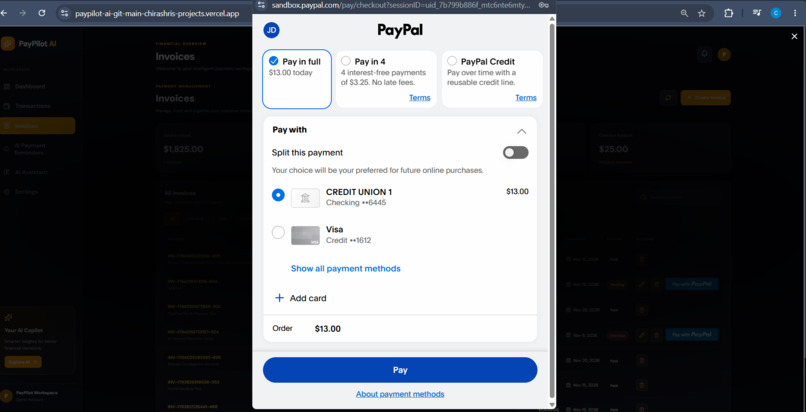
payment
-
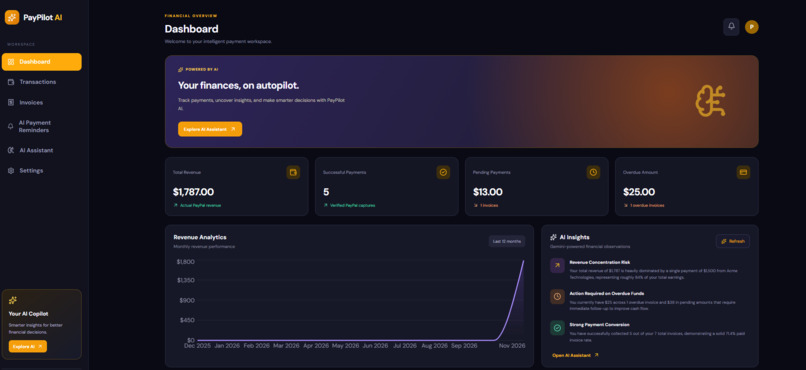
dashboard
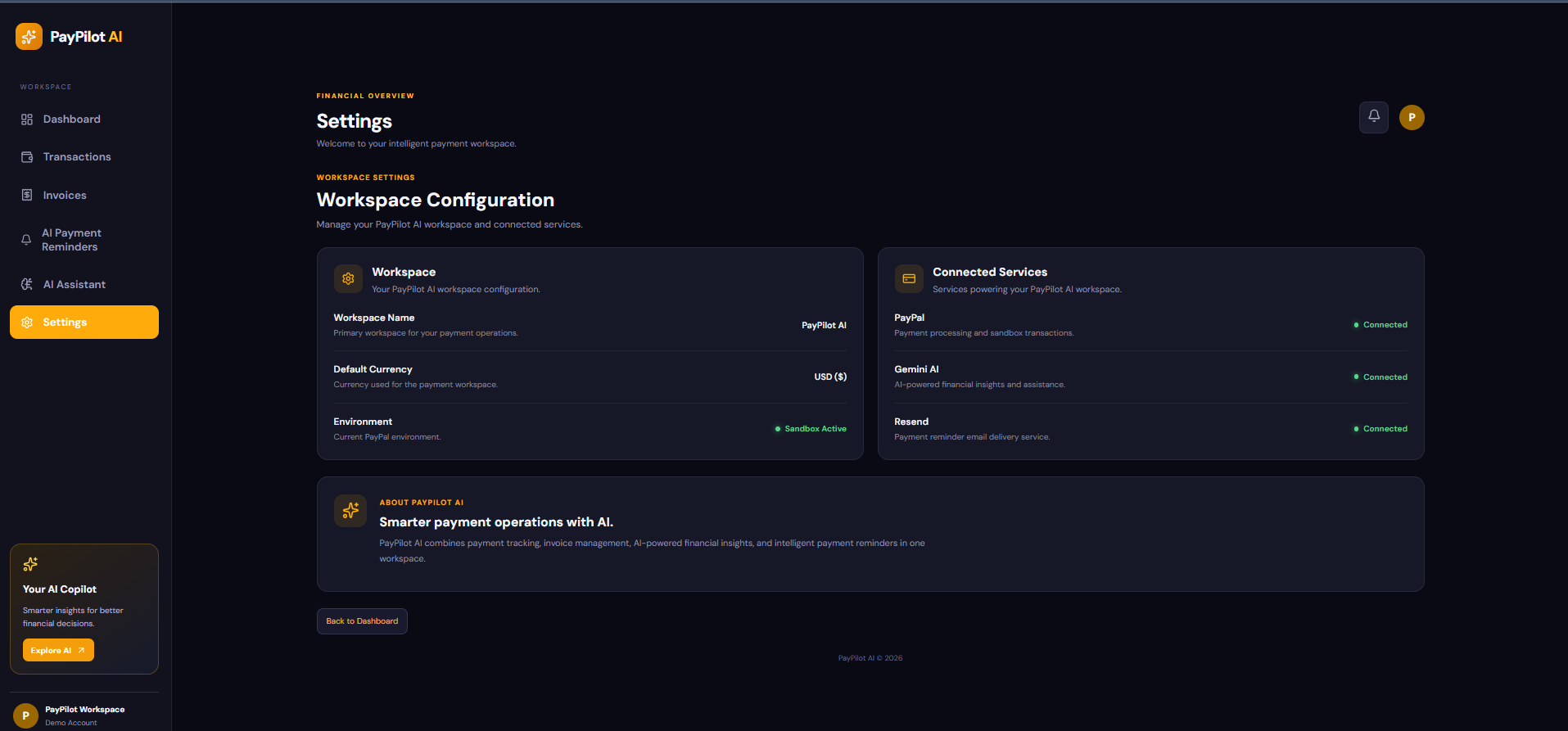
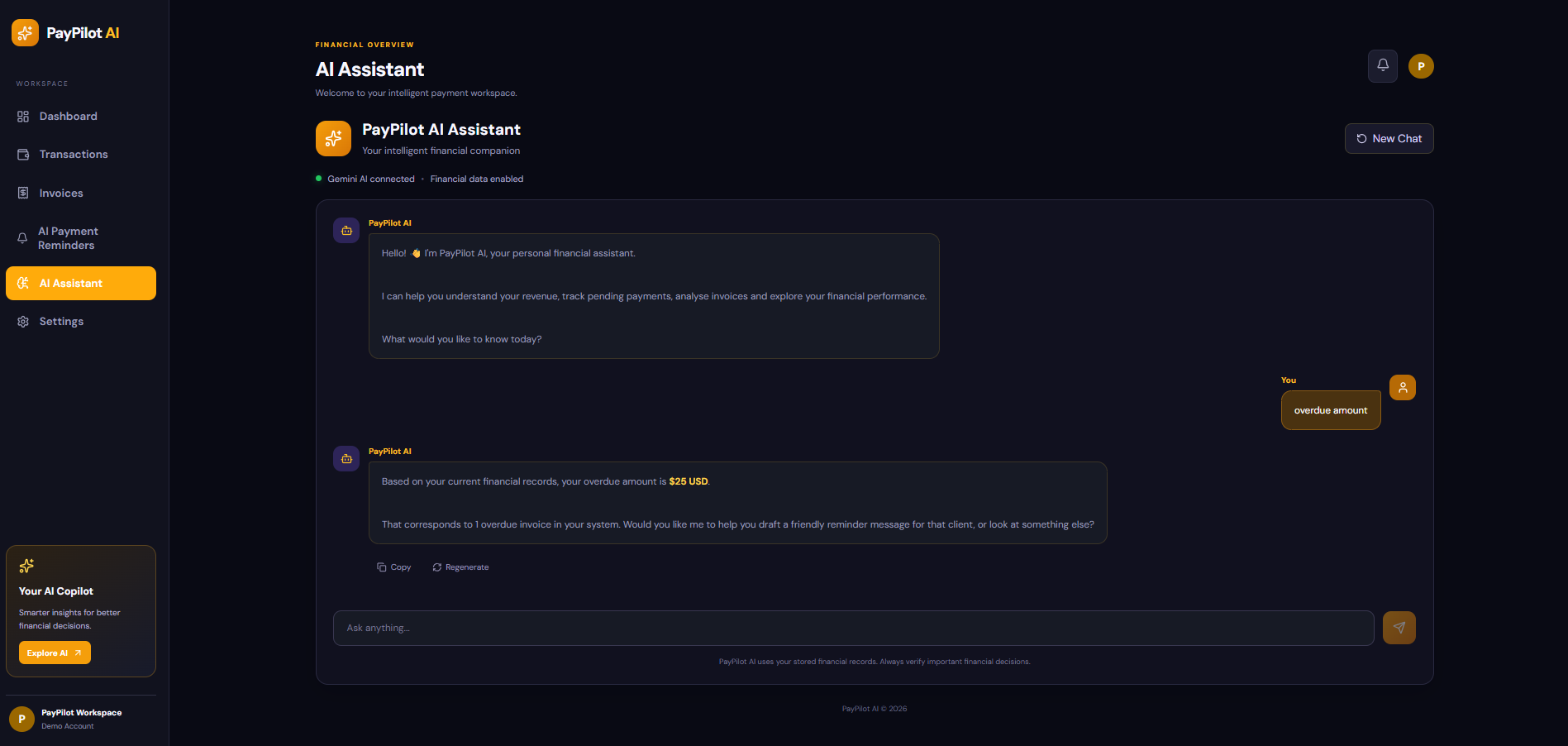
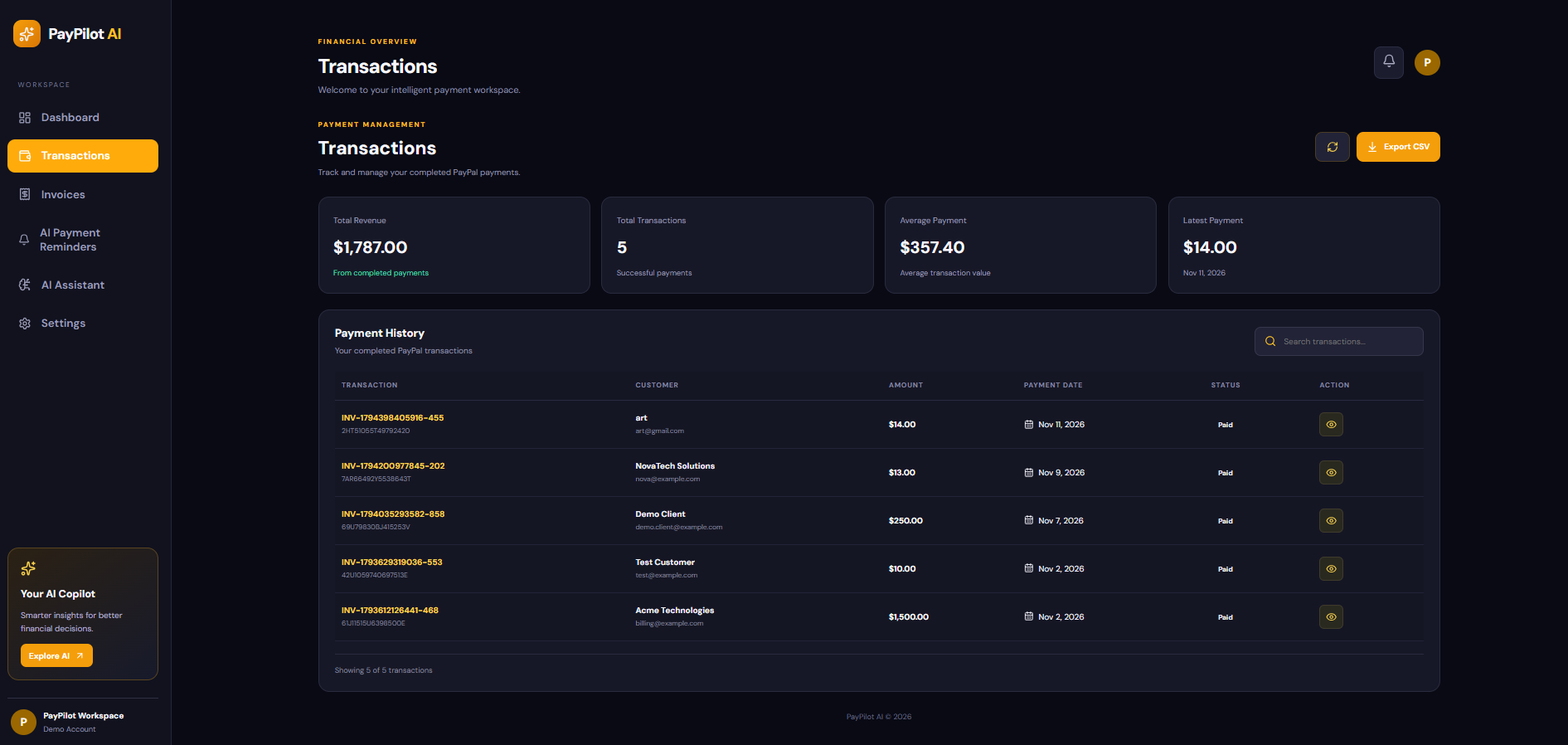
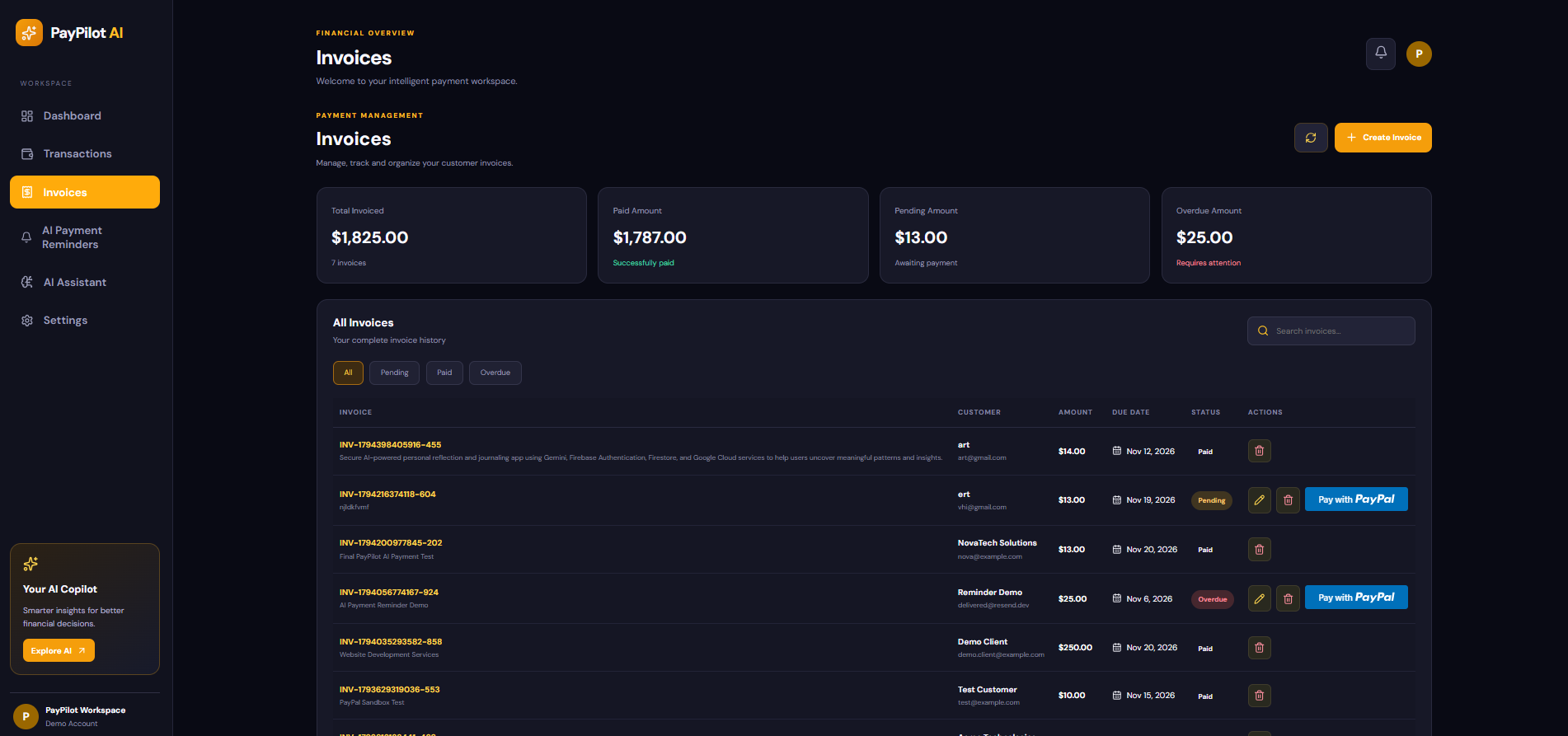
Inspiration
Managing invoices and payments can become difficult for small businesses when payment tracking, financial analysis, and customer follow-ups are handled separately.
We wanted to build something that could bring these activities together while using AI to make the process smarter and more useful.
This inspired us to create PayPilot AI, an AI-powered payment management platform that combines invoicing, PayPal payments, financial analytics, AI assistance, and automated payment follow-ups in one application.
What it does
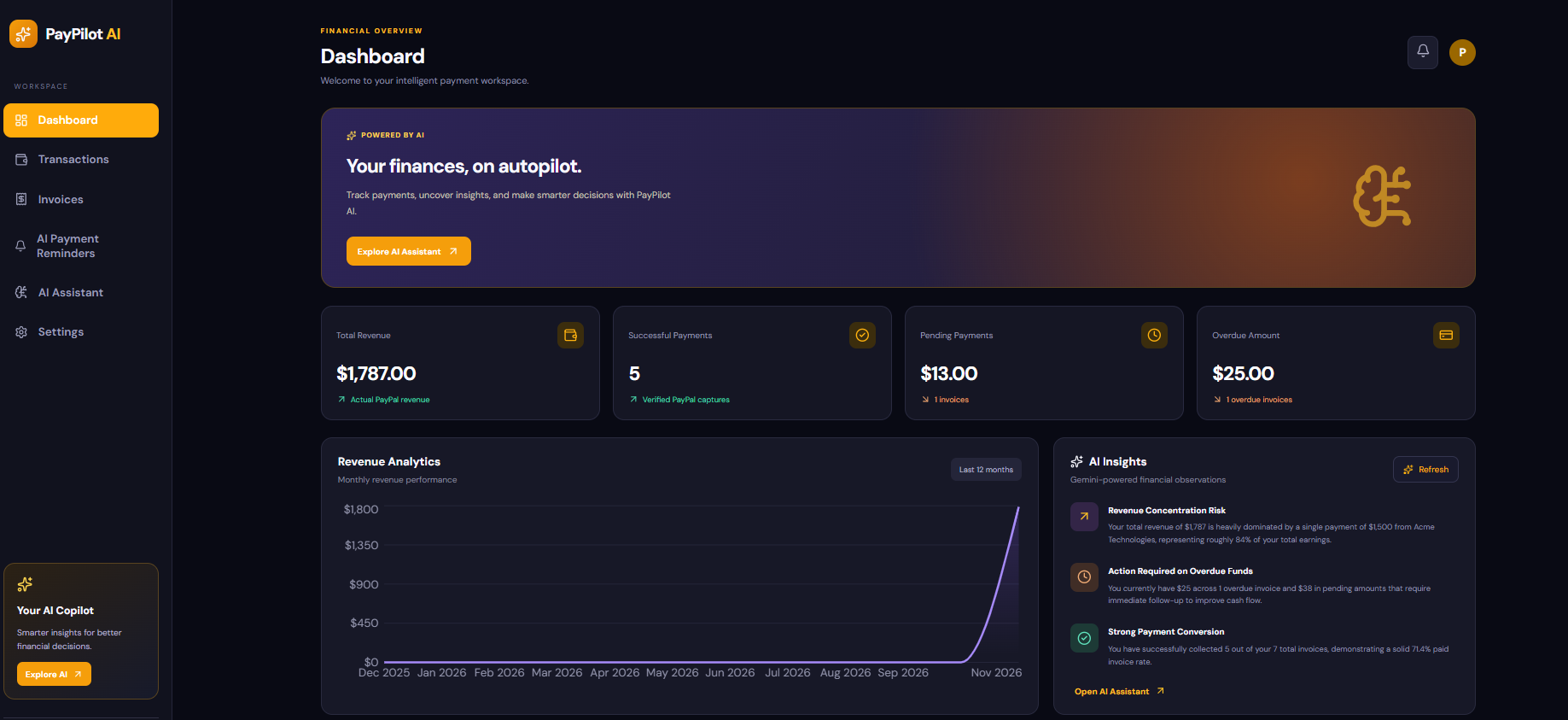
PayPilot AI helps businesses manage their invoices and payments from a single dashboard.
With PayPilot AI, users can:
- Create and manage invoices
- Track paid, pending, and overdue invoices
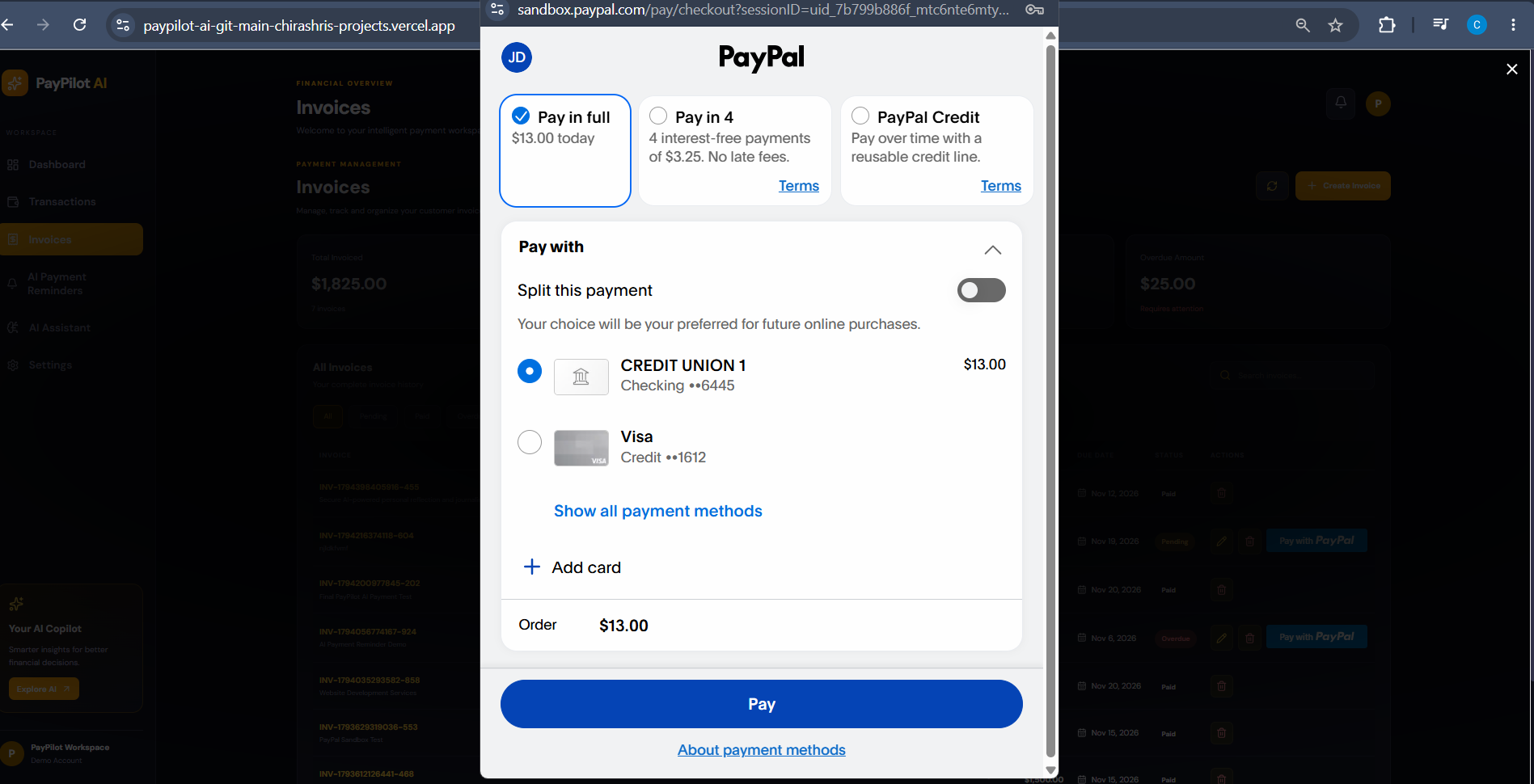
- Accept payments using PayPal Sandbox
- Automatically update invoice status after successful payments
- Track payment transactions
- View revenue and monthly payment analytics
- Ask the PayPilot AI Assistant questions about their financial data
- Get AI-generated financial insights
- Identify overdue invoices
- Calculate late payment fees
- Generate personalized payment reminders using Google Gemini
- Edit AI-generated reminders before sending
- Send payment reminders through Resend
The AI is integrated directly into the application workflow, so it can work with the user's financial data instead of functioning only as a general chatbot.
How we built it
We built PayPilot AI as a full-stack web application.
Frontend
The frontend was built using:
- React
- Vite
- Axios
- Recharts
- CSS
It provides the dashboard, invoice management, transactions, analytics, AI assistant, payment reminders, and settings.
Backend
The backend was built using:
- Node.js
- Express.js
- Mongoose
- MongoDB Atlas
The backend provides REST APIs for invoices, payments, transactions, analytics, AI features, and payment reminders.
AI & Integrations
We integrated:
- Google Gemini API for the AI financial assistant, dashboard insights, and personalized payment reminders
- PayPal Sandbox for payment processing
- Resend for payment reminder emails
- MongoDB Atlas for cloud data storage
Deployment
The frontend is deployed on Vercel, while the backend runs on Render and uses MongoDB Atlas as the database.
Challenges we ran into
One of our biggest challenges was connecting multiple services and making them work together as one application.
We had to integrate the React frontend with the Express backend, connect the backend to MongoDB Atlas, implement the PayPal payment flow, connect Gemini with live financial data, and integrate Resend for email delivery.
Deployment also introduced challenges around environment variables, database connectivity, API configuration, and connecting the production frontend with the deployed backend.
Another important challenge was handling credentials securely. We made sure sensitive API keys and the PayPal Client Secret stayed on the backend and were not committed to GitHub.
We also had to make the AI features practical rather than simply adding a chatbot. The AI needed to understand the application's actual invoices, payments, and financial information.
Accomplishments that we're proud of
We are proud that PayPilot AI became a complete working application rather than just a prototype.
Some of the features we are most proud of are:
- A working PayPal Sandbox payment flow
- Automatic invoice status updates after successful payments
- Live transaction tracking
- Revenue and payment analytics
- An AI assistant that works with application financial data
- AI-generated dashboard insights
- AI-generated personalized payment reminders
- Late payment fee calculation for overdue invoices
- Email delivery through Resend
- A production deployment with the frontend and backend running separately
Most importantly, we were able to bring payments, financial data, and AI-powered automation together in one platform.
What we learned
Building PayPilot AI helped us understand that AI becomes much more useful when it is connected to real application data and business workflows.
We learned how to:
- Build a full-stack React and Node.js application
- Design and connect REST APIs
- Integrate PayPal payment workflows
- Work with MongoDB Atlas
- Integrate Google Gemini into real application features
- Build AI-powered financial workflows
- Integrate email services using Resend
- Manage environment variables securely
- Deploy a frontend and backend independently
- Connect a production frontend to a cloud backend and database
We also learned that building a complete product involves much more than writing code — testing integrations, handling deployment issues, protecting credentials, and creating a simple user experience are equally important.
What's next for PayPilot AI
We want to continue expanding PayPilot AI beyond the hackathon.
Some features we would like to explore next include:
- Automated recurring invoices
- Automated payment reminders
- Multiple payment methods
- Advanced financial forecasting
- Customer payment behavior analysis
- Role-based business accounts
- Multi-currency support
- More advanced AI-powered financial recommendations
- Automated business reports
Our long-term goal is to make PayPilot AI a more complete financial workflow assistant that helps businesses not only track payments, but also understand their finances and take action with AI.
Built With
- ai
- api
- artificial
- atlas
- express.js
- fintech
- gemini
- generative
- intelligence
- javascript
- mongodb
- node.js
- payment
- paypal
- processing
- react
- render
- resend
- rest
- vercel
- vite
