-
-
Approvals
-
Evidence history
-
Overview
-
Purchases
-
Spending rules
-
Suppliers
Inspiration
An invoice arrives from a familiar supplier, but the payment details have changed. An AI-generated purchase request looks reasonable, but it exceeds the owner’s spending limit. Both situations leave a small business with the same question: what needs to be checked before we pay?
We built PayPatrol to answer that question while there is still time to act.
What it does
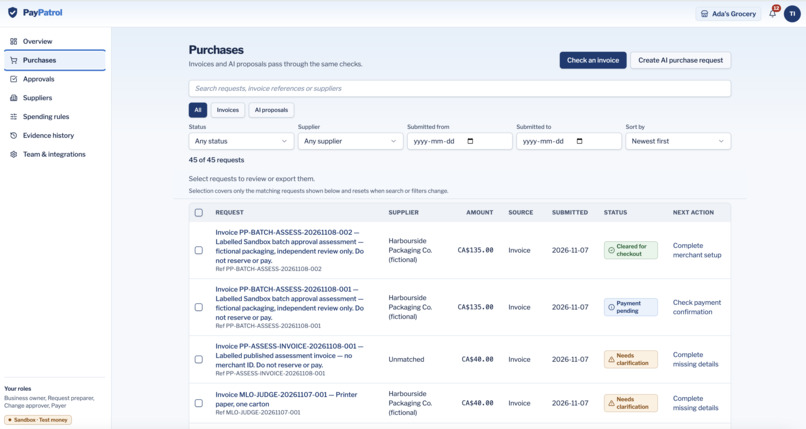
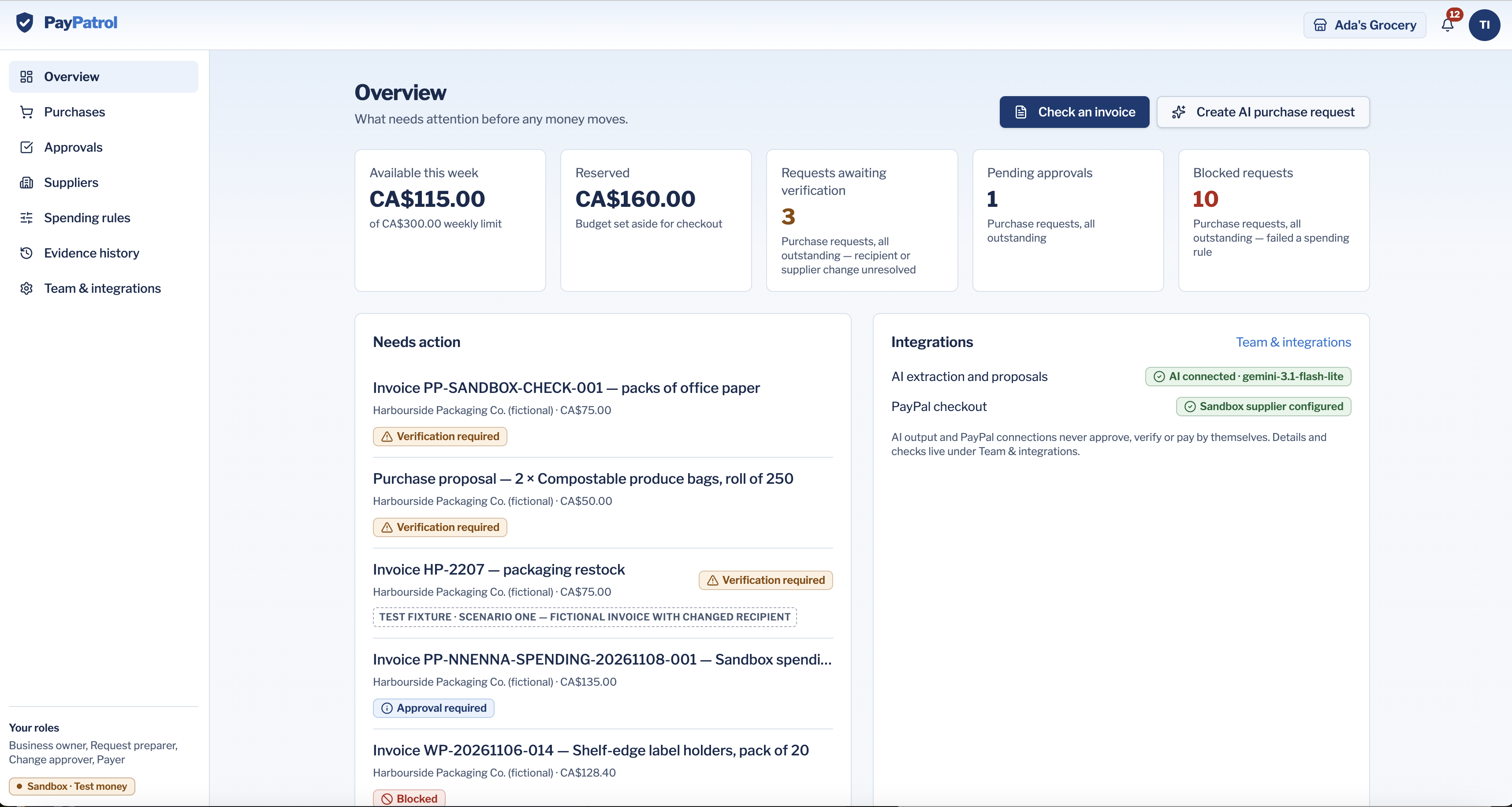
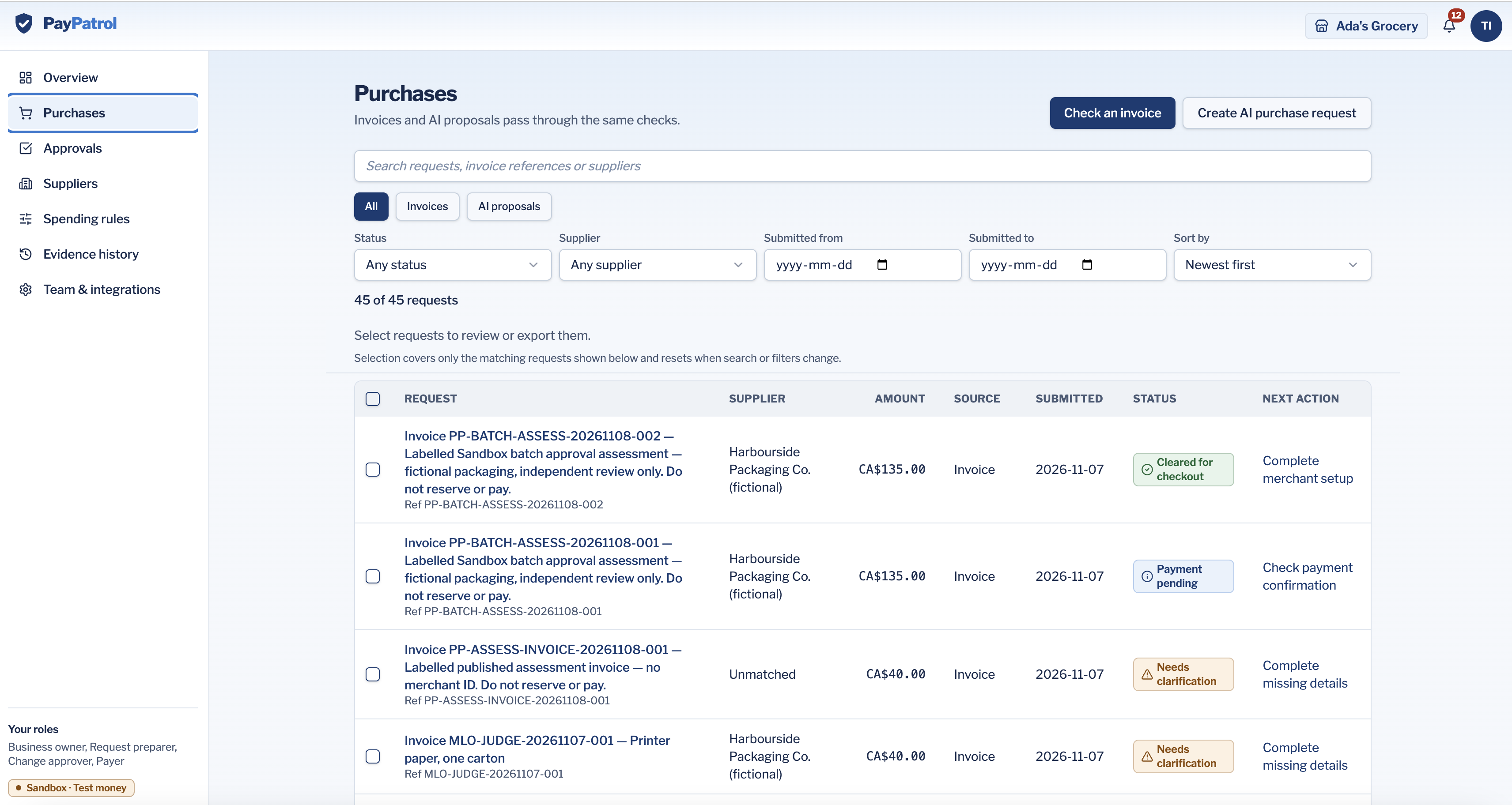
PayPatrol checks invoices and purchase requests before an eligible payment can proceed through PayPal Sandbox. When someone uploads an invoice, Gemini extracts details such as the invoice reference, amount, and currency for the user to review. PayPatrol then compares the requested payment recipient with the approved supplier record. A mismatch puts the request on hold for independent verification. Users can also check an invoice from an unfamiliar supplier without entering a PayPal merchant ID.
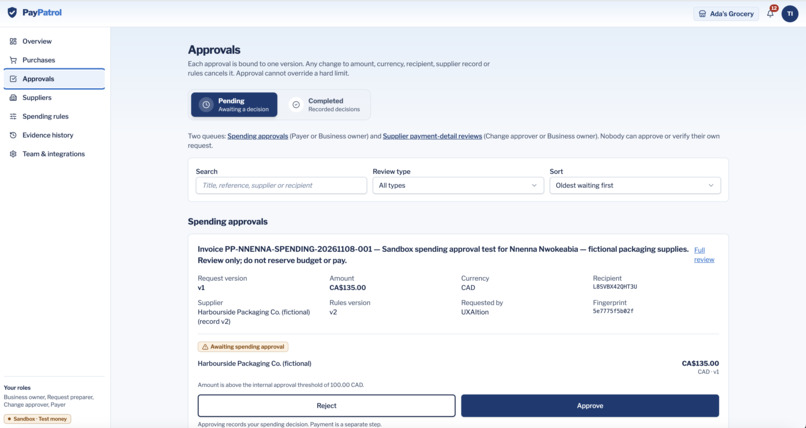
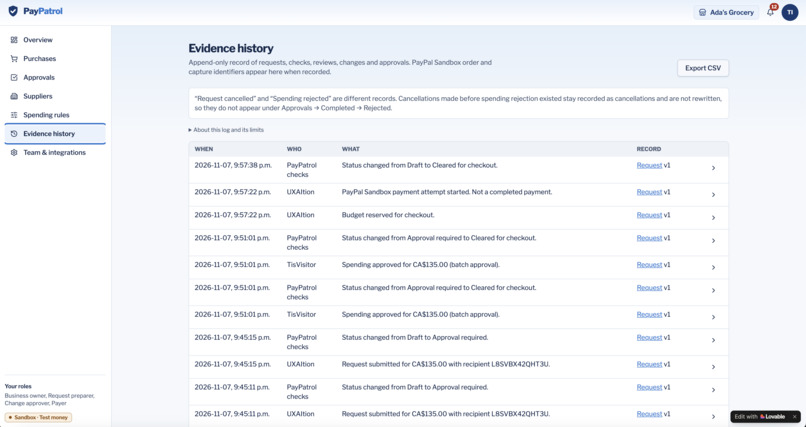
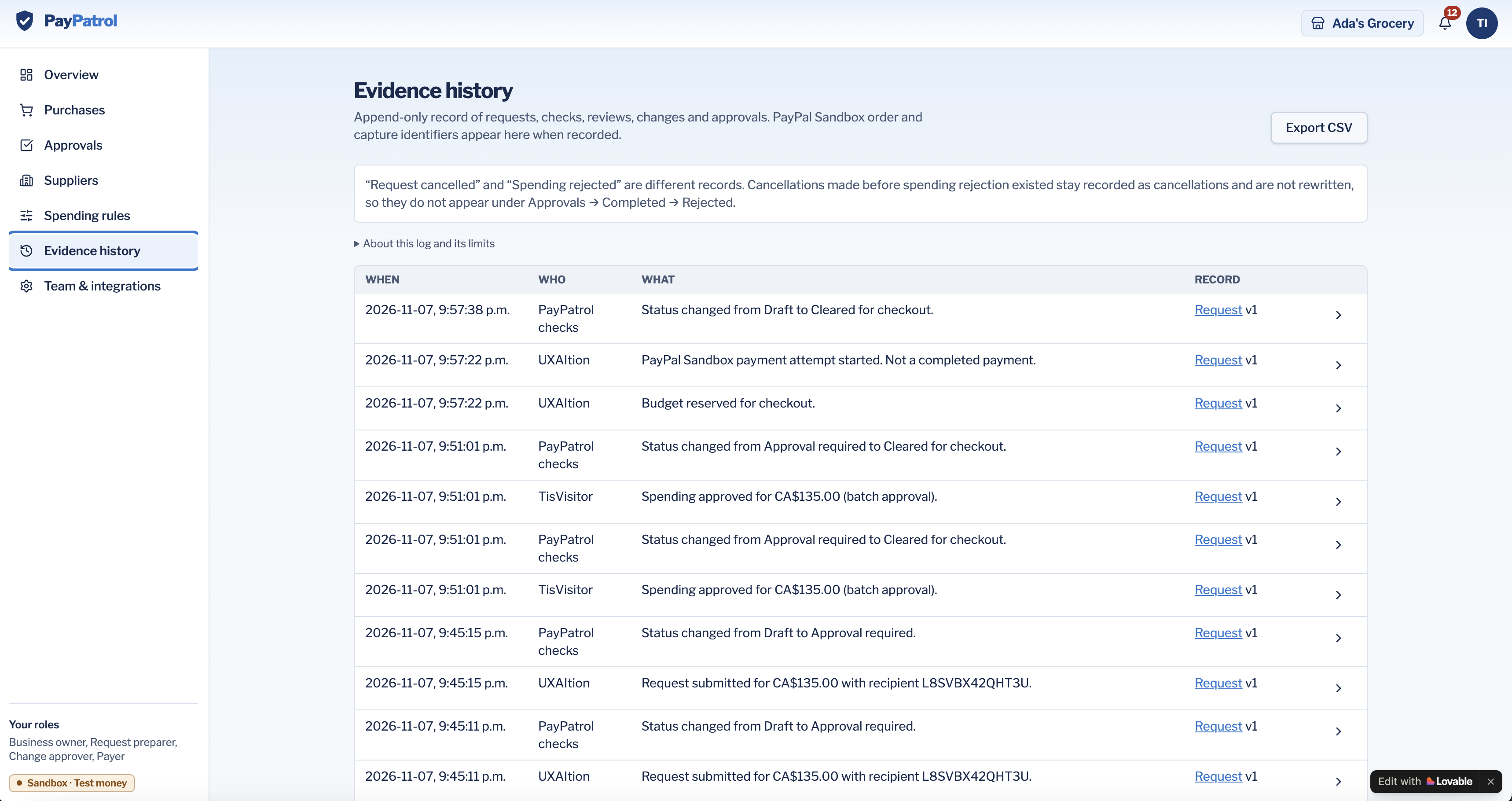
The same workflow applies spending rules to requests from people and AI. A reviewer can approve or reject a request that needs their decision, and the outcome appears in Evidence history. Approving spending records a decision. Payment is a separate step.
How we built it
We built and hosted PayPatrol in Lovable and used Supabase to store approved supplier records, spending rules, purchase requests, approval decisions, and payment evidence. We built the workflow around three separate steps: reading the request, deciding whether it can proceed, and confirming the payment outcome.
When a user uploads an invoice, Google Gemini 3.1 Flash-Lite extracts details such as the invoice reference, amount, and currency into fields the user can review. The original invoice is available alongside the request for comparison. Users can also enter details manually or check an invoice from an unfamiliar supplier without setting up that supplier for payment.
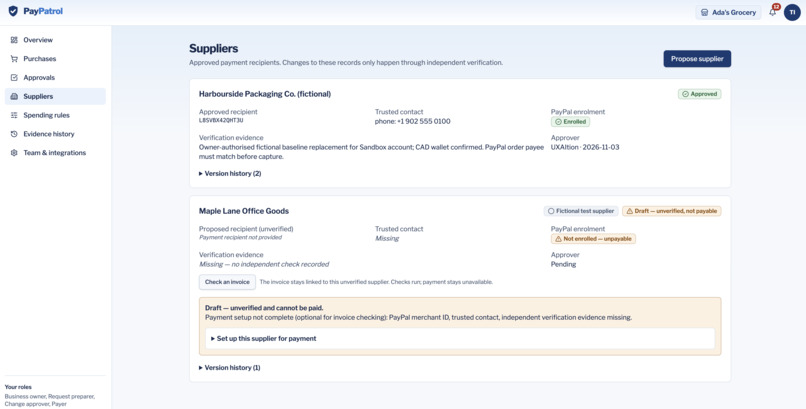
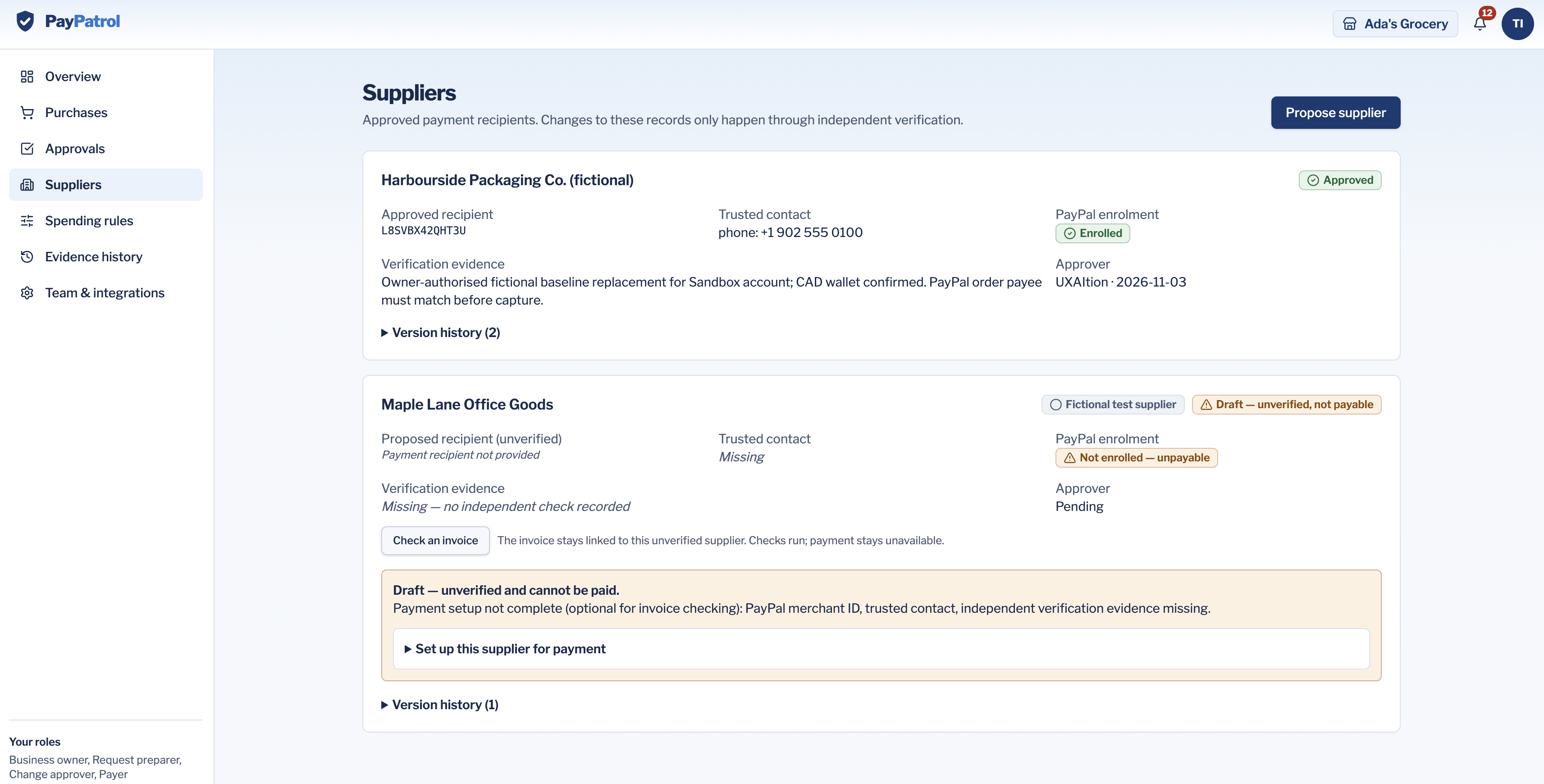
PayPatrol compares the payment recipient listed on the invoice with the approved supplier record. If the details differ, the request is placed on hold for independent verification. The reviewer can see which recipient was requested, why the request was held, and what evidence is needed to make a decision.
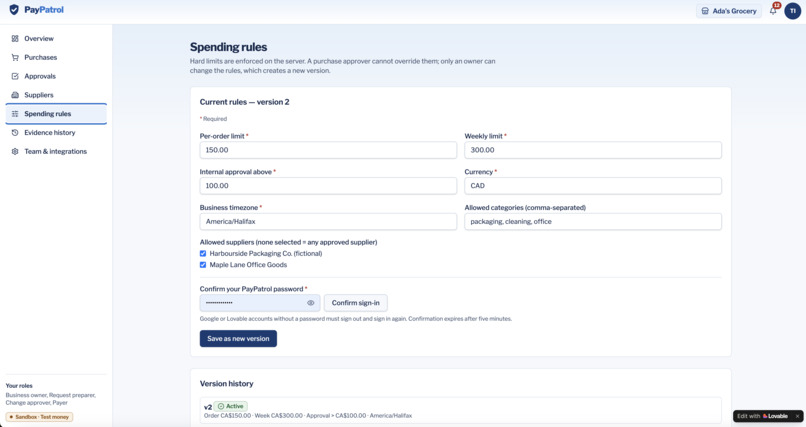
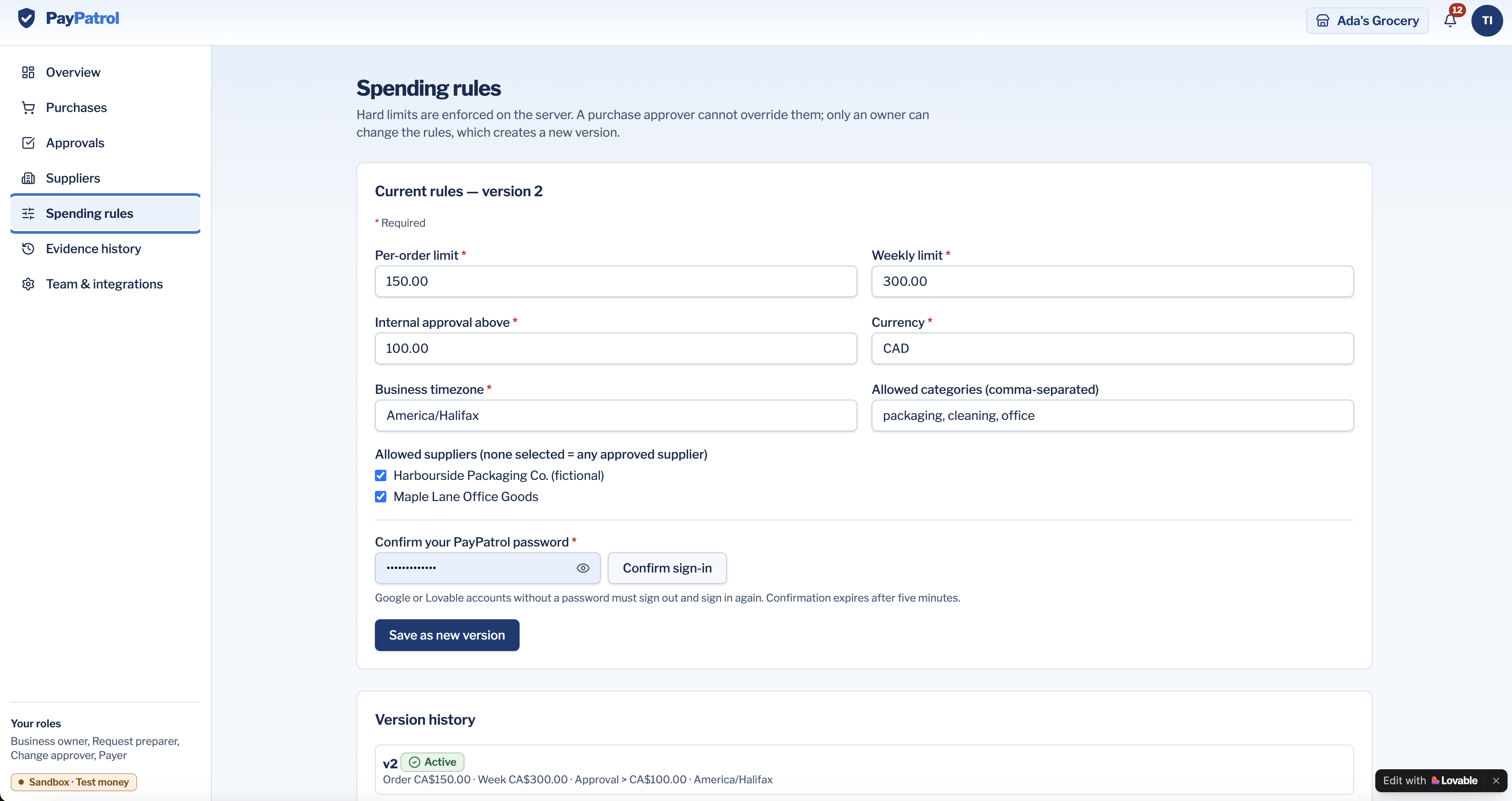
PayPatrol also evaluates purchase requests from people or AI against the business owner’s spending rules. A request that exceeds an approval threshold goes to a reviewer, while a request that breaks a blocking rule is stopped. We kept these checks separate from Gemini’s invoice extraction. The model reads the invoice, the application applies the rules, and an authorized reviewer makes any required approval decision. Approving spending records that decision in Evidence history. Checkout is a separate action.
Eligible requests can proceed through PayPal Sandbox checkout and capture. We connected PayPal’s webhook notifications so PayPatrol can confirm payment outcomes after checkout. The revised handler verifies the webhook signature and ties the completion event to the matching PayPal order and capture before a request can be marked Paid.
We used the completed CA$25 Harbourside Sandbox payment to check how PayPatrol handles a repeated notification. We resent the original completion event, and PayPatrol still showed one completed payment and one CA$25 budget charge. We also verified individual and batch spending approvals and the rejection of an unsupported supplier payment-detail change.
Challenges we ran into
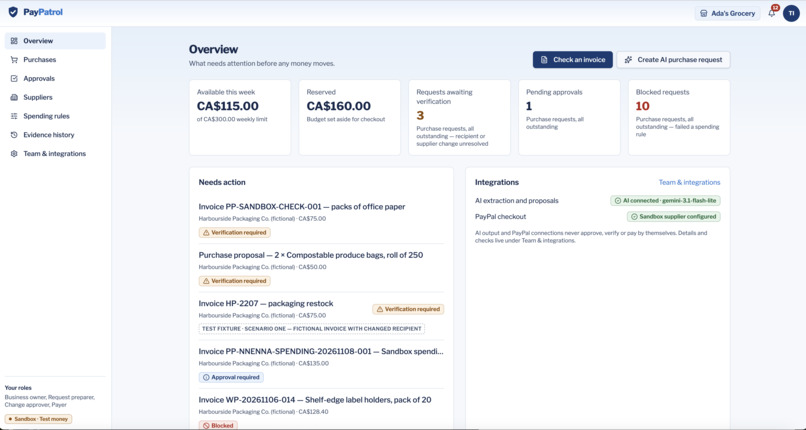
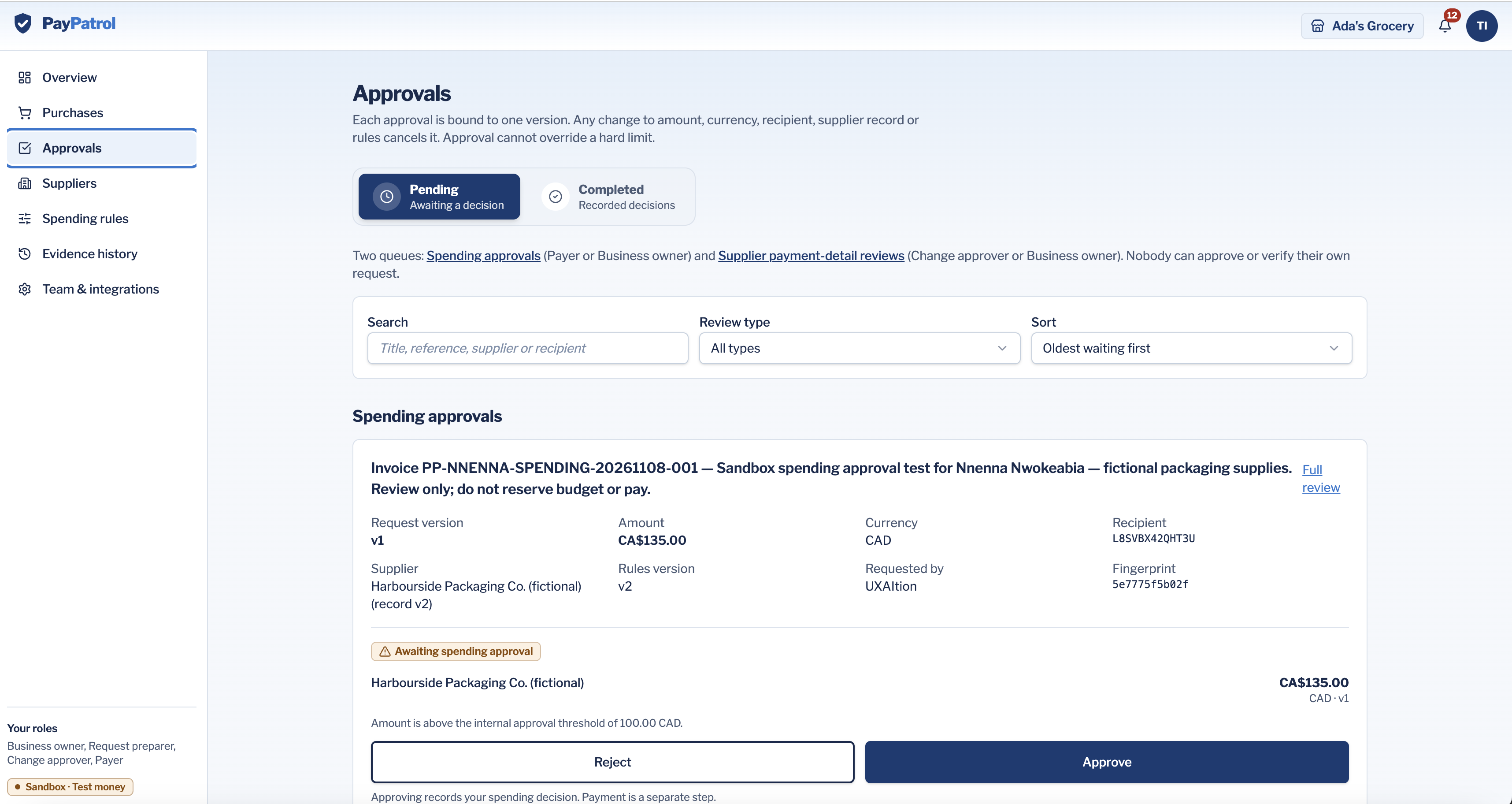
One design challenge was showing users the difference between a supplier change that needs verification, a purchase that needs spending approval, and a payment that has completed. We made the reason for a hold visible and placed Reject and Approve together on spending requests so reviewers can see what they are deciding.
Another challenge was handling a payment notification that arrives more than once. In Sandbox, we replayed the completion notification for an existing CA$25 payment and confirmed that PayPatrol still showed one completed payment and one budget charge. The replay tested duplicate handling. A separate Pending-to-Paid transition through the revised webhook handler remains unverified.
We also verified individual and batch spending approvals and rejection of an unsupported supplier payment-detail change. The working Sandbox prototype brings those checks, decisions, and payment evidence into one place.
Accomplishments that we're proud of
We are proud that we turned a simple question, “Should we pay this?”, into a workflow a small business owner can follow. We built a working PayPal Sandbox prototype that gives small businesses two checks in one place: who would receive the money and whether the purchase follows the owner’s spending rules. In our demo, PayPatrol put a request on hold when the payment recipient differed from the approved supplier record. A reviewer could see why it was held and reject the unsupported change. Gemini reads the invoice and gives the user details to review. PayPatrol checks the requested recipient and the owner’s spending rules. When we tested an invoice with different payment details, the app put it on hold, explained why, and let a reviewer reject the unsupported change.
We are also proud that we made approval feel like a clear decision by placing the Reject and Approve CTAs side by side so users could see both choices on the app. We verified individual and batch approvals, and each decision was recorded in Evidence history. A reviewer could approve the spending and leave checkout for a separate step.
Finally, we connected those controls to a working PayPal Sandbox payment flow. We completed a CA$25 test payment and then resent its completion notification. PayPatrol still showed one completed payment and one budget charge.
What we learned
Reading an invoice and deciding whether to pay it are separate jobs. Gemini can pull out the amount, currency, and invoice reference so a person can review them. PayPatrol checks the requested recipient against the approved supplier record and applies the business owner’s spending rules. When something needs attention, the reviewer should be able to see what triggered the hold and what to do next.
We also learned how much button placement matters. During mobile testing, our teammate had to scroll through the request to find the decision area. We moved Reject and Approve together near the spending summary, where users could see both choices. We also made it clear that approving a purchase records a decision and that checkout happens separately.
Testing PayPal Sandbox taught us to check the same payment at different stages. Resending the completion notice for our CA$25 test payment left one completed payment and one budget charge.
What's next for PayPatrol
We hope to win the hackathon, and afterward we would love to explore a collaboration with PayPal. Our long-term goal is to bring PayPatrol into PayPal as a feature for business owners, so they can review an invoice, confirm who will receive the money, and check that a purchase follows their spending rules before they pay.
Next, we want to put PayPatrol in front of small business owners who are seeing it for the first time. We will ask them to check a sample invoice, explain why a payment was held, and find the recorded decision on a phone. Their feedback will help us see where the app needs clearer explanations or fewer steps.
Try it out
Open the hosted demo at https://paypatrol.lovable.app and sign in with the dedicated judge access provided in the judging instructions, you can check a fictional invoice, inspect a held supplier payment-detail change, and review a prepared spending request. The recorded CA$25 Harbourside payment is available as Sandbox evidence.
Download the fictional sample invoice PayPatrol_Maple_Lane_Sample_Invoice.pdf from the testing instructions, upload it via New purchase, and review the details Gemini extracts.
Open PP-CHECKOUT-20261103 to see why its payment was held pending supplier verification. Then open the pending spending request PP-NNENNA-SPENDING-20261108-001 (CA$135) and try Approve or Reject.
Open PP-PAYMENT-TEST-001, the completed CA$25 Harbourside Sandbox payment, to see its Paid status, capture reference, and single budget charge.
Built With
- google-gemini
- lovable
- paypal-checkout
- paypal-sandbox
- paypal-webhooks
- supabase

