-
-
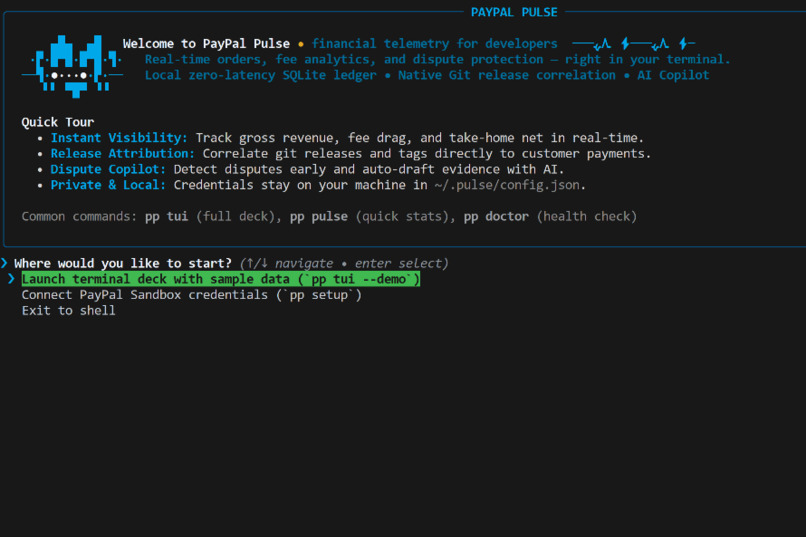
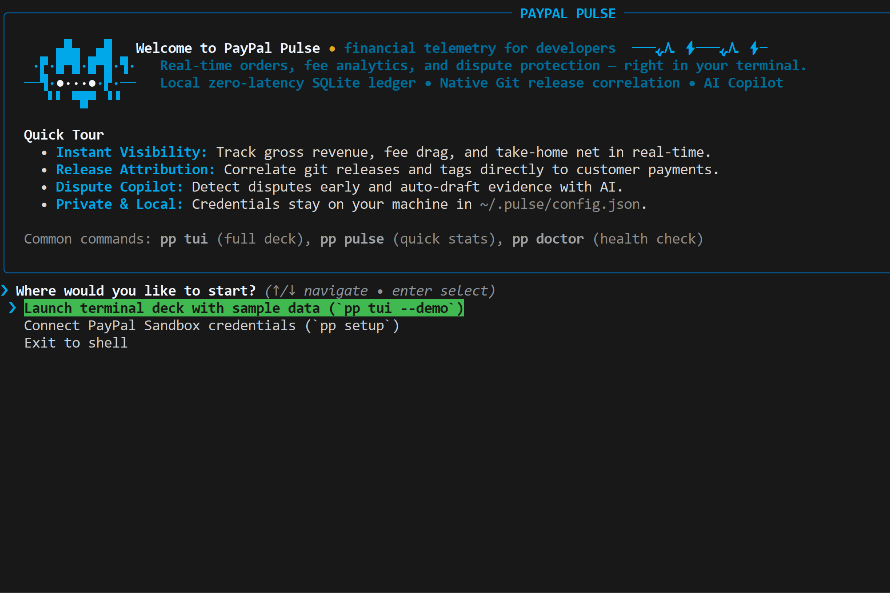
PayPal Pulse Onboarding
-
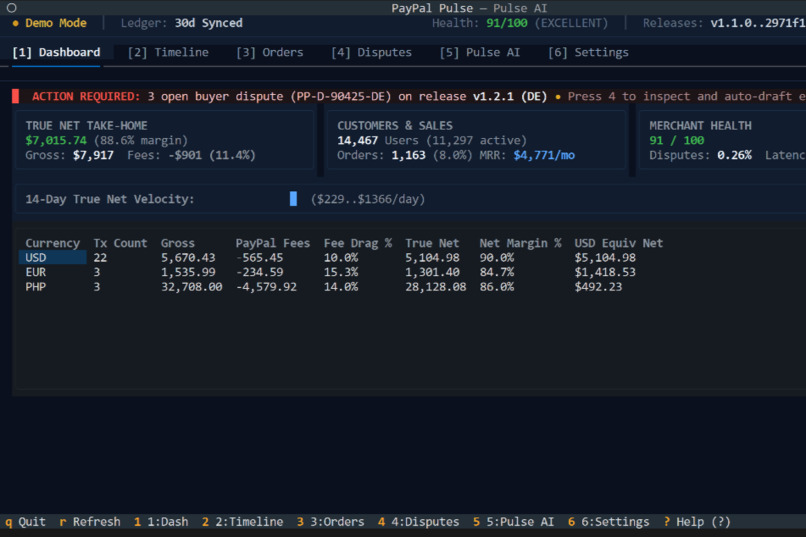
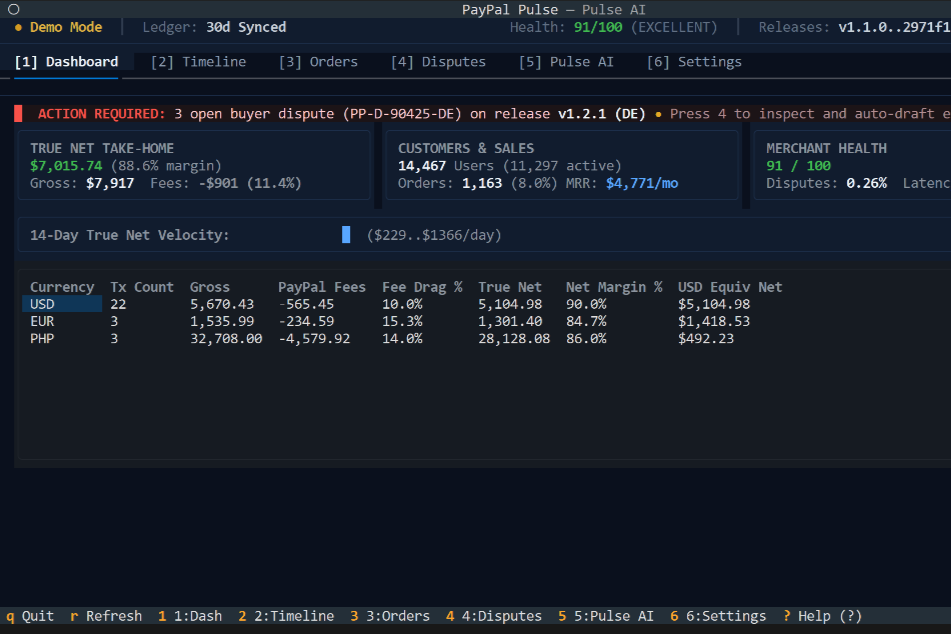
PayPal Pulse Dashboard
-
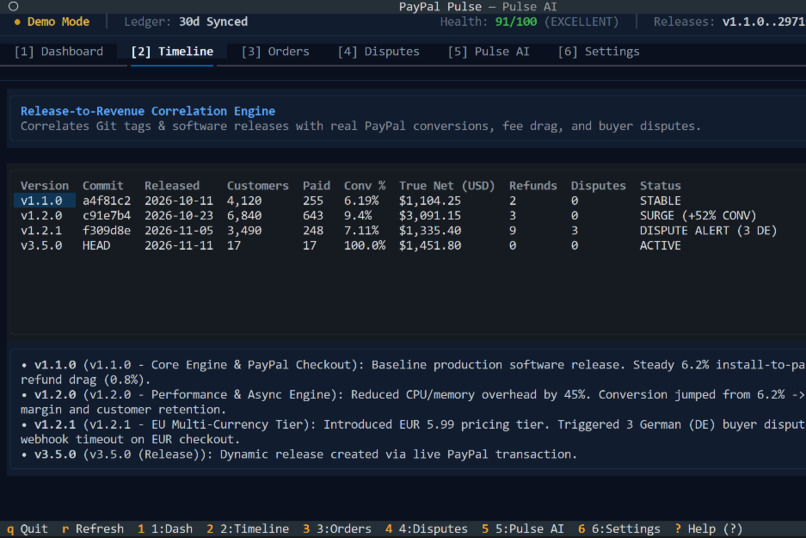
PayPal Pulse Git Timeline
-
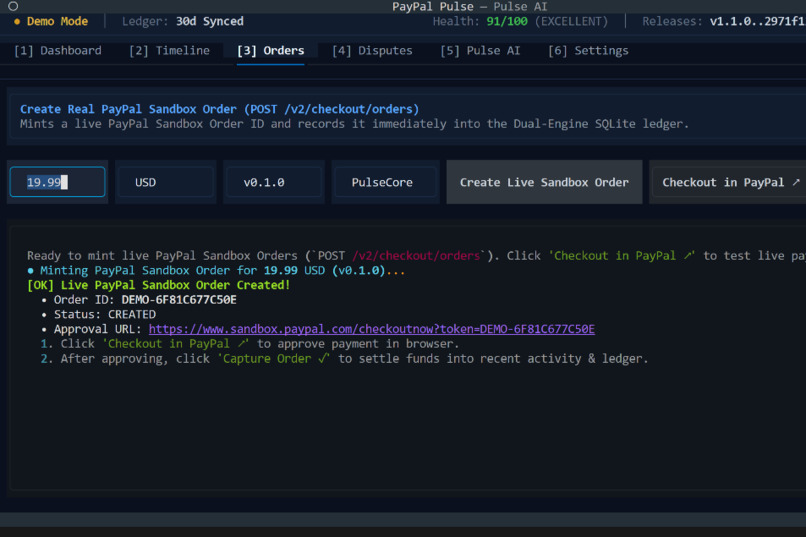
PayPal Pulse Order Minting
-
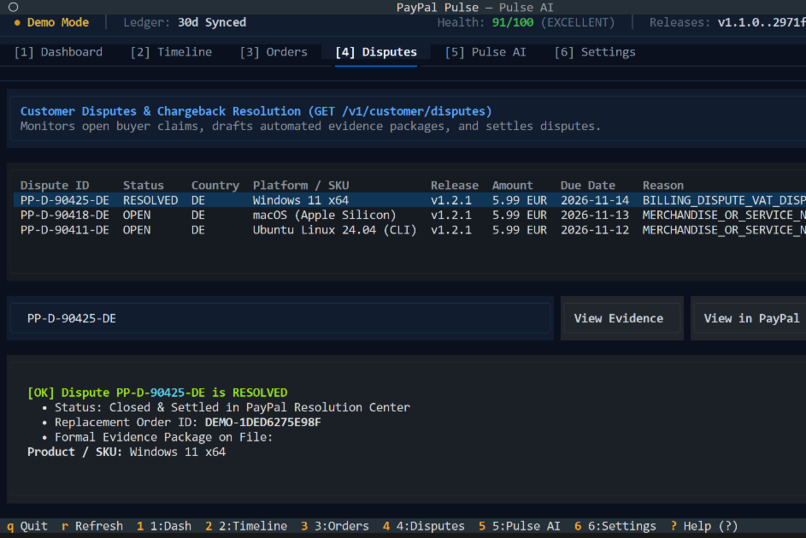
PayPal Pulse Dispute Resolution
-
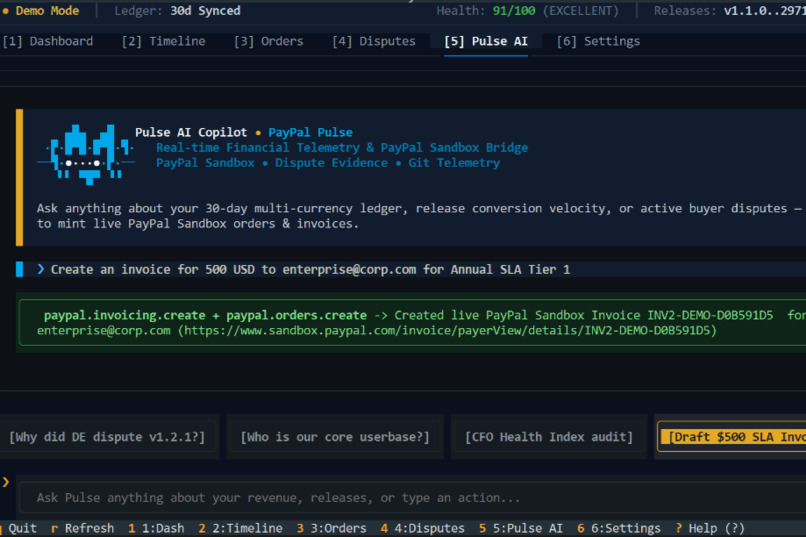
PayPal Pulse AI Copilot
Inspiration
Like most devs, my entire work life happens in the terminal / IDE. I write code, run tests, push to Git, and deploy to prod in about 30 seconds without ever touching my mouse.
Finance is a different workflow from what I'm used to.
Suddenly I have to open a browser, type in a 2FA code, click through five nested menus, wait for slow dashboards to load just to see if someone bought my SaaS. Another headache I never expected was whenever I ship a new release or change a pricing tier, I have no clue if that specific commit helped sales or triggered a wave of refund requests.
I wanted to check my sales and handle customer disputes in an environment developers are used to, so I built PayPal Pulse.
What it does
PayPal Pulse (pp) is a terminal-native financial command deck and AI copilot for builders.
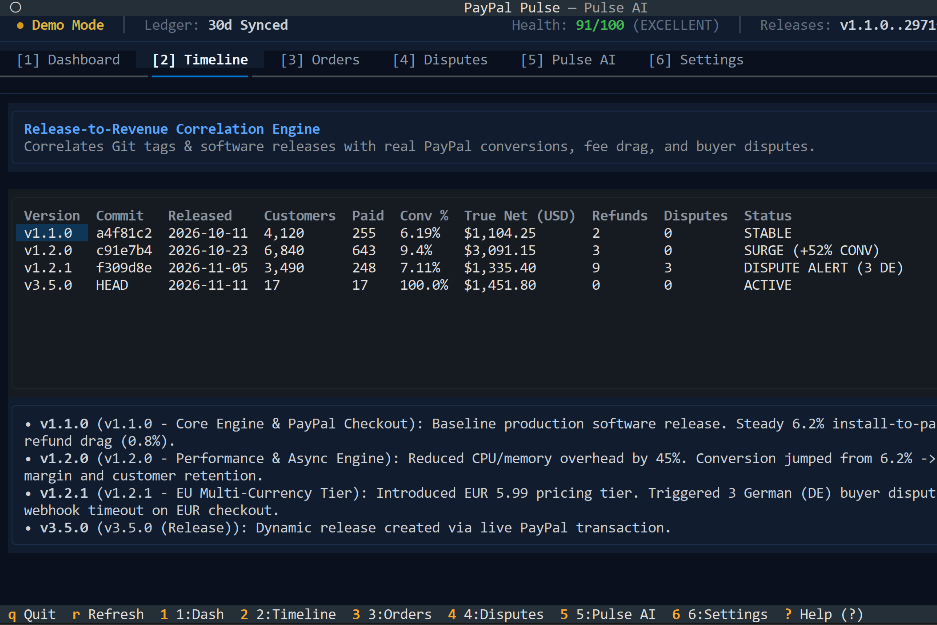
- Git Release to Revenue Tracking (
pp timeline): Connects your Git tags directly to your PayPal sales. You can finally see whetherv1.2.0brought in cash or cost you money in fee drag. - Pulse AI Copilot (
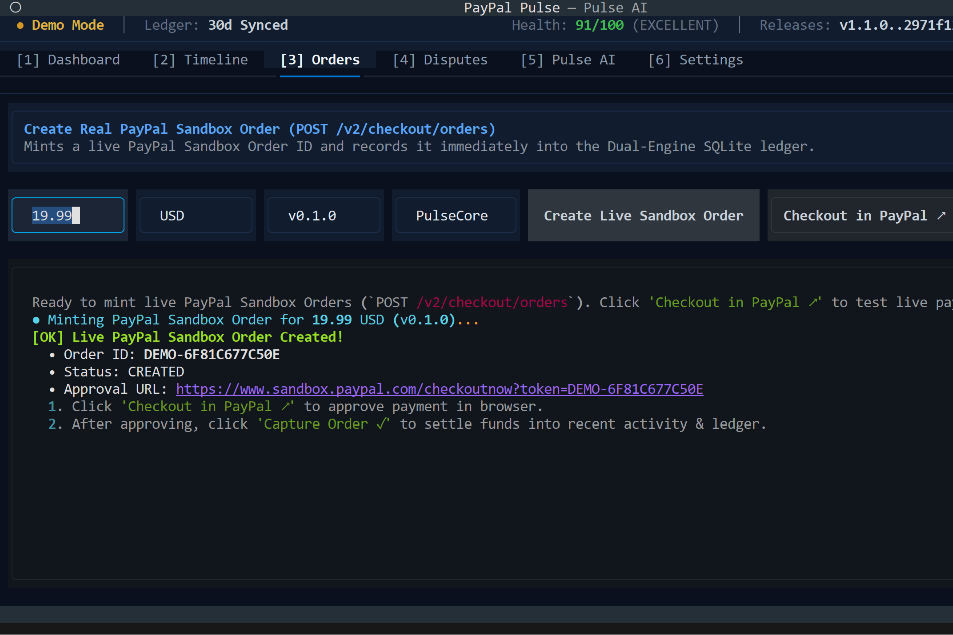
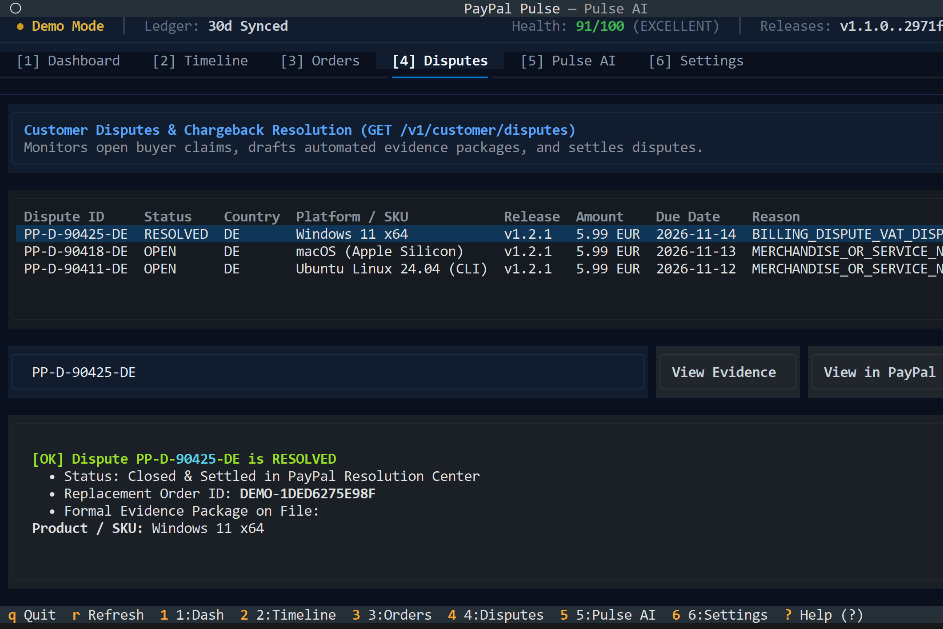
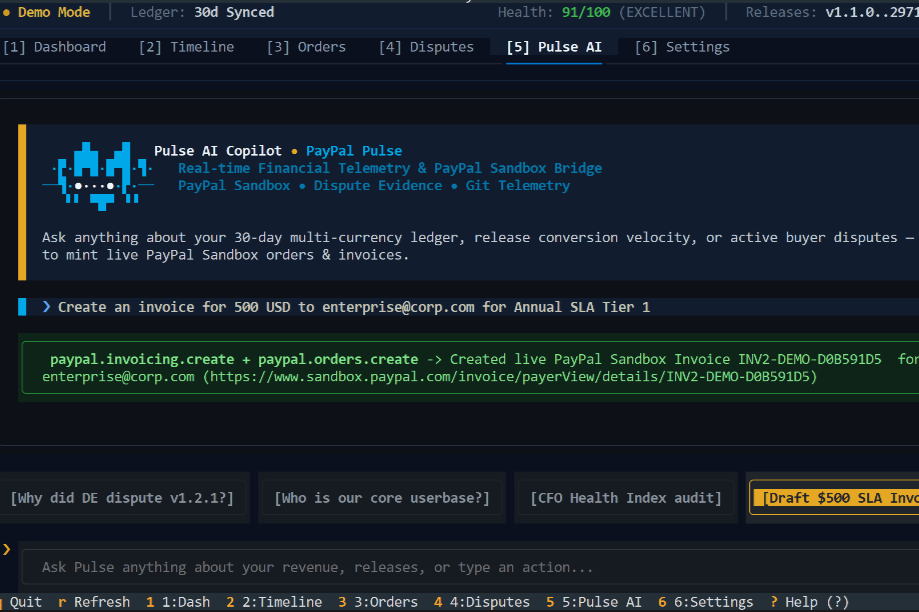
pp ask): A conversational finance helper powered by Groq LPUs. It doesn't just answer questions; it calls real PayPal tools to mint test checkout orders, create invoices, and draft dispute defense packets from your local git commits. - Dispute Defense: Alerts you on a buyer's dispute before it hurts your account, using AI to turn your delivery logs into structured evidence ready for PayPal's Disputes API.
- Model Context Protocol (
pp mcp): Lets autonomous coding agents in Claude Code, Cursor, or Antigravity check your margins and draft invoices while you code.
How I built it
Pulse uses a simple, resilient stack designed to run fast on local machines:
- Terminal Frontend: Built with
textualfor the full-screen terminal UI, plustyperandrichfor quick CLI commands and ASCII graphs. - Dual-Engine Local Ledger: PayPal reporting APIs have an indexing delay of up to three hours. To get instant quicker and more local feedback, Pulse pairs live PayPal REST calls with a local SQLite ledger (
.pulse_cache/pulse.db). Newly created orders and simulated webhooks show up on your screen instantly. - AI Engine: Acts as an autonomous finance sidekick right inside your terminal: minting checkout orders, generating customer invoices, and pulling commit logs to build dispute defense packets, with built-in offline fallbacks so your workflow never stalls.
Challenges I ran into
The main headache was latency. When testing a checkout flow, you want to see that update right away. Relying purely on PayPal's reporting endpoints meant waiting for transactions to index, which led me to architect the local dual-engine SQLite cache.
Accomplishments that I'm proud of
- Real tool execution: The AI copilot does not just give generic finance advice. When you tell it to make an invoice or inspect an order, it hits the PayPal API and hands you back a live checkout link.
- Test coverage: 100% of the core client and CLI flows are backed by automated pytest suites, including headless pilots that test the Textual UI.
What I learned
- Designing for the terminal forces you to be honest about UI clutter. If a metric does not help a developer make a decision right now, it does not belong on the screen.
- The PayPal developer platform has a massive API surface. Getting under the hood of Orders v2, Disputes, and Invoicing showed me just how much heavy lifting PayPal does behind the scenes.
What's next for PayPal Pulse
- Live Webhook Daemon: A background listener using Cloudflare tunnels or ngrok to ingest live production webhooks in real time.
- GitHub Action: A PR bot that reviews your pull requests and warns you if a pricing change or dependency bump is about to eat into your net margins.