-
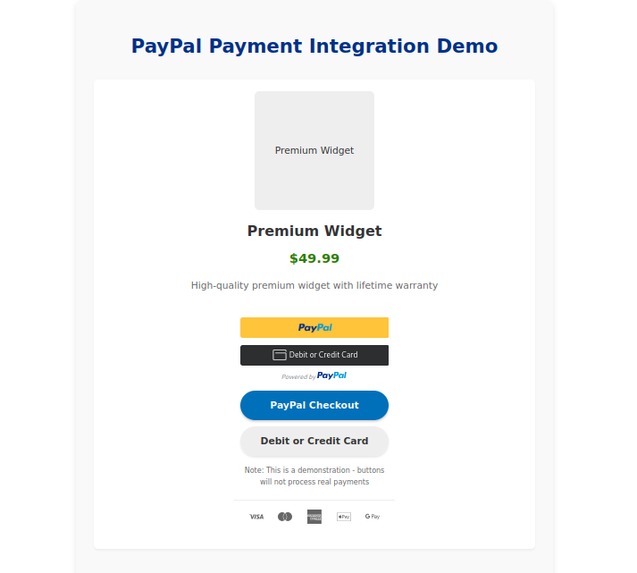
paypall
-
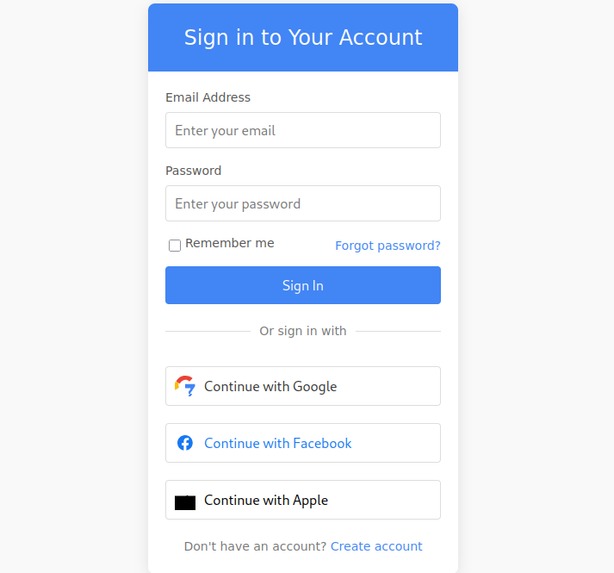
oauth
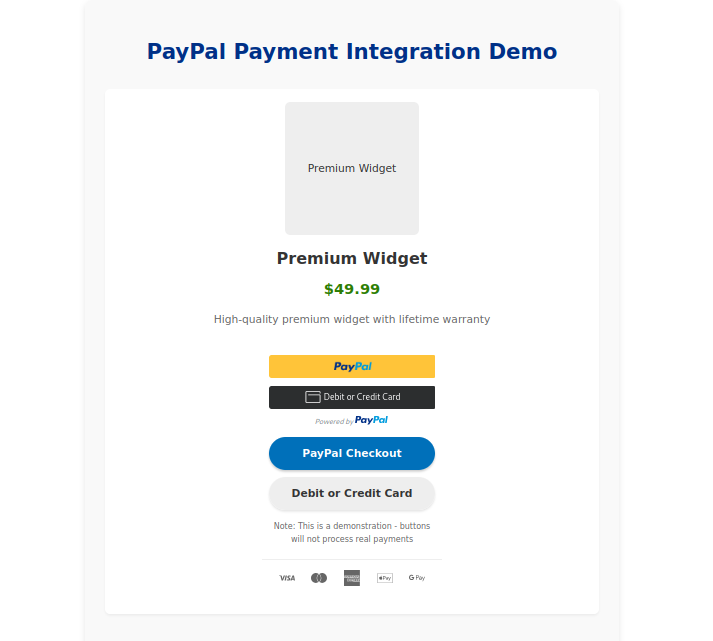
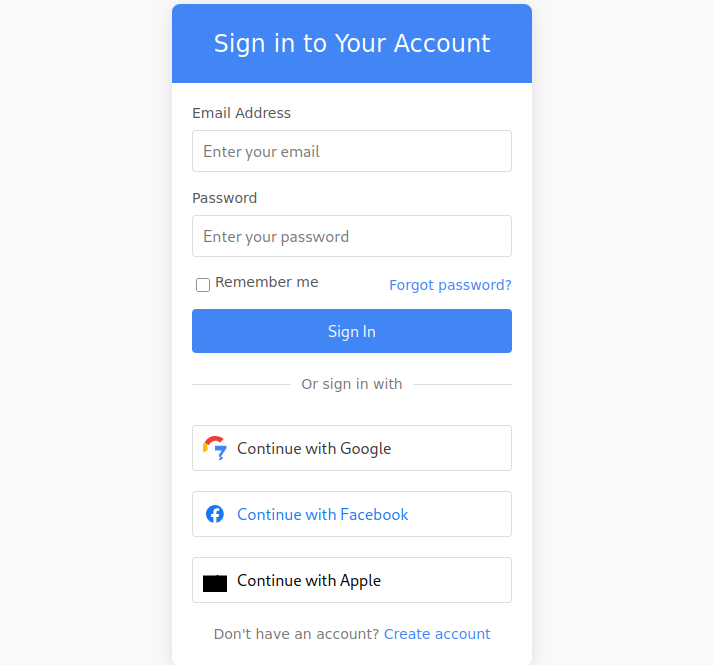
PayPal OAuth Integration
This repository demonstrates the integration of OAuth (Google and Facebook) and PayPal into a website. It provides a streamlined approach for implementing third-party authentication and payment processing. Features
OAuth Integration:
    Google OAuth: Allow users to log in using their Google accounts.
    Facebook OAuth: Allow users to log in using their Facebook accounts.

PayPal Payment Integration:
    Easy setup for integrating PayPal payment processing into your website.
Prerequisites
Before you begin, ensure you have the following:
Google OAuth Credentials:
    Create a project in the Google Cloud Console.
    Enable the OAuth 2.0 API.
    Obtain the Client ID and Client Secret.

Facebook OAuth Credentials:
    Create an app in the Meta for Developers dashboard.
    Obtain the App ID and App Secret.

PayPal Developer Account:
    Sign up at the PayPal Developer Portal.
    Create a sandbox account to test payments.
    Obtain the Client ID and Client Secret.

A local or remote server to host the application.
Installation
Clone this repository:
bash
git clone https://github.com/karimshaban01/paypal-oauth-integration.git cd paypal-oauth-integration
Install dependencies: bash
Example for PHP (Hack) or JavaScript-based setup
composer install # For Hack-based dependencies npm install # For JavaScript-based dependencies
Configure the environment variables:
Create a .env file in the root of the project.
Add the following keys:
Code

GOOGLE_CLIENT_ID=your_google_client_id
GOOGLE_CLIENT_SECRET=your_google_client_secret
FACEBOOK_APP_ID=your_facebook_app_id
FACEBOOK_APP_SECRET=your_facebook_app_secret
PAYPAL_CLIENT_ID=your_paypal_client_id
PAYPAL_CLIENT_SECRET=your_paypal_client_secret
Run the application: bash
# Example commands:
php -S localhost:8000  # For PHP (Hack)
npm start              # For JavaScript
Usage
Access the application in your browser at http://localhost:8000.
Users can log in using Google or Facebook OAuth.
Users can make payments via PayPal.
Code Structure
OAuth Configuration:
    Handles OAuth setup for Google and Facebook.
    Redirects users to the respective OAuth login pages and retrieves access tokens.

PayPal Payment Integration:
    Provides API endpoints and frontend interfaces for processing payments.

Frontend:
    Login buttons for Google and Facebook.
    Payment button for PayPal.
Contributing
Contributions are welcome! Please open an issue or submit a pull request for any improvements or suggestions. License
This project is licensed under the MIT License.
Let me know if you'd like to customize or expand any part of the documentation! this is a simple php webapp
Here's an updated version of the documentation tailored for a simple PHP web application: PayPal OAuth Integration
This repository demonstrates the integration of OAuth (Google and Facebook) and PayPal into a simple PHP web application. It provides a streamlined approach for implementing third-party authentication and payment processing. Features
OAuth Integration:
    Google OAuth: Allow users to log in using their Google accounts.
    Facebook OAuth: Allow users to log in using their Facebook accounts.

PayPal Payment Integration:
    Easy setup for integrating PayPal payment processing into your PHP web app.
Prerequisites
Before you begin, ensure you have the following:
Google OAuth Credentials:
    Create a project in the Google Cloud Console.
    Enable the OAuth 2.0 API.
    Obtain the Client ID and Client Secret.

Facebook OAuth Credentials:
    Create an app in the Meta for Developers dashboard.
    Obtain the App ID and App Secret.

PayPal Developer Account:
    Sign up at the PayPal Developer Portal.
    Create a sandbox account to test payments.
    Obtain the Client ID and Client Secret.

A server capable of running PHP (e.g., Apache, Nginx) with PHP installed.
Installation
Clone this repository:
bash
git clone https://github.com/karimshaban01/paypal-oauth-integration.git cd paypal-oauth-integration
Install dependencies: bash
composer install
Configure the environment variables:
Create a .env file in the root of the project.
Add the following keys:
Code

GOOGLE_CLIENT_ID=your_google_client_id
GOOGLE_CLIENT_SECRET=your_google_client_secret
FACEBOOK_APP_ID=your_facebook_app_id
FACEBOOK_APP_SECRET=your_facebook_app_secret
PAYPAL_CLIENT_ID=your_paypal_client_id
PAYPAL_CLIENT_SECRET=your_paypal_client_secret
Start the PHP development server or configure your web server: bash
php -S localhost:8000
Usage
Access the application in your browser at http://localhost:8000.
Users can log in using Google or Facebook OAuth.
Users can make payments via PayPal.
Code Structure
OAuth Configuration:
    Handles OAuth setup for Google and Facebook.
    Redirects users to the respective OAuth login pages and retrieves access tokens.

PayPal Payment Integration:
    Provides API endpoints and frontend interfaces for processing payments.

Frontend:
    Login buttons for Google and Facebook.
    Payment button for PayPal.
Contributing
Contributions are welcome! Please open an issue or submit a pull request for any improvements or suggestions.

Log in or sign up for Devpost to join the conversation.