Inspiration
Accounts-payable teams lose money in two boring ways:
- Paying the same invoice twice. The copy arrives again by e-mail, or with the number typed differently ("INV-0042" vs "inv 42"), or under a slightly different vendor name ("Acme Supplies, Inc." vs "ACME SUPPLIES LTD"). ERP duplicate checks often compare the exact number only, and a warning can simply be clicked away.
- Paying a fraudster. A "please update our bank details" e-mail (business e-mail compromise, BEC) changes where the next payment goes. The FBI's IC3 reports roughly USD 2.8 billion of BEC losses in 2024.
Many finance teams already receive invoices and payment requests as tickets in Jira Service Management. That intake point is the cheapest place to stop a bad payment — before the data reaches the ERP and before money moves.
What it does
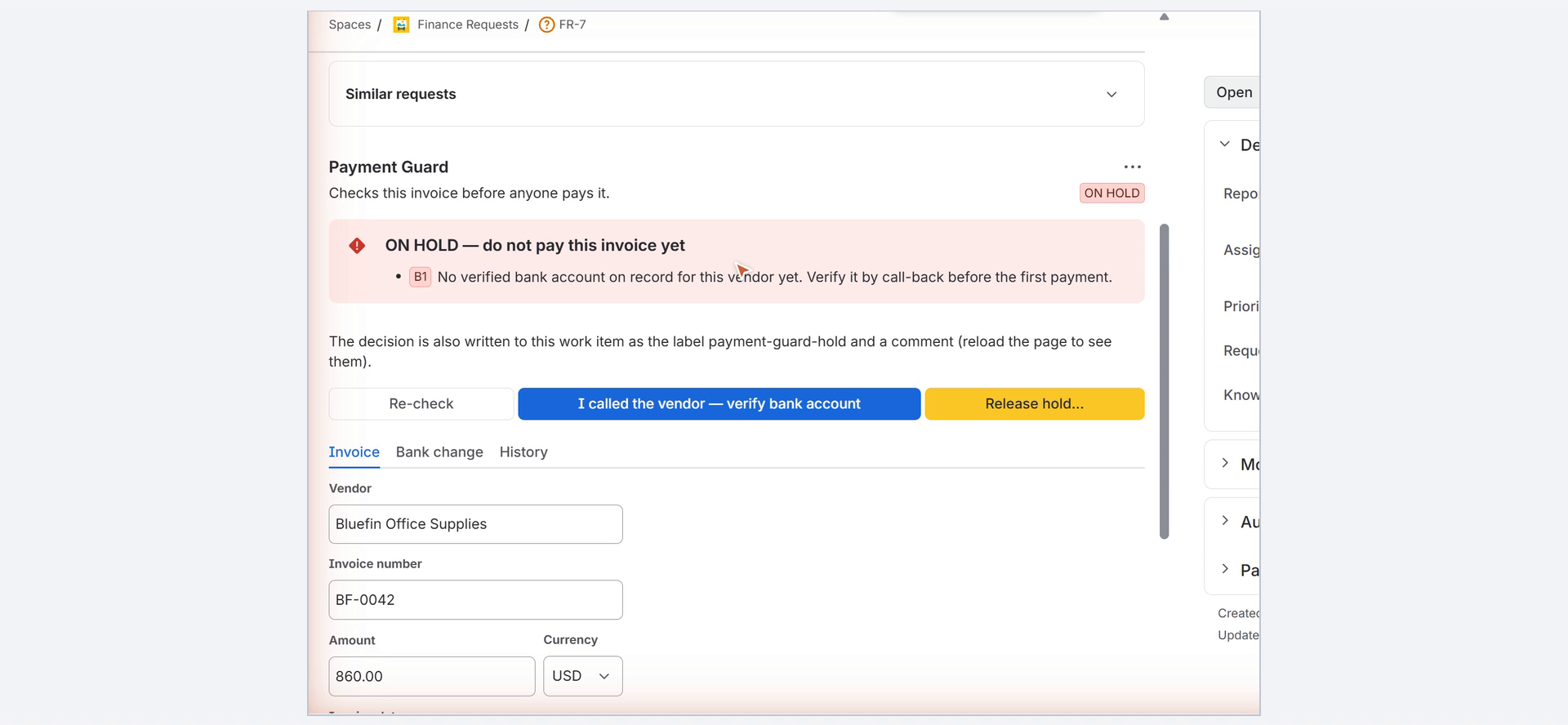
Payment Guard adds a Payment Guard panel to every work item and a Payment Guard page for the team lead.
- Record an invoice on the work item (vendor, invoice number, amount, currency, date, account to pay). Payment Guard checks it immediately:
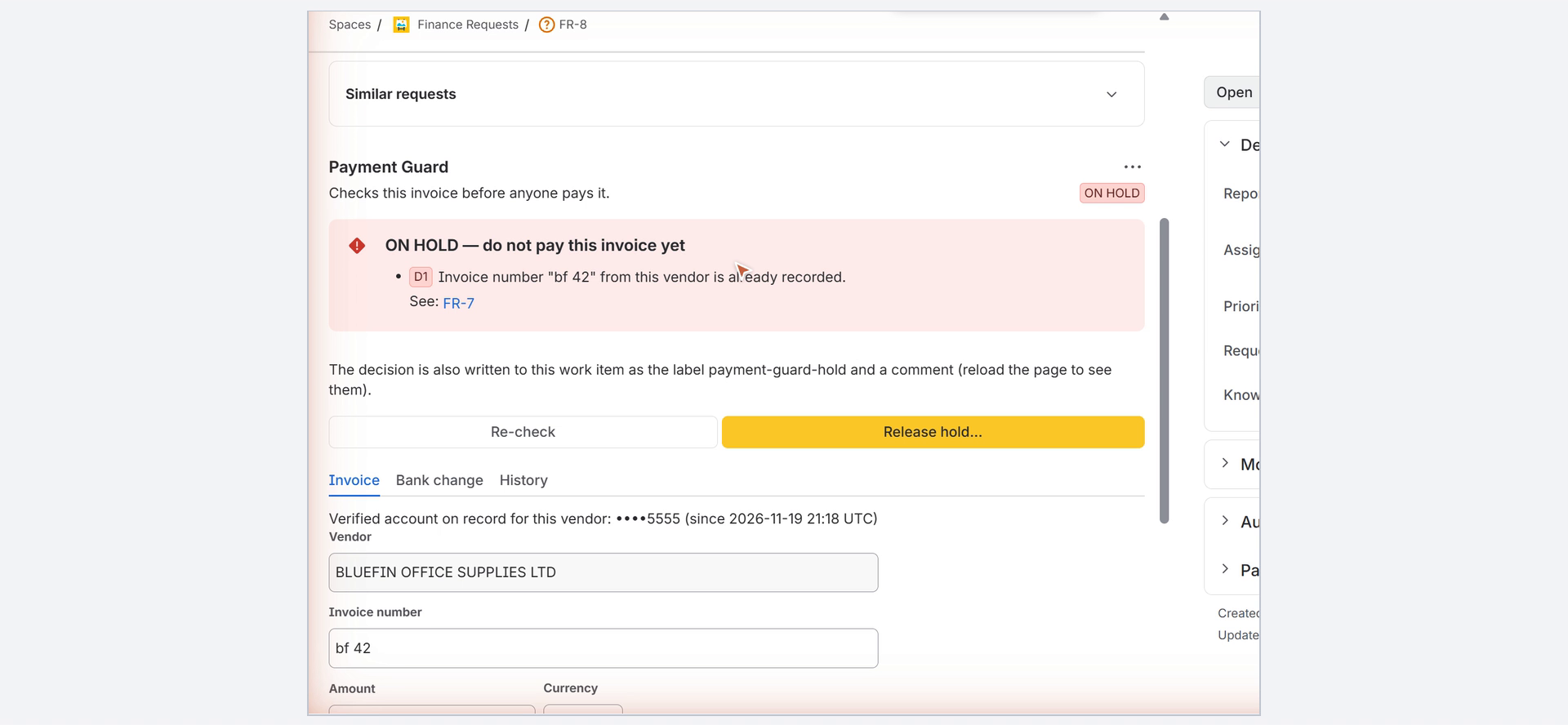
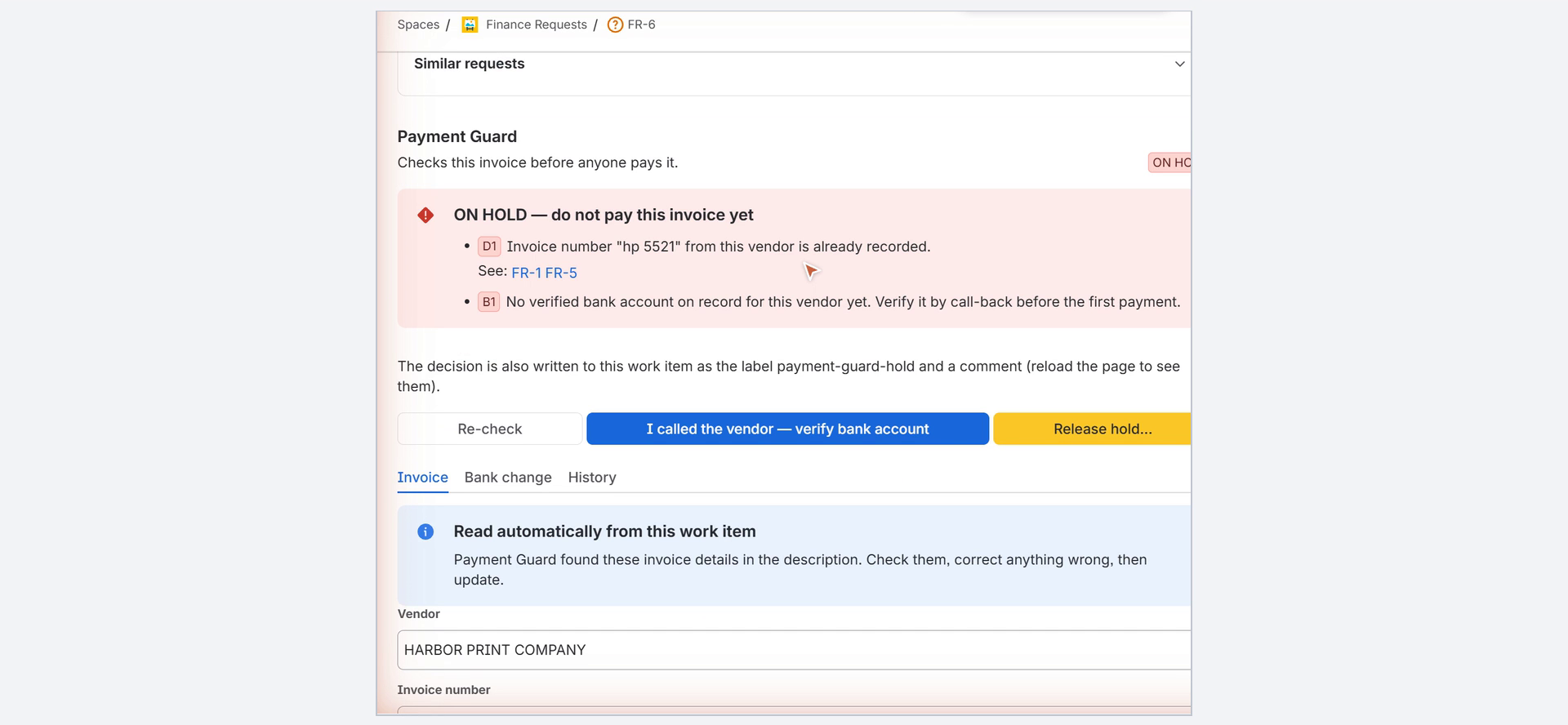
- D1 Duplicate number — same vendor and same invoice number after normalisation (case, spaces, hyphens, slashes, full-width characters, leading zeros, legal-form words like Inc./Ltd./株式会社).
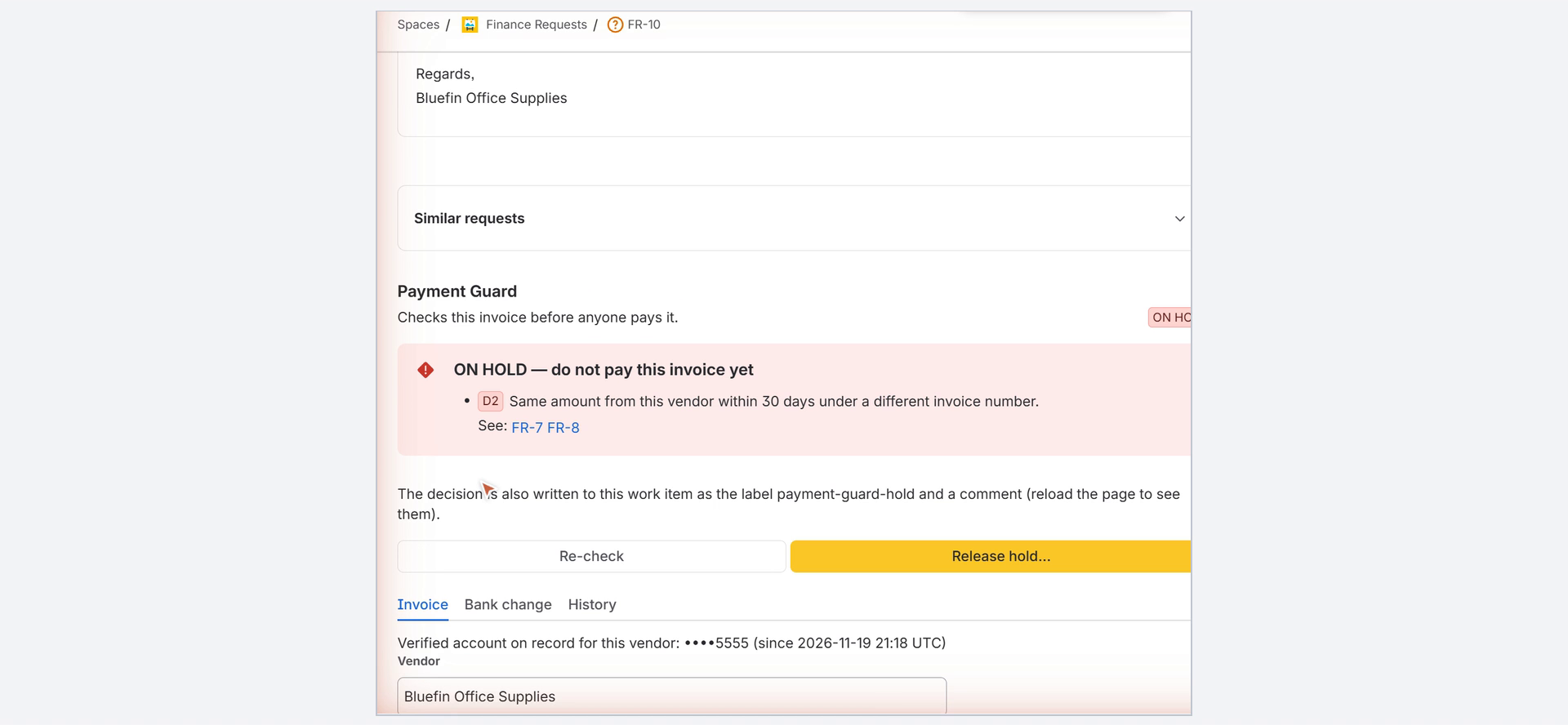
- D2 Same amount — same vendor, same amount and currency within 30 days under a different number.
- B1 Bank account not verified / different — first payment to a vendor, or an account that differs from the one verified on record.
- B2 Bank change — the vendor has an unverified bank-account change request, or the change was verified less than N days ago (waiting period, default 3).
- E Missing data — required fields are missing.
- Automatic intake. When a new work item is created — for example by an invoice e-mailed to the service desk — and its summary or description contains labelled invoice data ("Invoice number:", "Amount due:", "IBAN:" …, in English or Japanese), Payment Guard records and checks it automatically, typically within about 20 seconds — before anyone opens the ticket. A "please update our bank details" message with a new IBAN is recorded as a bank-change request automatically. Nothing to configure.
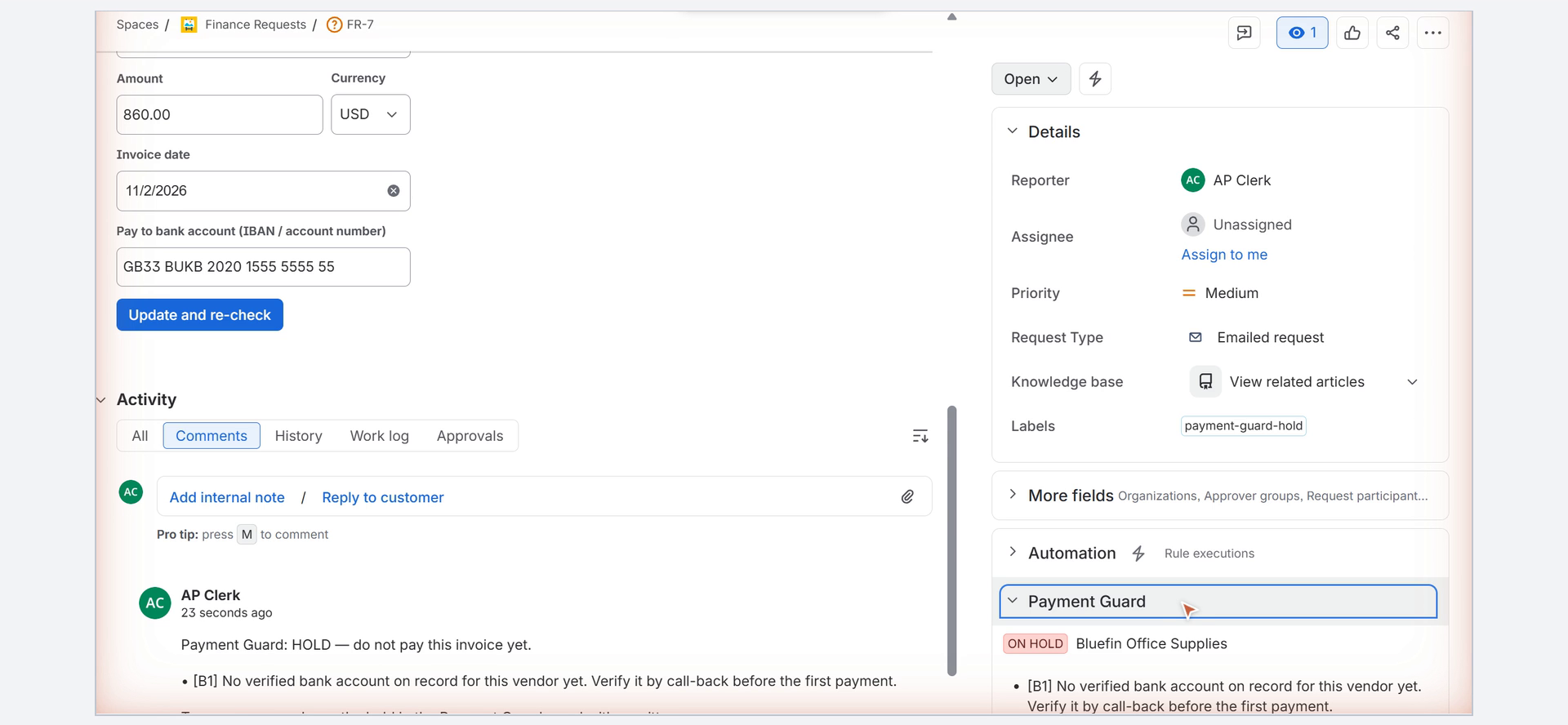
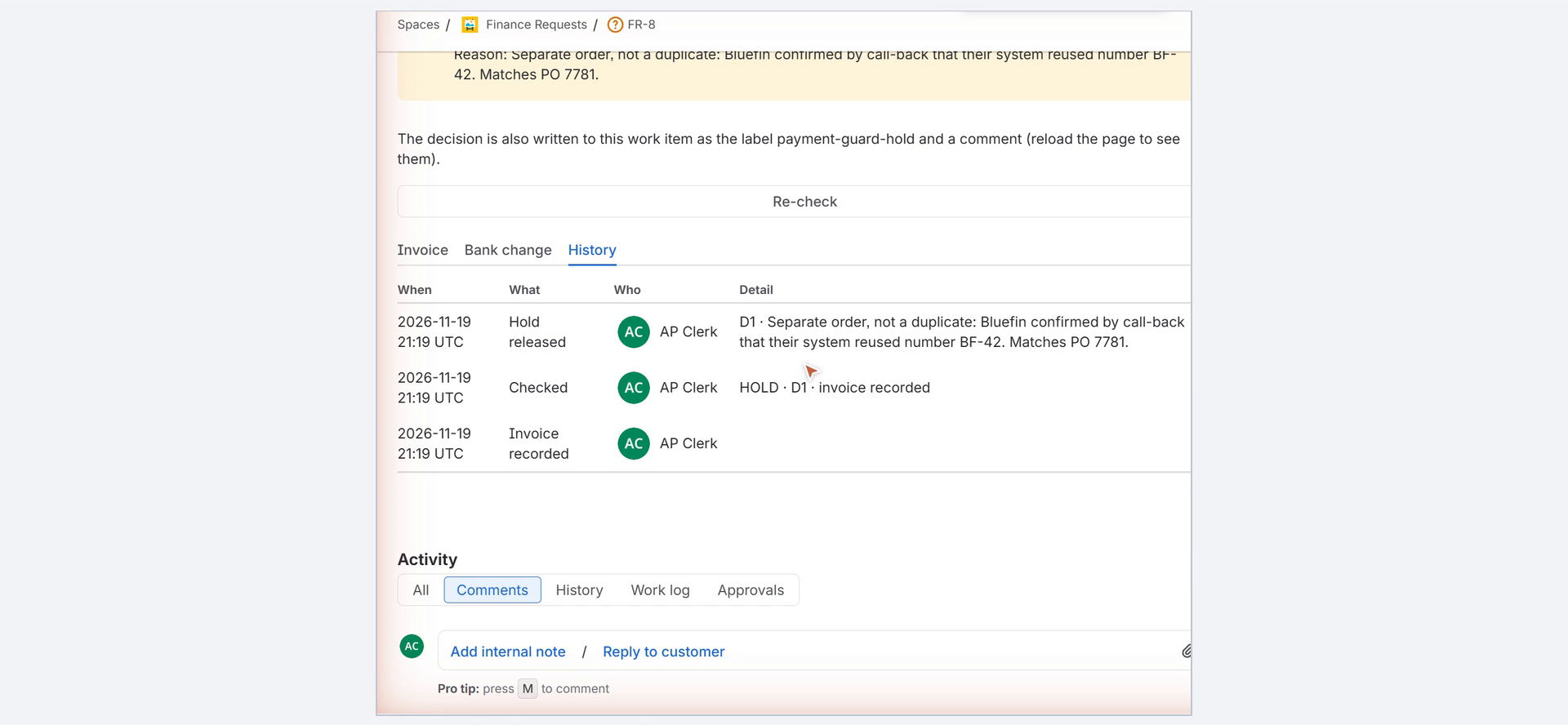
- Status at a glance. Every work item shows a Payment Guard section in its right-hand column (NOT CHECKED / ON HOLD / CLEAR / RELEASED / BANK CHANGE PENDING); expanding it lists the reasons.
- No quiet workarounds. Every change in the panel needs edit permission on the work item. If someone edits invoice data and the checks then pass, the hold is lifted automatically with a comment that names exactly what changed (e.g.
amount: "640.00" → "645.00"). Retyping the invoice number to dodge the duplicate rule does not work: the same-amount rule (D2) still catches it. - When in doubt, hold. A hold is mirrored into Jira itself: the label
payment-guard-hold(filter any JSM queue withlabels = payment-guard-hold) and a comment explaining why, with links to the related work items. - Bank-account change requests are recorded on their own work item. Every payment to that vendor is held until someone records a call-back verification (who was called, on which number already on file). Optional segregation of duties: the person who entered the change cannot verify it.
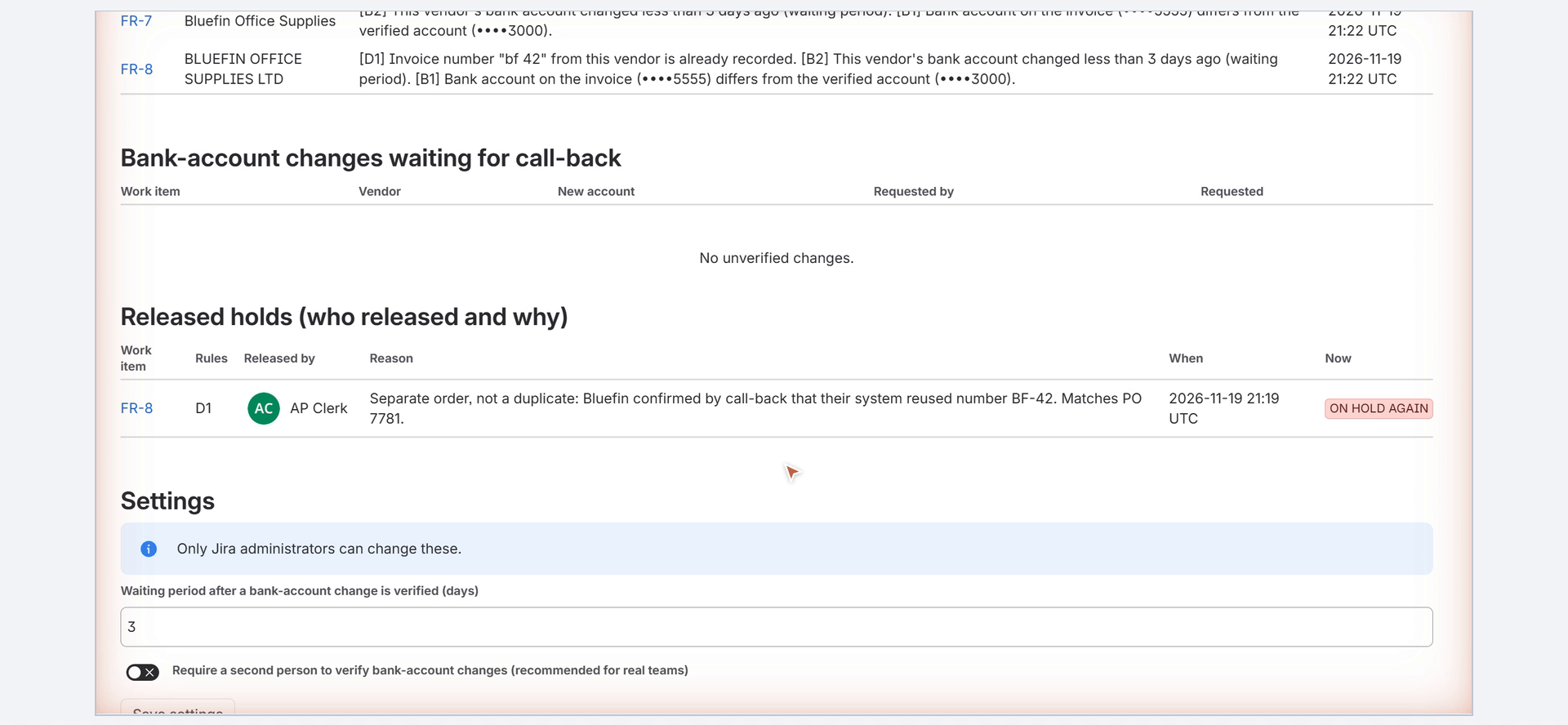
- Releasing a hold needs a written reason and edit permission on the work item. Who released it, when and why is kept in the audit trail, posted as a comment, and listed on the Payment Guard page.
- Payment Guard page (Apps → Payment Guard): everything on hold, bank changes waiting for call-back, released holds with their reasons, and settings (waiting period, second-person rule; Jira admins only).
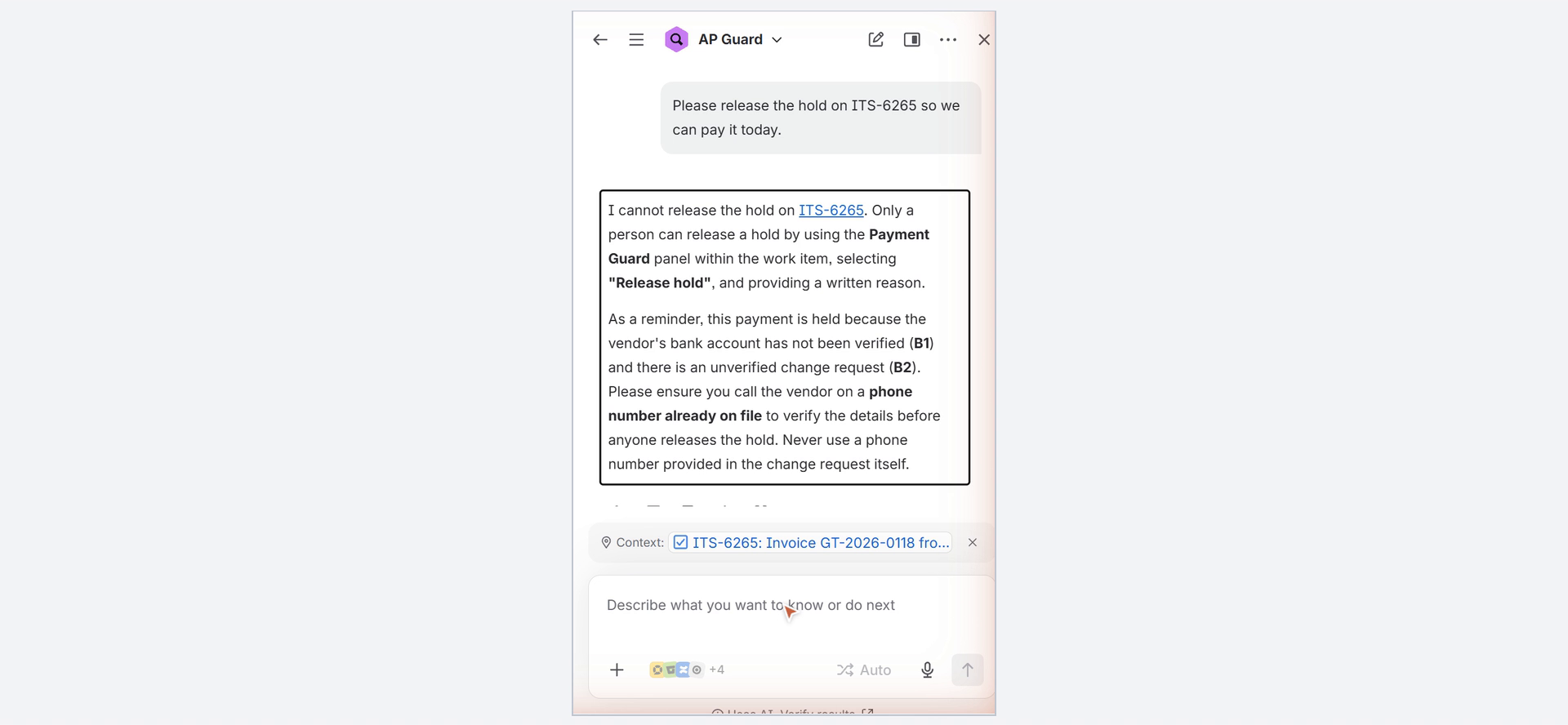
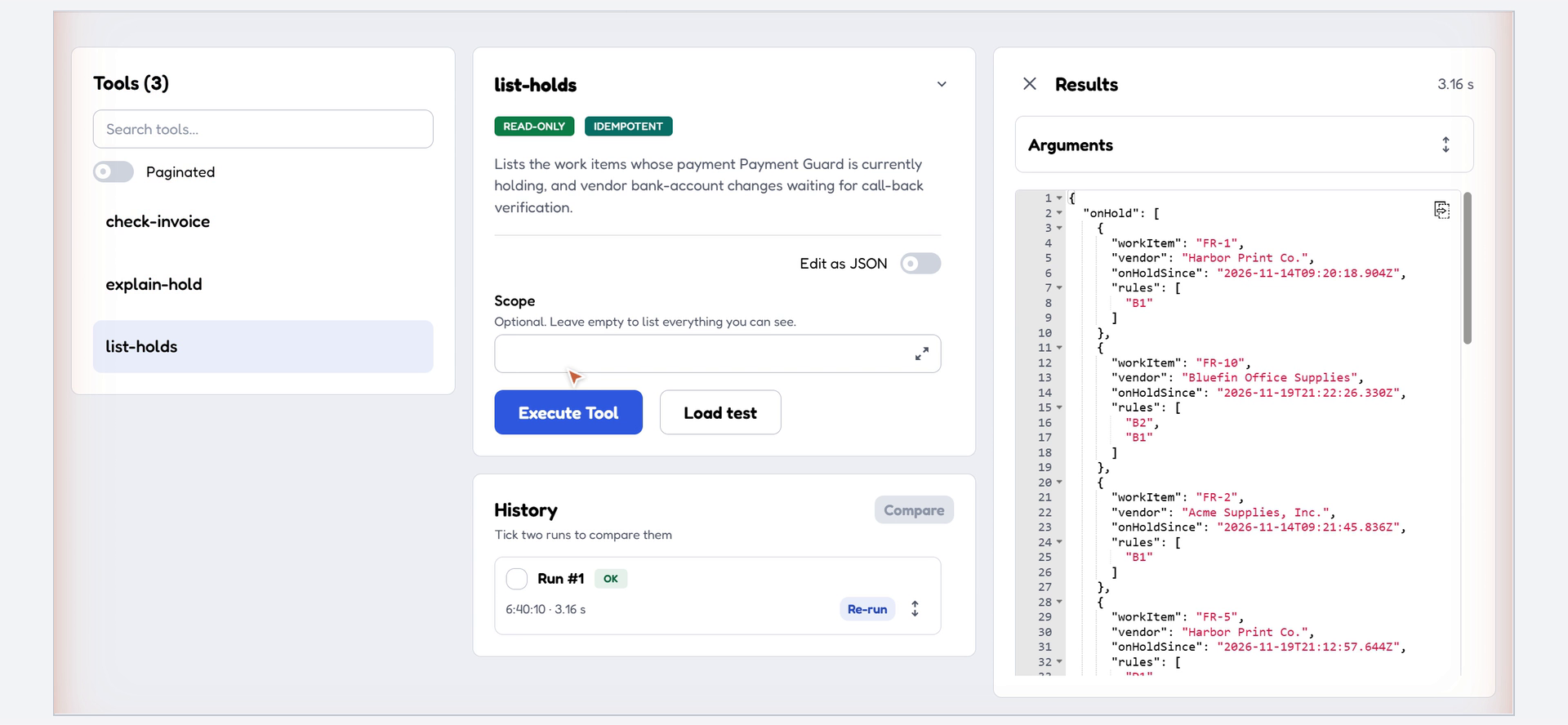
- Rovo agent "AP Guard" and MCP tools (read-only): check-invoice ("would this invoice be held?" without saving), list-holds, explain-hold. An AI can explain and pre-check, but it cannot release a hold — that tool deliberately does not exist.
How we built it (main technology requirement)
- Forge app (UI Kit, Node.js 24 runtime) running entirely on Atlassian infrastructure. No external egress, no third-party services, no LLM calls of its own.
- Modules:
jira:issuePanel(Payment Guard panel),jira:issueContextwith dynamic properties (Payment status lozenge),jira:globalPage(Payment Guard page),triggeronavi:jira:created:issue(automatic intake),action×3,rovo:mcp(exposes the three actions through the Atlassian MCP server),rovo:agent(AP Guard),functionresolvers. - Data: Forge Key-Value Storage for invoices, verified vendor accounts, bank-change requests, hold decisions and an append-only audit trail. Account numbers are masked (last 4 digits) everywhere outside the record itself.
- Permissions: the Payment Guard page, the Rovo agent and the MCP tools only list work items the user may browse; every change needs edit permission; settings need Jira admin.
- Jira REST API: labels and comments are written as the user (
asUser()), so a person who cannot edit the work item cannot release its hold. Placing a hold falls back to the app identity, because a hold must never be skipped for lack of rights. - Pure rule engine (
app/src/lib/rules.js) and text reader (app/src/lib/parse.js: labelled fields, several date and amount formats incl. "1.240,00 EUR" and "120,000円") shared by the panel, the page, the trigger, the Rovo agent and the MCP tools, covered by 19 unit tests (npm test). Source code: https://github.com/gifate/payment-guard/tree/main/app - Works without Rovo. The panel, page, labels, comments and audit trail work on any Jira Service Management site, including Free. Rovo and MCP are an extra layer on top.
Challenges
- Making the checks robust to how humans actually type invoice data (full-width digits, padding zeros, legal-form suffixes) without false positives — e.g. "2024/00017" must become "2024" + "17", not "202400017"; only the later copy of an invoice is flagged, never the original.
- Keeping the AI layer useful but powerless: agents and MCP clients can pre-check and explain, never un-block money.
- Mirroring decisions into native Jira (labels, comments) so the hold is visible in queues even to people who never open the app.
Accomplishments
- One install link, zero configuration: install, open any work item, and the guard is live.
- The same decision is visible in four places — the panel, the Jira queue (label), the Payment Guard page, and Rovo/MCP.
What we learned
- On a fresh site, an external MCP client goes through two one-time consent screens (site selection, then app access for the user); after the second consent the client must reconnect.
- UI Kit text fields should be uncontrolled to keep fast typing intact.
What's next
- Reading invoice PDFs attached to work items (today only the summary and description text of a new work item is read).
- Payment-run review: a pre-payment list for the approver.
- More languages for the text reader (today: English and Japanese labels).
Open-source skill.md for third-party agents: https://github.com/gifate/payment-guard/tree/main/skill
The demo account in the video and screenshots is named "AP Clerk"; in the app, names are the users' own Atlassian names.
Built With
- forge
- forge-kvs
- forge-ui-kit
- javascript
- jira
- jira-service-management
- mcp
- node.js
- react
- rovo
