-
-
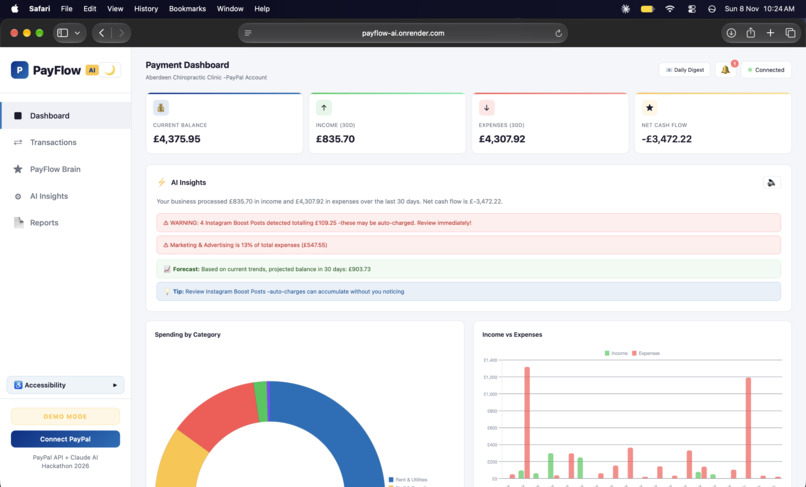
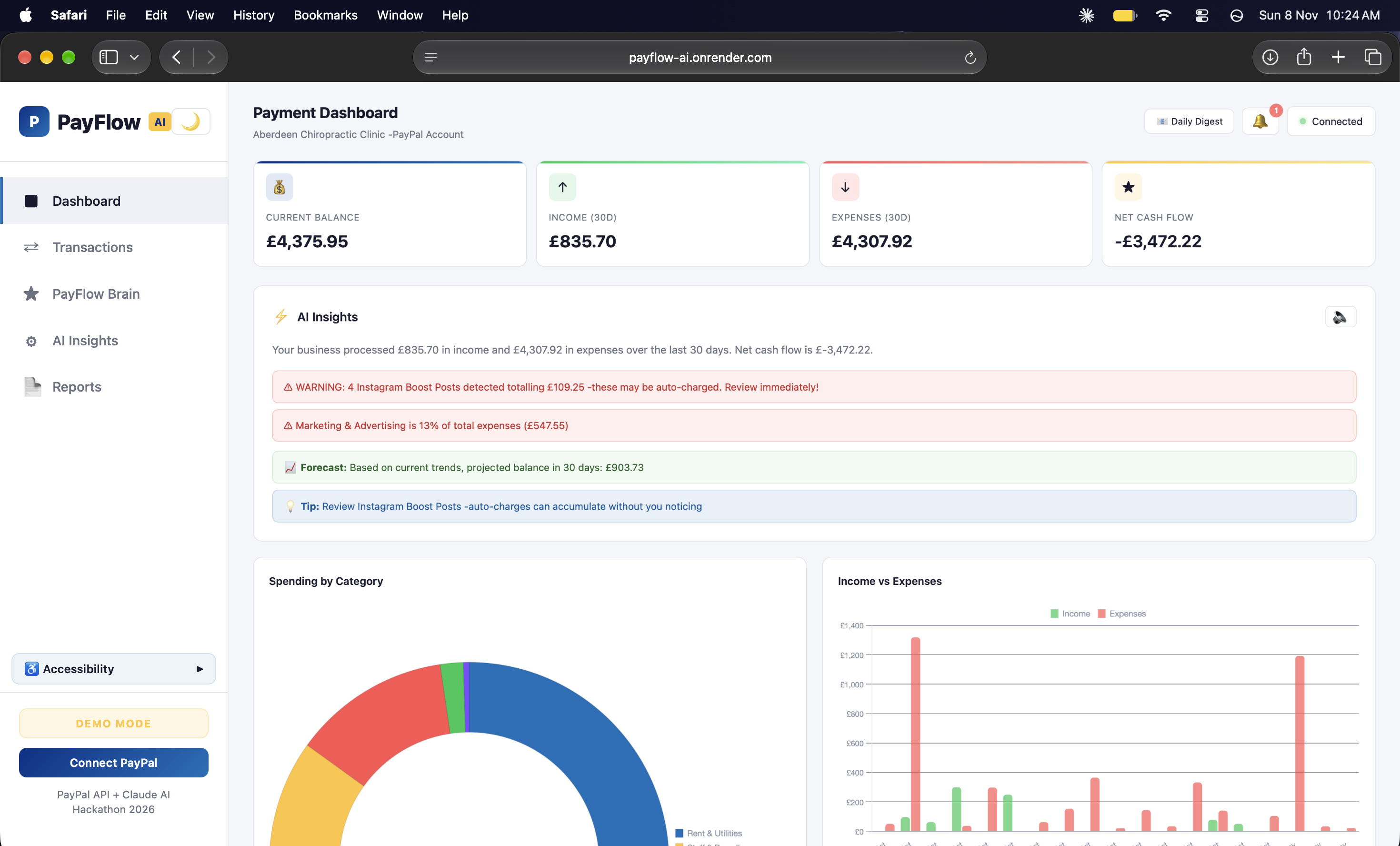
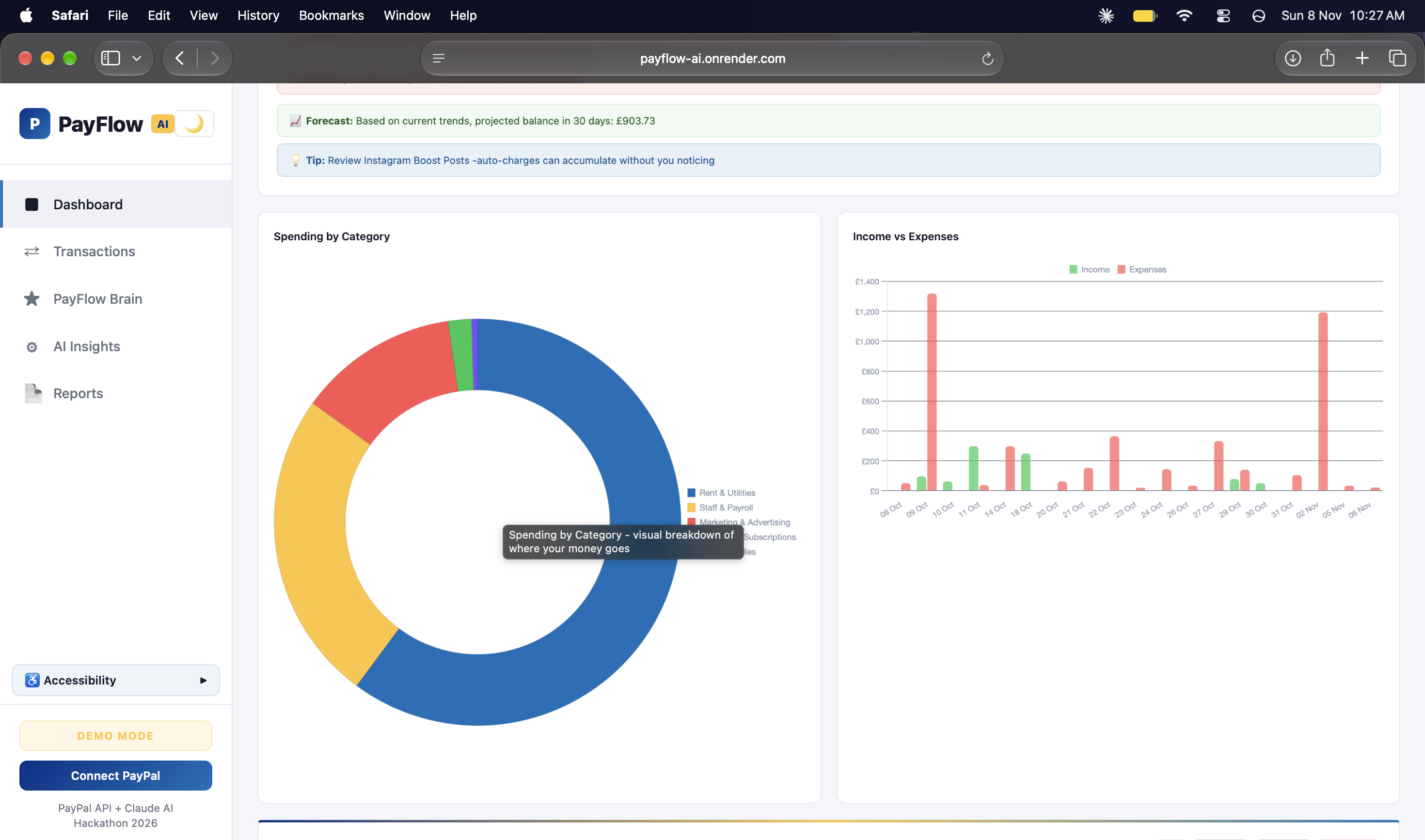
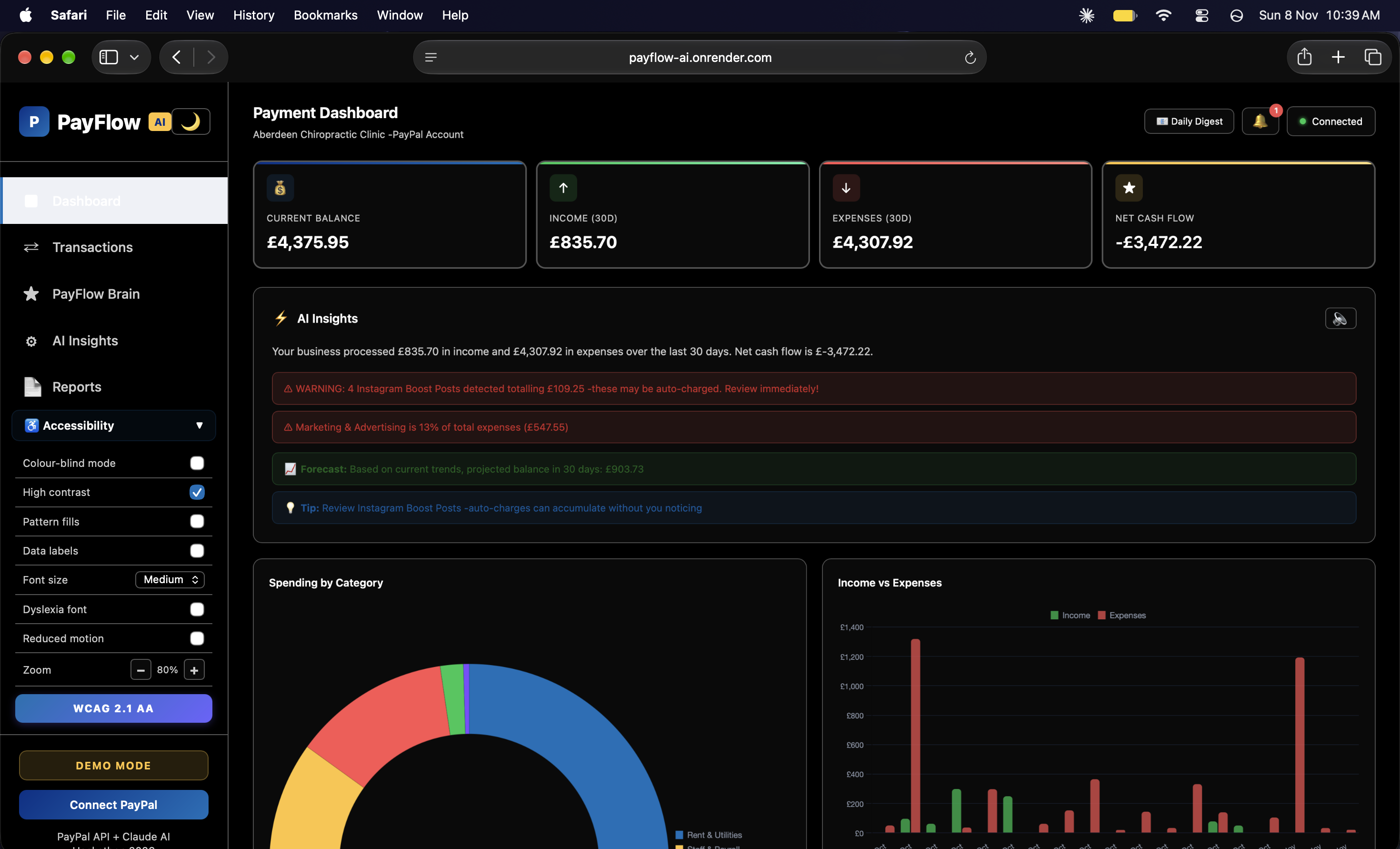
Payment Dashboard with AI Insights - real-time balance, smart alerts for auto-charges, cash flow forecast and spending breakdown
-
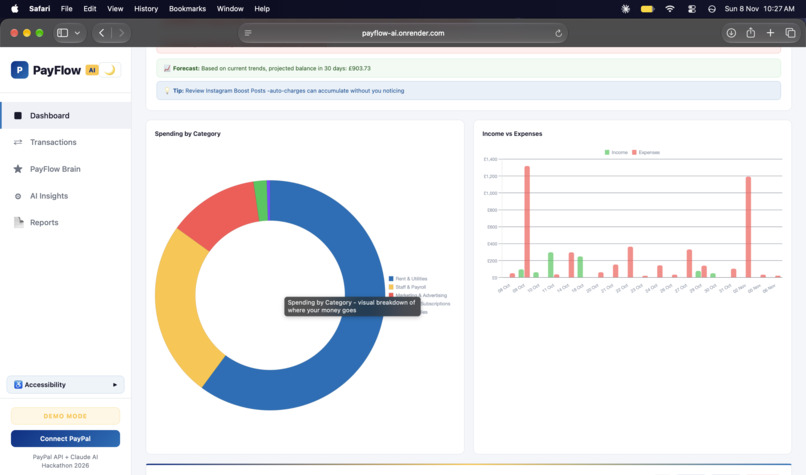
Interactive charts - spending by category donut chart with tooltips and income vs expenses bar chart for trend analysis
-
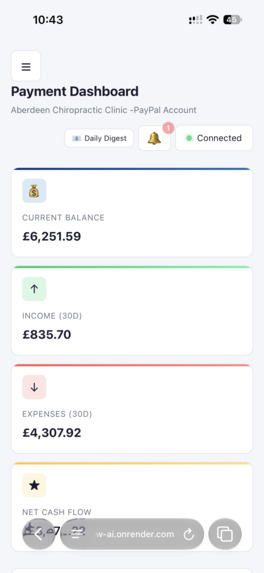
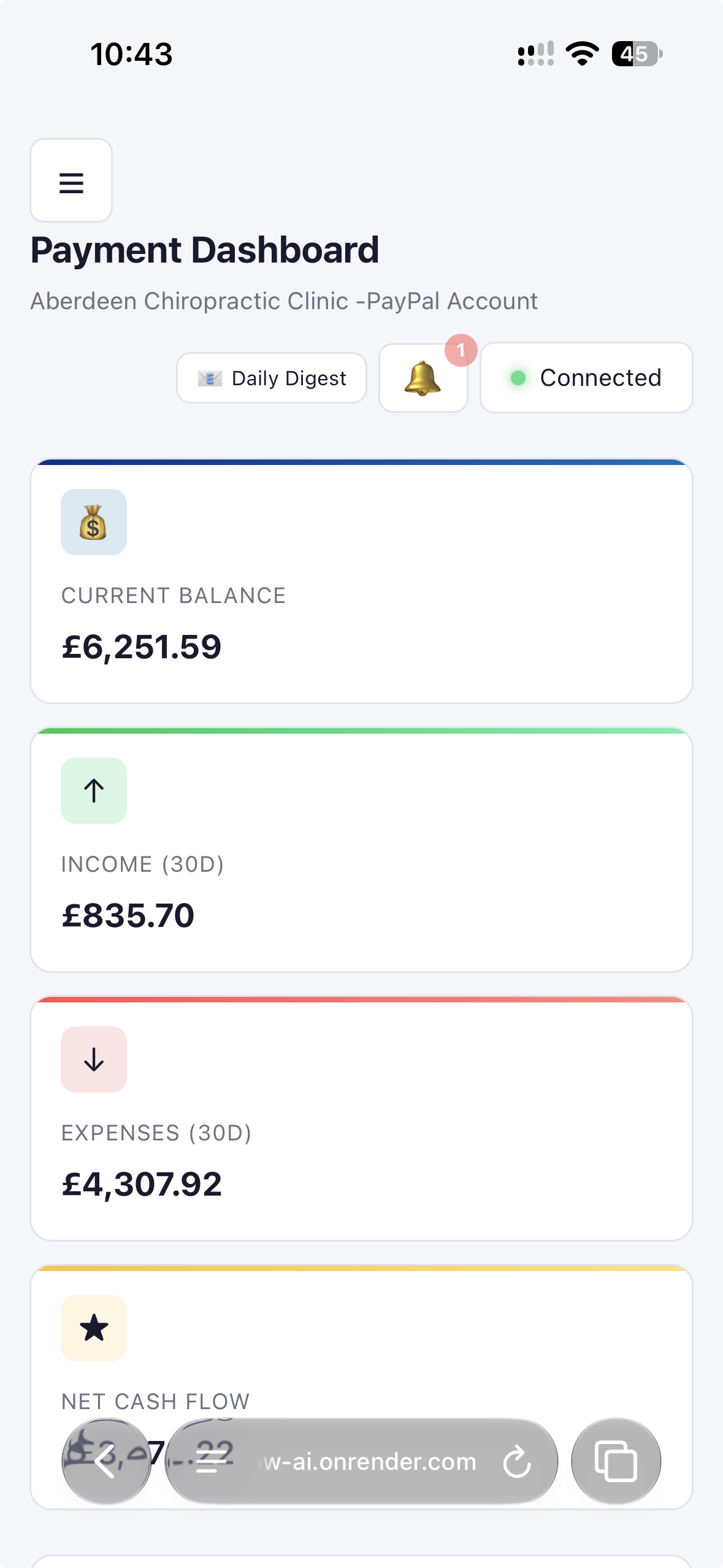
Mobile responsive dashboard - PayFlow AI works seamlessly on any device, showing real-time balance, income and expenses at a glance
-
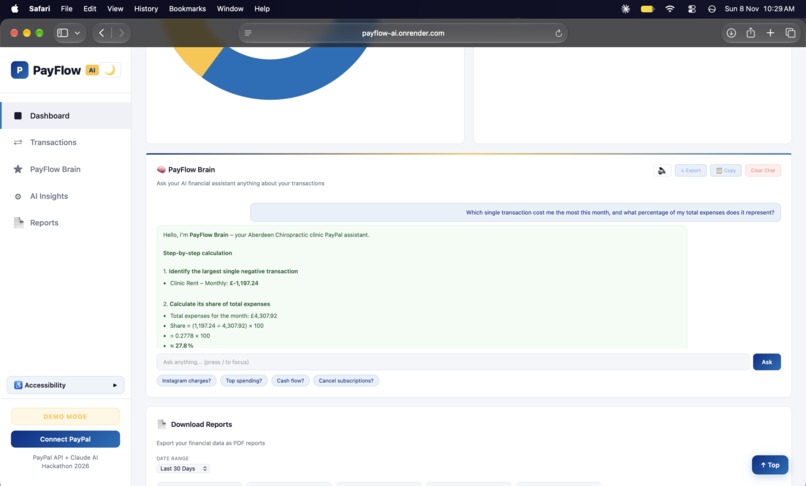
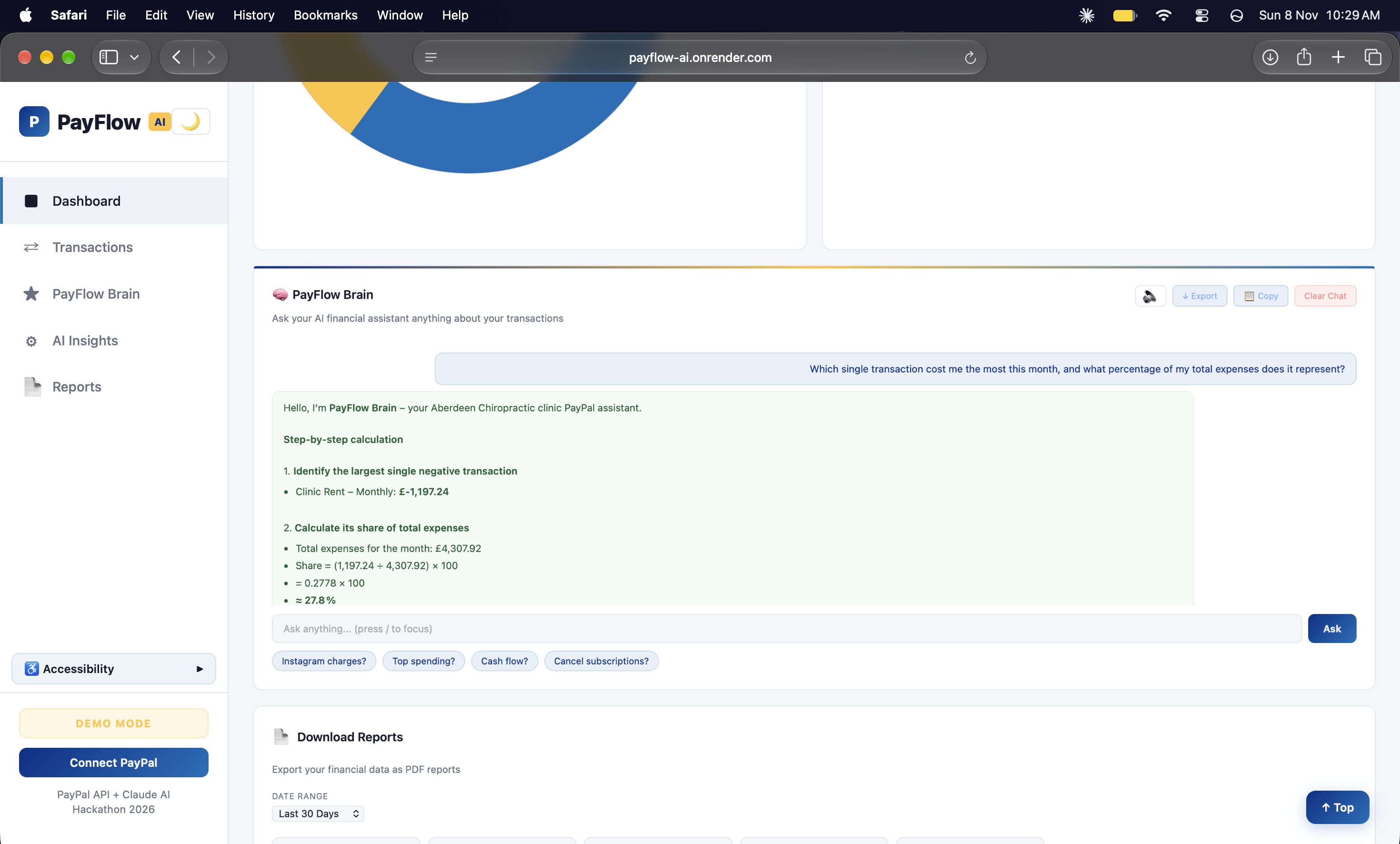
PayFlow Brain AI assistant - ask any financial question and get step-by-step calculations with real transaction data
-
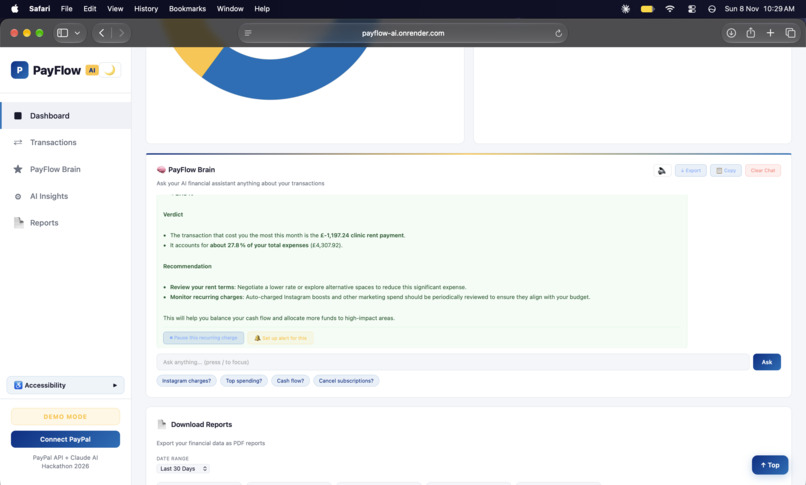
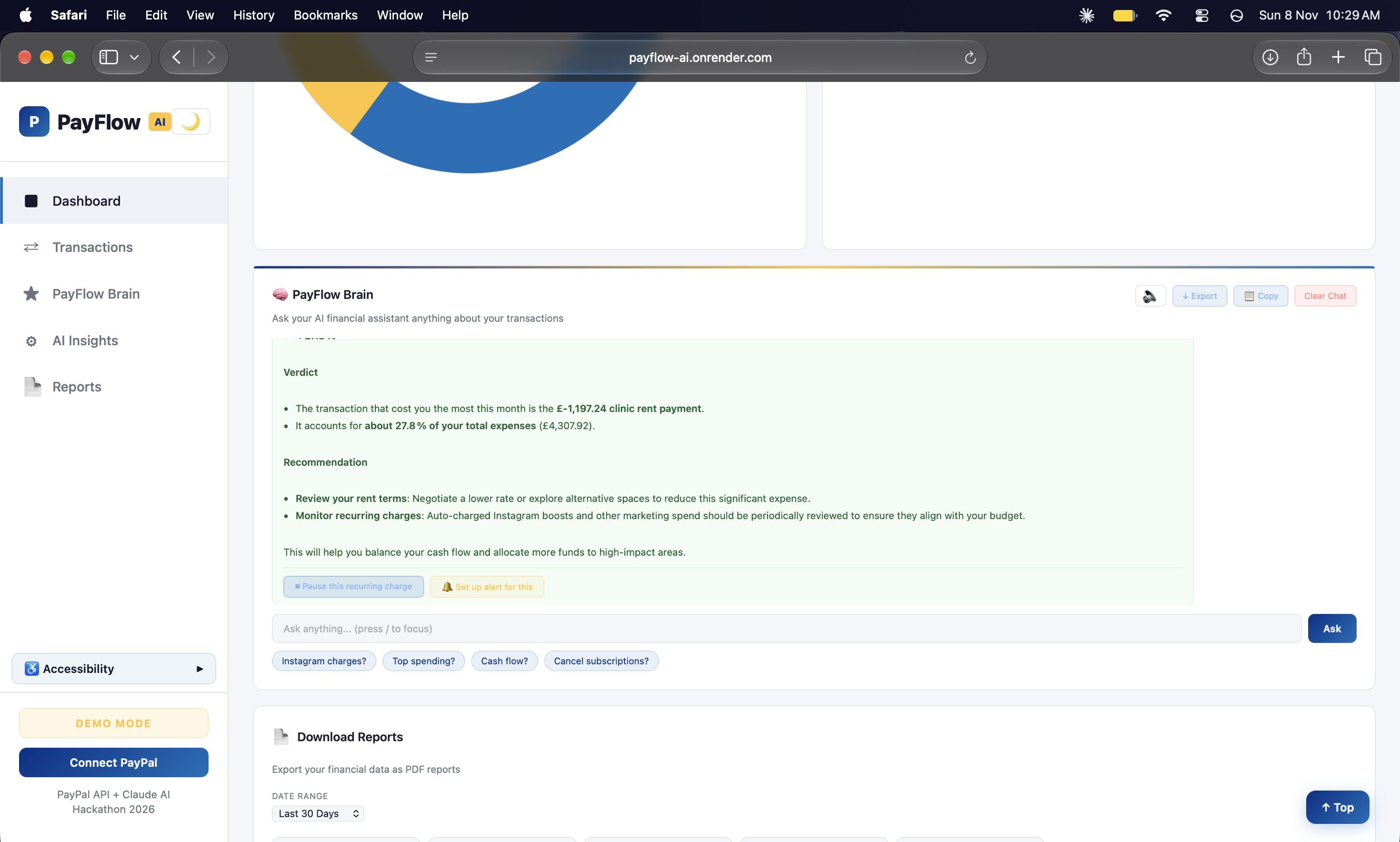
PayFlow Brain verdict and recommendations - actionable insights with options to pause charges or set up alerts
-
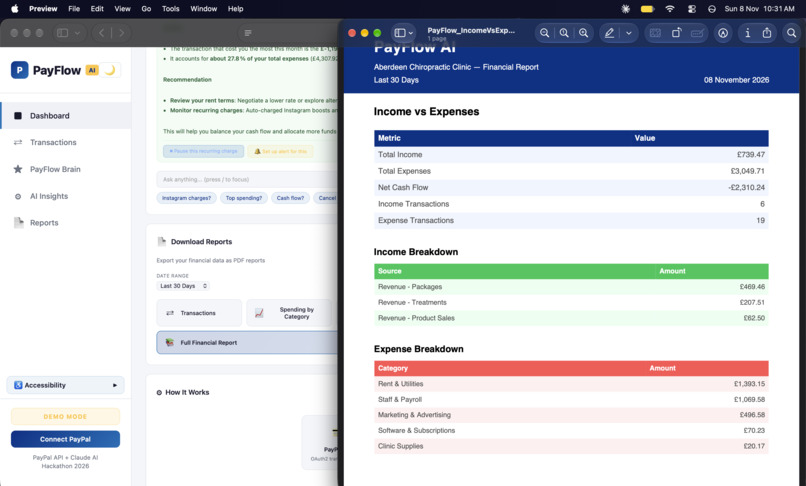
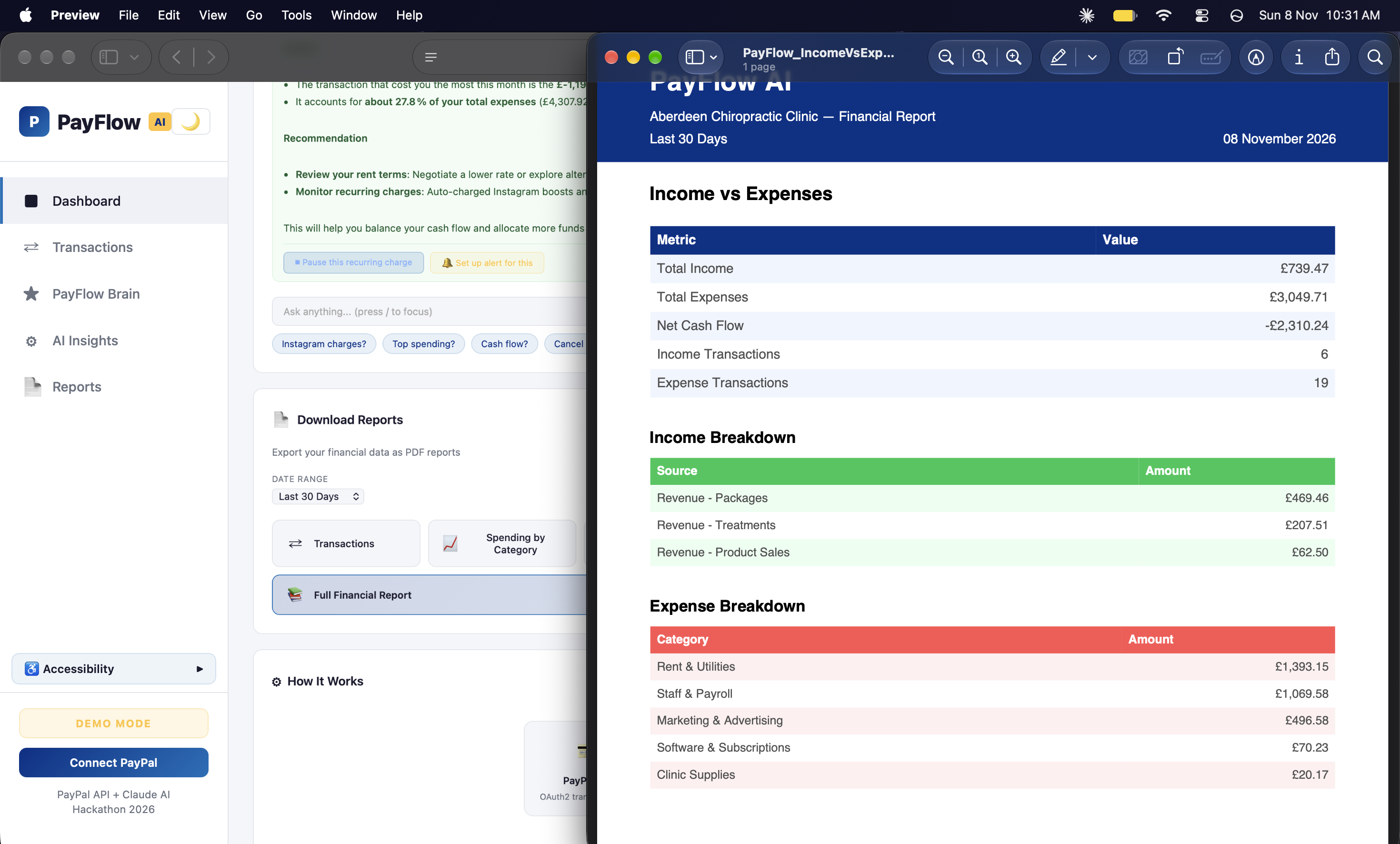
Downloadable PDF financial reports - income vs expenses breakdown, category analysis, exportable for accountants
-
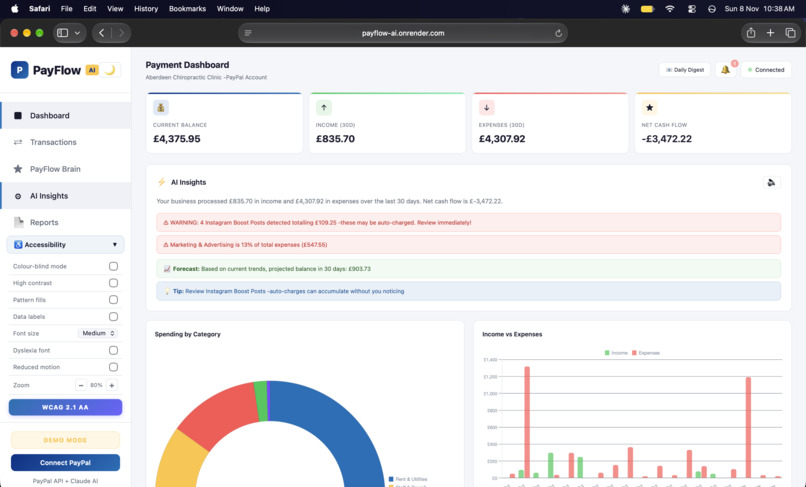
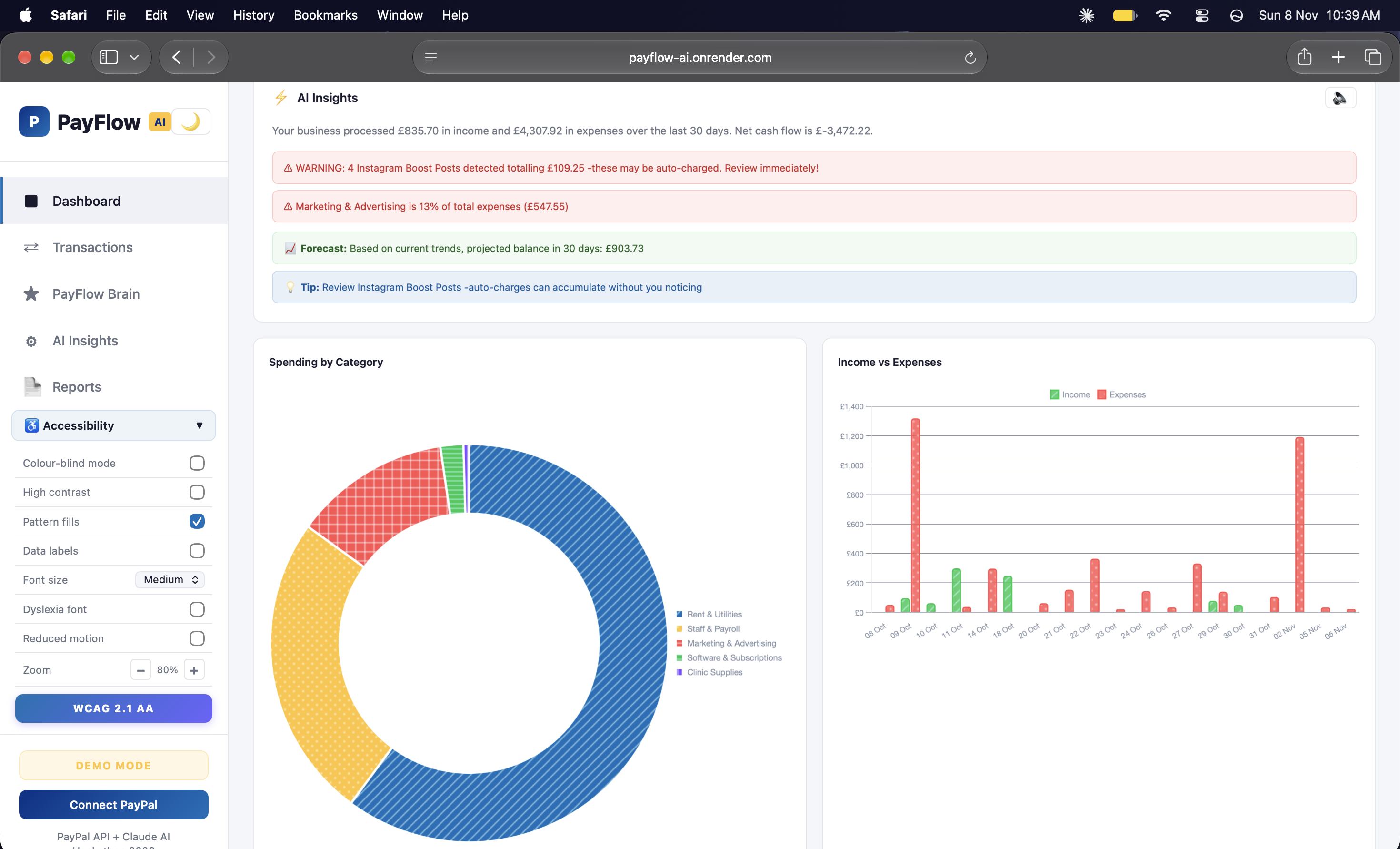
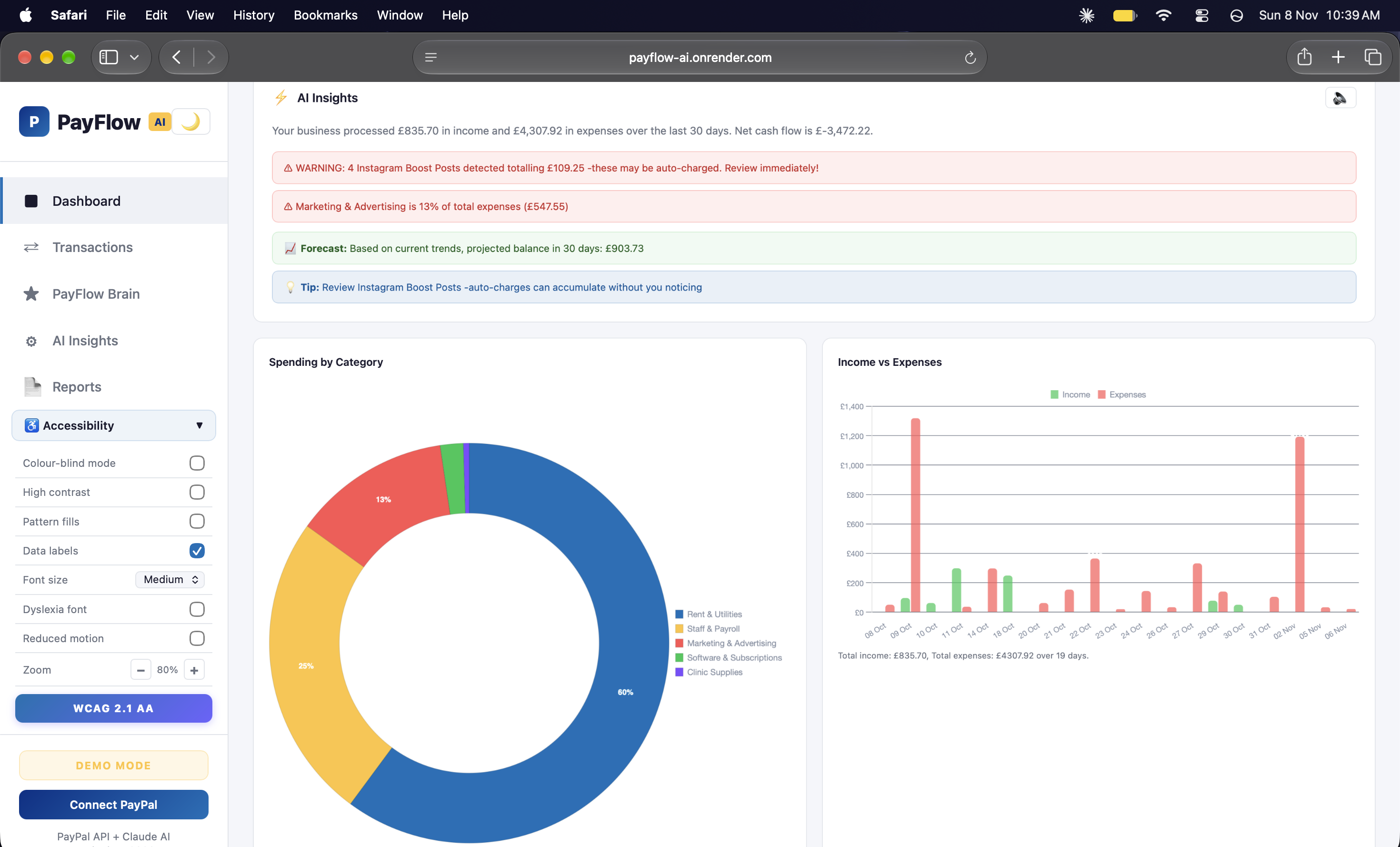
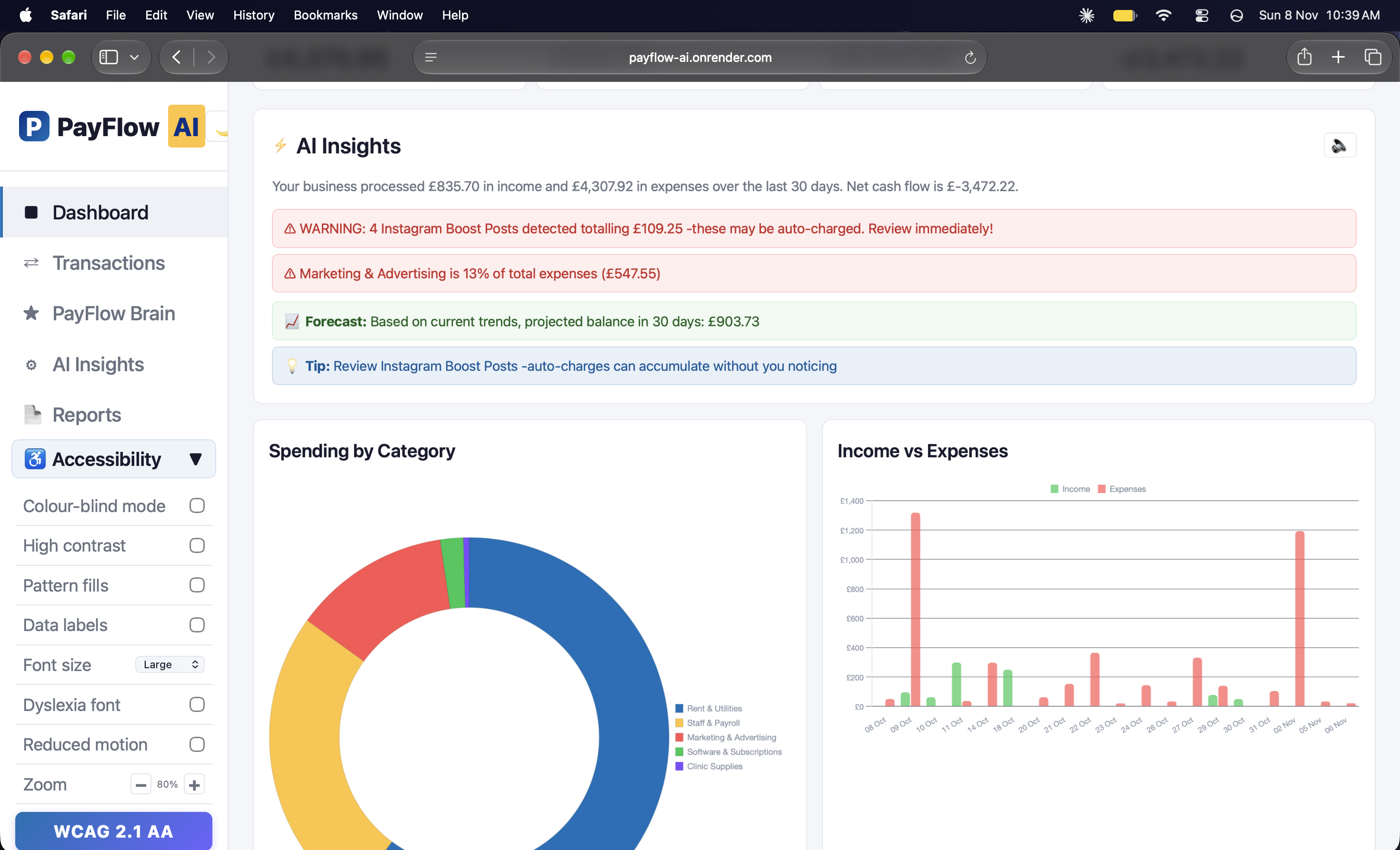
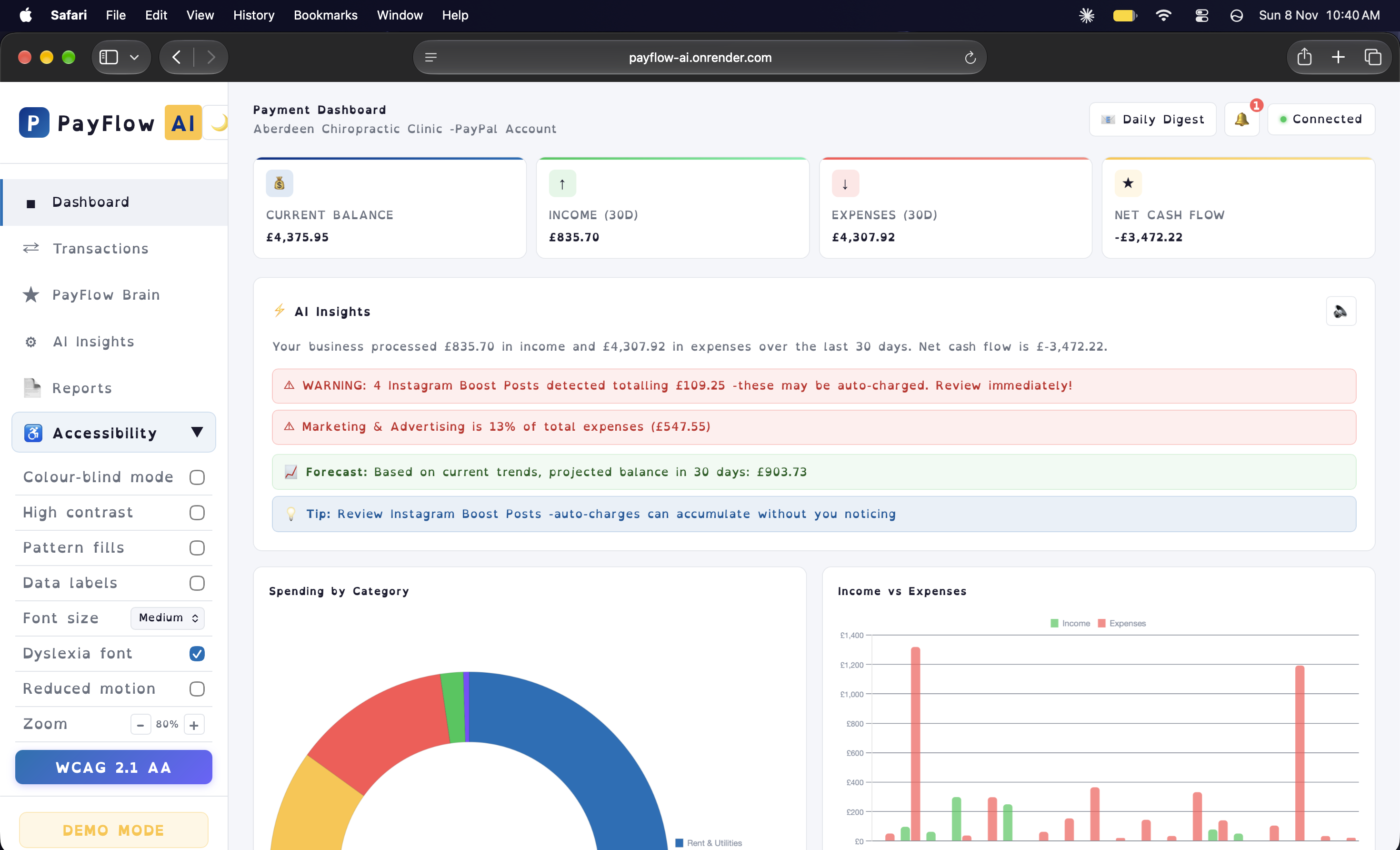
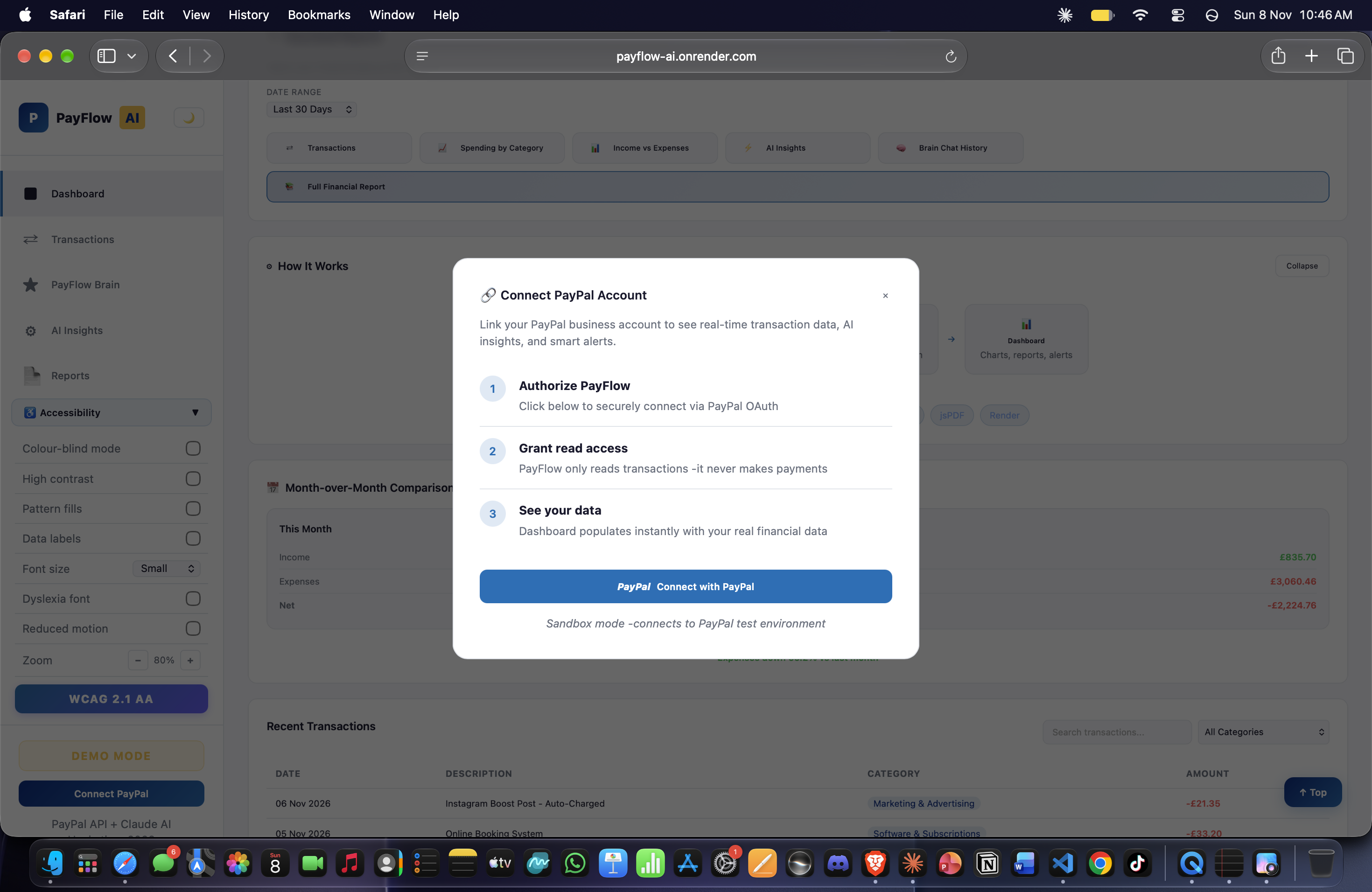
WCAG 2.1 AA accessibility panel - 8 built-in modes including colour-blind, high contrast, dyslexia font and more
-
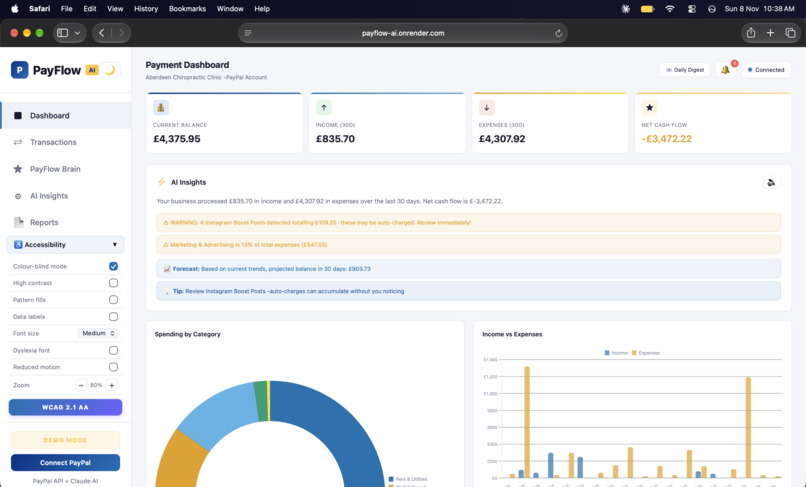
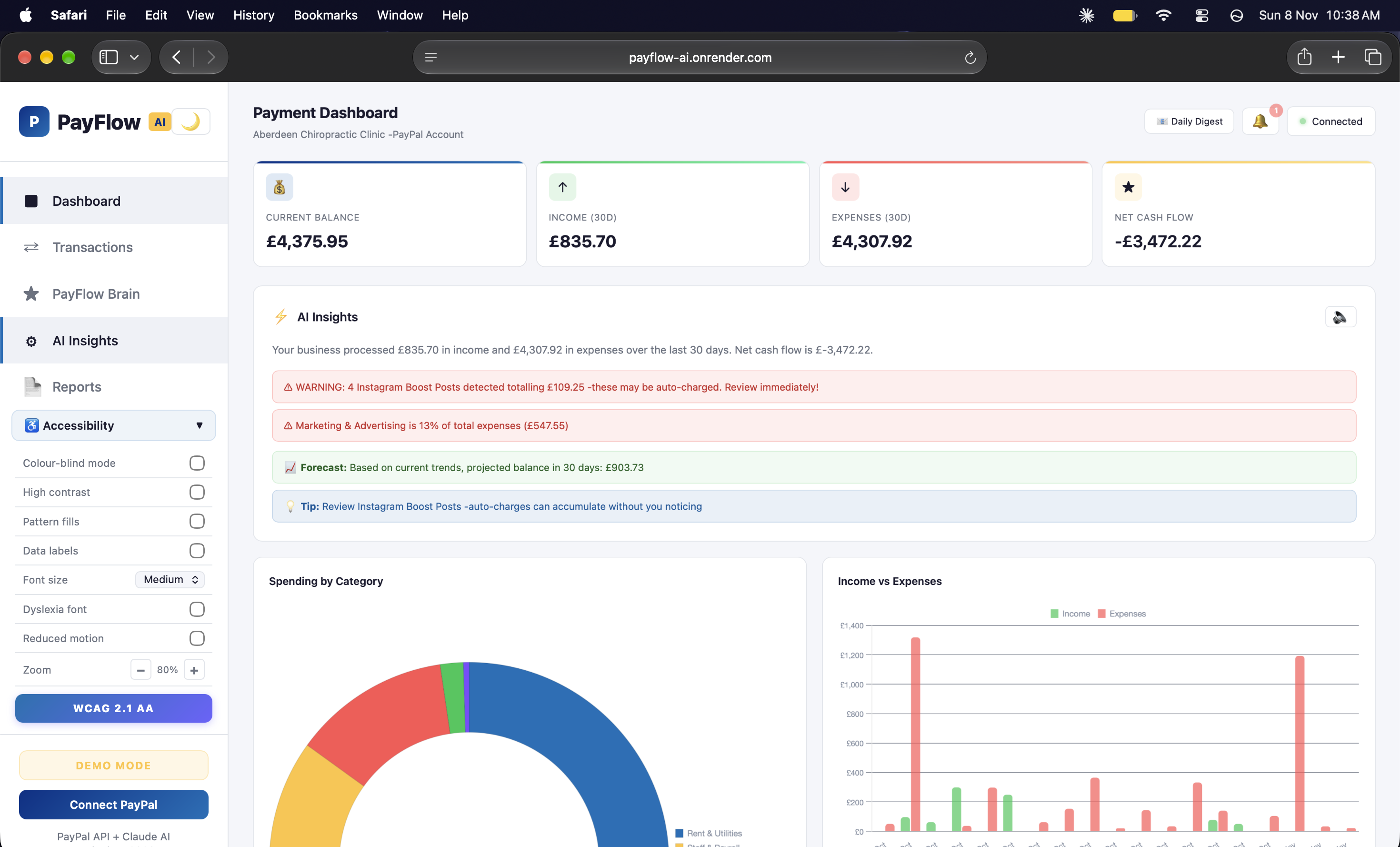
Colour-blind mode active - chart colours automatically adjusted to accessible palette for colour vision deficiency
-
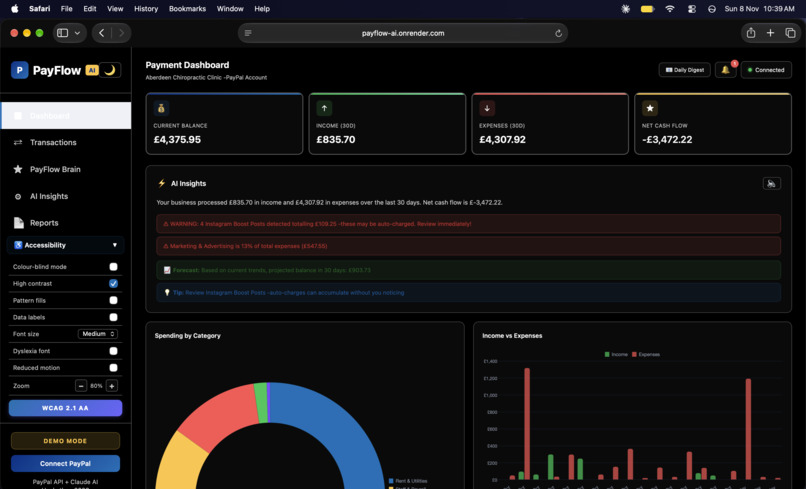
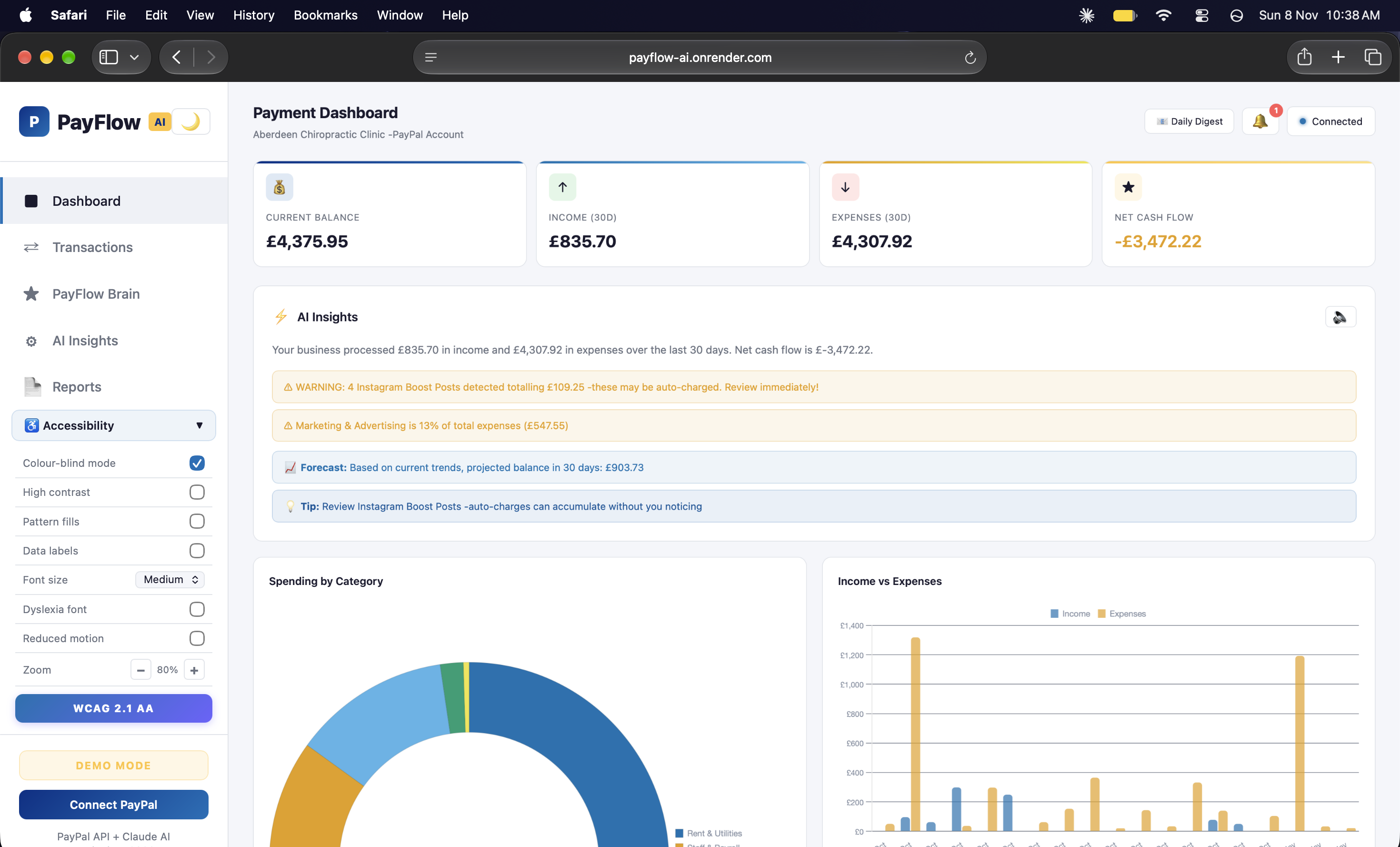
High contrast mode - dark background with enhanced borders and text visibility for low-vision users
-
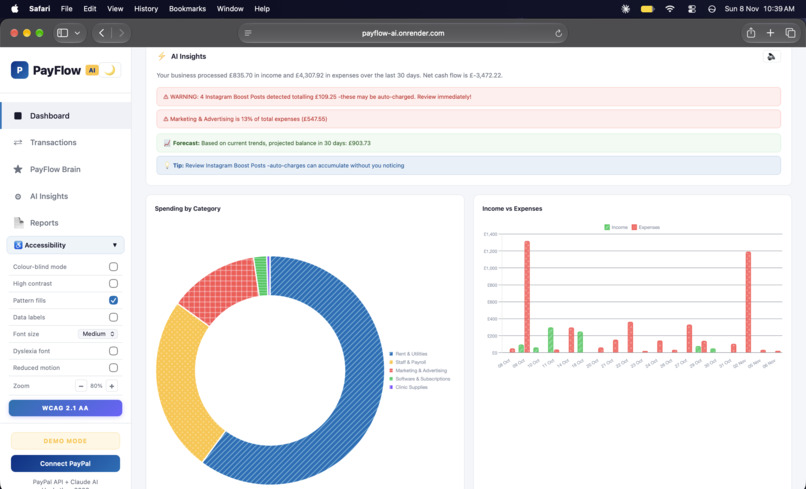
“Pattern fills mode - chart segments use distinct patterns so data is readable without relying on colour alone
-
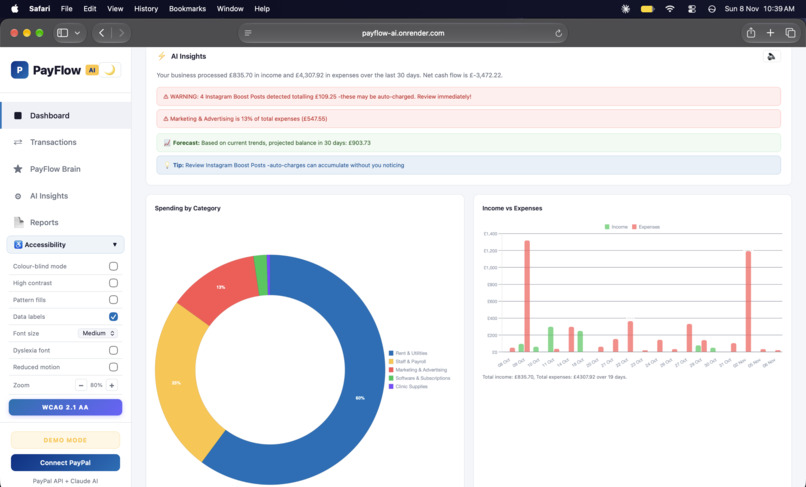
Data labels mode - percentage values displayed directly on charts for screen readers and easier reading
-
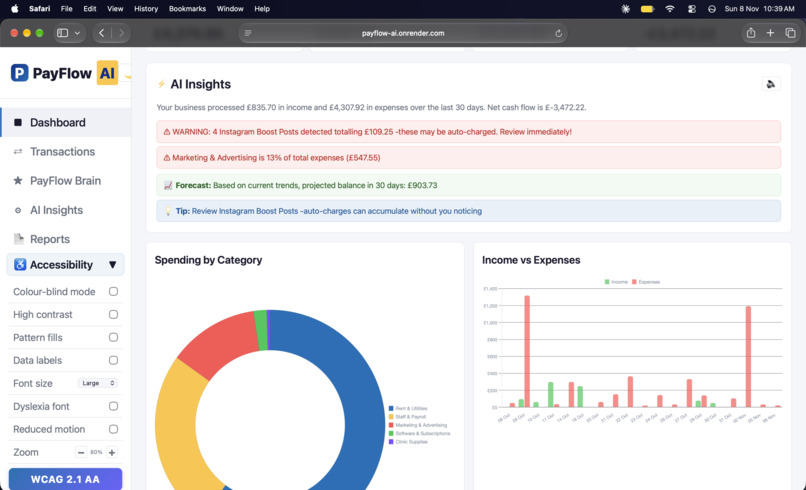
Large text mode - increased font size across the entire dashboard for improved readability
-
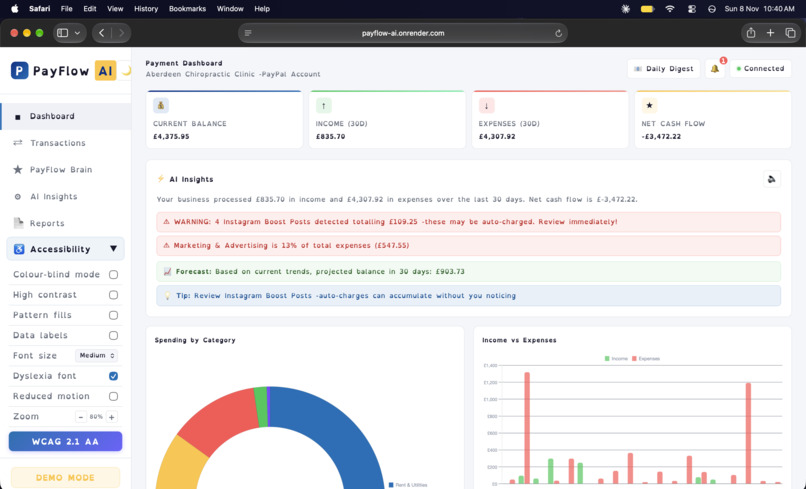
Dyslexia-friendly font mode - specialised typeface to improve readability for users with dyslexia
-
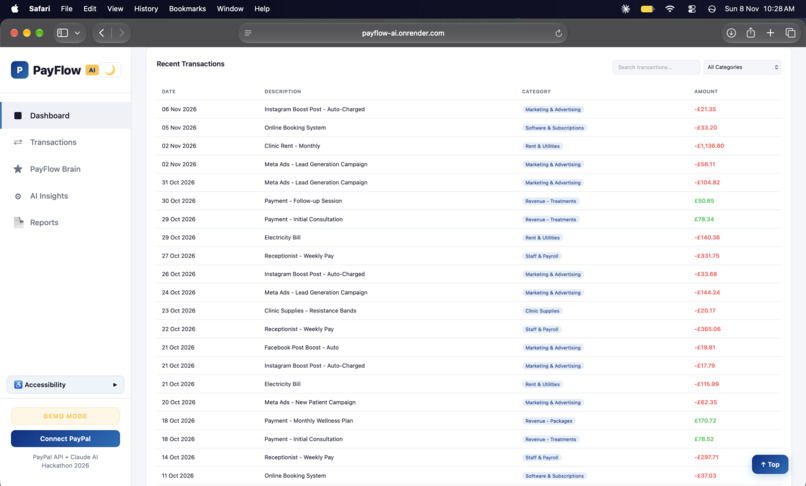
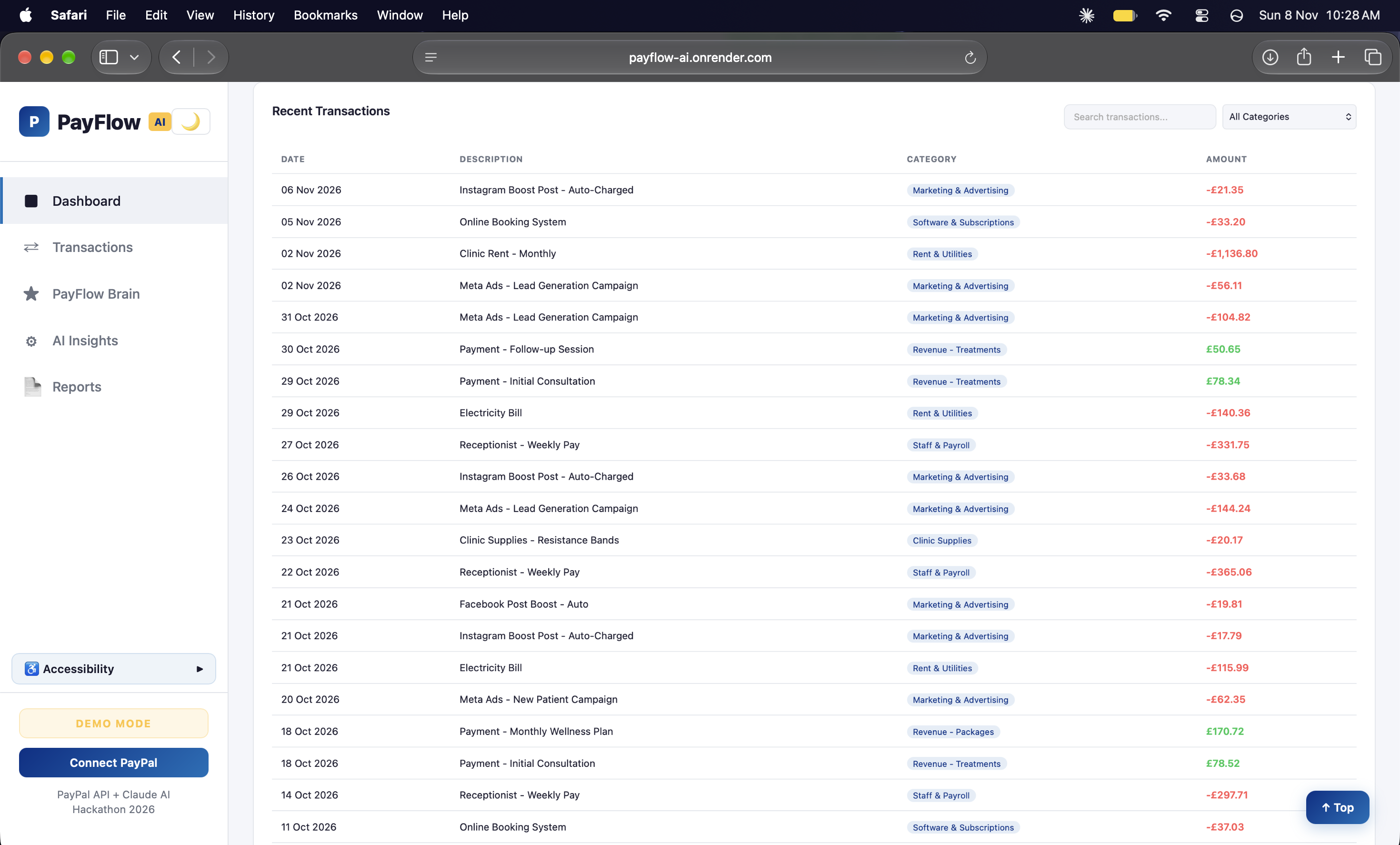
Transaction history - AI-categorised transactions with search, category filters and colour-coded income and expenses
-
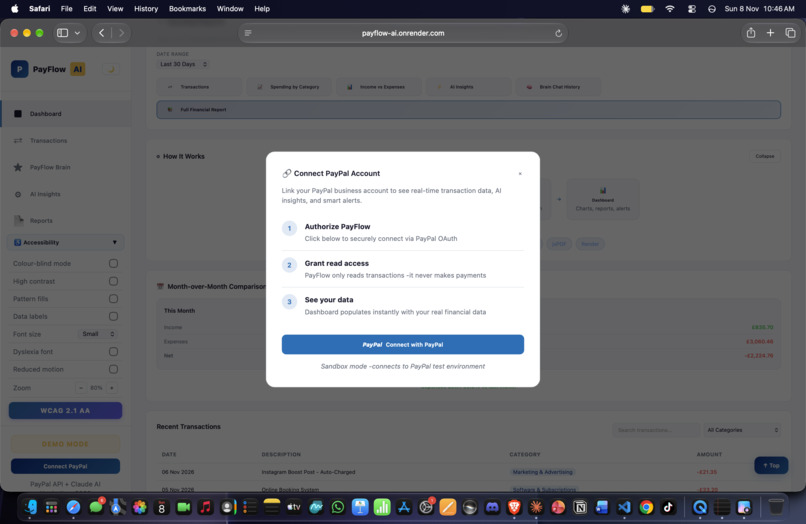
PayPal OAuth integration - secure 3-step connection process, read-only access, sandbox and live mode support
Inspiration
I help run the marketing and payments for a small chiropractic clinic in Aberdeen. A few months ago, I was going through our PayPal and spotted something weird. PayPal had been quietly auto-charging us for Instagram Boost Posts. Small amounts, nothing that jumps out, but they added up to over 100 pounds without anyone clicking "approve."
The thing is, there was no easy way to catch this. PayPal just shows you a long list of transactions with no categorization, no alerts, nothing. You have to scroll through hundreds of lines yourself.
That got me thinking. What if there was an AI-powered layer on top of PayPal that could sort your transactions automatically, flag dodgy charges, and let you just ask it questions in plain English? That is how PayFlow AI started.
What it does
PayFlow AI connects to your PayPal account and turns messy transaction data into clear financial insights.
- AI Auto-Categorization - Every transaction gets sorted into categories like Marketing, Software, Rent, and Payroll using AI, so you can actually see where your money goes
- Smart Alerts - Spots hidden auto-charges, unusual spending, and recurring fees you might not know about
- PayFlow Brain - An AI chat assistant you can ask real questions like "If I cancel all my boost posts, how much do I save?" and it gives you step-by-step calculations with a clear answer
- Cash Flow Forecasting - Predicts your balance 30 days ahead so you can plan
- PDF Reports - Generate professional reports you can hand to your accountant
- Full Accessibility - 12 WCAG 2.1 AA features including keyboard navigation, screen reader support, high contrast mode, and dyslexia-friendly fonts
How I built it
The backend runs on Python with FastAPI, handling the PayPal OAuth2 connection and serving a clean REST API. For the AI side, I use Groq AI (openai/gpt-oss-20b) to power the Brain chat and a separate pipeline for transaction categorization.
The frontend is plain HTML, CSS, and JavaScript with Chart.js for the charts. I deliberately avoided heavy frameworks. A small business owner on a slow connection should not have to wait for React to load just to check their cash flow.
Everything is deployed on Render with the code on GitHub.
Challenges I ran into
The PayPal transaction API was harder than expected. The data comes back nested and inconsistent. Refunds, pending transactions, and multi-currency payments all need different handling.
Getting the Brain to give good answers took a lot of prompt engineering. Early versions would list every single transaction instead of grouping them. I had to teach it to summarize, show its working, and always give a clear yes or no verdict.
Building 12 accessibility features while keeping the dashboard looking clean was tricky. The zoom controls, for example, needed dynamic CSS recalculation to stop the layout from breaking.
Accomplishments that I'm proud of
The Brain genuinely works. You can ask it complex questions like "compare my marketing spend vs software spend and tell me which gives worse value" and it pulls the right numbers, does the maths, and gives you a proper answer with a recommendation.
This is not a demo project. It solves a real problem I actually had. The hidden Instagram charges that inspired this are real transactions from a real business.
The accessibility features go beyond ticking boxes. The dyslexia-friendly font, the reading guide, and the motion reduction settings are there because real people need them.
Real-World Validation
Dr. Lenka, owner of two busy chiropractic clinics in Aberdeen and Inverurie, tested the dashboard and said:
"I find the PayFlow AI dashboard genuinely useful. Having a clear summary in one place makes it much easier to keep track of everything across both clinics."
What I learned
Small business owners do not want more charts. They want answers. The Brain ended up being the most valuable feature, not the visualizations.
PayPal's API is powerful but under-documented for indie developers. There is a big opportunity here for AI tools.
Accessibility has to be built in from the start. Bolting it on at the end does not work.
What's next for PayFlow AI
- Live PayPal integration - Moving from demo mode to real-time monitoring with webhooks
- Multi-account support - Connect multiple PayPal accounts for businesses with separate revenue streams
- Automated actions - Let the Brain pause recurring charges or set budget alerts directly
- Mobile app - A native experience for checking finances on the go
