-
-
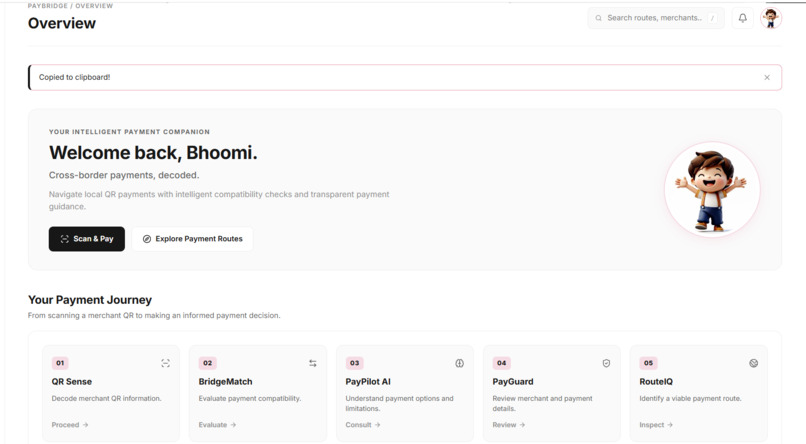
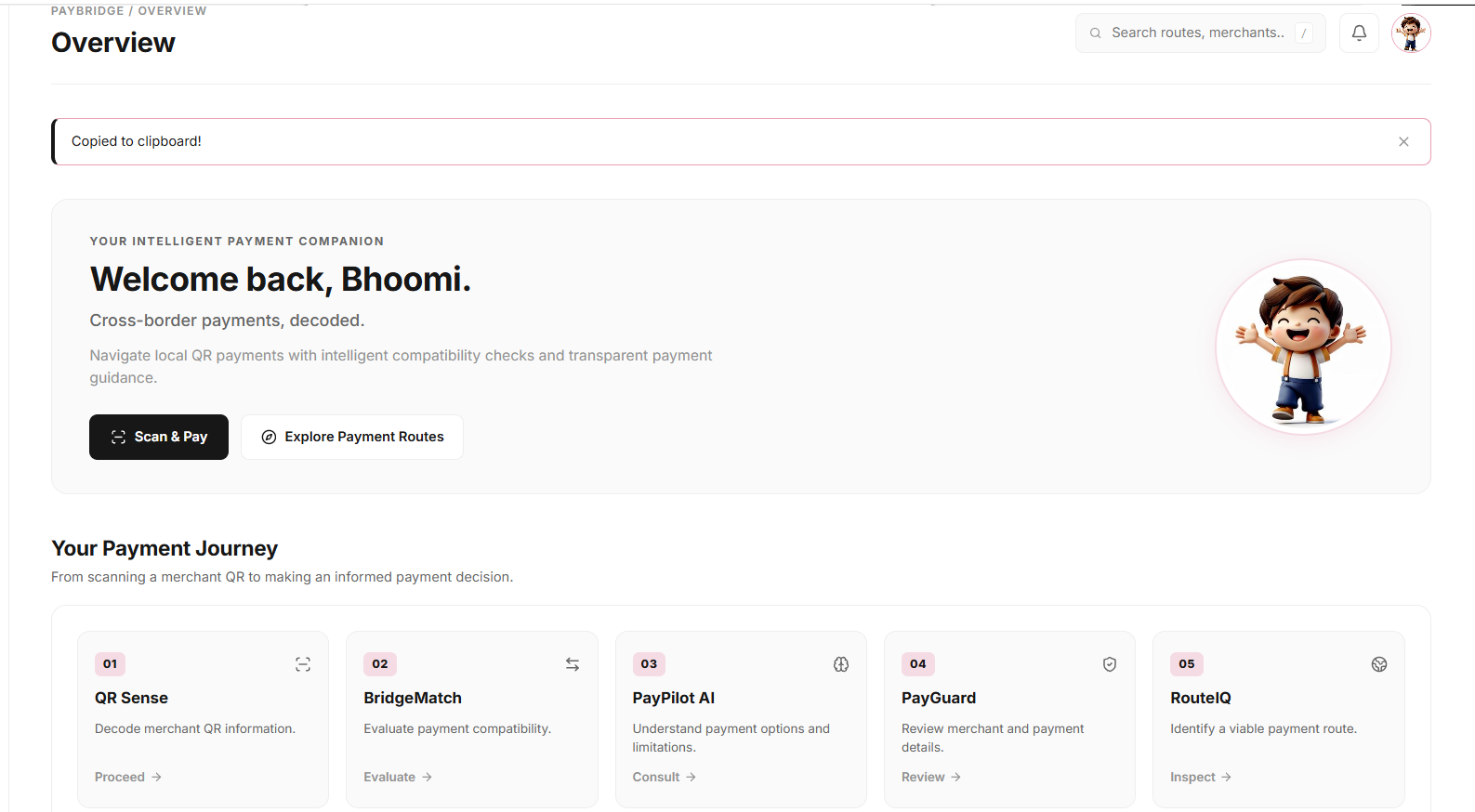
1. Overview Dashboard Your complete payment journey, from QR scanning to payment evaluation.
-
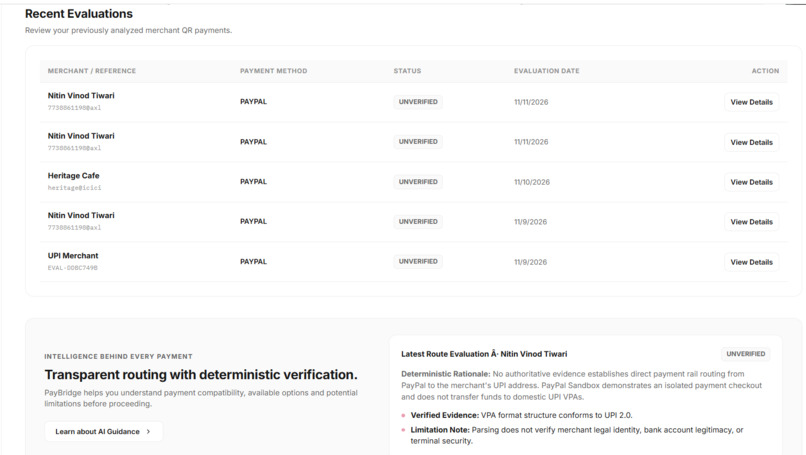
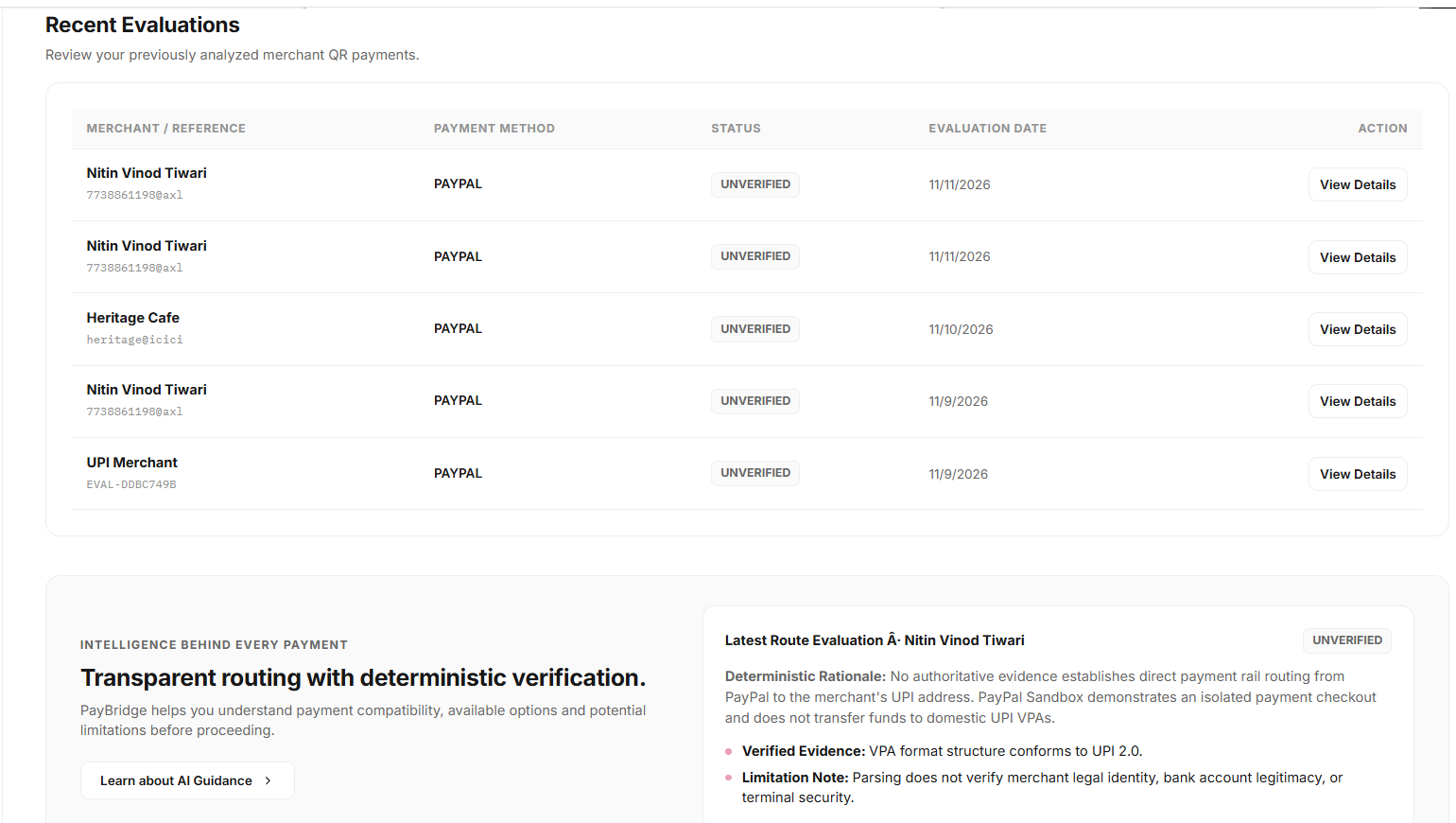
2. Recent Evaluations Quick access to previously evaluated payment routes.
-
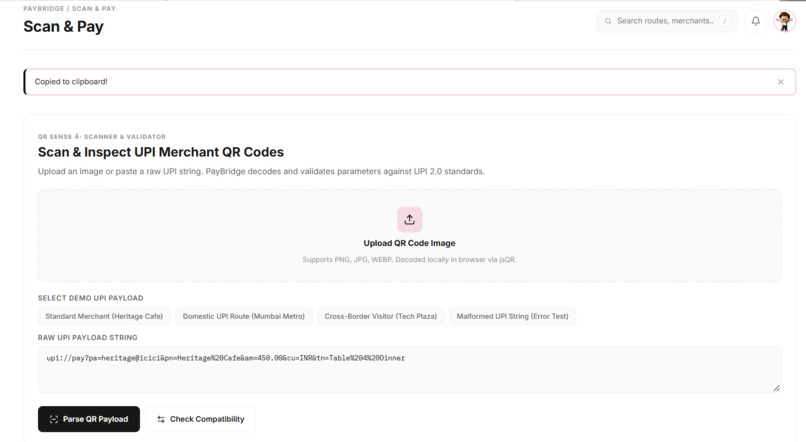
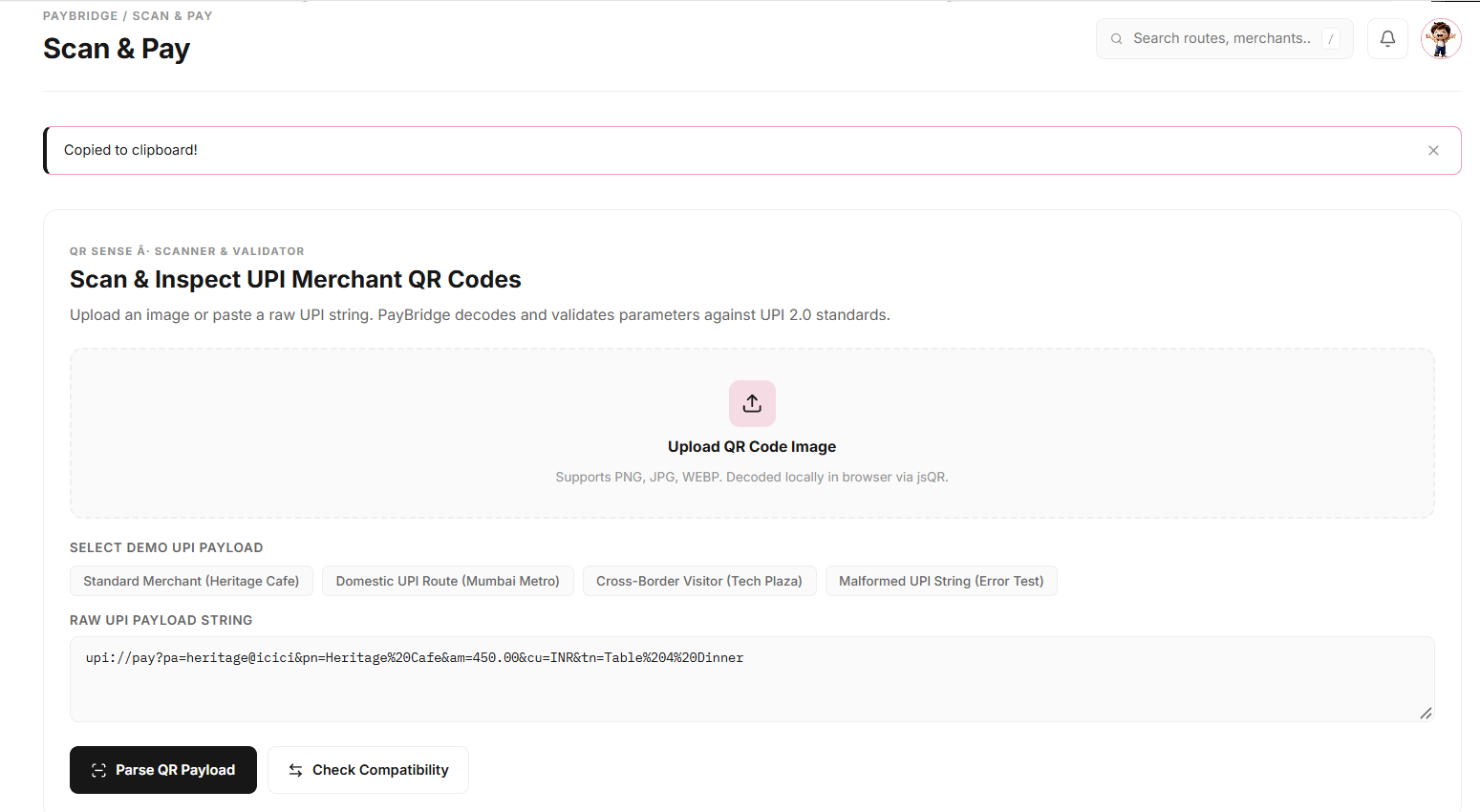
3. Scan & Pay Scan or upload a merchant QR code to extract payment details.
-
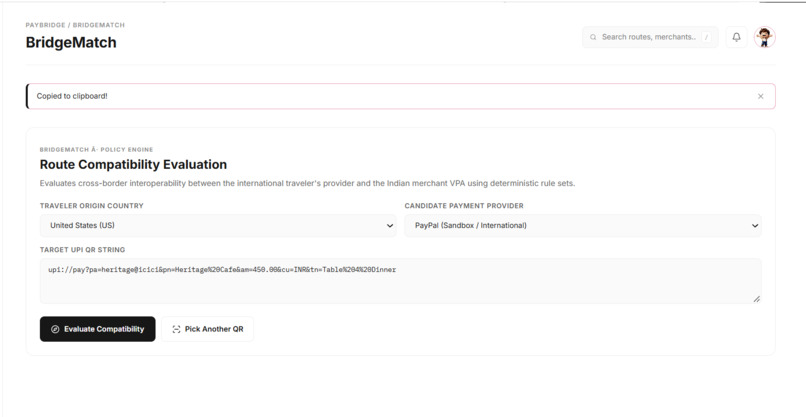
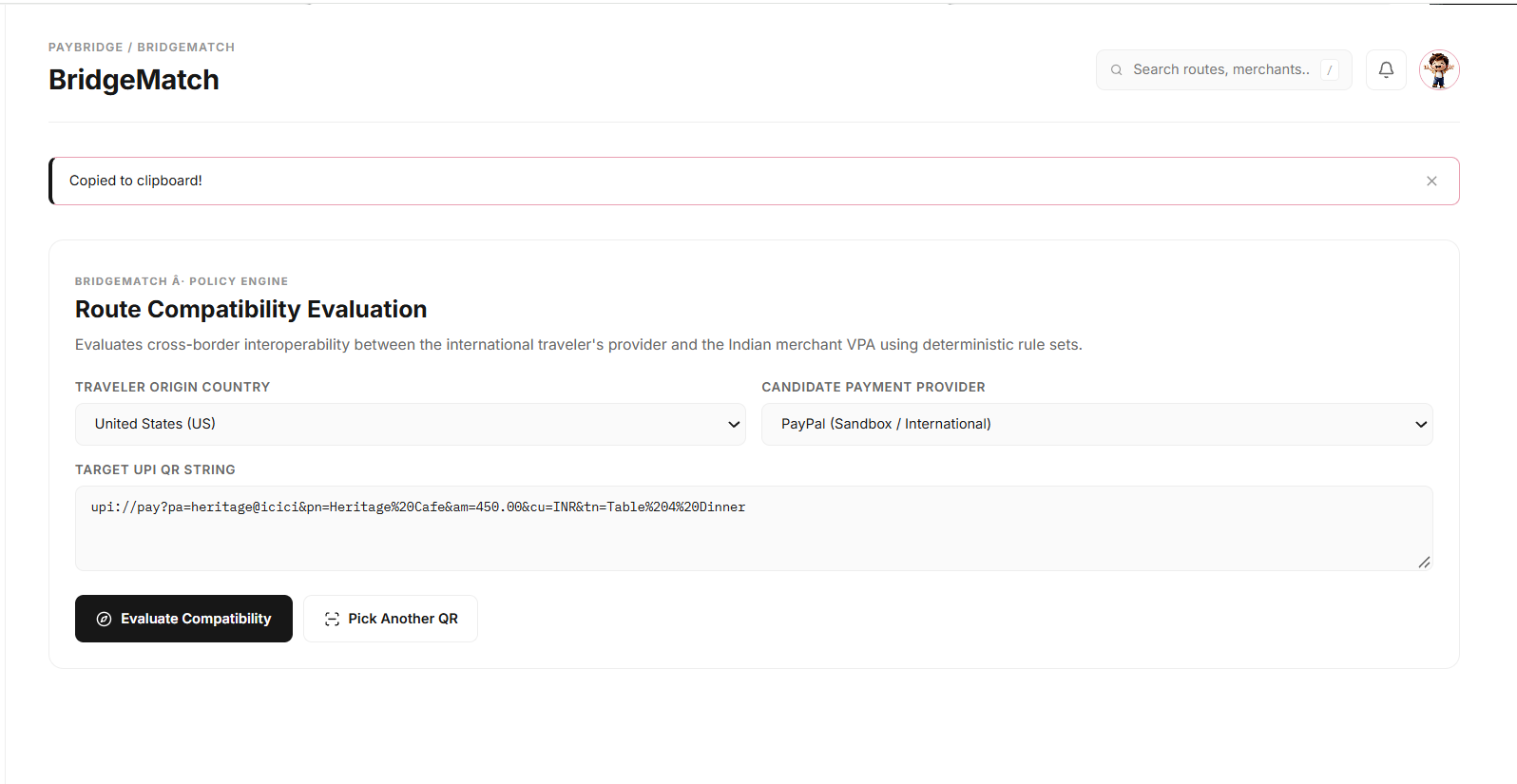
4. BridgeMatch Evaluates payment compatibility based on country and provider.
-
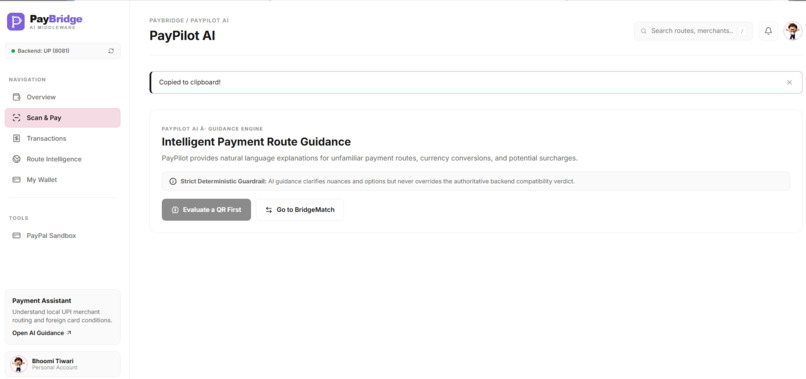
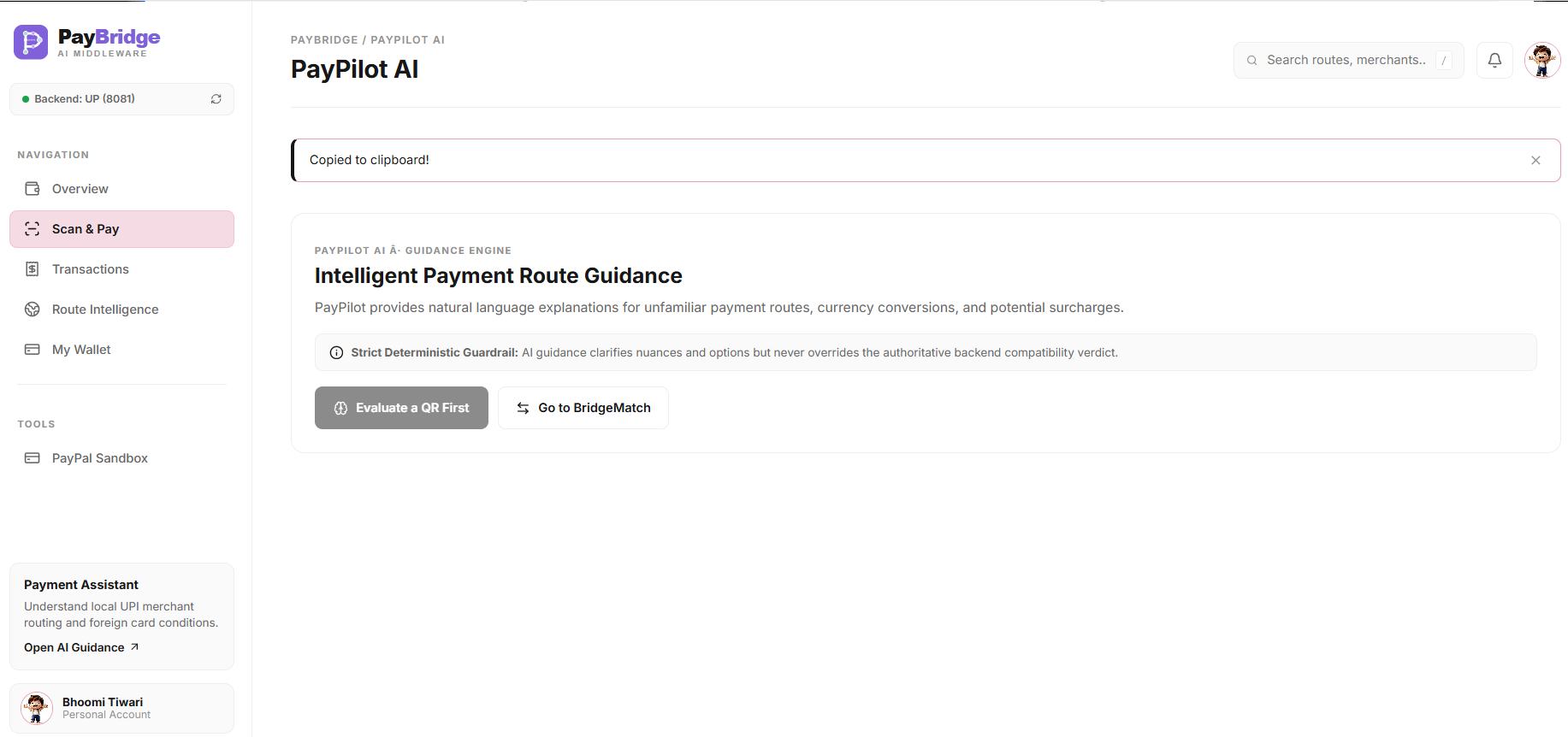
5. PayPilot AI Gemini explains compatibility results in simple language.
-
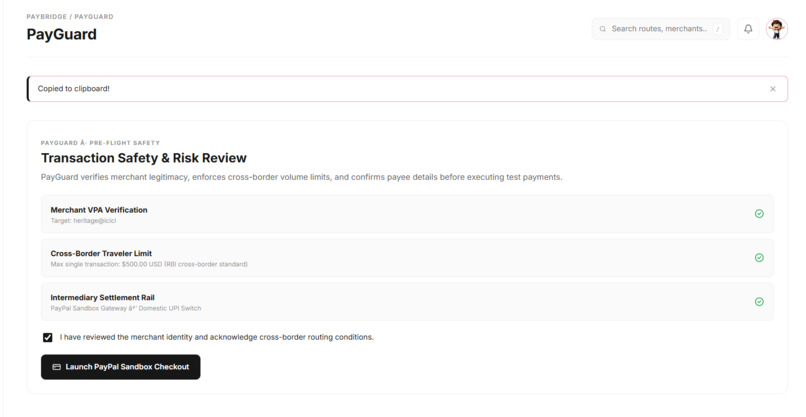
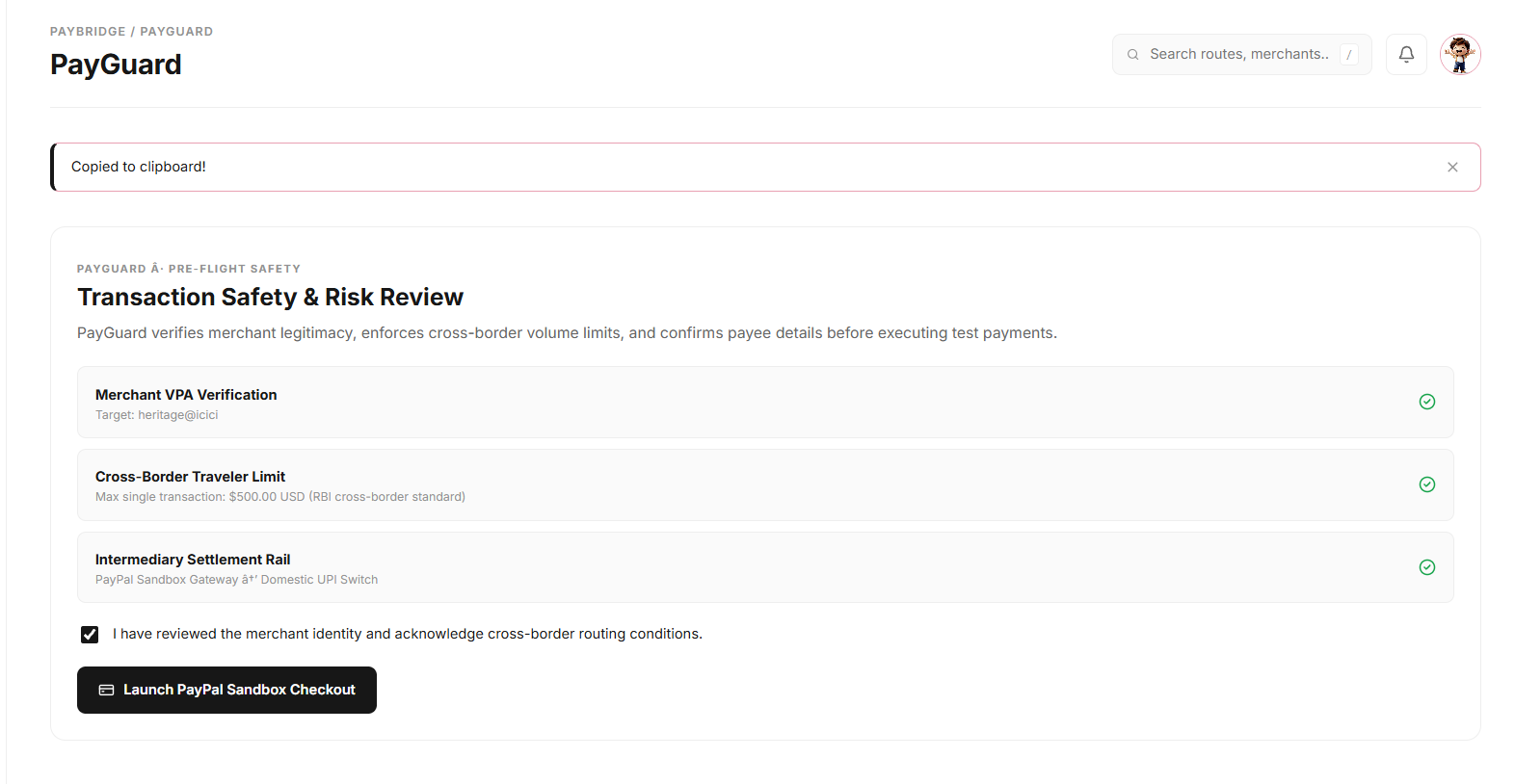
6. PayGuard Reviews payment details before launching checkout.
-
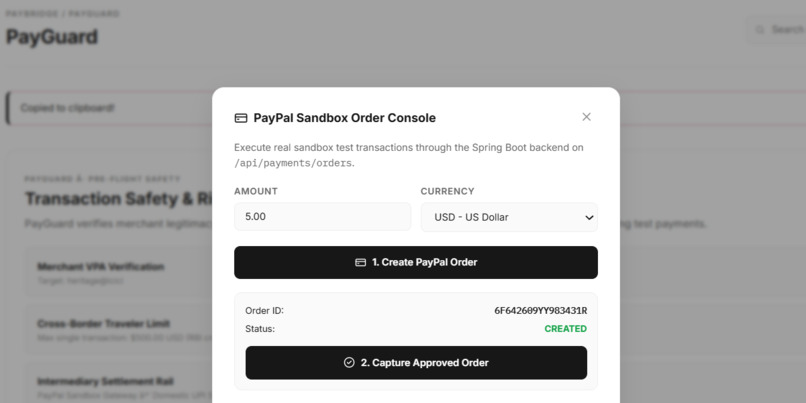
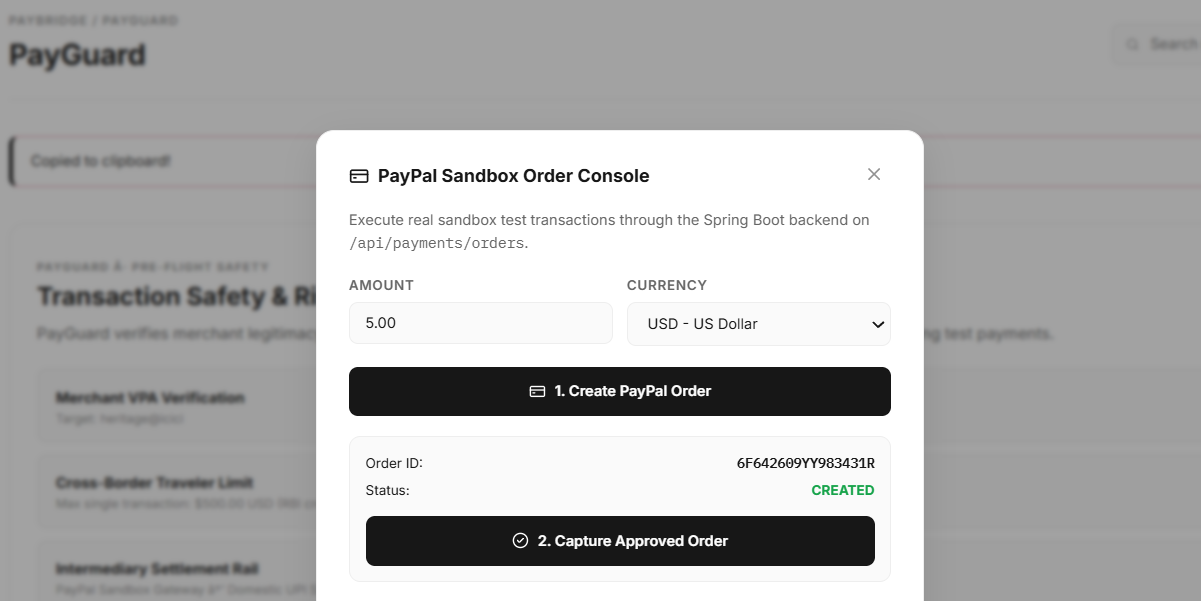
7. PayPal Sandbox Demonstrates PayPal test order creation.
-
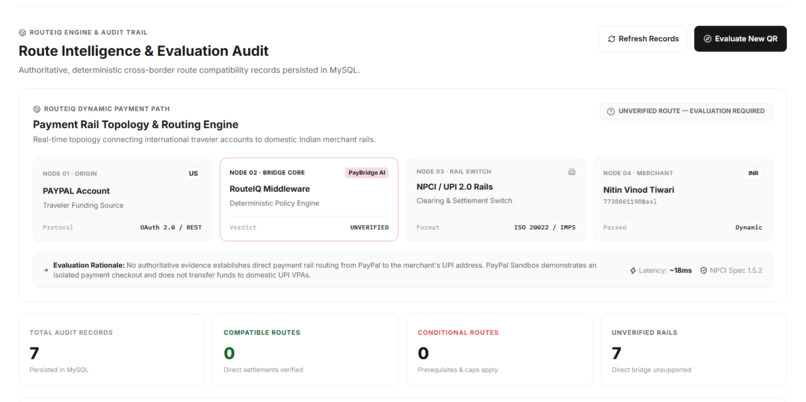
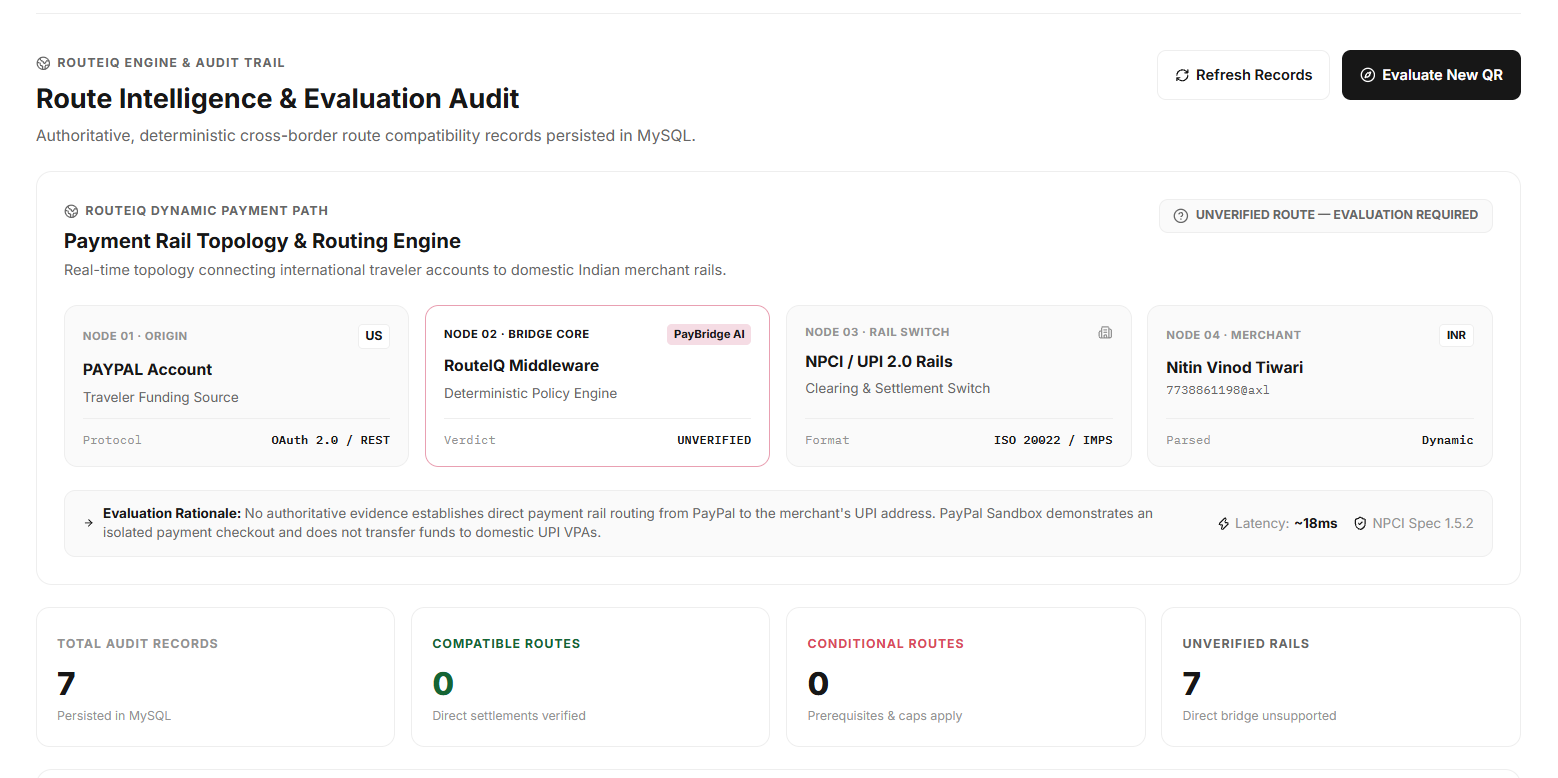
8. RouteIQ Dashboard Displays evaluation records and route intelligence insights.
-
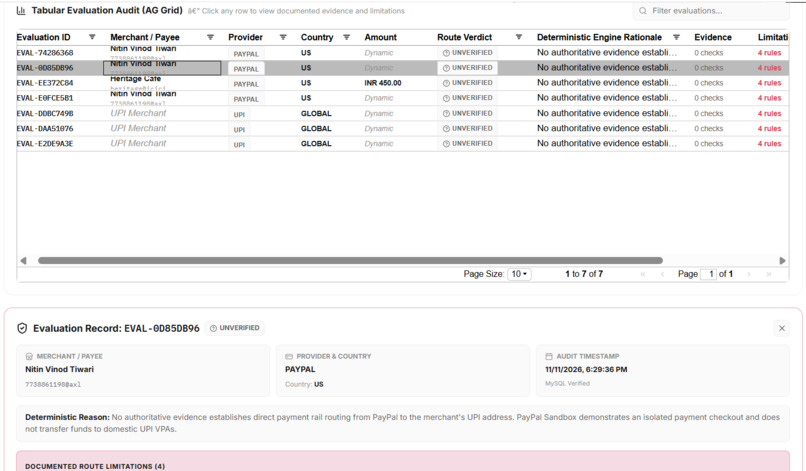
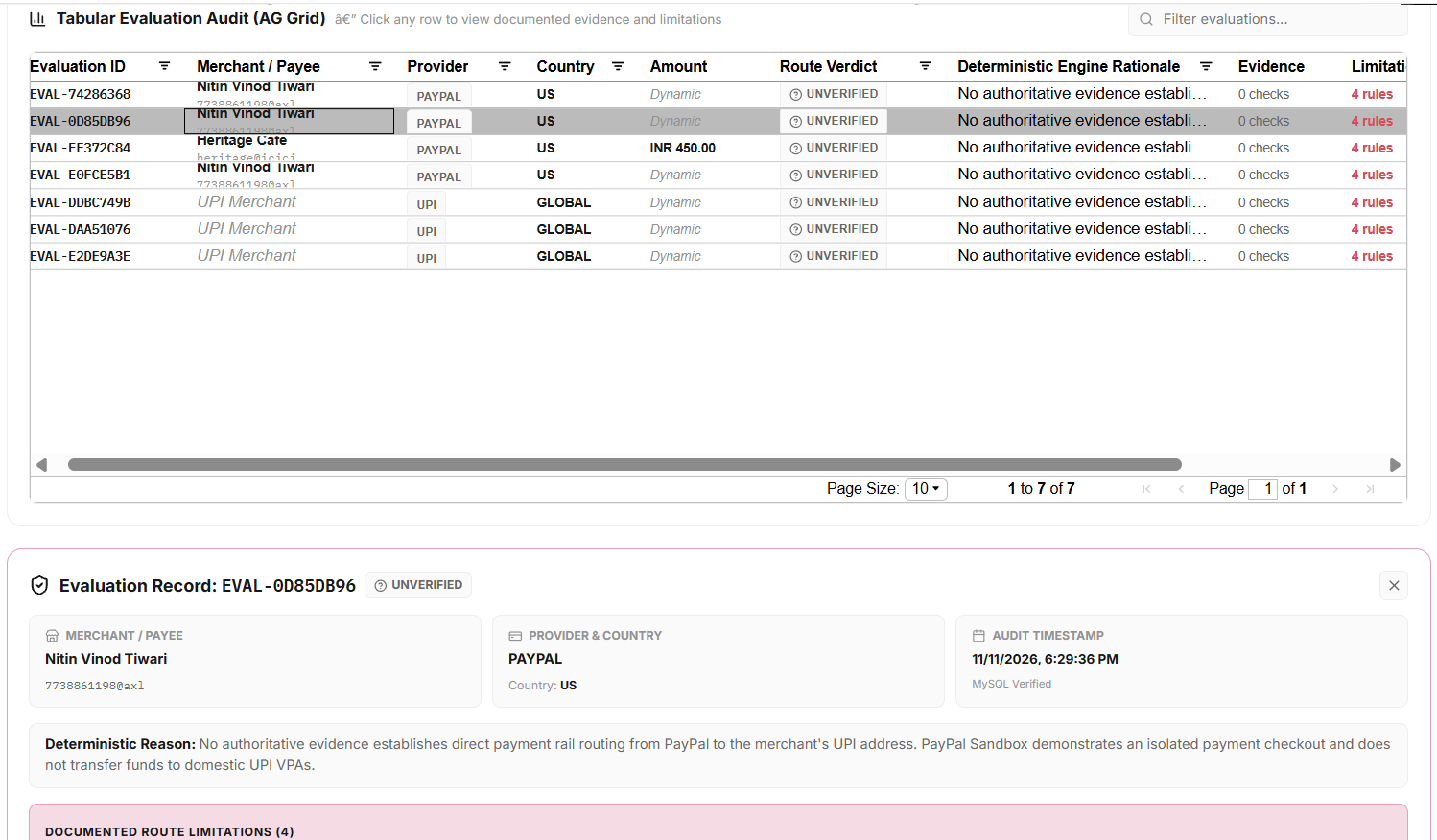
9. Tabular Evaluation Audit Explore evaluation records, decision rationale, evidence, and limitations.
Inspiration
Imagine visiting another country, walking into a local cafe, and finding that the only payment option available is a local QR code. You have your international card or PayPal account, but you are unsure whether it will work.
We started thinking about this situation and asked ourselves: Why should travellers have to guess whether a payment will work before attempting it?
Cross-border payments can be confusing because payment methods and local payment systems do not always support the same routes. We wanted to make this experience less confusing by helping users understand their payment options before proceeding.
That idea led to PayBridge AI — an AI-powered payment navigation layer designed to help international travellers understand local payment QR codes, evaluate payment compatibility, and make informed decisions.
Our aim was not to create another wallet or replace existing payment platforms. We wanted to make the payment journey easier to understand.
What it does
PayBridge AI brings QR analysis, payment compatibility evaluation, AI-powered explanations, and payment route intelligence into one platform.
It has five main modules:
QR Sense – Decode the QR: Reads a merchant's QR code and extracts payment information such as the payee address, merchant details, and amount.
BridgeMatch – Check Compatibility: Evaluates the selected payment provider and traveller's country against documented compatibility rules. It returns one of three results: Compatible, Conditional, or Unverified.
PayPilot AI – Explain the Options: Uses Gemini AI to explain the evaluation result in simple language, including conditions and limitations. AI helps explain the decision but does not change the compatibility verdict.
PayGuard – Review Before Proceeding: Provides a payment review step before proceeding to the available checkout flow. We also integrated PayPal Developer Sandbox to demonstrate test order creation, buyer approval, and capture.
RouteIQ – Explore Route Intelligence: Provides an interactive audit dashboard where every evaluation is recorded. Users can inspect merchant details, providers, countries, amounts, verdicts, evidence, and limitations.
One important feature is our approach to uncertainty. If the system cannot find authoritative evidence to establish that a payment route is supported, it returns Unverified rather than making a false promise.
How we built it
We built PayBridge AI using a combination of frontend, backend, database, and AI technologies.
React and Vite: Used to build the interactive frontend and user experience.
Java and Spring Boot: Used for backend APIs, QR parsing, compatibility evaluation, AI communication, and PayPal integration.
MySQL: Stores payment evaluation history for future reference and auditing.
Gemini AI: Converts technical evaluation results into simple, understandable explanations.
PayPal Developer Sandbox: Demonstrates the test checkout process, including order creation and capture.
AG Grid: Powers our Tabular Evaluation Audit, allowing users to filter, sort, and inspect individual evaluation records.
The frontend communicates with the Spring Boot backend through REST APIs. The backend processes the evaluation, communicates with the relevant services, and stores evaluation records in MySQL.
We also kept our deterministic compatibility engine separate from the AI explanation layer so that an AI-generated response cannot change the actual evaluation result.
Challenges we ran into
One of our biggest challenges was connecting all the different parts of the application and making sure they worked together.
Integrating the React frontend with the Spring Boot backend required careful handling of API requests, response formats, CORS configuration, and database connectivity.
Another major challenge was designing a compatibility system that would not mislead users. We had to think about what should happen when reliable evidence for a payment route was unavailable. Instead of assuming that a payment would work, we designed the system to return an Unverified result and clearly explain the missing evidence and applicable limitations.
Integrating PayPal Developer Sandbox and configuring the backend credentials was another learning experience. We also faced environment configuration and local development issues while bringing the different components together.
These challenges taught us that building a reliable product is not just about adding features. Every component needs to work together, and the information presented to users needs to be trustworthy.
Accomplishments that we're proud of
We are proud that we brought multiple technologies together to create a complete payment navigation experience rather than just building a basic QR scanner or chatbot.
Some of our key accomplishments include:
- Building an end-to-end QR analysis and compatibility evaluation workflow.
- Integrating Gemini AI while keeping the actual compatibility decision independent of AI.
- Implementing three clear compatibility verdicts: Compatible, Conditional, and Unverified.
- Integrating PayPal Developer Sandbox for test order creation and capture.
- Building a persistent evaluation history using MySQL.
- Creating an interactive RouteIQ audit dashboard with AG Grid, where users can inspect evidence, limitations, and evaluation decisions.
Most importantly, we are proud of our decision to make uncertainty visible. We believe that telling users when a payment route cannot be verified is much better than giving them confidence that the system cannot justify.
What we learned
This project taught us a lot about building and integrating a full-stack application.
We gained practical experience with React, Spring Boot, REST APIs, MySQL, Gemini AI integration, and the PayPal Developer Platform.
We also learned how the PayPal order creation, approval, and capture workflow works through the Developer Sandbox.
Beyond the technical side, one of our biggest lessons was that AI should support reliable decisions, not replace them.
A payment-related system needs transparency and clear limitations. We learned to think beyond whether a feature works and focus on whether users can understand and trust the result.
What's next for PayBridge AI
PayBridge AI is a step towards making cross-border payment decisions more transparent, and there is still plenty we want to improve.
Our future plans include:
- Expanding our compatibility evidence database with more verified providers, countries, and payment routes.
- Exploring integrations with officially supported local payment networks and payment partners.
- Improving QR recognition and supporting more QR formats.
- Enhancing AI explanations with more personalized and context-aware guidance.
- Strengthening payment security, monitoring, and audit capabilities.
- Exploring how PayBridge AI could connect travellers with genuinely supported cross-border payment options.
Our long-term vision is simple: travellers should not have to guess whether a local payment option will work.
PayBridge AI — Understand your payment route before you take it.

