-
-
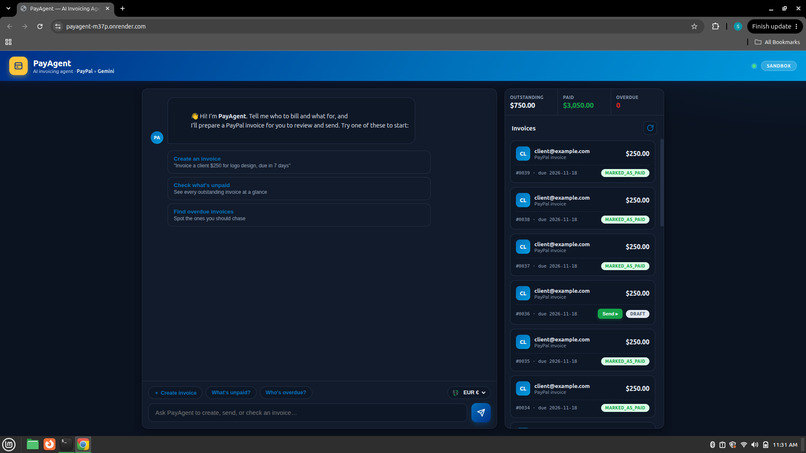
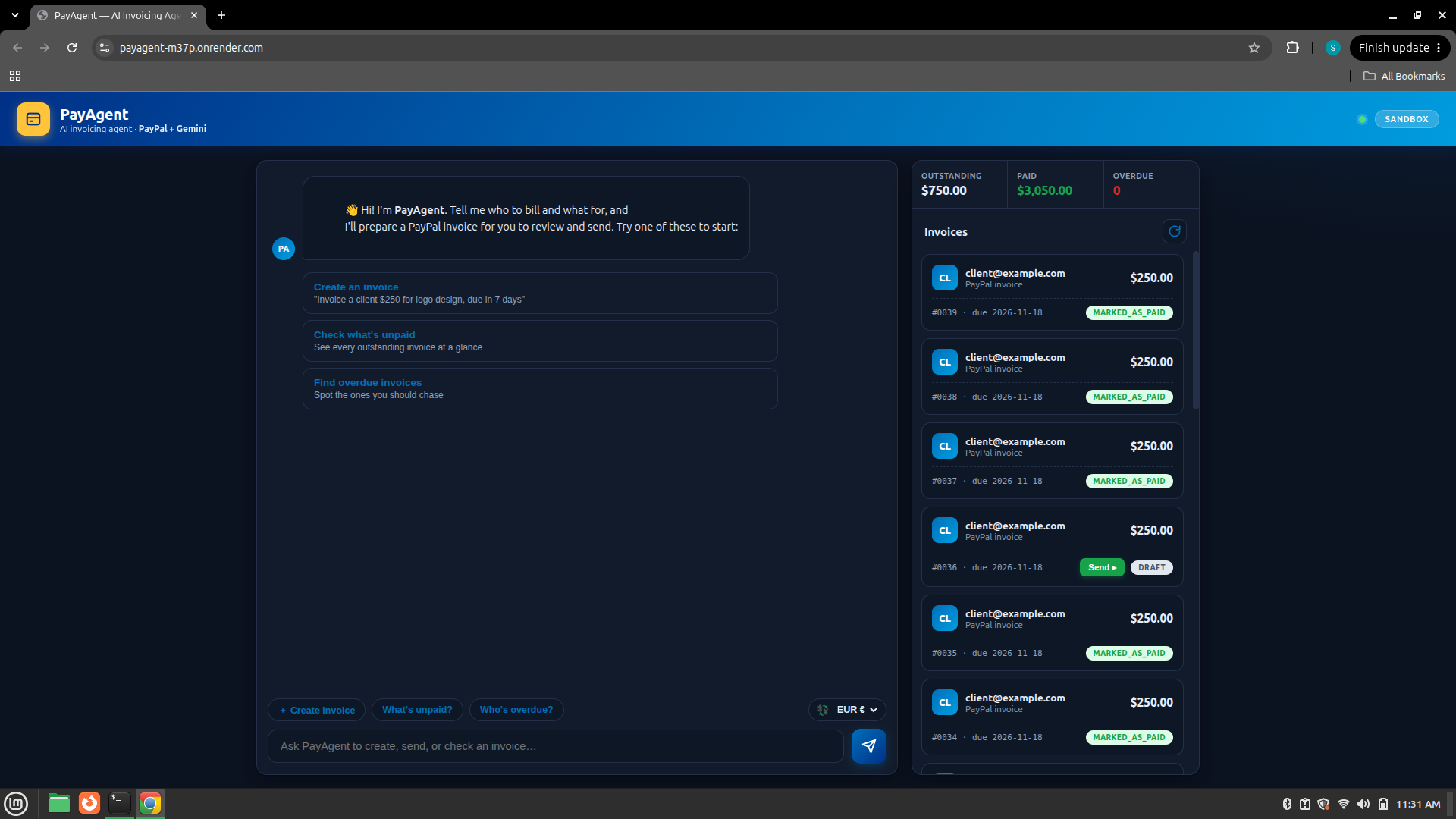
The PayAgent home screen — chat on the left, live invoice dashboard on the right.
Inspiration
AI is showing up in almost every field right now, but when I looked at online payments I didn't see much of it reaching everyday users. Freelancers and small businesses still do invoicing by hand: opening a dashboard, filling the same forms, and trying to remember who hasn't paid yet. I wanted to see if an AI agent could take that whole chore off their plate, so getting paid is as simple as sending a text. That's how PayAgent started.
What it does
PayAgent is a chat assistant that handles your invoicing on PayPal. You tell it what you want in plain English and it does the PayPal side for you:
- Create an invoice by chatting. "Invoice [email protected] $400 for October design work, due in 15 days" becomes a real PayPal draft invoice.
- Send with one confirmation. Drafting is automatic, but anything that notifies a client or moves money asks you to confirm first, so nothing goes out by accident.
- Track payments. Ask "what's unpaid?" or "who's overdue?" and it reads live status straight from PayPal.
- Mark invoices paid when a client pays, so you can follow an invoice from draft to sent to paid.
- A live dashboard shows every invoice with its amount, recipient, due date, and status, plus totals for what's outstanding and what's been paid.
The point is that the AI doesn't just talk about payments. It actually acts on PayPal for you, with a human confirmation step before any money action.
How I built it
- Backend: Node.js and Express.
- AI: Google Gemini with function-calling, so the model decides which PayPal action to take and with what details.
- Payments: PayPal's REST Invoicing API on the sandbox (create, send, remind, record payment, list, get).
- Frontend: plain HTML, CSS, and JavaScript, so it loads fast and is easy to run.
- Hosting: deployed on Render, with Docker support for anyone who wants a container.
When you send a message, my backend passes it to Gemini along with the set of PayPal actions it's allowed to use. Gemini picks the right one, my server runs it against PayPal, and the result comes back into the chat. Read actions run immediately; actions that send something or move money are held until you confirm.
Challenges I ran into
- Getting the AI to call the right PayPal action with clean inputs, and to ask a question when something was missing instead of guessing.
- Building a confirmation step the agent cannot skip, so it can never send or mark something paid without my okay.
- Currencies: PayPal doesn't allow INR for invoicing, so I made the app support the currencies PayPal does and clearly tell the user when one isn't supported.
- Handling flaky free-tier responses with retries, so a brief network blip doesn't break the chat.
What I learned
How function-calling turns a chatbot into an agent that can take real actions, how PayPal's invoicing API works end to end, and how much the small things like confirmation steps, clear errors, and currency handling matter when your app touches money.
What's next
- Real-time "paid" updates using PayPal webhooks.
- Proactive reminders for overdue invoices.
- Simple cash-flow insights, like "you're owed X and two invoices are overdue."
Built With
- css
- docker
- express.js
- gemini
- google-gemini
- html
- javascript
- node.js
- paypal
- paypal-invoicing-api
- paypal-rest-api
- render

