-
-
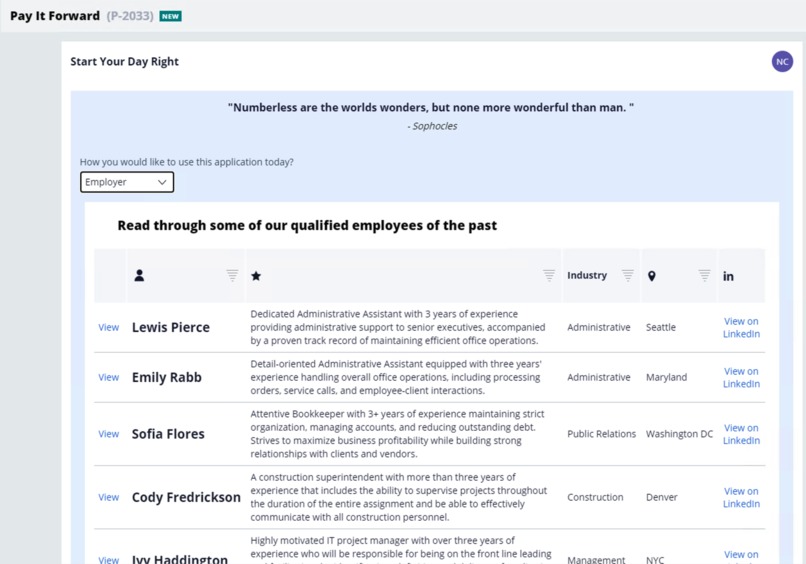
Employee Directory
-
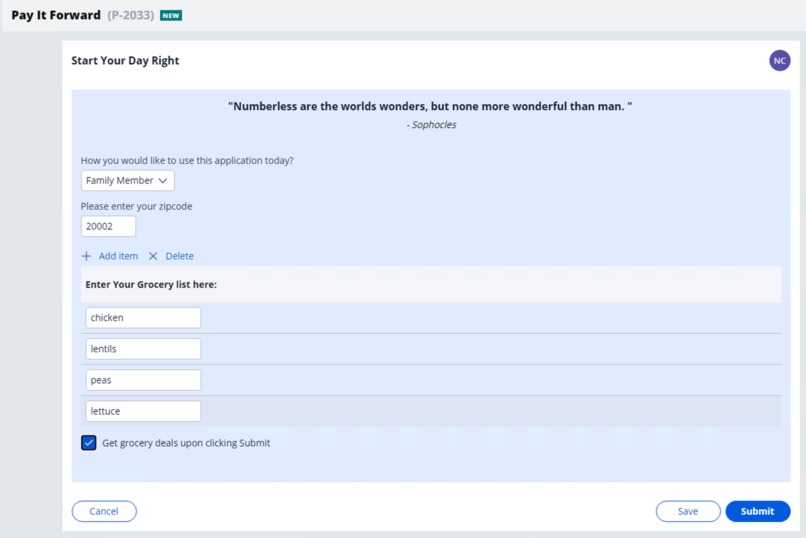
Grocery Deals
-
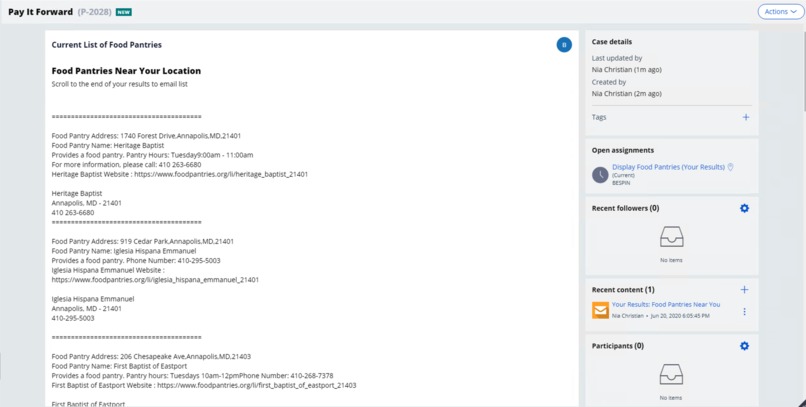
Local Food Pantries
Inspiration
I was inspired to design the Pay It Forward application after reading countless articles of how people were recovering from the recent impact on the economy. I tried to look at different ways to provide a solution for employers, employees, and the day to day person. I also built into the application a component that I knew I would look forward to using as a test to make sure that the application was in fact helpful. The application name and even the random quote generator were included to inspire the user as they are using the application.
What it does
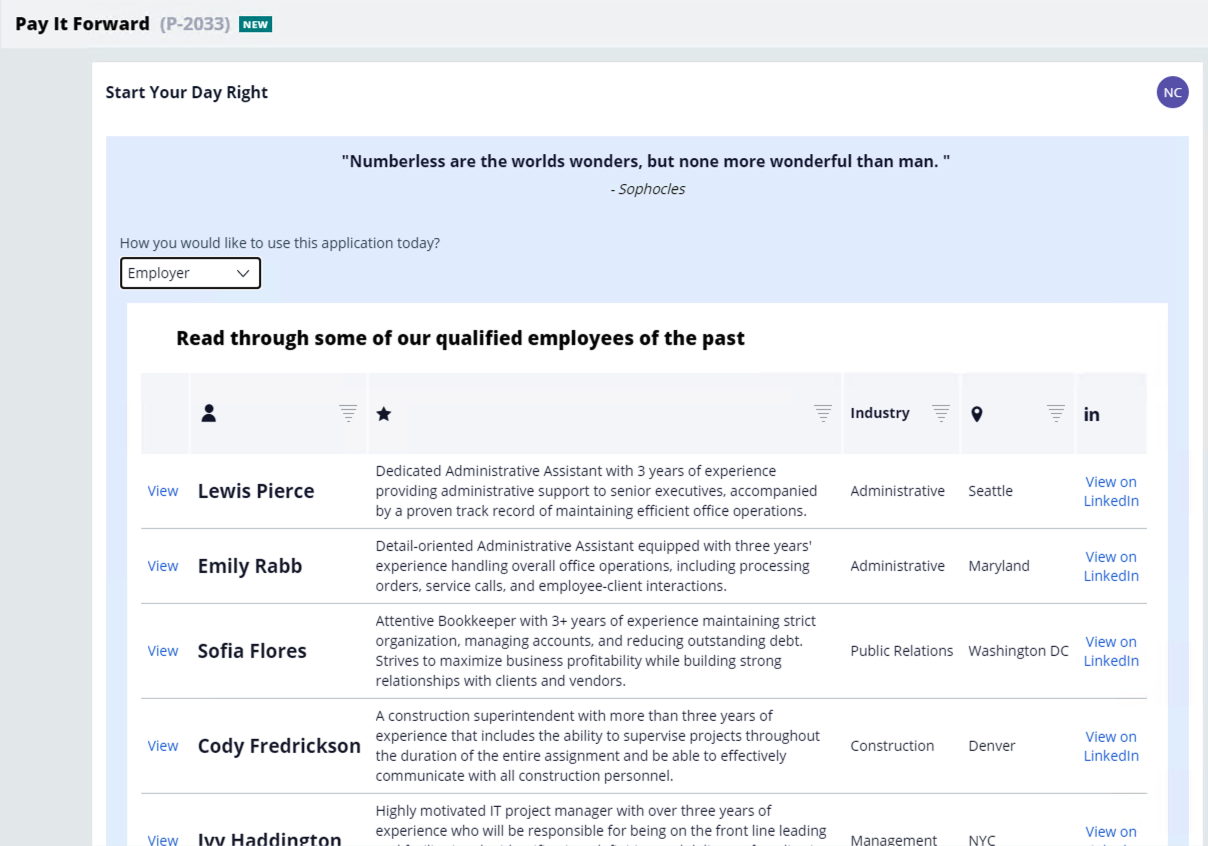
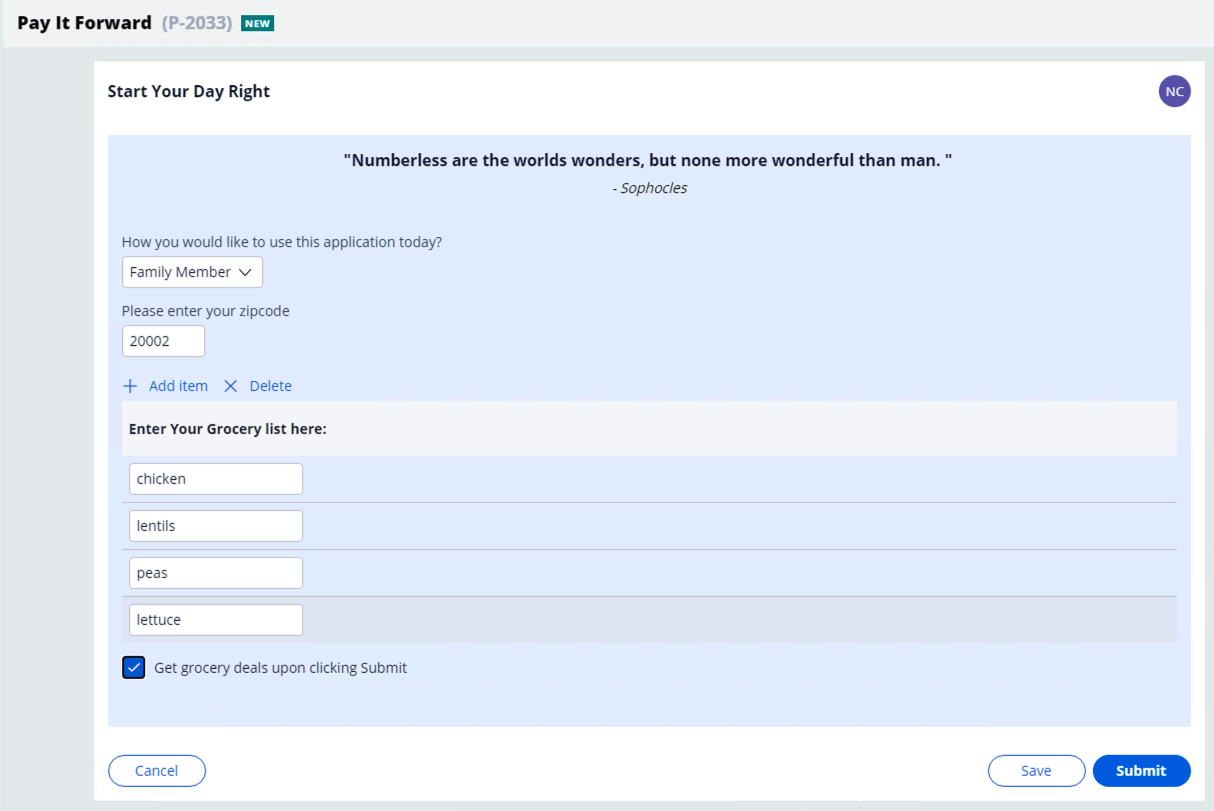
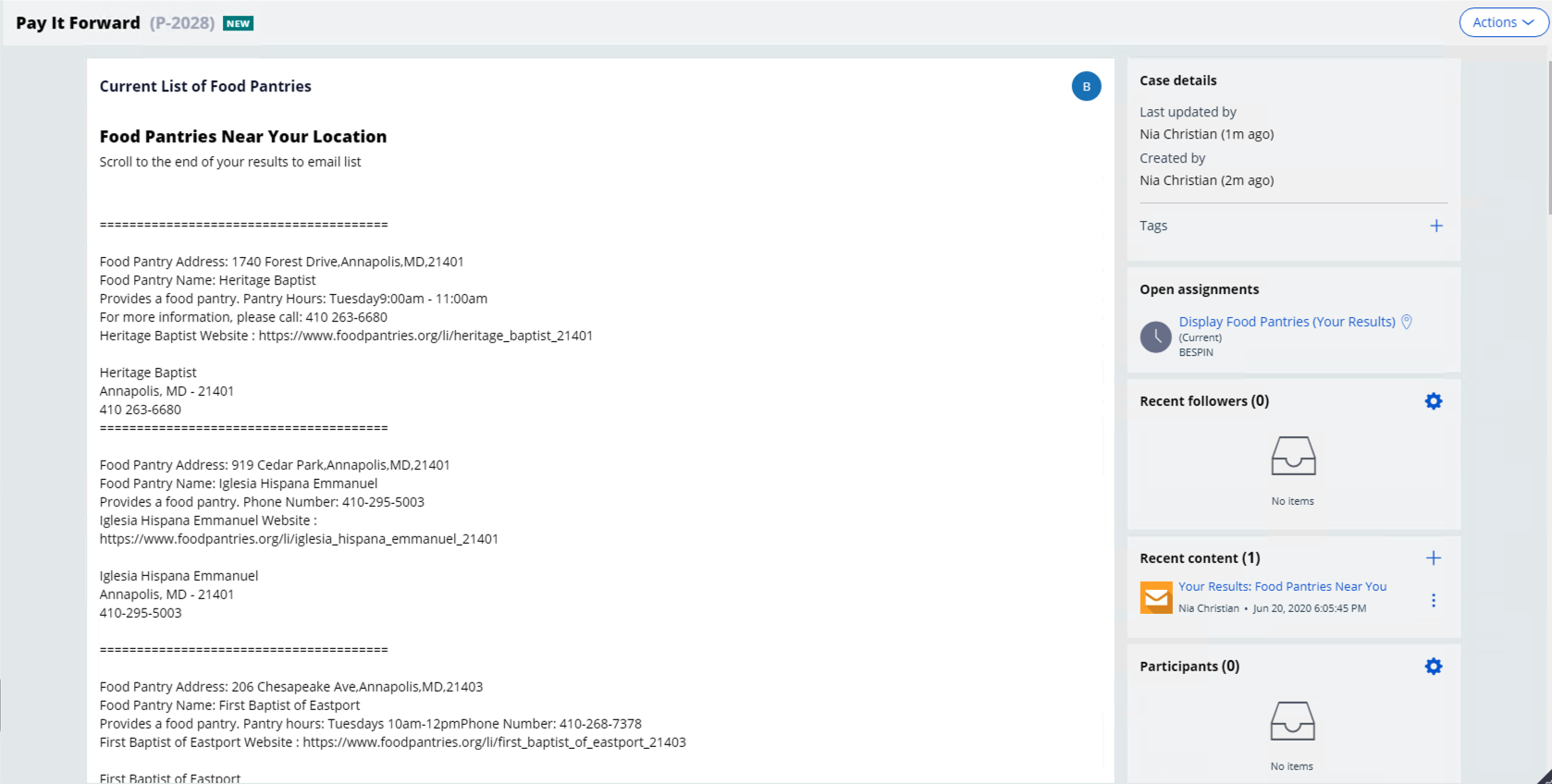
The Pay It Forward application can be used 3 different ways, as an employer, an employee, or as a family member. If you are using the application as a Family Member, this piece was designed to help users save money and cut costs on groceries. We utilize the Pega Robotics component and have integrated it with Pega to allow users to enter their grocery list and find deals in their area. The best part of this component, which happens to be the component that I use the most is that you can use it in any state, you are not limited by location. Upon the bot completing and finding deals which only takes about 1-2 mins, your results will be displayed in Pega and you can even email the list to friends or colleagues, or your kids who have never quite been into looking at the grocery deals in the mail. This component eliminates users having to wait to receive a circular in the mail of grocery items on sale or even googling items on sale in their area. They can find grocery deals in a matter of minutes and email these deals to themselves in a matter of minutes. The second component of Pay It Forward is the Employee component which allows employees who are interested in volunteering or finding local food pantries in the area to find all food pantries at the click of a button. Users enter their city and state (once again, you can utilize this application component in any state), after clicking submit another piece of our Pega Robotics application will find all food pantries and return that list directly back to the users in Pega. Users are also able to email this list at the click of a button to anyone they choose. The final component of the Pay It Forward application is the Employer component. We built this component to ensure that any user would find the Pay It Forward application useful, that includes CEOS, or other employers who may have had to recently let go some employees, but still wanted to help them. Upon selecting to use the application as an Employer, an employee directory is displayed of previous employees for a particular company. This directory include the employee's name, highlights of their career, their industry and location, all of which a recruiter or employer can filter on. Should an employer or viewer of the directory take particular interest in a candidate, they can contact them on LinkedIn directly using the "View on LinkedIn" link in the employee directory. We cam up with this component after researching how employers were helping employees in need, even if they couldn't provide severance.
How I built it
I built the application to be centered around Pega, so a user never has to leave the main Pega application and all data and information comes to them. I began with a Pega workflow and then built the out of the box components with Pega Robotics to retrieve the grocery deals and food pantries and also used Soap UI to test the random quote generator before using the REST connector component in Pega to generate and display the quote on the Pay It Forward application.
Challenges I ran into
Were primarily in the Pega UI. I haven't used all of the Pega UI components on a regular basis, but I had some issues initially building the RESt connector, I resolved this by changing the parameters and was finally able to set a GET method with the connector. I also had issues storing the grocery list items in pega to a clipboard value, but this was resolved after figuring out how to access the list properties. I had some issues pulling back the grocery deals items in a clean format and deciding how to best display that data to the user. I had a few challenges with the Employee Directory. I wanted to be able to allow visitors of the directory to click on a link that would take them to the users profile, but here I discovered how to utilize the "Open URL in Window" action to display the users custom LinkedIn page. I ran into some trouble finding the right action to display the employee's highlights and name in the modal dialog, but I ended up finding the right action. Most of these issues were resolved by researching on the Pega forums and looking at how users resolved these issues in the past.
Accomplishments that I'm proud of
I'm so proud of the Grocery Deals component because I am able to use it. I have used it in the past after building it and I used that as an indicator that it will be helpful for so many others. I love that it helps users save money and time and that it doesn't take long. I'm also proud of the Employee Directory because of how simple it is for employers to upload a list and for all of that data to be formatted in a nice table on Pega. I love that potential recruiters and employers can also directly reach out to an employee that they believe may be a good fit all at the click of their mouse. With Pega at the center I had never really explored all of the possibilities that leveraging these different components and activities would bring, but I think that this application can still be used 10 years from now, and I hope that others find it useful outside of pandemics or special circumstances.
What I learned
I learned how to use more of Pega's internal features, activities, actions, and UI elements.
What's next for Pay It Forward
I'd like to add a recipe recommendation piece to the Grocery Deals component that would recommend recipes based on a user's grocery list. I also would like to have Pega return to the user the best deals on their grocery list item, in the robotic automation the robot would do the math and only return a deal on a grocery item that would cost the user the least amount of money instead of returning all deals on a particular item. I think it would be nice to make the UI look a little friendlier as well, maybe incorporate more media components. I think it would also be nice to integrate a component for shoppers who don't necessarily begin with a shopping list, but design their list based on seasonal items or deals they see in circulars. Definitely would like to add a feature where upon viewing the application as a Family Member, users can see an array of deals on common grocery items, this piece would also be better if there were more images as well.
Built With
- api
- pega
- robotics



Log in or sign up for Devpost to join the conversation.