-
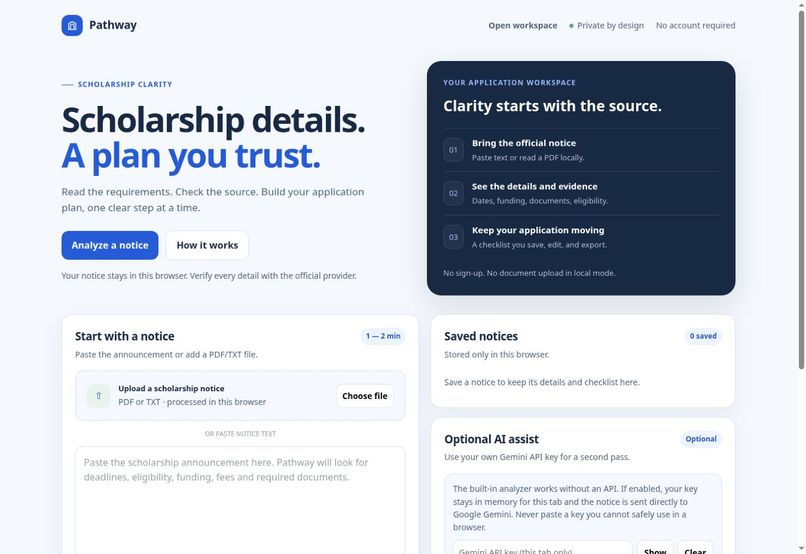
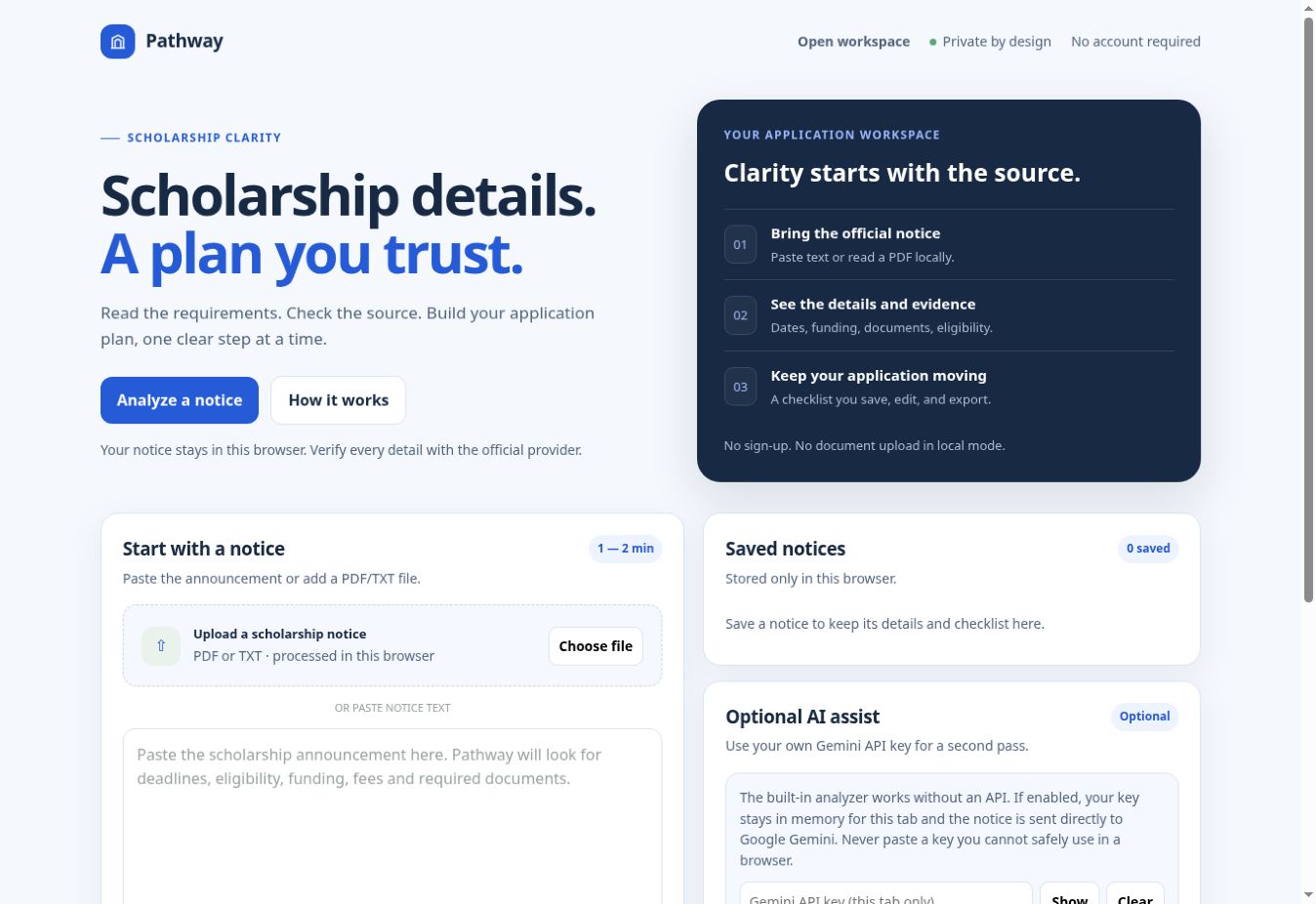
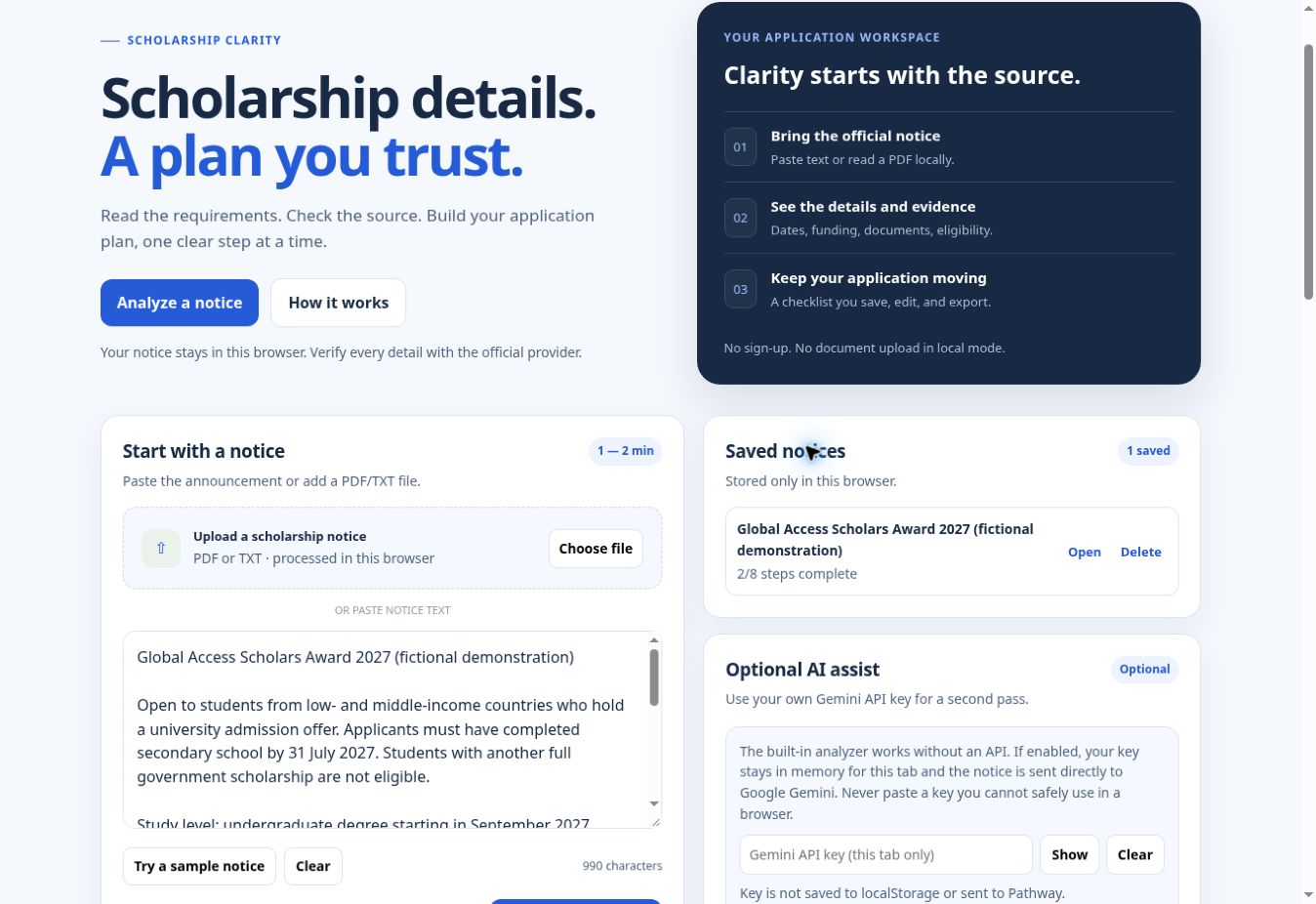
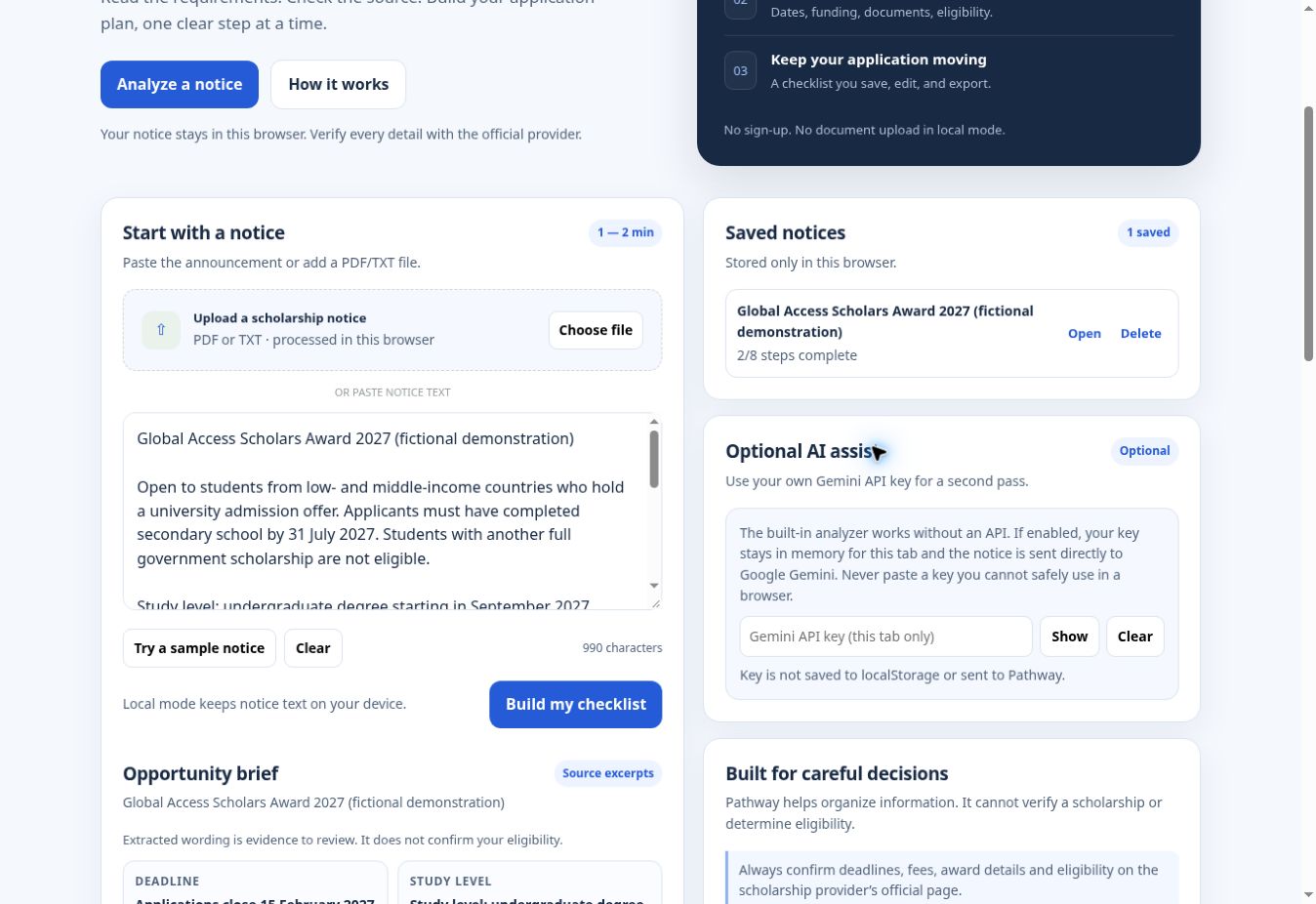
English-only Pathway workspace. Paste an official notice or import PDF/TXT text locally.
-
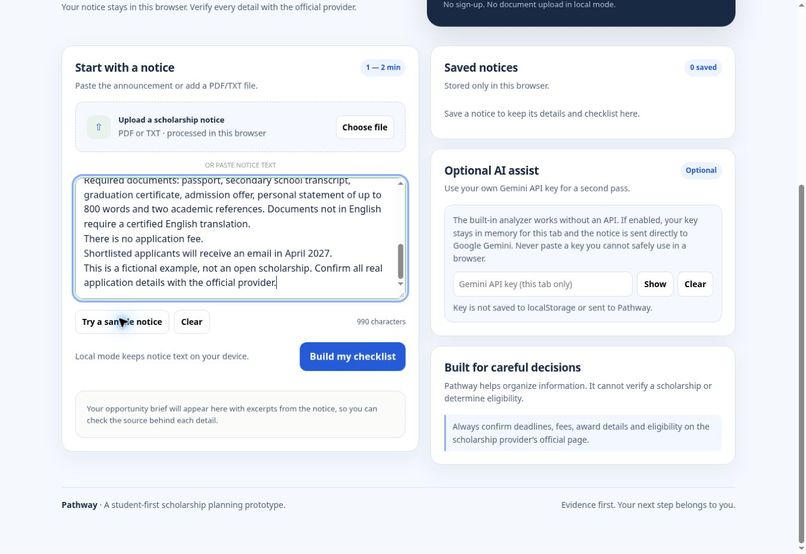
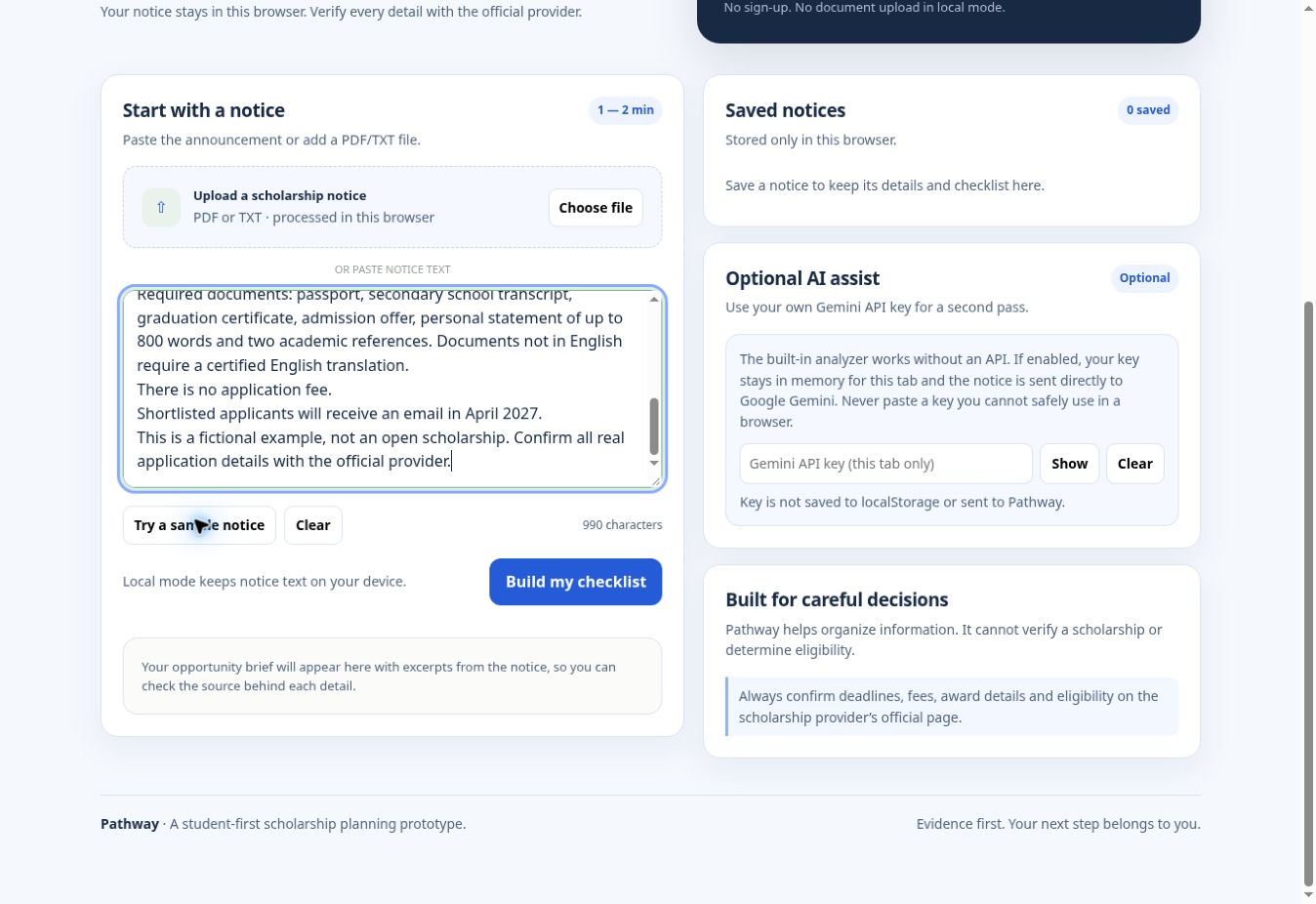
A labeled fictional notice demonstrates the flow without presenting a real scholarship as open.
-
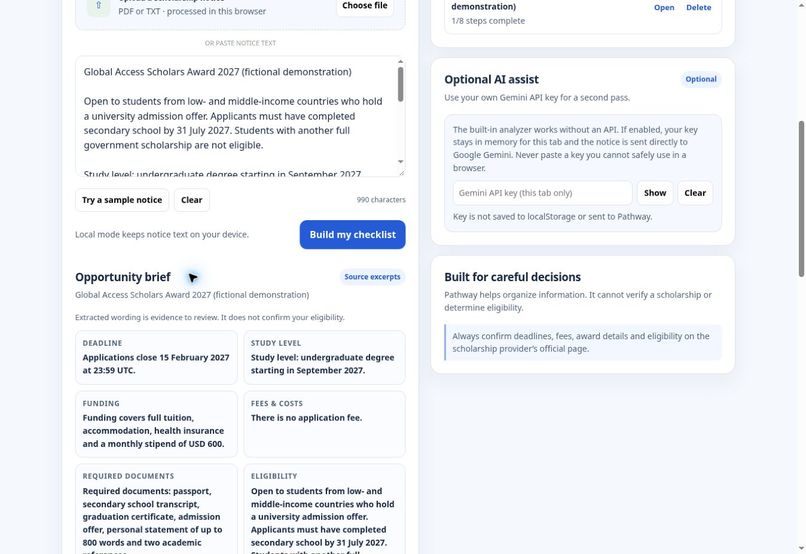
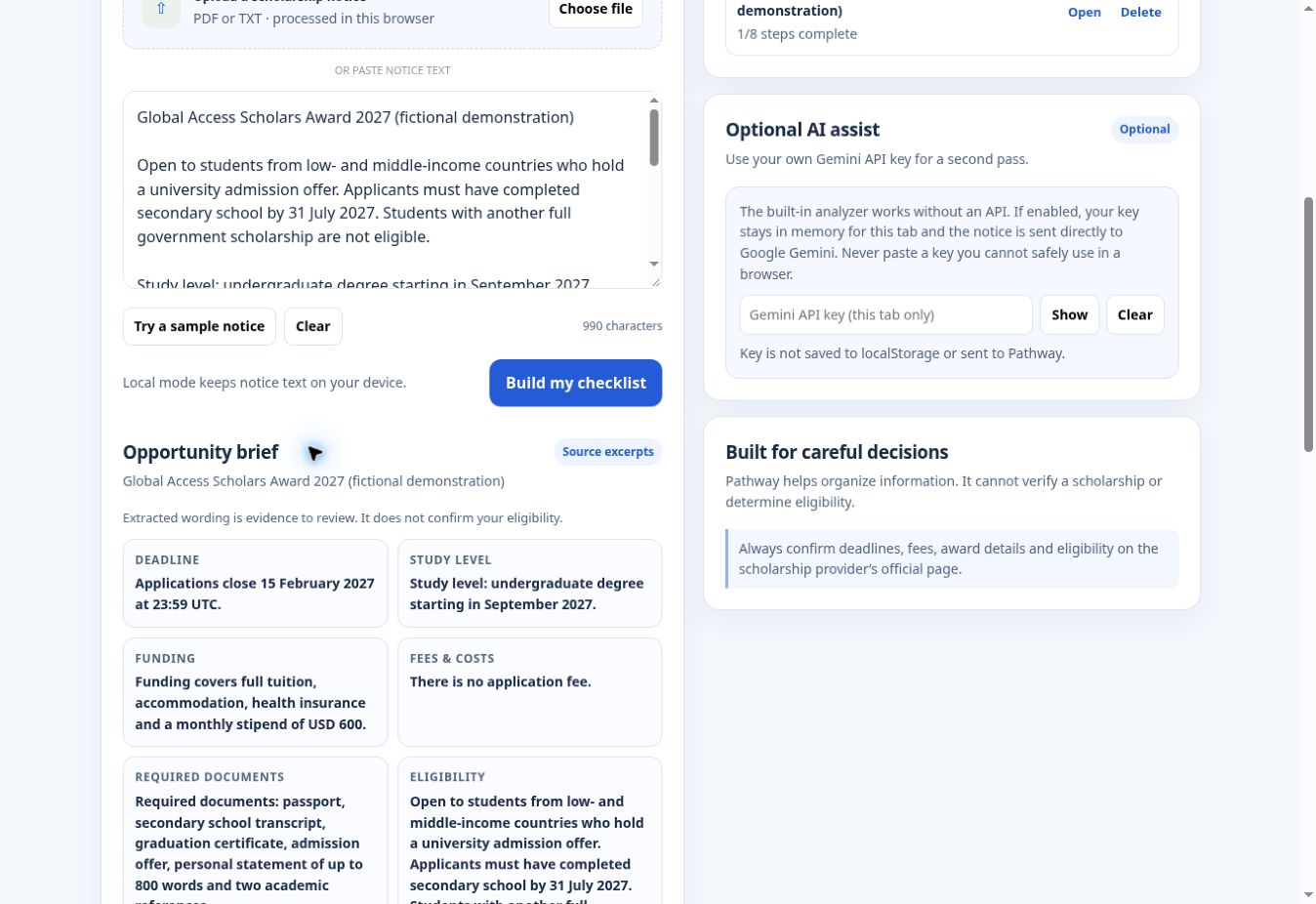
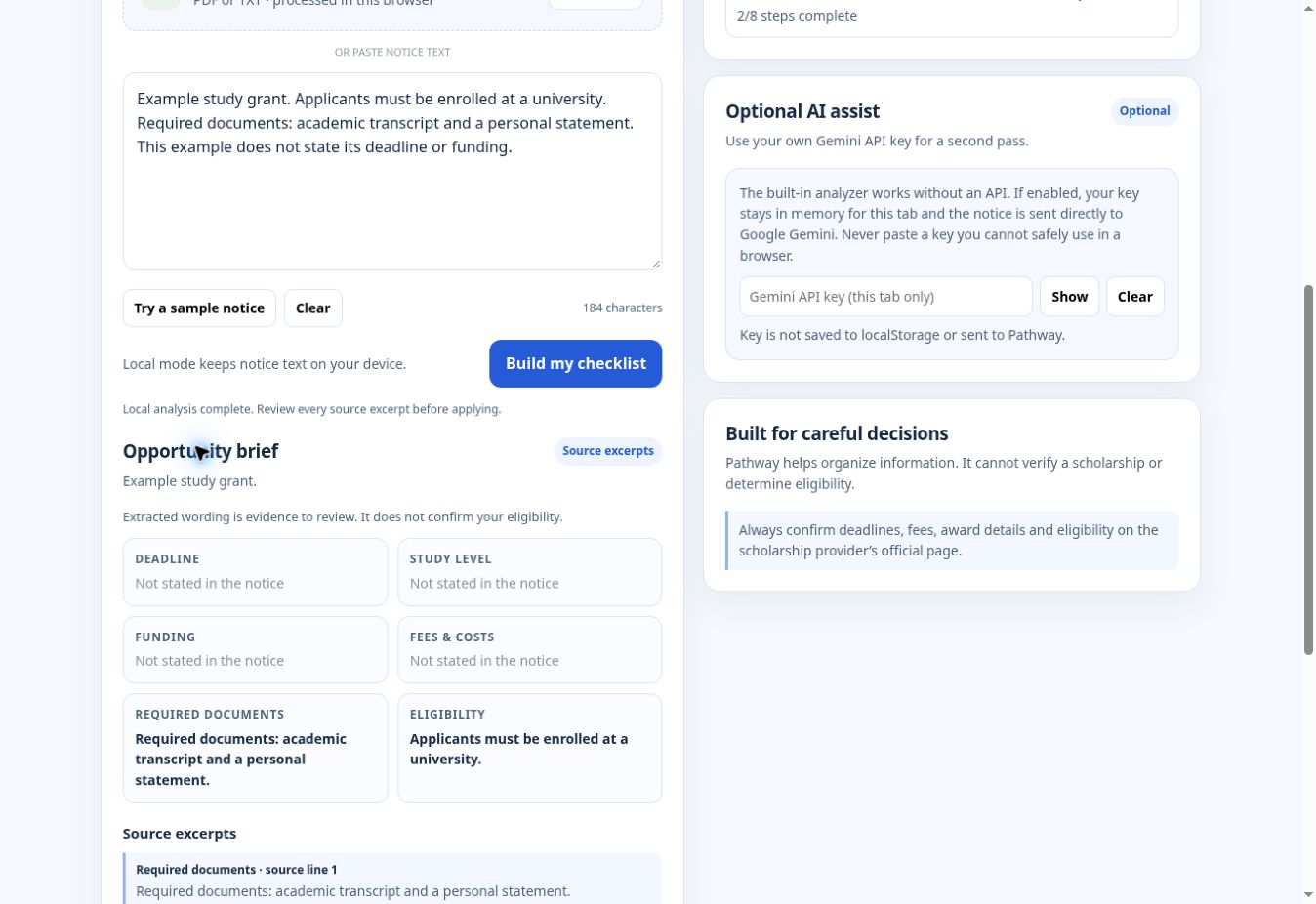
Six requirement groups retain source wording, including the deadline and time zone.
-
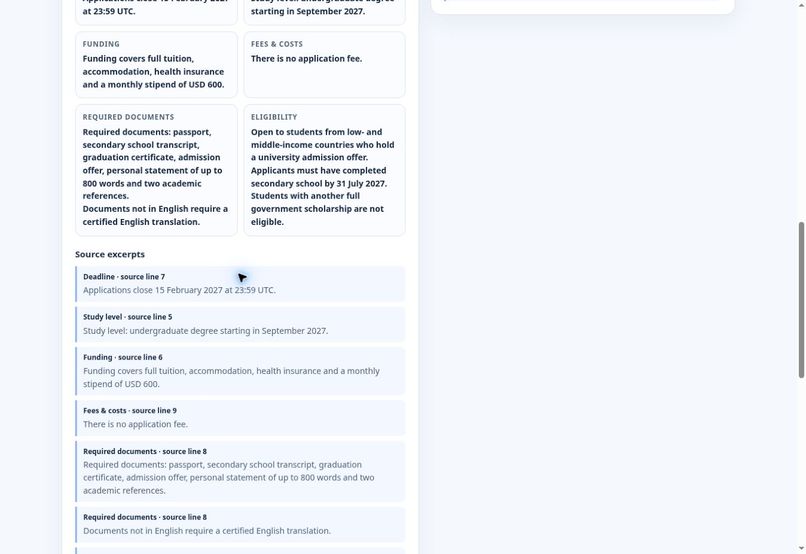
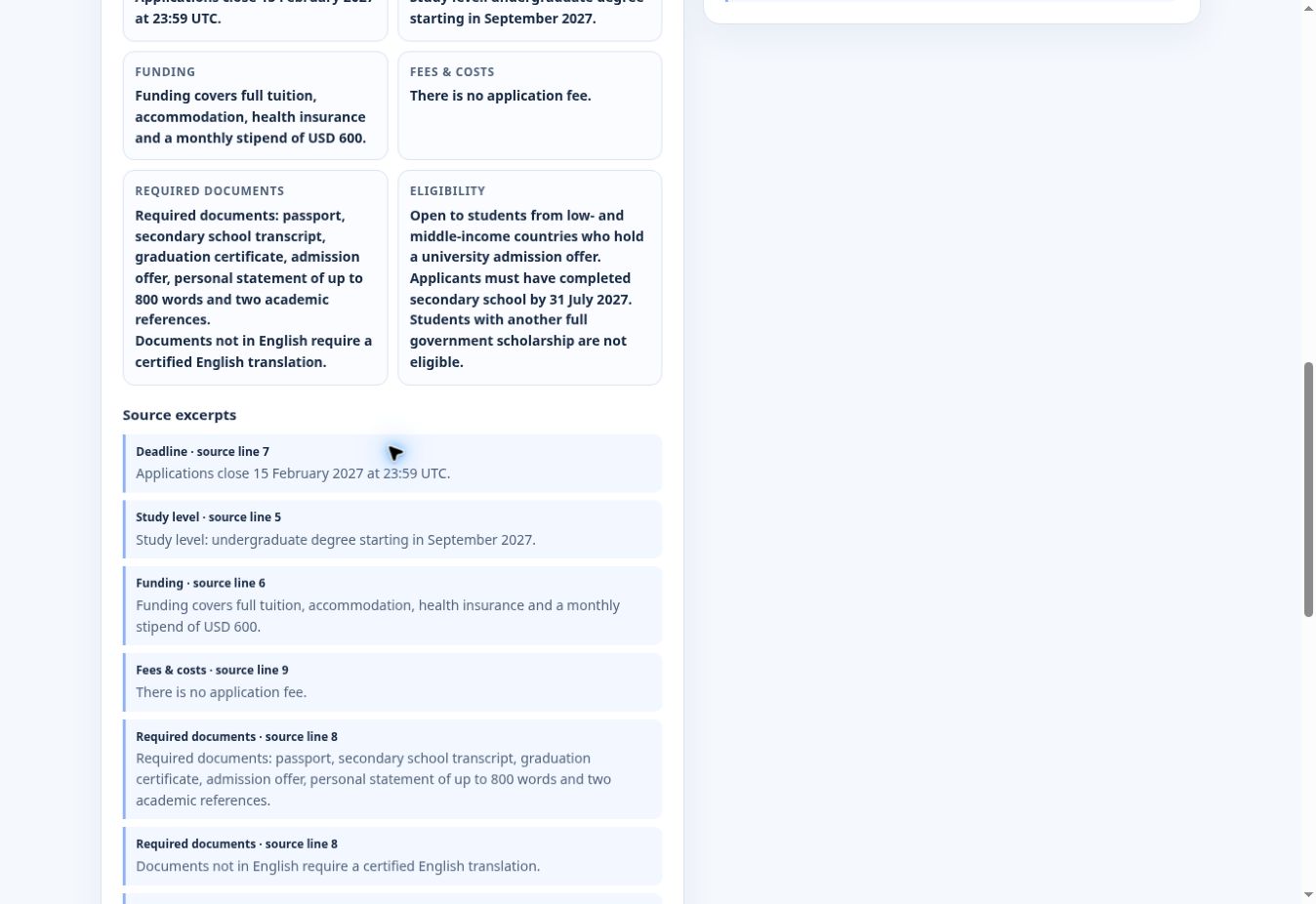
Source excerpts include line references for checking the original notice.
-
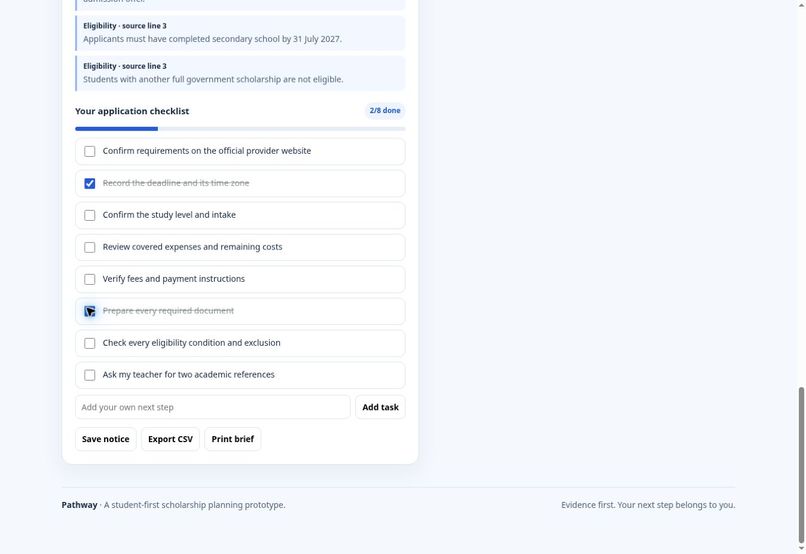
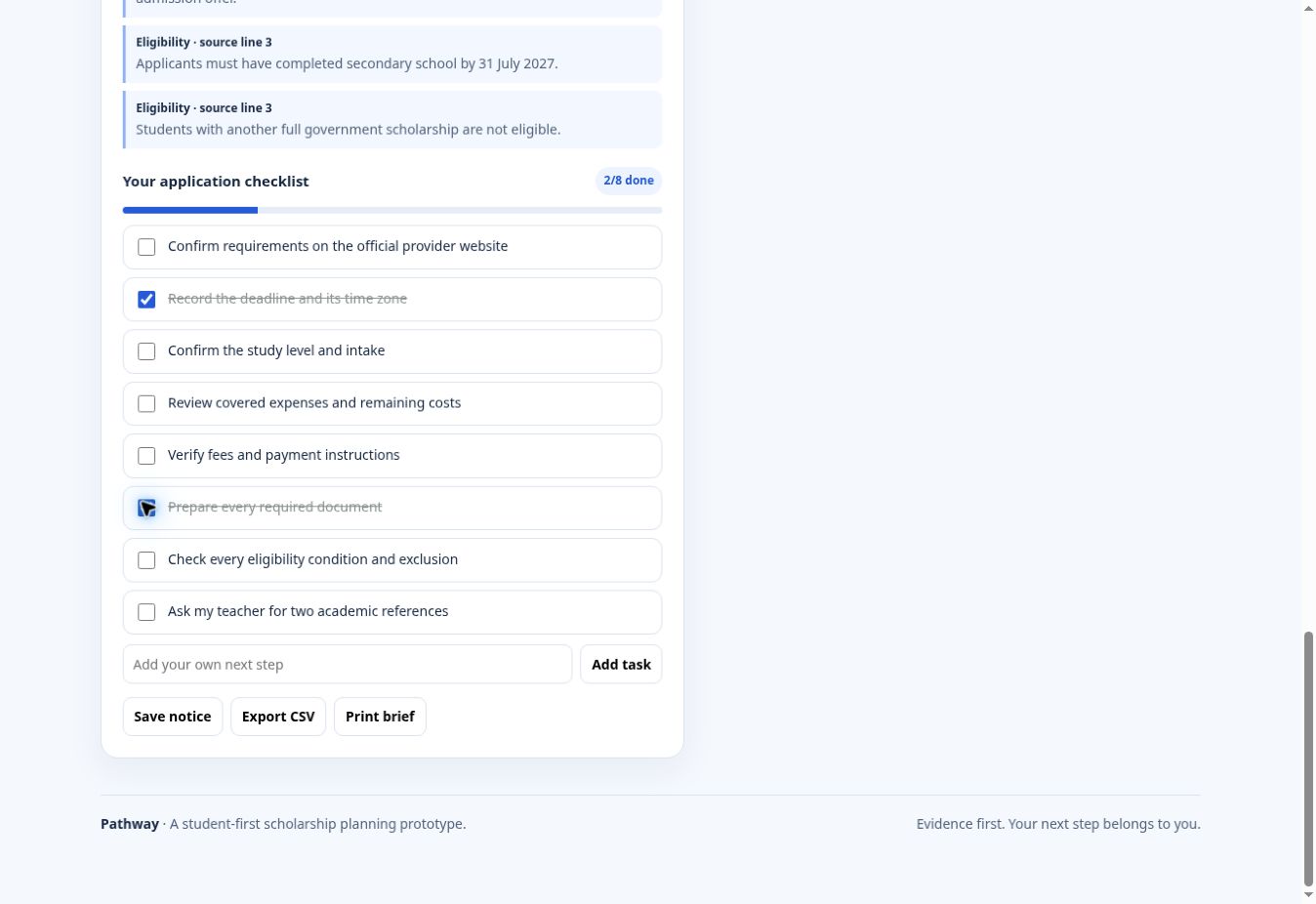
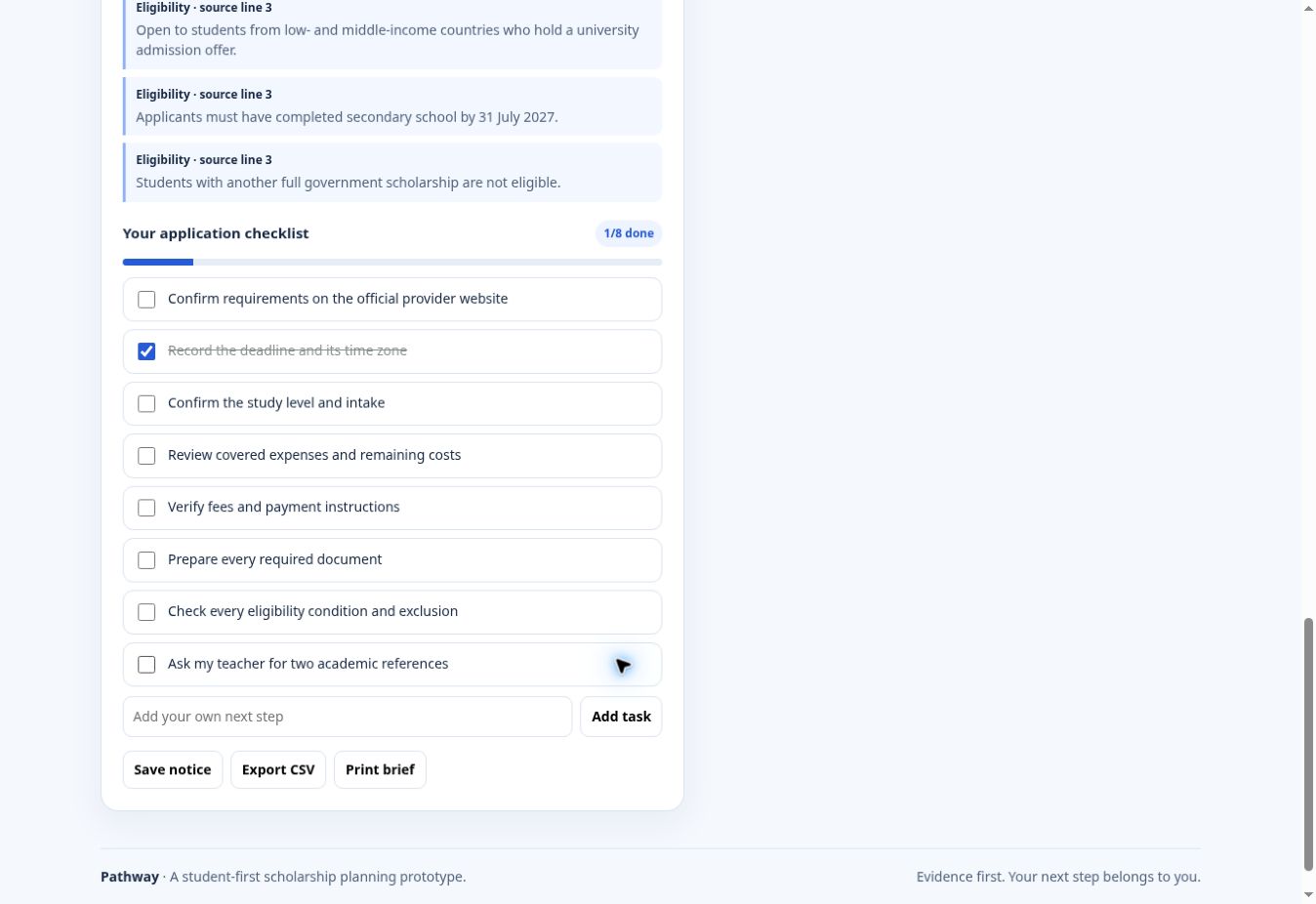
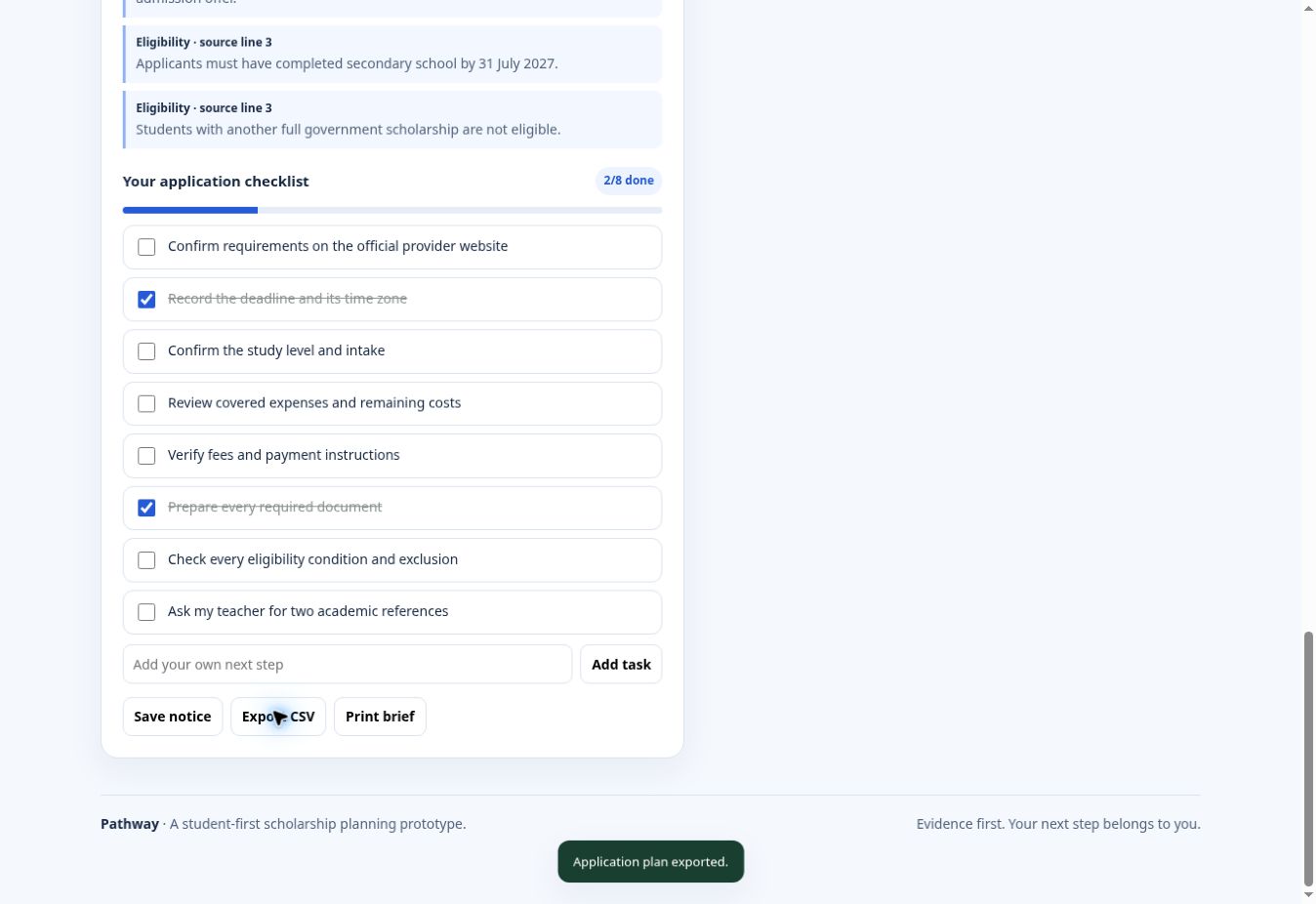
A working checklist tracks completed requirements and updates progress.
-
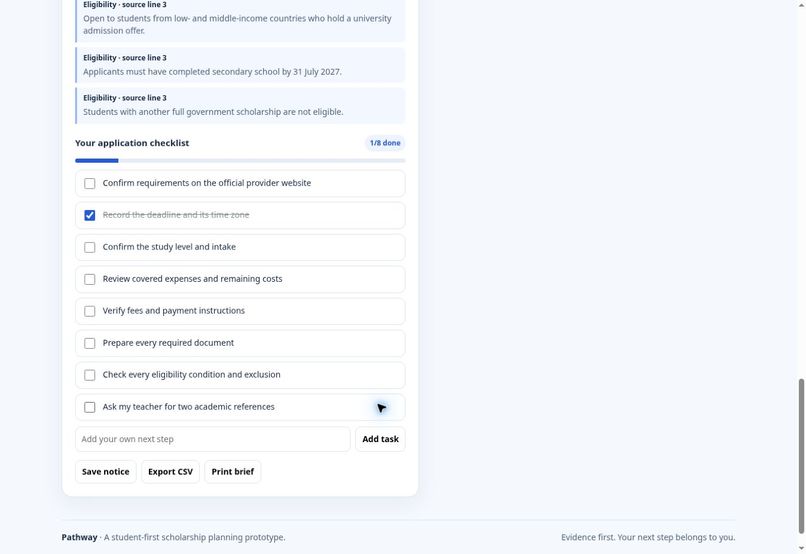
Students add personal application steps alongside the generated checklist.
-
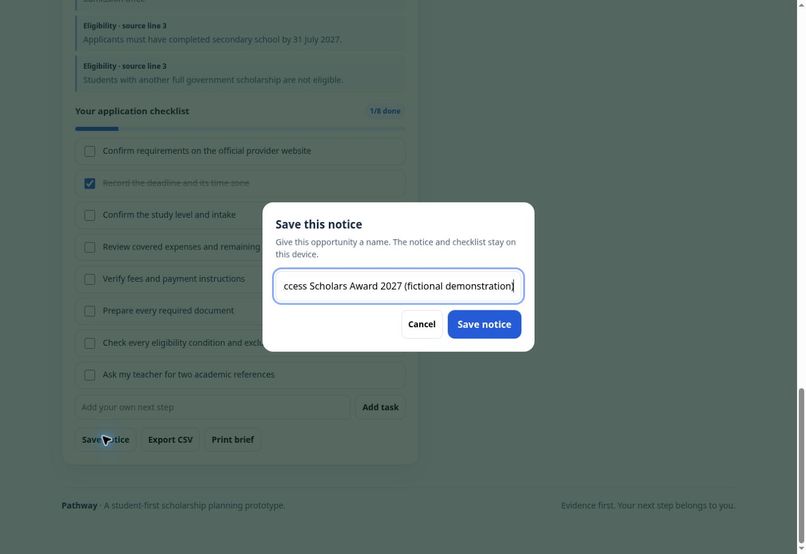
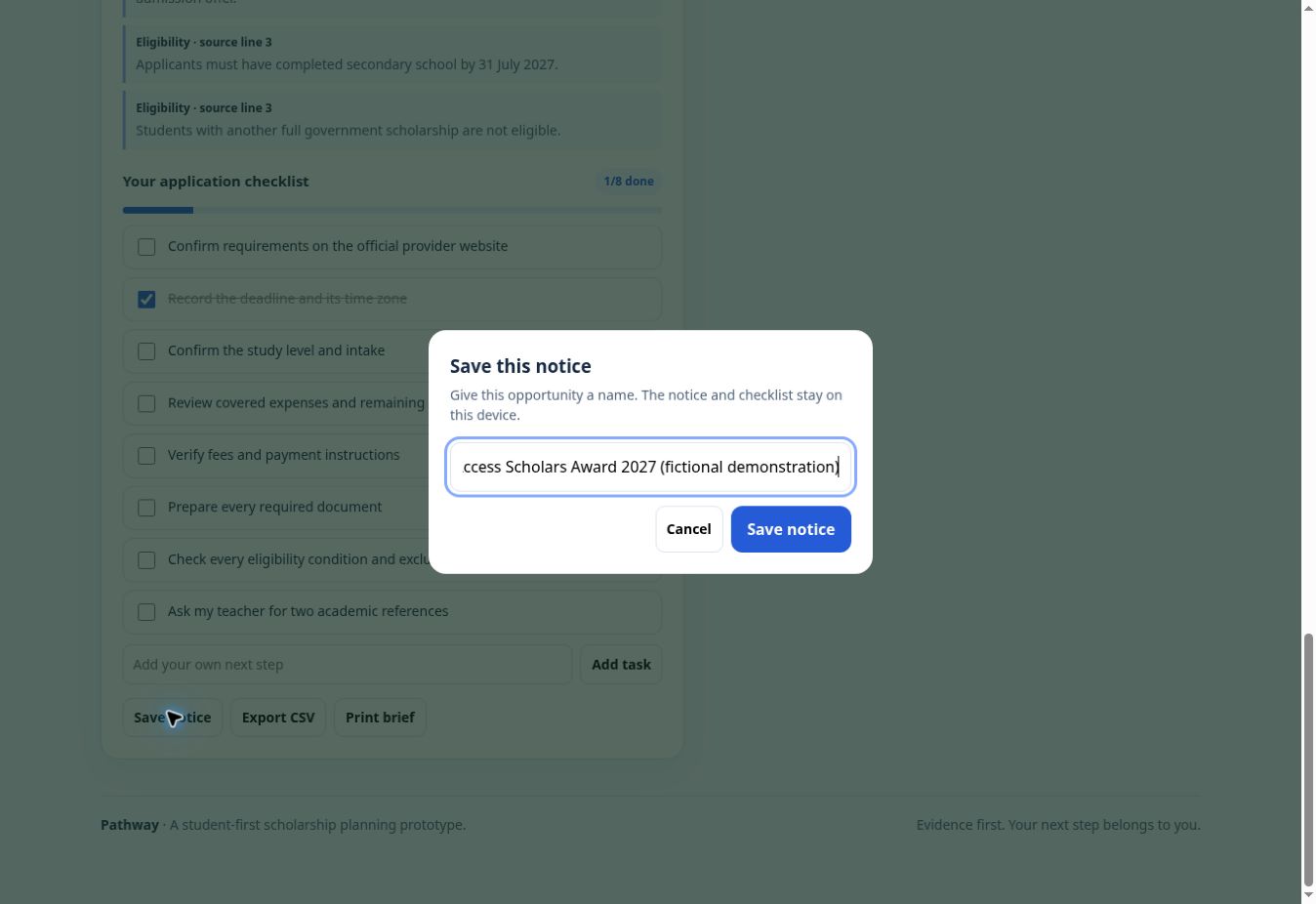
Name an opportunity and save its notice and checklist on this device.
-
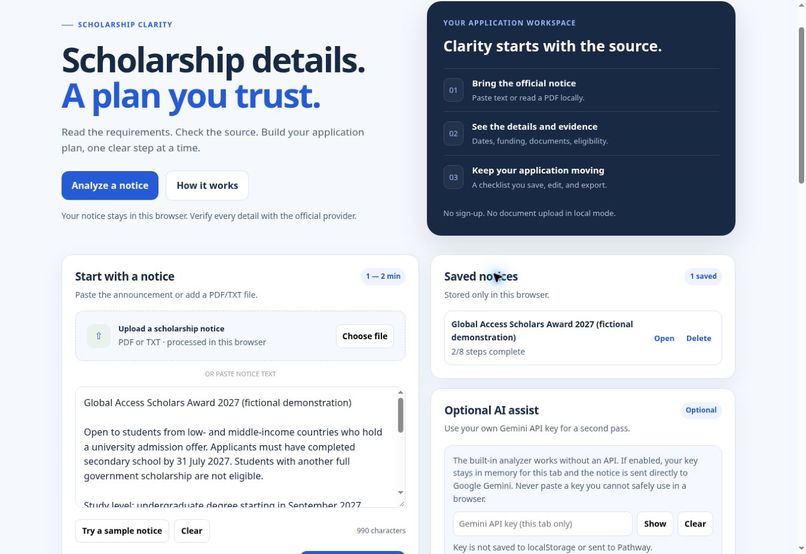
Reopen saved opportunities. Checklist updates save automatically.
-
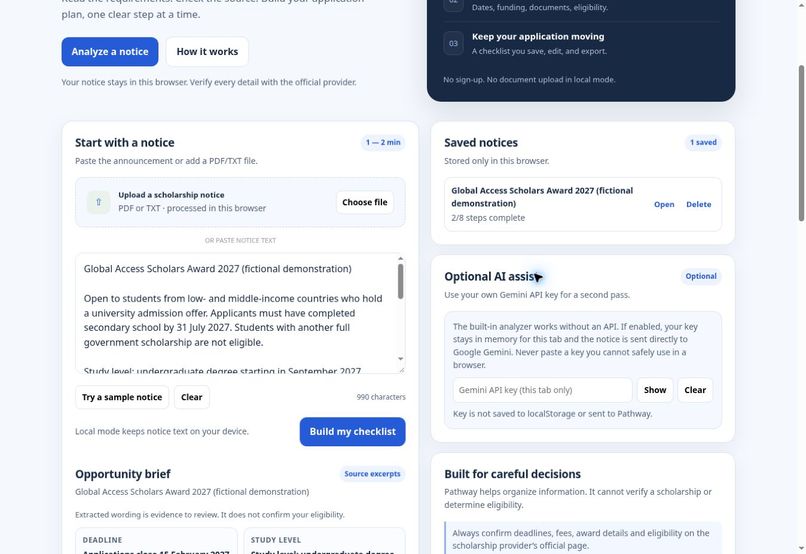
Optional Gemini assist uses a tab-only key. Local mode requires no API key.
-
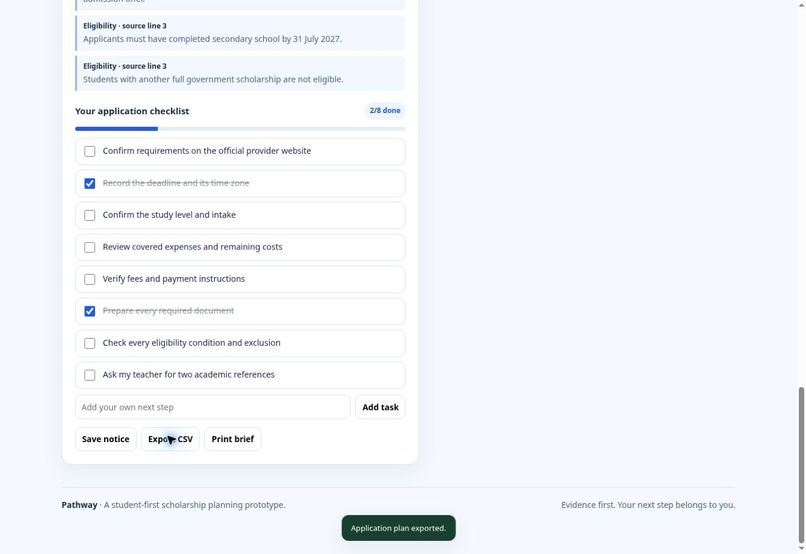
Export an application plan as CSV or print a clean brief.
-
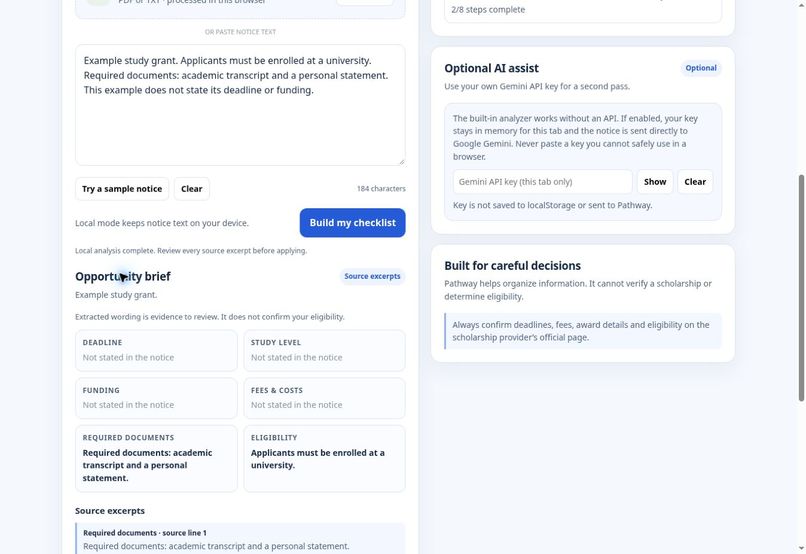
Missing deadlines, funding and costs stay unknown instead of being invented.
-
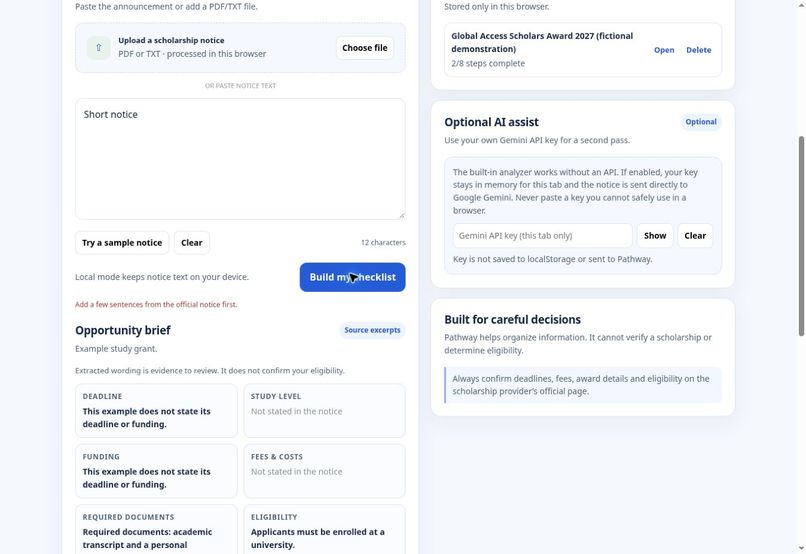
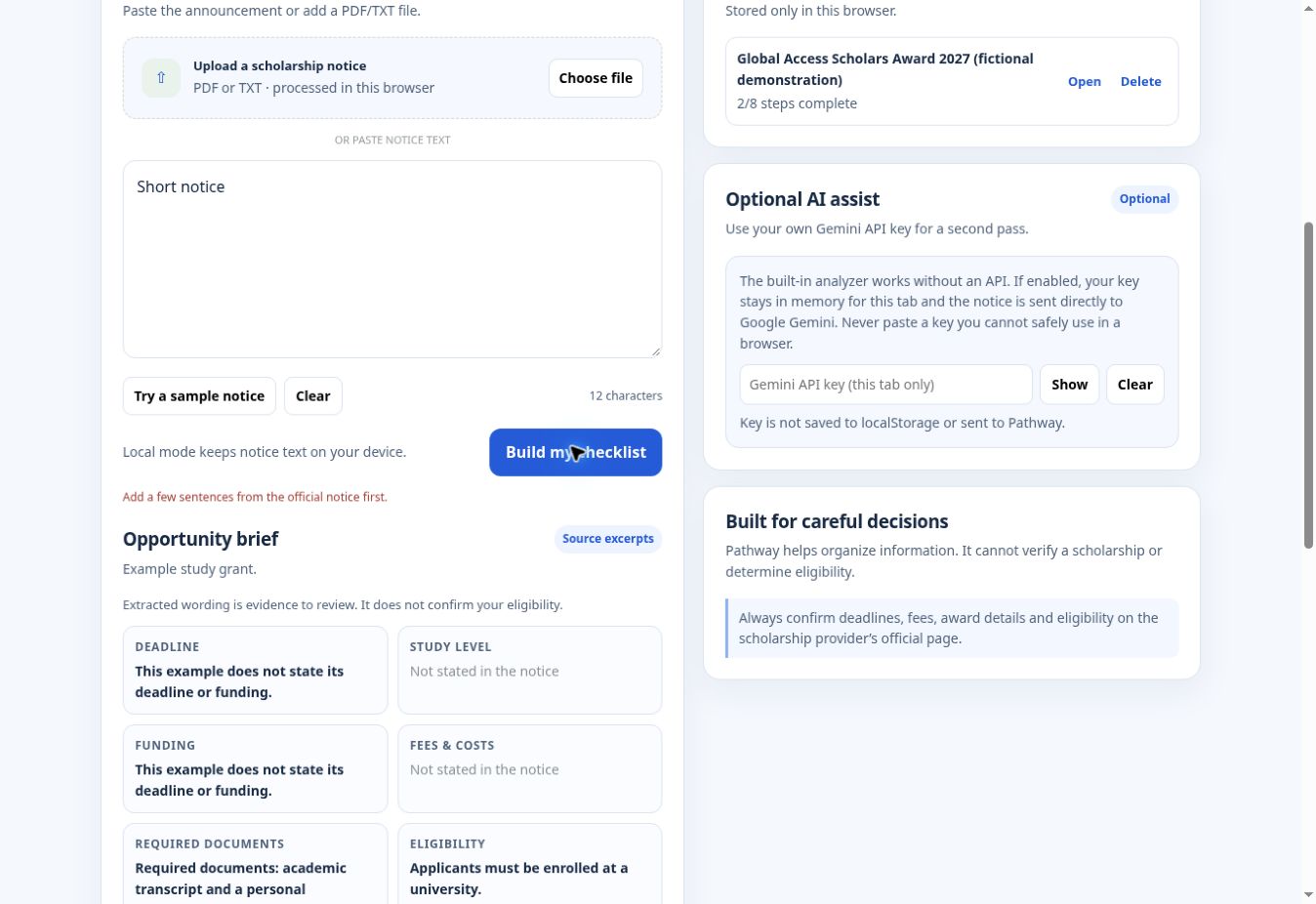
Clear input validation helps students recover from incomplete notice text.
Inspiration
A scholarship notice is only useful when a student understands what to do next. Dates, exclusions, costs and document requirements often sit in different paragraphs. Students without a counselor must turn those details into a plan themselves.
Pathway starts with a practical question: how do we make that first reading easier while keeping the source visible?
What it does
Pathway turns a student-supplied scholarship notice into an opportunity brief and application checklist. The English-only workspace groups source wording into six areas: deadline, study level, funding, fees and costs, required documents, and eligibility.
Students paste text or import PDF/TXT files. Every extracted statement appears beside a source excerpt and line reference. Missing details are labeled “Not stated in the notice.” Eligibility exclusions remain visible, rather than being dropped from a short summary.
The brief becomes a checklist. Students add personal steps, track progress, save and reopen opportunities, export CSV plans and print a brief. Drafts and saved checklist changes persist automatically on the same device.
How we built it
The frontend uses HTML, CSS and JavaScript, with PDF.js for browser-side PDF parsing, the File API for imports and localStorage for device-local plans. Vercel hosts the website. There is no account requirement or Pathway document-storage backend.
Local mode uses explainable text-pattern extraction without an AI key. Optional Gemini 3.8 Flash assist asks for structured exact source quotes using a student-supplied key held in tab memory. Proposed quotes are accepted only when they appear exactly in the notice. AI requests have a timeout, support cancellation and discard stale responses. Local results remain available when AI fails.
Challenges we addressed
Source matching alone does not prove a finding is classified correctly. We keep the original text visible and describe the output as wording to review. Missing-information checks prevent sentences such as “does not state its deadline” from becoming a deadline result.
We also corrected task persistence and saved-plan updates, added file and page limits, escaped rendered source text, protected CSV exports against formula-like input, and added a keyboard-accessible save dialog and print stylesheet.
What we verified
Live browser checks covered the sample flow, source line references, exclusions, task completion, personal steps, saving, refresh recovery, CSV downloads and PDF import. Regression checks cover missing details, exclusion retention, HTML escaping, CSV formula protection and draft/saved checklist persistence.
Optional AI success with a real student key was not tested in this release. Quote matching is implemented, but users still need to review the meaning and classification.
Target users and impact
Pathway serves high-school and university applicants, especially first-generation students and students without dedicated advising support. It aims to reduce the reading and planning burden without requiring an account or paid API access for its local workflow.
We have not measured application success rates or claimed user-growth figures. The next step is testing with students on real official notices, measuring missed requirements and time spent preparing a checklist.
What is next
Improve extraction on complex layouts, test dates and exclusion handling across providers, and evaluate the workflow with students. Cross-device sync and scholarship-provider verification are future work.
Pathway does not confirm scholarship legitimacy, decide eligibility or guarantee an award. Final requirements always belong to the official provider.
Team
Adeel Falak Sher: product, frontend development, extraction workflow, testing and documentation. Raouf Khalid: UI design.
Demo and source
Built With
- css
- google-gemini
- html
- javascript
- pdf.js
- vercel

Log in or sign up for Devpost to join the conversation.