-
-
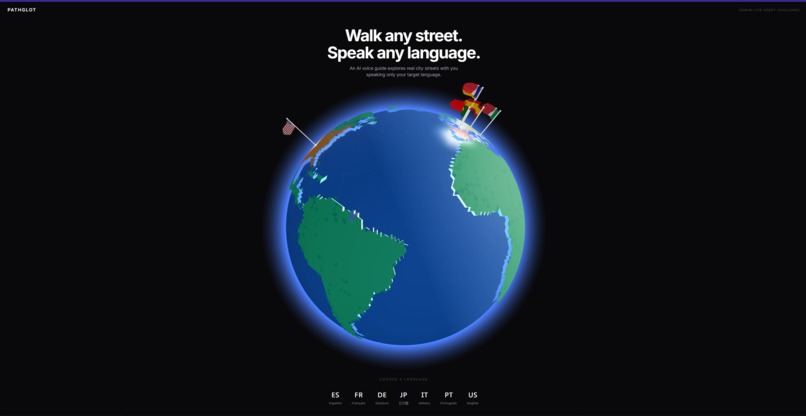
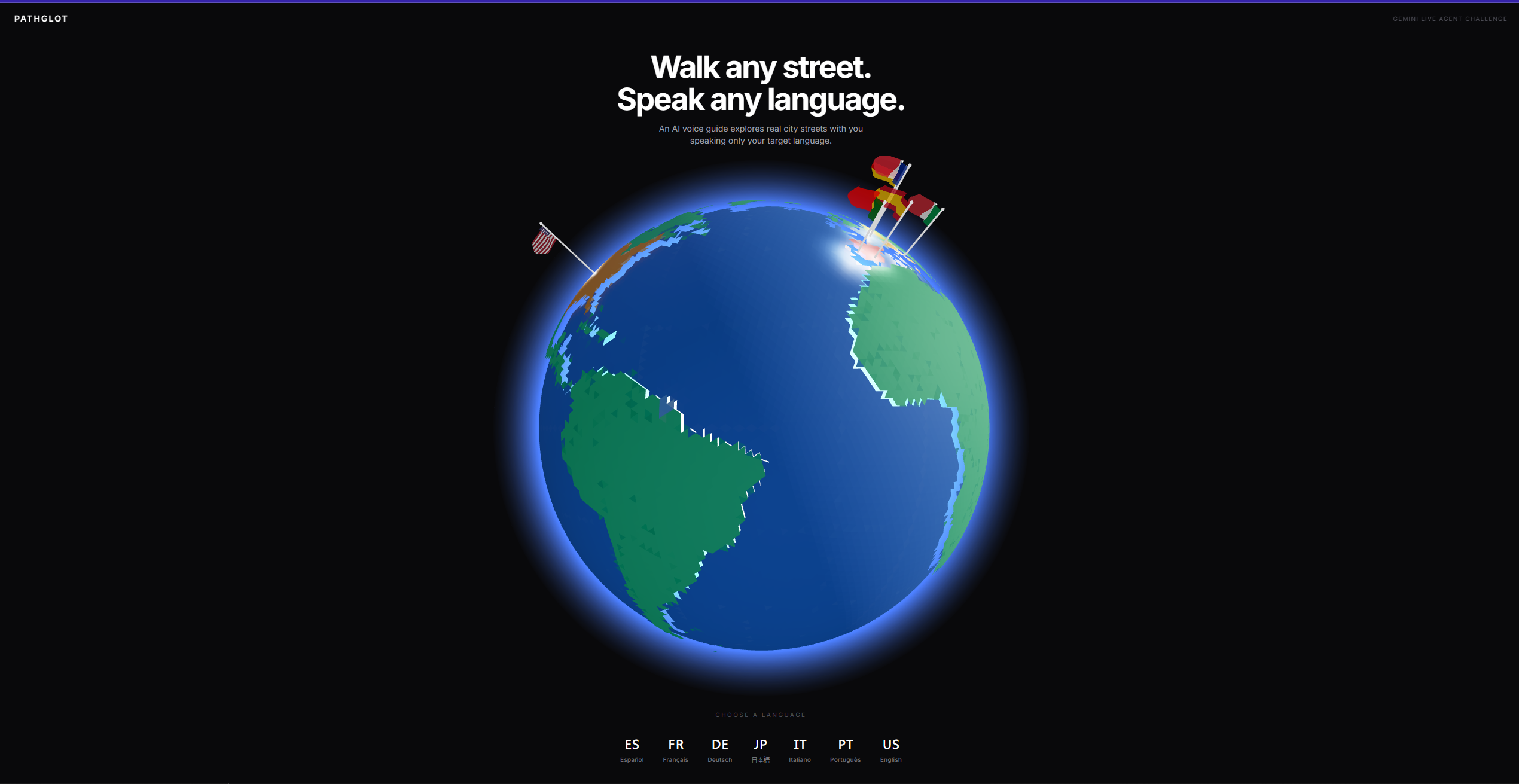
front page
-
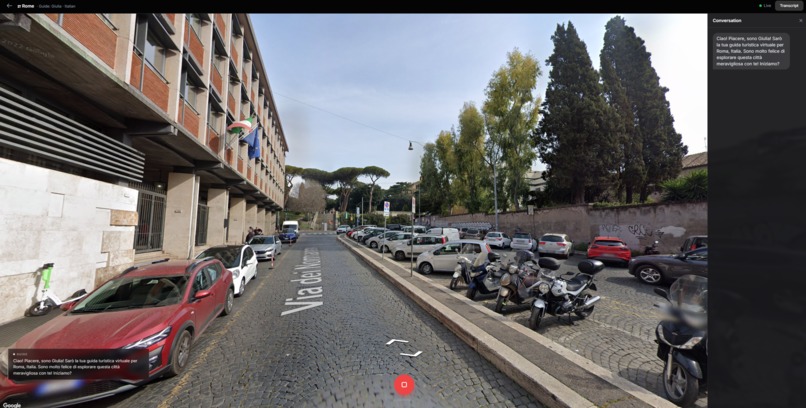
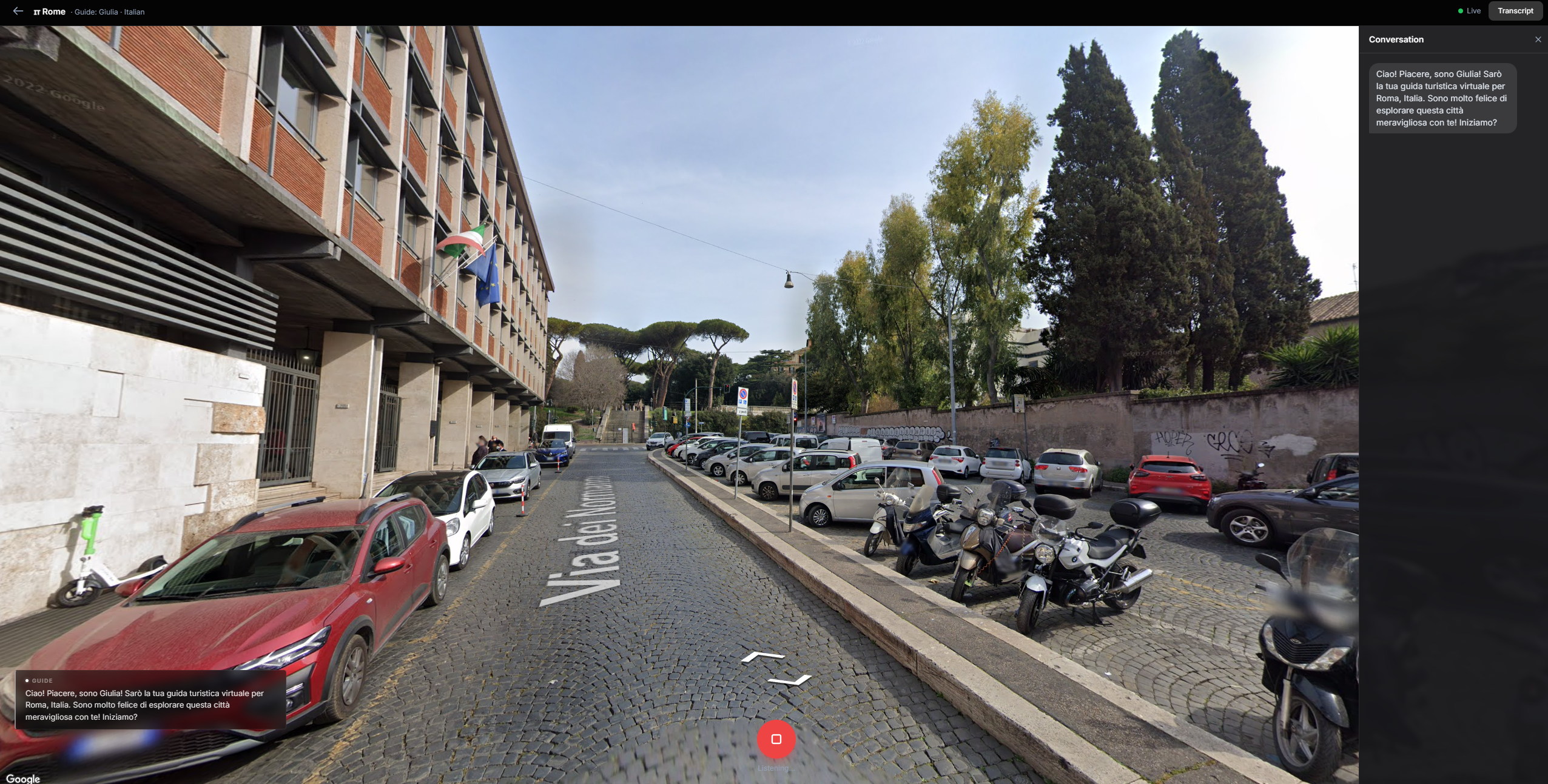
Loading into google street view (rome)
-
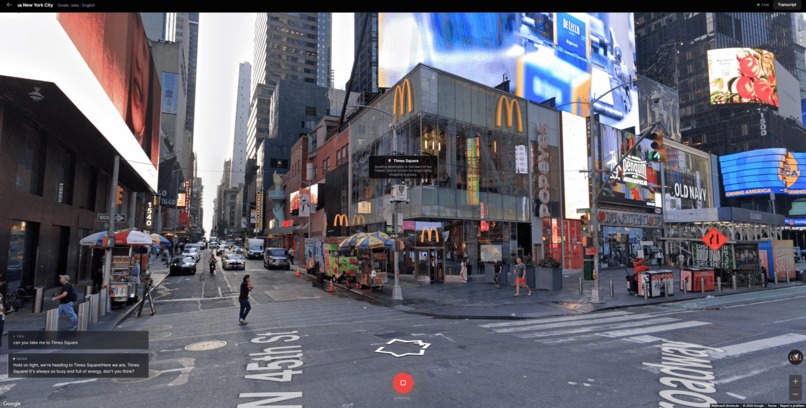
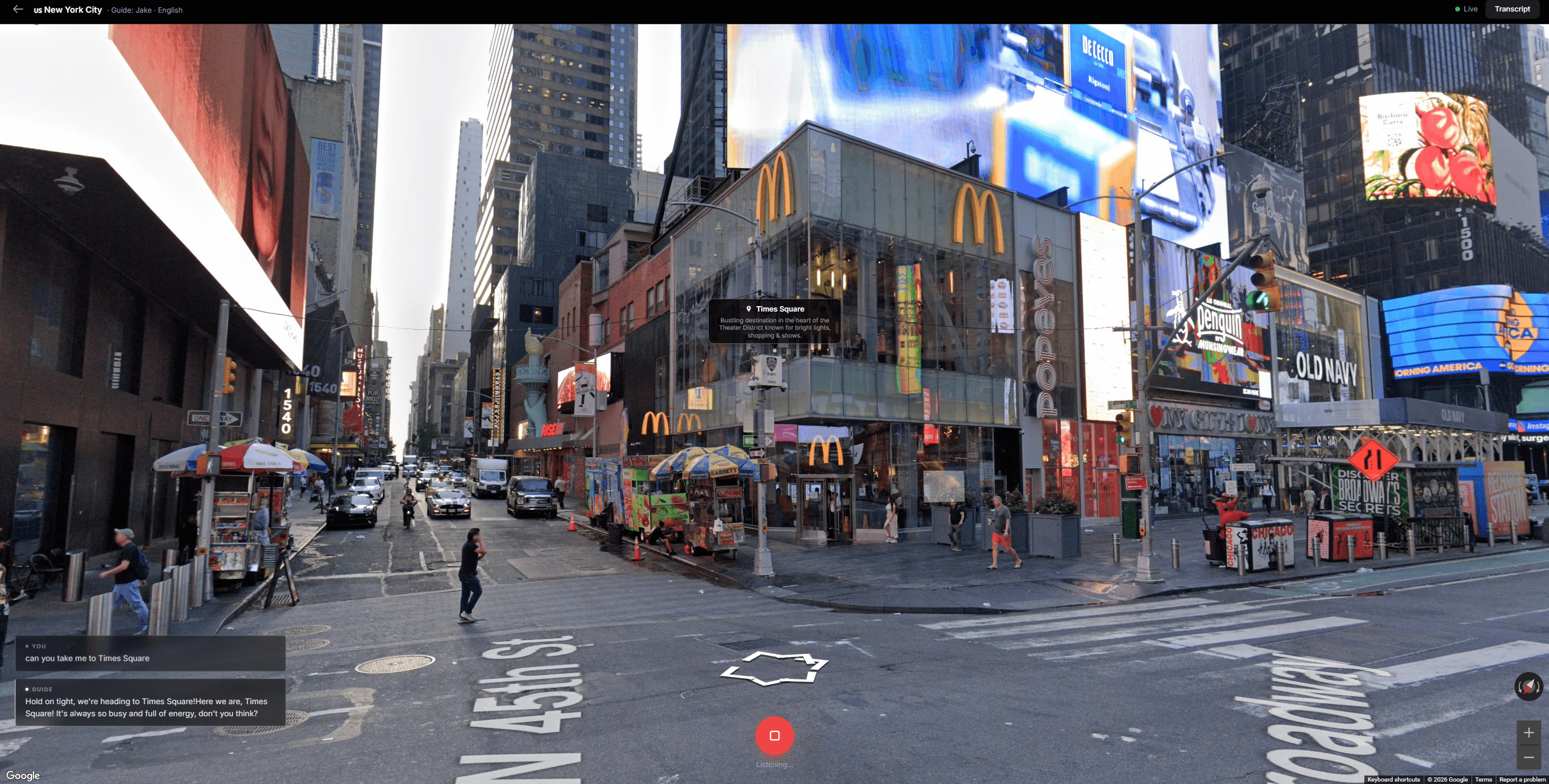
teleporting and tagging from user's request
Inspiration
Learning a language from a textbook or an app just isn't the same as actually being there. We wanted to capture that feeling of stepping off a plane in a foreign city and being forced to use the language to get around. But since we can't afford to just fly to Tokyo every weekend, we decided to build the next best thing. We combined Google Street View with the power of the Gemini Live API to create an immersive language learning experience that actually feels like you are walking the streets with a native local.
What it does
Walk any street, speak any language. PathGlot drops you into Google Street View in major foreign cities and pairs you with a real time Gemini AI voice agent. This guide acts as your personal tour companion, but exclusively speaks the language you are trying to learn.
As you navigate the city, your guide dynamically references the real life landmarks and shops around you. If they mention a cafe, a label instantly pops up on your screen. If you see something interesting and point your camera at it to ask "what is that?", the agent captures your actual view, identifies the object, and answers your question in real time. It grounds the conversation in verified Google Places data so it doesn't hallucinate, creating a highly accurate and completely immersive cultural tour.
How we built it
We had to get creative to make everything smooth and real time. Here is the stack:
Frontend: Built with React 18, Vite, and Tailwind CSS. We used Three.js and React Three Fiber to build a dynamic interactive 3D globe for the city selection screen. We tied into the Maps JavaScript API for the Street View panorama. It uses the Web Audio API for clean 16kHz microphone capture and gapless 24kHz audio playback from the agent, along with the Web Speech API for transcriptions.
Backend: Python and FastAPI. It acts as a blazing fast WebSocket relay right into the Gemini Live API.
The Brain: We used the Gemini v1alpha Native Audio model (gemini-2.5-flash-native-audio-preview-12-2025) for low latency voice. We hooked it up to the Google Places API to constantly fetch nearby location data as you move.
Instead of dealing with the heavy constraints of video streaming, we built a smart context injector. Every time you move more than 30 meters or pan your camera more than 60 degrees, the backend calculates your exact heading and field of view, then quietly injects directional tags directly into the Gemini session. The agent knows exactly what is [ahead], [behind], or [left] of you without needing a video feed.
Challenges we ran into
Making the AI feel like it actually knows where it is was the hardest problem. Getting Gemini to spontaneously reference the right places — not just when asked, but proactively, like a real guide would — required a ton of context engineering. We built a full injection pipeline that calculates your heading and field of view, assigns directional tags to every nearby place, and re-injects everything into the Gemini session every time you move or pan. But getting the prompt structure right so the agent would naturally pick one or two interesting things to mention, rather than robotically listing everything at once, took a lot of iteration. When we finally got it feeling like a real spontaneous tour guide it was a huge moment.
Getting tool calls to work reliably inside a live audio session was its own nightmare. The Gemini Live API is stateful and stream-oriented, so interrupting it to execute a tool — pausing audio, running a Places search or a vision call, injecting the result back in — without breaking the conversation flow required really careful session management. Early builds had race conditions between the audio relay, tool execution, and context injection that would completely desync the session.
Accurate label placement was surprisingly tricky. Labels were lagging 2-3 seconds behind the voice, which killed the immersion. We solved it by instantly projecting a label the moment the agent mentions a place using bearing math to calculate the exact heading offset. When Places API does not have coordinates for a landmark, we fall back to a Gemini Flash vision call that locates it in a Street View image and converts the pixel position back to a heading and pitch. Getting that heading-to-pixel conversion right across Street View's FOV and pitch transforms took a while to nail down.
The vision identification pipeline was painful. When a user asks "what is that?", we capture the live browser canvas, ship it to Gemini Flash Lite, get back a description, and inject the answer into the voice session fast enough that it feels natural. Canvas cross-origin taint rules blocked the obvious approach so we had to build a fallback to the Street View Static API. Getting the whole thing under two seconds end-to-end took serious optimization.
Echo loops destroyed early testing. The microphone would pick up the agent's own voice, feed it back through VAD, and completely garble the language detection. The fix came down to preserving the END_SENSITIVITY_LOW flag in the VAD config. Removing it even briefly breaks everything.
Accomplishments that we're proud of
We are incredibly proud of our screenshot identification tool. It felt like a massive breakthrough when we got it working. If a user is staring at a random monument or street sign that is not in the standard Google Places API, they can just ask "Hey, what is that building ahead of me?"
We set up a registered tool called identify_current_view that triggers an instant HTML Canvas snapshot of the user's actual browser window, preserving WebGL drawing buffers, and passes it to gemini-2.5-flash-lite. It interprets the image and feeds the answer back to the live voice agent fast enough that the conversation feels totally natural.
What we learned
We learned a ton about how to cleverly optimize LLM context. We originally considered streaming Street View video directly to Gemini, but the API's 1 FPS cap and tight session limits would have killed the speed of the app. By pivoting to structured text context injection, we achieved the exact same spatial awareness but made the app infinitely lighter, faster, and more reliable. We also got deep into the weeds of the Web Audio API and spatial heading math.
What's next for PathGlot
We want to expand the map. Right now we support 14 cities across 6 languages, but there is no reason we couldn't open up the entire globe. Moving forward, we want to introduce gamified language quests, like having the master agent instruct you to navigate to a specific bakery to "buy" a croissant using only the target language — and when you walk up to it, the master agent spins up a context-aware subagent with the full Places API data for that specific location. That subagent becomes the barista, the shopkeeper, whoever fits the scene, and you have to actually order in the target language to complete the quest. It turns passive listening into real transactional practice, which is how you actually learn. We also want to let users adjust the AI's speaking speed and vocabulary level on the fly based on their fluency.
Built With
fastapi · gemini-flash · gemini-live-api · google-cloud-run · google-maps · google-places · python · react · tailwind-css · three.js · typescript · vite · web-audio-api
Built With
- fastapi
- gemini-flash
- gemini-live-api
- google-cloud-run
- google-maps
- google-places
- python
- react
- tailwind-css
- three.js
- typescript
- vite
- web-audio-api

Log in or sign up for Devpost to join the conversation.