-
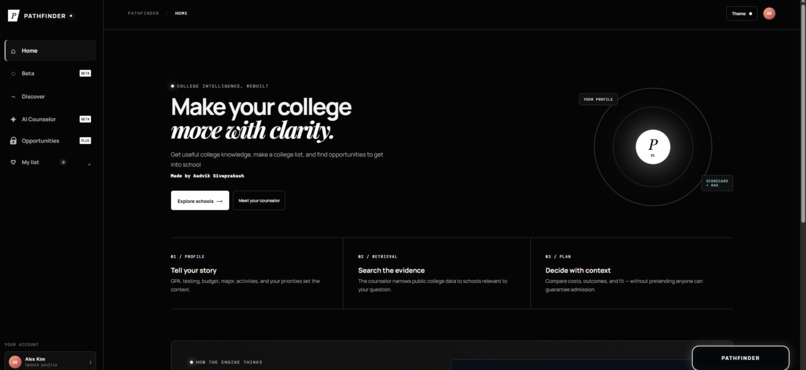
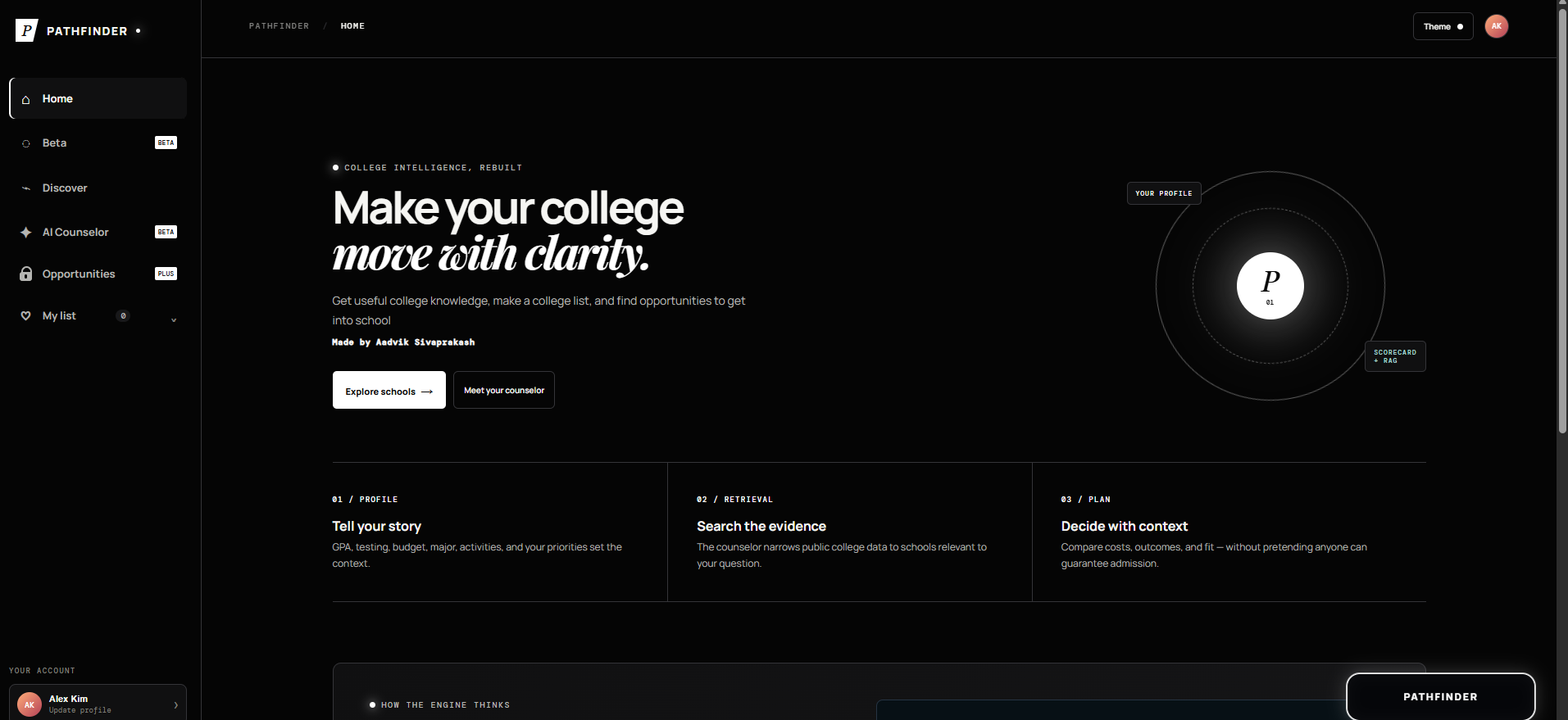
Home Page
-
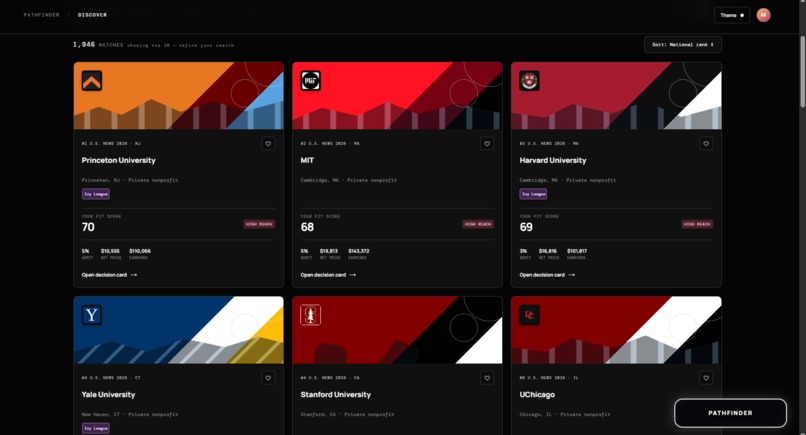
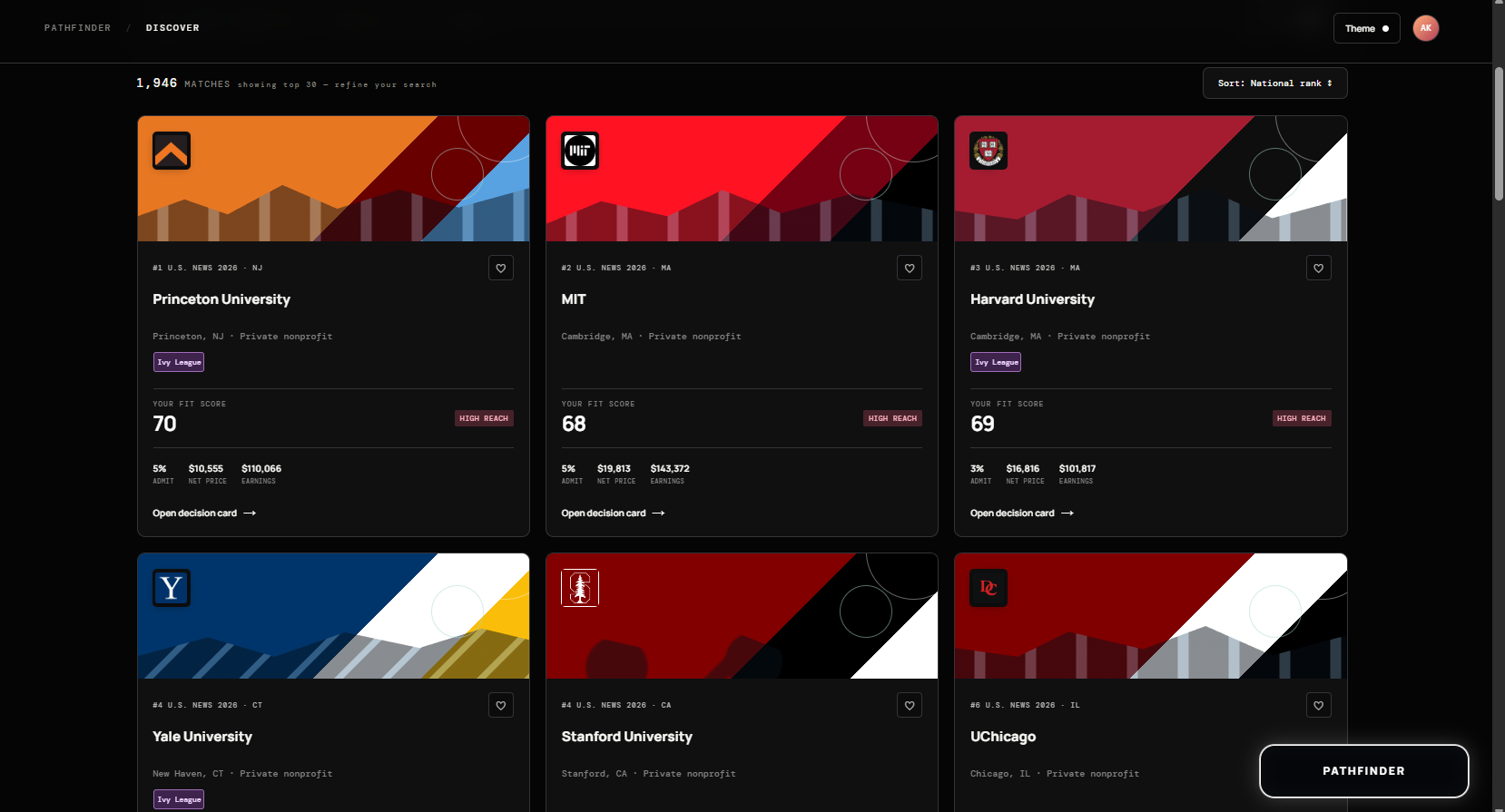
Discover Page
-
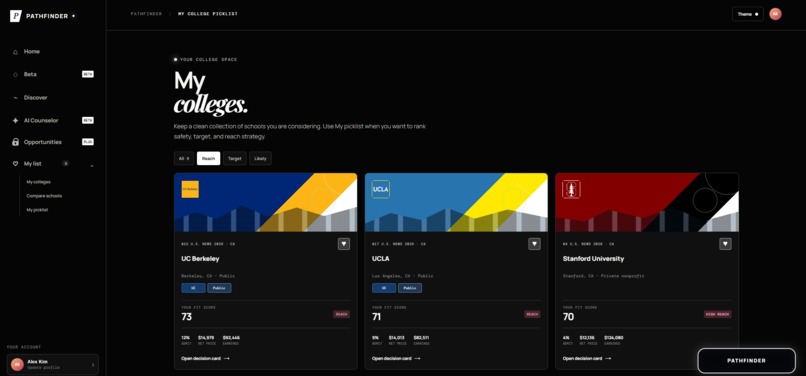
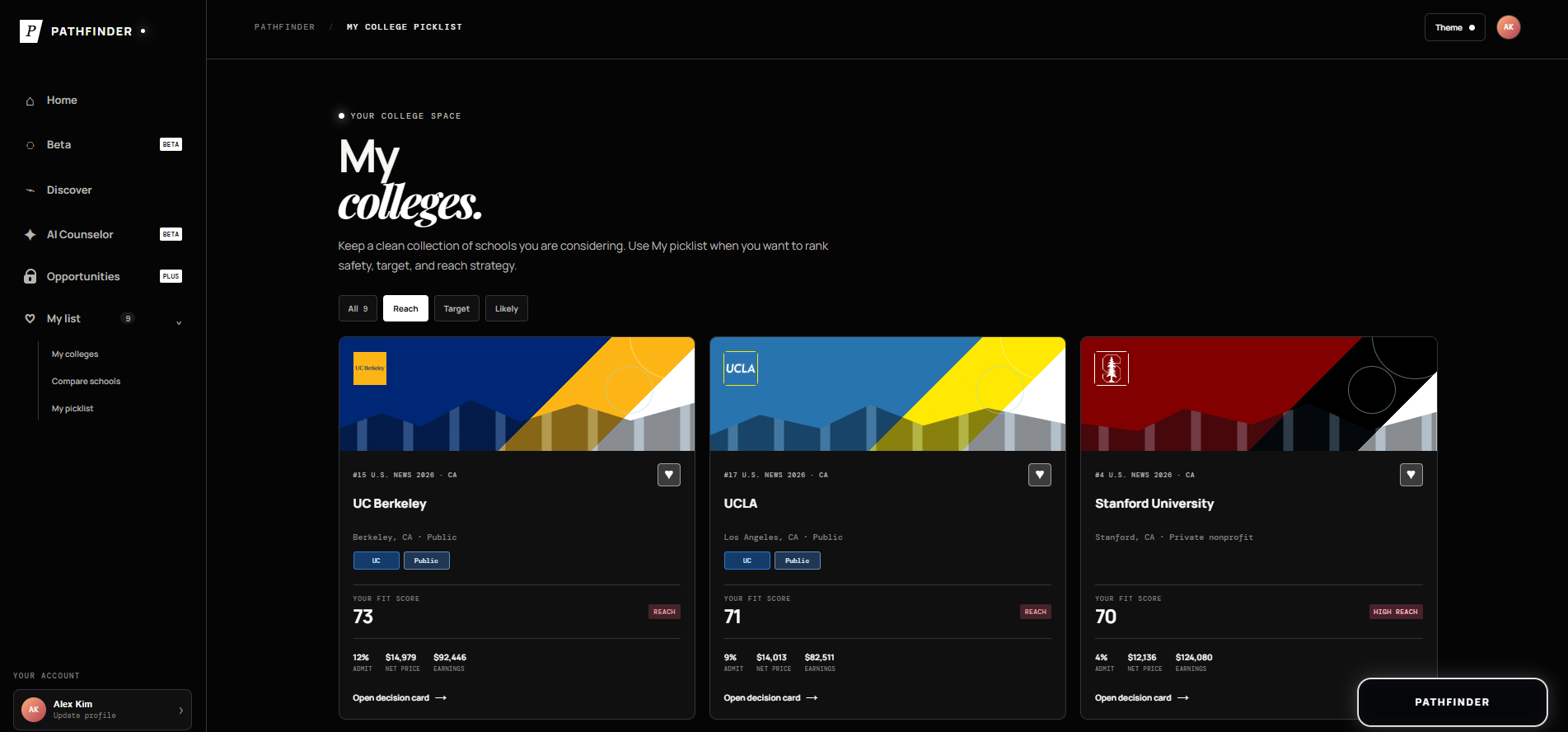
My Colleges Page
-
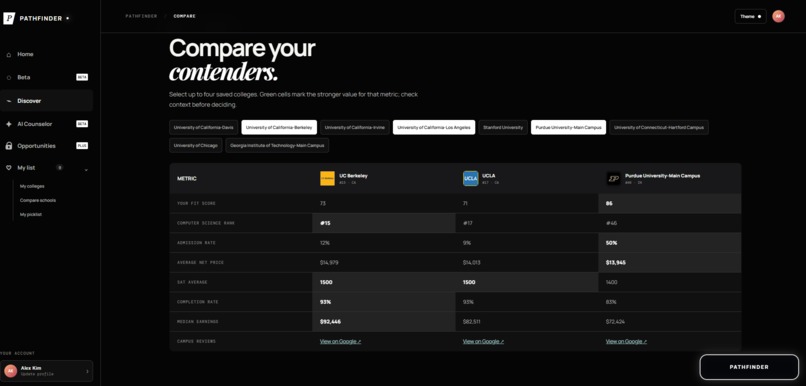
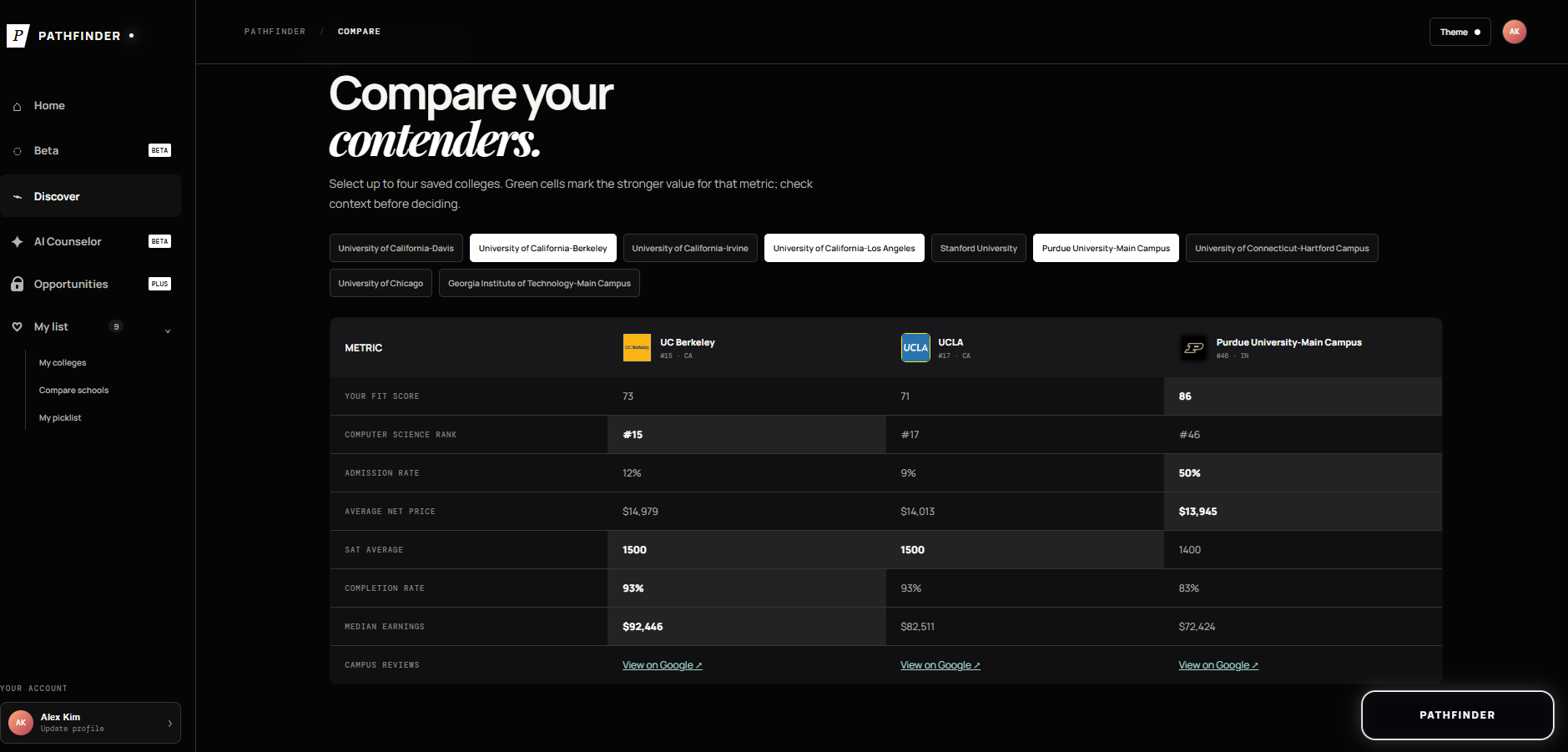
Comparisons Page
-
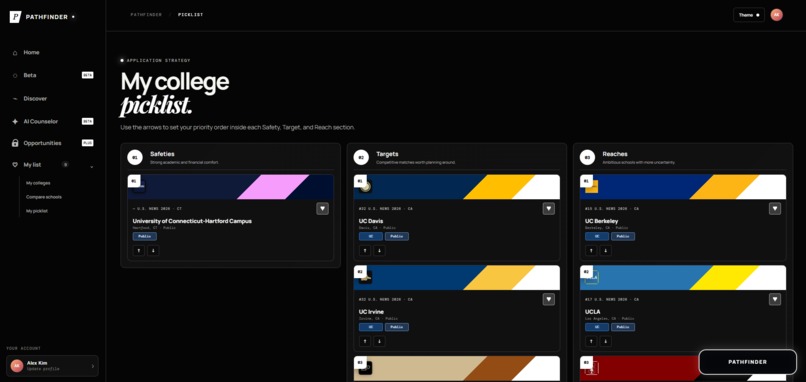
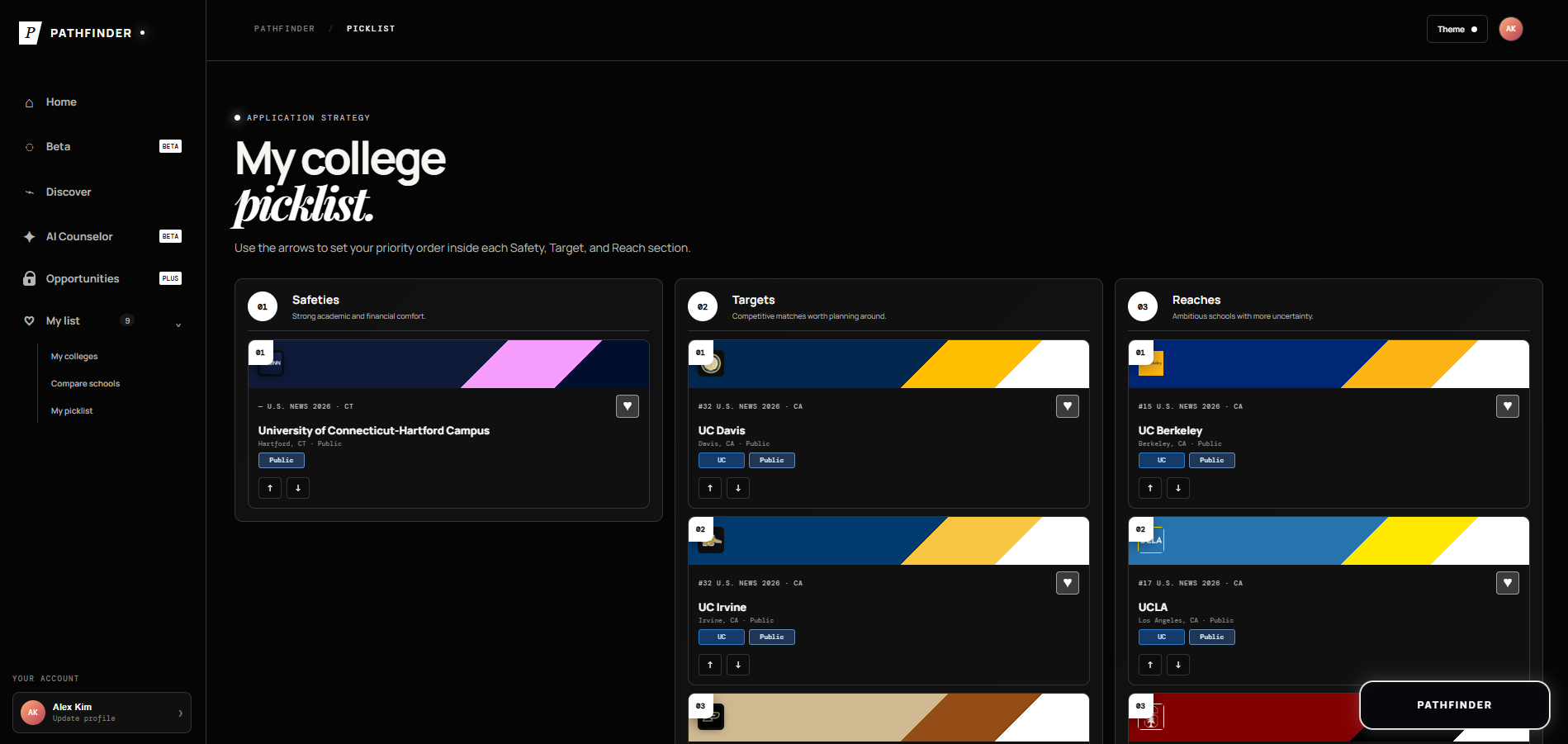
Picklist Page
-
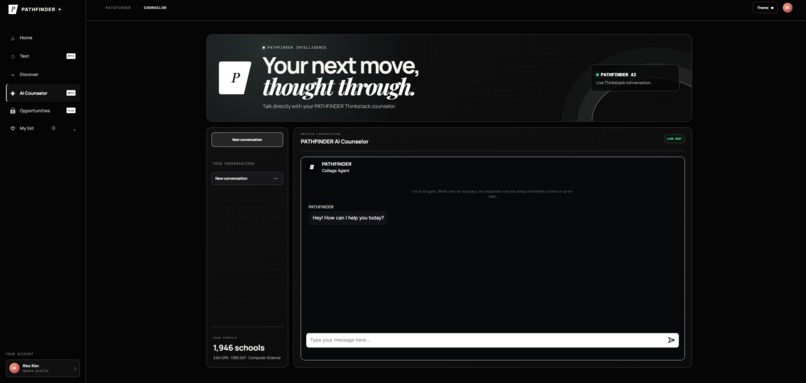
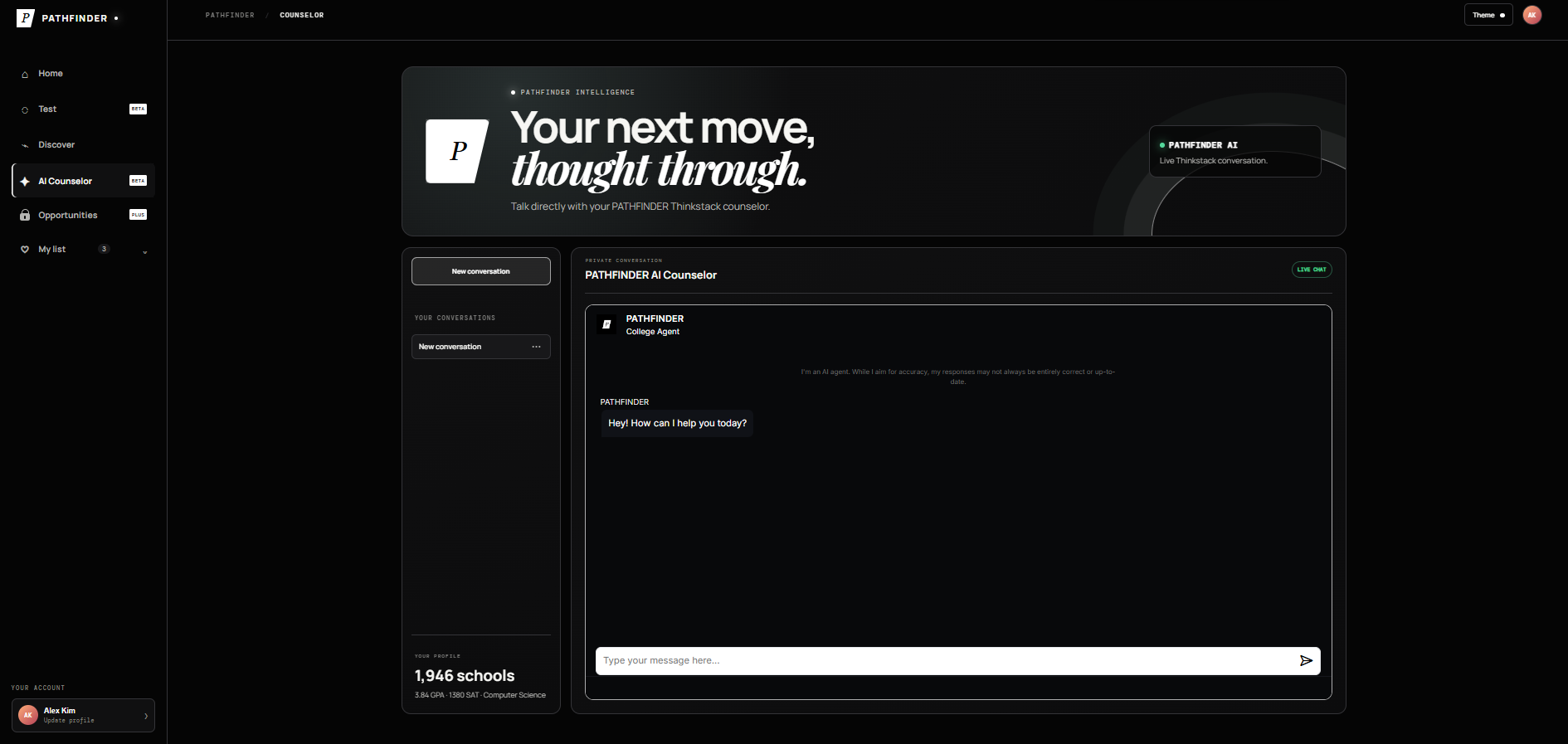
AI Counselor
Inspiration
My family's definition of "college" is very similar to the first step in the Glass Bridge game from Squid Games. There are two possibilities: the ground shattering and you fall into an inescapable pit, or, you survive and latch onto the feeling of stability forever. To succeed commends a massive amount of respect and means you had to go through a lot of struggle. For a first-generation U.S college student like myself, though, you are deprived of the advantage that even squid games contestants have, not being able to see the paths of the people before you. But, there is one thing that can help: having a college counselor. The catch? They ask for thousands of dollars, meet for a very brief amount of time over months, and most of the time arent personalized. This inspired me to create a free, fully student-run platform for college guidance and information. Pathfinder brings college information, opportunities, comparisons, and personalized AI guidance into one place. Instead of relying on an expensive counselor to interpret information that already exists across statistics on the internet, Pathfinder uses AI to make that information accessible and relevant to each student. I believe that by having a website like this, students can get rid of the excess money and time that a college counselor requires and instead get larger quantities of the information they need at their fingertips.
What it does
PATHFINDER's main purpose is to act as a hub for everythng a student thinking about college might need. The platform contains information on 2.5k+ schools, including required essays, average admit percentage, gpa, SAT scores, and campus photos. When users first log in, they will enter your stats, SAT score, and extracurriculars, as well as college budget. Based on this, the system will generate a personalized fit score for all the schools. Users can then add schools to their list, compare them side by side, and organize them into reach, target, and safety categories. Outside of just searching for colleges, PATHFINDER includes a built-in AI copilot that students can use to answer their questions or give them guidance on what schools they should explore for their interests. To simulate college acceptances, there is a "Test" page that will score all your extracurriculars out of 10 (trained from public lists of the best extracurriculars). Finally, the platform includes a database of more than 2,000 opportunities for students of different ages. These opportunities can be sorted by location and include estimated acceptance percentages, making it easier for students to discover research programs, internships, competitions, and other experiences they can apply to.
How we built it
PATHFINDER was primarily built as a JavaScript-based web application, with React used to create the interactive components and manage changes in user data across the platform. The site uses HTML and CSS along with partially vibe coded text and formats for the structure, animations, and cards that you can see in the website. Custom hand drawn images were also used in order to generate page icons and uploaded into the site. In order to supply data, public datasets are used to power the platform, found from IPEDS, US NEWS, U.S Department of Education College Scorecard, etc. After a student enters their academic and extracurricular information, javascript logic is used to process the students profile and then calculates a personalized fit score using an algorithm. The extracurricular “Test” system was developed using a separate dataset of available extracurricular rankings and examples. Activities are categorized and evaluated against factors associated with their strength and selectivity to produce a score out of ten. This is a scoring system built from structured reference data instead of less accurate predictions. PATHFINDER also integrates a RAG (Retrieval Augmented Generation) model into its AI Copilot. This application will retrieve data relevant to the users question from the internal database. Then, that content is given to an LLM model alongside the users quesiton and system intstructions. The RAG is custom made, whereas the copilot is a public LLM used via an LLM. This allows the Copilot to use PATHFINDER's specific knowledge base while still maintaining the flexibility and speed of a generative AI assistant. The React and JavaScript front end manages the conversation, sends requests through the RAG pipeline, and dynamically displays the generated responses to the user.
Here are some breakdowns of the code for each specific function:
Model Training (RAG):
const documents = collegeData.map((college) => ({
text:
    School: ${college.name}
    Acceptance Rate: ${college.acceptanceRate}
    Average GPA: ${college.gpa}
    Average SAT: ${college.sat}
    Essays: ${college.essays.join(", ")}
,
}));
for (const document of documents) { const embedding = await openai.embeddings.create({ model: "text-embedding-3-small", input: document.text, });
await vectorDatabase.insert({ text: document.text, embedding: embedding.data[0].embedding, }); } code turns data into text, embeds the info into a long list of numbers called a vector to represent meaning of the infromation. Ex) "MIT highly selective and has 1590 SAT scores" gets converted into [0.18, -0.42, 0.73, 0.11, ...]. Then, that vector is stored alongside other vectors in a 'Vector Database' that becomes the searchable knowledge base that Pathfinder uses. When users ask questions, those questions also become embeddings and search for the stored vectors that are mathematically closest to it.
User Profile: const [profile, setProfile] = useState({ gpa: "", sat: "", budget: "", extracurriculars: [], });
function updateProfile(field, value) { setProfile((prev) => ({ ...prev, [field]: value, })); }
profile contains things like gpa, sat, budget. Ex, one students profile could look like: { gpa: 3.9, sat: 1480, budget: 30000, extracurriculars: [ "Robotics", "Research", "Volunteering" ] }
rewriting the entire profile would be slow and inefficient, so I chose to update just one field when they change and answer and so it gradually updates the fit score. Storing the user profile is very simple, using only arrays and constants and saving information that way.
Fit Score: function calculateFitScore(profile, college) { let score = 0;
const gpaDifference = Math.abs(profile.gpa - college.avgGPA); const satDifference = Math.abs(profile.sat - college.avgSAT);
const gpaScore = Math.max(0, 100 - gpaDifference * 40); const satScore = Math.max(0, 100 - satDifference / 4);
const budgetScore = college.cost <= profile.budget ? 100 : 50;
score = gpaScore * 0.4 + satScore * 0.4 + budgetScore * 0.2;
return Math.round(score); } First, pathfinder compares the students GPA to the schools typical GPA. It only cares about how far apart the numbers are. Then, the same thing happens with SAT. The closer the students GPA numbers are to the average of the school recieves a higher academic fit score. Then, the factors are put into the formula with different weights. 40% GPA + 40% SAT + 20% Budget → Fit Score, based on what colleges usually take into account on the academic side of things.
Comparison: const selectedColleges = colleges.filter((college) => compareList.includes(college.id) );
const comparisonData = selectedColleges.map((college) => ({ name: college.name, acceptanceRate: college.acceptanceRate, avgGPA: college.avgGPA, avgSAT: college.avgSAT, cost: college.cost, fitScore: calculateFitScore(profile, college), }));
Goes through the full college database and keesp only the schools the student selected for comparison. Pulls out certain information from the schools, standardized comparison object.
LLM and RAG Combination:
async function askCopilot(question) { const queryEmbedding = await createEmbedding(question);
const relevantDocs = await vectorDatabase.search({ vector: queryEmbedding, topK: 5, });
const context = relevantDocs .map((doc) => doc.text) .join("\n\n");
const response = await openai.chat.completions.create({ model: "gpt-4.1", messages: [ { role: "system", content: "You are Pathfinder's college guidance assistant. Use the provided context to answer accurately and clearly." }, { role: "user", content: ` Pathfinder Context: ${context}
      Student Question:
      ${question}
    `
  }
]
});
return response.choices[0].message.content; }
The first step in this process is retrieval. The students question is converted into a number, then with the "const relevantDocs" line, pathfinder searches its RAG base for the five pieces of info that are most related to the question. For example, if a student asks "What engineering schools would be realistic with a 1450 SAT?" the retrieved information becomes context, and the system now has user question + relevant pathfinder data. Then, the LLM generates answer with its system instructions, retrieved context, and students question. Rag -> find the info and LLM -> explain the info.
Challenges we ran into
A large challenge that I ran into when creating this is also the reason why I had to integrate an LLM into this site. Originally, my plan was to only have the RAG model, but that returned a mess of information that did not meet my criteria of being clean and user friendly. On the other hand, just using an LLM wouldn't give me the detailed stats and metrics that I wanted. So, I had to combine the two to make a proper counselor. Another issue that I faced was that searching for individual colleges on the dashboard using keywords was sometimes inefficient. To solve this one, I added tags that go on certain colleges that are in a group, such as "Ivy League" or "UC", and this allowed not only for users to learn about college groups but also for searching to be much easier as well.
Accomplishments that we're proud of
The main thing that I am proud of is that this project has been released to a small amount of people and it is genuinly helping them keep their college search organized, and for younger high school students, it is helping them significantly to find opportunities. It is very cool because even I am able to use this platform to help me and find opportunities local that I can participate in. I think that I am very happy with how the counselor turned out and the fact that the entire site visually looks very good and attracts users to explore and is very easy to use.
What we learned
Prior to this project, I had no real experience with RAG at all. I had to learn from the ground up what they were, how they worked, and how I could actually train and use them. I learned for the time how to integrate RAG's with LLMs, a concrete and efficient method that can work for almost any site with a built in model. Furthermore, I gained my first real look into the world of data display and collection, and learned techniques that optimized load time and proper display of the large amounts of data contained in my website. I had to automate a lot of things, obviously not being able to input each and every college or its logo and color scheme into the website. It was a great experience in a lot of new concepts that I know will come into play on a lot of future projects as well.
What's next for PATHFINDER - College Intelligence
The next step for PATHFINDER is to start marketing this and spreading the word to high school students across the country. Luckily, I have a few friends that are good with social media and marketing, so they are helping me out, but in the short future, I am trying to partner with local school districts and foundations in order for them to help spread word of the tool. Because of it being free and accessible to all kids, all it takes is to get more people actually on the website for our mission to get closer and closer to being accomplished.


Log in or sign up for Devpost to join the conversation.