-
-
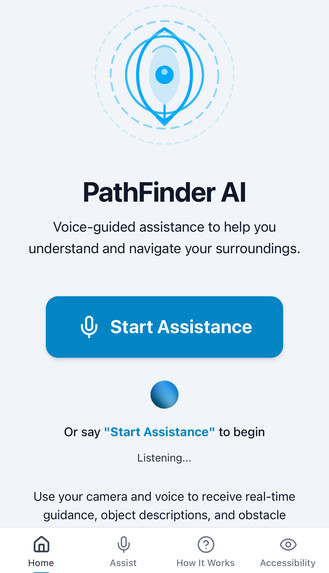
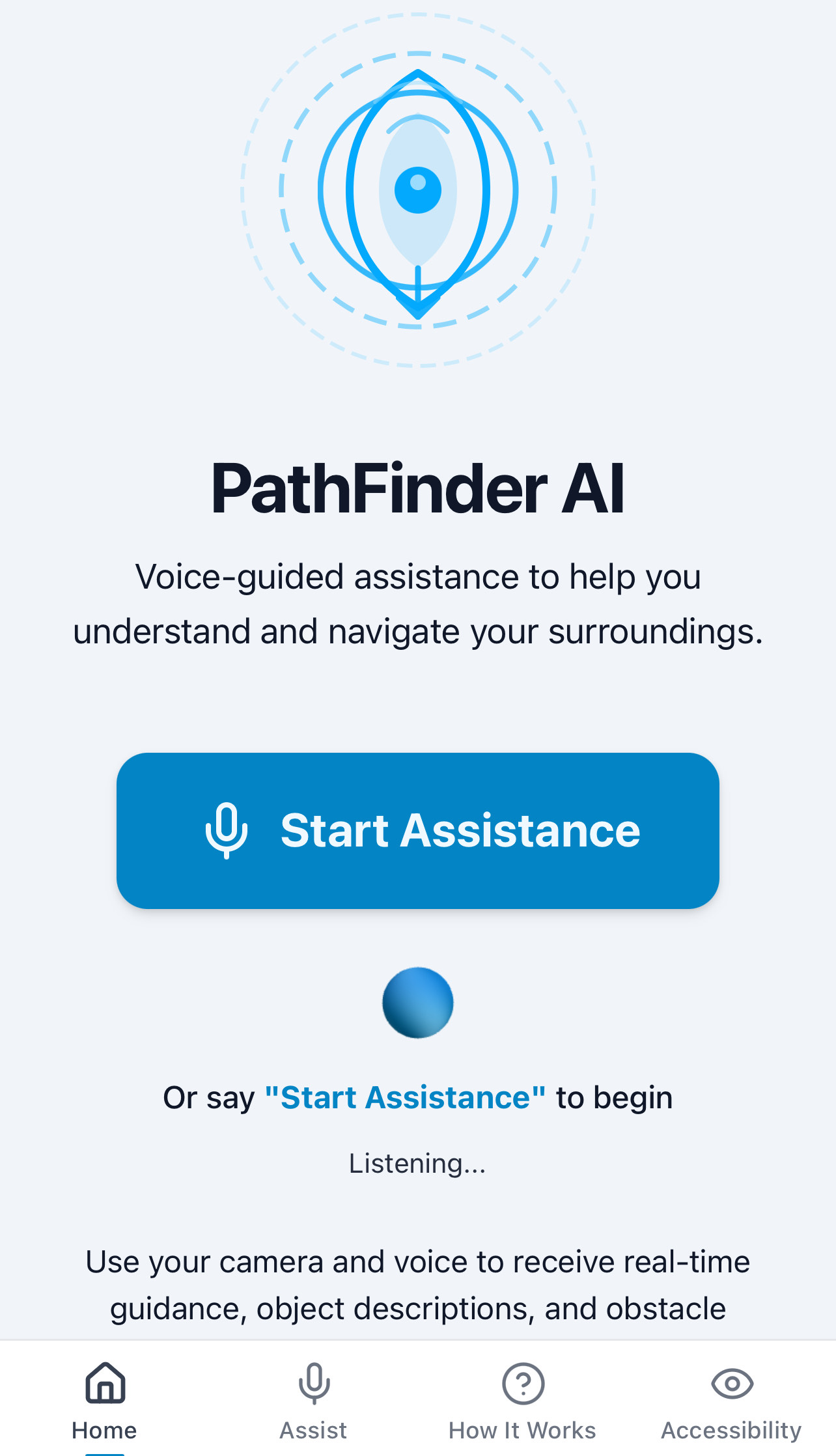
Home Screen
-
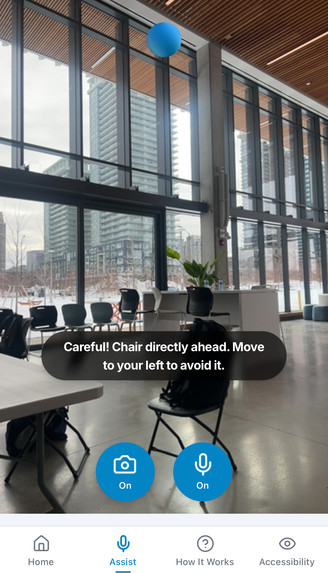
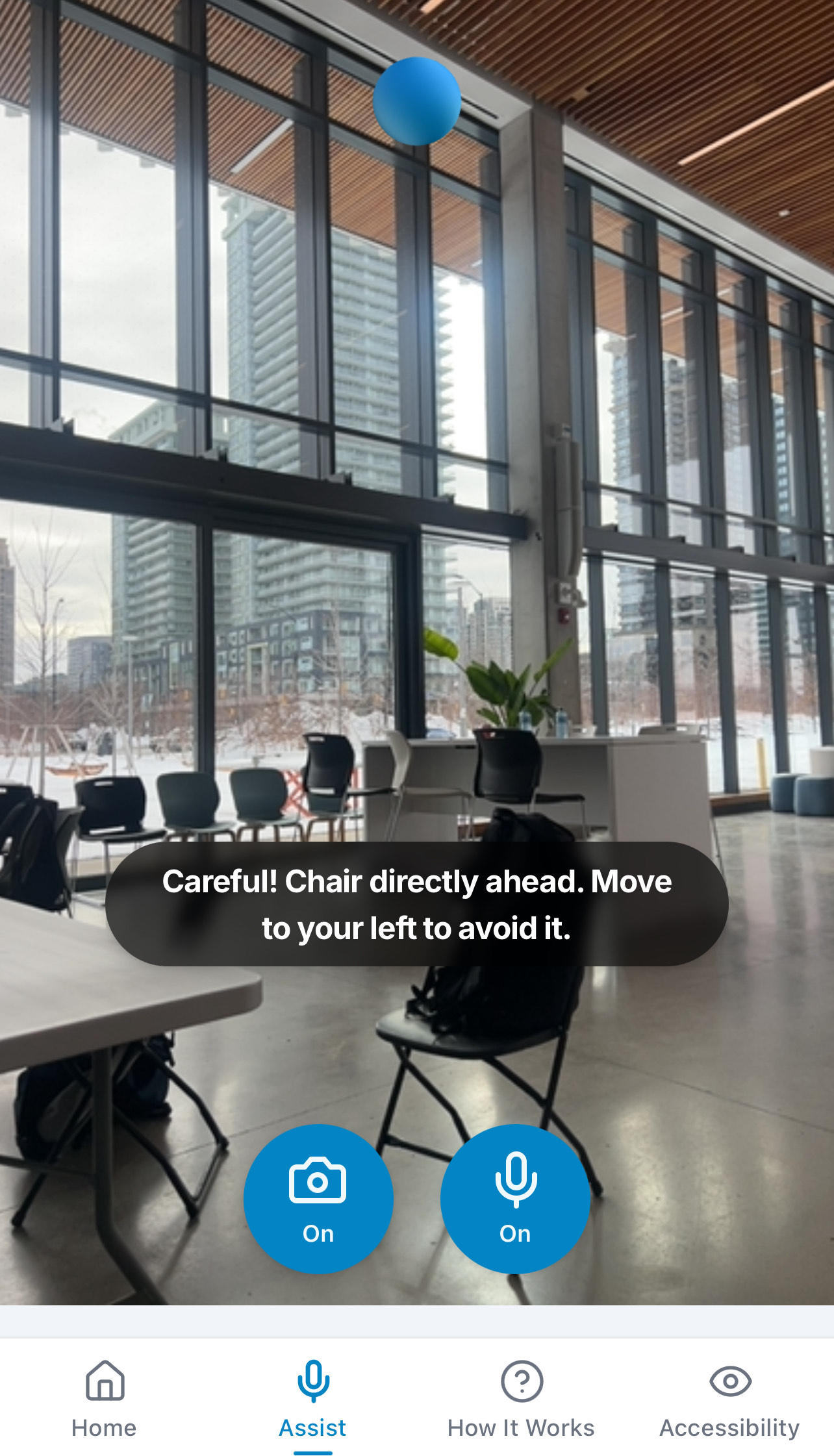
Navigation View
-
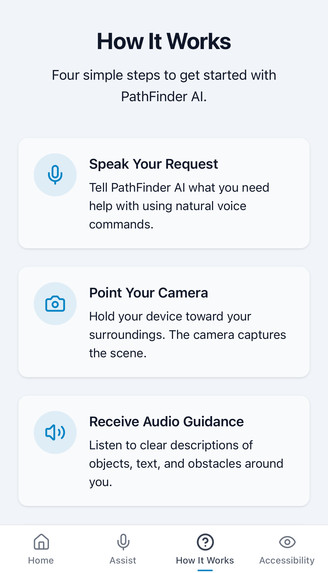
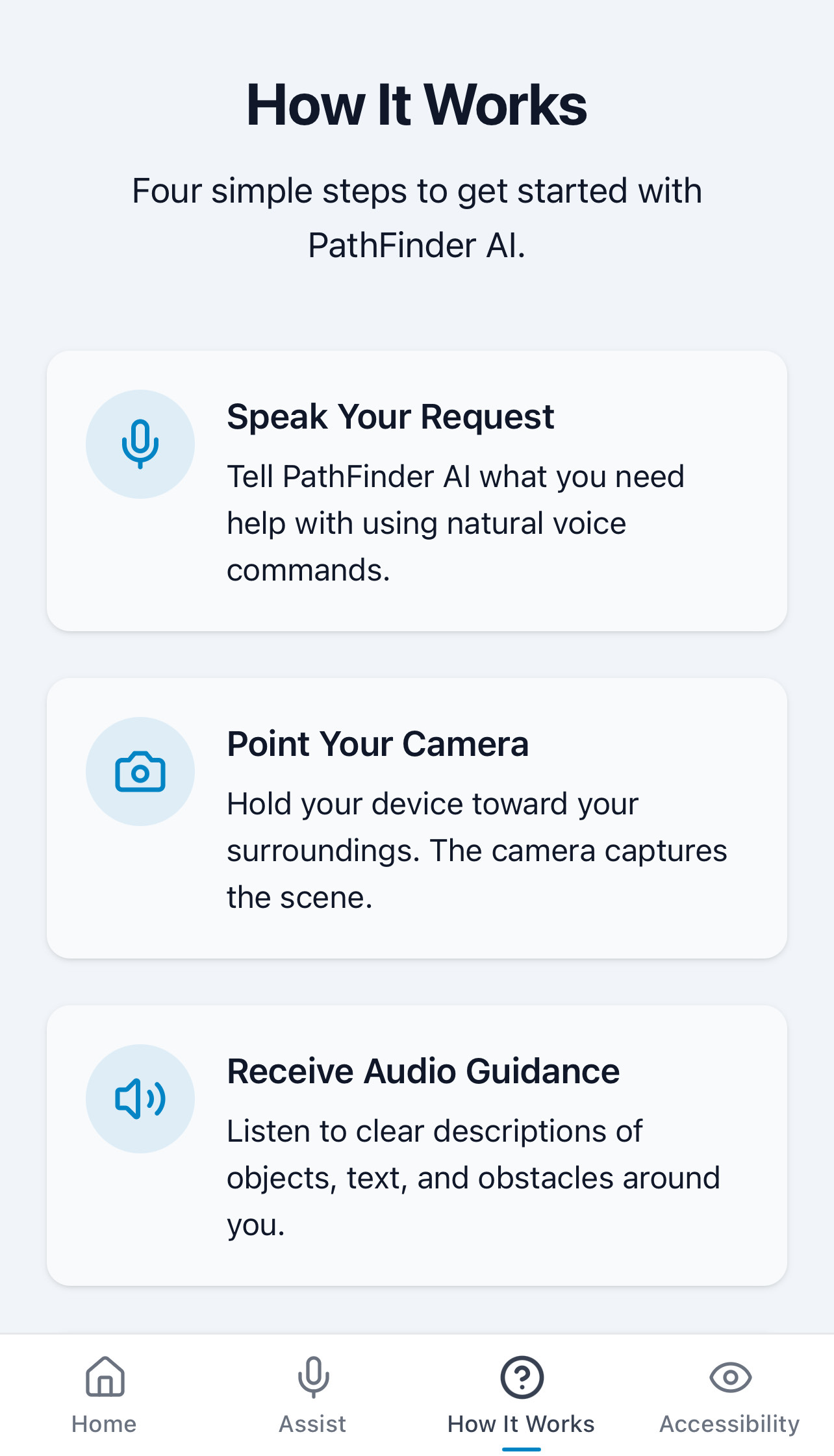
How It Works
-
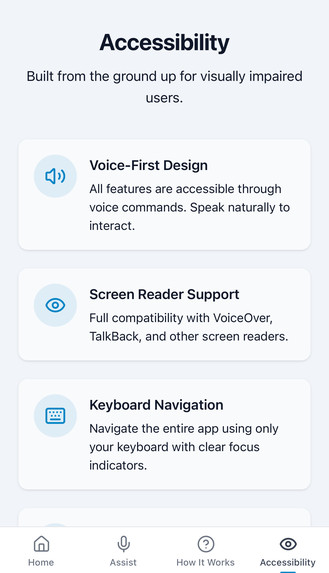
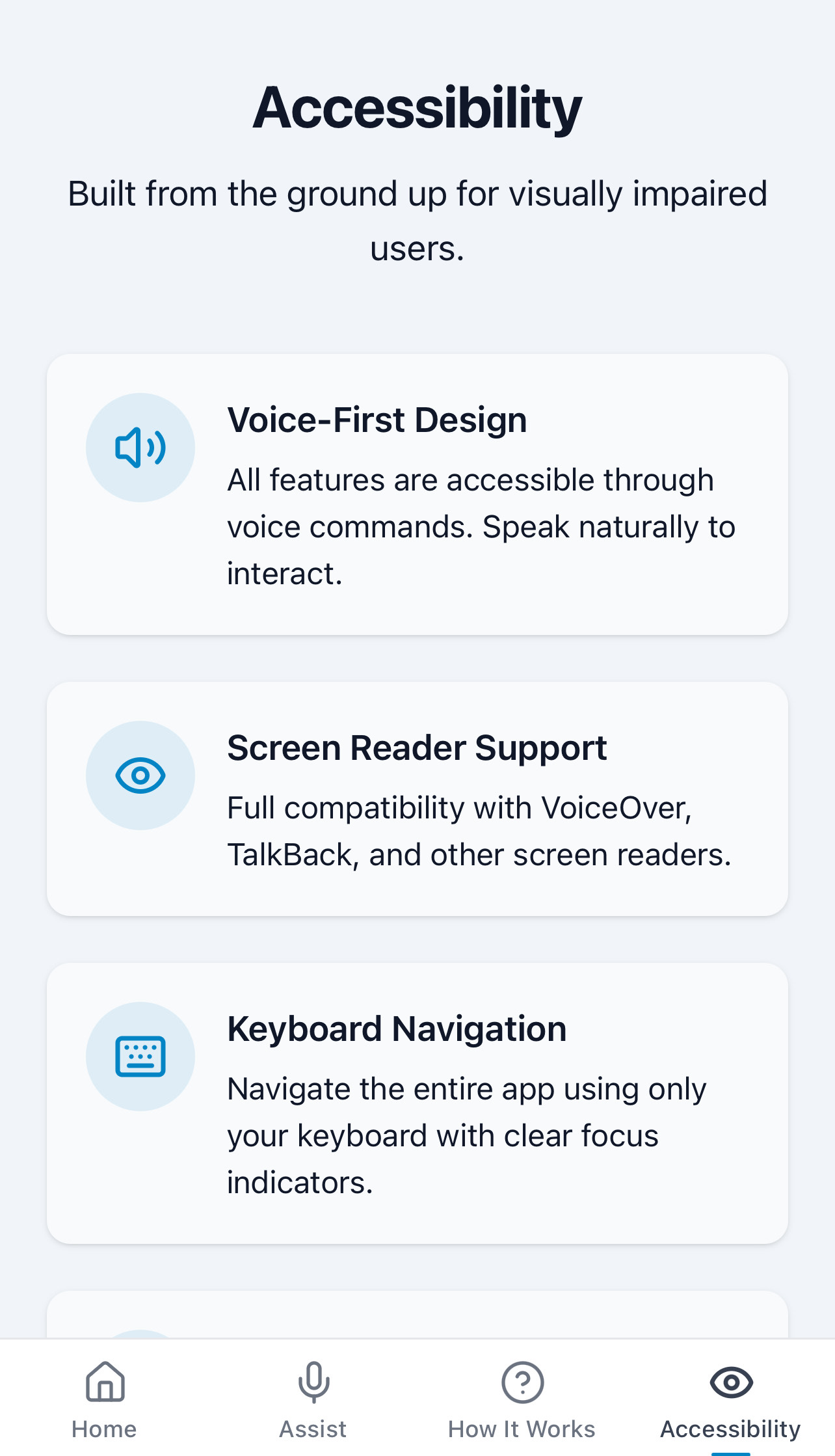
Accessibility
Inspiration
Our four-person team recognized that visually impaired users need seamless, real-time guidance while moving through spaces. Traditional navigation tools rely on visuals and do not translate well to audio-only interaction. We set out to build an AI companion that “sees” and narrates your surroundings entirely voice-first and usable on mobile.
What it does
Pathfinder AI captures live camera frames, identifies obstacles and landmarks using Google Cloud Vision, and translates them into spoken cues and haptic signals. Users can issue voice commands like “What is ahead?” or “Describe door to my right,” and receive concise descriptions (“A bench two feet away, turn right”). This hands-free assistant ensures safe, confident navigation indoors and out.
How we built it
- Frontend: React.js with Lovable UI’s high-contrast
- Computer Vision: Google Cloud Vision API for object detection
- Generative AI: Gemini API for contextual Q&A
- Backend: Python 3.13+ FastAPI serving REST endpoints
- Cloud: Hosted on Google Cloud Platform (Vision & Vertex AI)
- CI/CD: Automated build and deploy via GitHub Actions
Challenges we ran into
- Reducing end-to-end latency: It started picking up all objects instead of the one on your path.
- Balancing detail and brevity: Iterated individually to refine which environmental cues matter most instead of having blind-tests.
- Edge cases: Addressed early focus-trap and live-region edge cases.
Accomplishments that we are proud of
- Rapid Pivoting Under Time Pressure: Just hours in, we realized our initial concept was too derivative of existing AI tools like Perplexity. We quickly validated a new approach and refocused development without losing momentum.
- Onboarding New Tech Stack Mid-Hack: With minimal prior experience, we integrated multiple APIs (Vision, Vertex AI, Gemini) and built both frontend and backend from scratch, learning as we went while maintaining progress.
- Collaborating Across Unfamiliar Teams: Working with teammates we had never paired with before tested our communication and workflow practices; we established clear roles, frequent check-ins, and lightweight GitHub conventions to stay aligned.
What we learned
- Early user testing with assistive-technology users uncovers critical UX gaps.
- Generative AI drastically improves engagement but requires careful prompt design to avoid verbosity.
- High-contrast, UI patterns serve all users better, not just those with vision impairments.
What's next for Pathfinder AI
- Smart Glasses Integration: Extend support to AR-enabled eyewear (e.g. AR glasses, smart frames) for truly hands-free navigation and seamless spatial audio/haptic feedback.
- Strategic Partnerships & Outreach: Collaborate with accessibility organizations, transit authorities, and technology companies to raise awareness, drive adoption, and ensure availability across regions and demographics.
- Diverse Environment Coverage: Augment our training datasets with imagery from parks, shopping malls, tourist attractions, and public transit hubs to enhance detection accuracy in varied real-world settings.
Built With
- elevenlabs
- fastapi
- gemini
- google-cloud-vision-api
- lovable
- react.js
- vertex


Log in or sign up for Devpost to join the conversation.