Inspiration
The inspiration for Pathfinder AI came from a common problem many new learners face: knowing where to start. While there are many AI chatbots available today, they often require users to know what questions to ask. For a beginner, this can be a major hurdle. You might not know the right prompts to use, the key topics you need to cover, or the logical order in which to learn a new subject.
I created Pathfinder AI to solve this exact issue. Instead of just being a passive chatbot, it acts as a structured guide—a true virtual tutor. It eliminates the guesswork by automatically generating a complete roadmap for any subject, showing you a clear, step-by-step path to follow. It's designed to think like a teacher, making sure you cover all the necessary topics in a sensible progression.
Furthermore, I wanted to create a more engaging learning experience than simply reading text on a screen. That's why I integrated the Murf API for text-to-speech. This feature provides an audible narration of the notes, turning a potentially boring reading session into something more dynamic and interactive. It’s like having a live teacher guiding you, ensuring that learning is not just effective, but also enjoyable.
What it does
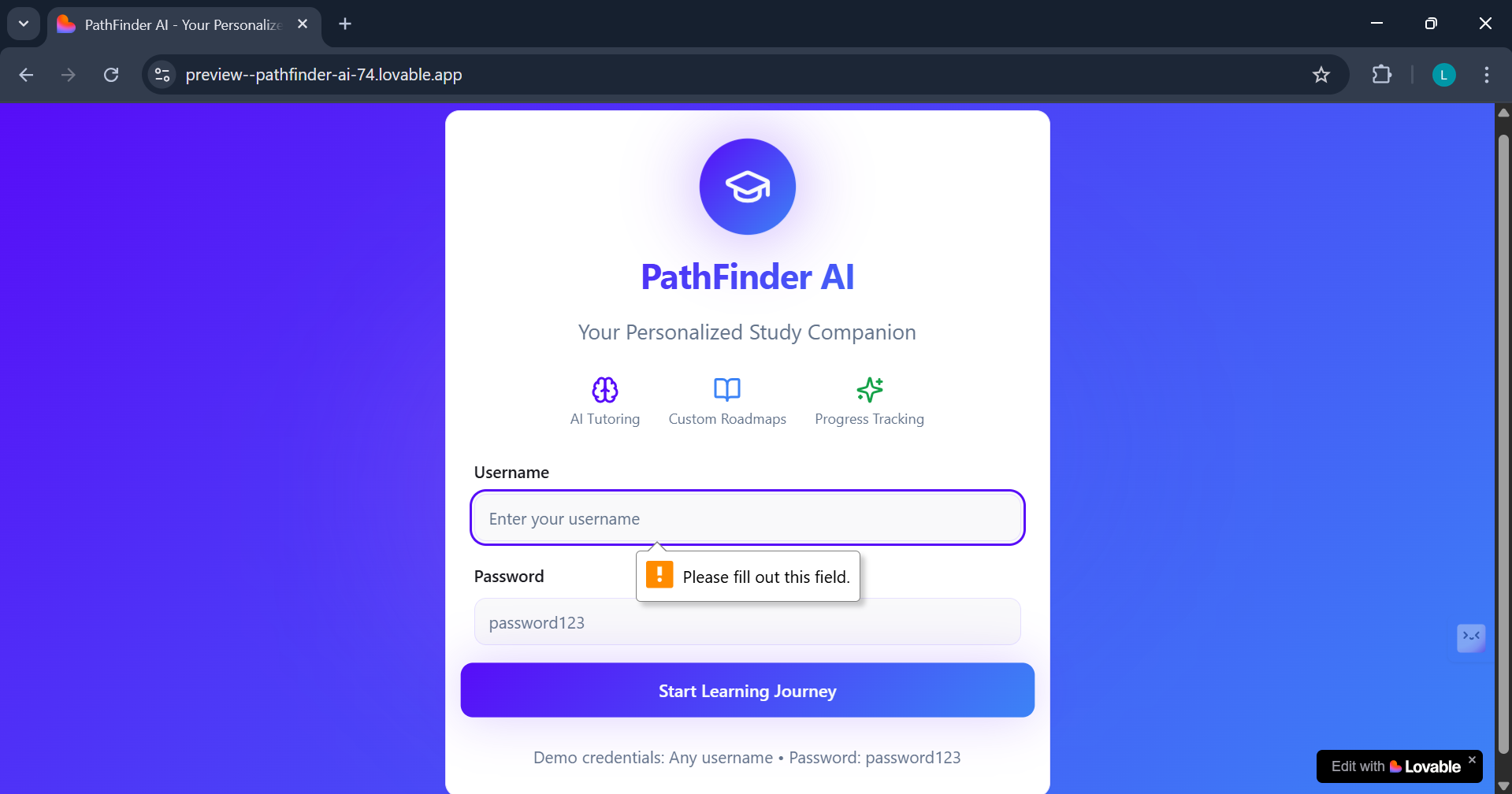
Pathfinder AI is a complete, AI-powered educational tutoring system that provides a personalized and interactive learning experience for users. Its primary function is to eliminate the initial challenge of "where to start" for beginners by intelligently structuring the learning process.
Here's a breakdown of what it does:
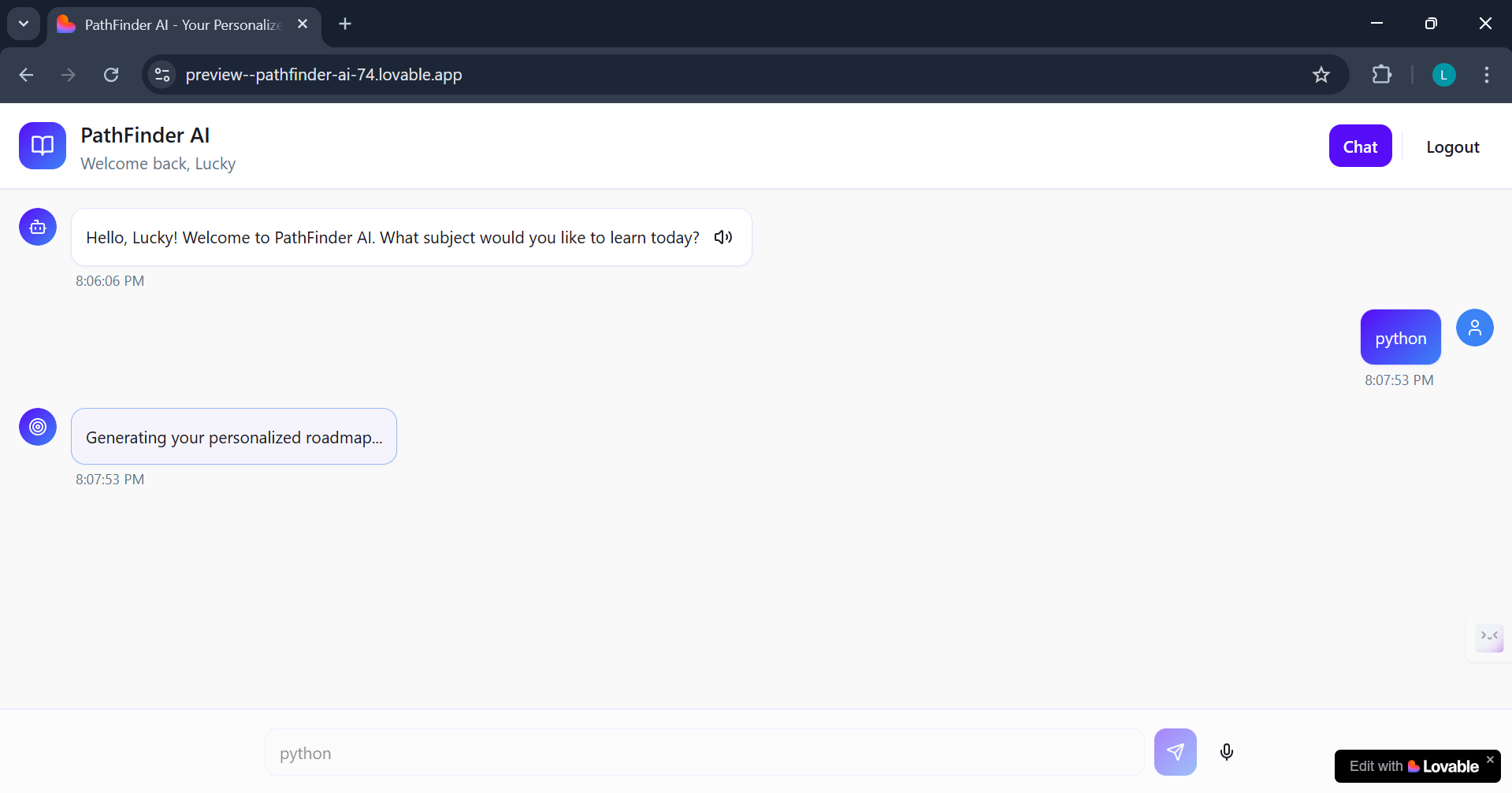
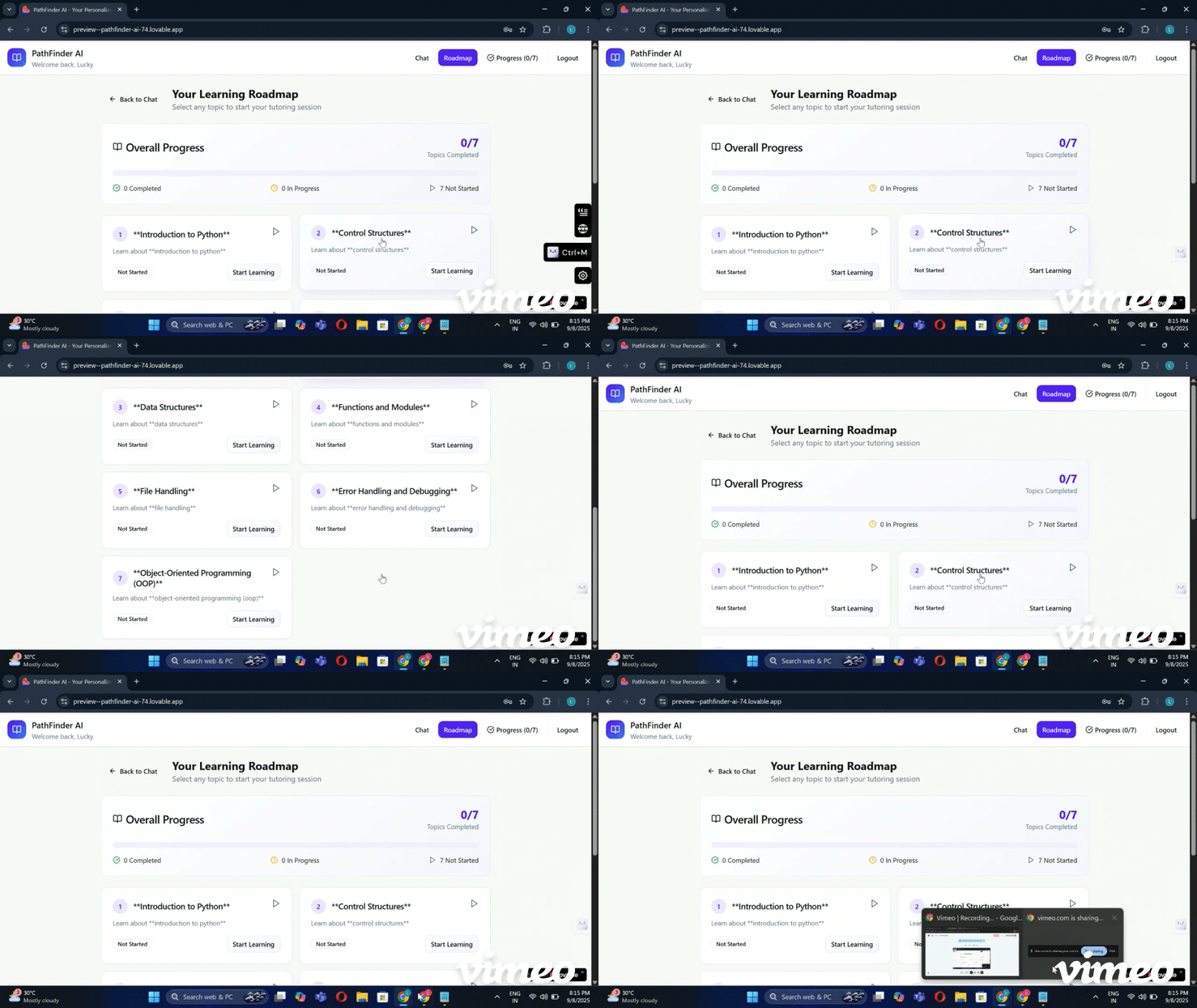
Generates Custom Learning Roadmaps: You simply input a subject or topic you want to learn, and Pathfinder AI uses the power of an AI model (GPT-4o-mini) to create a structured, step-by-step roadmap. This roadmap breaks down the subject into 5-7 manageable topics, providing a clear and logical path forward.
Delivers Multi-modal Educational Content: For each topic in the roadmap, the system provides a comprehensive learning experience that goes beyond simple text.
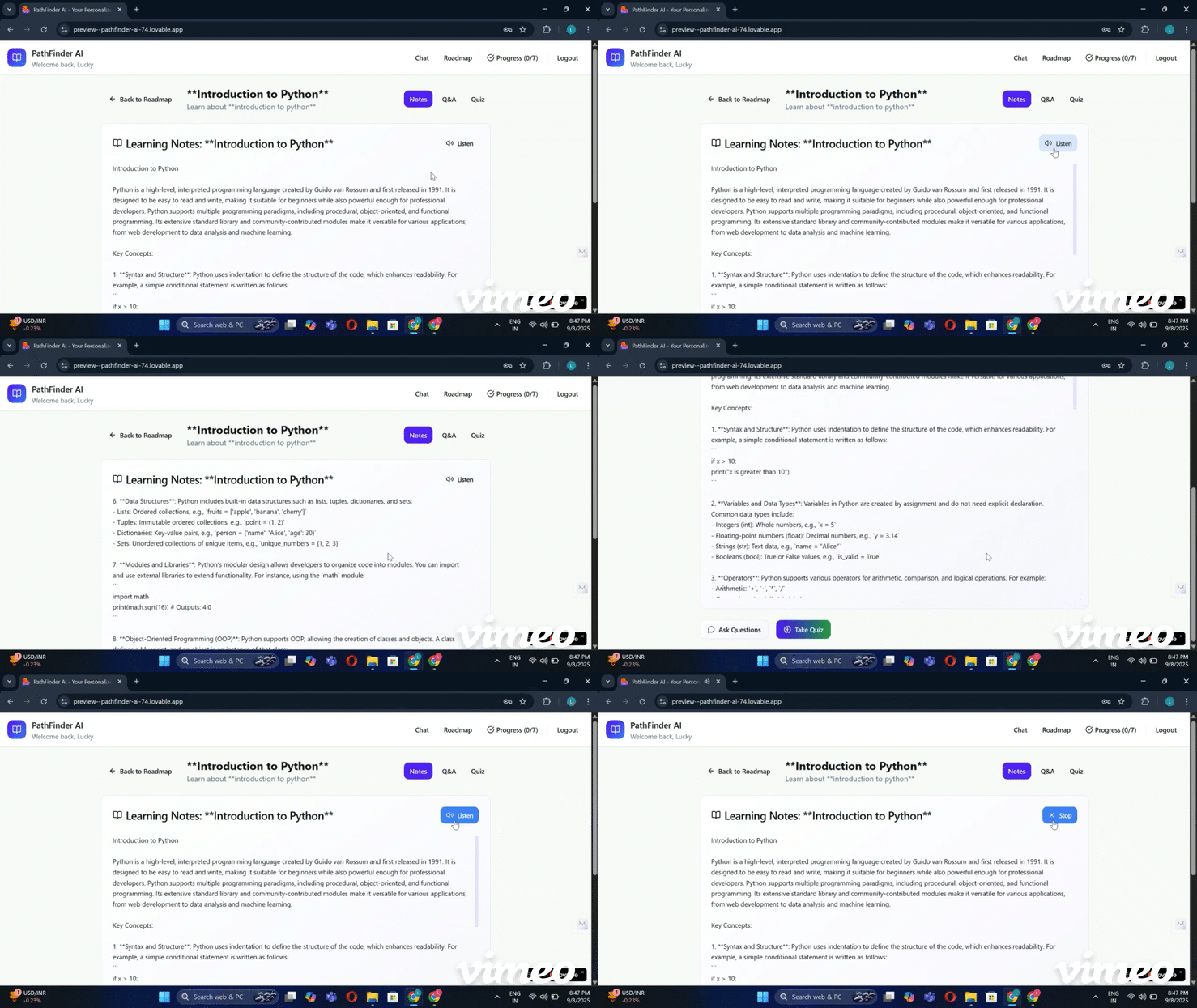
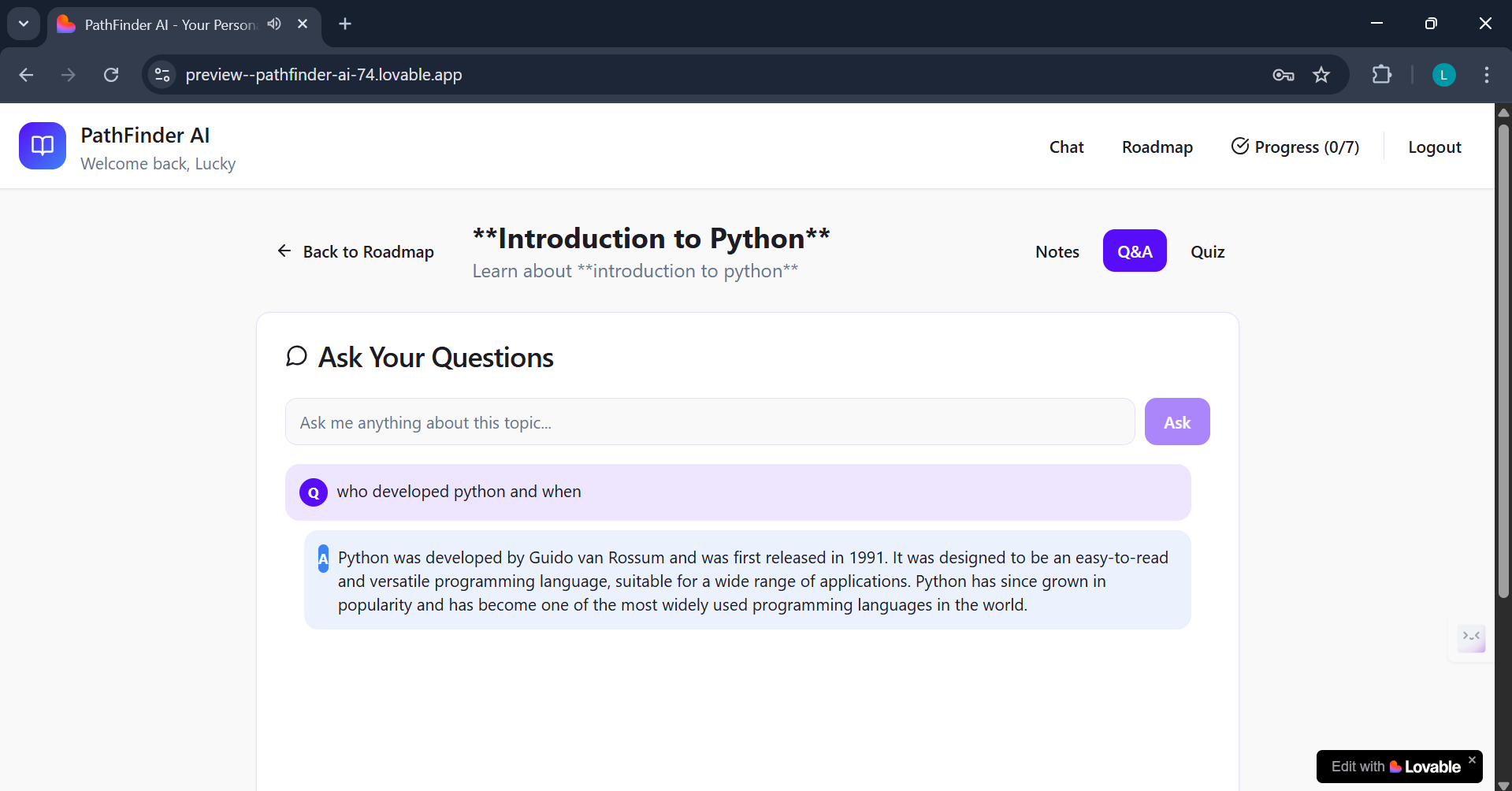
Detailed Notes: The AI generates concise and detailed educational content to help you understand the subject matter.
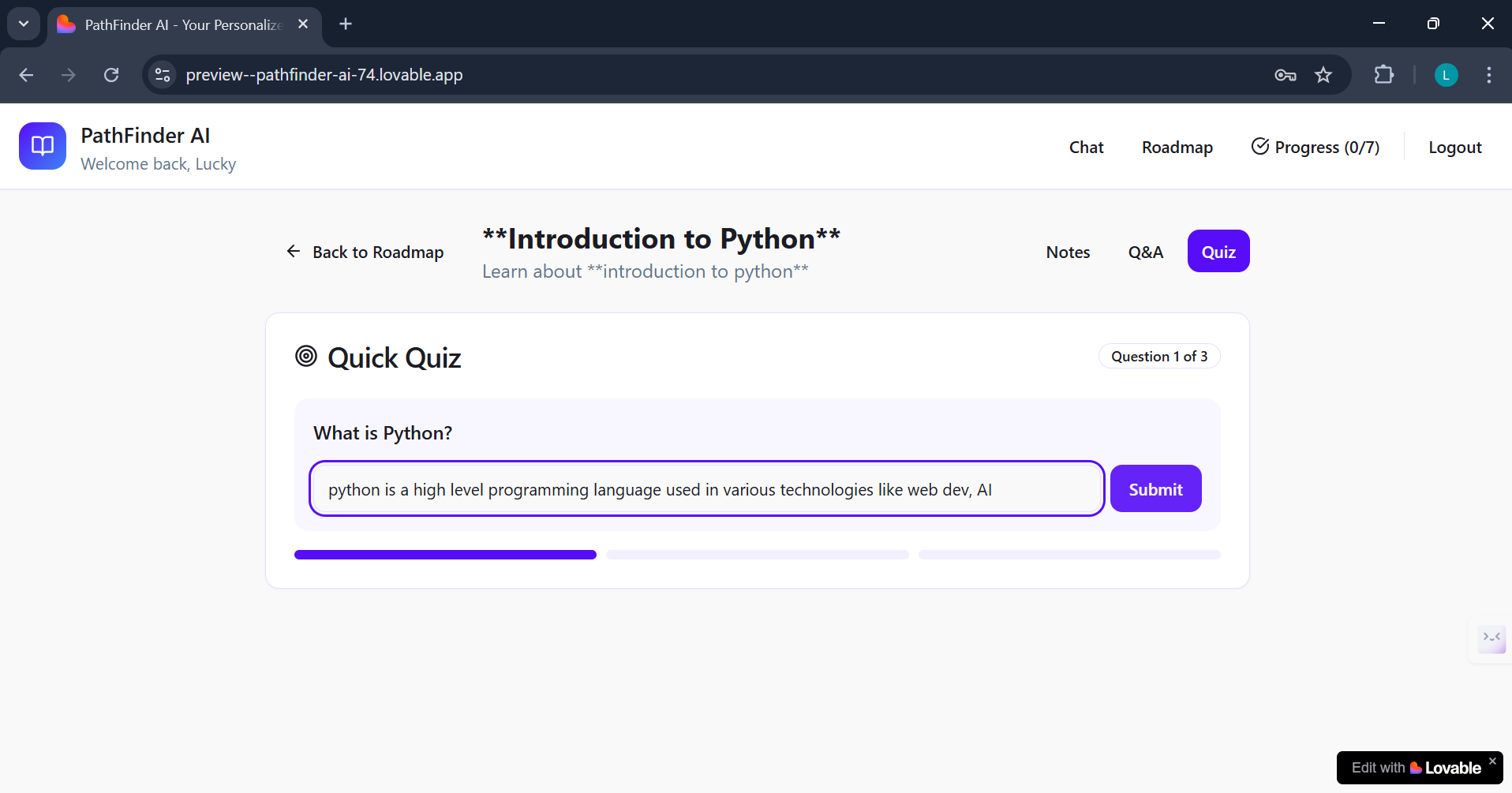
Interactive Quizzes: After reviewing the notes, you can test your knowledge with a real-time quiz. The AI validates your answers, providing a direct and engaging way to check your understanding.
Audio Narration: To prevent the boredom of just reading text, the system uses the Murf API to provide an audio narration of the notes. This allows for an auditory learning style and makes the content feel more like a guided lesson from a live teacher.
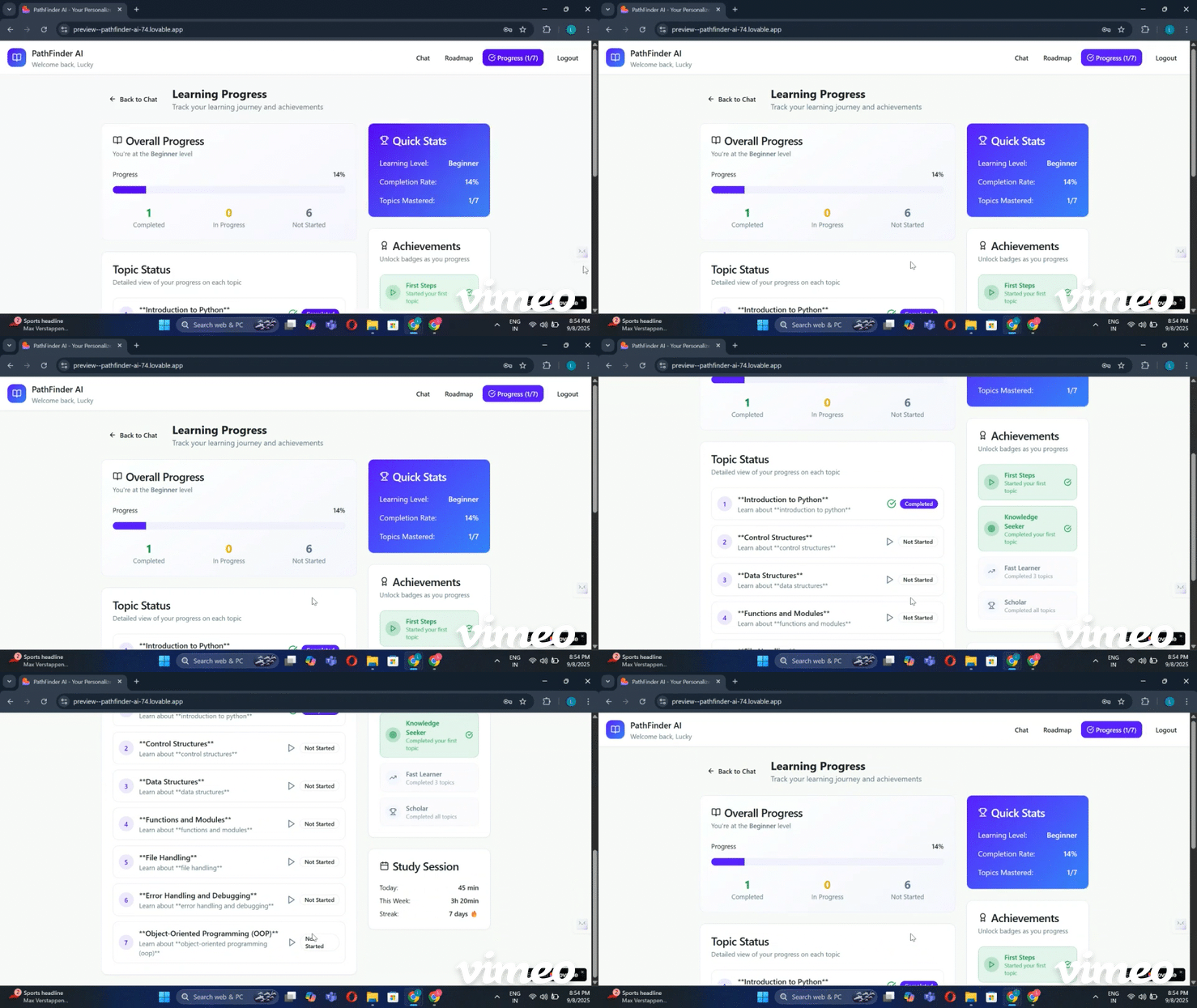
Tracks Progress and Assesses Mastery: As you complete each stage (Notes, Quiz, Audio), your progress is visually tracked. Once you've gone through all the topics in the roadmap, the system administers a comprehensive multiple-choice final test to assess your overall mastery of the subject. It then provides detailed results, giving you valuable feedback on your learning journey.
Serves as a Virtual Tutor: Fundamentally, Pathfinder AI acts as a virtual tutor, guiding you from the very beginning of a subject to the final assessment. It takes on the role of an expert guide, ensuring you cover all the essential topics in the correct order without you having to figure out the curriculum yourself.
How we built it
The development of Pathfinder AI was a journey of evolution, starting with a foundational project and scaling up to a full-fledged web application.
From CLI to Web App: We initially built the core logic as a command-line interface (CLI) Python project. This allowed us to test the foundational concepts, like generating AI-powered roadmaps and content, in a simple environment.
Leveraging AI to Build AI: For the hackathon, we took a unique approach to transform this CLI project into a web app. Instead of coding the frontend from scratch, we used Lovable AI to quickly generate the user interface. This let us focus on what we do best—building the core AI logic—while Lovable handled the frontend development.
Modern Frontend Stack: The UI was built using React 18, TypeScript, and Vite for a fast and interactive experience. We used Tailwind CSS for rapid styling and integrated Radix UI components for accessibility.
Secure Backend: The entire backend is powered by Supabase Edge Functions running on a Deno runtime. This serverless setup is crucial for security, as it handles all API calls to the OpenAI API (GPT-4o-mini), ensuring our API keys are never exposed on the client side.
Audio Integration: To add the unique audio feature, we integrated the Murf API for text-to-speech. The process sends the generated notes from our Supabase Edge Functions to Murf, which then returns the audio file to be played back to the user.
State Management & Icons: We managed the application's state using native React hooks (useState and useEffect) and used Lucide React for a clean icon set across the application.
This approach allowed us to transition from a functional, text-based project to a polished, interactive, and fully-featured web application that provides a professional educational experience.
Challenges we ran into
Developing Pathfinder AI came with its own set of unique challenges, especially while trying to create a seamless, integrated experience.
One of the most significant hurdles was Setting up the prompts for the AI . Getting the AI to generate the exact type of content we needed was a constant struggle. We spent a lot of time fine-tuning prompts to ensure the roadmaps were logical, the notes were clear and concise, and the quiz questions were both relevant and well-structured. It was a painstaking process of trial and error to get the content just right.
Another major challenge was Synchronizing the two different APIs: the OpenAI API and the Murf API . We had to ensure that as soon as the AI-generated content was ready, the Murf API would seamlessly create the audio version of it. We ran into issues where the content would generate but the sound wouldn't play, or there would be a significant delay. Getting these two services to work together in real-time was a complex technical task that required careful coordination.
We also faced problems in the user interface, specifically with the scrolling area when converting the project from a CLI to a web app. Ensuring the layout was responsive and all content was easily accessible without awkward scrolling behaviors took a lot of debugging and CSS adjustments.
Lastly, the quiz section was particularly challenging . We had to design a system that not only generated a unique prompt for each question but also provided intelligent and helpful feedback based on the user's answer. This meant constantly iterating on the prompts to ensure the AI could correctly evaluate answers and provide a supportive response, which was a demanding but crucial part of creating a great user experience.
Accomplishments that we're proud of
We're incredibly proud of how this project evolved from a simple, functional concept into a complete and polished product. What began as a basic CLI (Command-Line Interface) Python script was a testament to the core idea, but it lacked the user-friendly experience needed to truly shine. The biggest accomplishment was transforming that raw functionality into a beautiful and efficient web application.
This was no small task. It took immense effort to design and implement a modern UI, synchronize multiple complex APIs, and create a smooth user flow. Seeing all those countless hours of debugging, design, and development come together into a project that is not only useful but also genuinely pleasant to use is a huge source of pride.
As a solo developer, seeing the entire vision—from the initial idea to the final product—come to life has been a deeply rewarding experience. Pathfinder AI isn't just a project; it’s a tangible representation of all that hard work and dedication.
What we learned
Building Pathfinder AI was a steep but rewarding learning curve, teaching us valuable lessons in full-stack development, AI integration, and project management.
Prompt Engineering: We learned that the effectiveness of an AI-powered application heavily depends on the quality of its prompts. We now have a deeper understanding of "prompt engineering"—the art and science of crafting effective prompts to elicit specific, high-quality responses from large language models. This was crucial for generating accurate educational content, relevant quiz questions, and helpful feedback.
API Synchronization: We gained significant experience in integrating and synchronizing multiple complex APIs. Making the OpenAI and Murf APIs work together seamlessly in a single, fluid user experience was a major technical challenge that taught us a lot about asynchronous operations, error handling, and serverless functions.
The Power of AI Development Tools: We learned to leverage modern AI tools like Lovable AI to accelerate the development process. By using an AI to generate the frontend, we could focus our limited time and effort on the core logic and backend, proving that a small team (or a solo developer) can build a comprehensive, full-stack application within a tight deadline.
Frontend Best Practices: Moving from a CLI to a web app forced us to adopt modern frontend development practices. We learned how to build a responsive, modular, and accessible user interface using React, TypeScript, and Tailwind CSS. We also gained practical experience with state management using React hooks and learned the importance of component-based architecture.
Project Scoping and Execution: As a solo developer on a hackathon timeline, we learned to manage the project effectively. This involved prioritizing features, breaking down complex tasks into smaller manageable parts, and maintaining a clear vision from the initial concept to the final product.
What's next for PathFinder AI
The current version of Pathfinder AI is a powerful proof of concept, but its future lies in becoming a truly personalized and persistent learning tool. While we've included a backend to handle core logic, the system doesn't yet have a way for individual users to save their progress. For now, we've provided demo credentials to allow anyone to test the system easily.
The next major step is to implement a full User authentication system . This means adding sign-up and sign-in functionality so each user can create their own account. This change is the foundation for all future features, as it will allow the system to do much more than it can now.
Once users can create and access their own accounts, we will be able to:
Track Individual Progress: The system will remember what subjects a user has studied and where they left off. You'll be able to revisit a topic, check your quiz scores, and see a clear history of your learning journey.
Maintain Personal Chat and Learning History: Each user's unique conversations and the roadmaps they've generated will be saved to their account. This creates a personalized learning journal, making it easy to review past topics and see how far you've come.
Provide a Truly Personalized Experience: With a user account, the AI will learn and adapt to you over time. It could suggest new topics based on your interests, recommend areas for review based on your quiz performance, and even adjust the difficulty of content to better suit your skill level.
Implementing a robust account system will transform Pathfinder AI from a simple demonstration into a comprehensive, personalized educational companion.
Built With
- lovable
- murf-api
- openai-api
- python
- react18
- superbase
- typescript
- vite

Log in or sign up for Devpost to join the conversation.