Patchwork WebMCP Small actions. Shared momentum.
Patchwork is an open-source neighbourhood planning workspace where people and browser agents discover opportunities, build practical plans, and draft new community needs together—while every publication or commitment remains under human control.
Project links
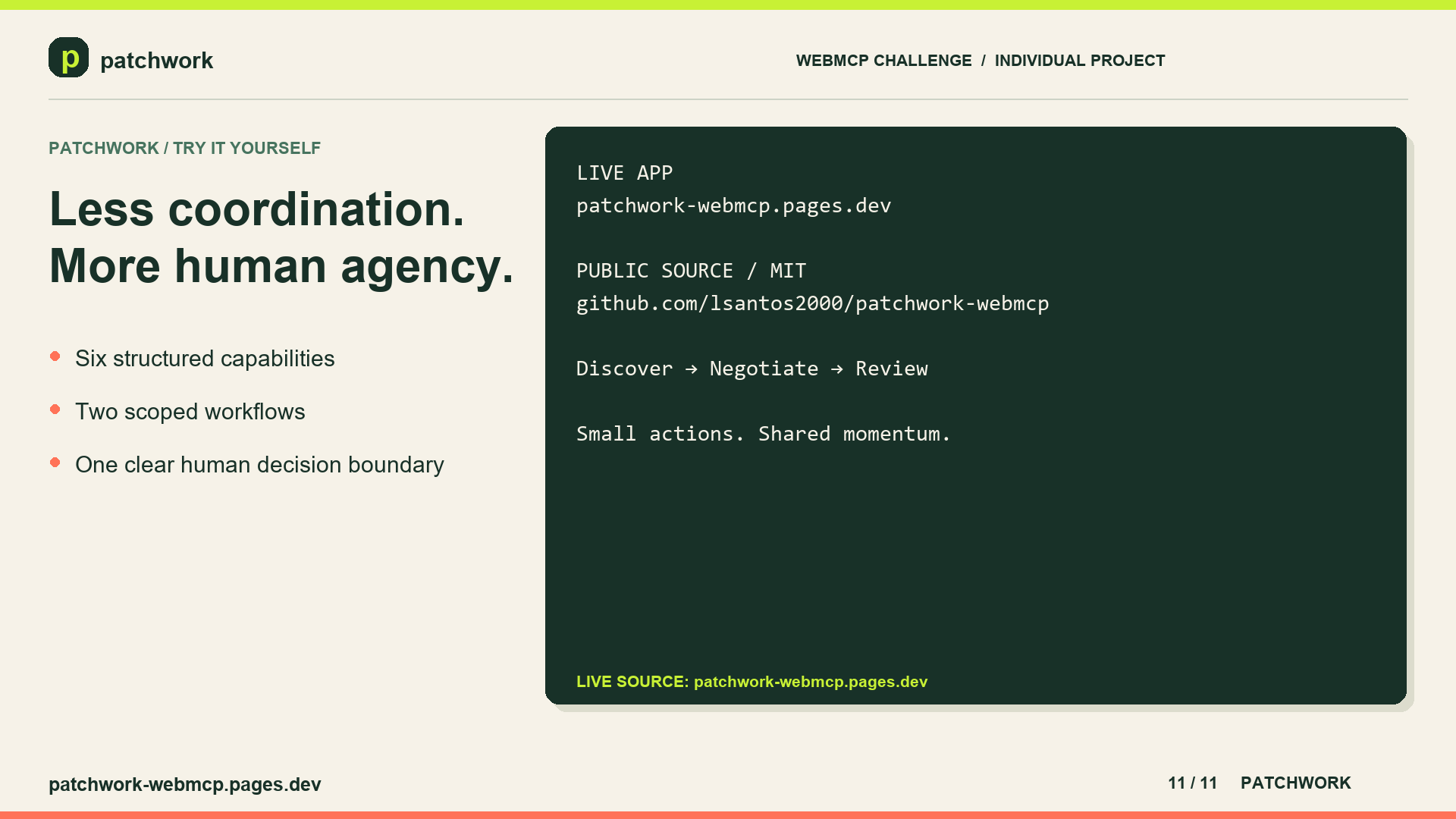
Live application: https://patchwork-webmcp.pages.dev/
Source repository: https://github.com/lsantos2000/patchwork-webmcp
Demo video: https://youtu.be/so9sDOxzeJY
Browser testing guide: resources/docs/browser-test.md
Visual evidence: README.md#visual-evidence
License: MIT
Created by Leonardo Santos-Macias as an individual submission to the WebMCP Challenge.
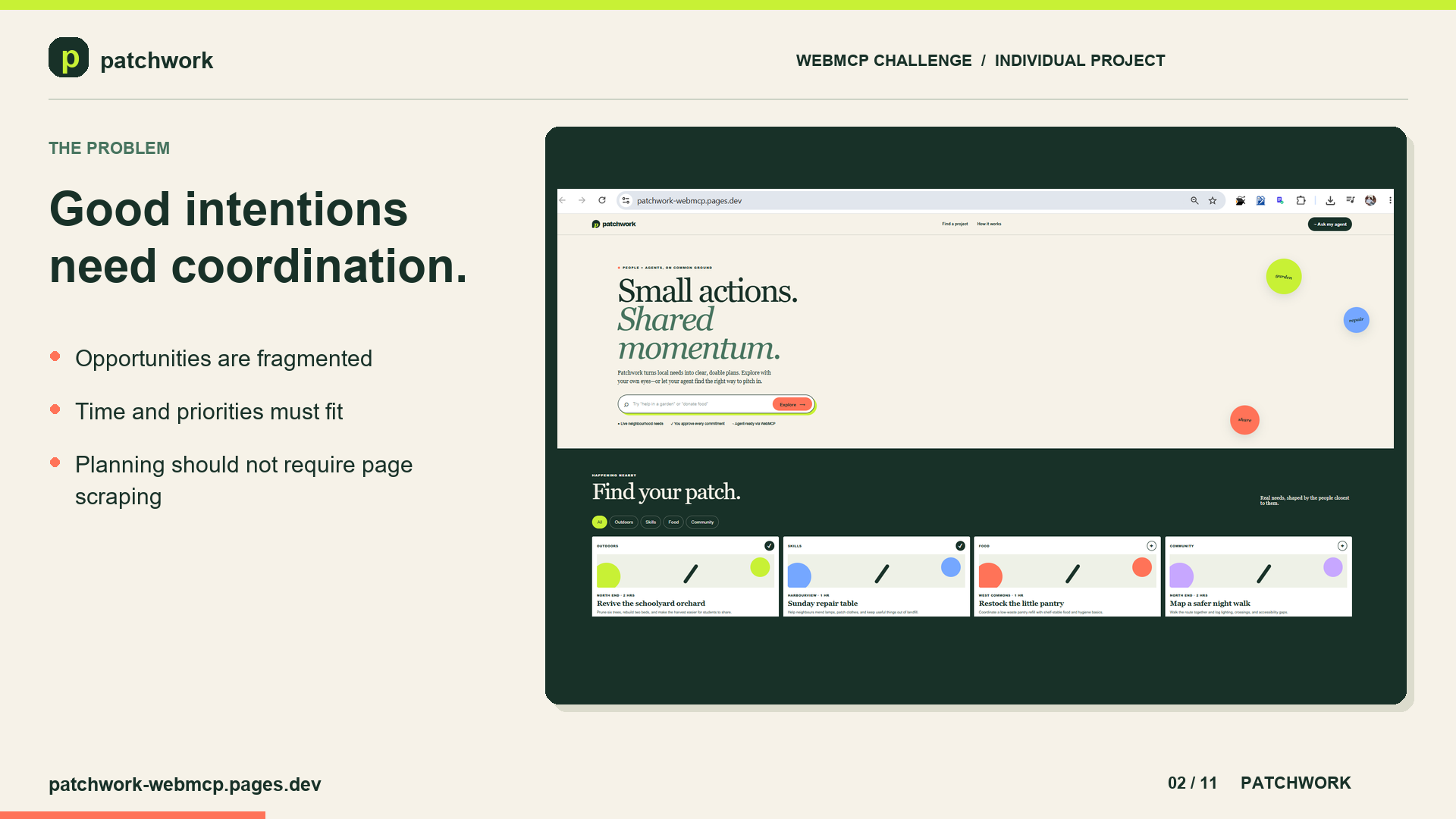
Inspiration People often want to help their neighbourhoods but struggle to turn good intentions into a practical plan. Finding opportunities, comparing them, and deciding what fits into a free afternoon takes effort.
The push to actually build it was personal. Our newborn, Ellie Victoria, arrived premature—a fighter from the first day—and is growing into a wonderful child. Watching my wife become a mother, with our other children and our family around us, changed how I think about spare time: it stopped being an afternoon and became the gaps between feeds, school runs, and appointments.
That is what most volunteering asks you to have, and what a new parent never does. So Patchwork starts from a smaller question: what if an agent did the searching, comparing, and fitting-it-together work, and handed back something small enough to actually do—while the person kept every decision that mattered?
Small actions. Shared momentum.
What it does Patchwork is a WebMCP-powered neighbourhood action prototype. People can explore example community projects, filter opportunities, and assemble a plan that fits their interests and available time.
A compatible browser agent can work with the same project data and the same visible plan through structured tools. Instead of merely describing what someone could do, it can help organize those opportunities inside the application.
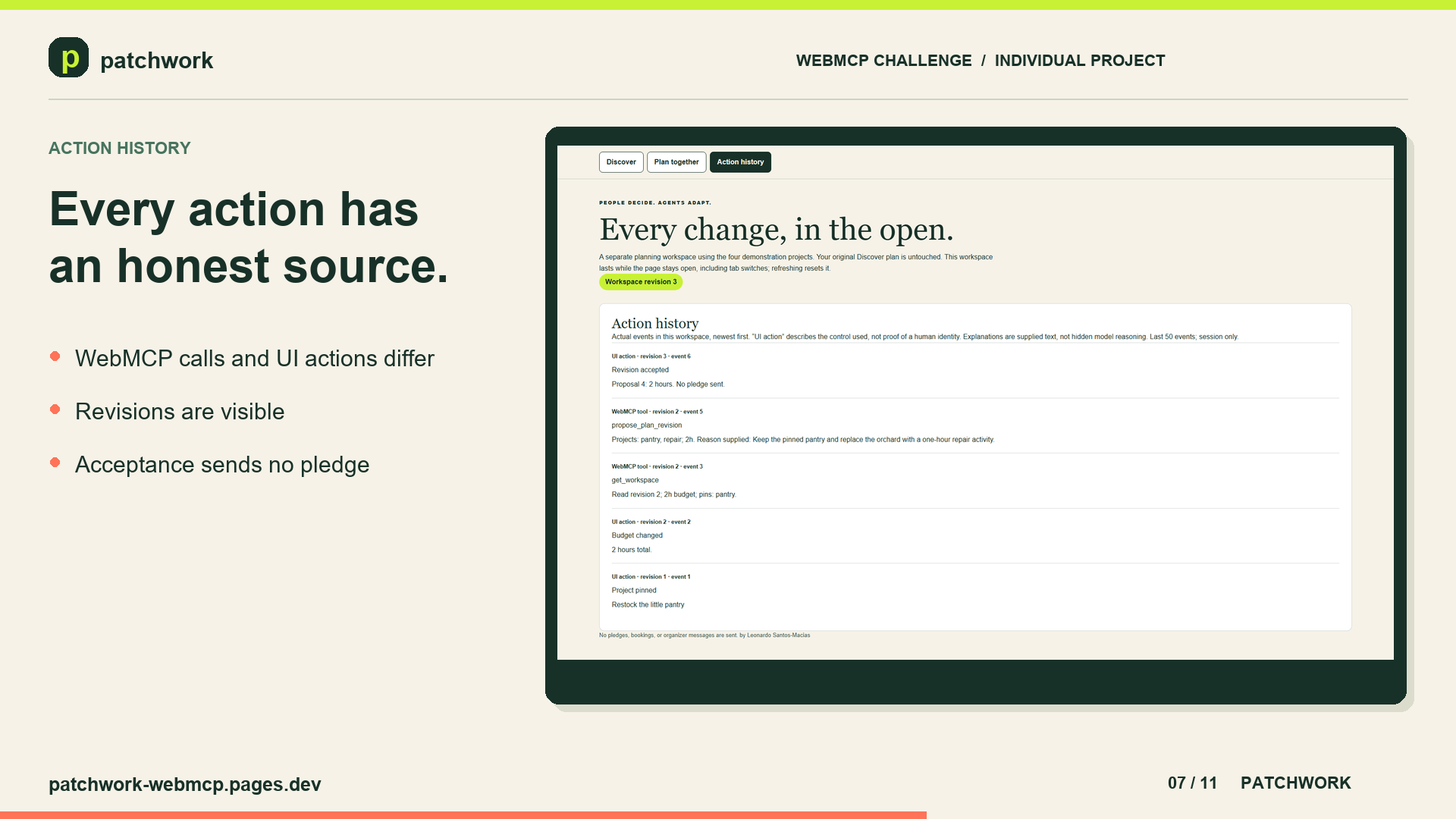
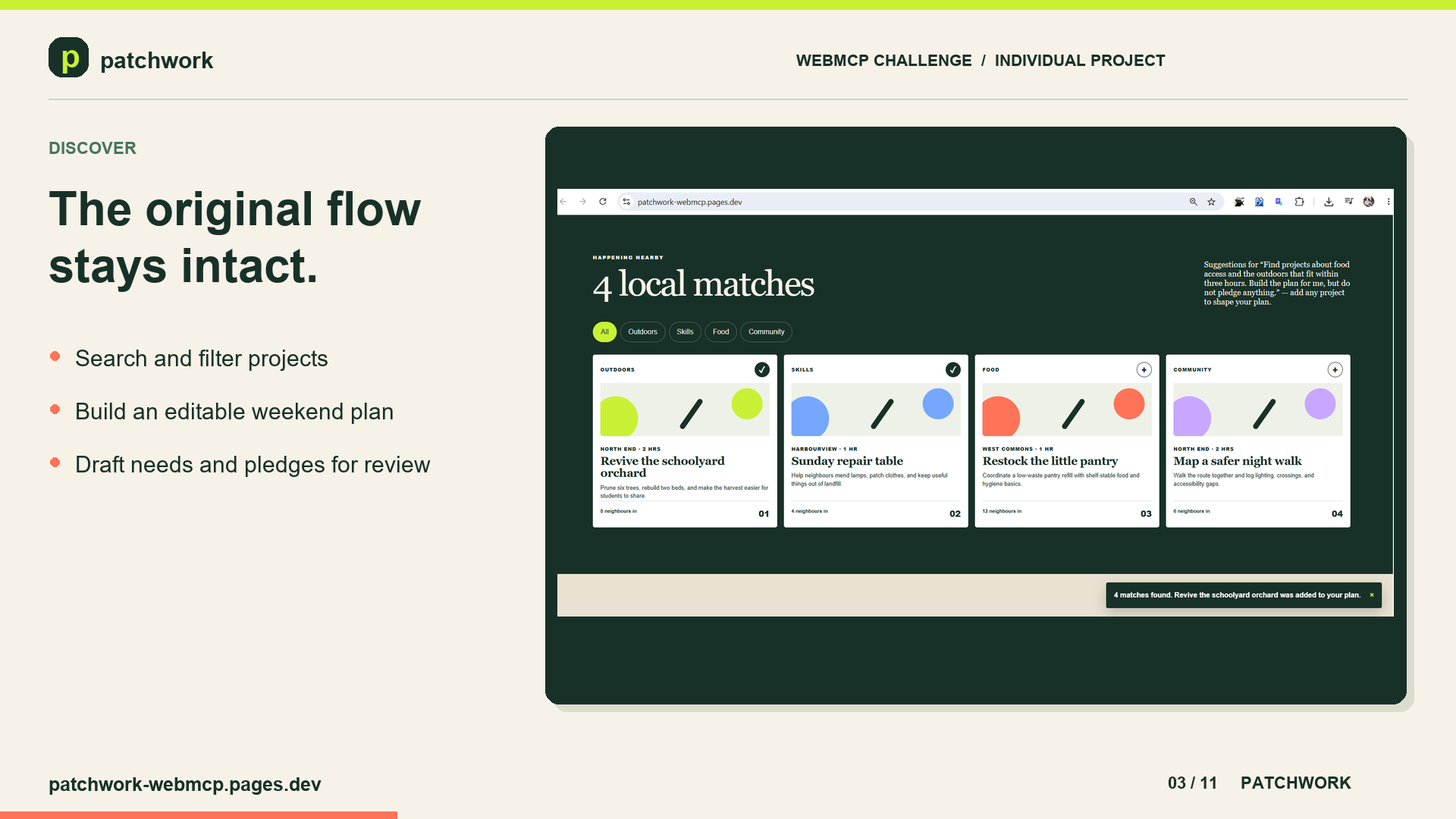
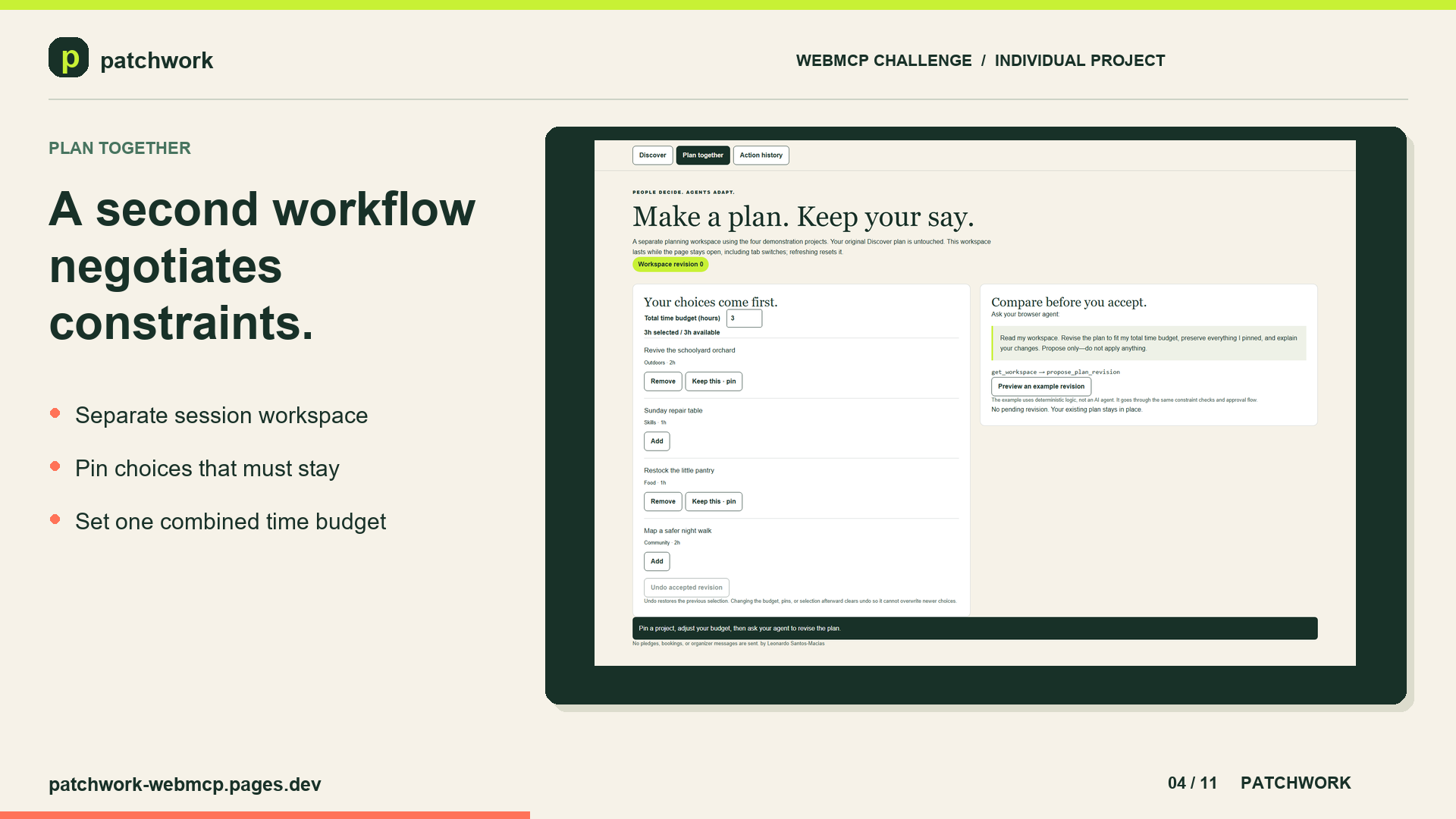
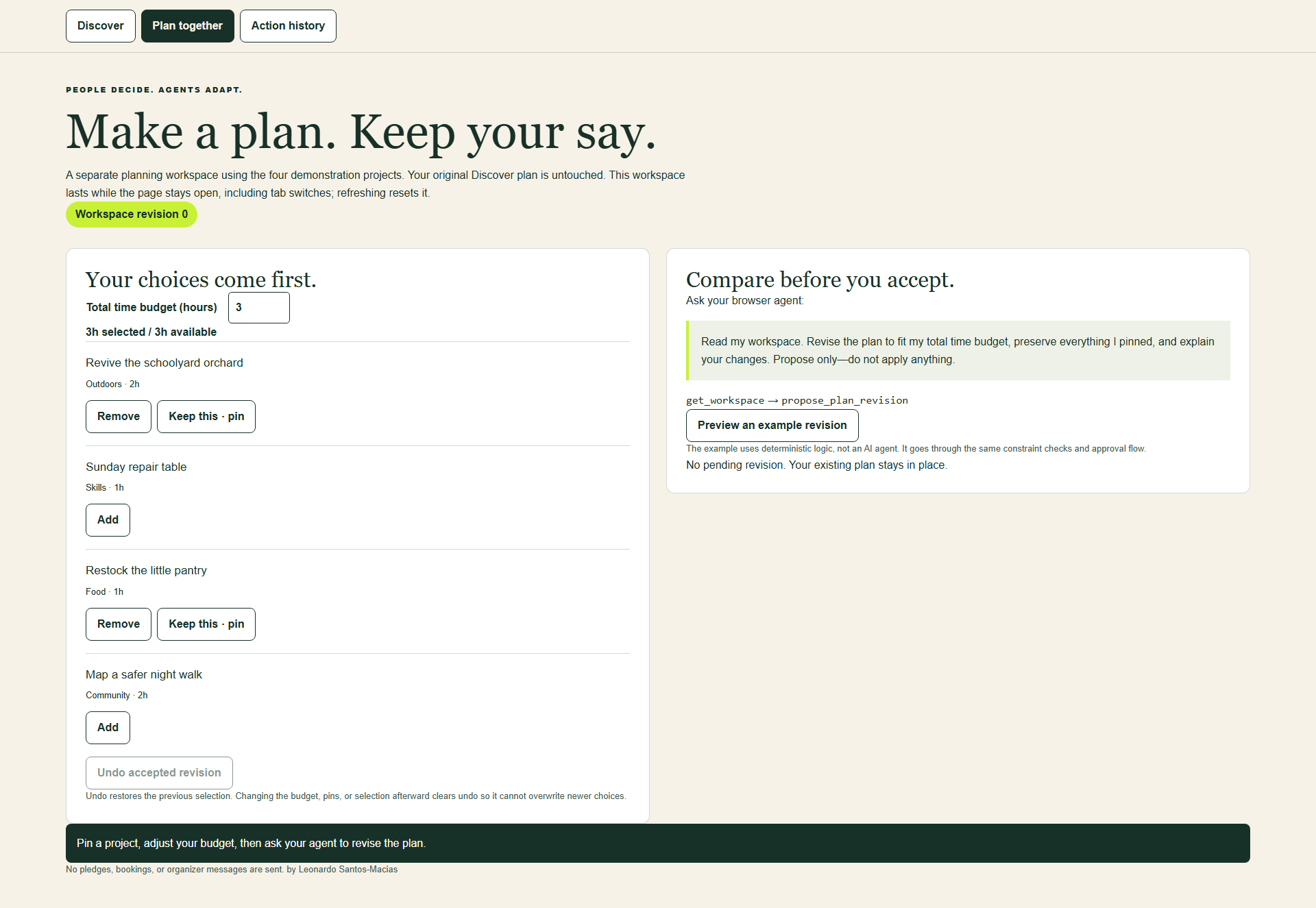
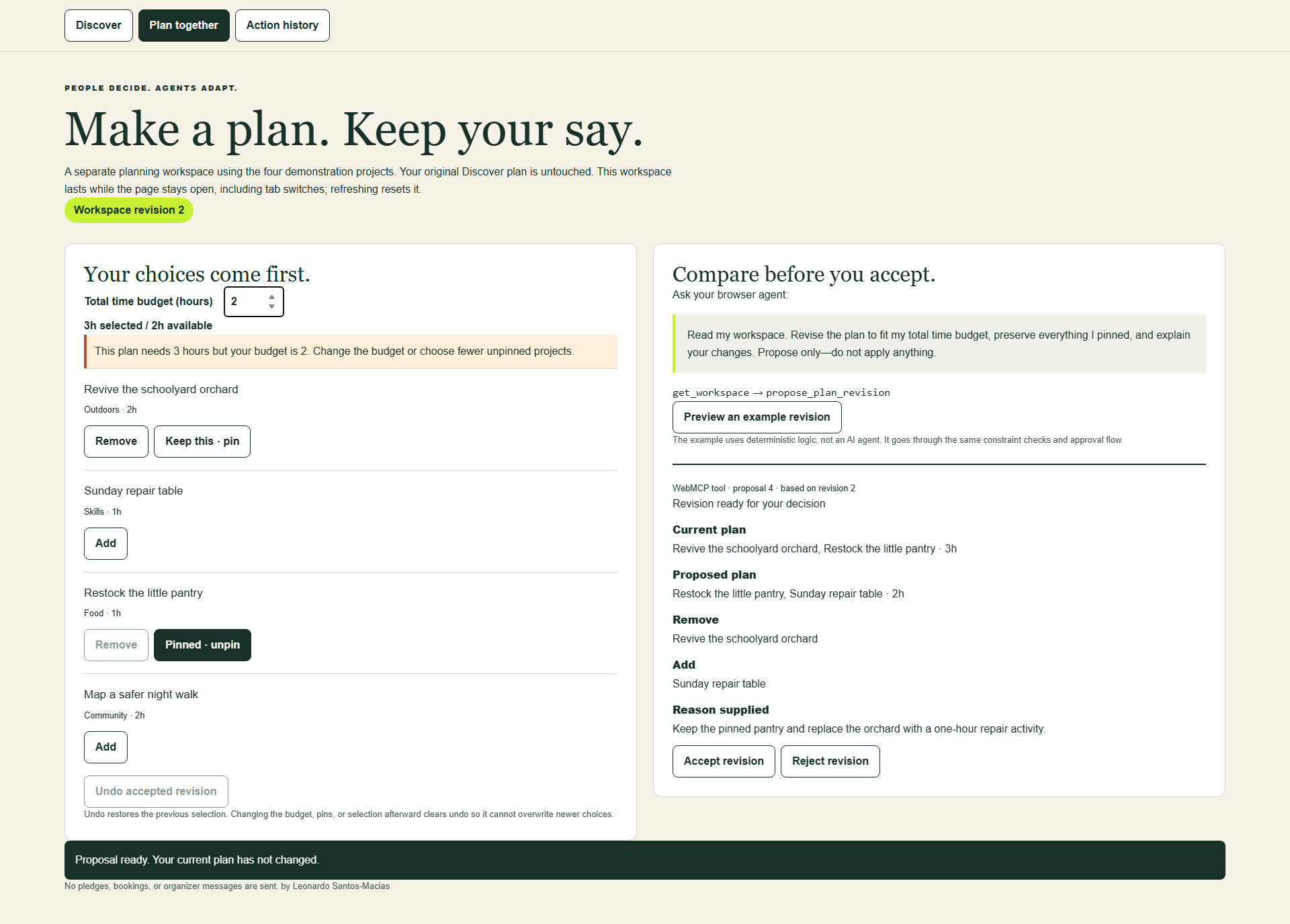
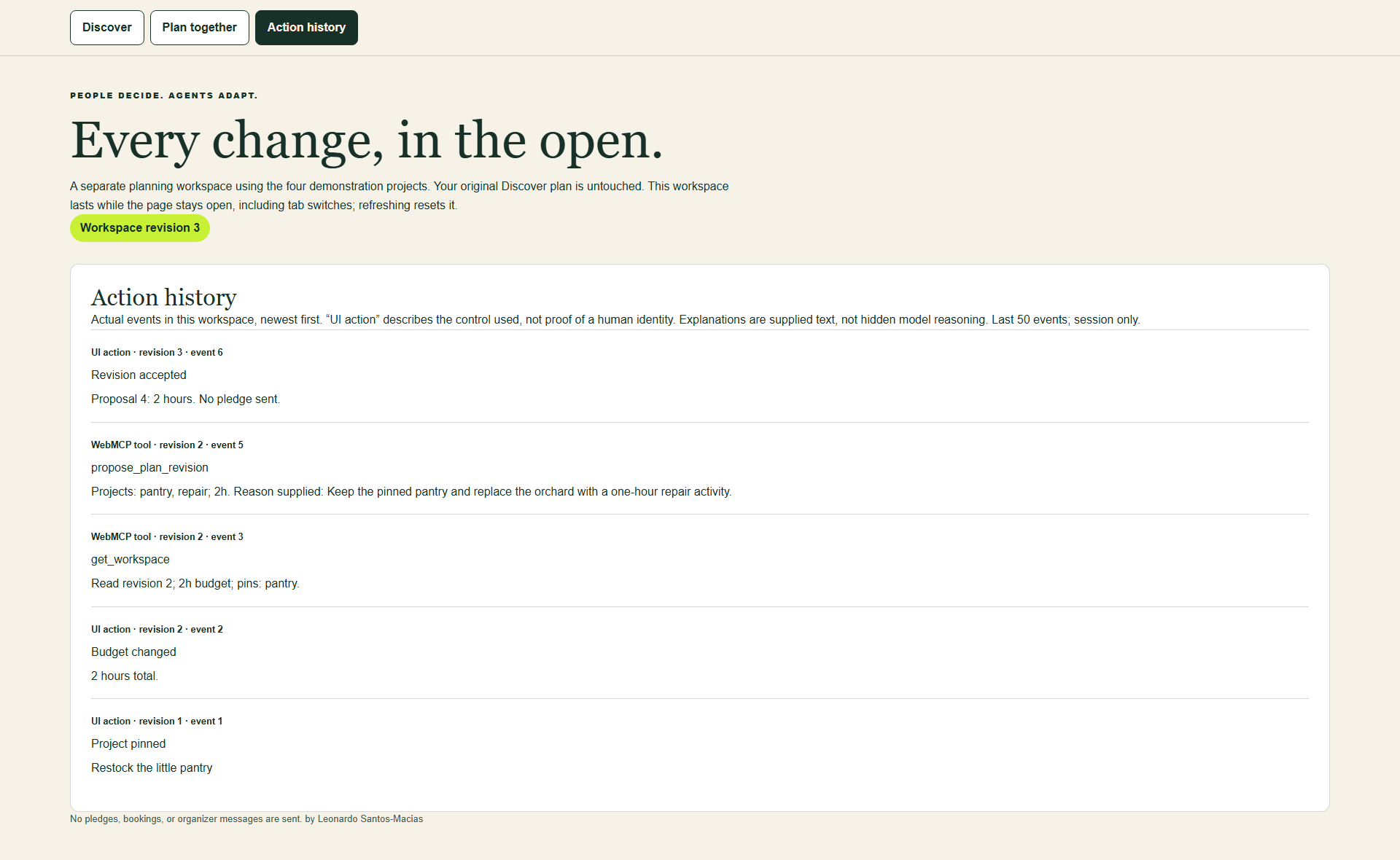
The Discover tab covers intent-aware project search, an editable weekend plan, device-local persistence, community-project drafts, and draft-only pledges. Plan together adds negotiated planning: the person sets a time budget, selects and pins projects, and reviews the agent's proposed before-and-after revision. Action history records accepted and rejected planning actions without pretending a real-world pledge was sent.
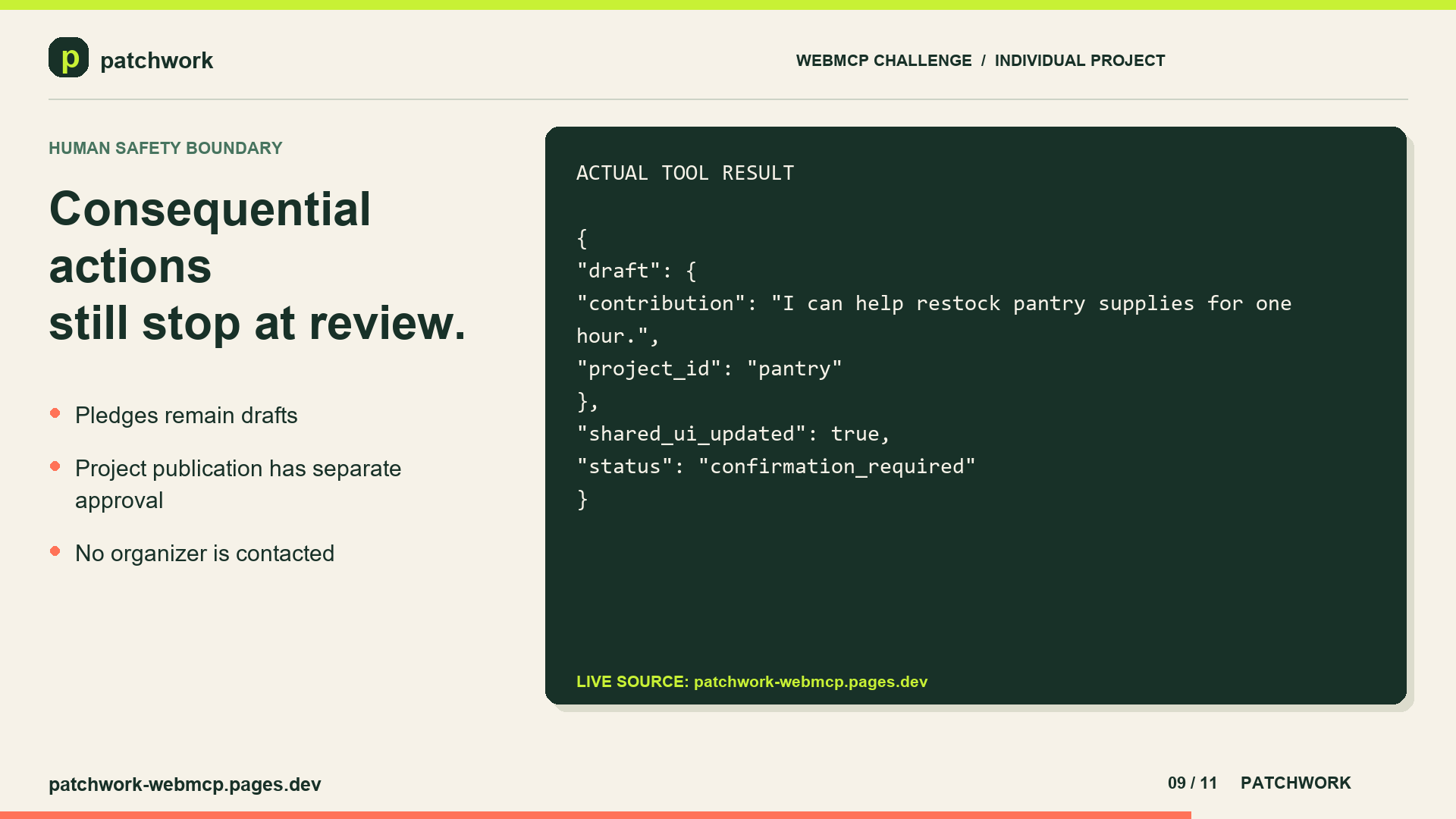
The boundary is deliberate: preparing a plan is not making a commitment. An agent can propose changes, draft a new local need, and prepare a pledge draft, while approval remains a separate step in the interface. The prototype does not send pledges to real organizations.
Why WebMCP This workflow maps naturally to declared website capabilities: search project records, combine selected IDs into a plan, inspect a shared workspace, propose a revision, structure a new community need, and prepare a pledge draft.
Without WebMCP, an agent would need to infer meaning from visual pages, scrape text, or automate fragile click sequences. Patchwork instead exposes typed operations and structured results through the website itself. The agent works with the application's real records and constraints, while its results update the same interface the person is viewing.
This creates a continuous human-agent experience. A person can inspect an agent-created plan, adjust it manually, preserve a pinned choice, reject a proposed revision, approve a community-project draft, or undo an accepted workspace change without transferring information between a chat response and another form.
How I built it I built Patchwork with React and TypeScript, using Vinext for the Cloudflare Pages production build. Project-domain helpers provide deterministic catalogue search, planning, constraint checks, and persisted-data validation.
A reusable React hook registers WebMCP tools with document.modelContext.registerTool({...}), falls back to navigator.modelContext, and unregisters tools during cleanup. Each handler validates or normalizes its input, calls the relevant domain helper, updates shared React state, and returns a structured response—so agent actions and manual interactions stay connected.
The WebMCP integration exposes six tools, scoped to the active workflow. Discover provides:
search_neighborhood_projects build_action_plan propose_neighborhood_project pledge_support Plan together and Action history provide:
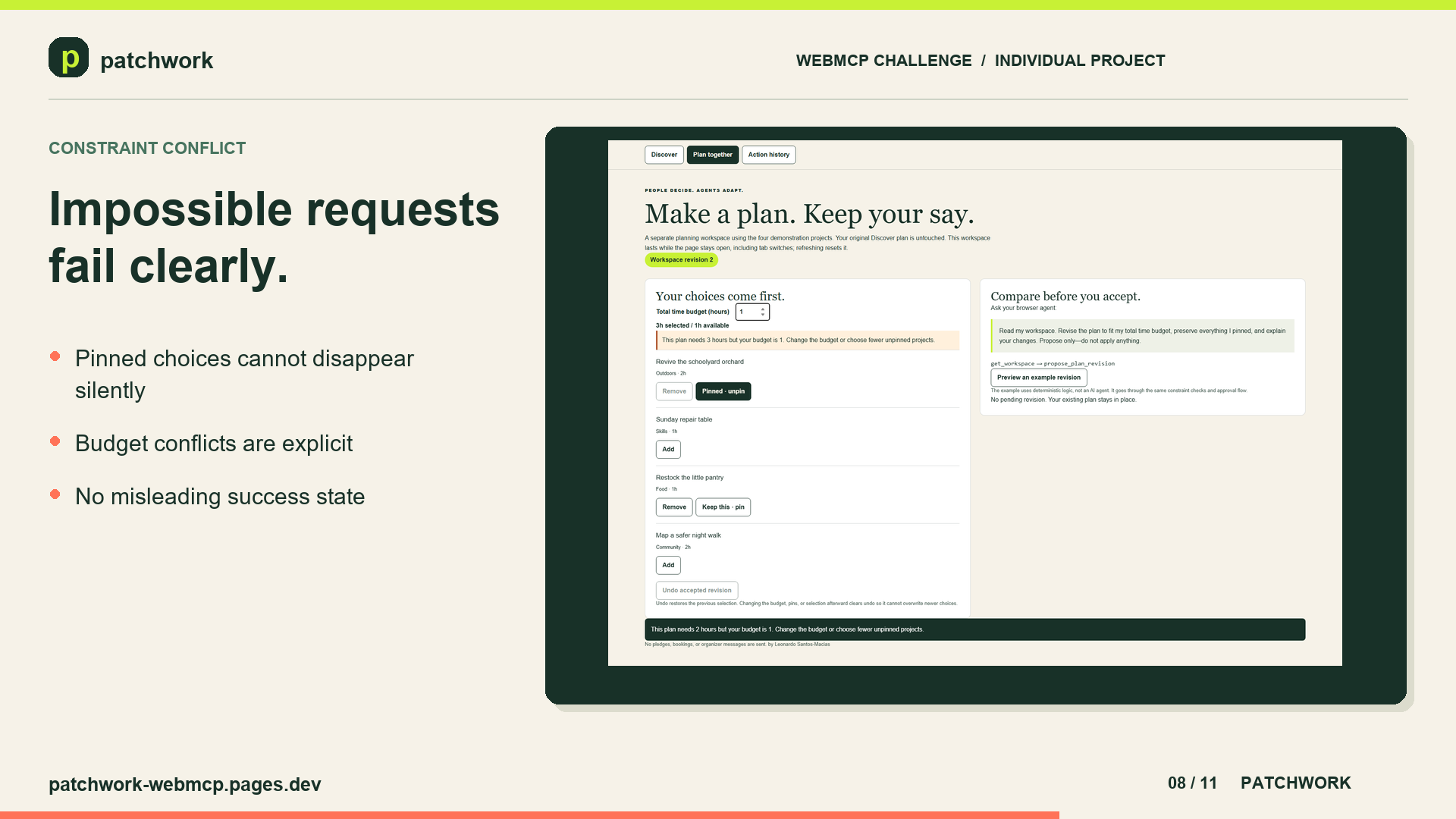
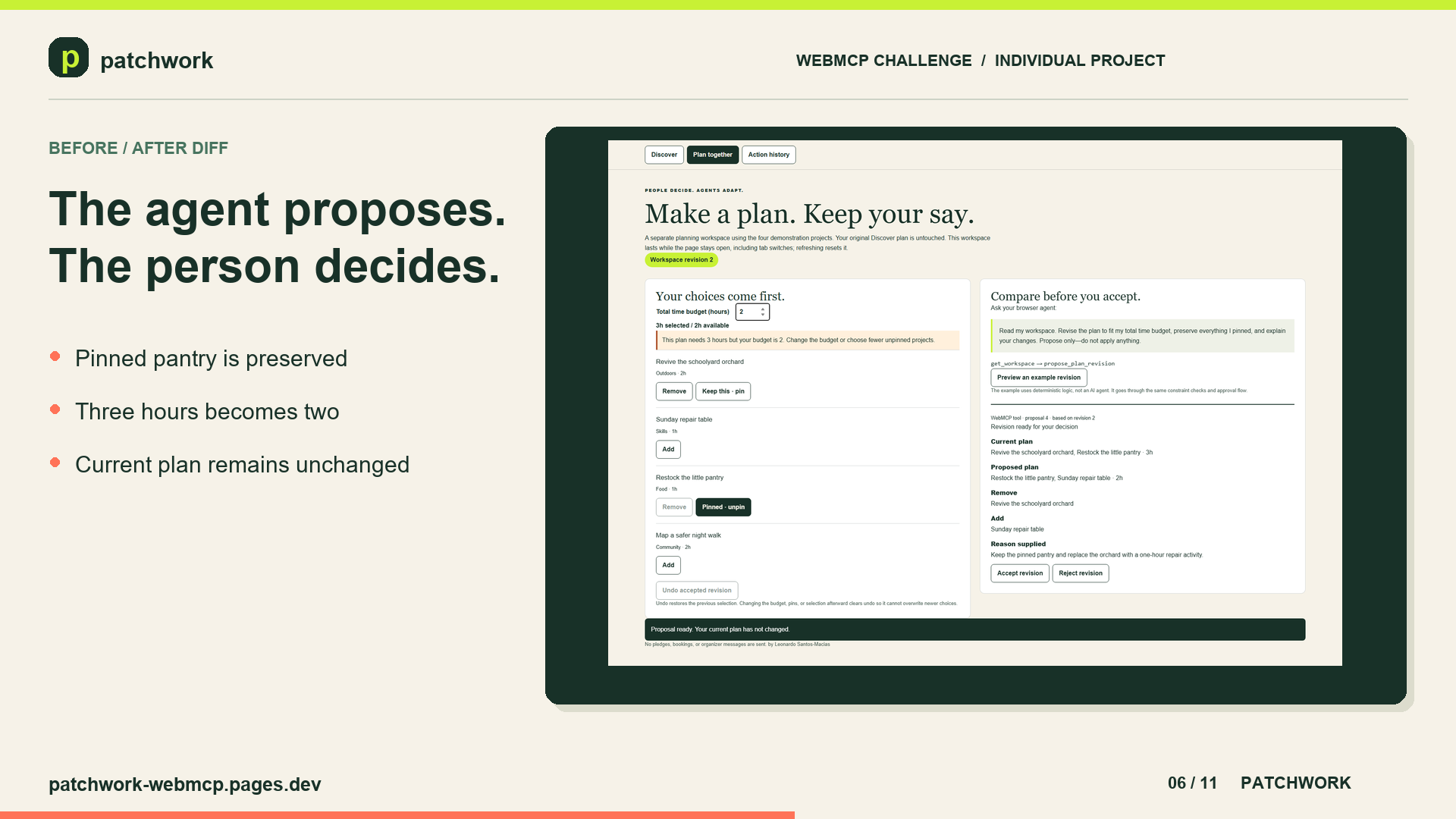
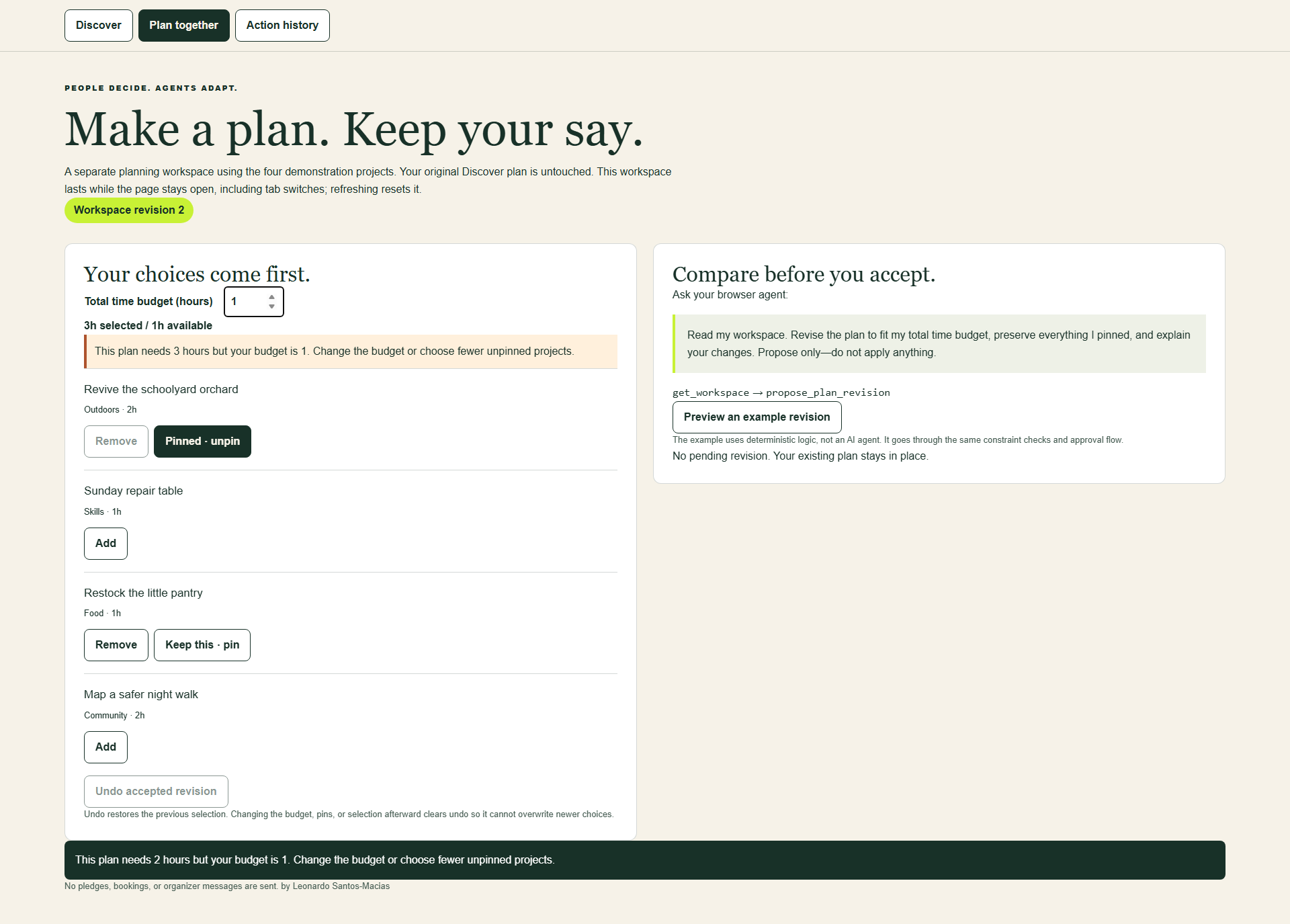
get_workspace propose_plan_revision Proposal results include revision information and a before-and-after comparison. Stale revisions and impossible constraints produce explicit conflicts rather than silent compromises.
The human-control boundary is built into the results. propose_neighborhood_project returns human_approval_required with published: false; only the visible approval control adds the draft to the browser-local catalogue. pledge_support returns confirmation_required and never delivers a pledge.
Local browser storage preserves the Discover plan between visits on the same device. I also added automated tests, browser-testing instructions, screenshots, and submission documentation. The source is publicly available under the MIT license.
Challenges I ran into One challenge was making agent actions understandable. A successful tool response is not enough—the person needs to see what changed and keep the ability to review it. WebMCP handlers therefore update the same React state as the human controls, so both participants share one visible source of truth.
Another was distinguishing discovery from planning: finding projects that each fit a time limit does not automatically produce a combined plan within that limit.
State synchronization also required care. A plan must stay consistent when it is edited manually, created through a WebMCP tool, restored from local storage, or revised in the negotiated workspace. The implementation validates persisted records and uses workspace revision numbers so a stale agent proposal cannot overwrite a newer human choice.
I also fixed production styling problems and state disappearing after navigation. Throughout, I worked to distinguish actual browser evidence from automated tests and edited demonstrations.
Accomplishments I'm proud of I'm proud of building a shared interface where people and agents work with the same plan, rather than two separate experiences.
Patchwork demonstrates why WebMCP is useful here: structured tools let an agent use the application's own data and actions without relying on fragile page scraping. Review and consent are part of the design, alongside persistence, testing, and documentation.
A deployed, open-source WebMCP application that stays fully usable without an agent. Six structured tools across two scoped workflows. Explicit approval, rejection, conflict, and undo behaviour. Device-local persistence with validation and graceful storage-unavailable messaging. A responsive interface with production styling on Cloudflare Pages. Automated coverage plus separately recorded native WebMCP evidence. Clear prototype boundaries: demonstration data, browser-local publication, and no real pledge delivery. What I learned I learned that useful agent integration depends as much on clear boundaries as on capability. An agent should understand what an action changes, what stays a draft, and when approval is required.
WebMCP is most compelling when it exposes meaningful domain actions rather than recreating low-level clicks. Small, well-described tools give an agent enough structure to help while keeping the application's rules in the application.
Honest constraints also improve the agent experience. A structured conflict response is more useful than silently dropping a pinned project or exceeding a time budget, and revision tokens protect a person's newer decisions from stale proposals.
I also learned that a convincing demonstration must make those distinctions visible. Good documentation and reproducible tests help explain both what works and what remains a prototype.
How AI tools were used Patchwork does not embed its own model or chatbot. It exposes browser-local WebMCP tools that a compatible external agent can discover and invoke.
Codex assisted with React and WebMCP implementation, debugging, automated testing, documentation, browser evidence, and demo production. Google Gemini was also used during the project. Piper generated the synthetic narration for the demo, and FFmpeg assembled and validated the final video.
ChatGPT WebMCP discovery query A ChatGPT conversation was used to query the live application with the request:
Discover tools at https://patchwork-webmcp.pages.dev/
The query identified six WebMCP tools across Patchwork's workflows. The tools are dynamically registered according to the active tab, so an agent sees only the capabilities relevant to the person's current workspace.
Tool Available in Input What it does search_neighborhood_projects Discover query?: string, max_hours?: 1–8 Searches neighbourhood projects and updates the visible shared interface. build_action_plan Discover project_ids: string[], maximum 8 Builds and displays a plan from selected projects. propose_neighborhood_project Discover title, area, type, hours, description Creates a community-project draft that requires human approval. pledge_support Discover project_id, contribution Creates a pledge draft without submitting a commitment. get_workspace Plan together and Action history None Reads the negotiation revision, selected projects, pins, budget, catalogue, and recent actions. propose_plan_revision Plan together and Action history base_revision, project_ids, reason Proposes a plan revision while respecting pinned projects and the time budget. On the initial Discover tab, the browser agent can discover:
search_neighborhood_projects → build_action_plan → propose_neighborhood_project → pledge_support
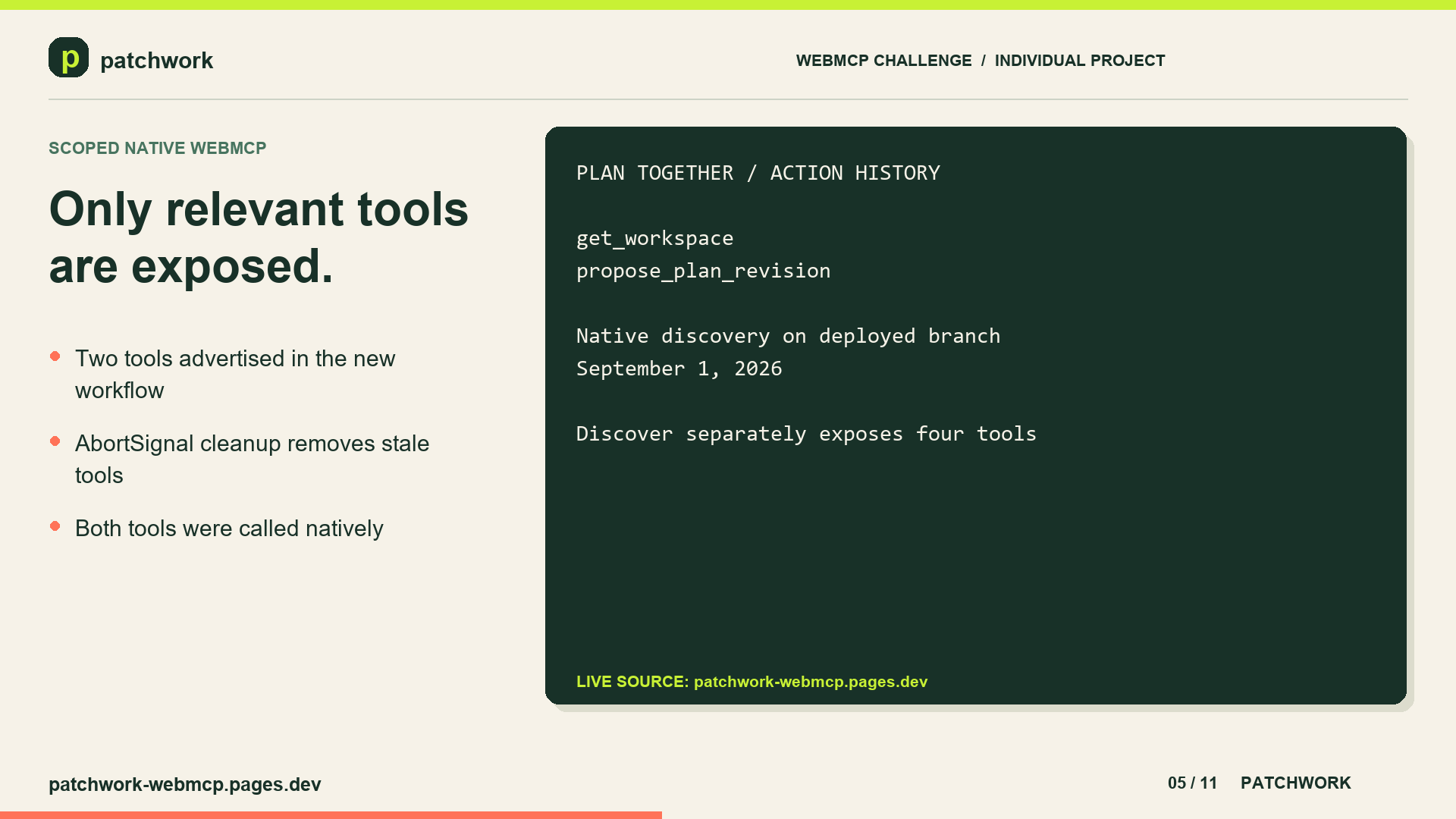
When the person selects Plan together, those tools are unregistered and the agent instead discovers:
get_workspace → propose_plan_revision
The same two negotiated-planning tools remain registered in Action history. This contextual design keeps the tool catalogue focused and makes the exposed agent capabilities follow the person's current UI context.
get_workspace is read-only. propose_plan_revision requires the workspace revision on which the proposal is based, preserves pinned projects, and enforces the displayed time budget. It creates a visible before-and-after proposal but cannot accept its own revision. The person must approve or reject the change in the interface.
The built-in project IDs accepted by propose_plan_revision are:
orchard — Revive the schoolyard orchard repair — Sunday repair table pantry — Restock the little pantry walk — Map a safer night walk A useful query for this workflow is:
Read my workspace. Revise the plan to fit my total time budget, preserve everything I pinned, and explain your changes. Propose only—do not apply anything.
The intended interaction is get_workspace → propose_plan_revision → human reviews the diff → human accepts or rejects it.
Testing instructions No login or credentials are required.
Open https://patchwork-webmcp.pages.dev/ in ChatGPT's in-app browser or a compatible WebMCP-enabled browser. Confirm that Discover, Plan together, and Action history appear at the top of the page. In Discover, ask the browser agent: “Find food-access and outdoor projects that fit within three hours. Build a plan, but do not pledge anything.” Inspect the matching records, editable plan, and calculated time total. Ask: “Draft a two-hour Community project in West Commons called Audit accessible cooling spaces. The work is to verify shaded benches, water fountains, and accessible indoor cooling spaces. Do not publish it.” Confirm that the draft appears for review and remains unpublished until the visible approval control is used. Ask for a pledge draft and confirm that pledge_support returns confirmation_required without submitting anything. Open Plan together and ask the agent to inspect the workspace and propose a plan within the displayed time budget. Review the before-and-after proposal before accepting or rejecting it. Open Action history and confirm that the recorded action matches the decision made in the interface. Detailed setup, Chrome configuration, expected tool results, and pass criteria are available in the browser testing guide.
Visual evidence Human-first discovery Shared action plan Human confirmation boundary Agent-drafted community need Human-approved community project Negotiated-planning workspace Agent proposal before approval Action history Constraint conflict The final 2:31 demo is public on YouTube. A repository copy, captions, narration, and technical validation are available in resources/video.
Built with WebMCP, React, TypeScript, Vinext, Cloudflare Pages, Playwright, Node.js, pnpm, GitHub Actions, localStorage, Piper, FFmpeg, Codex, Google Gemini
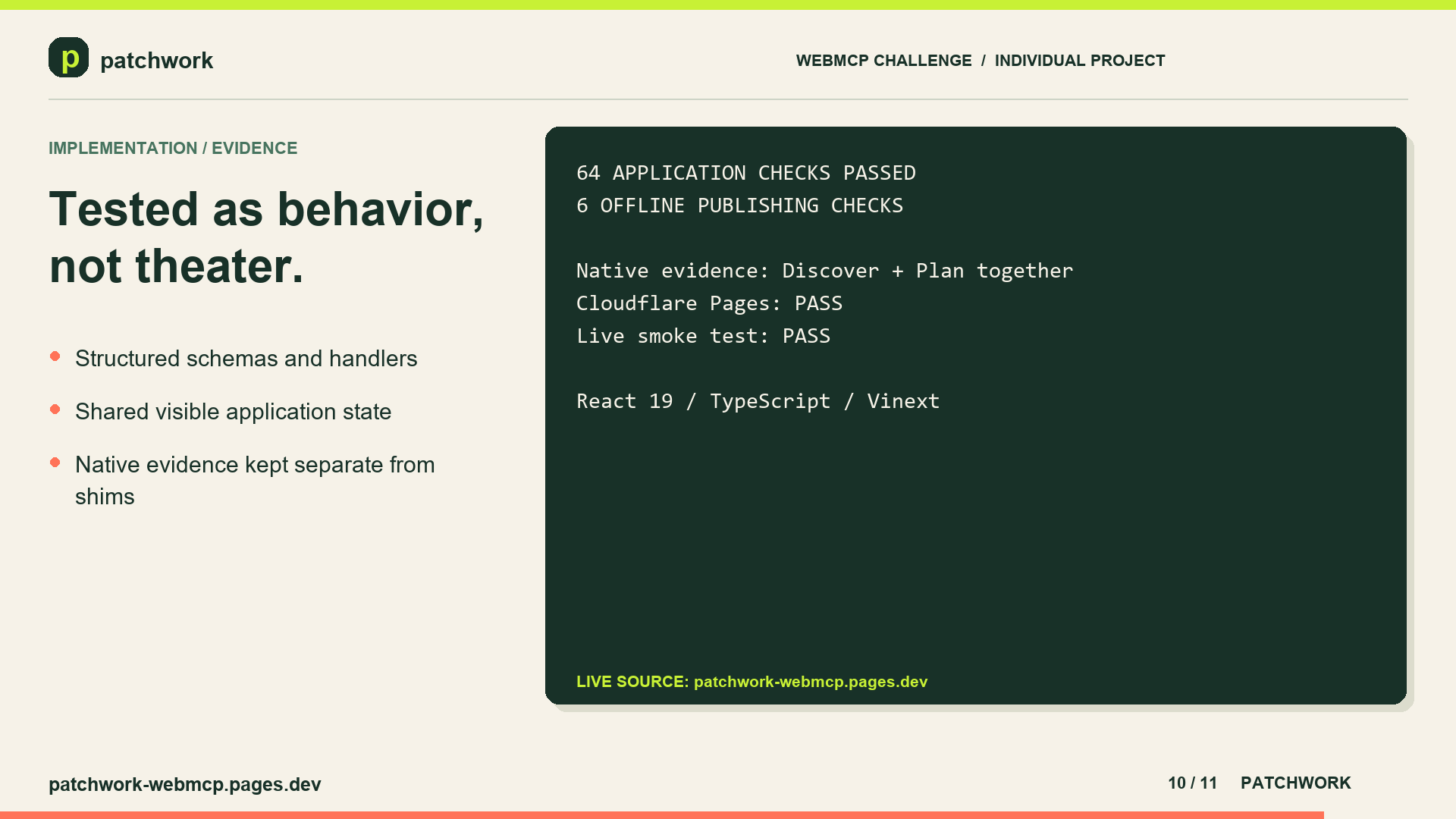
Prototype boundaries The starter catalogue contains demonstration projects rather than a live feed of verified neighbourhood needs. Publishing a project adds it to the current browser's local catalogue; it is not shared with other people or devices. Pledges remain drafts. There is no organizer notification or real pledge-delivery backend. Catalogue search uses deterministic text matching. Conversational interpretation comes from the external browser agent. Automated WebMCP tests use a controlled model-context shim and complement, rather than replace, native-browser testing. What's next for Patchwork WebMCP Next, I would connect Patchwork to real community organizers and verified opportunities, add optional cross-device storage, and build a backend for explicitly approved commitments.
I would also expand accessibility testing and native WebMCP browser coverage.
The goal stays the same: make it easier to contribute locally, with agents handling the planning work and people deciding what they commit to.
Built With
- cloudflare-pages
- ffmpeg
- github
- localstorage
- openai-codex
- piper
- playwright
- python
- react
- tailwind-css
- typescript
- vinext
- vite
- webmcp


Log in or sign up for Devpost to join the conversation.