Inspiration
I often needed to crop, resize, or slightly tweak an image — but opening up Photoshop or Figma felt like overkill. I just wanted to copy an image, paste it, make a few quick edits, and download it. The idea came from pure laziness and a desire for speed.
What it does
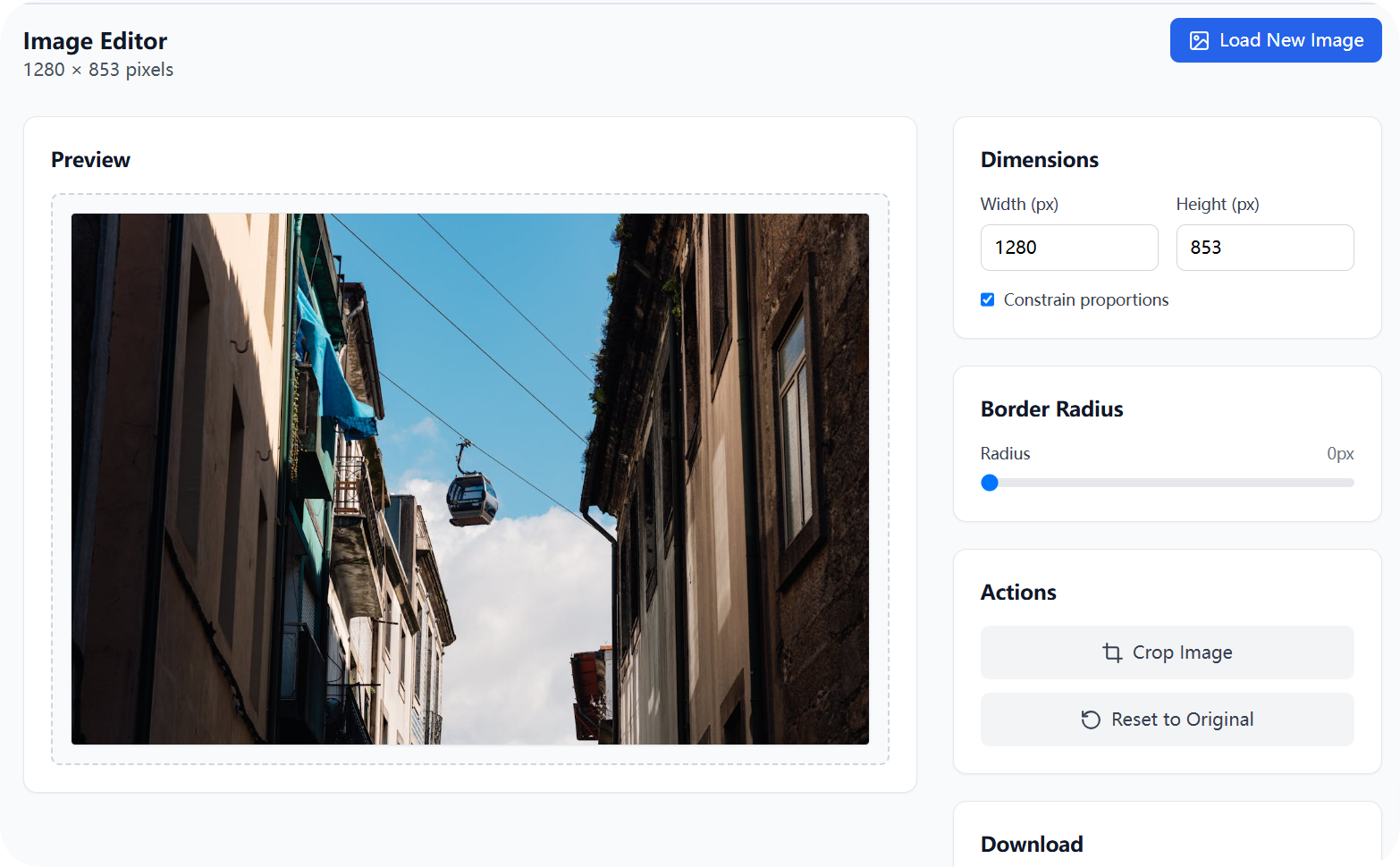
PasteResize lets users paste or upload images, then resize, crop, and adjust border radius directly in the browser using a simple, clean interface. The processed image can be downloaded instantly as PNG or JPG, with no external uploads or servers involved.
How we built it
I built the app using: React + TypeScript for structure and interactivity Tailwind CSS for styling and responsiveness HTML5 Canvas API for all image processing (resizing, cropping, downloading) Clipboard handling is done via the native paste event, supporting: clipboardData.files for desktop file copy clipboardData.items.getAsFile() for screenshots and web copies
Challenges we ran into
At first, pasting images copied from the desktop didn’t work — only screenshots were detected. I tested repeatedly in bolt.new and Cursor, trying different browser paste sources. Eventually,I figured out a working strategy: prioritize checking clipboardData.files (for desktop images), and fallback to clipboardData.items (for screenshots). That insight became the core prompt that built this tool.
Accomplishments that we're proud of
Successfully enabled cross-platform clipboard image paste, including desktop file copy and screenshot support. Delivered a fast, clean user experience in a short timeframe.
What we learned
The Clipboard API is more complex than expected and behaves differently depending on the source of the image. Canvas API is powerful but not trivial — cropping, resizing, and rendering interactions took careful planning. Minimal tools often deliver the best UX when designed with a focused goal in mind.
What's next for PasteResize — Quick Image Editor
Add image rotation, flip, and compression tools. Improve mobile support for touch-based cropping and editing. Add preset aspect ratios like 1:1, 2:3, 4:5, 16:9, and custom templates for quick resizing.
Built With
- canvas
- html
- react
- tailwind
- typescript

Log in or sign up for Devpost to join the conversation.