Inspiration
PasteKit started from a simple problem: I was tired of typing the same things over and over again.
As a developer, I frequently reuse text such as email addresses, links, code snippets, responses, account information, and other pieces of text. The iOS clipboard is useful for copying something temporarily, but it was not designed as a place to keep reusable content.
I wanted something that felt like an extension of the keyboard itself: save something once, organize it, and access it whenever I am typing.
That idea became PasteKit.
What it does
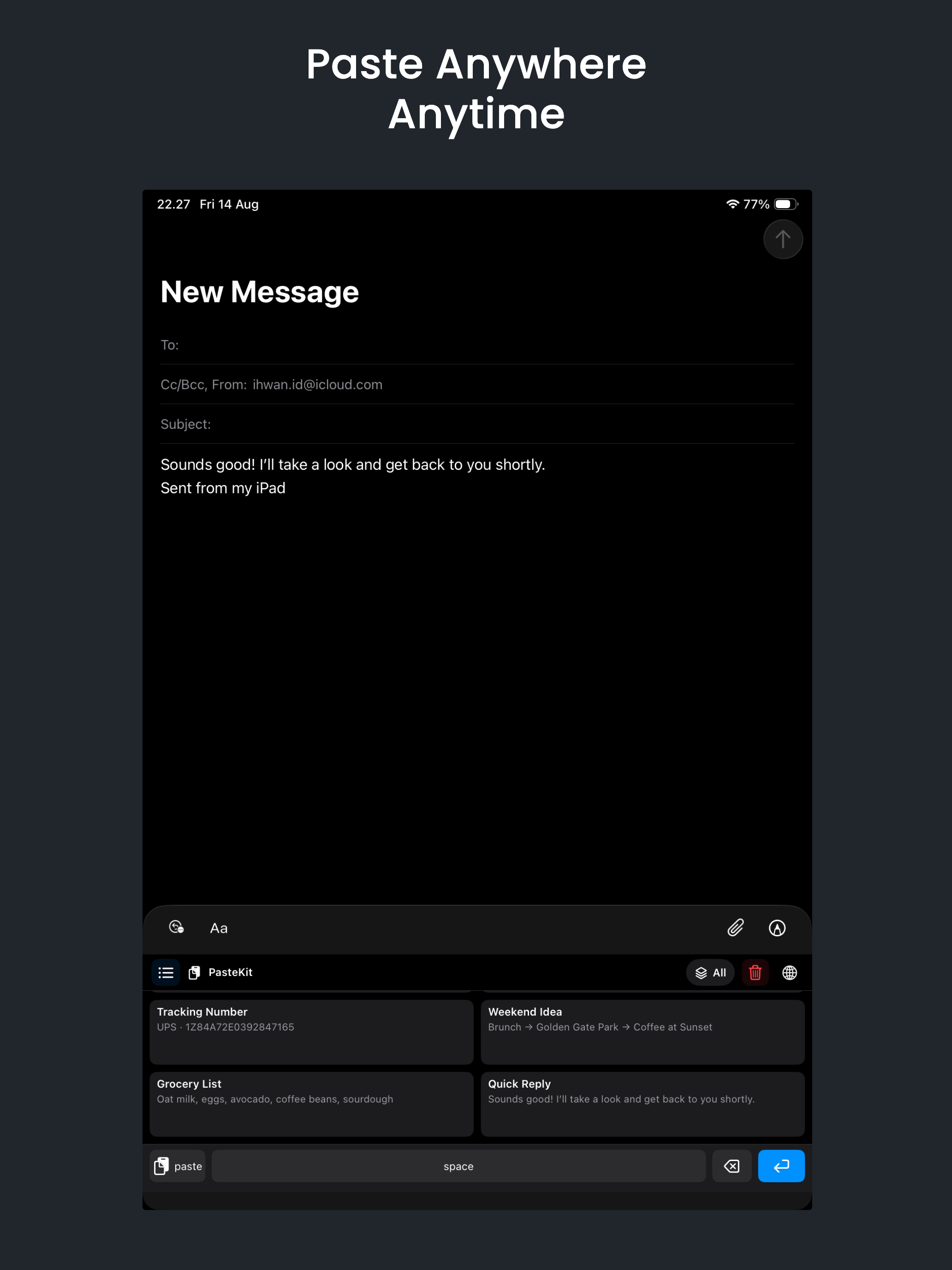
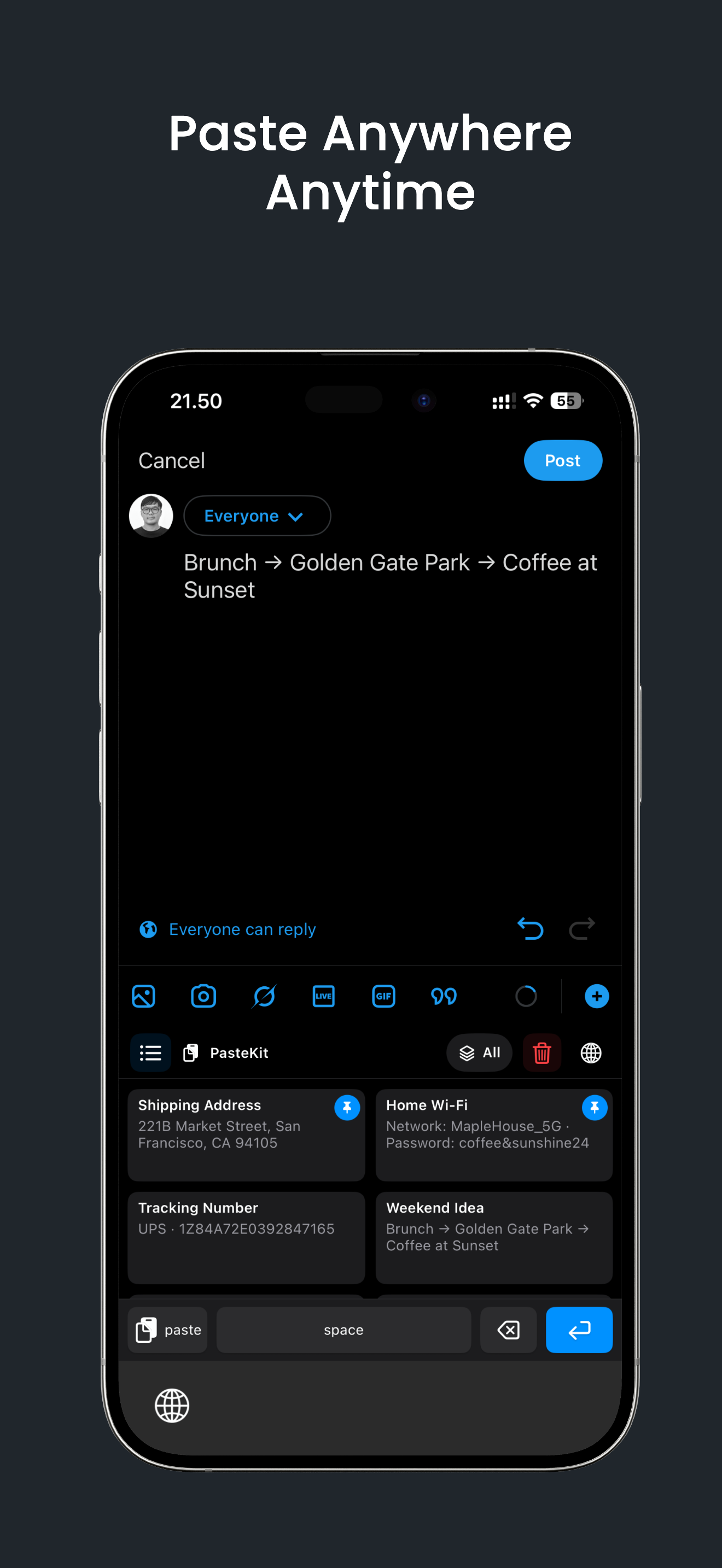
PasteKit is a clipboard manager combined with a custom iOS keyboard.
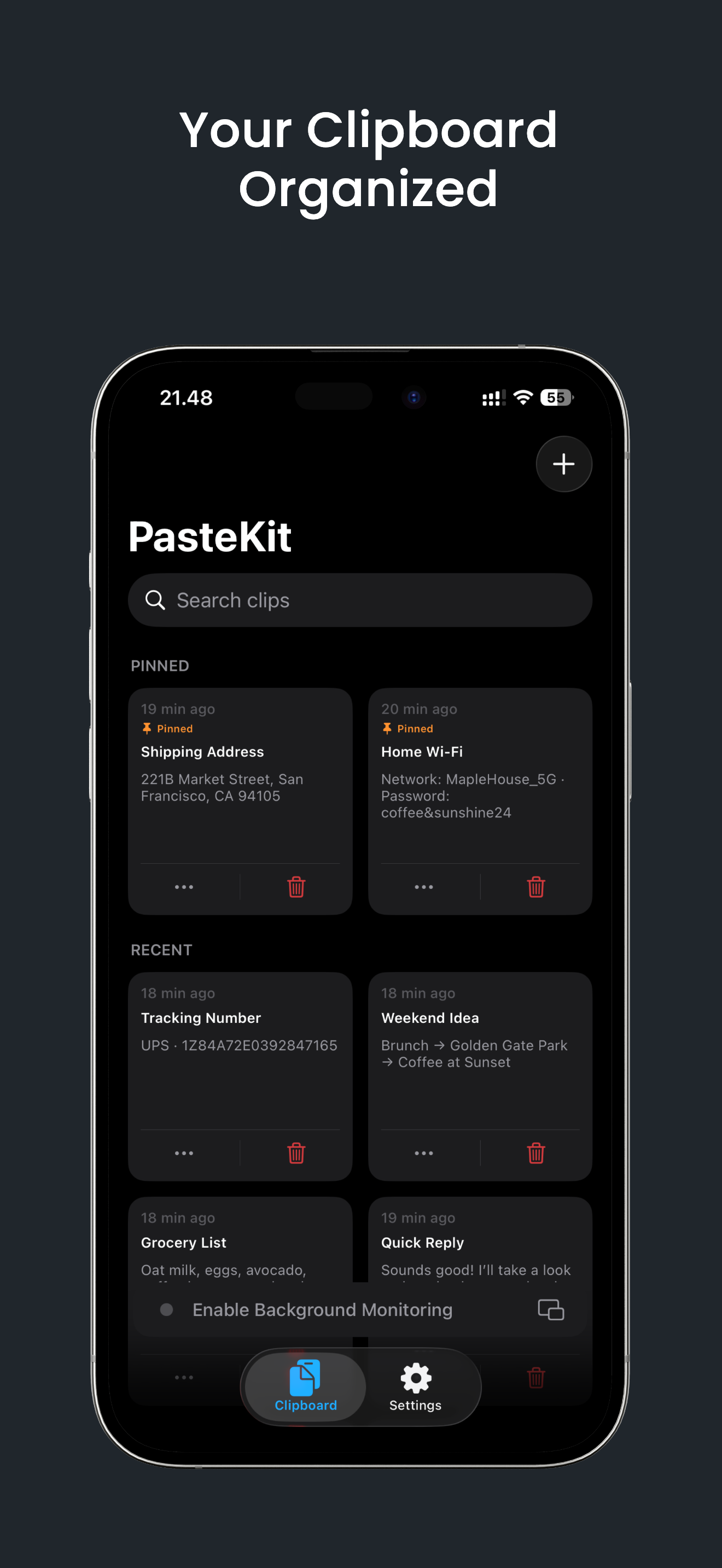
Users can save frequently used text and images and access them directly while typing without constantly switching between apps.
PasteKit allows users to:
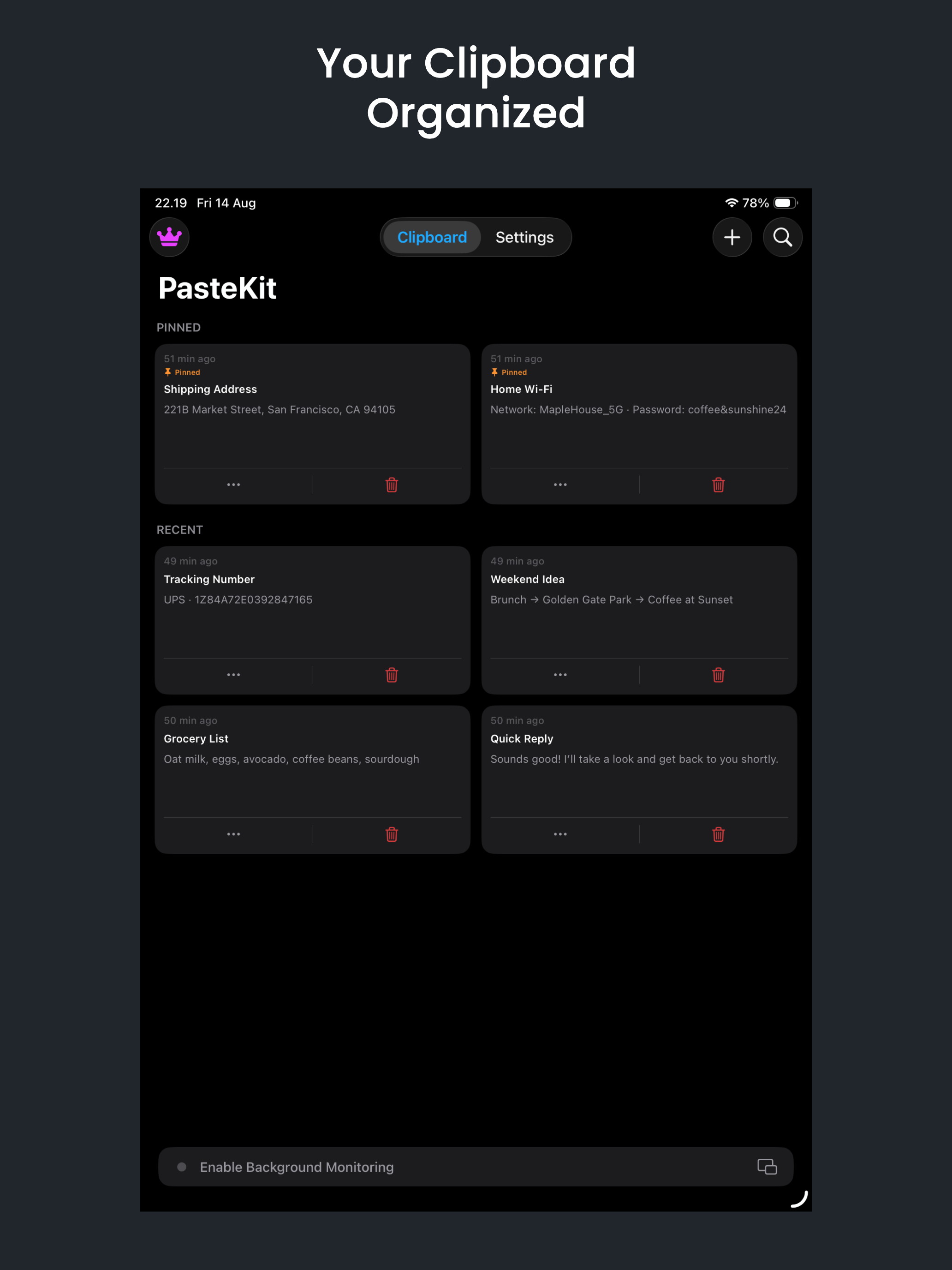
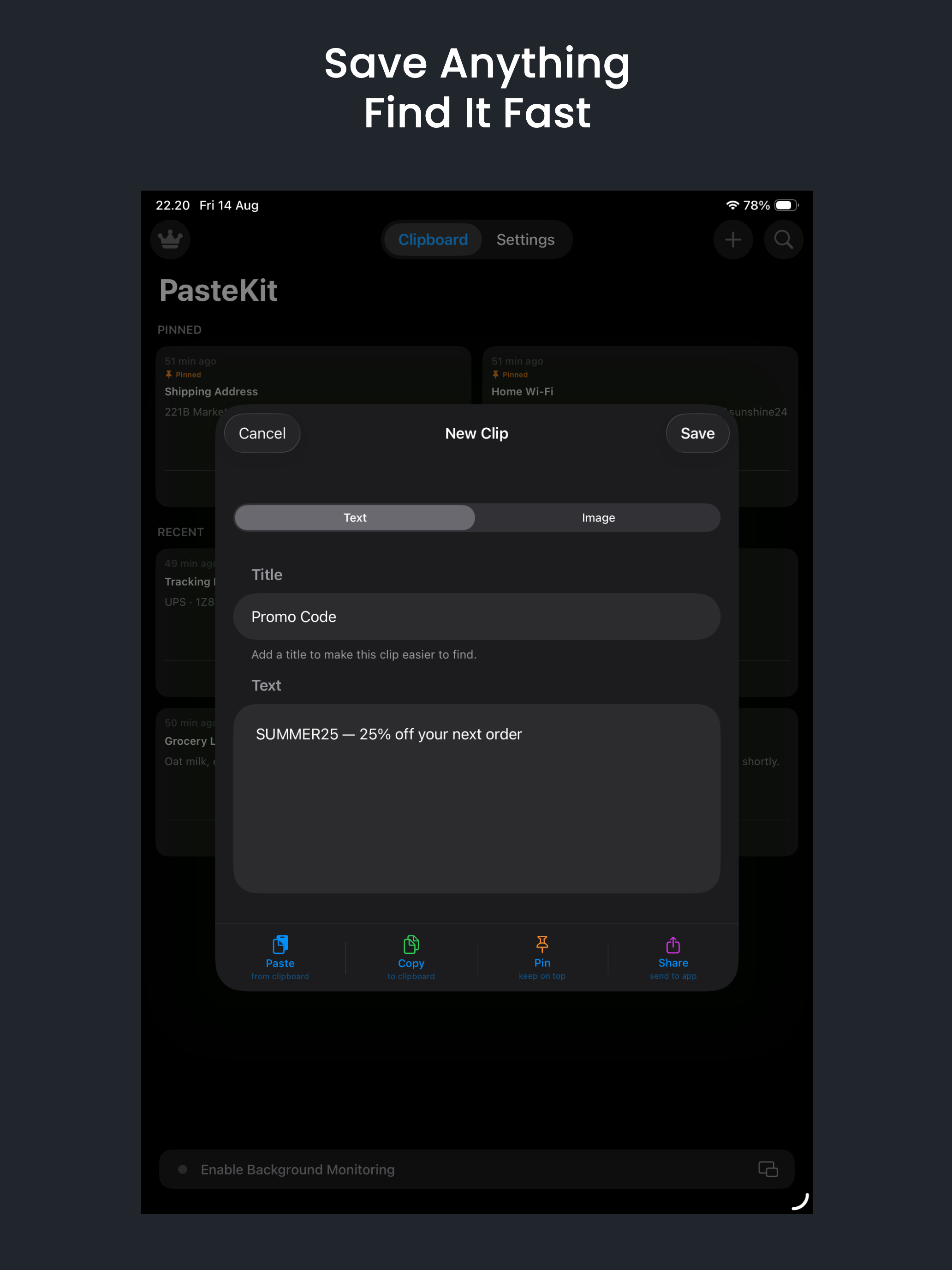
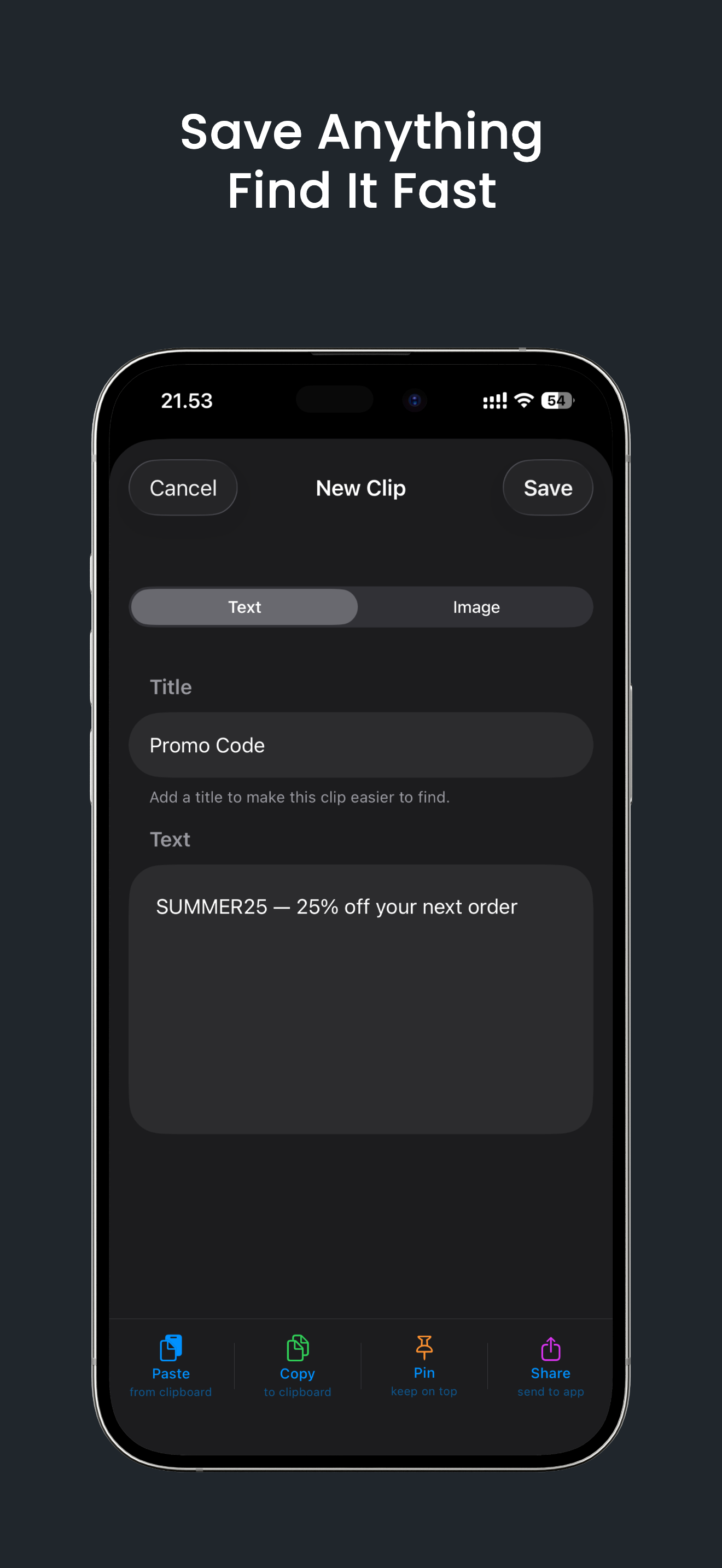
- Save reusable text snippets and images
- Send text and links to PasteKit using the iOS Share Sheet
- Access saved clips directly from the PasteKit keyboard
- Paste text directly into the active text field
- Copy saved images for pasting into supported apps
- Search clips by title or content
- Pin frequently used clips
- Edit, copy, share, and delete saved items
- Keep clips stored locally on the device
- Optionally back up and sync clips using iCloud
The goal is simple: save once, paste anywhere.
How we built it
PasteKit was built specifically around the iOS ecosystem.
The main application handles creating, editing, searching, organizing, and managing saved clips. A custom keyboard extension provides quick access to those clips from almost any text field on iOS.
We also integrated the iOS Share Sheet so content from Safari and other applications can be sent directly to PasteKit without manually copying and reopening the app.
Because clipboard data can contain sensitive information, privacy was an important design decision. Clips are kept on the user's device by default, while cloud backup and synchronization remain optional through iCloud.
One of the biggest design goals was keeping the workflow extremely short:
Save → Open Keyboard → Select Clip → Paste
The product was intentionally kept lightweight instead of turning it into a complicated productivity system.
Challenges we ran into
One of the biggest challenges was working within the limitations of iOS keyboard extensions.
A custom keyboard does not have the same capabilities as a normal application. Memory, system APIs, clipboard behavior, security restrictions, and communication between the main app and keyboard extension all require careful handling.
Text and images also behave differently.
Text can usually be inserted directly into the currently active text field, while images need to be copied to the system clipboard first and then pasted into an application that supports image pasting.
Another challenge was designing the experience around Apple's privacy model. Clipboard access on modern versions of iOS is intentionally restricted, so PasteKit needed to provide useful clipboard functionality without constantly reading the clipboard or creating unnecessary privacy prompts.
Synchronizing data between different parts of the application while keeping the keyboard fast and responsive was another important technical challenge.
Finally, creating a clipboard manager that feels simple was surprisingly difficult. Clipboard apps can quickly become overloaded with folders, tags, history, categories, and automation. We intentionally removed complexity and focused on the actions users perform most often.
Accomplishments that we're proud of
The accomplishment I'm most proud of is turning a small everyday frustration into a complete product that is available on the App Store.
PasteKit combines several parts of the iOS ecosystem into one consistent workflow: the main app, a custom keyboard, Share Sheet integration, local storage, clipboard interaction, and optional iCloud synchronization.
I'm also proud that PasteKit remains useful without requiring an account.
Users can install it, save their clips, enable the keyboard, and immediately start using it.
Most importantly, the final product solves the original problem:
Instead of typing the same information repeatedly, I can now save it once and access it almost anywhere on my iPhone or iPad.
What we learned
Building PasteKit taught me that some of the most useful products come from solving very small problems extremely well.
I also learned much more about how iOS extensions operate, especially the differences between building a standard application and building a custom keyboard that runs under tighter system restrictions.
Privacy was another important lesson.
Clipboard managers naturally interact with information that may be sensitive, so the product needs to earn user trust. Keeping data local by default and making cloud synchronization optional became an important part of the product philosophy.
From a product perspective, PasteKit reinforced another lesson: reducing friction is often more valuable than adding features.
Saving a few seconds might not sound significant, but when an action is performed dozens of times every day, those seconds add up.
What's next for PasteKit
PasteKit is just getting started.
The next step is to make managing and retrieving clips even faster while keeping the experience simple.
Some areas we're exploring include:
- Better organization for larger clip collections
- Smarter search and filtering
- Faster ways to capture reusable content
- Improved keyboard workflows
- More synchronization options across Apple devices
- Additional productivity features for frequently used snippets
- Continued improvements to performance, reliability, and accessibility
Long term, I want PasteKit to become a small but indispensable productivity tool: something users rarely have to think about, but immediately miss when it is not available.
Save it once. Paste it whenever you need it.


Log in or sign up for Devpost to join the conversation.