-
-
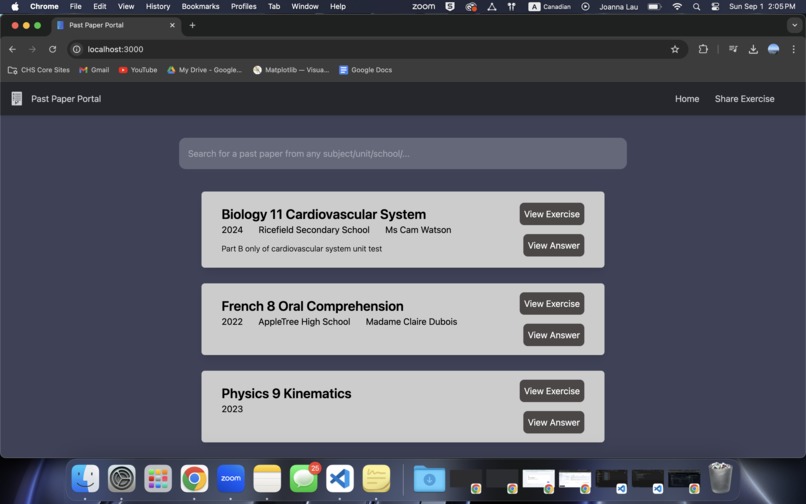
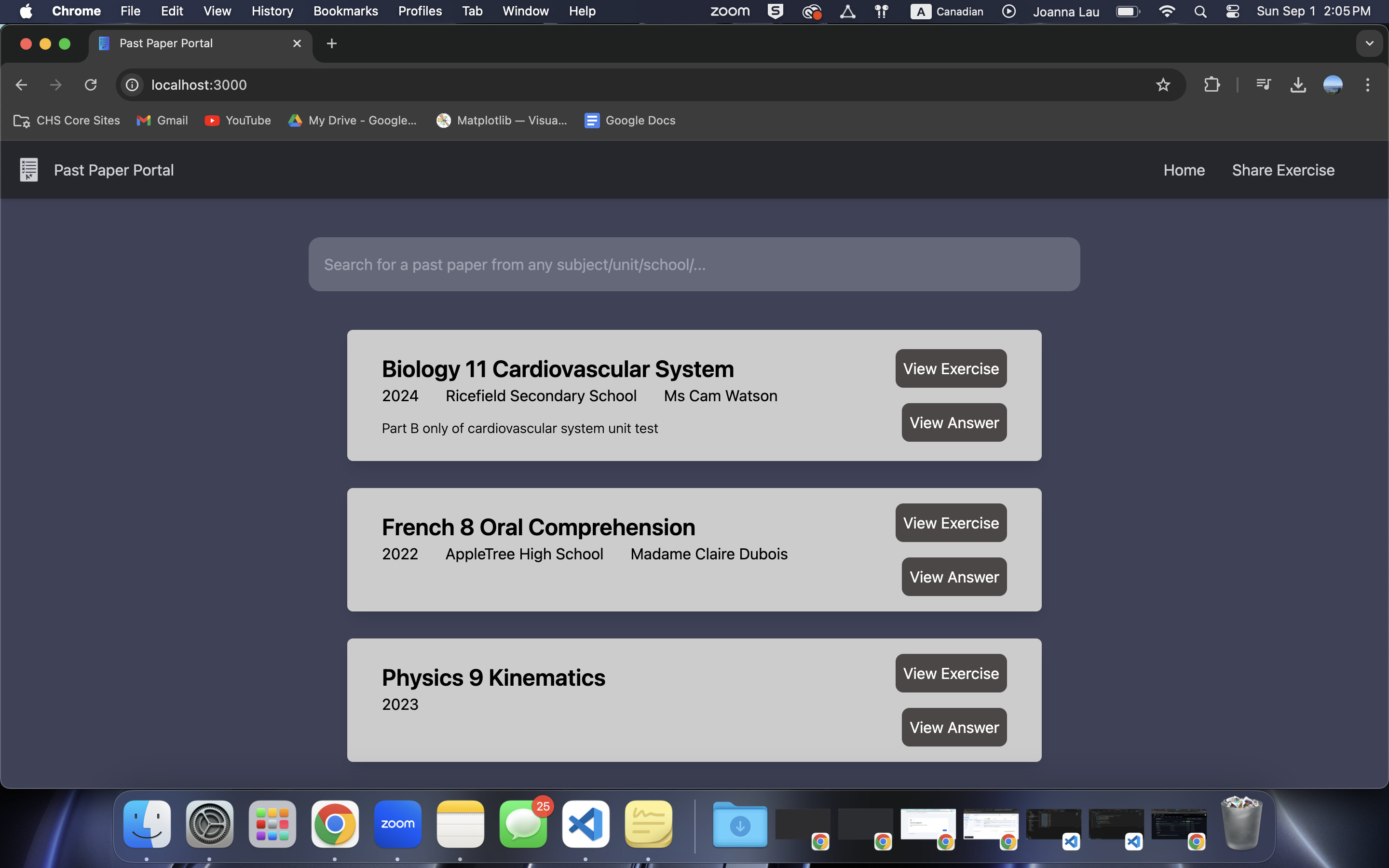
Main page showing all uploaded papers and a search bar for easy access
-
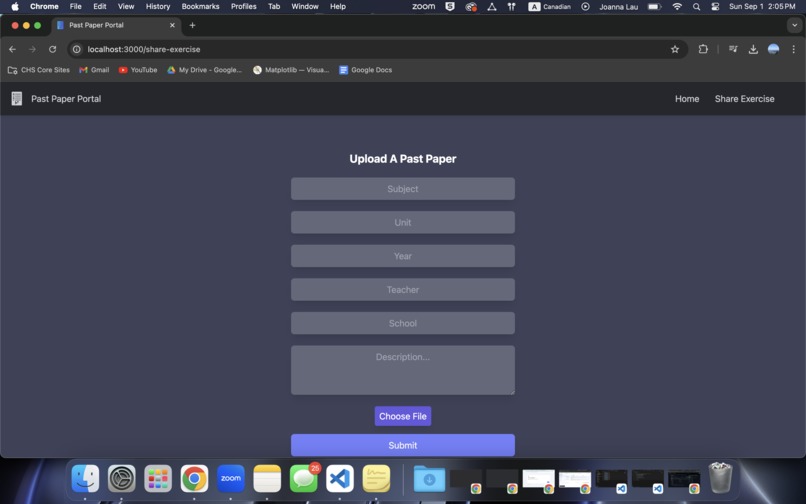
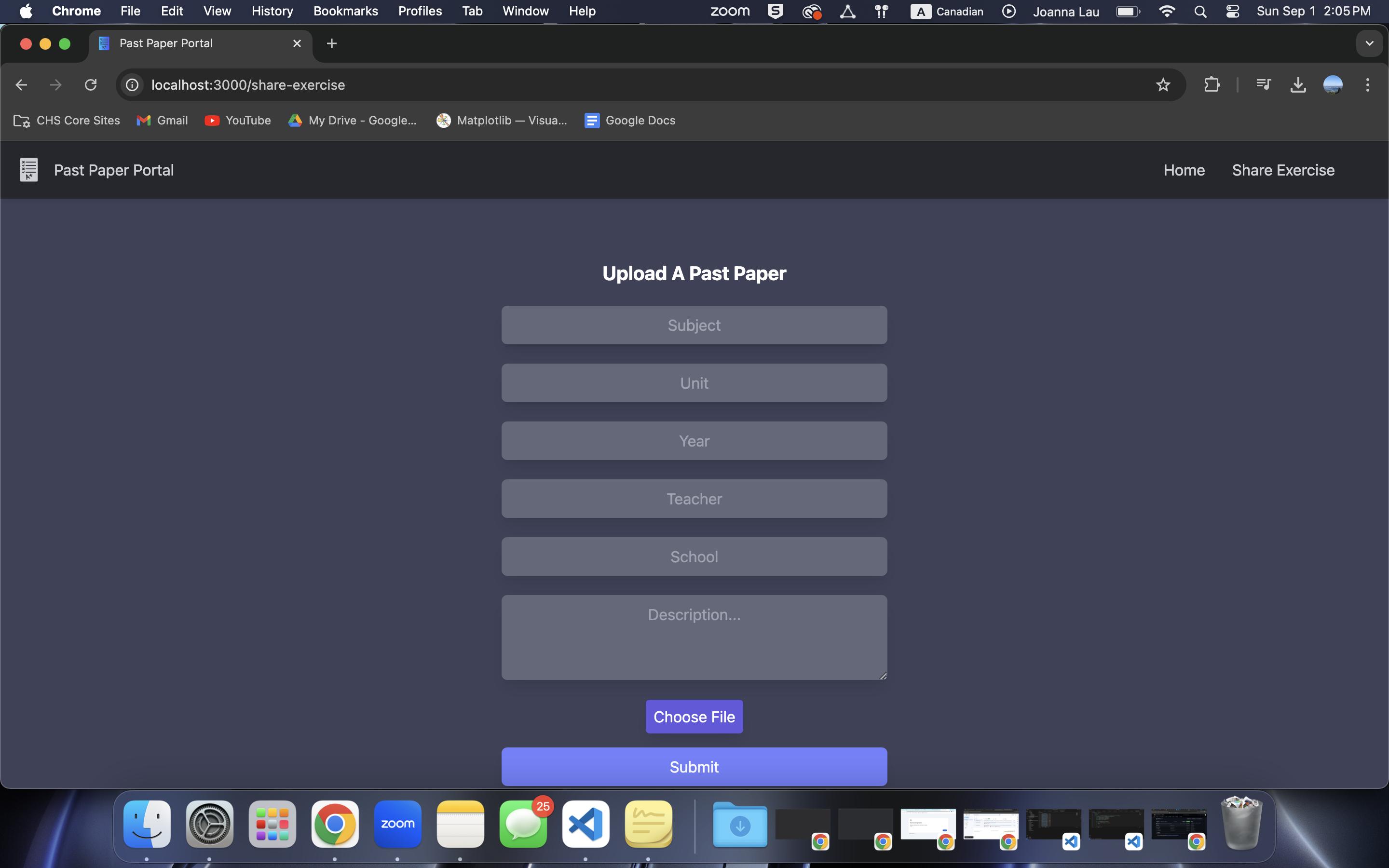
Past test uploading screen form with subject, unit, year, and a file required
-
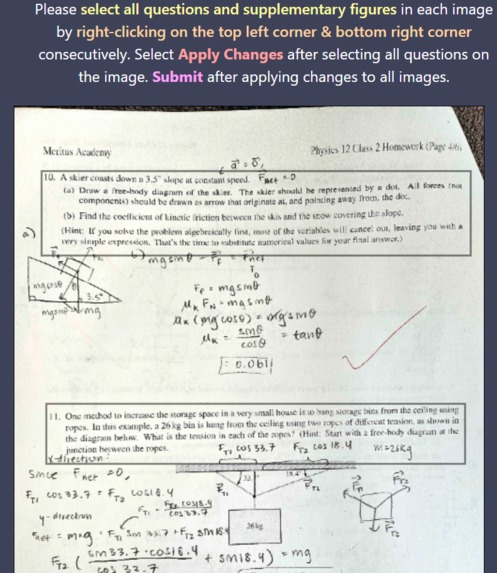
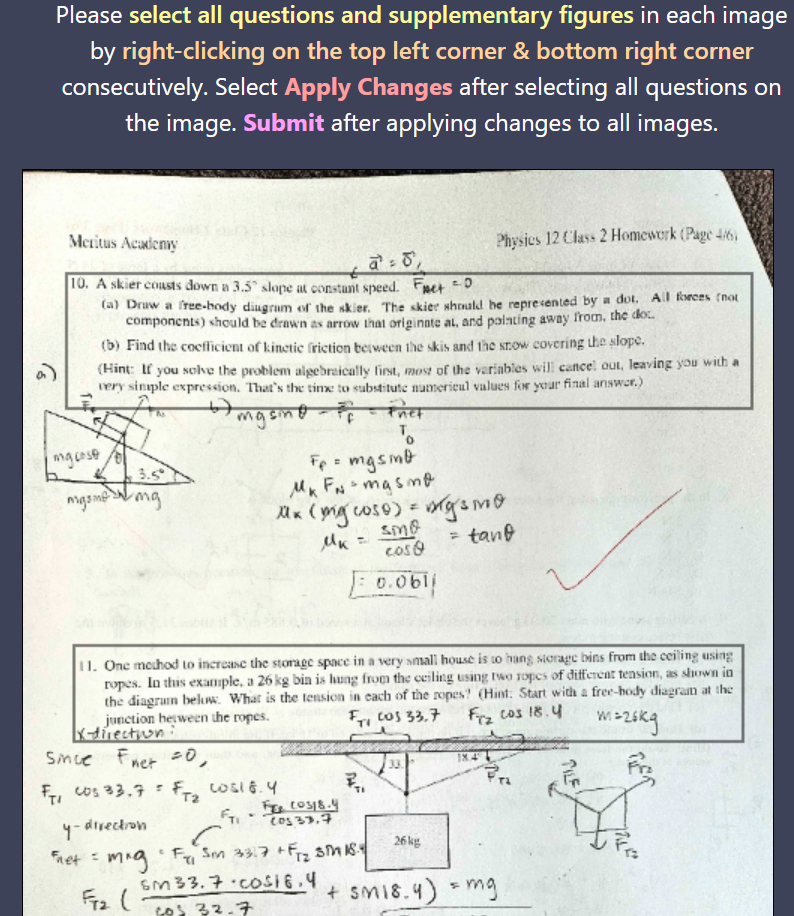
Area for the uploader to create a rectangle of the question
-
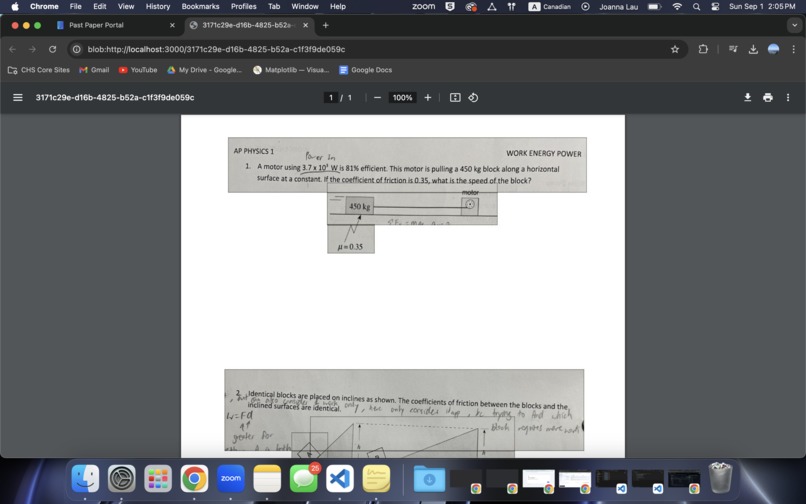
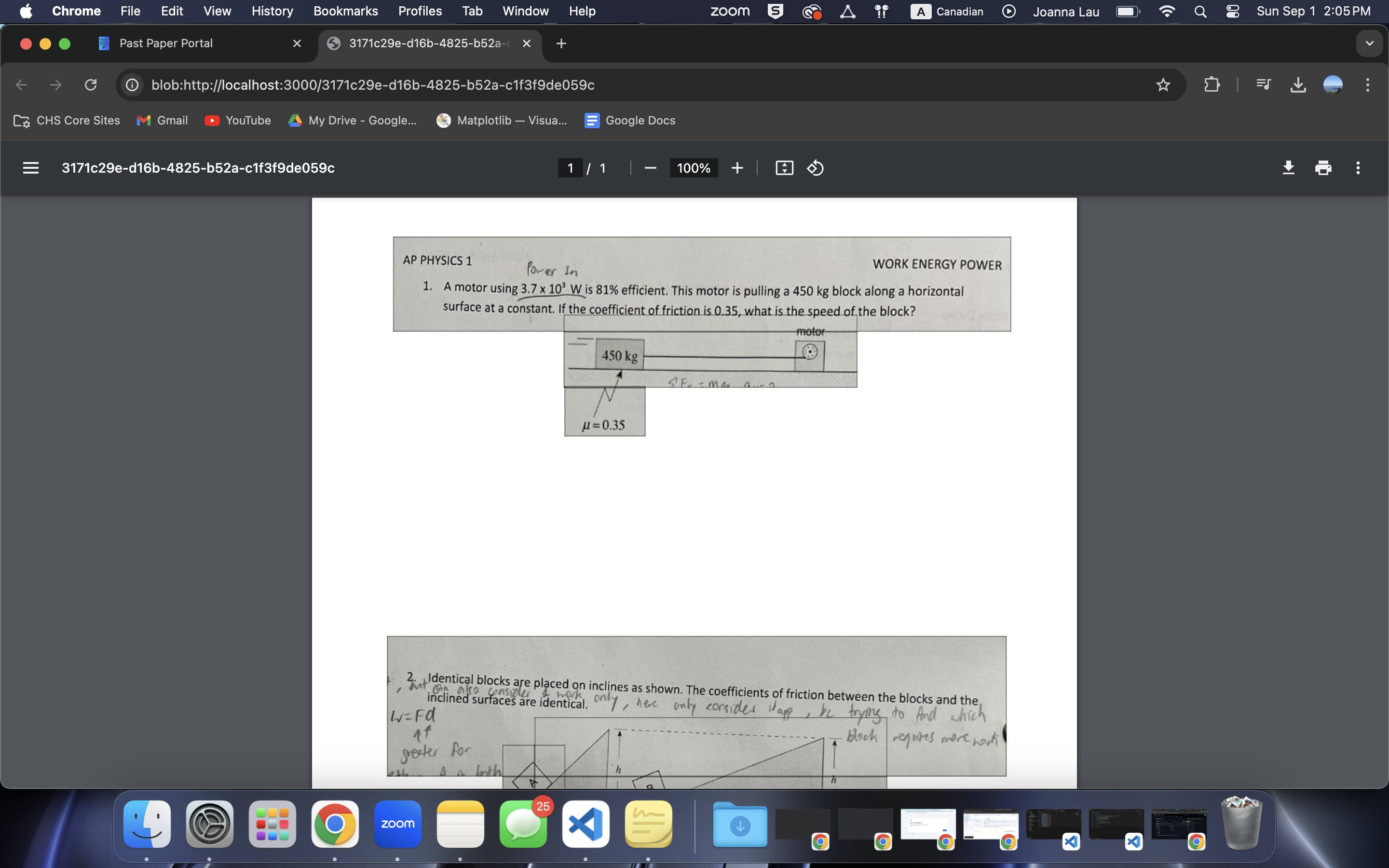
Generated answer pdf with student work erased
🧠 Inspiration 🧠
We got inspiration from analyzing problems in our everyday school lives: Every time a test, exam, or assignment comes up, we wish we could practice with test papers from previous years to feel more prepared and confident. Past paper practice also helps us see the teacher’s marking style. This is especially important if you’re taking a challenging course with a teacher who you know nothing about! Whether it’s a physics test or a persuasive essay, teachers can be picky about communication style and notations. We want to guide future students to a path of success (or better grades) by creating a past paper-sharing platform that allows students to help each other access more educational resources.
⚙️ What it does ⚙️
Our app allows students to upload their previous tests as images (jpg, png), so that users can just take a picture of the test with their phone and then upload to the website. Then, the website displays the uploaded images and asks the user to indicate the location of the questions and supplementary figures through drawing on the image. This allows the website to create a pdf that contains questions in the test only, so that users can do the test without accidentally looking at the answers. The original images are saved into a separate pdf which users can access to check their answers. All the exercises can be viewed from the Home page, and a search function allows users to find practices for specific subjects or created by specific teachers!
👷♀️🔧 How we built it 👷♀️🔧
We used React.js, HTML, CSS, and JS for the frontend, and Python with the framework Flask for the backend. This was all done using VS Code, and we were able to collaborate and share code over Github!
💀 Challenges we ran into 💀
While working on this project, we had a lot of minor bugs, and found it difficult to connect the backend to the frontend without any errors. We also had a minor challenge of making the question sheet less blurry.
🎉 Accomplishments that we're proud of 🎉
We were able to create a canvas that, when a rectangle is drawn, everything outside turns white! For backend, we’re proud of our app’s ability to store files in a SQLAlchemy database and automatically create a pop-up window and download the PDF files when requested, which was really cool!! Also seems like an easy way to install a virus …
📝 What we learned 📝
This was our team's first web development project, so we all learned a lot about both front-end and back-end development, as well as how to use Git! We learned about different new HTML elements (such as canvas), and how to use React.js to make the program more interactive!
🔮 What's next for Past Paper Portal 🔮
There are many extra features we want to add to Past Paper Portal, including:
- A login portal and account page: This would allow users to favourite some of the exercises for later. Users would also be able to create their own test sets for easier future reference.
- A rating system: Users can rank the resources using a star review system. Then, the search function would be able to sort by the highest-rated and most recent resources to provide the best user experience!
- More User-friendly: Specifically, when creating a rectangle, we want a click-and-drag functionality. Furthermore, we’d like the rectangle to be displayed while dragging,
- Incorporating AI: We want to add an AI model that would detect the uploaded images and automatically create the question and answer sheets without the need of the user boxing any questions. If the text is detected and extracted, then we would also be able to create a site portal where answers can be submitted and compared to the answer sheet.
Built With
- flask
- git
- github
- javascript
- python
- react
- sqlalchemy
- tailwind.css
- vscode


Log in or sign up for Devpost to join the conversation.