-
-
Passwords Kit
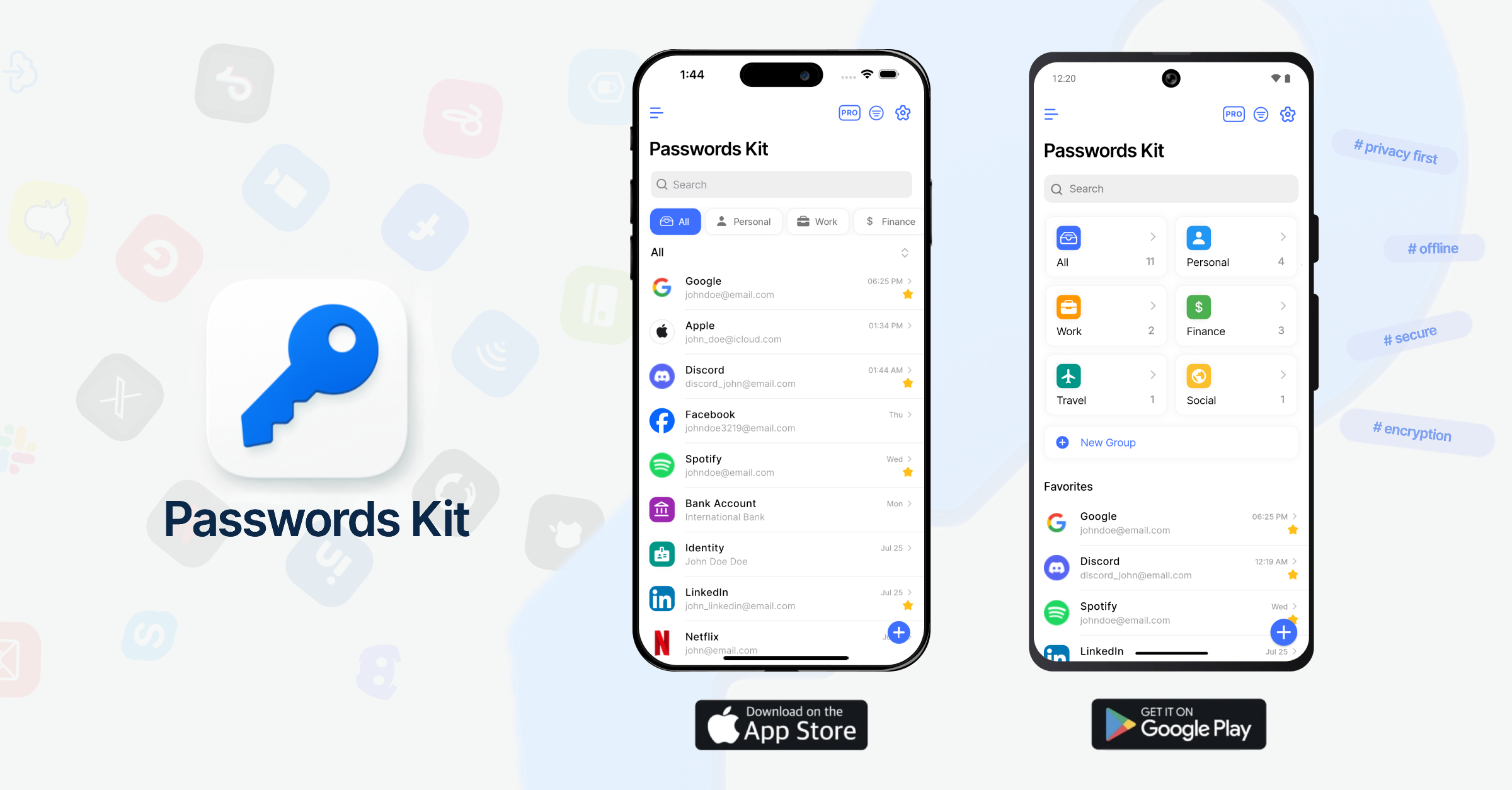
About the Project
I was inspired to build a privacy-first offline password manager due to increasing concerns about data security and the desire for users to have full control over their sensitive information. I wanted to create an app where users’ data never leaves their device or touches external servers, ensuring maximum privacy and security.
This led to the development of Passwords Kit, an app that encrypts all data locally using the master password and stores it only on the user’s device. This approach eliminates risks associated with cloud breaches by default, while still offering optional encrypted cloud backups.
How I Built It
The app was built using modern mobile frameworks to leverage native biometric sensors and offline storage securely. Key features include:
- Biometric unlock (fingerprint, face) for quick, secure access
- Dynamic and custom fields to support diverse password types
- Grouping and organizing passwords with customizable groups
- Adding images and attachments to password entries
- An offline, encrypted backup system for import/export of data
- Password generator for strong credential creation
- Personalization options like dark/light modes, themes, colors, and font sizes
The app also supports CSV export and optional cloud backups, while keeping privacy intact through end-to-end encryption.
Challenges Faced
One major challenge was implementing strong yet convenient security measures without sacrificing usability. Ensuring encryption keys are never exposed and sensitive data is always protected, even during backup and synchronization, requires careful design and testing. Another difficulty was creating a consistent user experience across different platforms and device types.
What I Learned
Throughout the project, I deepened my knowledge of encryption techniques, secure data storage, and biometric authentication integration (fingerprint, face recognition). Balancing strong security with a smooth, user-friendly experience was challenging but rewarding. I also improved my skills in cross-platform mobile development to support both iOS and Android with feature parity.
Passwords Kit is now available on iOS and Android, reflecting my commitment to privacy, usability, and continuous improvement.
🌐 Website: passwordskit.com
📲 Download on Google Play: Google Play
📲 Download on App Store: App Store
Built With
- biometric
- dart
- encryption
- firebase
- flutter
- google-drive-api
- obfuscation
- remote-config
- revenuecat

Log in or sign up for Devpost to join the conversation.