-
-
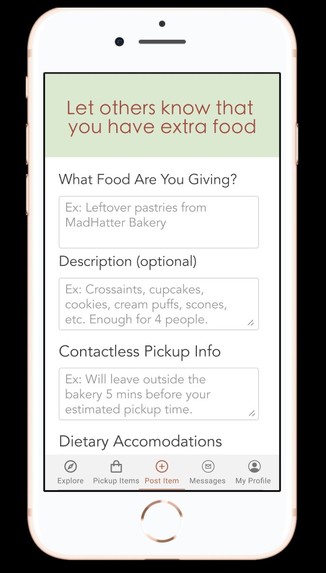
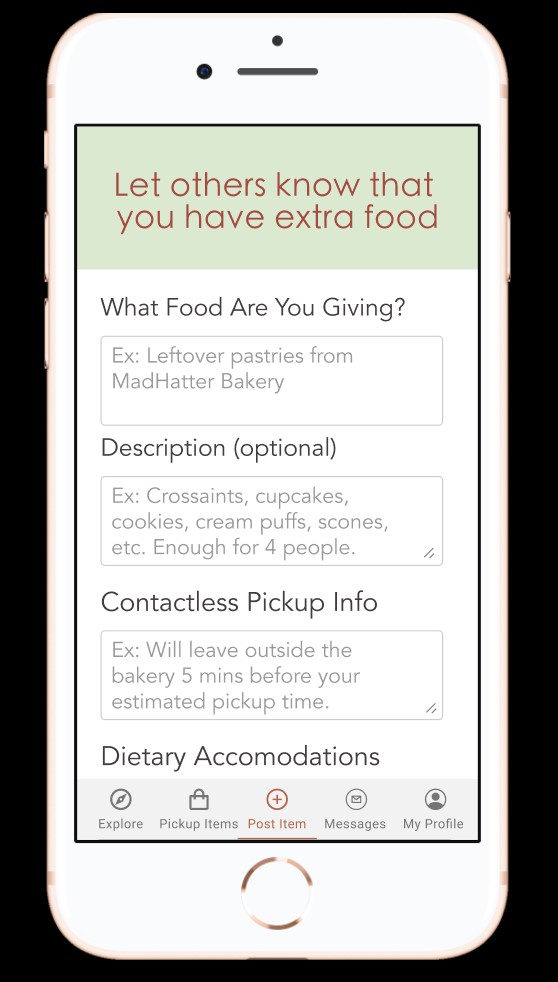
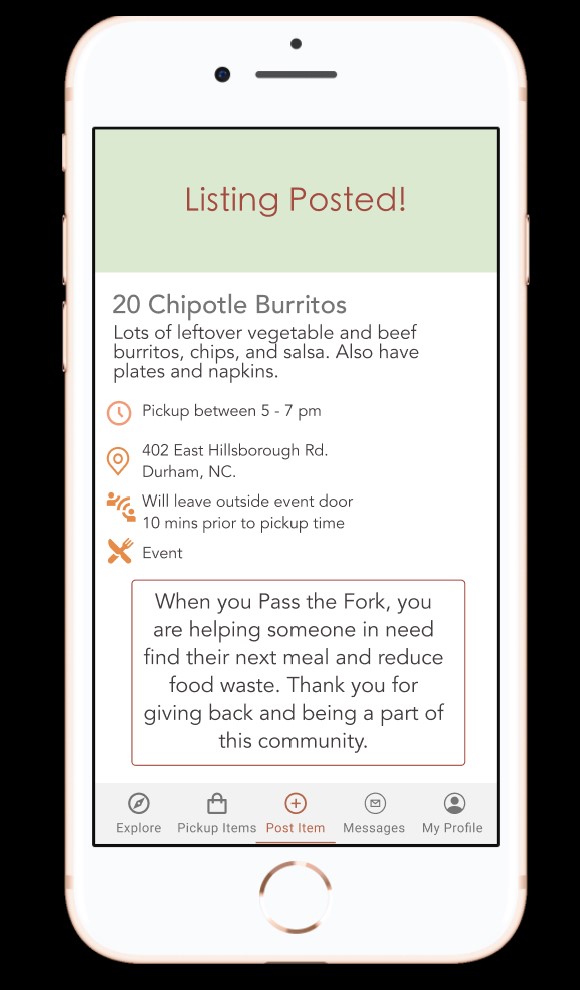
The Post Item page, where food suppliers can post a new food listing along with relevant information for food seekers to see.
-
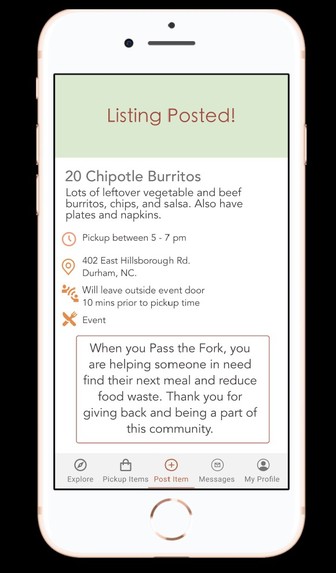
The Confirmation page that lets the food supplier know that their listing has been posted successfully.
-
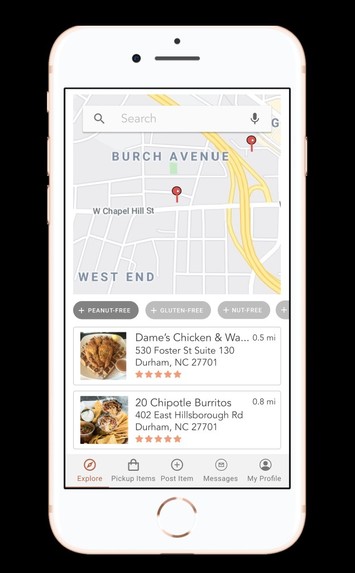
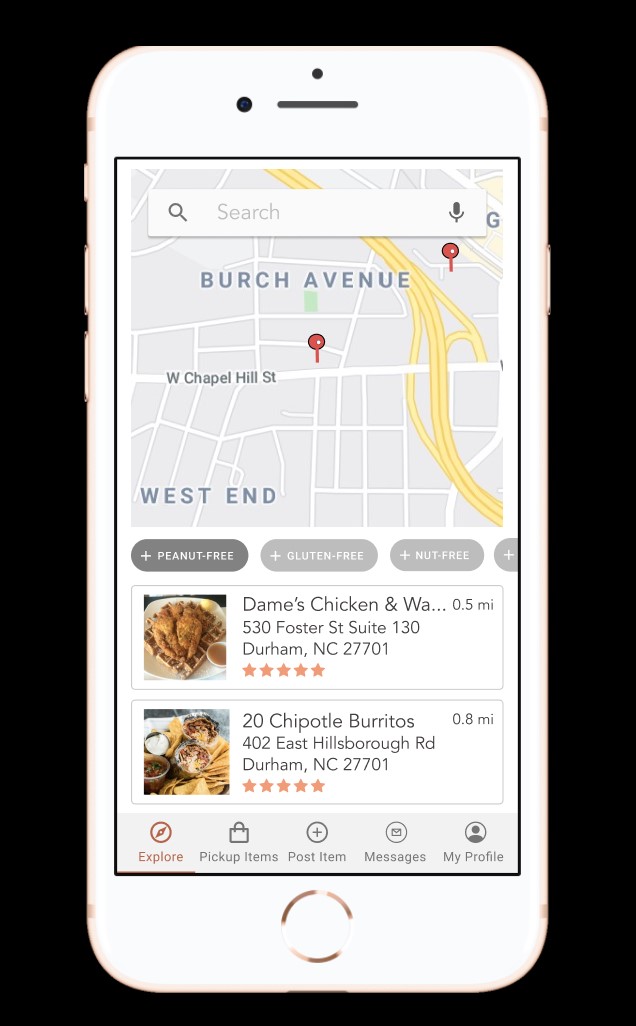
The Explore page, where people seeking food can see what's available near them and filter by dietary restrictions.
-
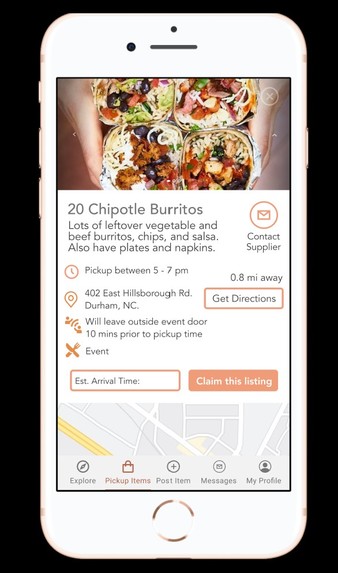
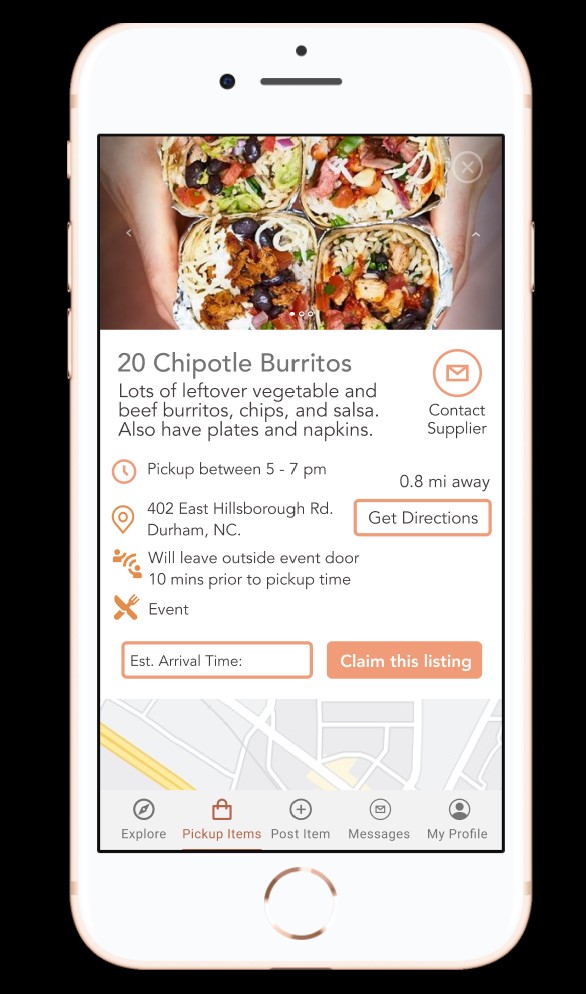
More information about a food listing, where people seeking food can access directions, input their arrival time, and claim the order.
-
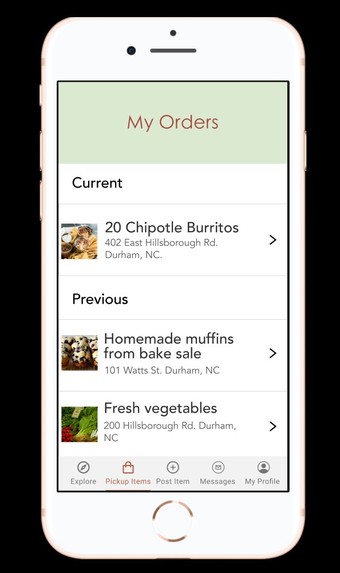
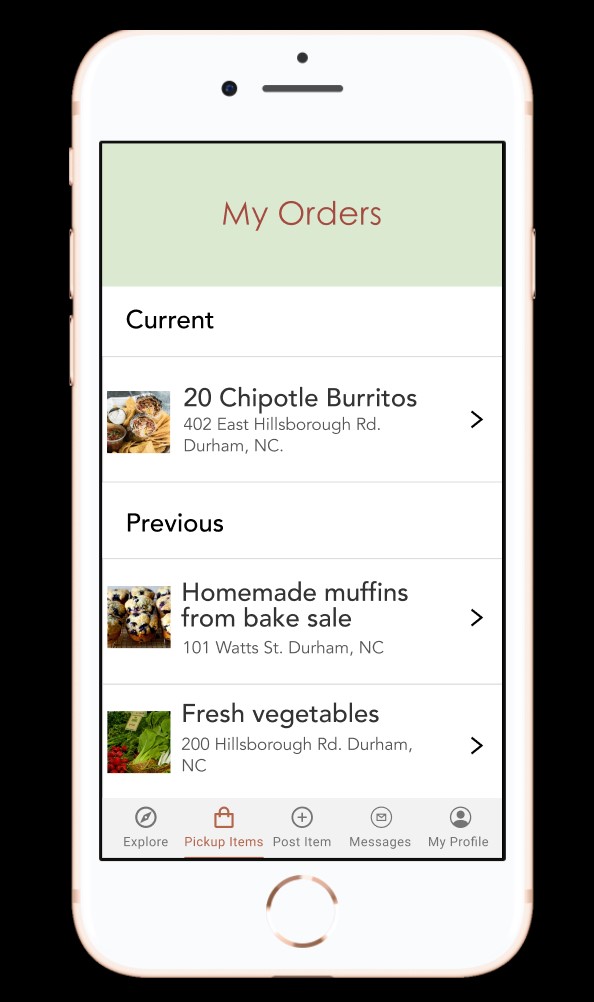
The Orders page, where food seekers can see their current and past orders.
-
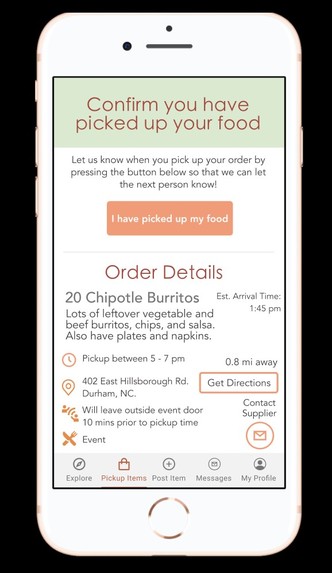
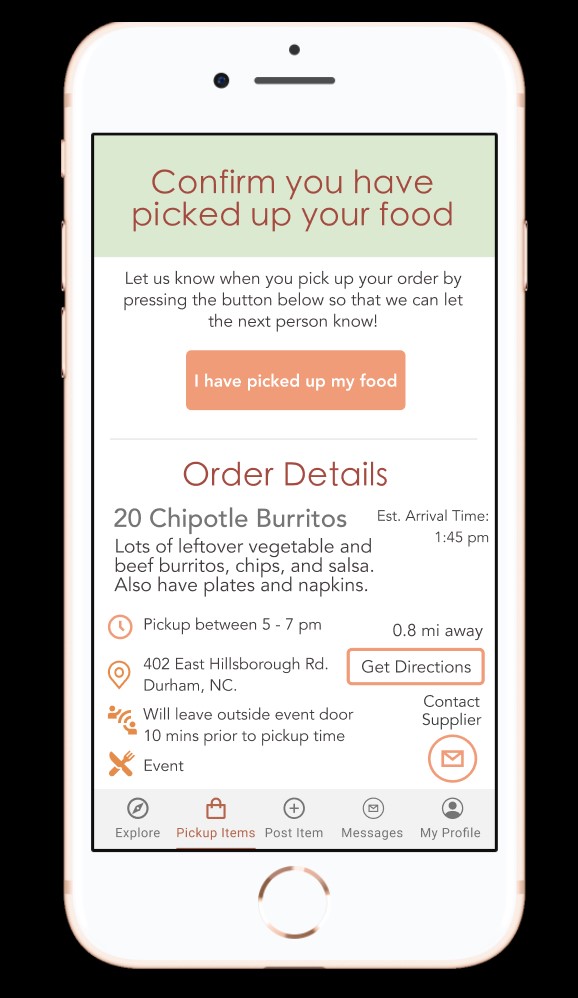
People who have claimed an order can access the details of an order again and let others know when they have picked up the food.
-
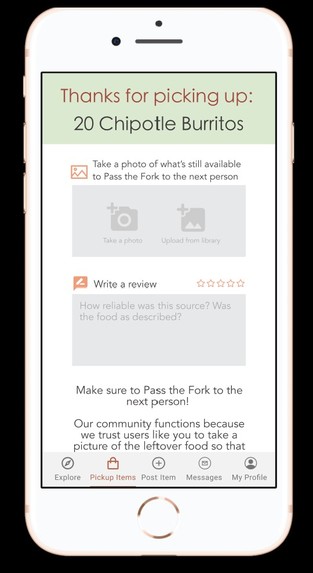
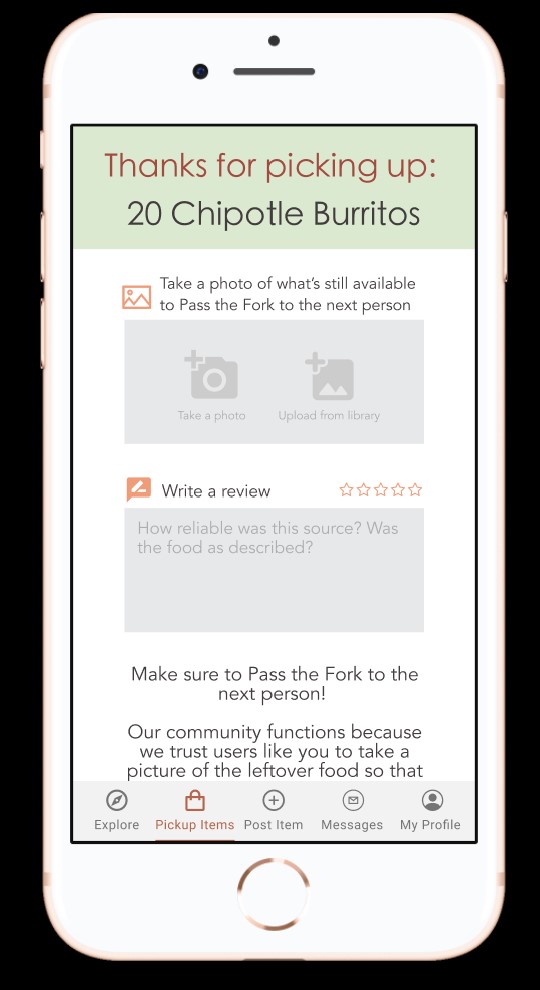
People who have picked up their order can take a photo of what's left, rate the supplier's reliability, and write a review for other users.
Inspiration
Our inspiration came from mutual aid distribution sites and online ads offering to share excess food resources to food-insecure people. In our design, we also considered the possibility of users living in food deserts with limited access to public transportation, so they can search for food within a smaller radius and receive walking directions from Google Maps to the food resource.
What it does
Pass the Fork is a centralized platform for people with excess food, such as restaurants or event organizers who are throwing away leftovers, with people who need food, such those struggling to pay for groceries. People with surplus food can list their food, providing details such as dietary accommodations, when and how to pick it up, and a description. They will also be asked to take a photo of the food so that other users can see what the food looks like. People seeking food can access a map of food surpluses near them, which they can claim and then pick up at a certain time. They can communicate with the suppliers as well to voice any questions or gratitude on the messages page. Lastly, they can view any current orders they have claimed in addition to all of their past orders. The user can view their order to recall any important information, such as the address. Once they arrive and pick up their order, we ask that the user takes a photo of whatever food is left, so that other users can see if there is still food available for them. The user can also rate the supplier’s reliability and write a review, so that future users who are seeking food from this supplier can see how reliable, safe, and accurate the supplier was. Lastly, the users are able to create profiles and share a bio to promote a sense of community and make it easier to use the app if their information is already saved.
How I built it
First, we thought of the current solutions to food-insecurity and discussed where they could be improved. Then, we took on personas of both types of users: those who have an excess of food, and those who are food-insecure. We listed what features we would want to see from both perspectives, then discussed what we would expect to see from the app in sequential order. From that order, we sketched our screen flow on paper then started building our prototype in Figma.
Challenges I ran into
The biggest challenge we had was thinking about the safety of users and ensuring that food listings were legitimate. One step to fight false listings was to require a photo of the food being posting. Another was a reliability rating so that if someone did post a false listing, a user could give a bad rating and the next users could see it reflected in the listing information and know to not trust that resource. We decided against requiring some sort of background check to prevent users choosing not to post things due to hassle. We also added a special section for contact-less pickup details to minimize risk to the health of users.
Accomplishments that I'm proud of
Our goal was to build a low-fidelity prototype that communicated the concept for Pass the Fork. Our team worked very well together and was able to produce multiple medium-to-high fidelity screens that together give a comprehensive demo of our app. Despite having some technical issues, involving shaky internet connections and insufficient computing power, we were able to communicate through our Slack channel and fill-in gaps of our teammates.
What I learned
All of our team members were new to Figma, so we all quickly gained familiarity with the platform and became comfortable users. We learned from a guest speaker the importance of taking on personas of users to consider ease of use and layout. Also, we learned that people have a tendency to look for buttons in specific screen locations, so it was important to consult popular apps such as Instagram and Facebook to build a familiar UI.
What's next for Pass the Fork
We have many future visions for Pass the Fork. We discussed how many people experiencing food insecurity may not have reliable transportation. We want to implement a feature where users can view the faster route using only public transportation. Eventually, we want to allow the suppliers the option to drop the food off at the food seekers location because we know that many of our suppliers may be headed in that direction anyways. Additionally, we want to add a series of background checks for the users seeking food to ensure the safety of all users, though we still aim to make the app little steps as possible in order to avoid deterring any users from utilizing our app.
Built With
- figma


Log in or sign up for Devpost to join the conversation.