-
-
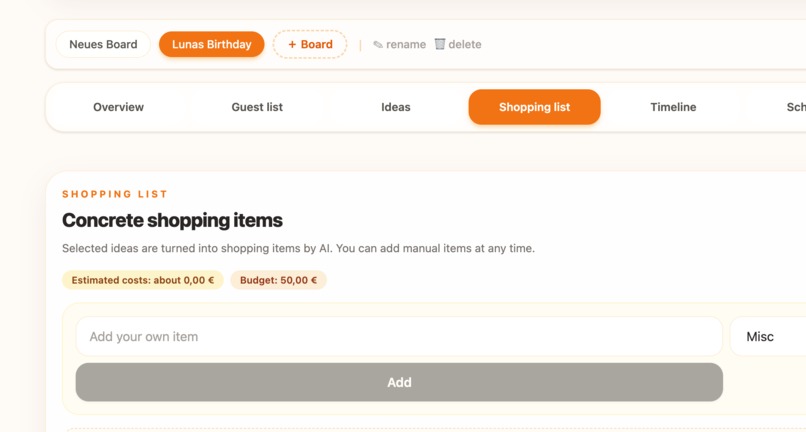
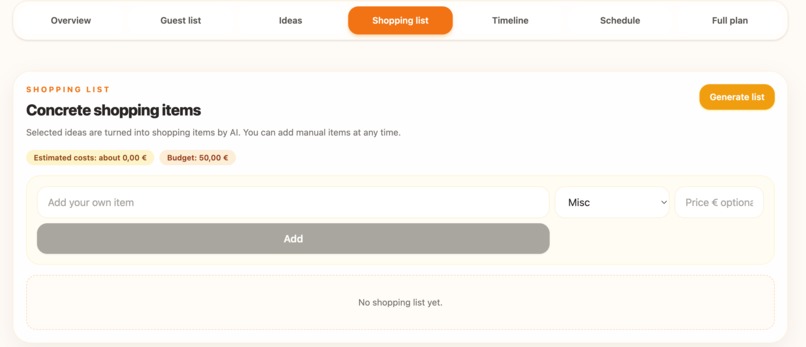
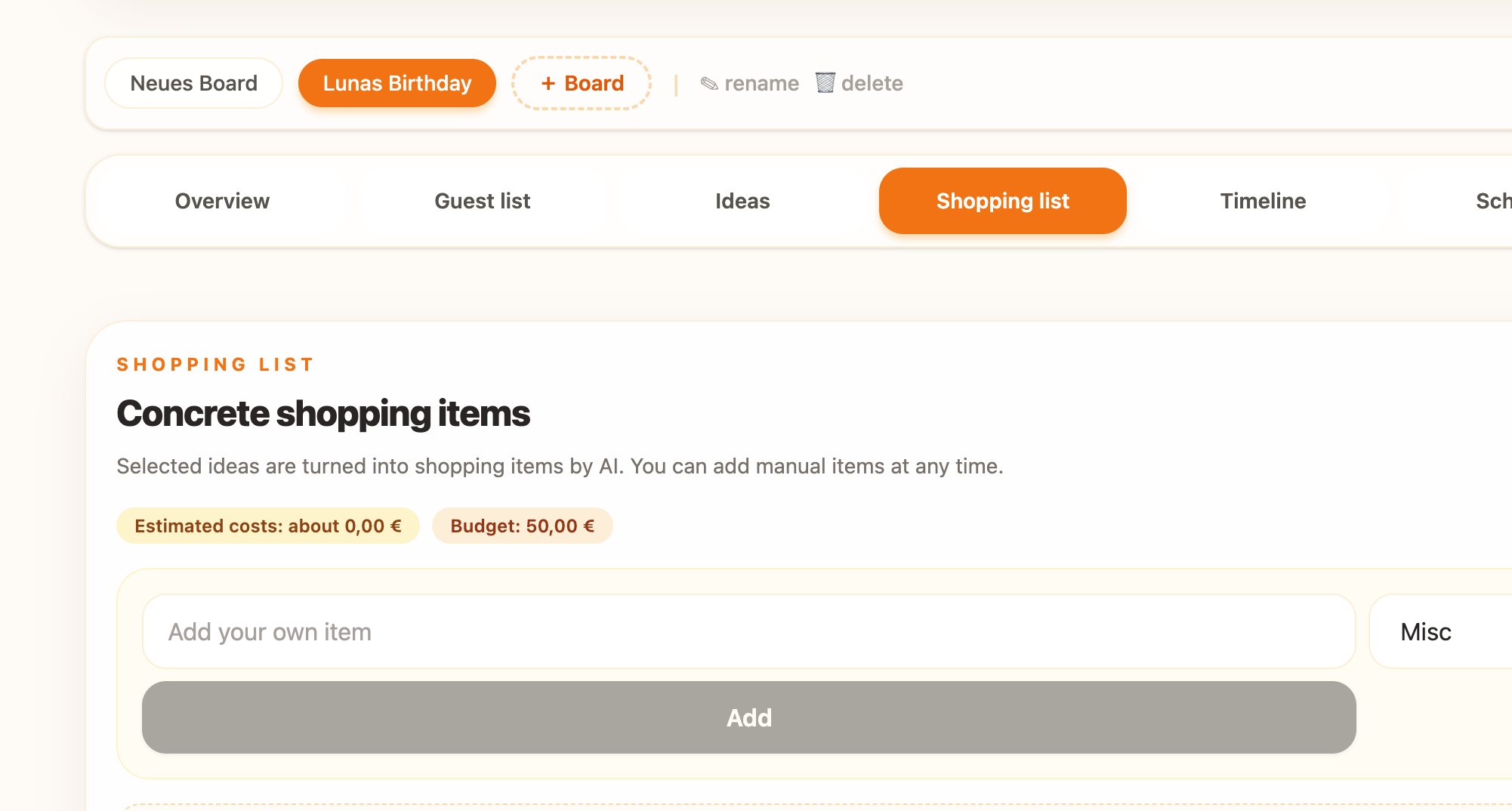
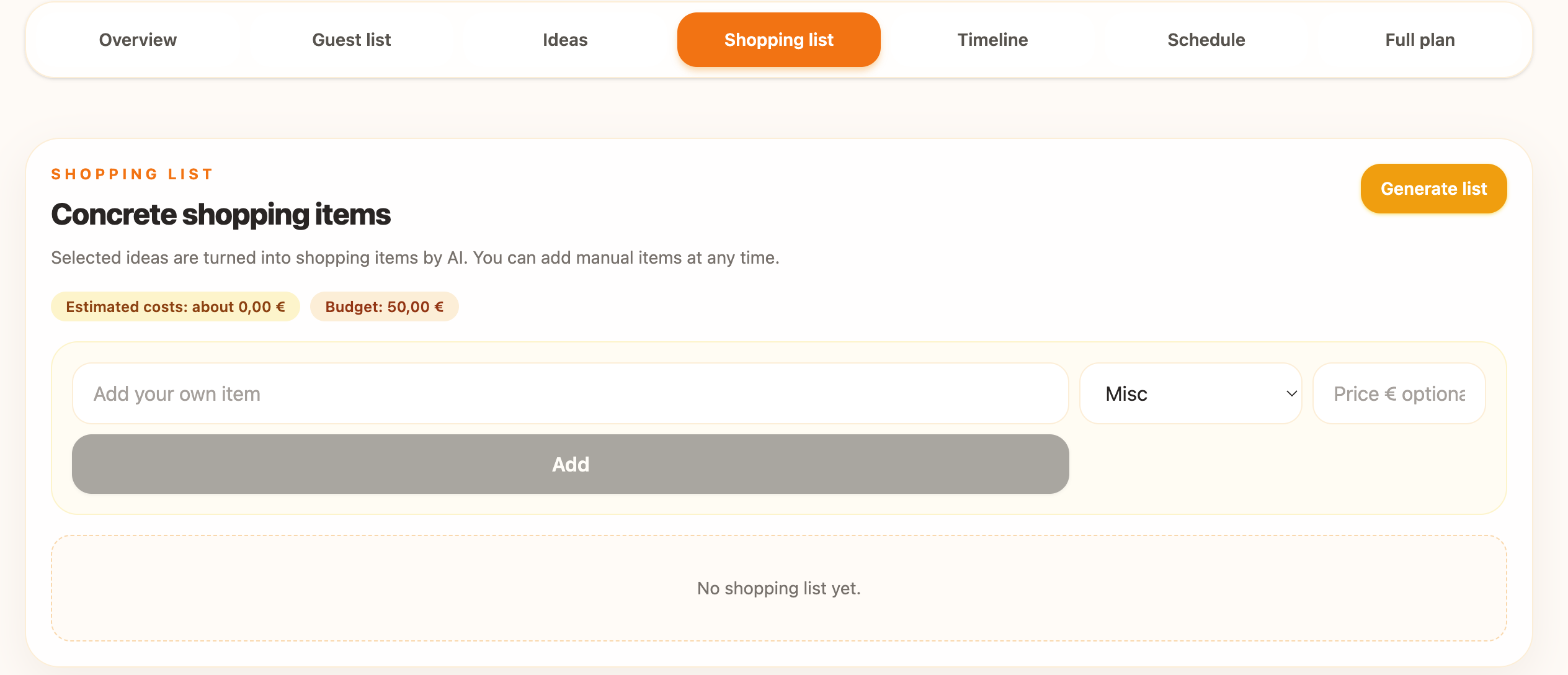
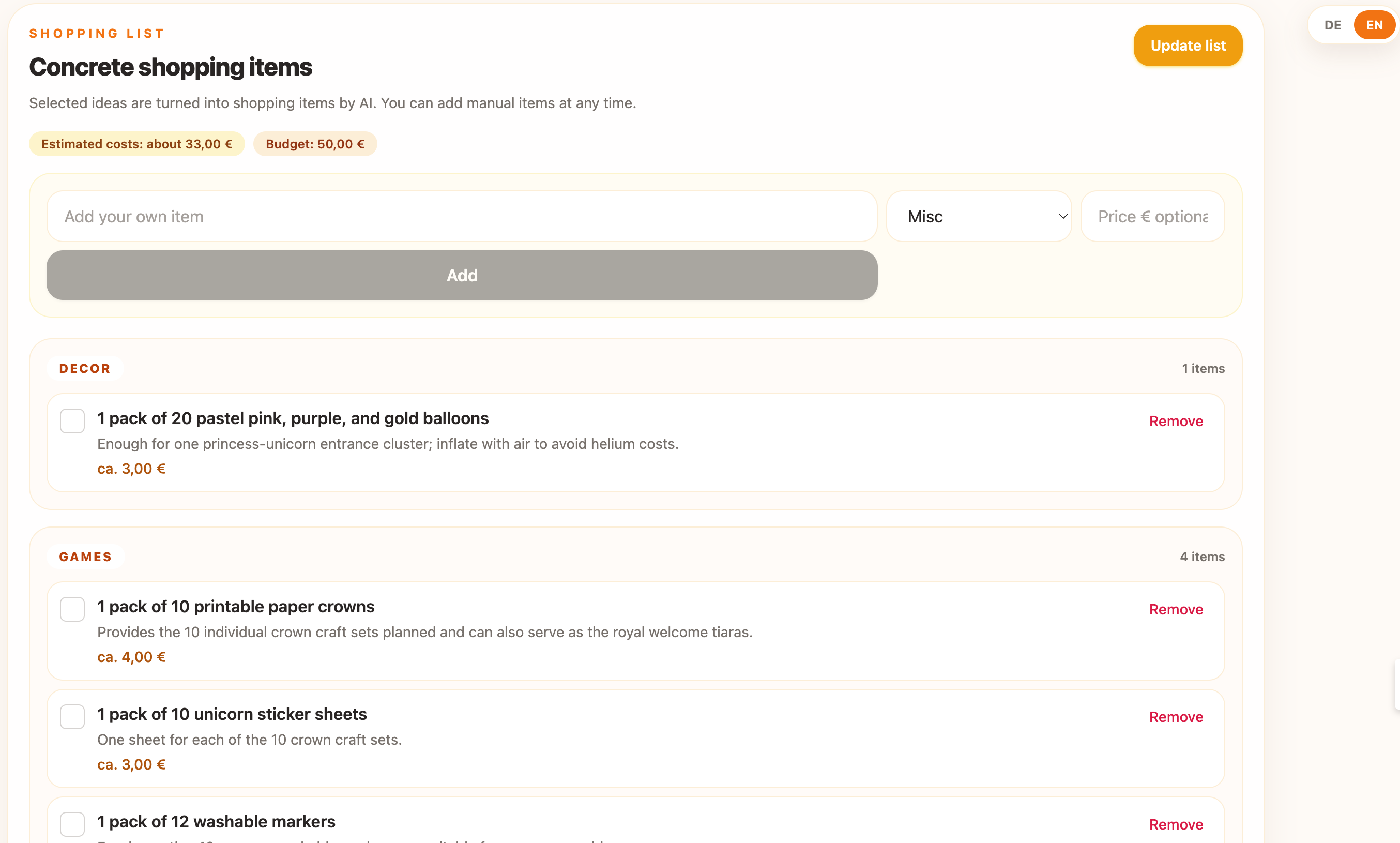
generating shopping list including estimated cost against budget
-
-
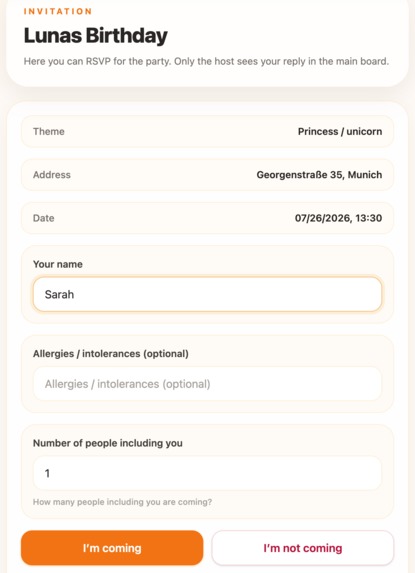
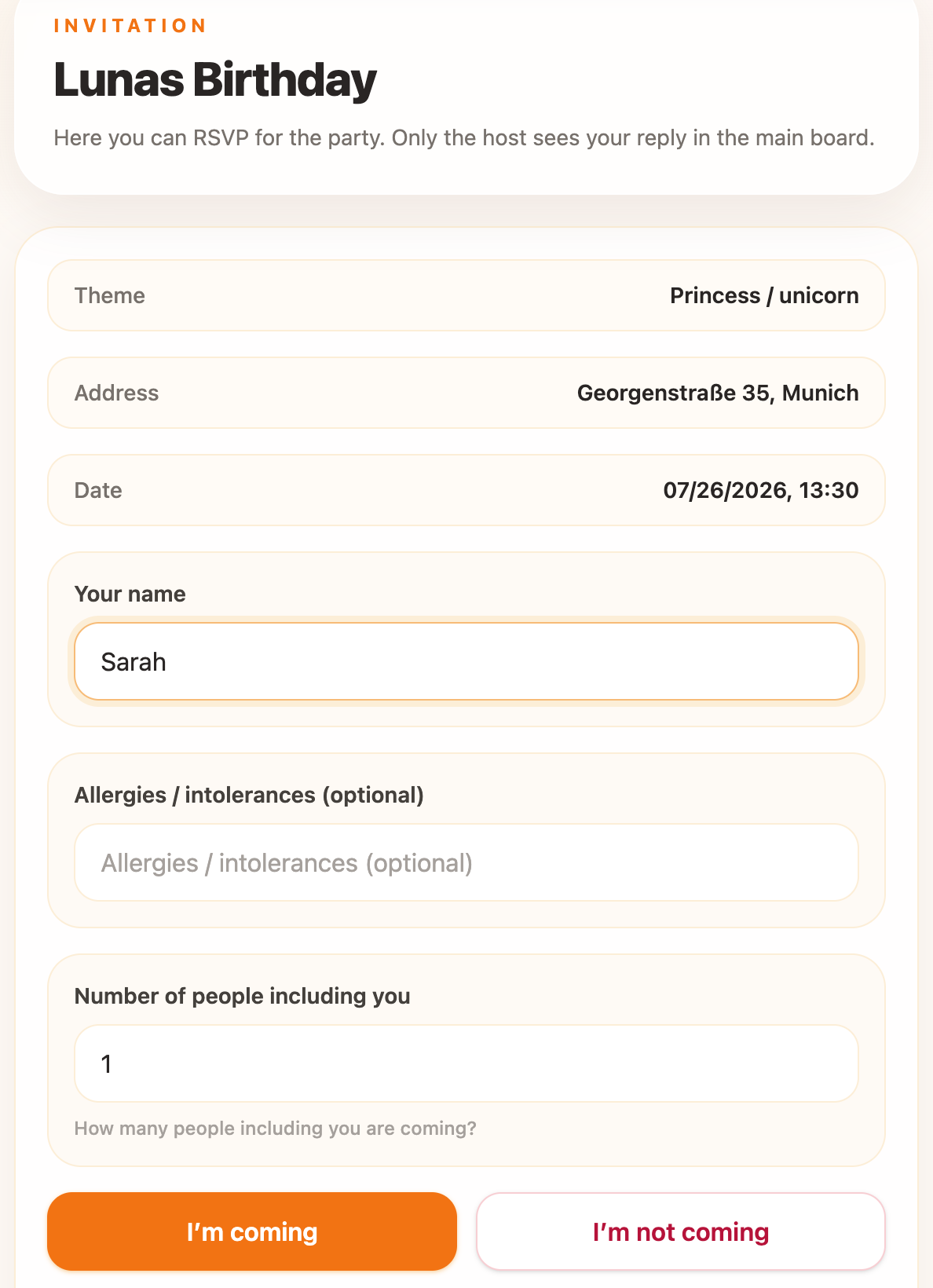
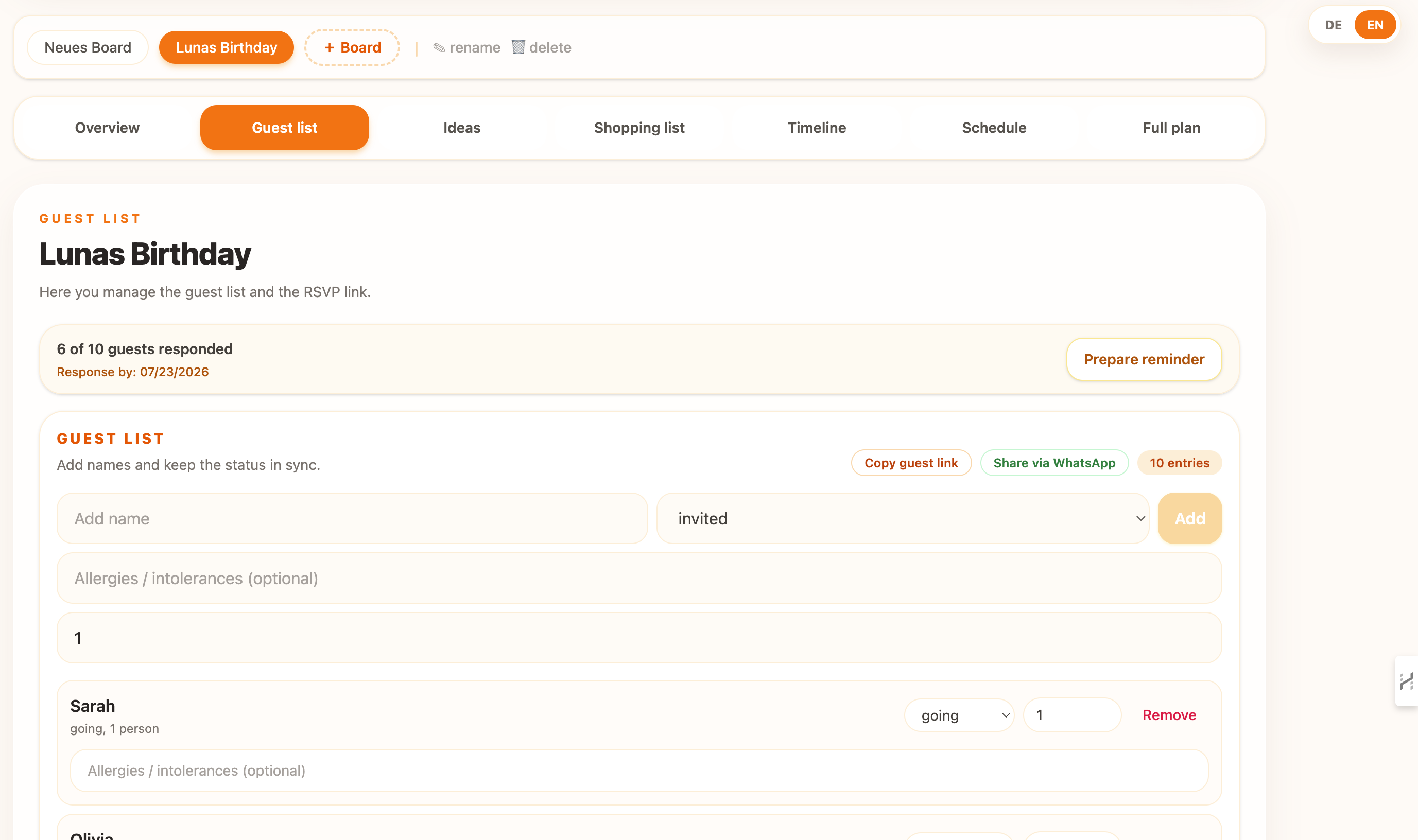
RSVP´s for Guests
-
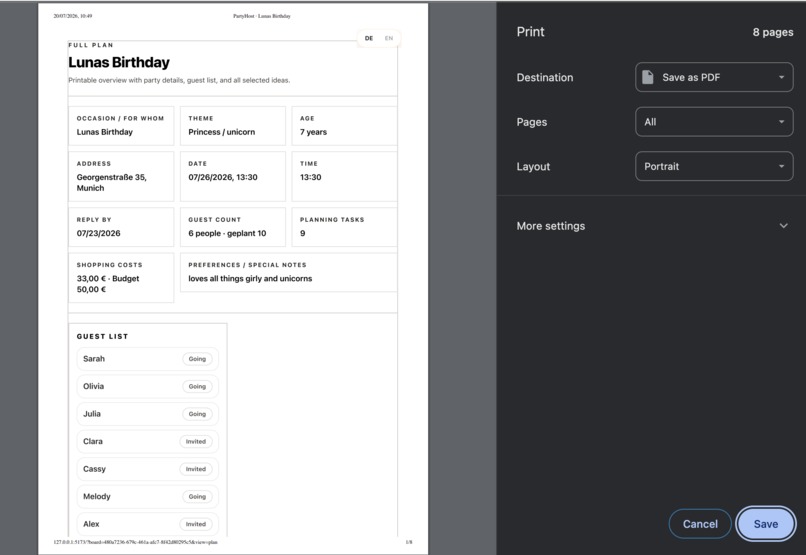
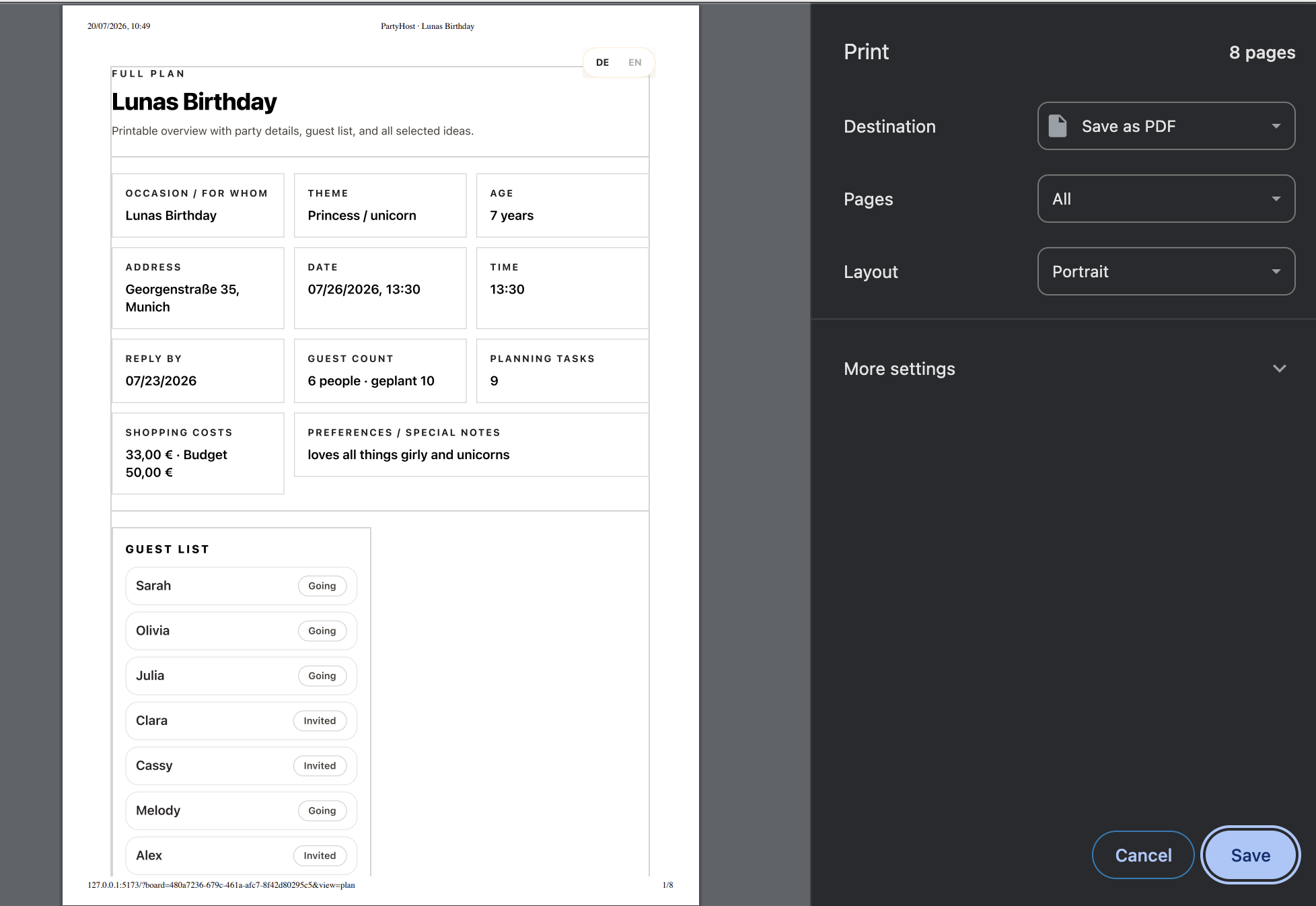
full plan for print
-
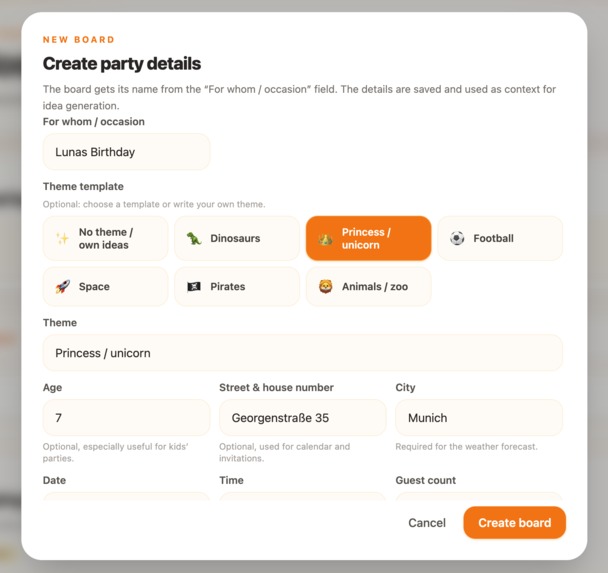
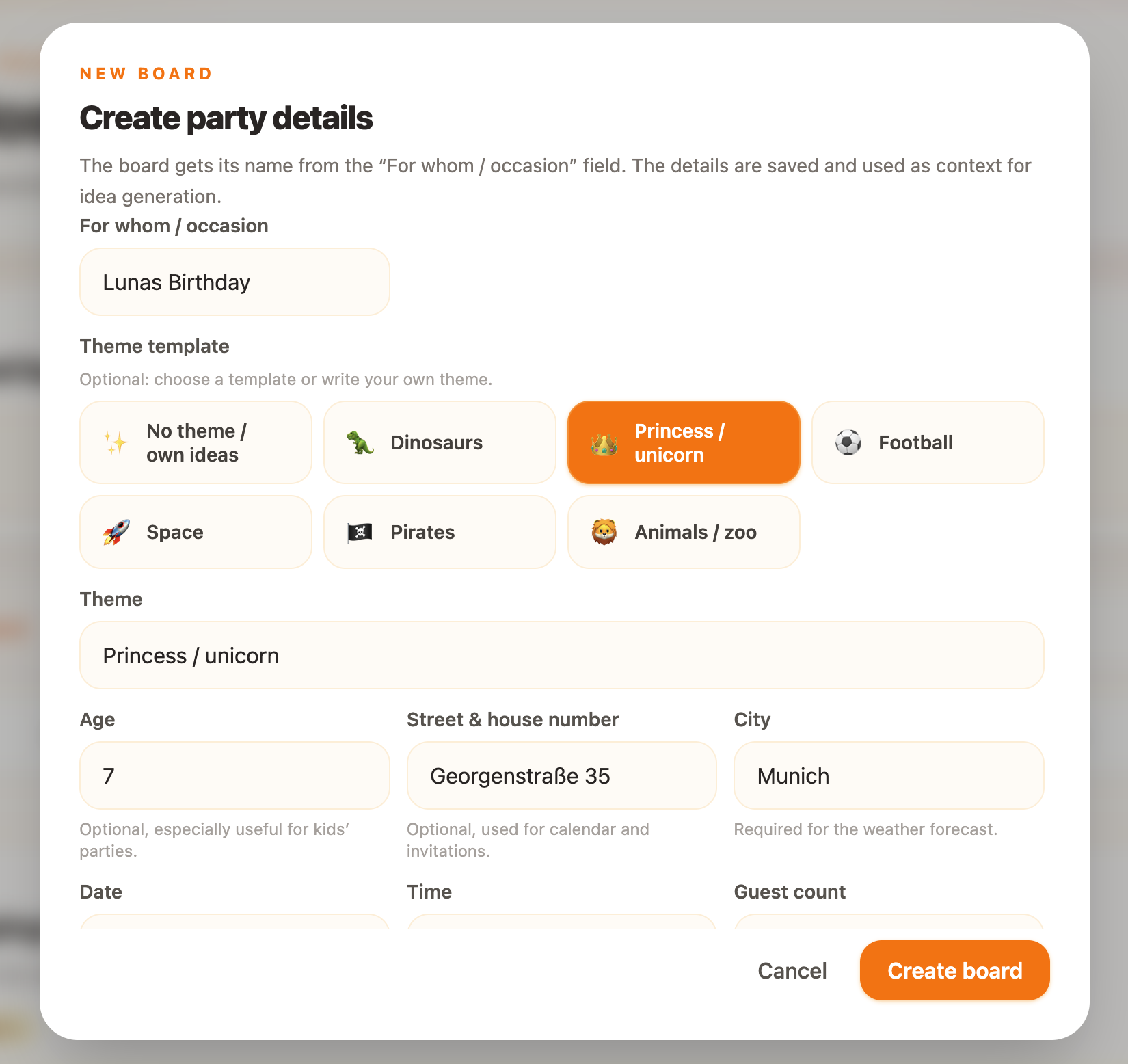
setting up a new party planning board
-
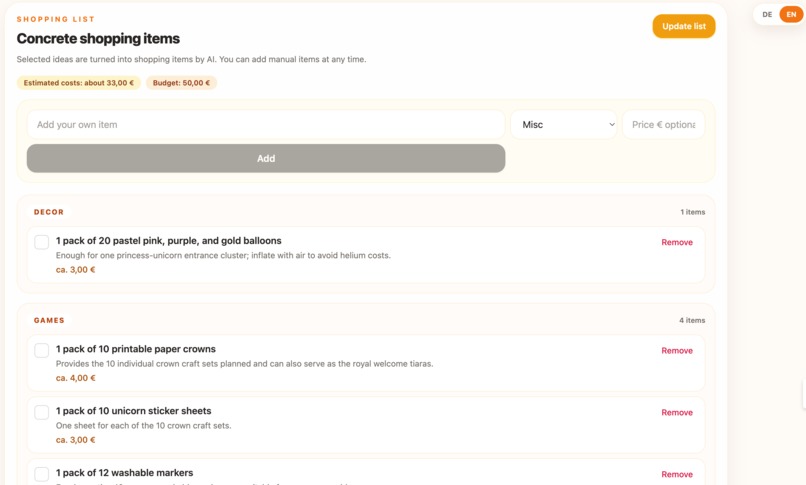
generated shopping list
-
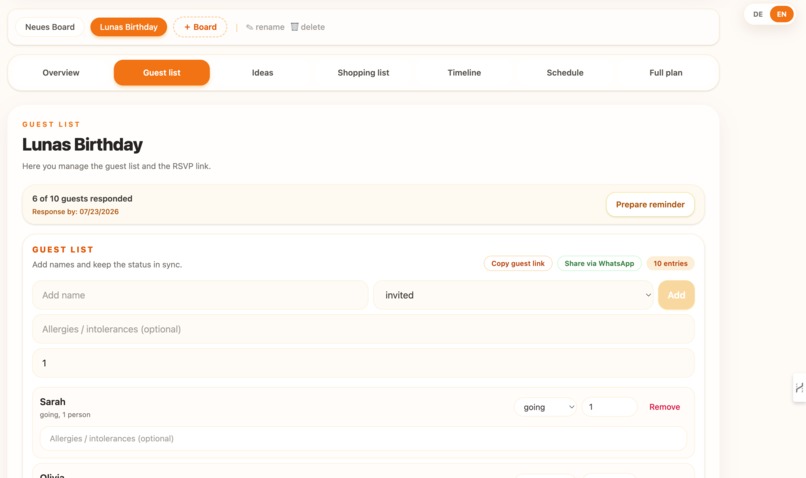
guest list
-
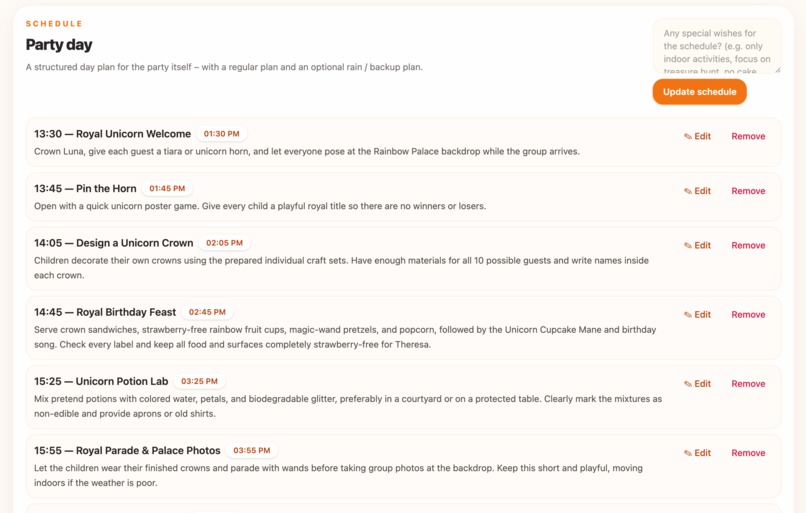
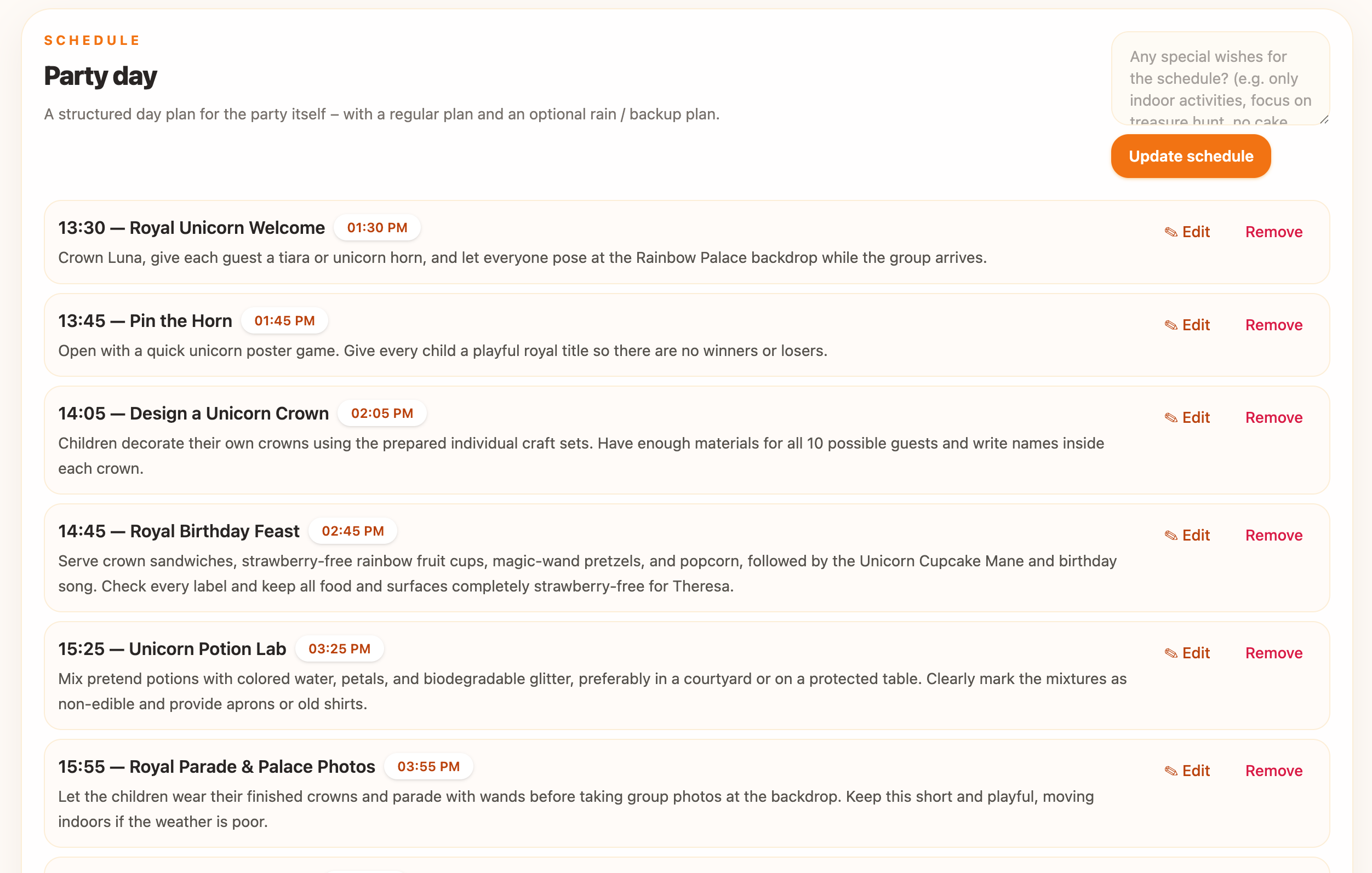
schedule on party day
-
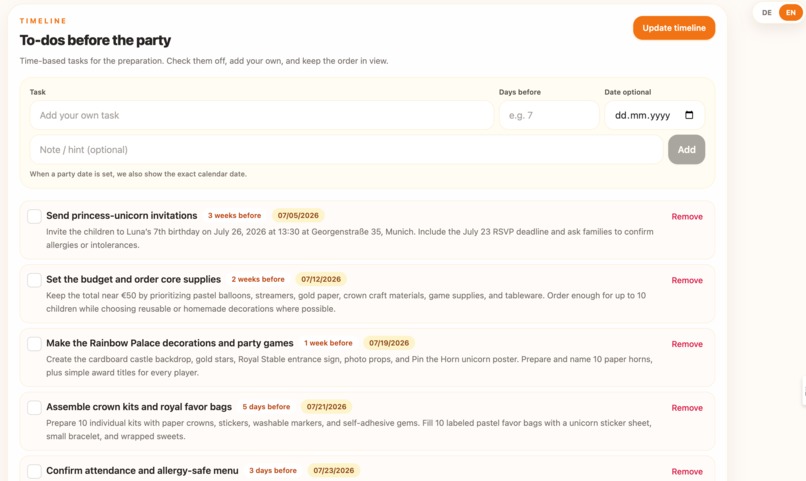
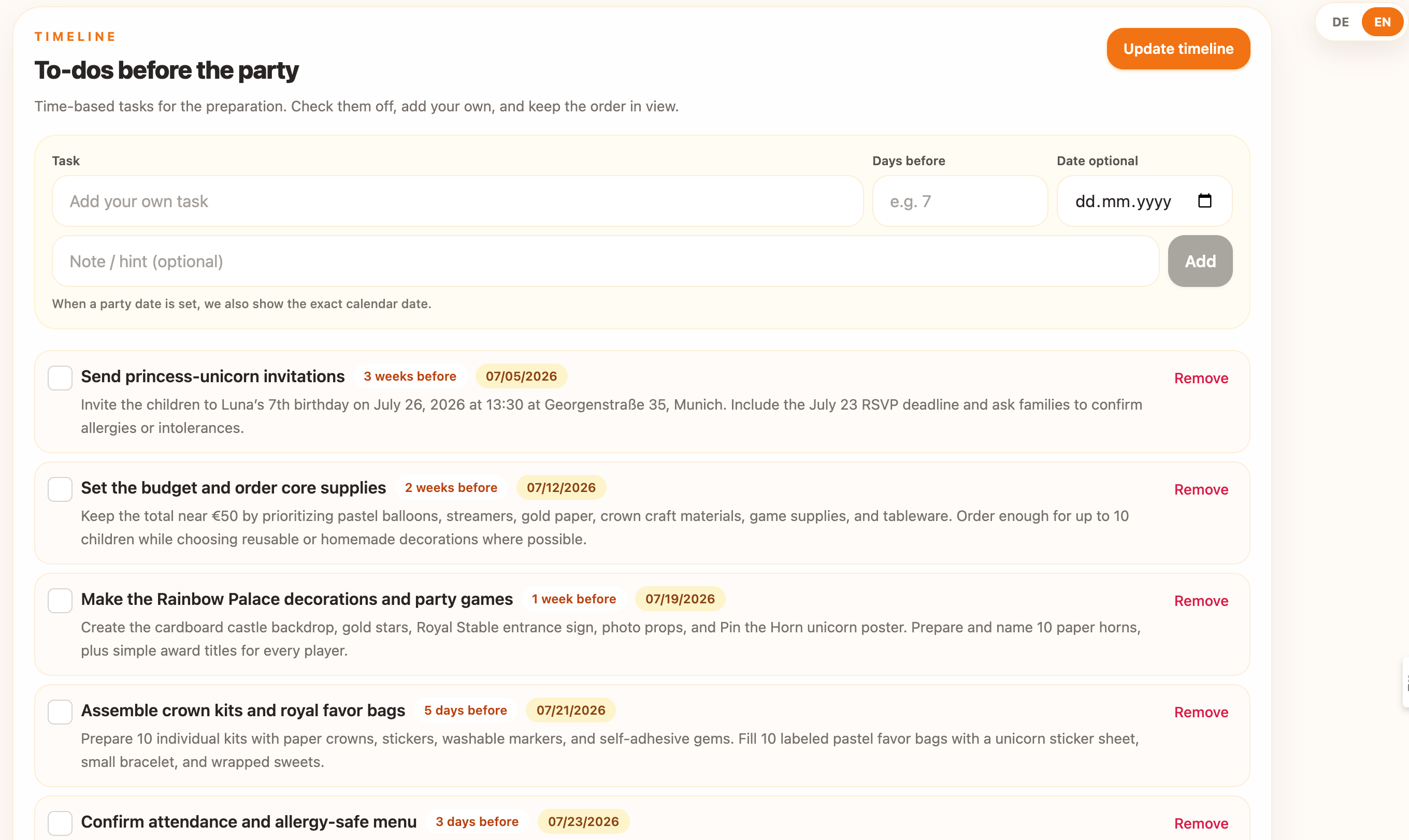
to do list before the party
-
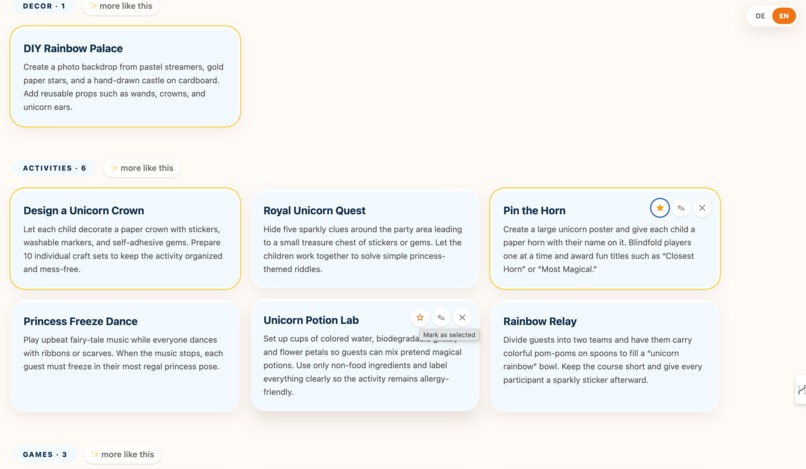
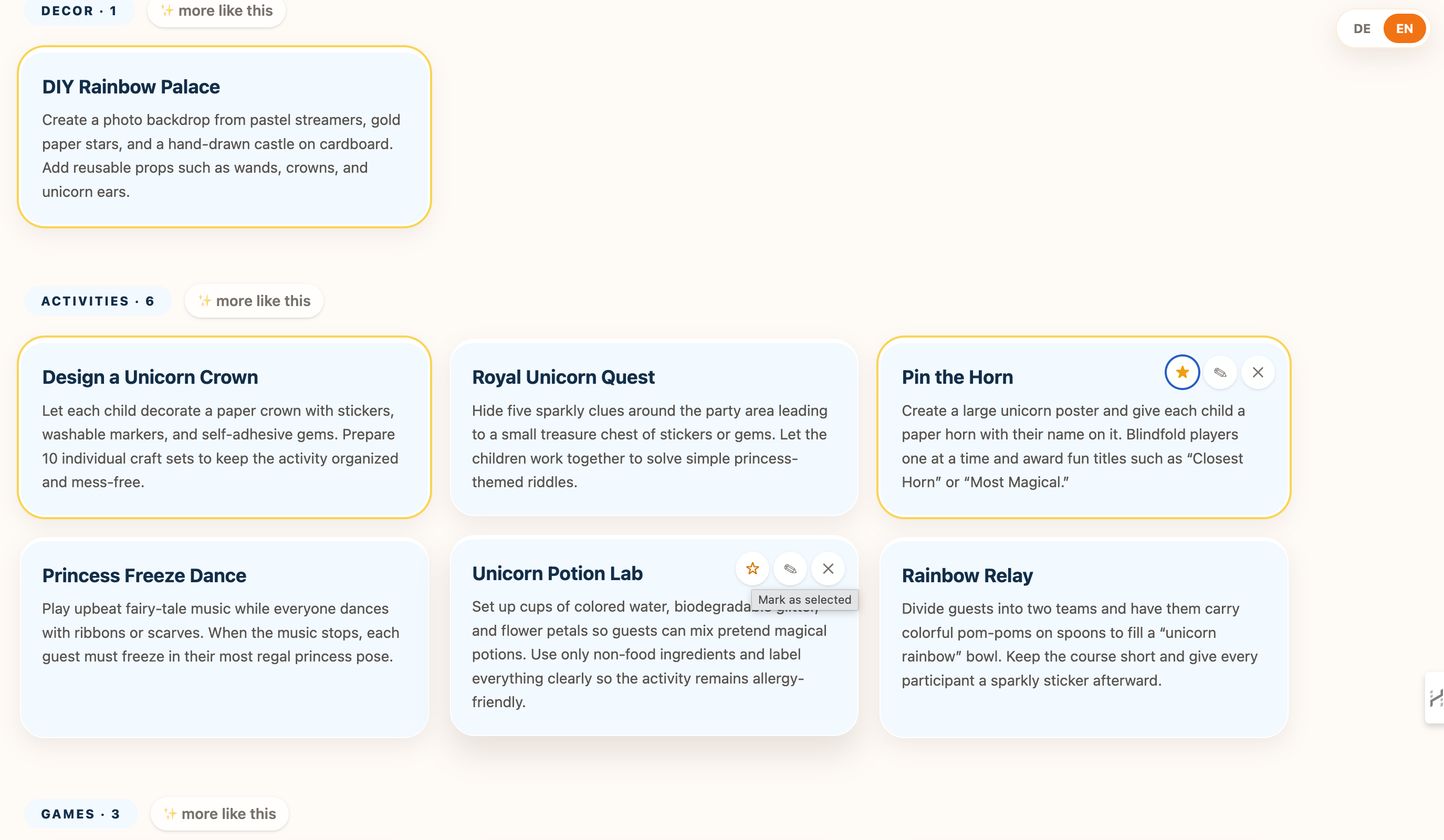
list of ideas for the b-day, yellow marked will be saved for shopping list
-
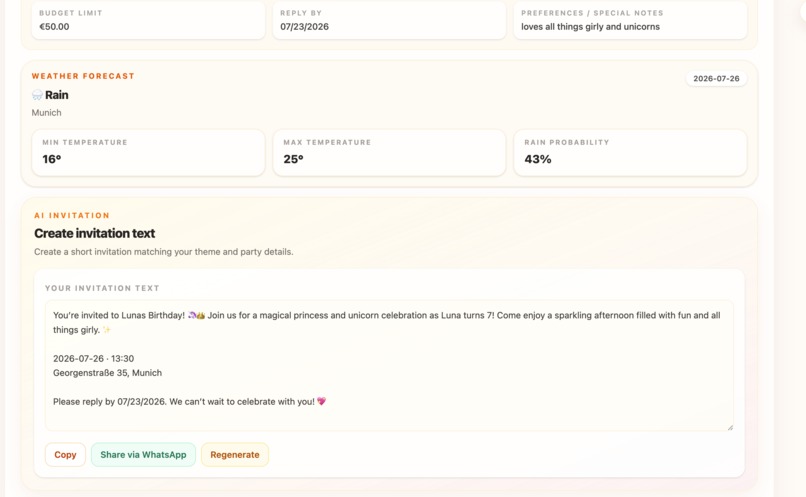
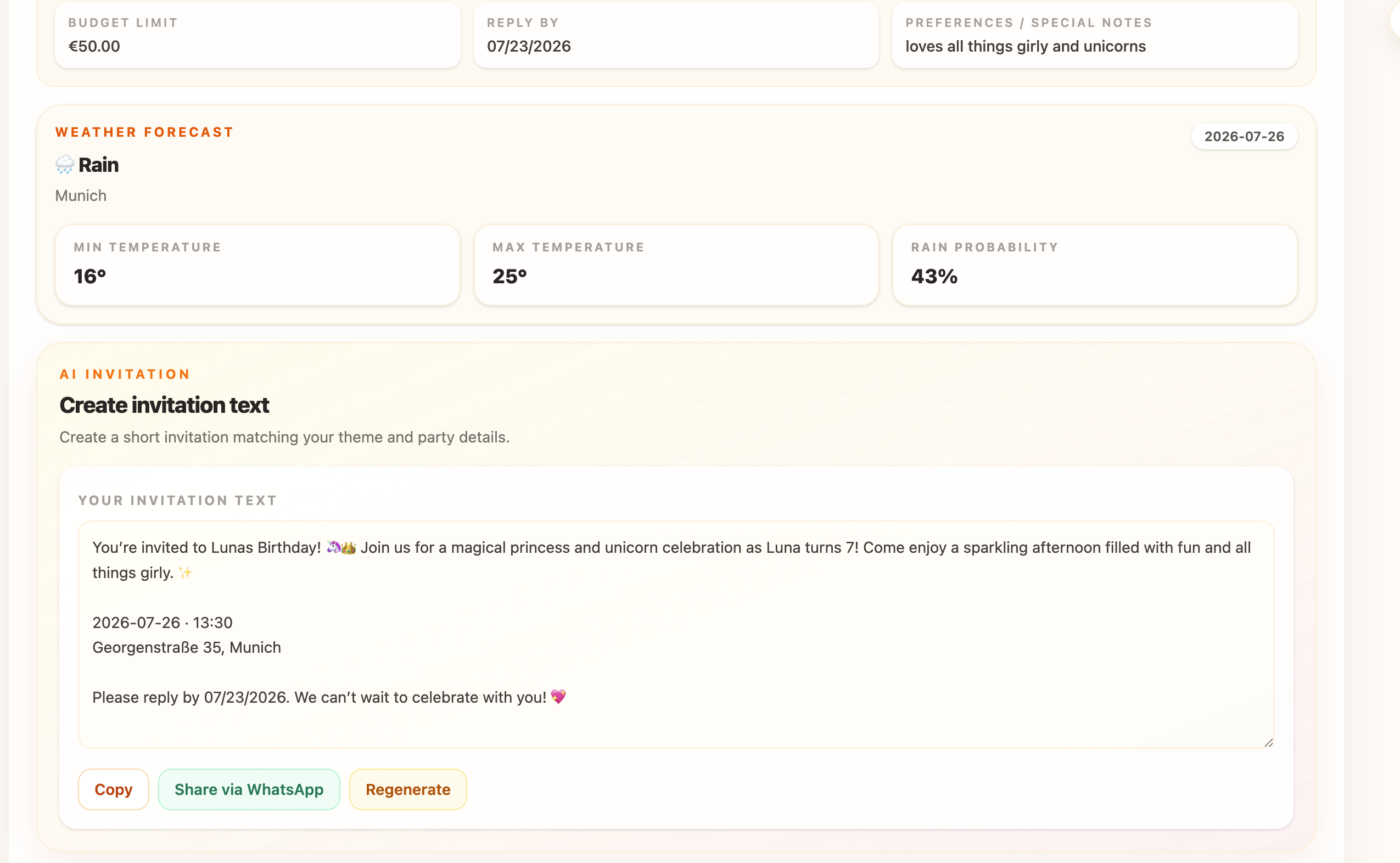
create an invitation text
Inspiration
As a mom of two young kids who regularly helps friends plan family events, I’ve seen how chaotic party planning gets. You end up constantly switching between half a dozen tools: Pinterest for inspiration, ChatGPT for timelines, Google for recipes, WhatsApp for RSVPs, spreadsheets for budgeting, and Notes for shopping lists.
Information gets scattered, ideas get lost, and stress builds up.
I built PartyHost to create one single source of truth. PartyHost automatically generates tailored activity ideas for your party theme while letting you add your own or save external links alongside them. So you can set up your board once and can completely forget about checking Pinterest or Notes again.
From budget tracking and AI schedules to live RSVPs and a 1-click printable master plan (covering all details, timeline, rain backup, and shopping list), parents get one clean, central workspace where every detail lives together. It’s all about bringing structure, speed, and peace of mind to family event ops.
What it does
PartyHost serves as your central control center for kids' birthdays and family events:
- Central Workspace & 1-Click Master Print: Manage and save schedules, guest lists, ideas, and notes on one single board. Print the entire master plan - including party details, timeline, rain-check backup, and shopping list - so you have a complete offline operational guide on party day.
- AI Idea Generator & Link Saver: Automatically generates theme-matched party ideas (games, activities, food) while letting you save your own or external URLs directly to your board - allowing you to ditch Pinterest for good once your board is set up.
- Themed AI Schedules & Rain Checks: Instant party timelines tailored to your theme (e.g. Dinosaurs, Princesses, Space, Pirates, Zoo, Football). Outdoor plans get an automated rain backup plan with a single click.
- Budget Tracker & Shopping List: Set a target budget and watch your generated (and custom) shopping list items automatically track costs to keep your spending on target.
- Host & Guest Calendar Sync: Add planning milestones to your personal calendar and let guests export event dates to iOS or Google Calendar (
.ics) with one click. - Instant Invitations & Live RSVPs: Generates tailored invitation copy in seconds, ready to dispatch via WhatsApp, feeding real-time guest responses into a live progress bar.
- Practical Utilities: Zero-key weather forecasting and annual board duplication so you never build from scratch twice.
- Bilingual Support: Full, seamless switching between English and German. ## How we built it PartyHost was built during an intense hackathon sprint using a clean, modern web stack:
- Frontend: React, TypeScript, Vite, Tailwind CSS. Designed with warm cream tones for a fast, clutter-free user experience.
- AI Engine: OpenAI
gpt-5.6handling contextual schedule logic, theme-based idea generation, budget estimations, and invitation copy. - Backend & Storage: Neon Postgres database for live RSVP state tracking, deployed production-ready on Vercel.
- Integrations: Open-Meteo API for real-time weather forecasting;
react-i18nextfor clean internationalization. ## Challenges we ran into As an absolute coding beginner, building a full-stack app was a huge leap out of my comfort zone. Working with terminal commands, managing git pushes, and connecting real databases felt daunting at first.
My biggest hurdle was keeping strict discipline over the project scope. When you're learning on the go, it’s easy to get overwhelmed when multiple features—like real-time AI responses, dynamic database state updates, and calendar export links—try to talk to each other. I had to learn when to pivot, strip away fragile features, and focus entirely on making the core app rock-solid and easy to use.
Accomplishments that we're proud of
Going from zero coding experience to launching a fully functional, live-deployed app in just a few days feels incredible.
I'm particularly proud that PartyHost isn't just a polished prototype or a simple prompt wrapper. It's a real, end-to-end tool with live database tracking and calendar integrations that solves a genuine daily problem for me and other parents. Seeing the entire workflow come together in one clean, working dashboard is a huge milestone for me.
What we learned
Building PartyHost proved that AI is most valuable when it strips away complexity, rather than adding it.. Key takeaways:
- Reliability beats gimmicks: A feature is only as good as its execution. Removing fragile edge-cases in favor of solid, crisp outputs made the app significantly stronger.
- Centralization brings calm: Parents don't want five standalone tools; they want one reliable hub that saves state reliably.
- Structured Sprints: Working closely with AI coding tools (Codex CLI) taught me how to break complex requirements down into clear, testable steps. ## What's next for PartyHost I´m already sharing it with Family and friends, who are excitited and love it. Features i´m planning to add:
- Custom Voice Skills: Applying personalized tone-of-voice prompts for custom invitation copy.
- Gift Wishlist Sync: Managing guest gift coordination directly within the board to avoid duplicate presents.
- Co-Parenting Collaboration: Shared real-time editing access for co-parents.
Built With
- git
- gpt
- i18n
- neon
- openai
- postgresql
- react
- rest-api
- tailwind-css
- typescript
- vercel
- vite

Log in or sign up for Devpost to join the conversation.