
Inspiration
The idea for Parto came from living with friends. We did our grocery shopping together, and usually one person paid for everything. We wanted to split the cost fairly, based on what each of us actually used. The same problem came up whenever we hosted events.
We used Excel because we could not find an app that fit the way we shared expenses. Parto brings that item-by-item approach into a native iPhone app, where each person can review their own share before the expense becomes a balance.
What it does
Parto is a native iPhone app for splitting shared expenses by item and quantity.
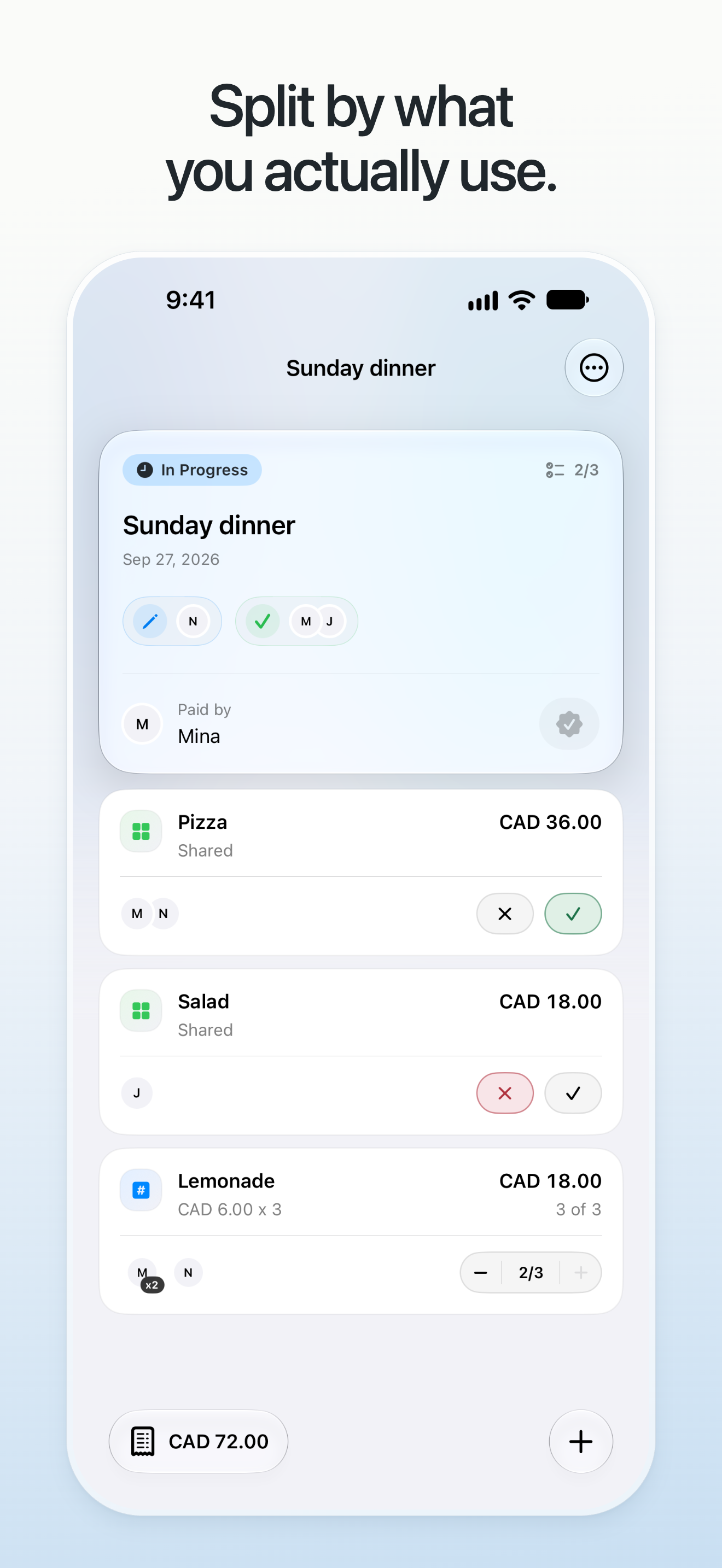
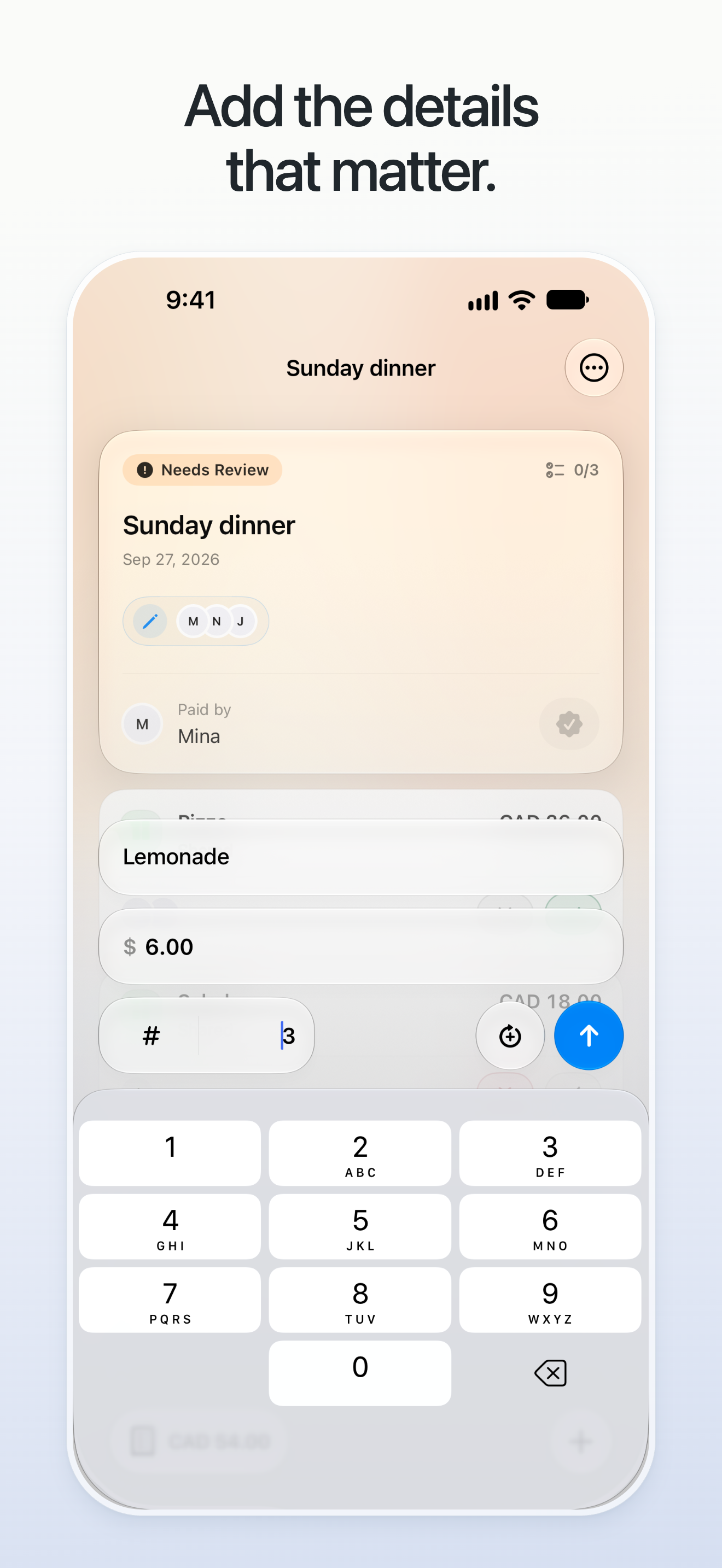
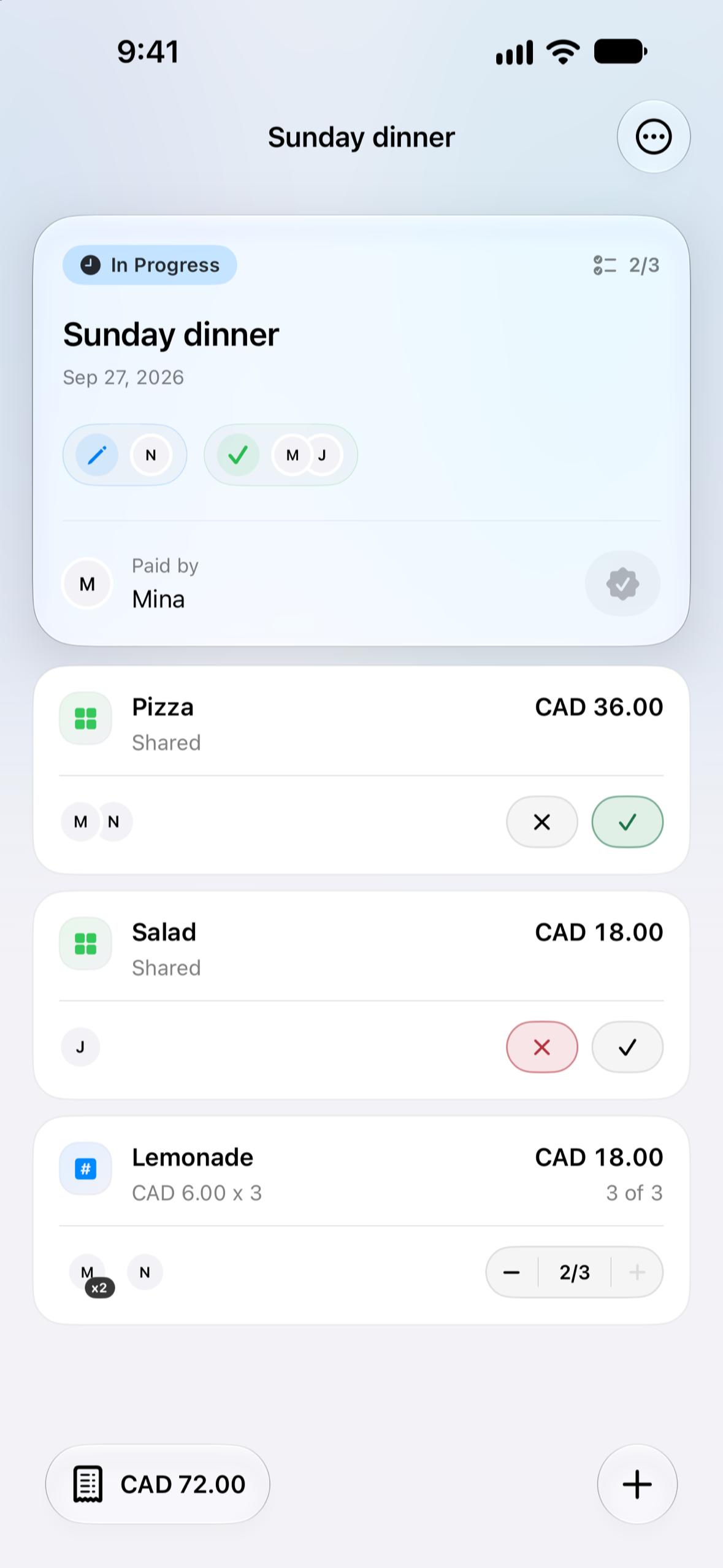
The payer adds the items, prices, and quantities. Each participant marks what they used, including an explicit answer for items they did not use. Shared items are divided among the people who used them; quantities let the split reflect different amounts.
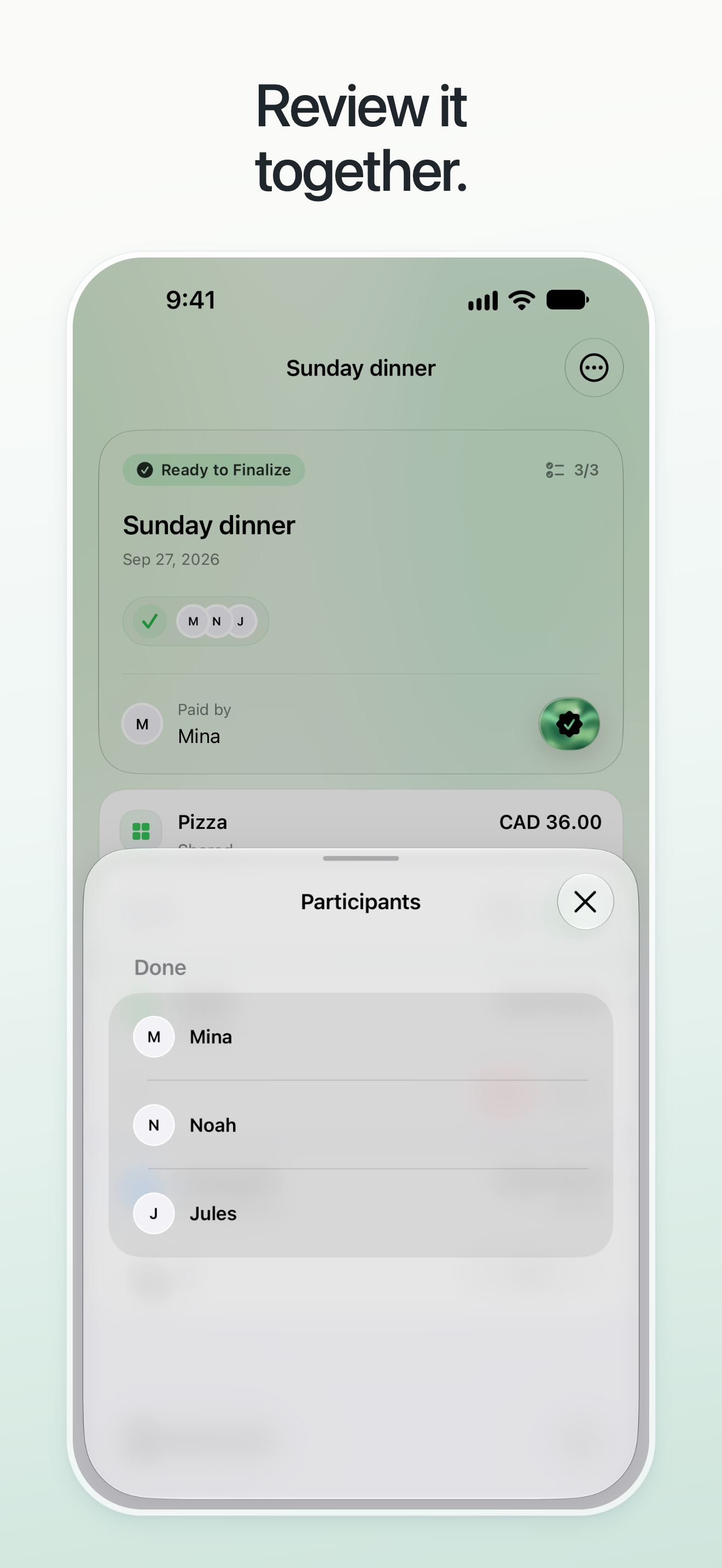
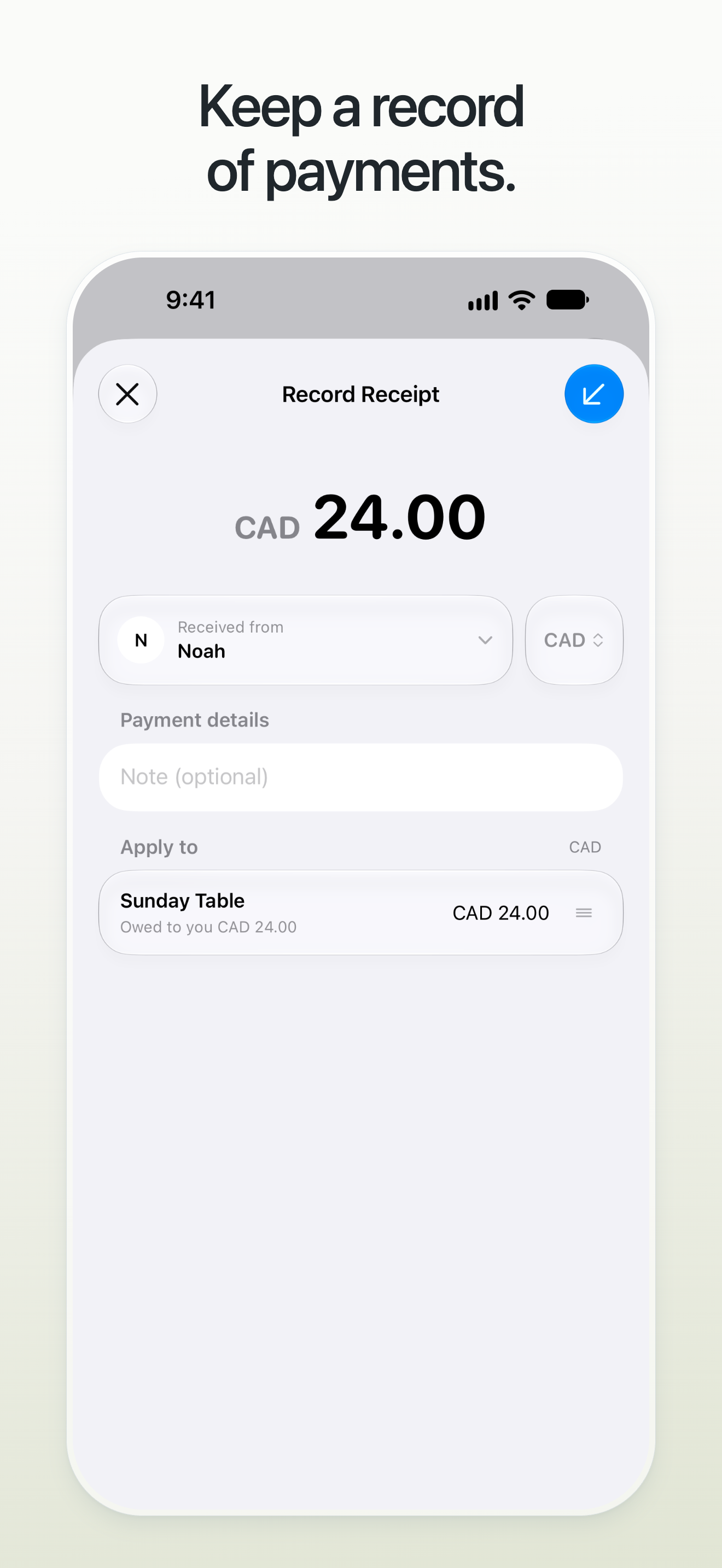
Participants can inspect the breakdown and see who has finished reviewing. Once everyone has completed their item review, the payer can finalize the expense. Parto turns the reviewed split into balances and lets people record payments made outside the app.
- Split by what each person uses. Account for shared items, quantities, and applicable item tax.
- Review together. Keep an unanswered item distinct from an explicit “not used” answer.
- See where the amount comes from. Inspect the item breakdown and participant review progress before finalization.
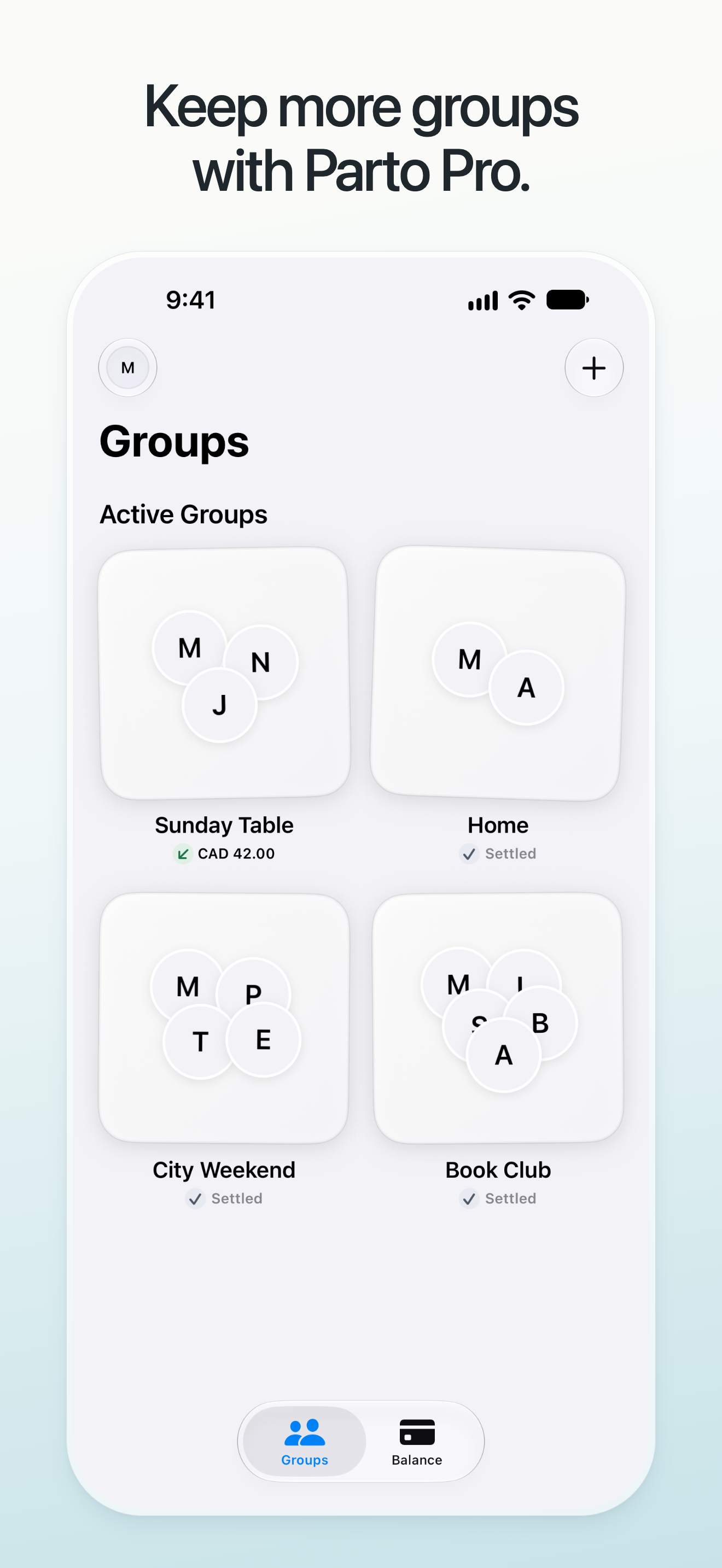
- Keep shared spending organized. Create groups for a household, dinner, or trip, and invite people by link.
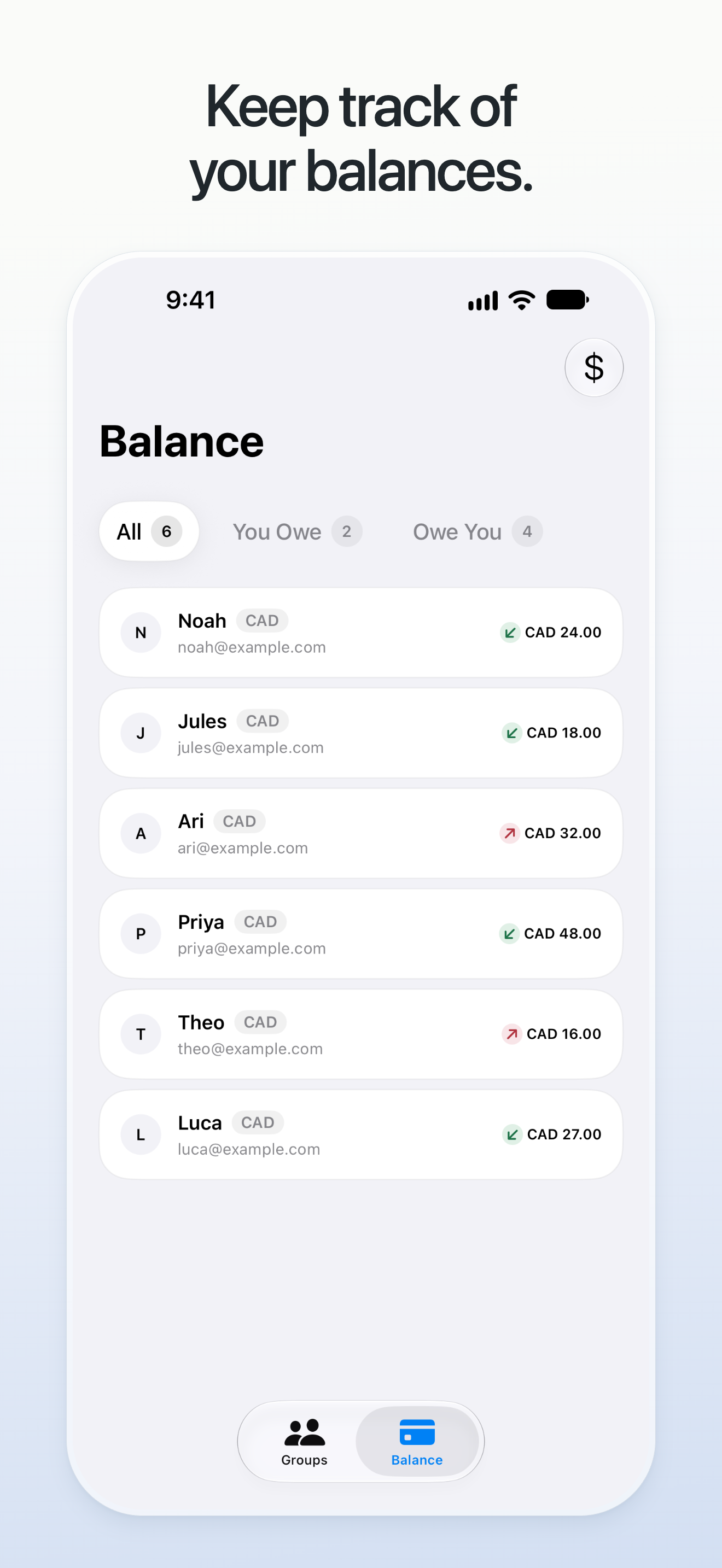
- Follow the balance. See what you owe and are owed, separated by currency, with payment history behind it.
How it was built
Parto uses Swift and SwiftUI for the native interface, with Supabase Auth and PostgreSQL for shared data. The backend checks who can read and change each expense and owns the authoritative bookkeeping. Finalization and payment recording use server operations designed to preserve authorization, consistent monetary rounding, and safe retries.
RevenueCat's iOS SDK supports Parto Pro purchases and restores. Server-side verification connects purchase ownership to the correct Parto account.
Free accounts can create and join up to two active groups in total. Monthly or annual Parto Pro removes that account's active-group limit. This fits the way shared spending expands across different parts of someone's life: home, friends, and travel. Each group member keeps their own account limits.
Challenges
The main interaction challenge was making collaborative review clear without turning a small shared expense into a complicated form. Missing input cannot silently mean “I did not use this.” Parto makes that difference explicit and shows when everyone has finished reviewing.
The engineering challenge was keeping the financial explanation consistent with the recorded result. Quantities, tax, rounding, payment direction, and currency all matter. The backend owns financial changes, while the interface helps people understand the inputs and their share. Reversing a finalized expense preserves its financial history.
RevenueCat Design Award
Review is part of the expense itself. People can answer for their own items and inspect the split before the payer finalizes it. That makes the calculation something the group can understand together, with a record to return to later.
The interface keeps item controls, review progress, and the amount breakdown close to the task. Native sheets, readable amounts, and focused screens carry the same group and currency context through the expense and balance flows.
Demo notes
The video shows the native iPhone interface running in an iOS Simulator with sample data. It covers item use, the share breakdown, participant review, finalization, balances, payment entry, and the Parto Pro purchase screen. The payment is not submitted, and the Pro segment uses preview prices without making a purchase.
Parto requires an account and an internet connection for shared updates. It records payments made elsewhere; it does not transfer money, connect to a bank, or convert currencies.
Built With
- postgresql
- revenuecat
- storekit
- supabase
- swift
- swiftui
- typescript
- xcode