-
-
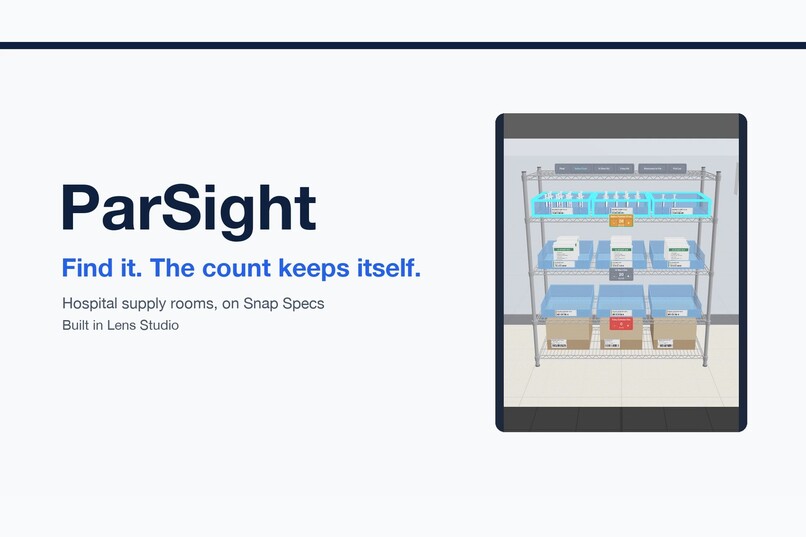
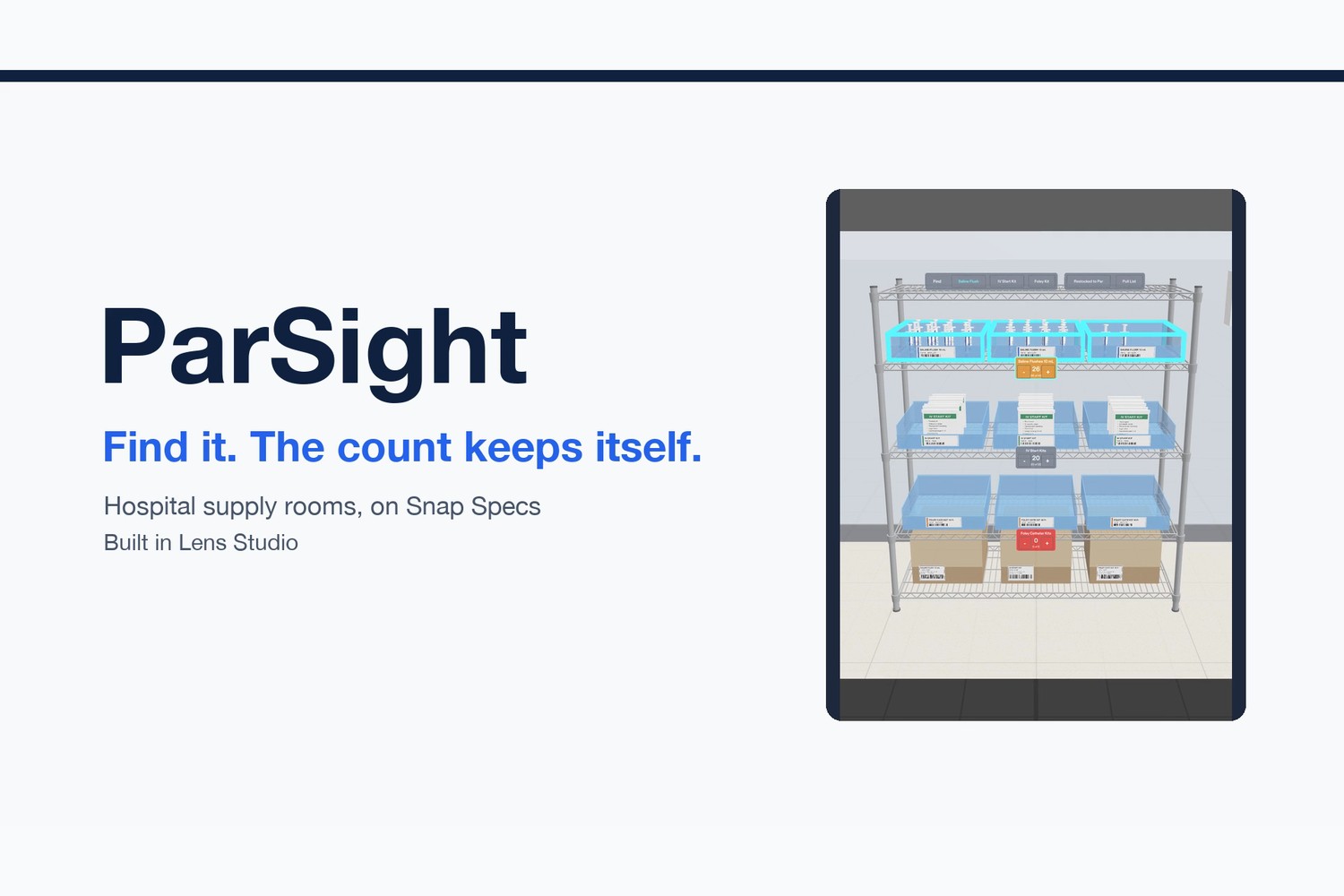
ParSight: hospital supply rooms on Snap Specs. Find it, and the count keeps itself.
-
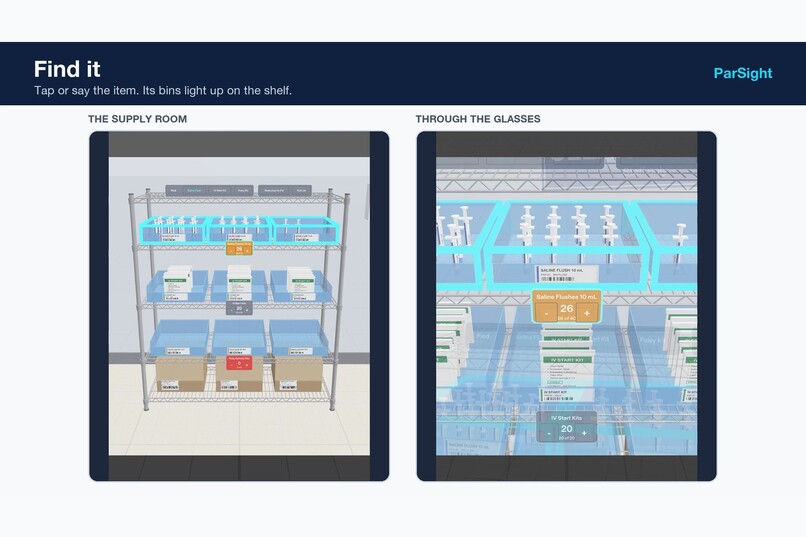
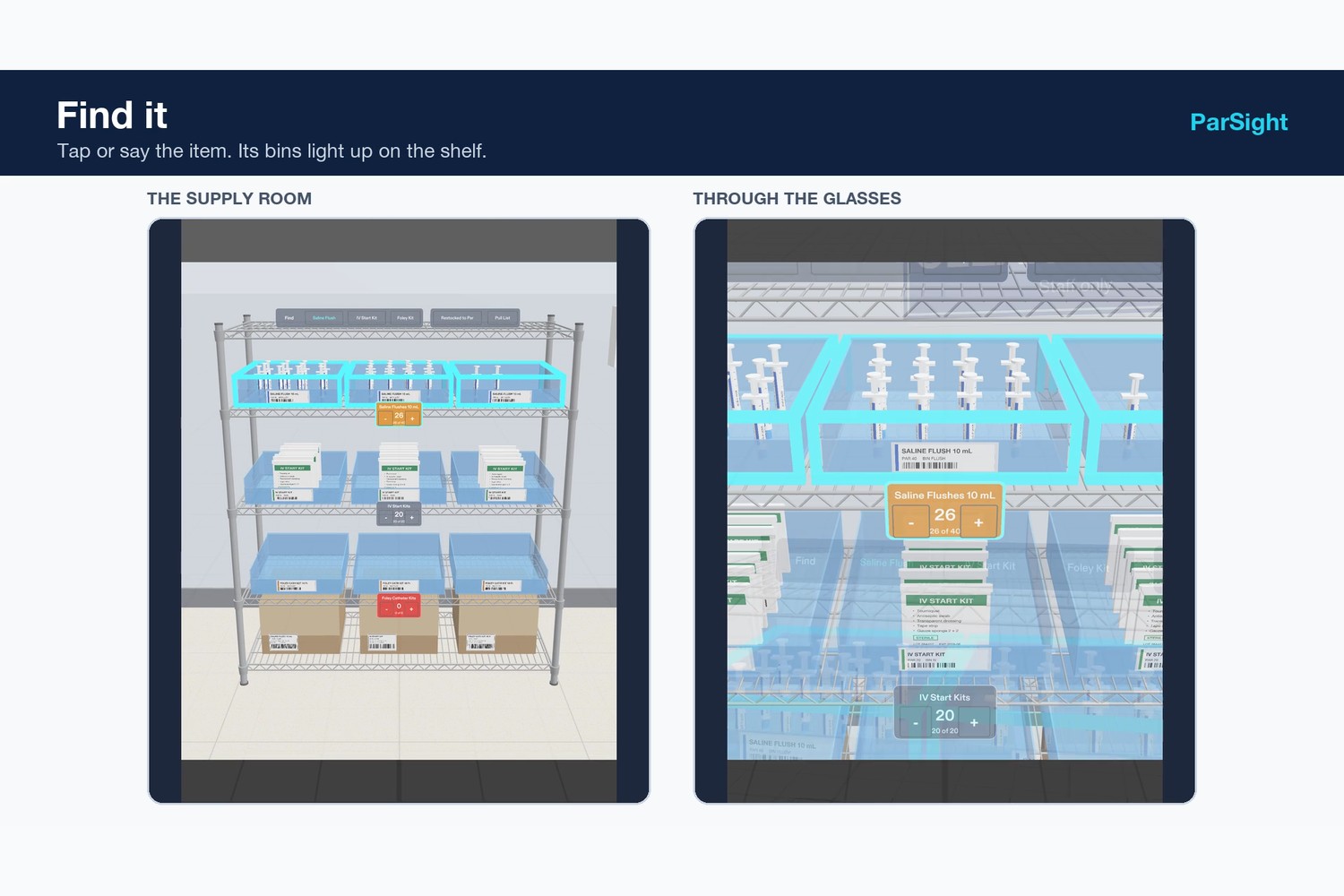
Find it: pinch Saline Flush and its three bins light up on the shelf (room view left, through the glasses right).
-
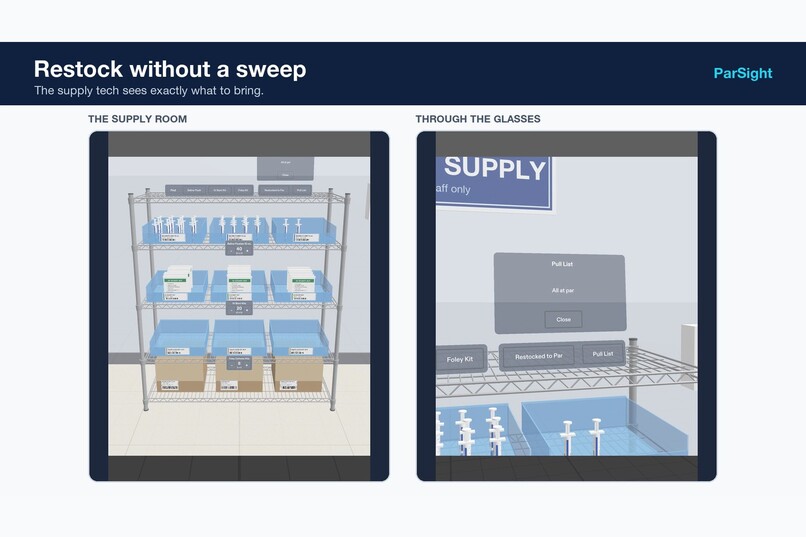
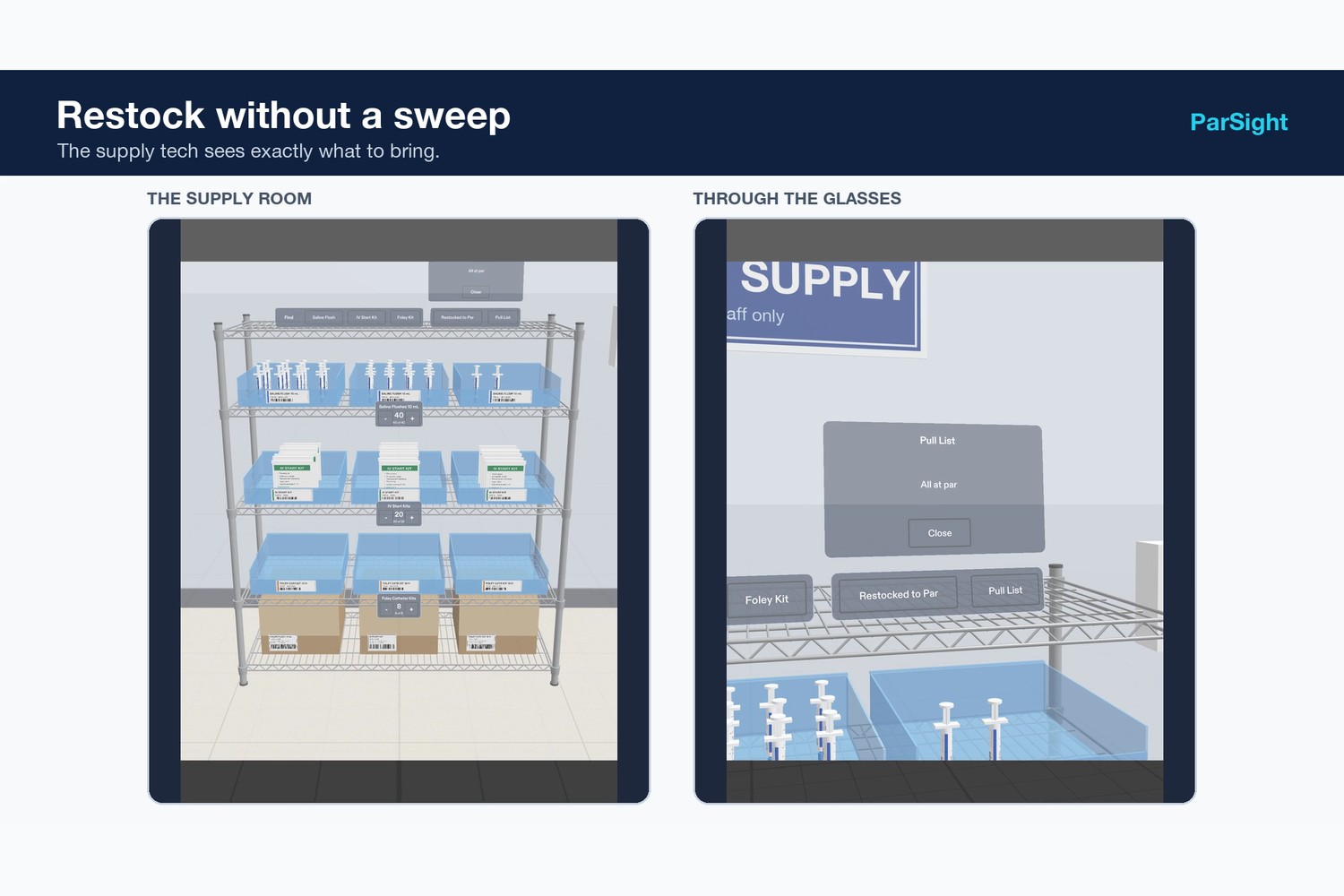
Restock without a sweep: the Pull List shows what to bring; one pinch resets every shelf to par.
-
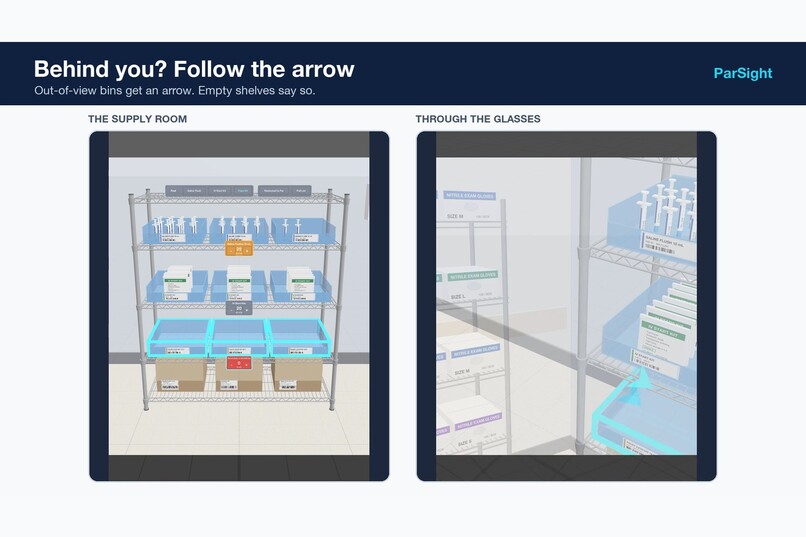
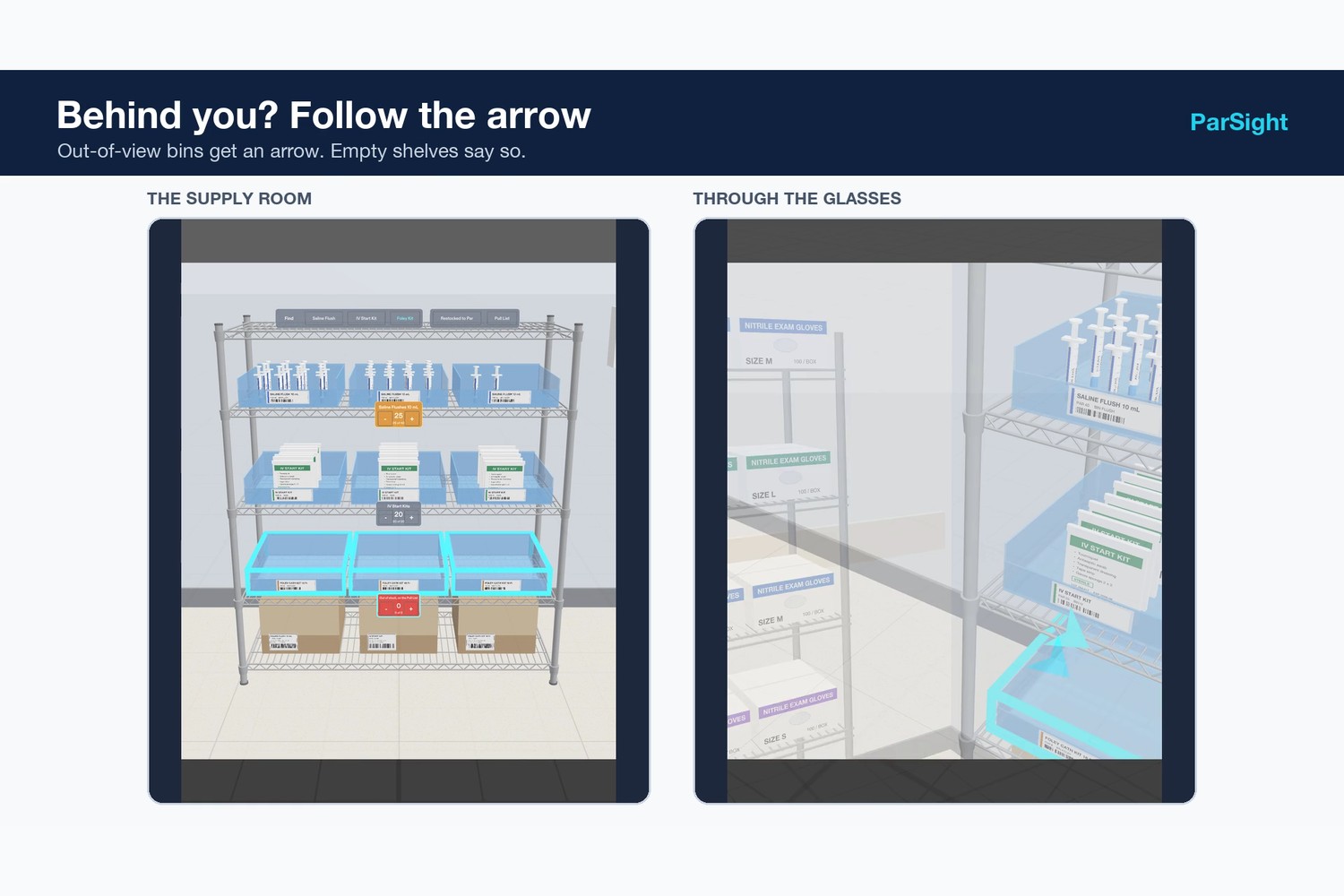
Facing the wrong way? An arrow at the edge of the view points back to the lit Foley bins.
-
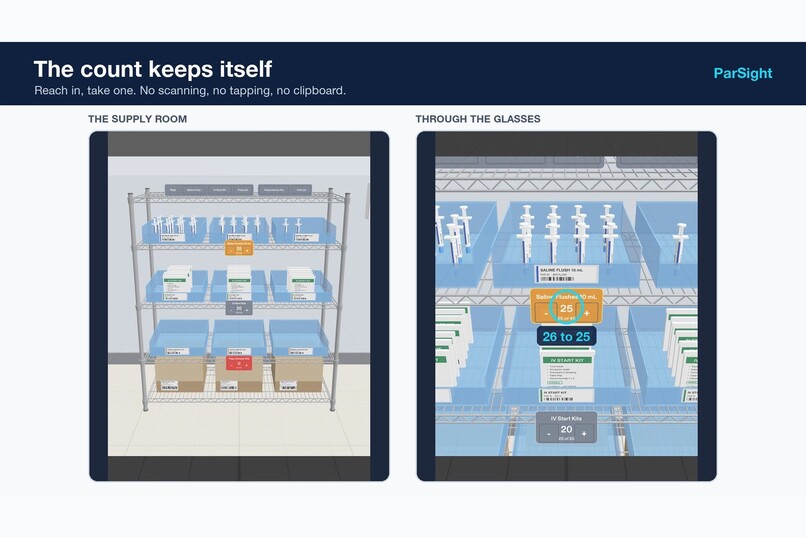
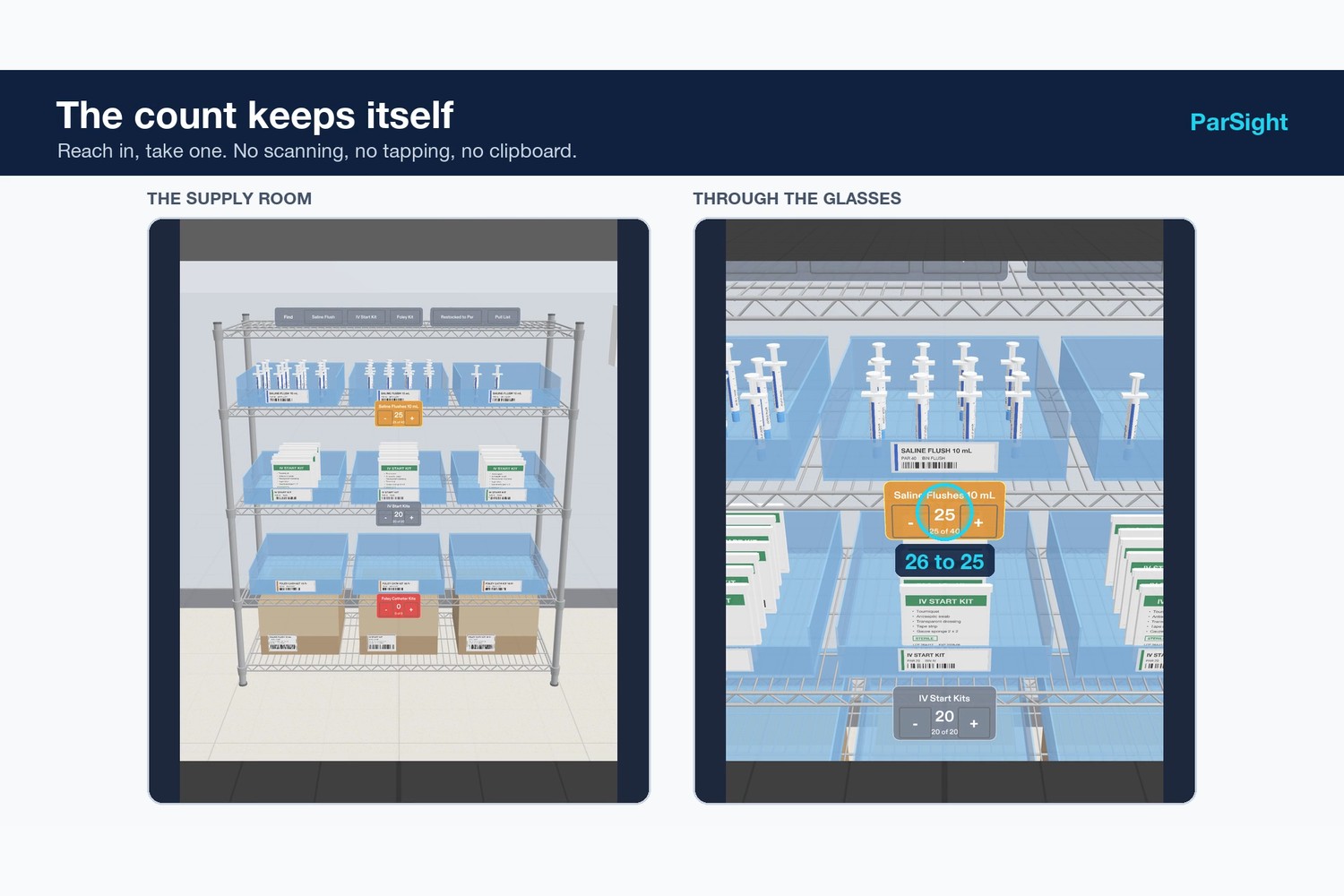
The count keeps itself: reach into a bin and take one, and the shelf goes from 26 to 25 on its own.
Inspiration
Every hospital floor has a clean supply room, and every bin in it has a par level. Two people lose time there every day. Nurses lose it hunting: in one emergency department study, nurses left the room for supplies eight times a shift, and vendor-cited studies put the time lost at up to about forty minutes a shift, mostly searching. Float and travel nurses have it worst, because the room is new to them. Supply techs lose it counting, walking the room with a clipboard or a handheld scanner to find out what is short.
Our first version of this Lens was a par counter with plus and minus buttons. It worked, and it was the wrong product: it asked busy people to do the counting. So we rebuilt it around the two things only glasses can do: put the answer on the real bin, and count from what your hands are already doing.
What it does
- Find it. Pinch an item on the Find panel (on the glasses this would be voice: "find Foley sixteen French"). Its three bins light up on the shelf with a cyan outline, and its shelf label glows.
- Follow the arrow. If the bins are out of view, a pulsing arrow near the edge of your vision points toward them, and disappears as soon as you turn to look.
- The count keeps itself. Reach into a bin and take one. When a fingertip stays in a bin for at least 0.3 seconds and comes back out, that shelf's count drops by one. Brushing past, passing in front, or losing hand tracking does not count.
- Out of stock says so. Finding an empty shelf lights its empty bins and the label reads "Out of stock, on the Pull List".
- Restock without a sweep. Labels turn amber below par and red at zero. The supply tech's Pull List shows what to bring ("Saline Flushes 10 mL, pull 15") and one pinch resets every shelf after restocking.
No patient data is involved. It finds and counts supplies only.
Why it belongs on glasses
- It draws in the world. The answer lights up the real bin at real size, on the shelf where it belongs, instead of naming an aisle on a screen.
- It leaves your body free. Gloved hands stay on the stock and eyes stay up; counting happens because your hand reached into a bin, not because you stopped to tap.
- It uses what you are facing. When the item is behind you, the arrow appears because of where your head is pointed, and disappears when you turn. A phone can't do that.
How we built it
- Lens Studio 5.24 for Specs, TypeScript, Spectacles Interaction Kit for hands and pinches, and Spectacles UI Kit for the panels and shelf labels.
- Take detection reads the interaction kit's fingertip positions every frame and tests them against each bin's space on the shelf.
- The arrow compares where you are looking with where the bins are, and only appears when they are more than 25 degrees off center.
- The shelf and room are real-scale models built with Python and Blender: a chrome wire unit with frosted bins, labeled flush syringes, IV start kit pouches, taped cases, and a clean supply room with a second shelf of exam gloves. All labels are generic, with no brands.
- Planned with the Devpost Learn skill pack: the
plan-lensinterview produced the first design brief (indevpost/, kept as v1). Each later version kept its format and judging checklist: a moment, who it's for, why glasses, where things live, hands and input, and five testable done criteria. - Built with CLAD and the Lens Studio MCP: Claude Code ran the CLAD plugin's skills (the Lens Studio router and preflight, Editor API, mesh building with Blender, LEAF test writing) and drove Lens Studio through the MCP: scene wiring, script compiles, preview camera moves, simulated hand pinches and reaches, captures, and test runs.
- LEAF tests prove each done criterion in the Lens Studio preview: seven scenarios, all passing.
- Reviewed as the wearer: after each pass we walked the preview at eye level, fixed what didn't read (text size, card placement, an arrow covering a panel), and re-ran the tests.
Challenges we ran into
- The first idea was the wrong product. A manual counter was easy to build and test, but nobody would want to wear glasses to tap plus and minus. Rethinking it around finding and automatic counting was the most important decision.
- Showing a glasses experience on a flat screen. The wearer's view is close and narrow, so on video you can't tell which bin is glowing. The demo shows two views side by side: the whole room, and what the nurse sees.
- Testing hands. The test framework can't put a simulated hand inside a bin, so the take test feeds fingertip positions to the detector directly, and we checked the real hand path separately with the preview's simulated hand.
- Not covering what you're using. An early arrow sat over the supply panel. It now stays near the edge of the display.
Accomplishments that we're proud of
- Counting that needs no extra step from anyone.
- Every behavior in the brief backed by an automated test.
- A realistic, brand-free supply room built entirely from code, so it can be rebuilt or changed in a minute.
What we learned
- On glasses, the strongest moments are the ones a phone cannot do: lighting up the real object, and pointing to things behind you.
- The cleanest data entry is no data entry. Count from what people already do.
- Design for the edge of the display. The center belongs to the task.
What's next for ParSight
- Voice search on the glasses.
- Camera confirmation of each pick, so putting an item back is not counted as a take.
- Connection to the hospital's par and requisition system, so the Pull List becomes the order.
- The hospital pharmacy and medication rooms, where finding the right item matters even more, with barcode confirmation of every pick.
Try it
Code, design brief and tests: https://github.com/ydescieux2-del/parsight (open specs-shelf-count.esproj in Lens Studio 5.24+, Specs target).
Built With
- blender
- clad
- claude-code
- elevenlabs
- leaf-testing
- lens-studio
- lens-studio-mcp
- python
- snap-specs
- spectacles-interaction-kit
- spectacles-ui-kit
- typescript

Log in or sign up for Devpost to join the conversation.