Inspiration
Last week, my younger cousin told me about her growing anxiety over an upcoming driving road exam. Like many new drivers, her biggest source of stress was parking: understanding how to approach a space, when to turn the wheel, and how to avoid clipping the curb.
When we looked at driver handbooks, they relied on flat 2D overhead diagrams that failed to explain how a real car pivots around its rear wheels. Passive video tutorials offered no interactive practice. Because she is non-technical, installing complex software or game engines was out of the question. I wanted to build ParkWise: an accessible, client-side 3D simulator that runs instantly in any standard web browser with zero setup, giving learners a safe visual sandbox to build spatial awareness and genuine confidence behind the wheel.
What It Does
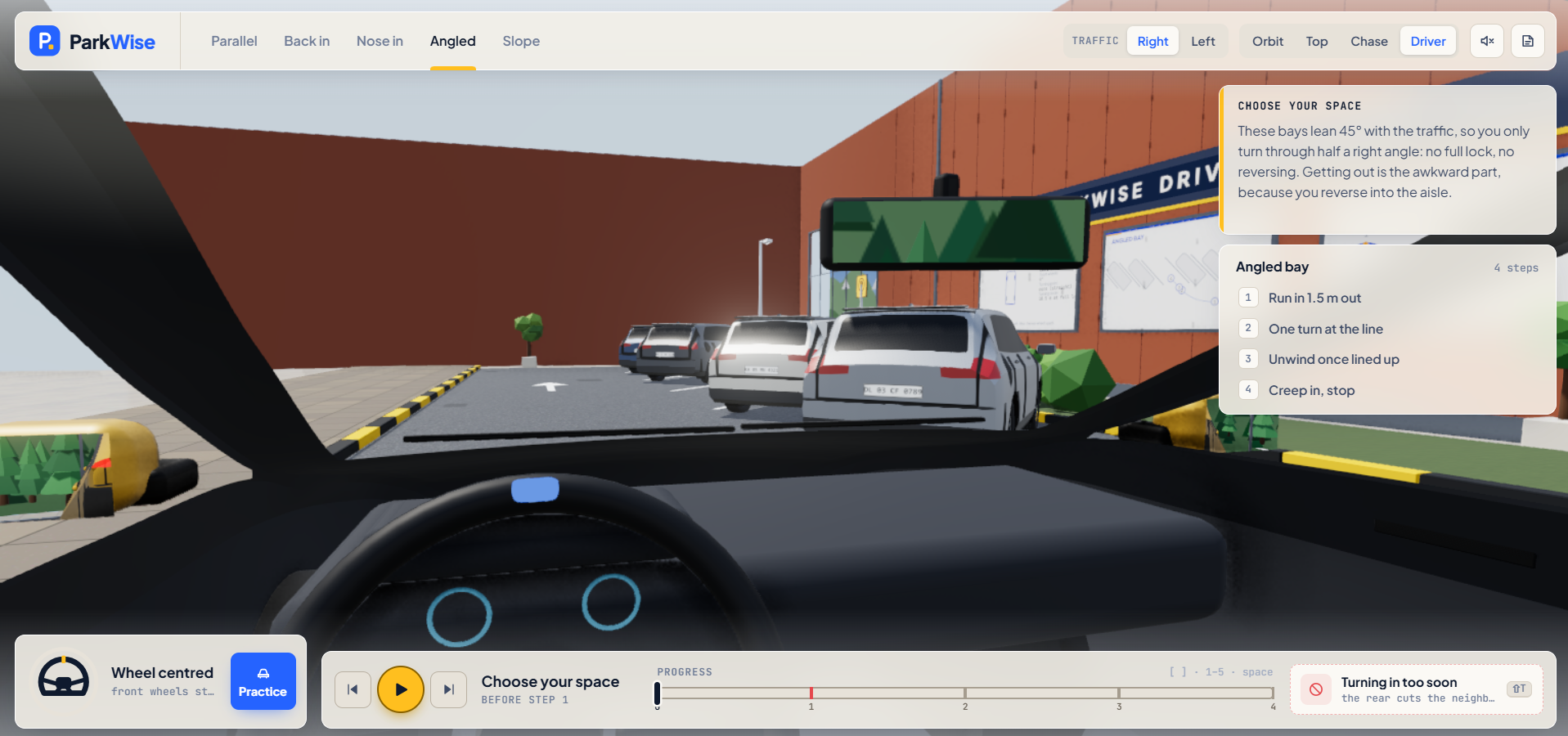
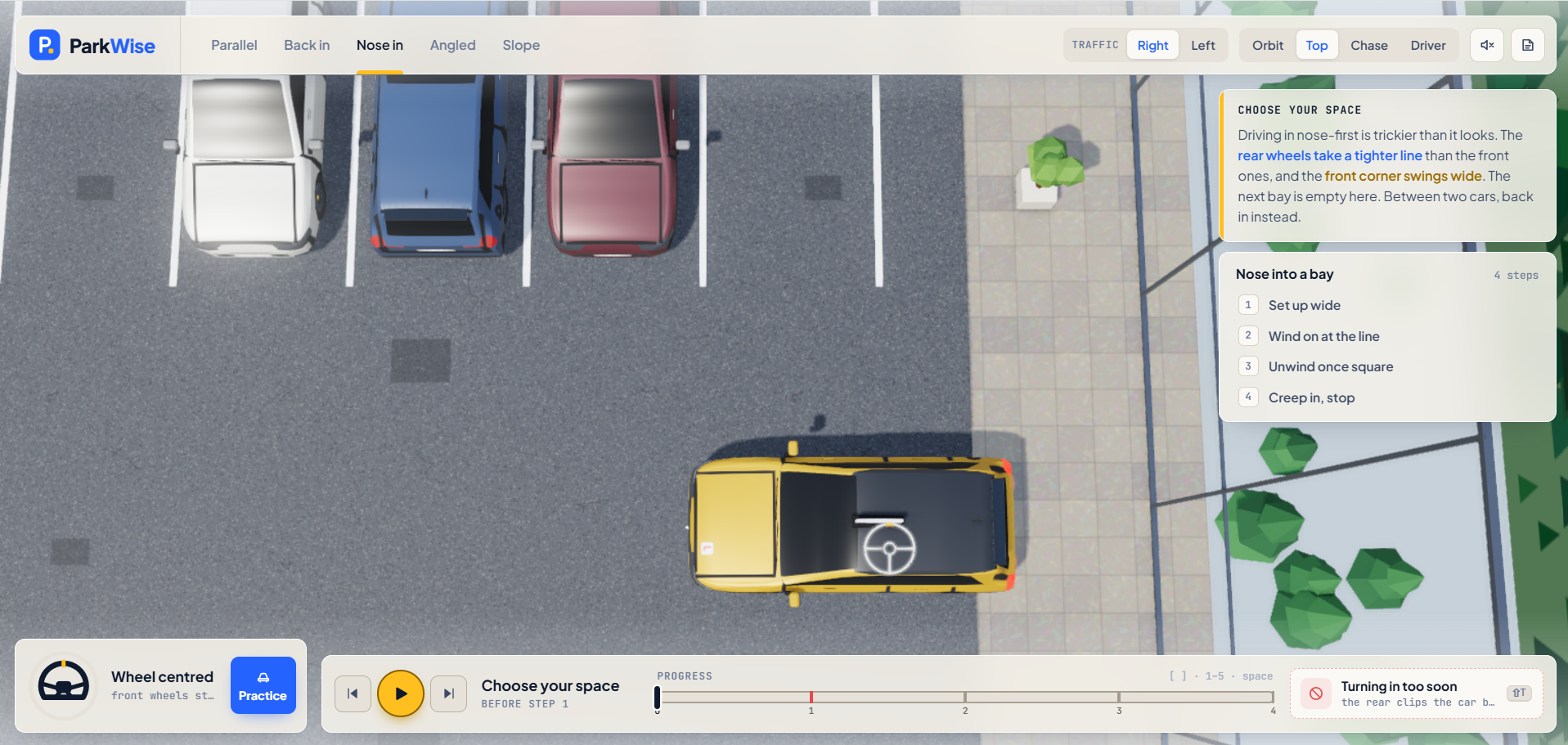
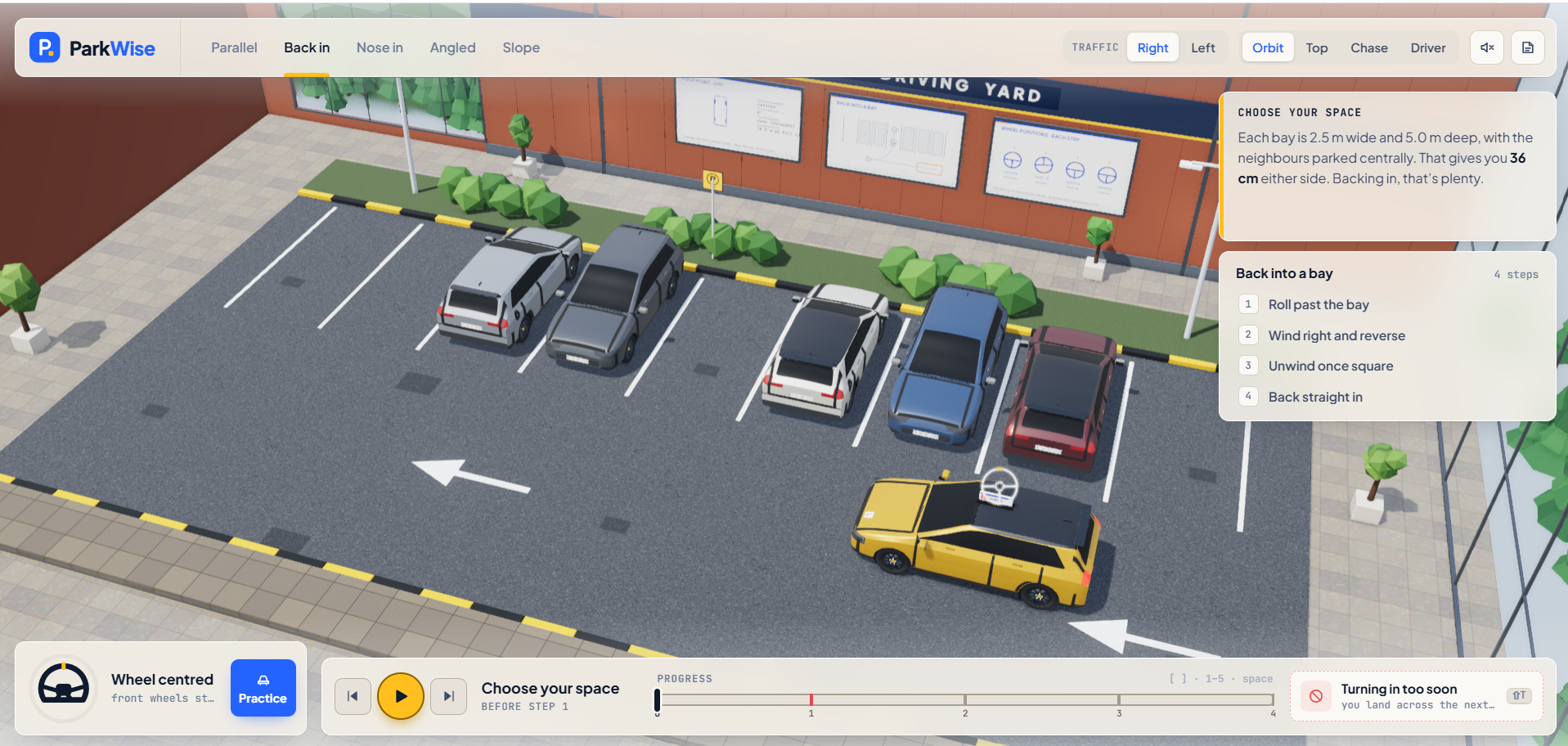
ParkWise is an interactive 3D spatial trainer and parking simulator designed to help learner drivers understand vehicle movement:
- Essential Exam Maneuvers: Provides guided visual training for the primary parking situations tested on standard road exams.
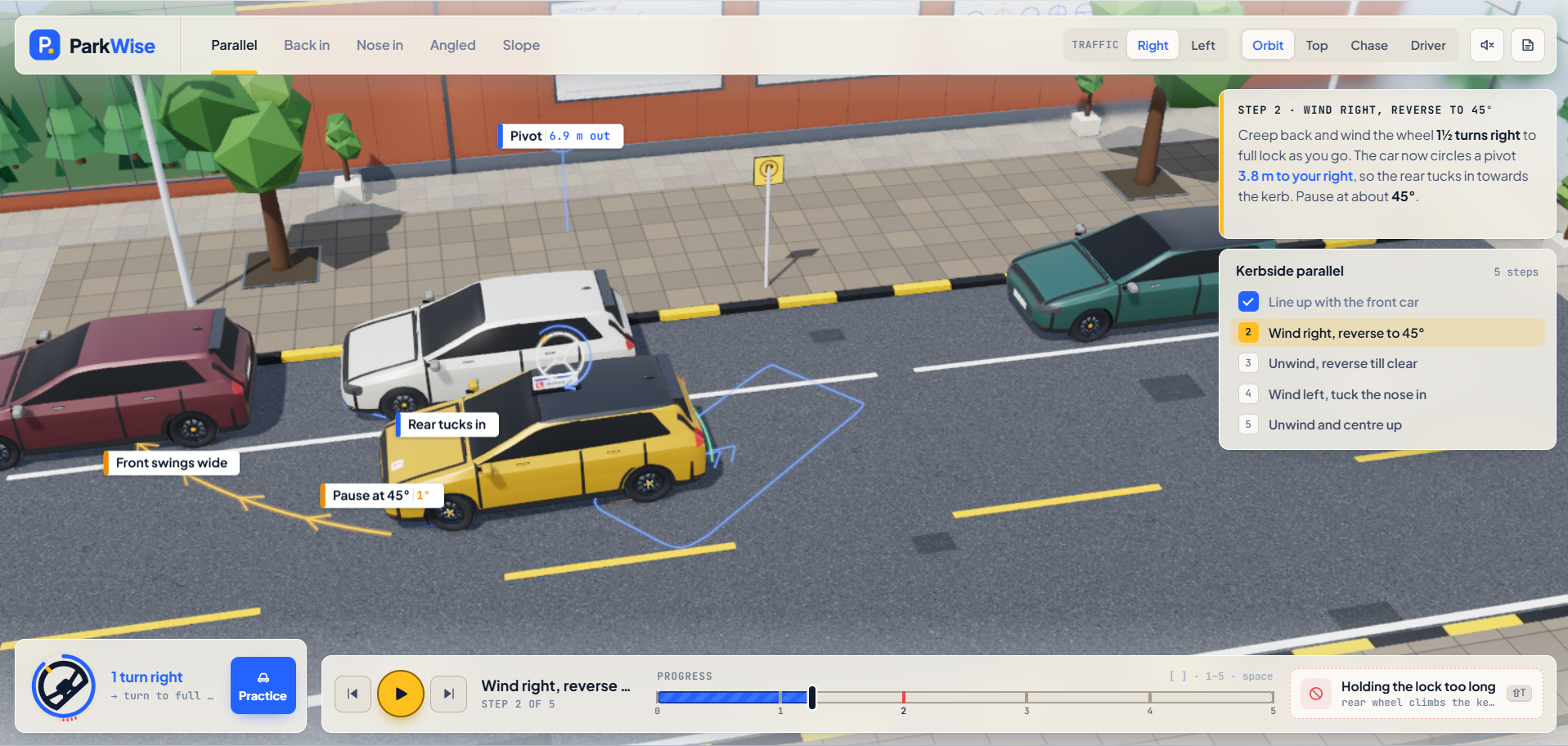
- Realistic Steering Physics: Accurately models front-wheel steering and rear-axle pivot physics rather than unrealistic video game rotation, helping real-world driving habits translate naturally.
- Dynamic Ground Trajectory Guides: Projects real-time path ribbons and turning pivot indicators onto the road surface so learners can visually track the car's sweep and tail swing before committing to a turn.
- Multiple Camera Perspectives: Allows learners to inspect their alignment from several angles, including an overhead bird's-eye view, an exterior chase camera, and an in-cabin driver's perspective with functional mirrors.
- Proximity Alerts: Features responsive audio cues and visual alerts when approaching curbs or surrounding obstacles.
- Interactive Practice Sandbox: Includes a manual driving mode with keyboard controls and low-speed creeping pedals, alongside common mistake demonstrations so learners can see what happens when a maneuver is over-steered.
How I Built It
I developed ParkWise through a collaborative AI pair-programming workflow:
- Structured Concept Planning: Used guided planning skills to define the product requirements, user journey, and technical specifications before writing code, keeping the project focused on spatial learning.
- Client-Side 3D Graphics: Built the roadway, lighting, shadow mapping, and vehicle models using Three.js, packaged entirely locally for 100% offline reliability.
- Automotive Kinematics Engine: Implemented vehicle steering and turning calculations in vanilla JavaScript to determine authentic turning circles and axle pivot points.
- Interactive Audio: Utilized the native browser Web Audio API to generate dynamic sound cues without downloading external audio files.
- Modern Glassmorphic HUD: Built a responsive, hardware-accelerated user interface using semantic HTML and CSS backdrop filters.
Challenges I Ran Into
- Performance on Standard PCs: Ensuring smooth, lag-free 3D rendering and real-time shadows on everyday consumer laptops and standard office PCs without dedicated graphics cards. I carefully optimized draw calls and scene complexity to keep frame rates steady.
- Realistic Turning Geometry: Standard game physics often rotate objects around their center. Getting the vehicle to pivot authentically around the rear axle while allowing the front end to swing wide required careful kinematic calculation and visual alignment.
- Spatial UI Balance: Designing a clean interface that provides helpful steering cues and clearance telemetry without obstructing the parking view required iterative camera and HUD tuning.
Accomplishments That I'm Proud Of
- Practical Learning Value: Translating abstract vehicle geometry into visible ground ribbons that genuinely helped my cousin visualize where the car was going and how to handle and map the directions.
- Optimised performance in the Browser: Delivers responsive 3D rendering with real-time shadows, running 100% client-side with zero lag.
- Instant Usability: Requires zero installation, plugins, or account registration. Anyone can open a link and start practicing immediately.
What I Learned
- Techniques for optimizing 3D WebGL performance on everyday laptops and consumer hardware.
- How vehicle turning mechanics translate into interactive 3D code i.e. writing code based on real physics.
- How to maintain an effective AI pair-programming workflow by locking in structured specifications before coding.
What's Next for ParkWise
- Vehicle Presets: Adding options for different vehicle sizes to show how wheelbase length affects turning points.
- Environmental Conditions: Introducing varied lighting scenarios to practice spatial awareness in evening conditions.
- Quick-Reference Cheat Sheets: Generating printable one-page visual maneuver summaries for quick review before test day.

Log in or sign up for Devpost to join the conversation.