-
-
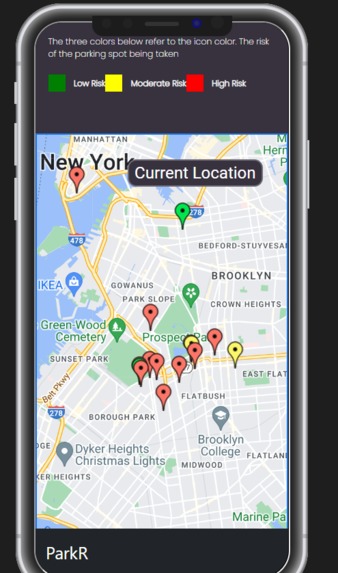
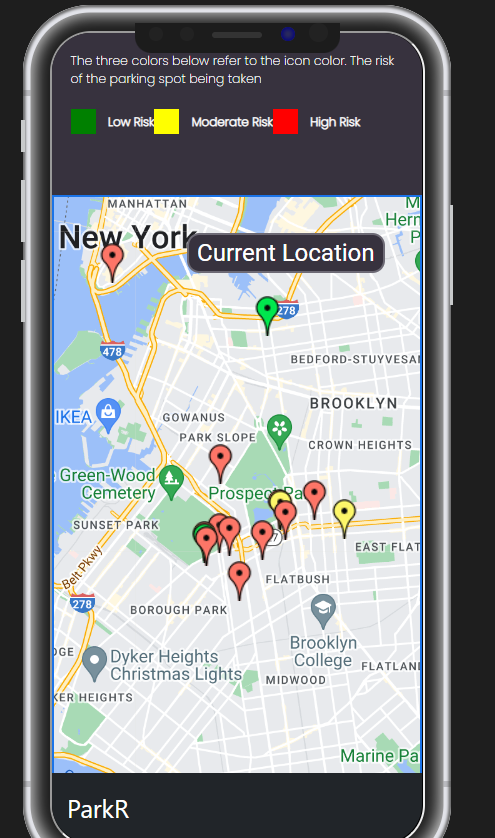
Responsive Mobile View
-
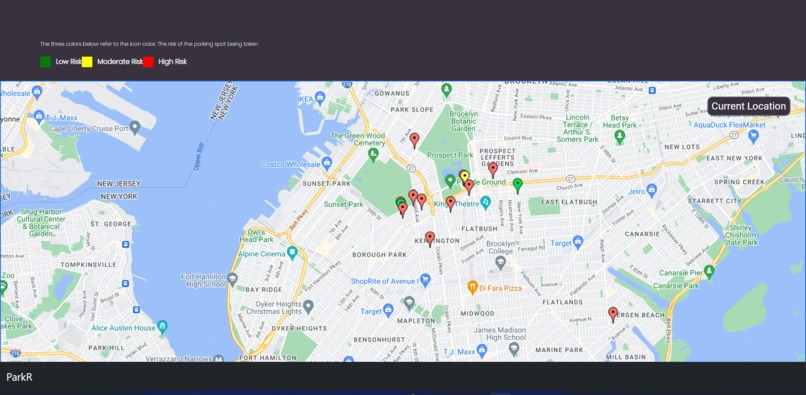
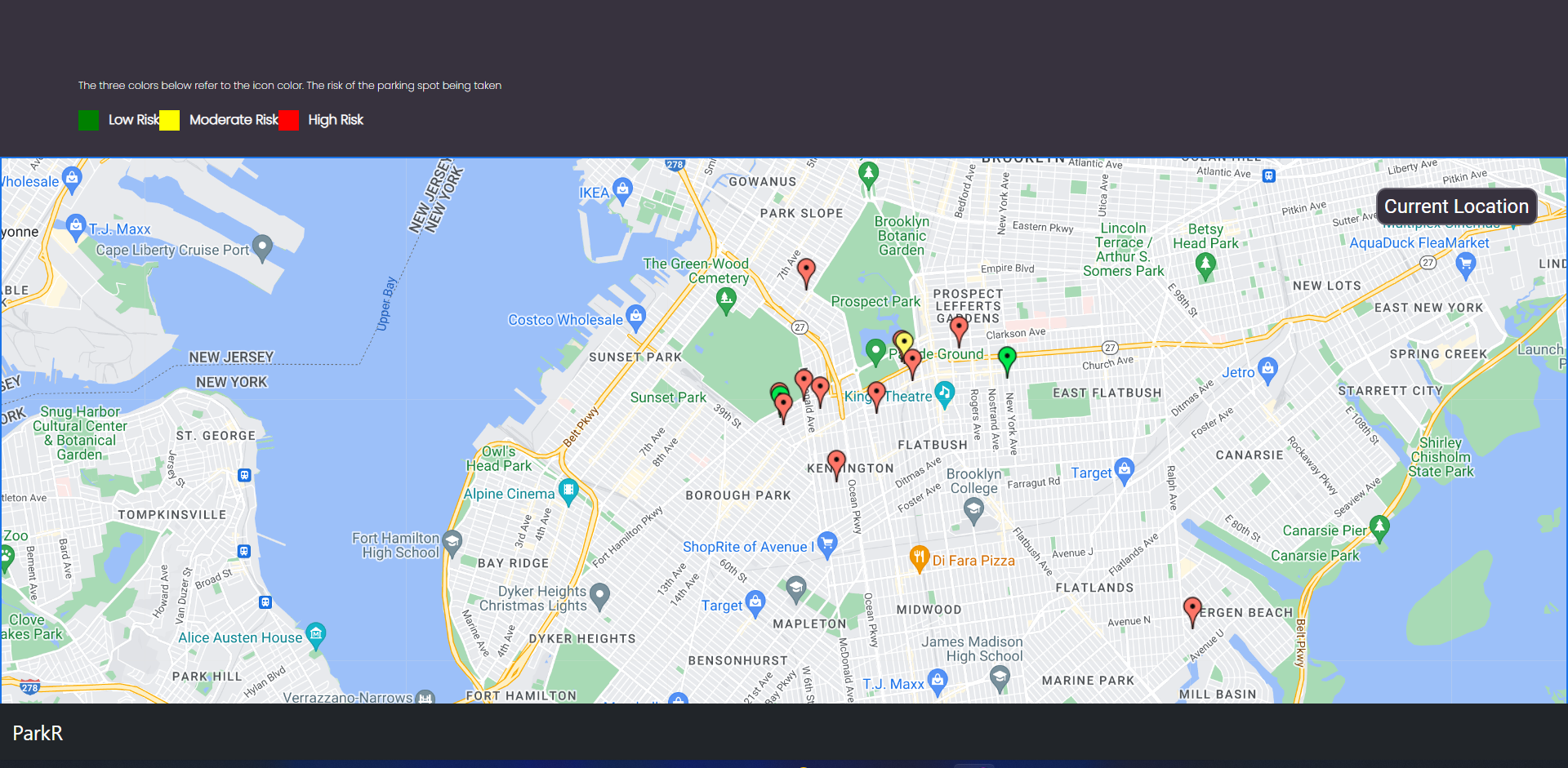
Web View
-
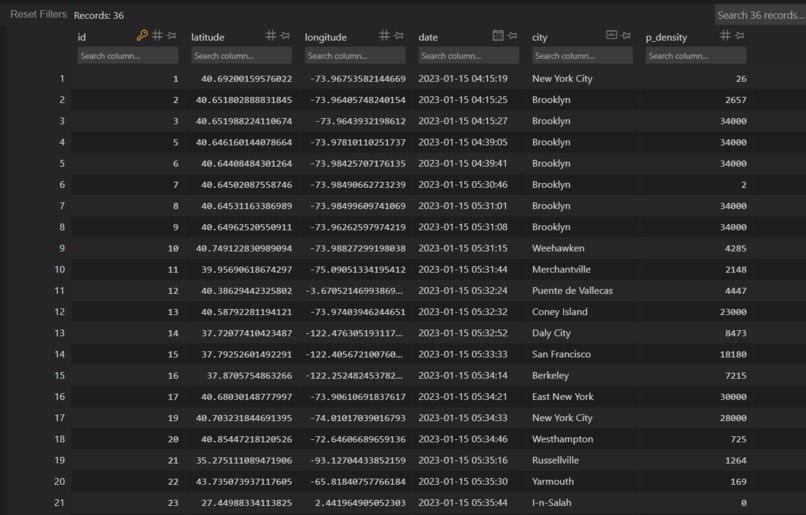
Flask-SQLALCHEMY Database, contains all the information
-
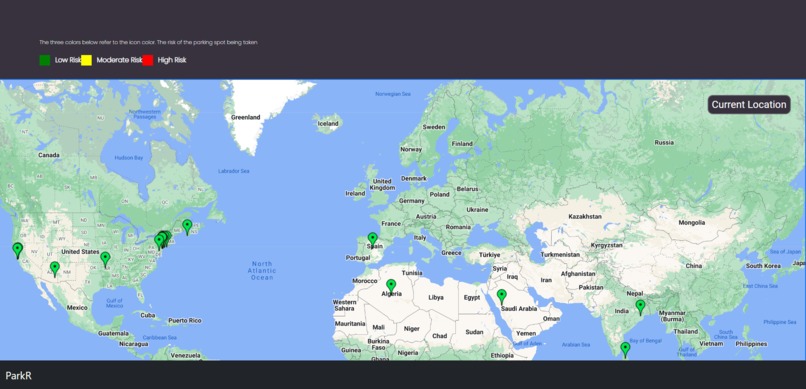
Parking around the world!


As of 11/01/2023, - ParkR is being worked on again and is having several changes, view the GitHub file to see.
Inspiration
Parking can be very daunting and it can sometimes lead us in circles. Especially being in Brooklyn, New York (no car parking space at all!) Often time our parents have been late to events because it's hard to find parking. We had to do something in order to save time. Also you have seen people rage before because they can't find parking. We also wanted to quell this rage and road frustrations.
What it does
ParkR relies on crowd-sourcing to provide users with the locations of parking spots near them. When the user loads in, they are provided with a fully-interactive embedded google map, in which they can move around and zoom in/out. On this map are different colored pins for all of the parking spots which other users have pinpointed. Each pin has a color, which corresponds to the risk level of the parking spot being gone, which is calculated using our algorithm, which combines the time since it was posted, the population density of the area it is in, and the use of the conversational AI, Chat GPT. The key for risk levels can be seen above the map. They will then press the 'Current Location' Button on the right side of the map, which prompts them to allow the website to use their location through the browser. They can then see all the spots near them, and double tap the map to place a pin on the spot that they clicked. They can also delete their pins by double tapping them, and view info about other pins by hovering over them. They can double tap another user's pin to remove it if they have parked there, or they see there is no longer a parking spot there.
How we built it
For the front-end we used HTML/CSS and JS and the back-end we used Flask (Python Web Framework). Our front-end consists of a google map, and we used the google map API in order to get this map and put markers on the map. Using the fetch API we managed to communicate the data between JavaScript and Python, which helped update our database with important geological information. The database is a flask-sql alchemy database and we queried all the data in it and sent the data to JS. From there we put points over the Google Maps using the marker system in Google API. This was a JavaScript Google Maps API. We also used numpy and reverse geocoder library in Python in order to get the city based on the latitude and longitude. After this we used the OpenAI api and told the AI to find the population density of the city given. We then parsed the data finding the number and put that in our database. Overall we used two APIs, a few libraries, HTML/CSS/JS and Flask (Python Web Framework).
Challenges we ran into
A challenge we ran into is posting the markers based on the data in the database. In order to overcome this challenge we had to create a seperate route and send JSON data to the JavaScript file. From there we had to loop through this list (it was a two-dimensional array which added extra complexity) and then we placed the markers based on the coordinates. We also ran into challenges of the markers not showing after click it, so we had to make scripts that would refresh the page. Like a lot of projects, we had issues with git and merging. Sometimes we had to spend time going over the merges and making we sure we didn't delete any important information. Overall we had to spend many hours to overcome challenges, from API integration to markers not popping up.
Accomplishments that we're proud of
We're proud of being able to integrate two APIs in our program and get them work. This is our first time using both APIs and so this was a huge victory. Another achievement was being able to effectively communicate between Python and JavaScript. Overall using two APIs posed a lot of challenges but there was a lot of accomplishment.
What we learned
We learned how to use the Google Maps API and the Open AI API. We also learned how to properly communicate between Python and JavaScript and vice-versa. Finally our problem solving ability went up as we had to create algorithms (involving the population density) and loop through two-dimensional arrays.
What's next for ParkR
We will migrate our web app to a mobile app, to allow users to access it more easily while driving. We will also add user authentication, to filter out bots who ruin the crowd-sourcing with fake pins. We will then add a point system to motivate users to pin parking spots for others to view.
Built With
- bootstrap
- css
- flask
- flask-sqlalchemy
- git
- github
- google-maps
- html
- javascript
- openai-api
- python


Log in or sign up for Devpost to join the conversation.