Park Perks
The application was designed and built by the RELM project team during the Winter 2015 cohort at Launch Academy (http://www.launchacademy.com/).
A review site for public parks built as part of a four person group using Agile methodologies to organize our development process, Test Driven Development (TDD), and the Git pull request work flow to coordinate our code.
Topics
Features
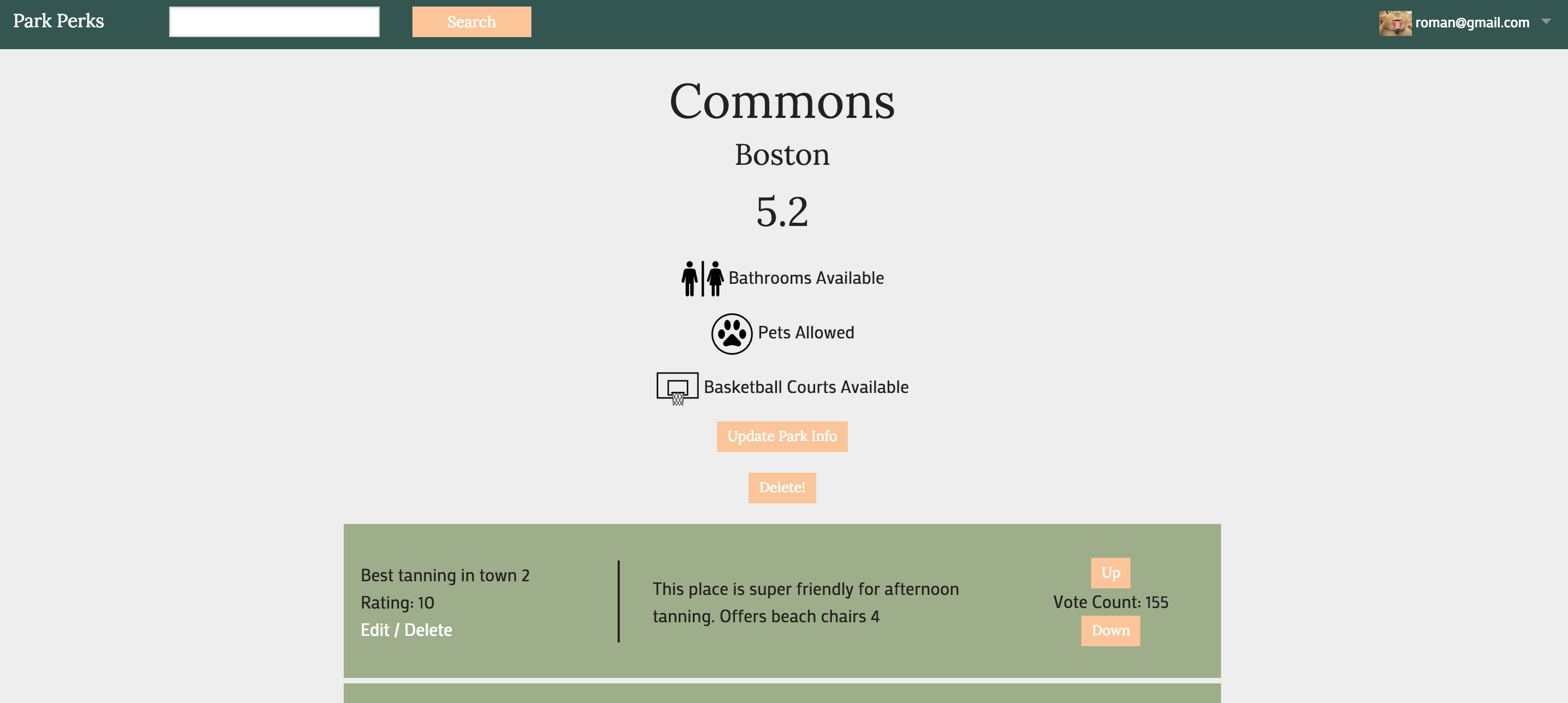
- The ability to add a park for review.
- The ability to rate the park and to create comment on it.
- An email is sent to the creator of a park when a new review is posted about it.
- The ability to upvote or downvote a review. A user can only upvote or downvote once and can change their vote from up to down. This feature utilizes AJAX so that a complete page reload isn't necessary.
- The ability to upload a profile photo (developed with Carrierwave). A default profile photo is used if the user does not upload one.
- The ability to search for parks.
- A sign up and authentication system for users (developed with Devise).
- An admin role. Admins are able to delete comments or items if they are deemed to be inappropriate. Access to some pages are restricted to the admin role.
- An average review rating (the underlying method, developed using ruby, checks all reviews belonging to the park).
- Pagination (developed with Kaminari).
Development
ParkPerks was developed in Ruby on Rails.
Also used during the application development
- Foundation (http://foundation.zurb.com/) was used for css styling.
- Devise (https://github.com/plataformatec/devise) was used for authentication.
- Carrierwave (https://github.com/carrierwaveuploader/carrierwave) was used for avatar image handle.
Testing
For development tasks such as running benchmarks or testing, you need to clone the repository and install bundle. All required gems are listed in the Gemfile.
Install bundle.
git clone github.com/ezrashim/park_relm.git
cd park_relm
bundle install
Test Development
The following gems were used to develop and run unit and feature tests:
- RAKE (http://rake.rubyforge.org/)
- RSpec (http://rspec.info/)
- Capybara (https://github.com/jnicklas/capybara)
- shoulda-matchers (http://matchers.shoulda.io/)
- poltergeist (https://github.com/teampoltergeist/poltergeist)
To prepare for testing, run:
rake db:test:prepare
To run all test files, run:
rake
You may specify an individual test file to run using rspec:
rspec <full test name>
For example:
rspec spec/features/user_views_user_detail_spec.rb
Note that some feature testing requires the use of Chrome browser, which must be located in the user's application directory.
ER Diagram
https://drive.google.com/file/d/0B0YuNqlqhv9YNWtydlU1MHNnUUE/view?usp=sharing

Log in or sign up for Devpost to join the conversation.