-
-
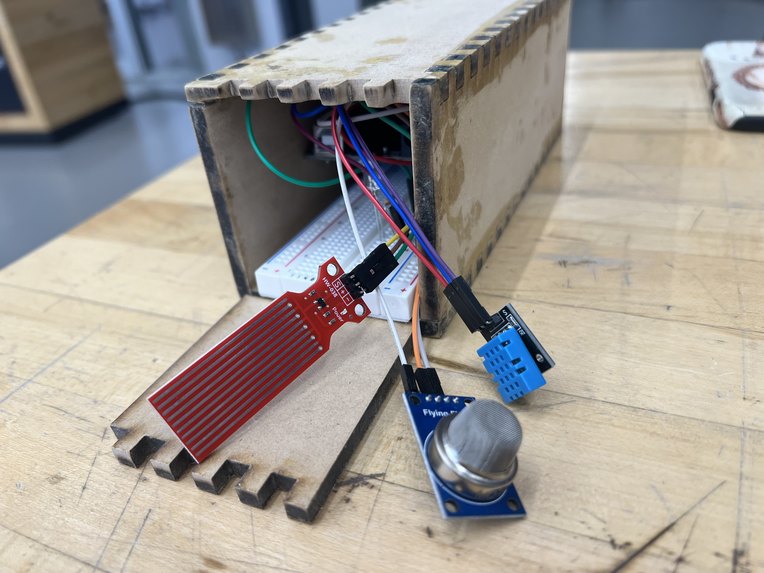
The Box
-
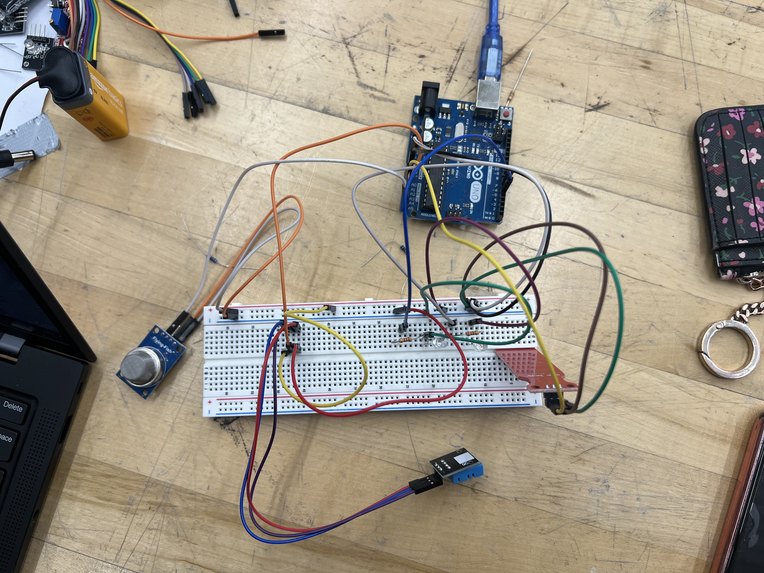
The Circuit
-
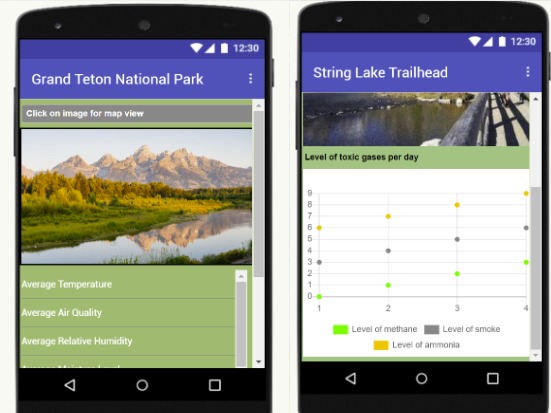
The App
-
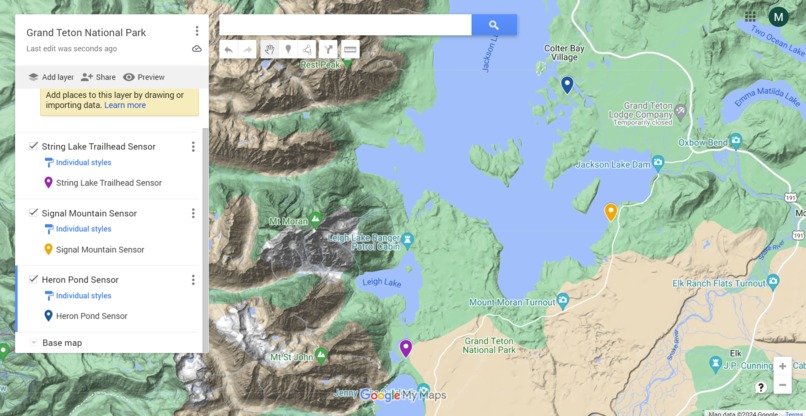
Grand Teton Sensor Map


𝕀𝕟𝕤𝕡𝕚𝕣𝕒𝕥𝕚𝕠𝕟
The inspiration for this project is our love for nature and National Parks. We are all hiking girlies and love the outdoors! We want to be able to help National Parks with maintaining the air quality, water levels, temperature, and humidity of the many lakes found in these parks.
𝕎𝕙𝕒𝕥 𝕚𝕥 𝕕𝕠𝕖𝕤
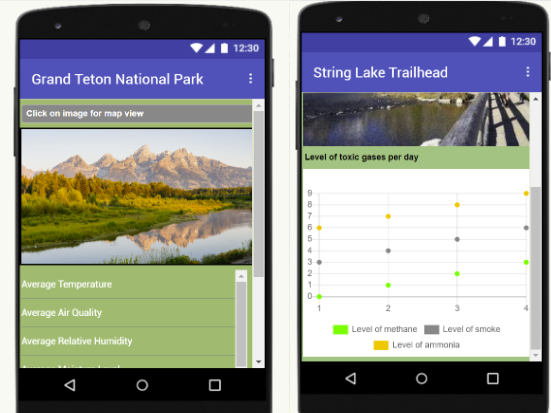
We use a Water Sensor to detect water levels, and notifies the system if there is an overflow. We also use a DHT11 to sense humidity and temperature. We also use a MQ135 Semiconductor Sensor to detect if there are any toxic gasses in the air. It records its findings and sends them to the Park Shark app.
ℍ𝕠𝕨 𝕨𝕖 𝕓𝕦𝕚𝕝𝕥 𝕚𝕥
We connected our three sensors and LED lights to an Arduino Uno using a breadboard and jumper wires. The program was written in Arduino IDE using C++ and uploaded onto the Arduino using a USB cable. We then made a box for the device to sit in so it is protected from the outdoors. We made the parts of the box using Auto CAD and then laser cut them. We assembled the box using glue, sanded it down, and then placed our circuit inside. We used MIT App Inventor to create a prototype of the app.
ℂ𝕙𝕒𝕝𝕝𝕖𝕟𝕘𝕖𝕤 𝕨𝕖 𝕣𝕒𝕟 𝕚𝕟𝕥𝕠
One of the challenges that we ran into was that at first, the program was printing abnormal values from the sensors. For example, the water sensor was saying that the water levels were high even though it wasn't even near water. We fixed this by carefully rebuilding the circuit and it worked out in the end! Another challenge was the construction of our box. We are new to laser printing, so some of the time, it wouldn't cut all the way through our wood piece, so we had to try again. We also printed some pieces too small, so there was a lot of trial and error to make it fit properly.
𝔸𝕔𝕔𝕠𝕞𝕡𝕝𝕚𝕤𝕙𝕞𝕖𝕟𝕥𝕤 𝕥𝕙𝕒𝕥 𝕨𝕖'𝕣𝕖 𝕡𝕣𝕠𝕦𝕕 𝕠𝕗
We were able to work as a team and finish building our circuit and box. We are glad that we were able to work through the issuses that we faced in our project and were able to move forward. We are proud of our project and that we learned so much from building it.
𝕎𝕙𝕒𝕥 𝕨𝕖 𝕝𝕖𝕒𝕣𝕟𝕖𝕕
We leared a lot during this Hackathon. It taught us how to work together as a team, how to utilize the tools and resources in the makerspace, and finally how to move an idea from the planning stage to completion. Everyone had their specialties and everyone was able to learn something new from each other.
𝕎𝕙𝕒𝕥'𝕤 𝕟𝕖𝕩𝕥 𝕗𝕠𝕣 ℙ𝕒𝕣𝕜 𝕊𝕙𝕒𝕣𝕜
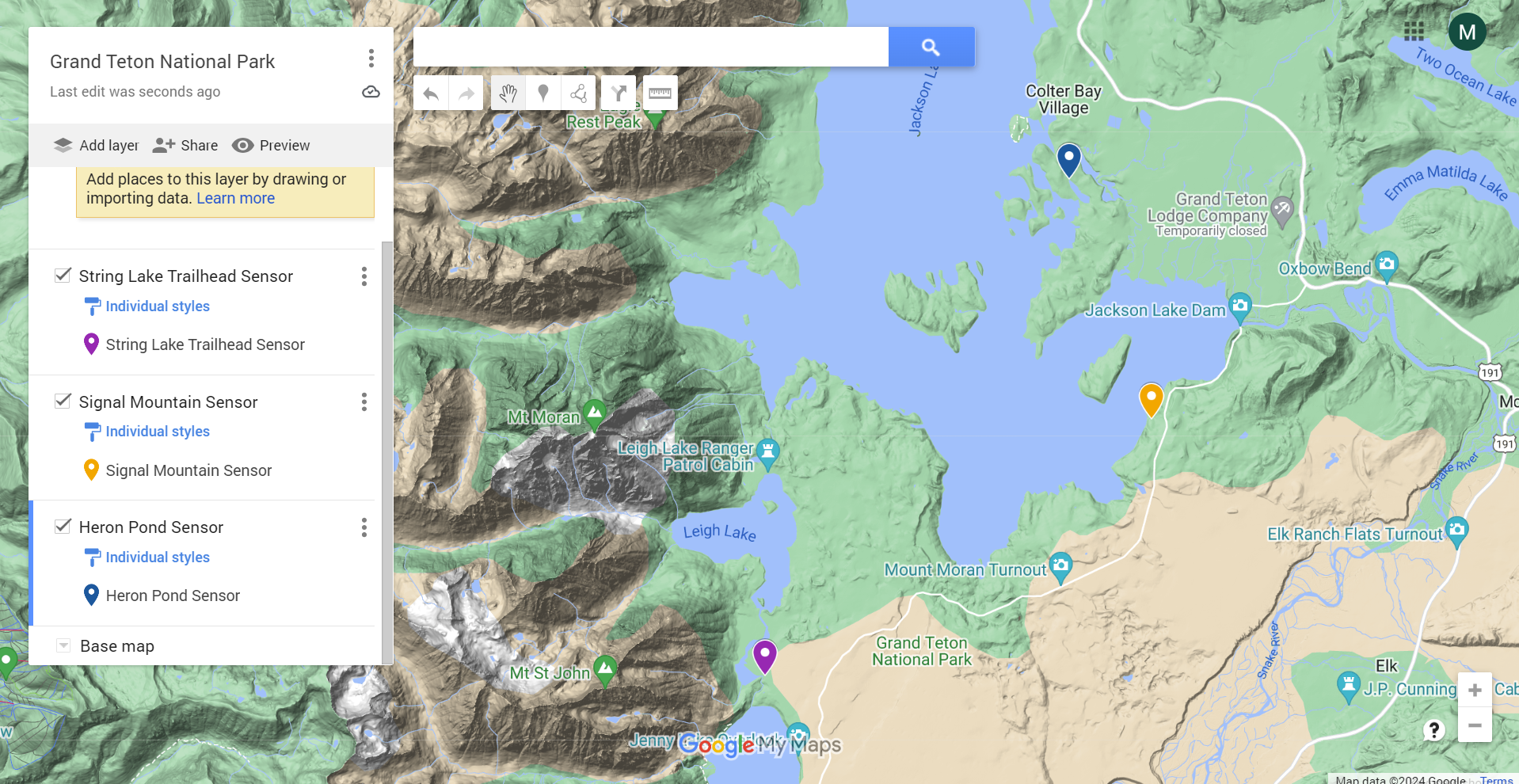
In the future, we want multiple of our sensors to be placed around national parks and eventually oceans. Using our app and interactive map, our data would be publicly accessible to allow for increased environmental awareness. Our sensor data on air quality can be used to predict water quality since air pollution can lead to aquatic environments becoming contaminated. With this data, we hope to be able to protect our national parks from air and water pollution by educating people about the harmful environmental impacts of nearby mining or power plant operations, for example.
𝕋𝕙𝕖 ℂ𝕠𝕕𝕖
/*
NJIT Makerspace Hardware Hackathon 4/13/2024
*/
#include <dht.h>

dht DHT;
int water_sensor = A0;
int humidity_sensor = A1;
int airqual_sensor = A5;
int led1 = 6;
int led2 = 5;
int water_lvl = 0;


void setup() {
  Serial.begin(9600);
  pinMode(led1, OUTPUT);
  pinMode(led2, OUTPUT);
  digitalWrite(led1, LOW);
  digitalWrite(led2, LOW);
}

void loop() {
  // water level sensor
  int water_lvl = analogRead(water_sensor);
  if(water_lvl > 10) {
    Serial.println("Water Sensed");
    int water_output = map(water_lvl, 570, 800, 0, 255);
    Serial.println(water_output);
    analogWrite(led1, water_output);
  } else {
    Serial.println("Water not sensed");
    analogWrite(led1, LOW);
  }

  // humidity sensor
  DHT.read11(humidity_sensor);
  Serial.print("Current humidity: ");
  Serial.print(DHT.humidity);
  Serial.println("%");
  Serial.print("Current temperature: ");
  int ctemp = DHT.temperature;
  Serial.print(ctemp * (9.0/5.0) + 32.0);
  Serial.println(" F");

  // air quality sensor
  int air_qual = analogRead(airqual_sensor);
  Serial.print("Air Quality: ");
  Serial.println(air_qual);

  if(air_qual > 250) {
    analogWrite(led2, HIGH);
  } else {
    analogWrite(led2, LOW);
  }


  delay(1000);
}


Log in or sign up for Devpost to join the conversation.