-
-
Parity Front
-
Parity Settings
-
Parity Agent
-
Briefing
-
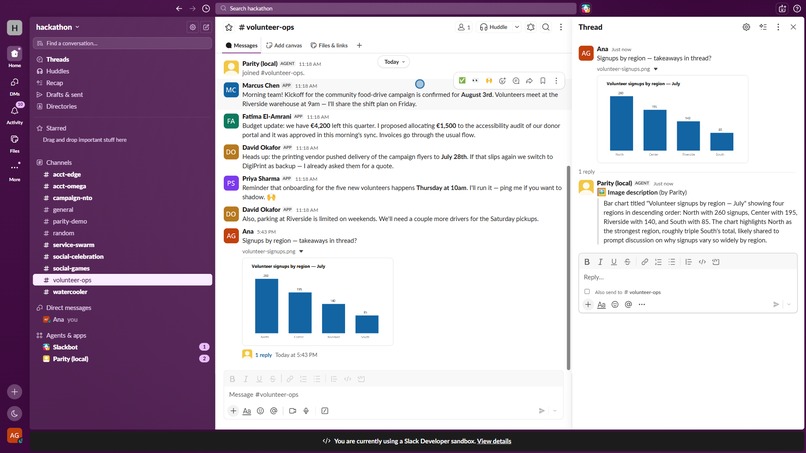
Image Description
-
Audio Playback
-
Audio Transcript
-
Transform Message
-
Nudge
-
End

Inspiration
The workplace is going voice-first -huddles, voice clips, video updates- and Slack is leading that shift. Every one of those features quietly excludes Deaf and hard-of-hearing professionals. Meanwhile, every screenshot pasted without alt text is invisible to blind colleagues using screen readers. Having read "I See a Voice" by Oliver Sacks, I can see how "we'll fill you in later" becomes the daily experience of talented people. Accessibility tooling usually asks the excluded person to adapt. We wanted to flip that: make the conversation itself exist in every modality, so nobody experiences it second-hand.
What it does
Parity is a modality translation layer for Slack — one engine that guarantees every message exists in every modality, and every person experiences the conversation in their native one:
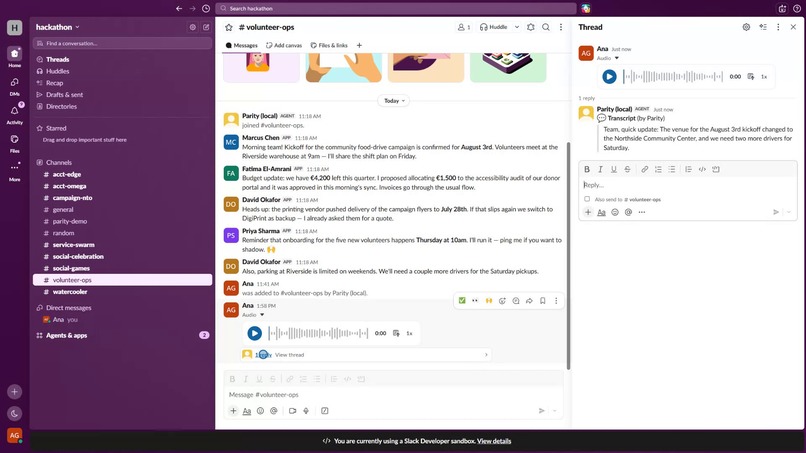
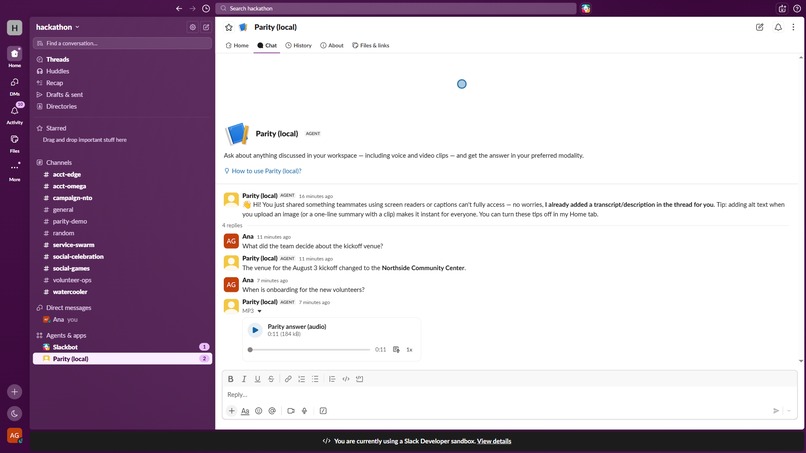
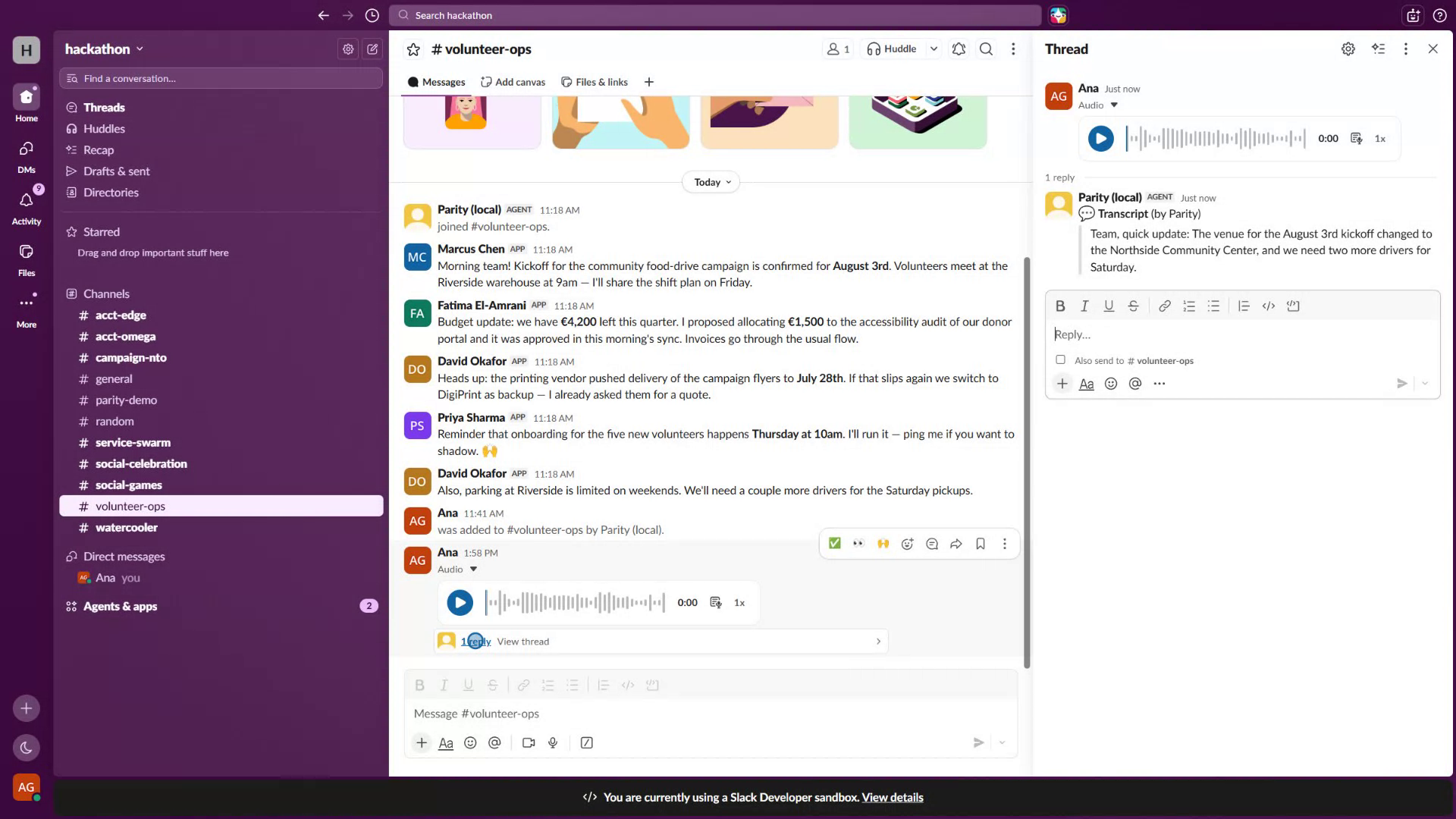
- Voice → text: every audio/video clip gets an automatic transcript, posted as a real threaded message under it — no button, no player to open.
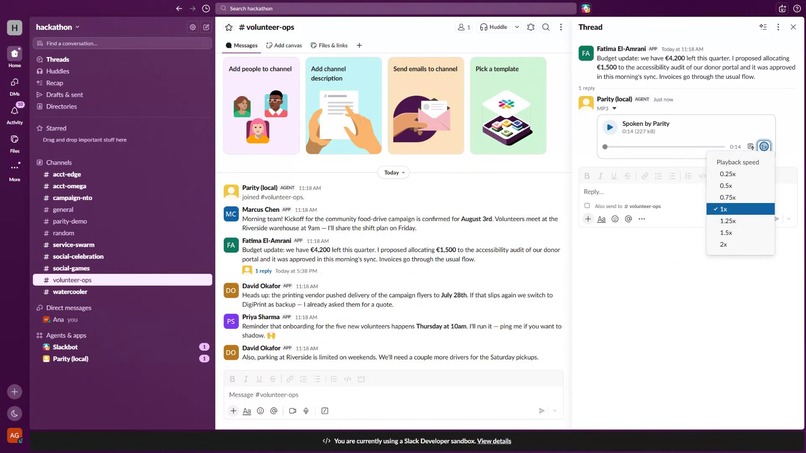
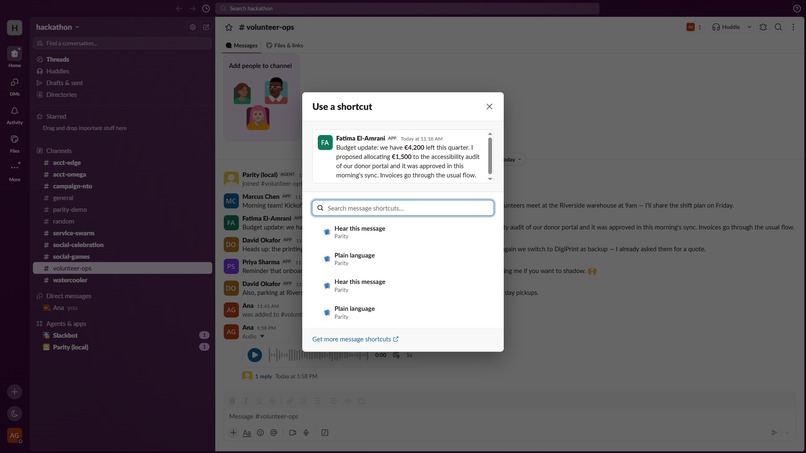
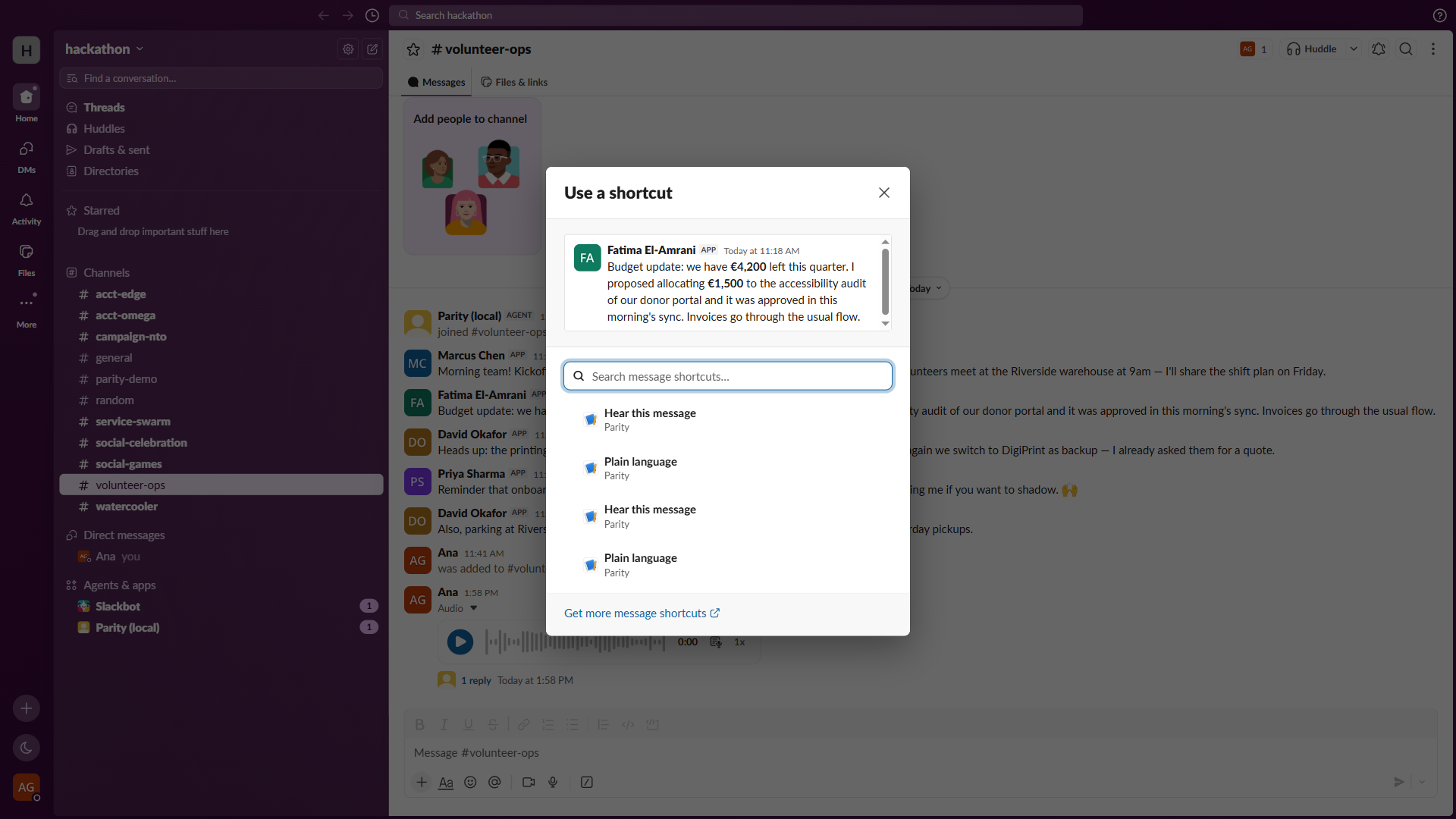
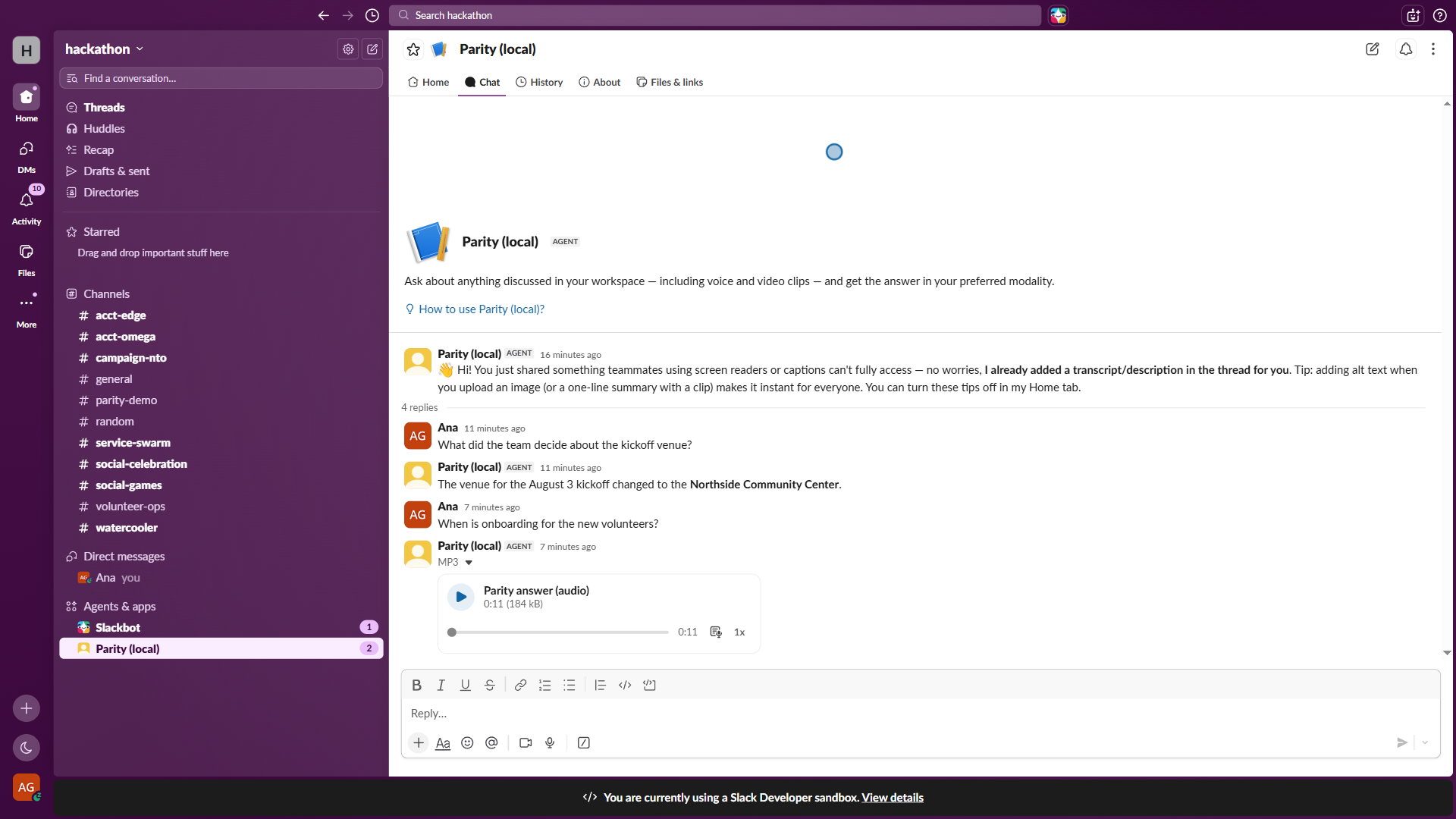
- Text → voice: any message can be heard via a "Hear this message" shortcut; assistant answers can arrive as speech.
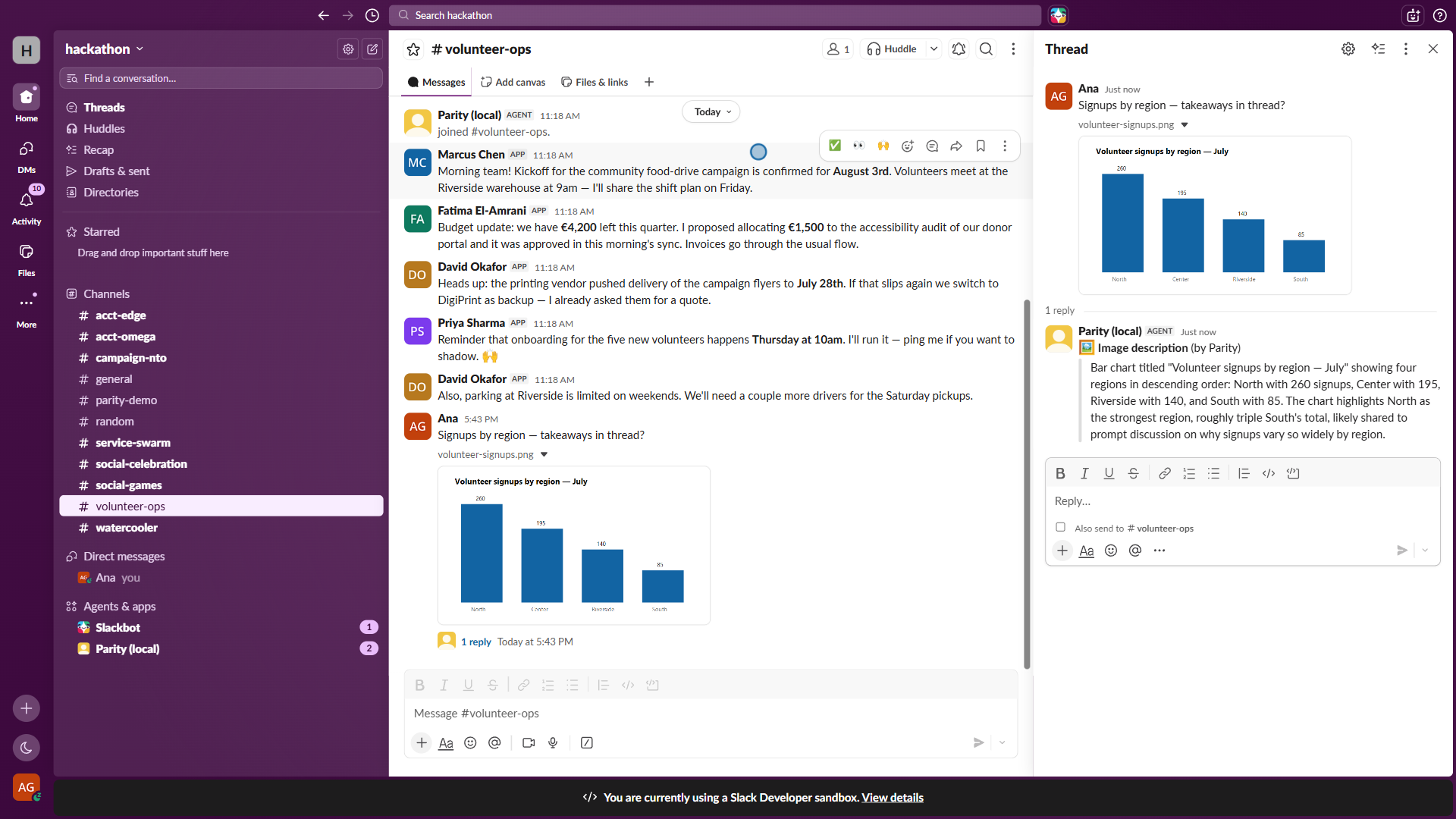
- Images → words: screenshots and charts shared without alt text get AI-written descriptions in thread.
- Complex prose → plain language: private, on-demand rewrites for cognitive accessibility and non-native speakers.
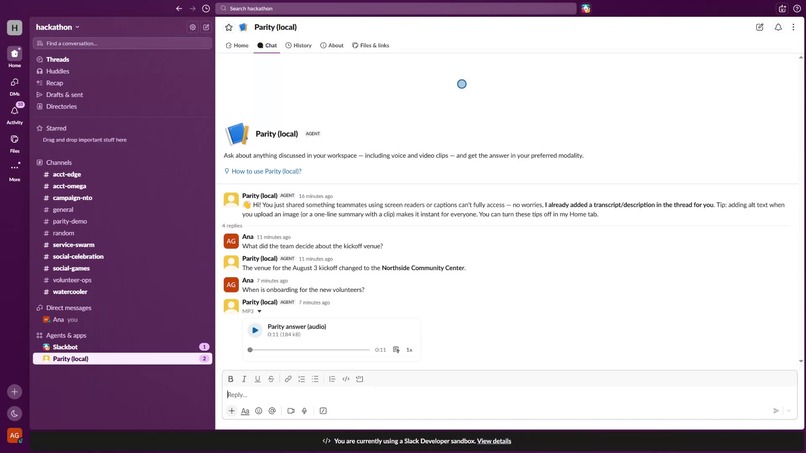
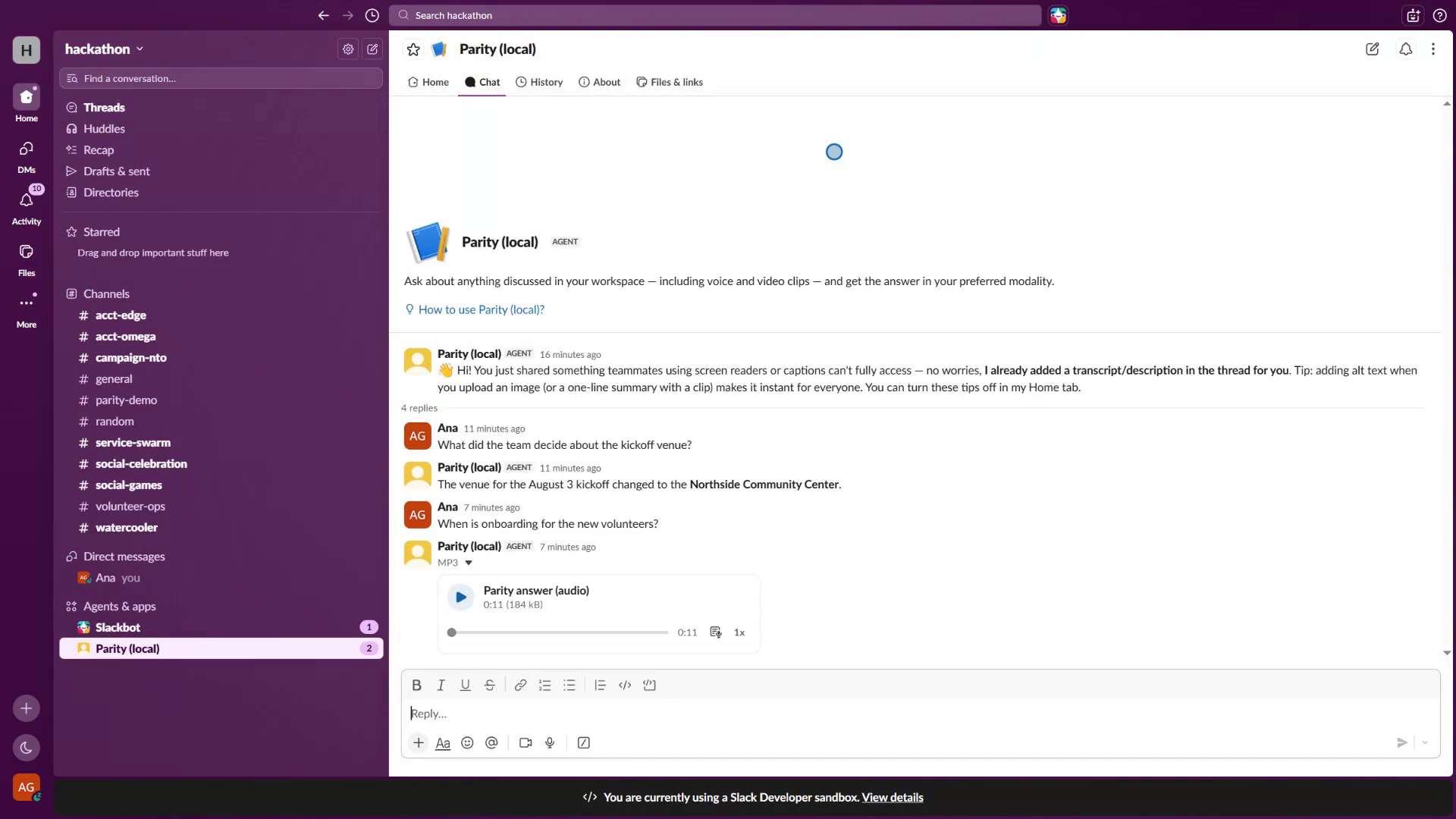
- The Parity assistant: ask about anything discussed in the workspace — including things that only ever existed as audio — and get the answer in your preferred modality. Powered by the Real-Time Search API over the transcripts Parity itself threaded: voice messages become searchable institutional knowledge.
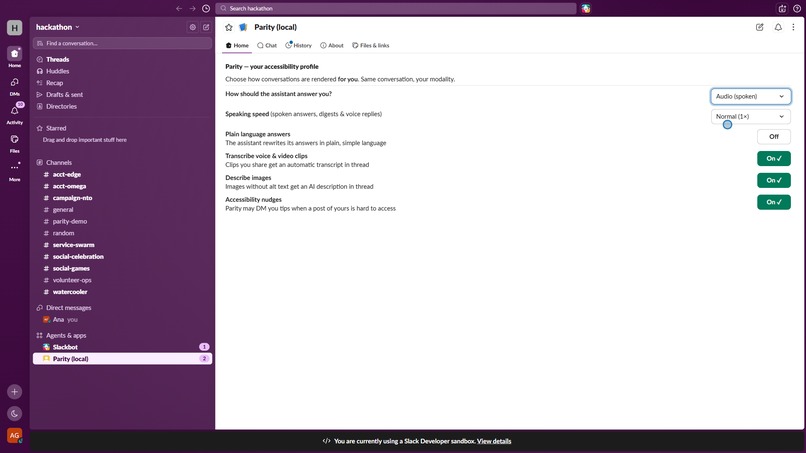
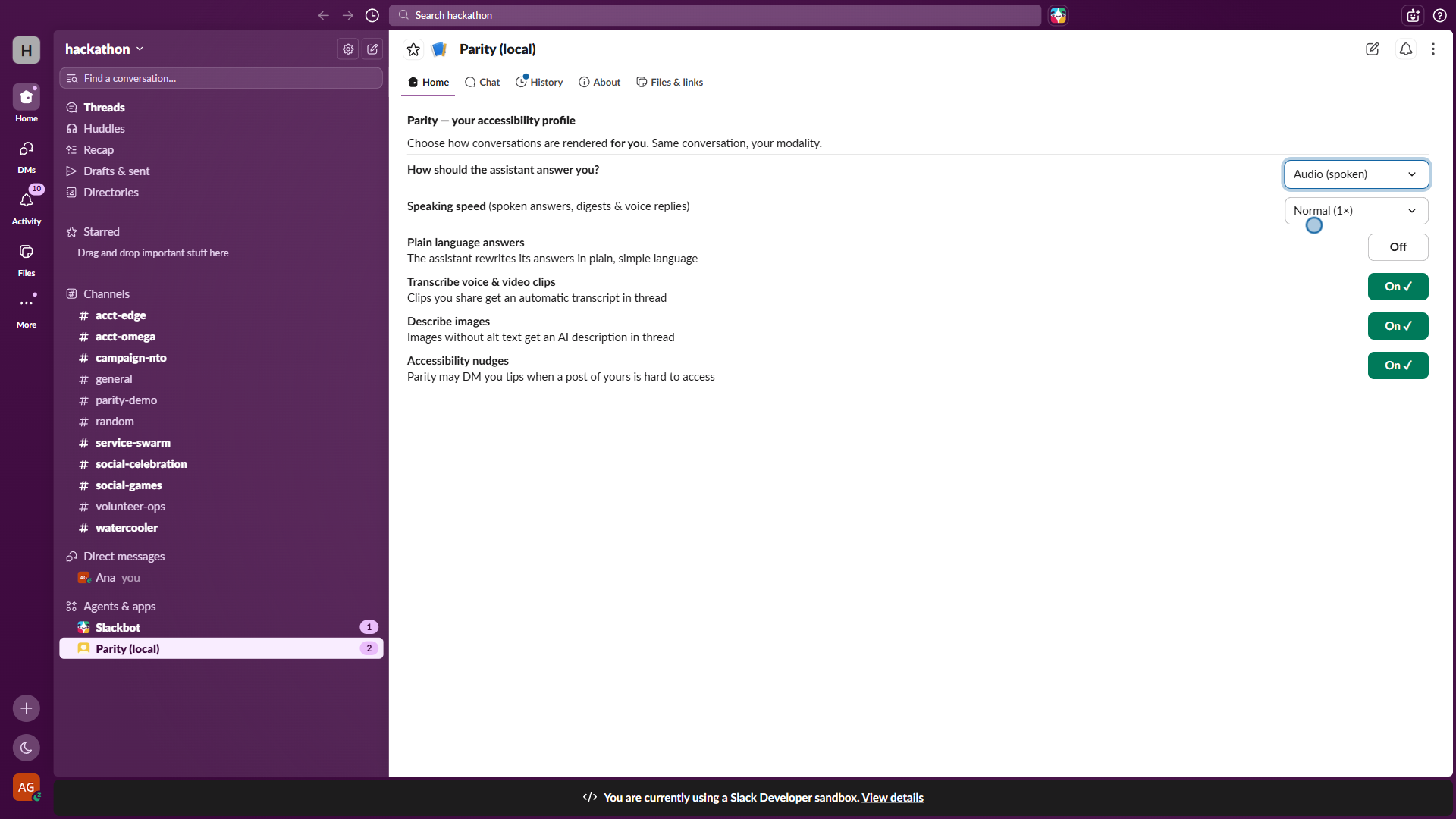
- Accessibility profiles: a per-user App Home where each person picks their modality (text / audio / both), speaking speed (0.75–2×), plain-language mode, and auto-rendering preferences. Every spoken output — assistant answers, digests, voice replies — respects them. (The speed control matters more than it looks: blind and screen-reader users routinely listen at 1.5–2×; a fixed "normal" pace is its own accessibility barrier.)
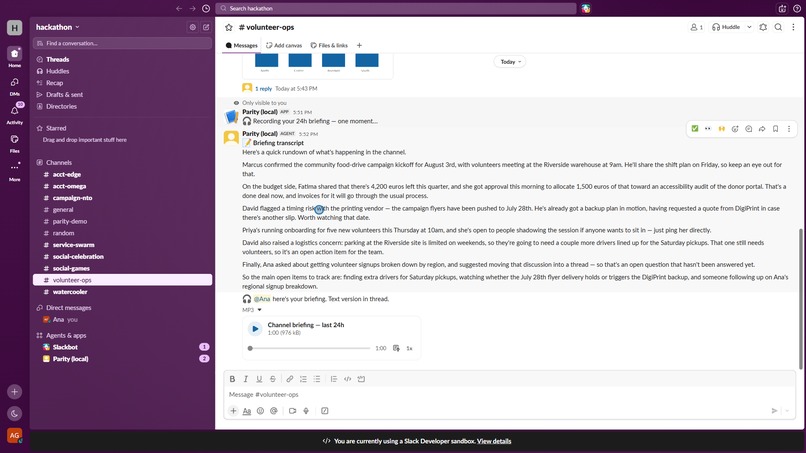
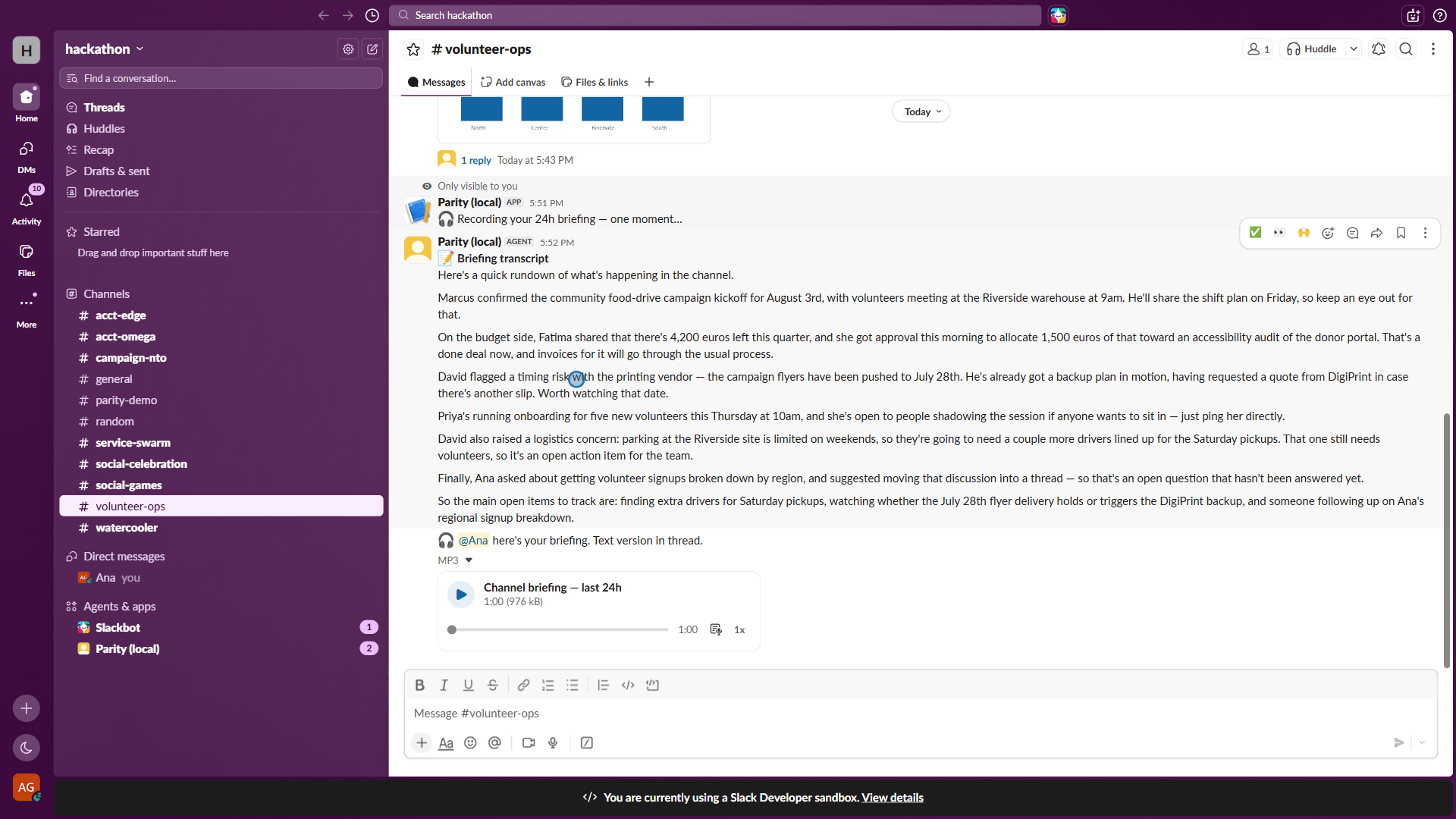
- /parity-digest: a generated spoken briefing of a channel — a morning podcast of your team.
- Culture nudges: when someone posts inaccessible content, Parity fixes it and gently DMs them a habit-forming tip (opt-out, once a day max).
"Doesn't Slack already do this?"
Slack can generate a transcript for a clip if the author clicks the button, and only inside the clip player. Parity makes it automatic for every clip and every uploaded audio file, and posts the transcript as a real threaded message: readable inline, respectful of each user's profile, and indexed by Real-Time Search. which is what turns voice into searchable knowledge. Native alt text is user-typed and opt-in; Parity writes descriptions automatically. We build on top of Slack's accessibility primitives, not around them, unifying transcription, description, plain language and speech into one modality-translation layer, then exposing it to other agents over MCP.
How we built it
One accessibility engine, two front doors:
- Bolt for JavaScript app over Socket Mode; listeners for clips, images, shortcuts, App Home, slash command, and the Assistant class (AI app pane, suggested prompts, status updates).
- Real-Time Search API (
assistant.search.context, GA Feb 2026) as the assistant's grounding backbone. Using the action-token flow with the bot token, and honoring its zero-data-copy contract: nothing retrieved is ever stored outside Slack. - MCP in both directions: the engine is exposed as an MCP server with five tools -
transcribe_audio,describe_image,simplify_text,summarize_conversation,speak_text- so any MCP client (Claude, Agentforce, and since June 2026 even Slackbot itself) can borrow Parity's senses. Accessibility as reusable infrastructure, not a feature. - Claude (Anthropic) for vision descriptions, plain language, summarization and grounded answers; OpenAI
gpt-4o-transcribe/gpt-4o-mini-ttsfor speech.
Challenges we ran into
- Bot tokens and RTS require the short-lived
action_tokenfrom assistant-thread events. Undocumented subtleties around its lifetime. - Slack's native clips are mp4 containers even for audio; for video we transcribe the audio-only AAC stream to stay fast and under STT size limits.
- There is no API to upload audio that renders as a native clip. We ship spoken answers as playable attachments instead.
- Enterprise Grid app installs (org-level grants, admin approval) with a non-interactive CI-style setup.
Accomplishments that we're proud of
The "money shot": asking the assistant about something that was never typed, it only existed as sound, and getting a correct, cited answer. That single interaction chains three technologies: our transcription layer, RTS search, and the AI assistant.
What we learned
Accessibility features become exponentially more valuable when they feed each other: transcripts aren't just captions, they're the substrate that makes voice searchable; descriptions aren't just alt text, they make visual knowledge queryable.
What's next for Parity
Plain-language and translated huddle captions, and piping huddle audio through the same modality pipeline; per-channel language profiles; sign-language avatar research; publishing the accessibility MCP server so every Slack agent ships accessible by default.
Built With
- accessibility
- anthropic
- bolt
- claude
- computer-vision
- javascript
- mcp
- node.js
- openai
- real-time-search-api
- slack
- slack-ai
- speech-to-text
- text-to-speech

Log in or sign up for Devpost to join the conversation.