Inspiration
In today's digital age, children are accessing the internet at increasingly younger ages. While the internet offers vast educational opportunities, it also presents significant risks. Parents face the challenge of protecting their children from harmful content while maintaining a balance that allows for healthy digital exploration. ParentGuard was created to address this need with a user-friendly, effective solution.
What it does
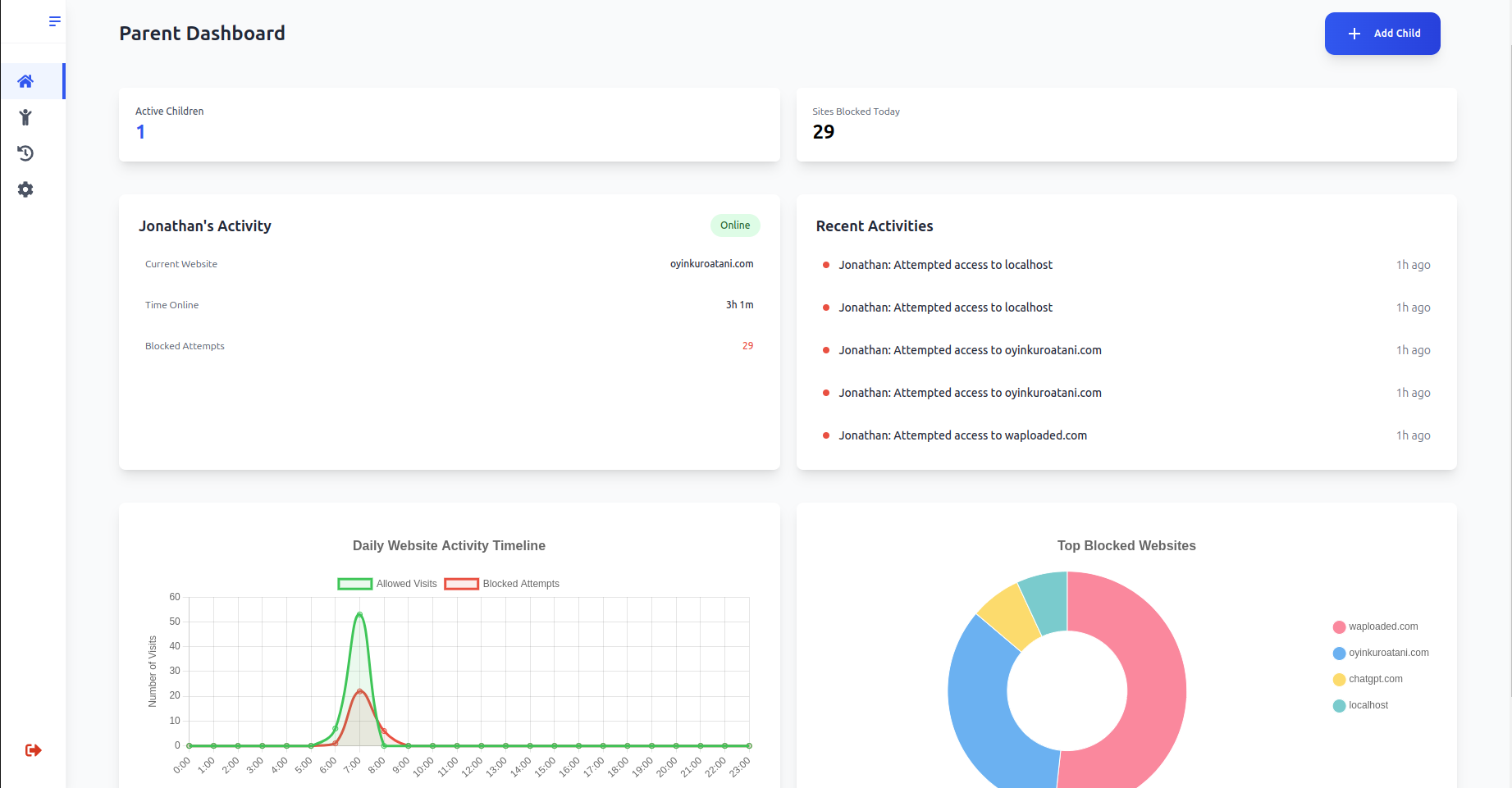
ParentGuard is a comprehensive Chrome extension that empowers parents to create a safer online environment for their children. Our solution stands out with these key features:
Core Features
Multi-Child Support
- Individual profiles for each child
- Customizable settings per child
- Age-appropriate restrictions
Smart Scheduling
- Create internet-free time zones
- Schedule study periods
- Set daily usage limits
- Flexible scheduling for different days
Comprehensive Activity Logs
- Real-time activity monitoring
- Detailed browsing history
- Access attempt tracking
- Risk level assessment for visited sites
Website Management
- Create allow/block lists
- Custom rules per child
- Global rules for all profiles
- URL validation and HTTPS enforcement
User-Friendly Setup
- Quick installation process
- Intuitive dashboard interface
- Real-time configuration updates
- Guided onboarding tour
How we built it ParentGuard employs a modern tech stack with three main components:
- Frontend (Chrome Extension)
- React + TypeScript for the UI
- Tailwind CSS for styling
- Chart.js for activity visualization
- Material-UI components
- Backend
- RESTful API architecture
- Authentication system
Chrome Extension Features - Background service worker - Tab monitoring - Website blocking - Activity tracking - Session management
Challenges we ran into
The development process presented several architectural decisions, each with its own tradeoffs:
Proxy vs. Chrome Extension Approach
Proxy Solution
Advantages:
- Centralized control
- Advanced filtering capabilities
- Cross-platform potential
- Consolidated reporting
Disadvantages:
- Complex infrastructure requirements
- Higher maintenance costs
- Privacy concerns
- Setup complexity
Chrome Extension Solution (Chosen Approach)
Advantages:
- Lightweight implementation
- Simple user setup
- Lower development costs
- Faster deployment
Disadvantages:
- Browser-specific limitation
- Limited filtering capabilities
- Privacy concerns
I chose the Chrome extension approach for its simplicity, cost-effectiveness, and faster time-to-market, allowing us to validate our concept before considering more sophisticated solutions.
Accomplishments that we're proud of
- Successfully implemented a complete parental control solution
- Created an intuitive user interface for non-technical parents
- Developed robust activity monitoring systems
- Implemented secure authentication and authorization
- Built a scalable website filtering system
- Learnt chrome extension development
What we learned
- Chrome Extension development
- React component optimization
- And much more
What's next for ParentGuard
I believe in the notion that no software is perfect and software requires constant improvement. For ParentGuard, I plan to release the software to a small group of parents in my locality for testing and usability purposes. I will then gather feedback, make substantial improvements to the product, and release a v2 of ParentGuard.
Built With
- chartjs
- chromeapi
- django
- javascript
- postgresql
- python
- react
- tailwind
- vite


Log in or sign up for Devpost to join the conversation.