-
-

parchment logo
-
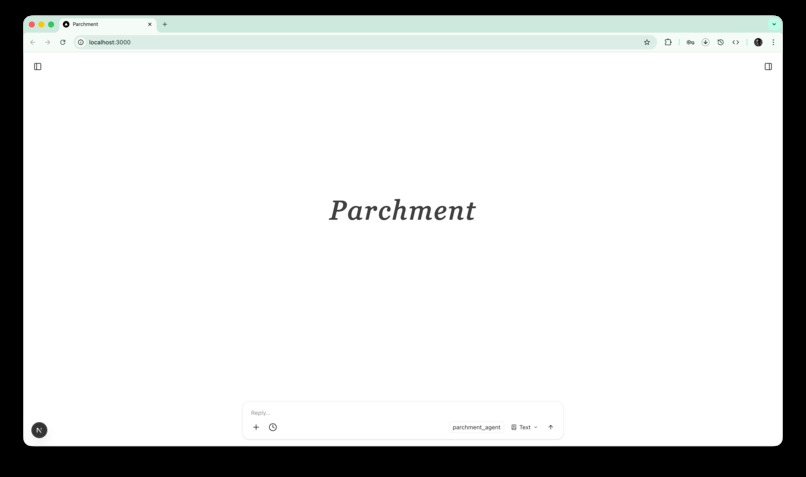
parchment homepage
-
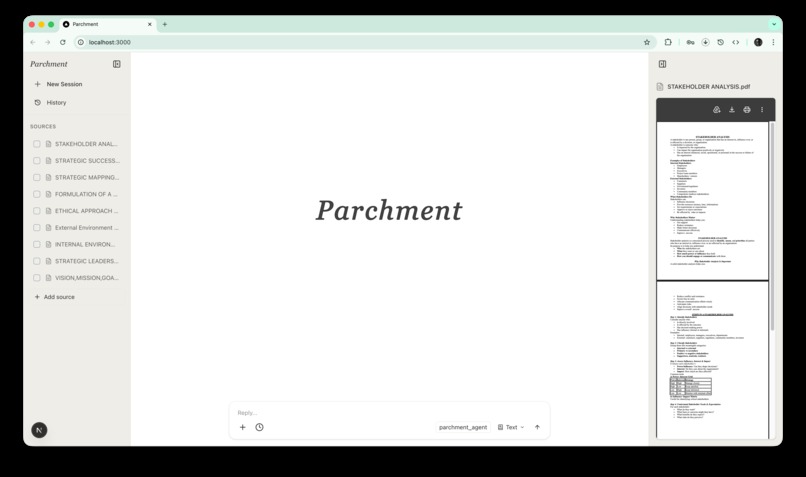
sources and preview
-
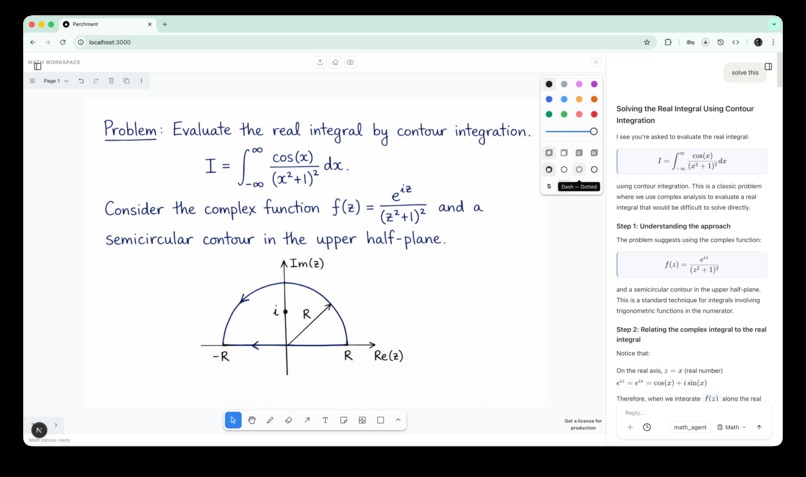
math workflow
-
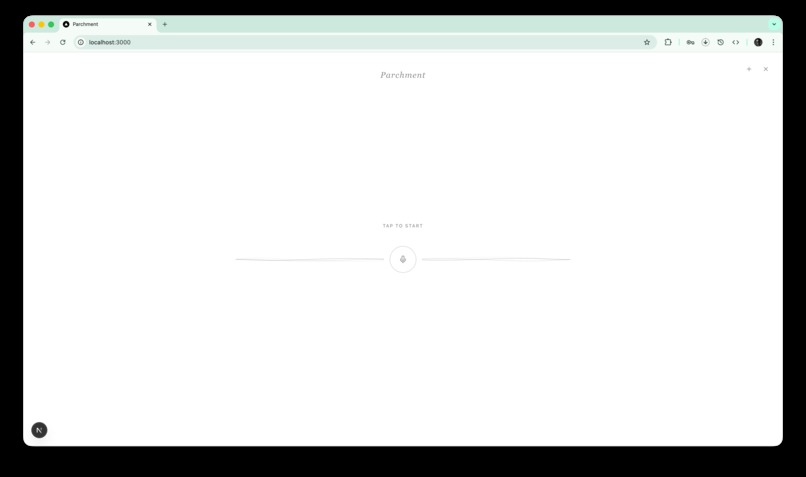
voice ui
-
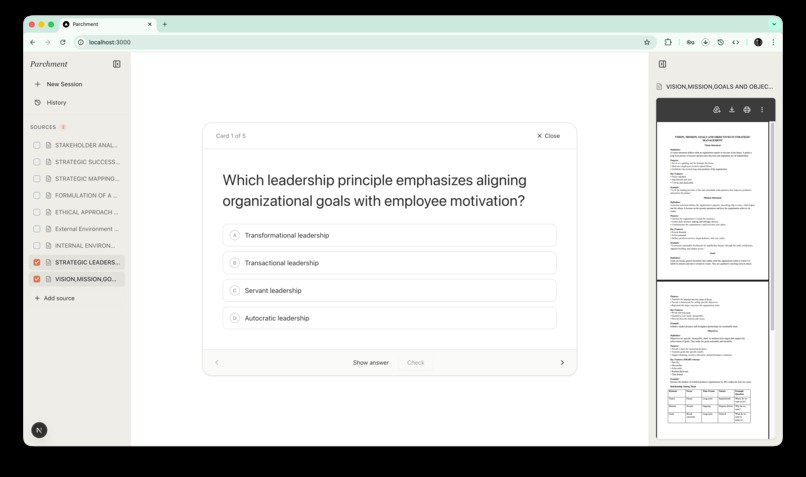
flashcards generation
-
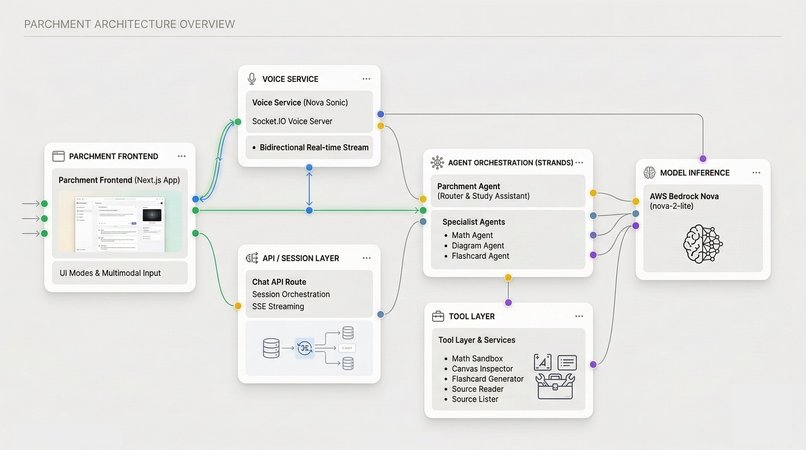
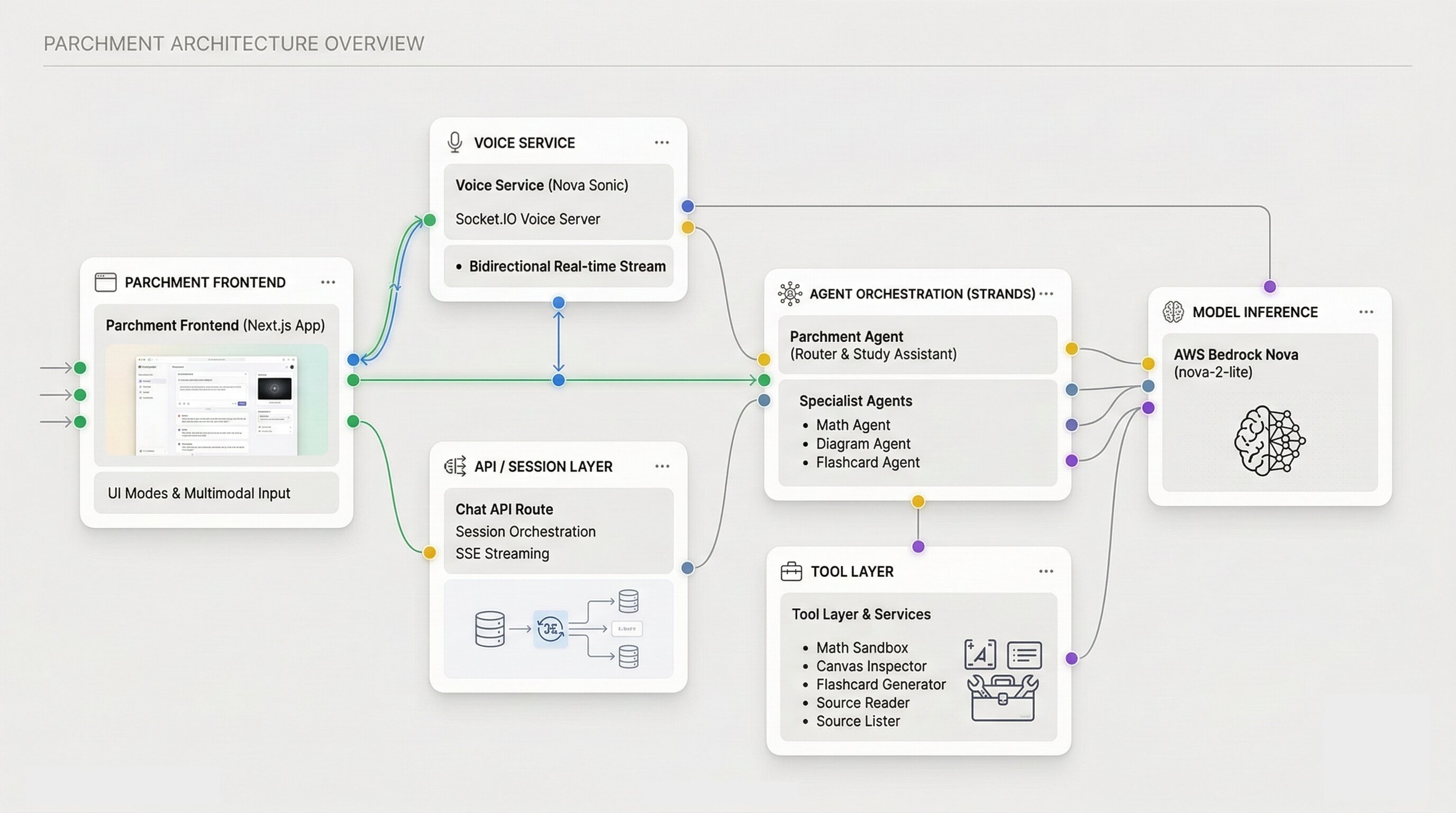
parchment architecture
-
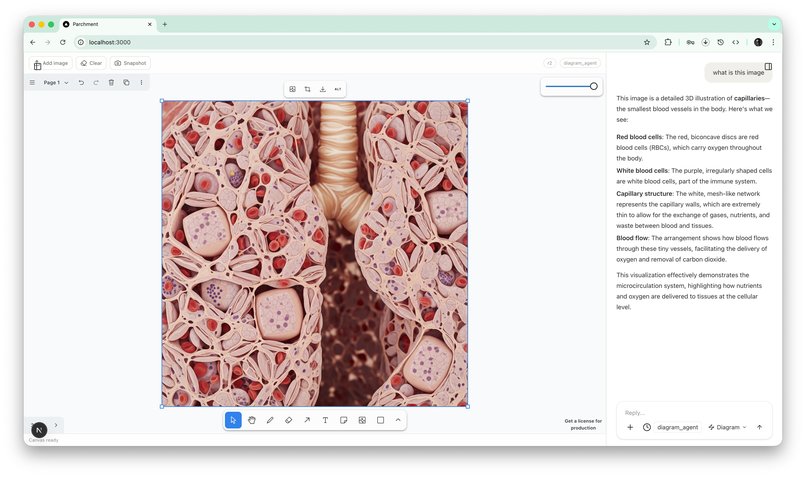
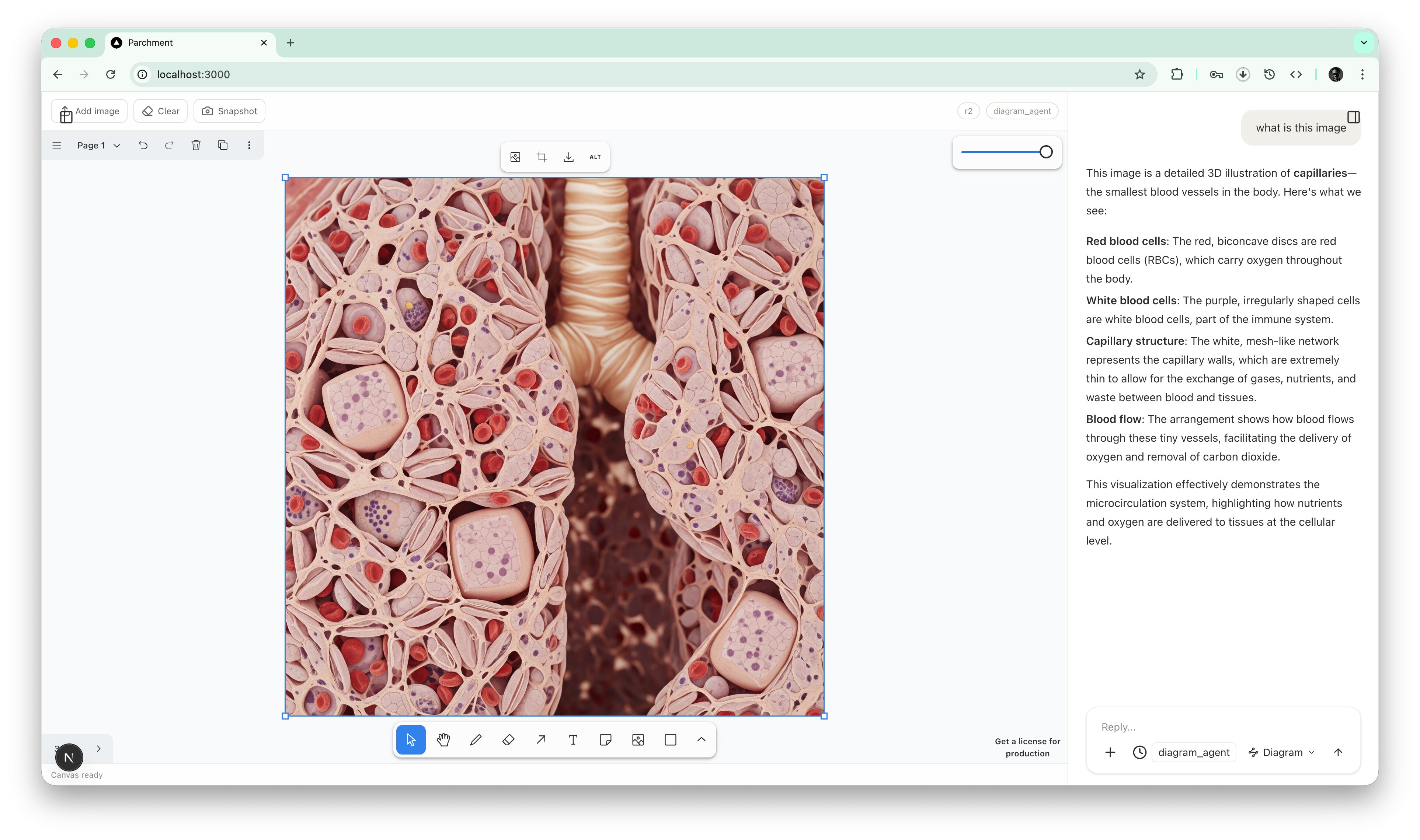
diagram workflow

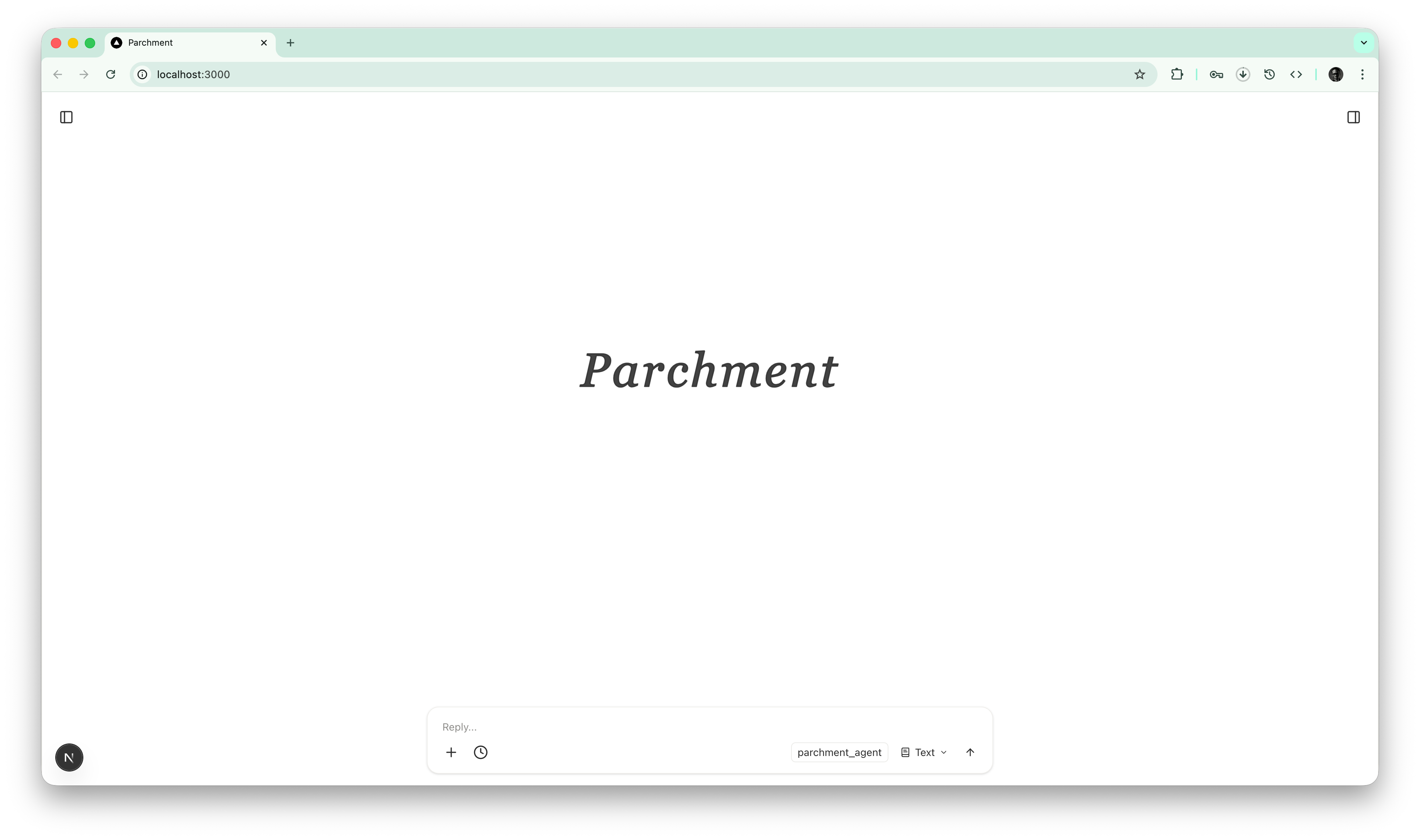
Parchment
Inspiration
Students do not study in one mode.
They read lecture notes, inspect diagrams, solve equations, revise with flashcards, and sometimes need to talk through a concept out loud before it clicks. Most AI study tools still separate those workflows into different apps or reduce everything to a plain chat box.
Parchment was built to make studying feel like working inside one intelligent workspace. The goal was to create an education app that could move naturally between source-grounded chat, visual reasoning, math solving, flashcard generation, and live voice tutoring without breaking the student’s flow.
What it does
Parchment is a multimodal AI study workspace for students.
Core student workflows
| Workflow | What the student can do |
|---|---|
| Study chat | Ask a general question and get guided explanations |
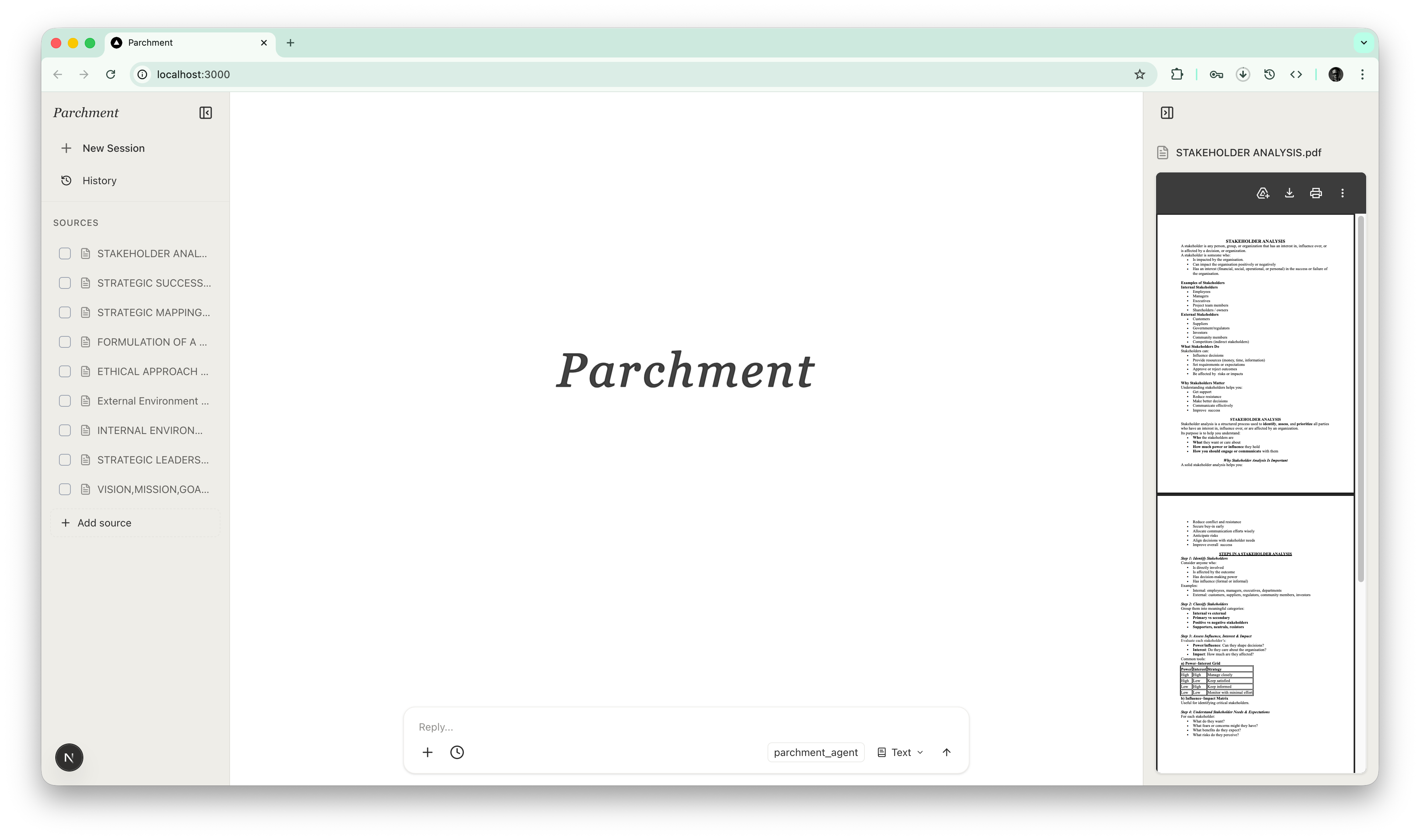
| Source-grounded learning | Upload PDFs, notes, and images, then ask questions over selected materials |
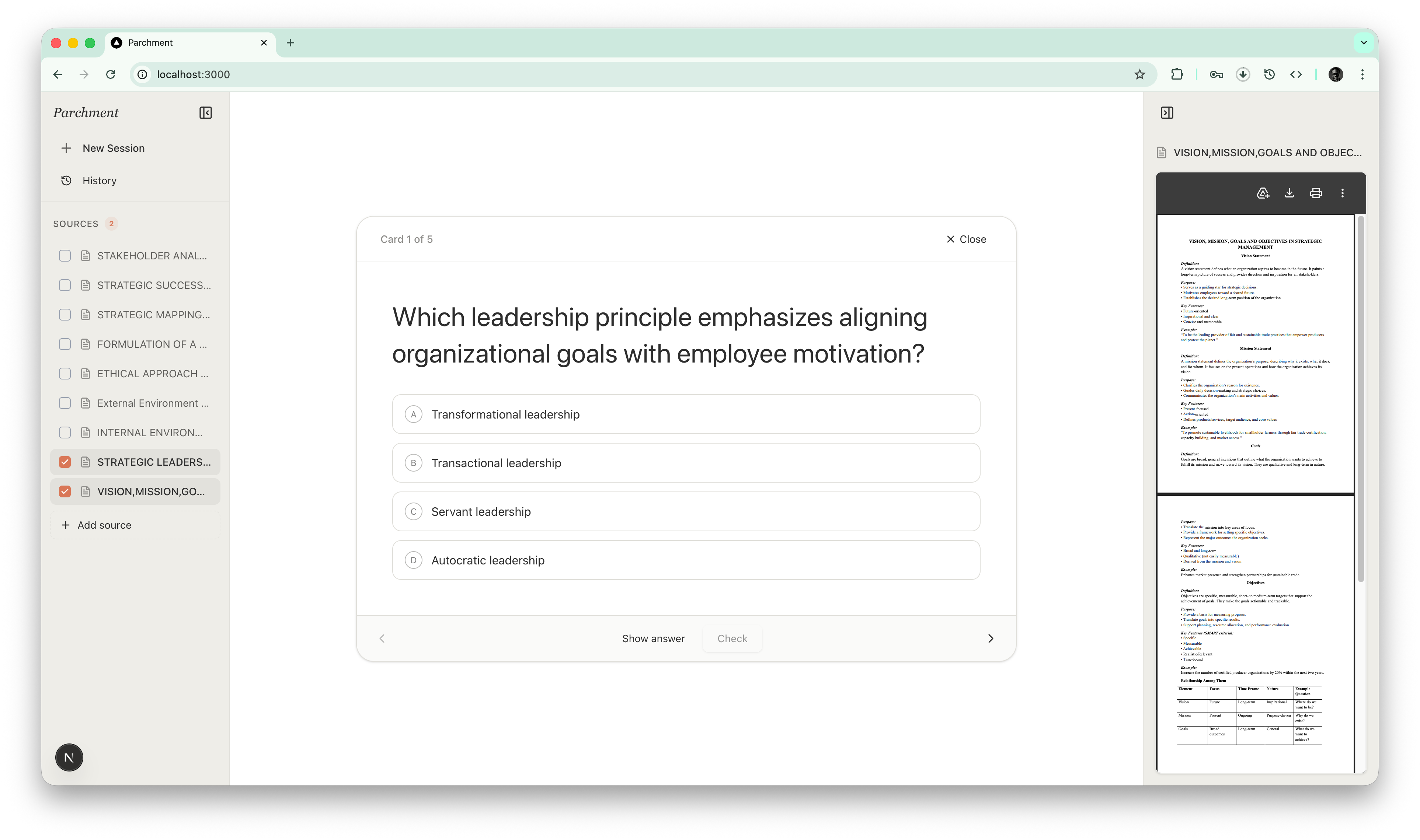
| Flashcards | Generate a deck from a topic or source and review it inside the app |
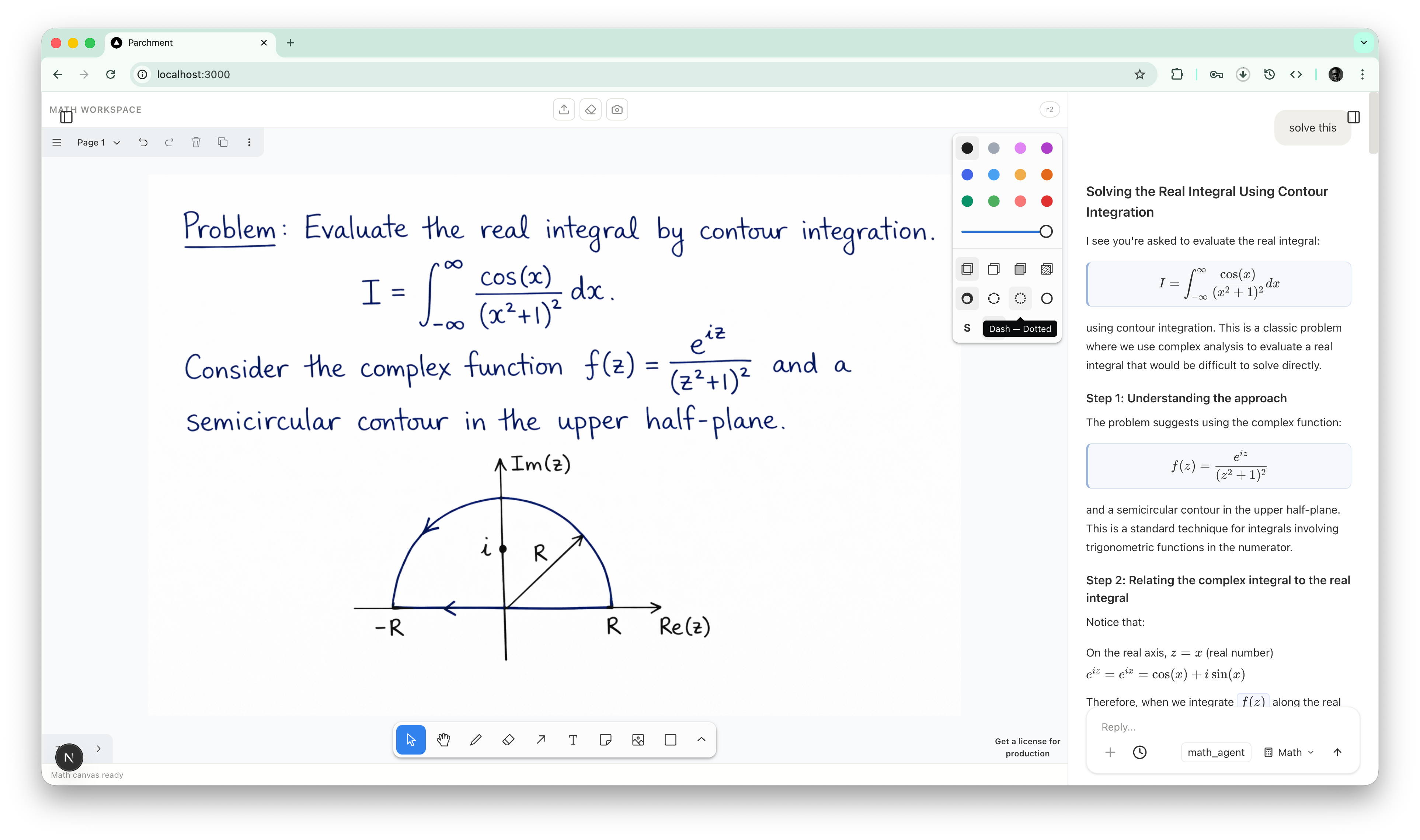
| Math solving | Solve problems step by step with tool-backed computation |
| Diagram understanding | Ask about diagrams, whiteboards, and visual study material |
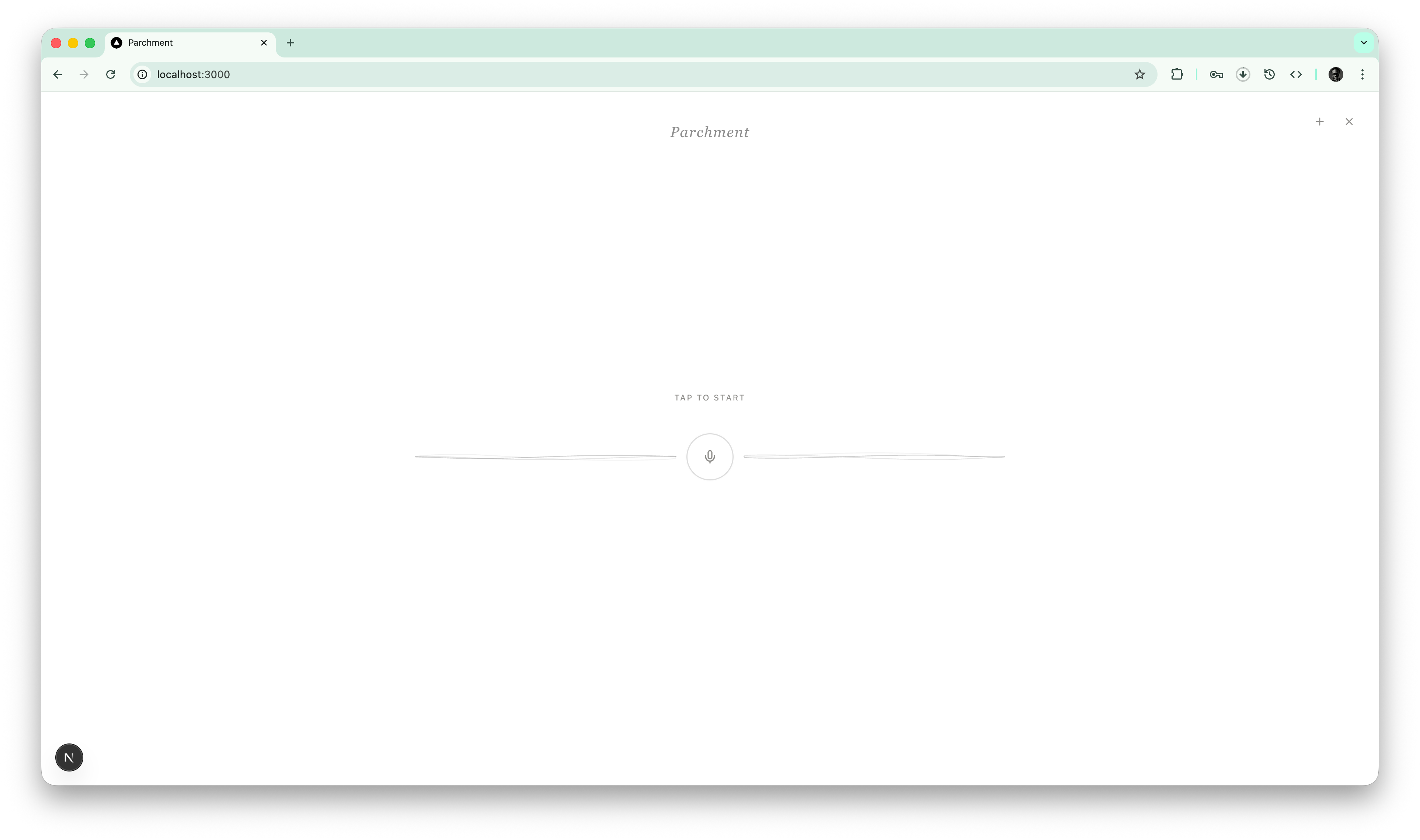
| Voice tutoring | Switch into a real-time conversational study mode |
In practice, Parchment can
- chat with a general study assistant
- upload PDFs, notes, and images as study sources
- ask questions grounded in selected materials
- generate flashcards from a topic or source
- solve math problems step by step
- use a whiteboard for diagrams and math work
- ask questions about uploaded or drawn diagrams
- switch into a real-time voice tutoring mode
The result is one workspace that supports how students actually study instead of forcing every interaction into plain text chat.
How we built it
Parchment is built with Next.js, React, TypeScript, and a Strands-based multi-agent architecture.
System overview
| Layer | Implementation |
|---|---|
| Frontend | Next.js, React, TypeScript |
| Agent orchestration | Strands Agents SDK |
| Main reasoning model | Amazon Nova 2 Lite on Amazon Bedrock |
| Voice model | Amazon Nova 2 Sonic |
| Realtime voice transport | Socket.IO |
| Whiteboard | tldraw |
| Math reliability layer | sandboxed JavaScript execution with mathjs and nerdamer |
| Document handling | PDF text extraction plus selected-source tooling |
At the center is a main parchment_agent that handles general study conversations and routes specialized requests to focused subagents.
Agent design
| Agent | Role |
|---|---|
parchment_agent |
general study assistant and request router |
math_agent |
step-by-step math solving with tool-backed computation |
diagram_agent |
visual interpretation of diagrams and canvas snapshots |
flashcard_agent |
generation of structured flashcard decks |
The backend chat route streams agent output and tool events to the frontend in real time. The UI supports multiple study modes, source selection, canvas capture, and interactive flashcard review.
For model inference, Parchment uses Amazon Nova on AWS through Amazon Bedrock:
- Amazon Nova 2 Lite for general study reasoning and specialist subagent flows
- Amazon Nova 2 Sonic for real-time voice interaction
We also built a tool layer around the agents:
- selected-source listing and reading tools for source-aware Q&A
- a canvas inspection tool for diagram understanding
- a sandboxed JavaScript math tool using
mathjsandnerdamer - a flashcard validation and generation tool for structured decks
For voice mode, we run a separate Socket.IO server that handles microphone streaming and returns real-time speech responses and UI teaching artifacts such as tips, flashcards, and quizzes.
One implementation detail worth noting: Parchment is currently using a local file-linked Strands SDK dependency rather than a published package version. In this repo, @strands-agents/sdk points to a local path and resolves to a development package version of 0.0.1-development.
Challenges we ran into
| Challenge | Why it was hard |
|---|---|
| Multi-agent orchestration | The app needed to feel like one assistant while still routing to specialist subagents at the right time |
| Multimodal state management | PDFs, text, uploaded images, and canvas snapshots each move through the system differently |
| Math formatting and rendering | Model-generated math is inconsistent, so handling delimiters and regex-based normalization without false positives was tricky |
| Tool use UX | We needed tool-backed reliability without making the product feel mechanical |
| Voice mode | Real-time audio capture, streaming, playback, and UI artifacts had to work together cleanly |
Some of the most delicate issues were around math. We had to balance:
- prompt-level formatting guidance for the math agent
- markdown normalization for KaTeX rendering
- avoiding over-aggressive regex behavior that turned prose into math blocks
Accomplishments that we're proud of
| Accomplishment | Why it matters |
|---|---|
| A unified multimodal study workspace | The product goes beyond a single-purpose chatbot |
| Clear Strands subagent boundaries | The system is easier to reason about and more reliable in practice |
| Strong Amazon Nova integration | Parchment uses Nova for both core reasoning and live voice |
| Tool-backed math flow | It improves reliability beyond raw language-model output alone |
| Student-centered UX | The app is built around actual revision behavior rather than generic AI prompts |
- Building a real multimodal study workspace instead of a single-purpose chatbot
- Creating a Strands multi-agent system with clear subagent boundaries
- Integrating Amazon Nova across both text and voice experiences
- Getting source-aware Q&A, flashcards, math, diagrams, and voice into one cohesive product
- Adding a math tool path that improves reliability beyond pure model output
- Designing the app around student workflows rather than generic AI interactions
What we learned
Key takeaways
- Multi-agent systems are most useful when the boundaries are very clear. Narrow, specialized subagents were easier to reason about and produced more predictable behavior.
- Voice, math, and multimodal document workflows all surface different failure modes. Treating them as separate product surfaces helped a lot.
- Reliable educational UX depends on more than model quality. Tooling, formatting, rendering, validation, and state management matter just as much.
- Streaming UX changes how polished the product feels. Even when the model is doing the same task, the way results appear in the interface significantly affects trust and usability.
- Amazon Nova worked well as a foundation for a student-facing assistant that needed both fast reasoning and voice interaction.
What's next for Parchment
Next steps
- stronger source understanding for more document types
- better study memory and session history
- more structured quiz and revision modes
- tighter diagram and image interpretation flows
- better math formatting and verification loops
- broader classroom and student use cases, from personal revision to guided tutoring


Log in or sign up for Devpost to join the conversation.