Inspiration
As high school students deeply involved in robotics and overall engineering, we’ve hit a frustrating barrier time and time again: the impossibly steep learning curve of cad. We noticed that brilliant ideas from our peers would fail simply because turnng a concept from mind to physical reality took weeks of difficult SolidWorks or Fusion 360 tutorials. Our inspiration was to change this by saving time. We wanted to build a tool where you can simply talk to your computer, and watch it create a perfect 3D model in real time.
What it does
Parametrix is an agentic AI pair-programmer for physical engineering. Parametrix literally pulls the physical world into the generative space. Users can upload raw .obj, .stl, or .glb 3D scans of real-world objects into our custom Component Library. From there, you drag and drop these items into the 3D viewer, where they appear as ghost meshes. These ghost meshes invisibly match their precise bounding box dimensions and coordinates into the AIs context window. This means you can drop a 3D scan of an weird looking rock or a circuit board into the scene, and tell the AI "Build a parametric, snap-fit casing that perfectly hugs this component." Parametrix calculates the boundaries, writes the code, and builds around your physical object instantly.
How we built it
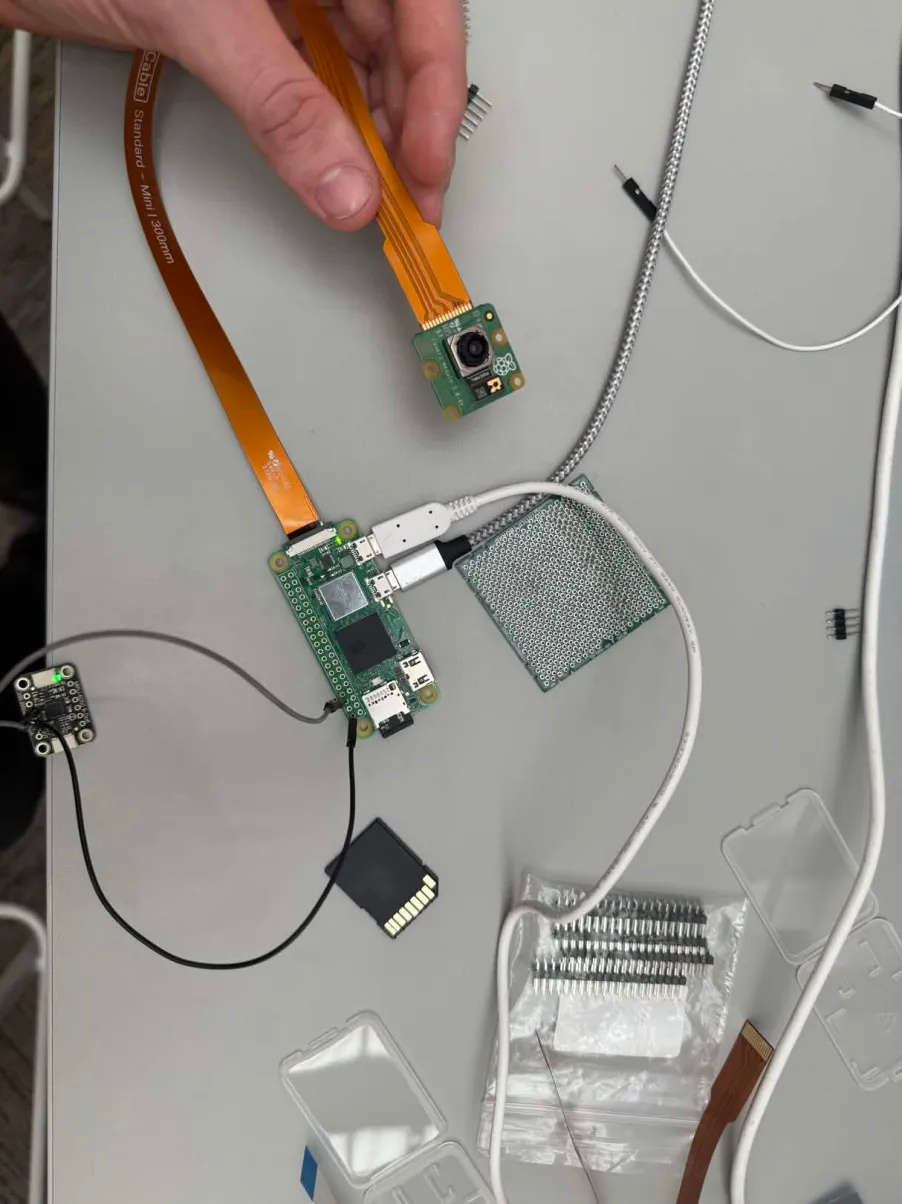
The AI Engine: We utilized OpenRouter for its very fast reasoning speed and access to multiple LLMs. We tuned it to act as an autonomous engineer that outputs raw OpenSCAD code and JSON parameter schemas. The WASM Renderer: To visualize the AI’s math instantly without expensive server roundtrips, we utilized an OpenSCAD engine compiled to WebAssembly (WASM). As the AI streams its code, the browser locally compiles it into a cad artifact. The 3D Interface: The frontend is built with React, Vite, and TailwindCSS, utilizing React Three Fiber (R3F) and Three.js to manage the WebGL canvas, lighting, textures, and the Ghost Mesh drag-and-drop system. The Backend: We integrated Supabase (PostgreSQL and Storage) to maintain a user session, allowing users to build a database of their components. Physical Capture System (Raspberry Pi): To bring real-world objects into the system, we also built a simple capture rig using a Raspberry Pi camera. It takes multiple photos of an object from different angles, which can then be turned into a 3D model and uploaded directly into the platform. That’s what makes the whole “design around real objects” workflow actually work.
Challenges we ran into
Honestly, connecting the hardware to the app was one of the hardest parts of the whole project. We had to bridge two completely different worlds: a physical capture setup (our Raspberry Pi camera system) and a browser AI/CAD environment. The hardware is producing raw images and reconstructed 3D meshes, while the app expects clean, properly formatted geometry it can instantly use. The tricky part is that those scans don’t come in clean. Different lighting, angles, and capture conditions can mess with scale, orientation, and overall quality. So we built a pipeline that takes the raw data from the Raspberry Pi, processes it into a usable 3D model, and then normalizes it inside the app using Three.js by re-centering it and extracting clean dimensions the AI can actually understand. On top of that, we had to make the whole flow feel seamless. The moment you capture something physically, it should show up in your component library in the app, ready to drag in and use. That meant handling uploads, storage, and preview generation in the background without slowing anything down. And while all of this is happening, the app is still running a live AI chat and compiling OpenSCAD code in the browser with WASM. Keeping everything responsive took a lot of careful changing (and a LOT of testing) so the UI still feels smooth.
Accomplishments that we're proud of
We’re really proud that we built something where someone with literally zero engineering experience can upload a 3D scan of something like an Arduino, ask for an enclosure, tweak a few sliders, and hit “Export STL” all in under 60 seconds. That kind of speed and simplicity is exactly what we were going for, and actually seeing it work feels crazy. And honestly, one of the biggest things we’re proud of is our teamwork. Everyone locked in, moved fast, and trusted each other to figure things out on the fly. There wasn’t time to overthink we had to just build, debug, and keep going. The fact that we were able to stay coordinated and actually ship something this polished in such a short time is probably the most rewarding part of the whole experience.
What we learned
We learned a lot about how hardware actually connects to software, and how real-world CAD systems work beyond just the surface level. Before this, it was easy to think of CAD as just modeling stuff on a screen but now we understand how messy real-= world data is and what it takes to turn physical objects into something a system can actually use. We also got a much better understanding of how engineering tools are actually built. Overall it gave us a way deeper appreciation for how real CAD and engineering systems operate, especially when you’re trying to connect the physical world with software in a clean and useful way.
What's next for Parametrix
We are currently finalizing Python WebSockets Add-In which will allow Parametrix to bypass the browser entirely and inject commands directly into places like Fusion 360. Also, we plan to directly integrate Luma AI and Polycam APIs, so users can snap a photo with their iPhone rather than the raspberry pi only and have the scanned object instantly appear in their Parametrix dev environment as a Ghost Mesh.
WE USED CLAUDE AI FOR OUR UI and backend
Built With
- api
- autodesk-fusion-360
- desktop
- drei.-cad-engine:-openscad-(compiled-to-webassembly-for-browser-execution).-backend-database-&-storage:-supabase-(postgresql-for-user-data
- frontend:-react
- next.js/vite
- openscad
- python
- python-generation
- raspberry-pi
- react-three-fiber-(r3f)
- shadcn
- shadcn/ui.-3d-graphics-engine:-three.js
- supabase
- supabase-edge-functions
- supabase-storage-for-.stl-and-.glb-files).-ai-api:-gemini-3-pro-(for-complex-tool-calling
- tailwindcss
- three.js
- typescript
- websockets

Log in or sign up for Devpost to join the conversation.