-
-
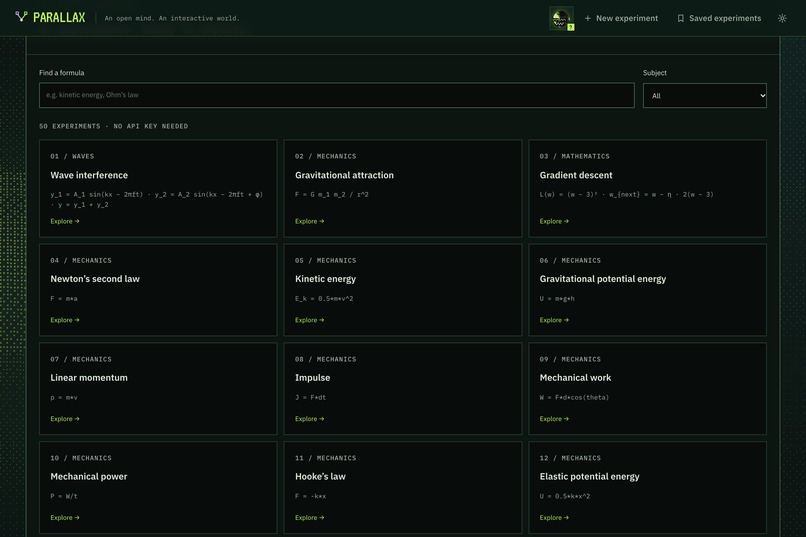
Formula Library
-
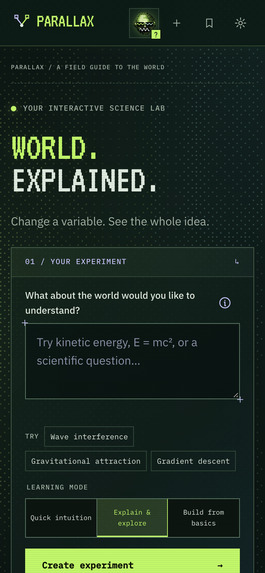
Mobile Home
-
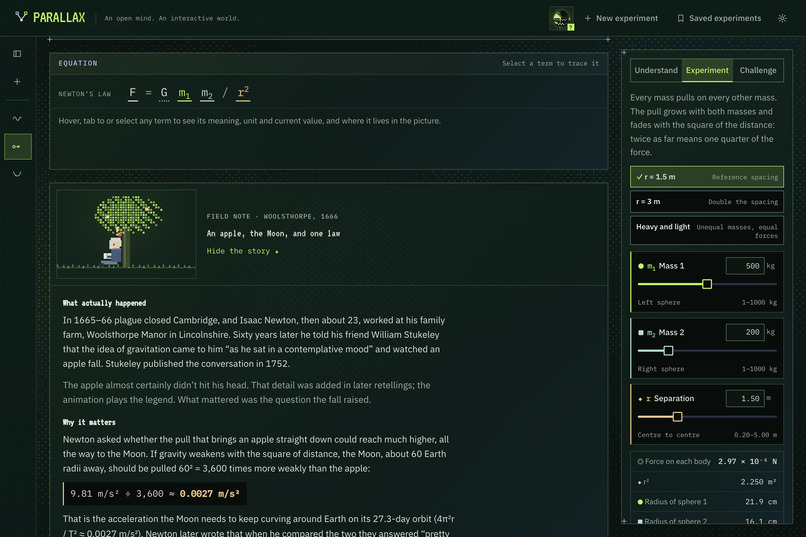
Newton's Law
-
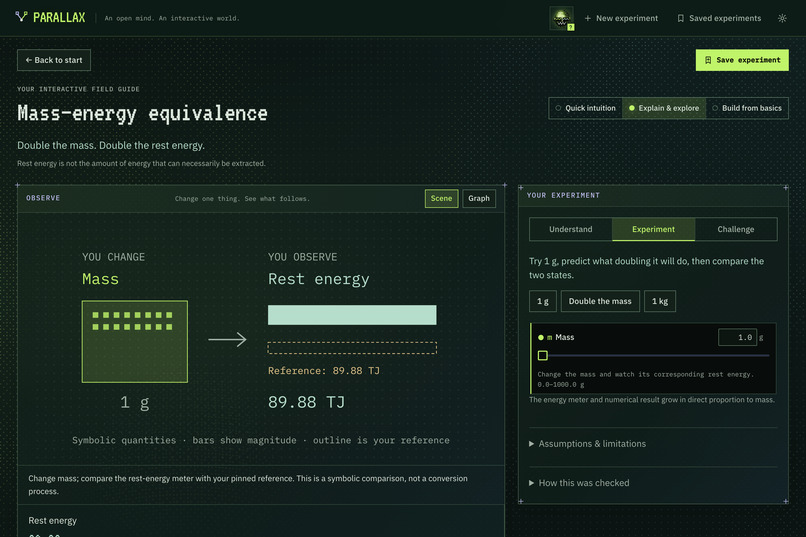
More experiments
-
Parallax close-up
-
Robot Guide
-
Catalog Formula Experiment
-
Wave Interference Lesson
-
Home Observer
-
Gradient Descent Lesson
Inspiration
Most of us met physics as symbols to memorize. We could plug numbers in, but we rarely saw what the equation was saying. Parallax started from one question: what if every equation came with a small world you could poke? Change one variable, watch everything that depends on it move, and the idea clicks in a way a worked example never does.
What it does
Type an equation or a science question. Parallax turns it into a live, interactive experiment.
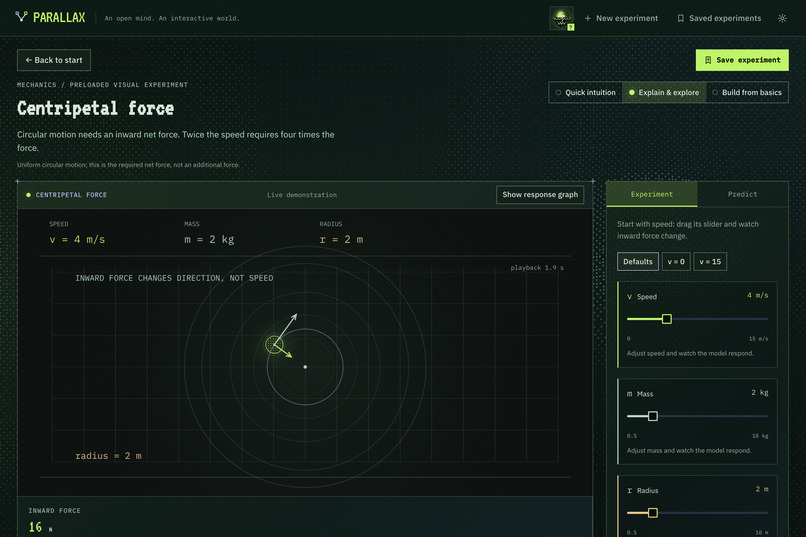
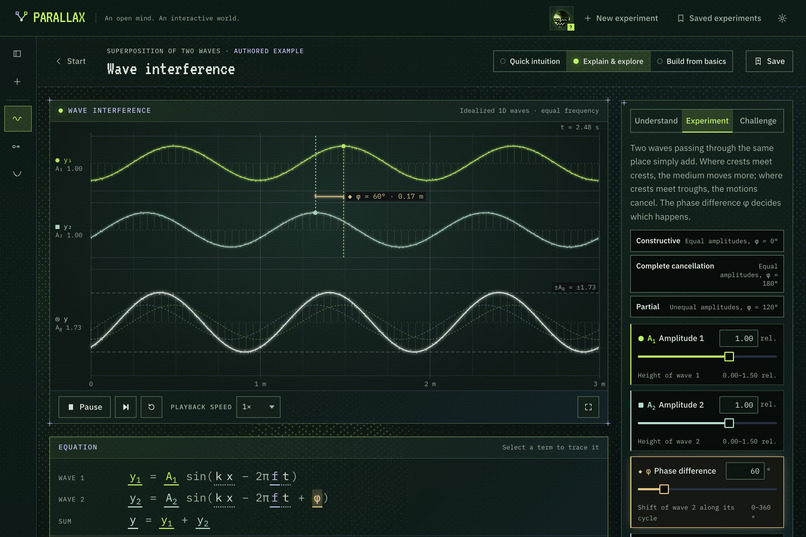
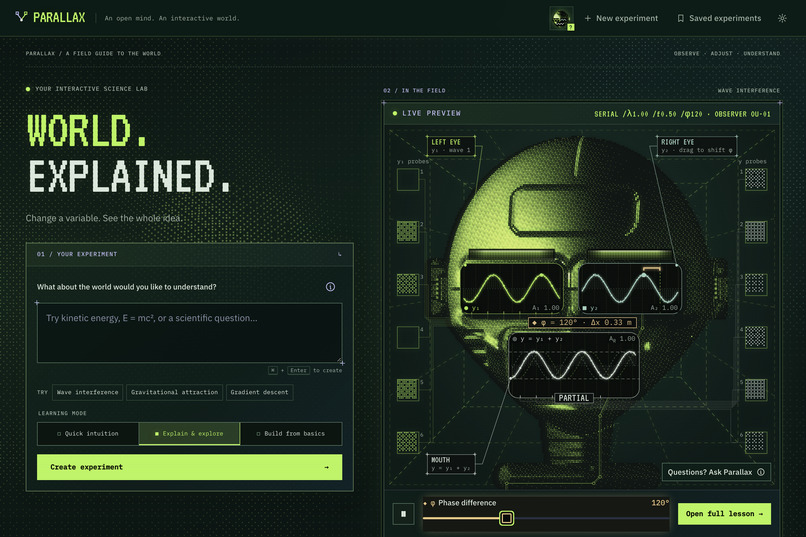
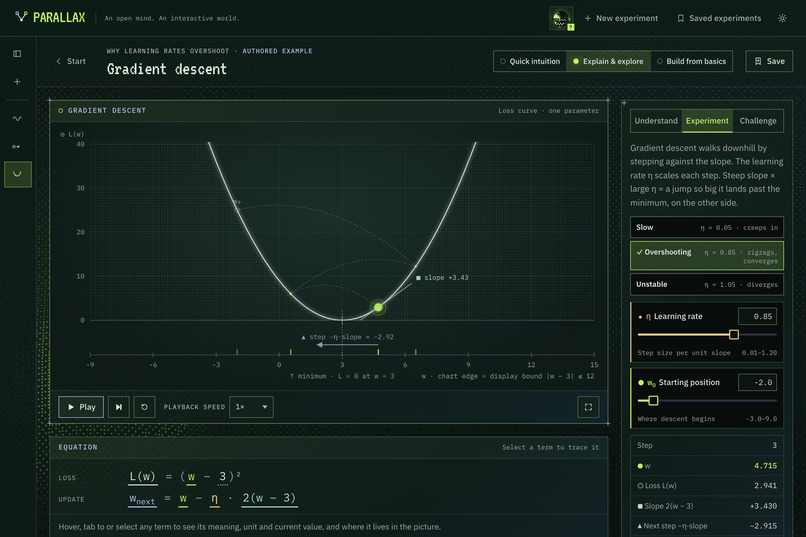
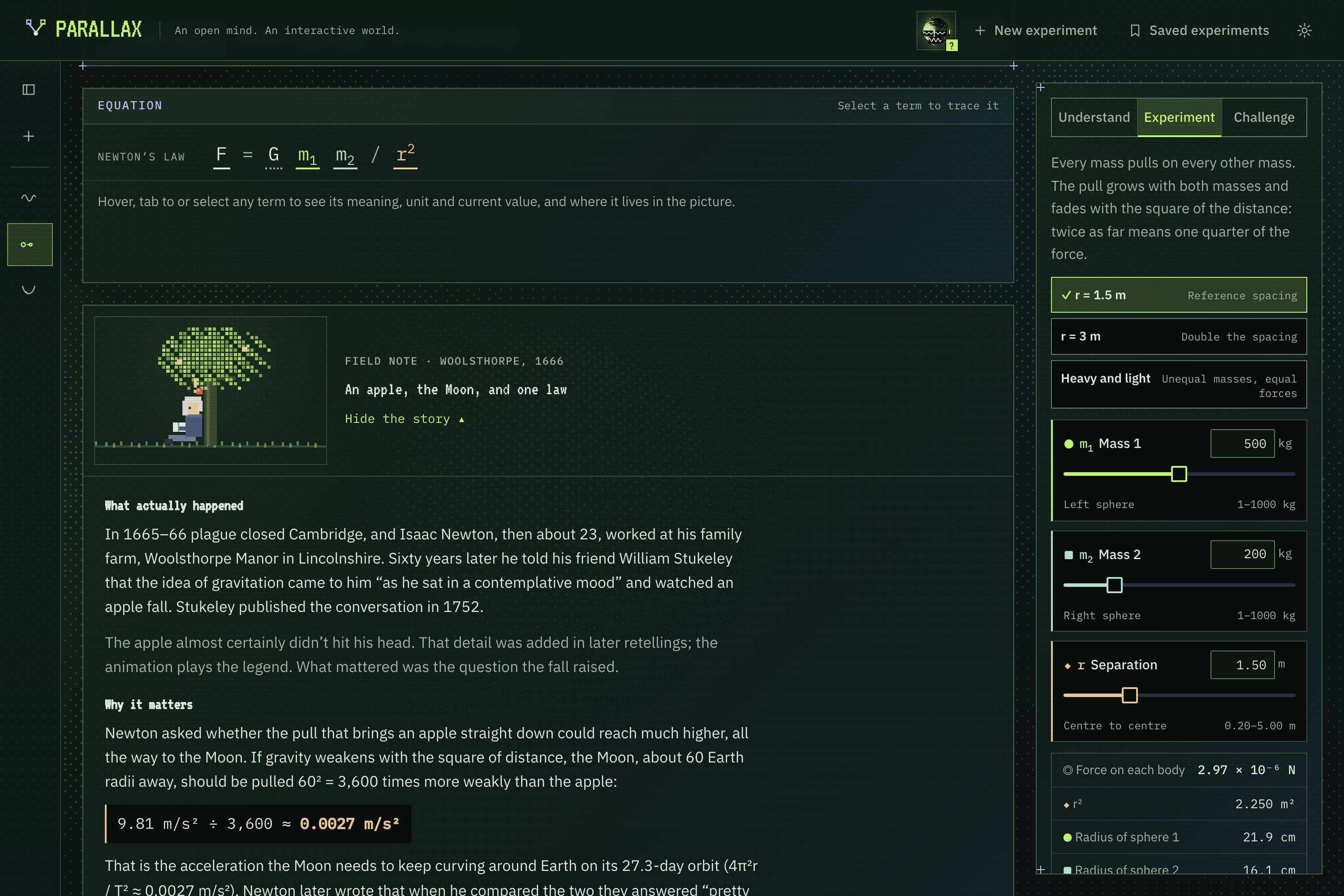
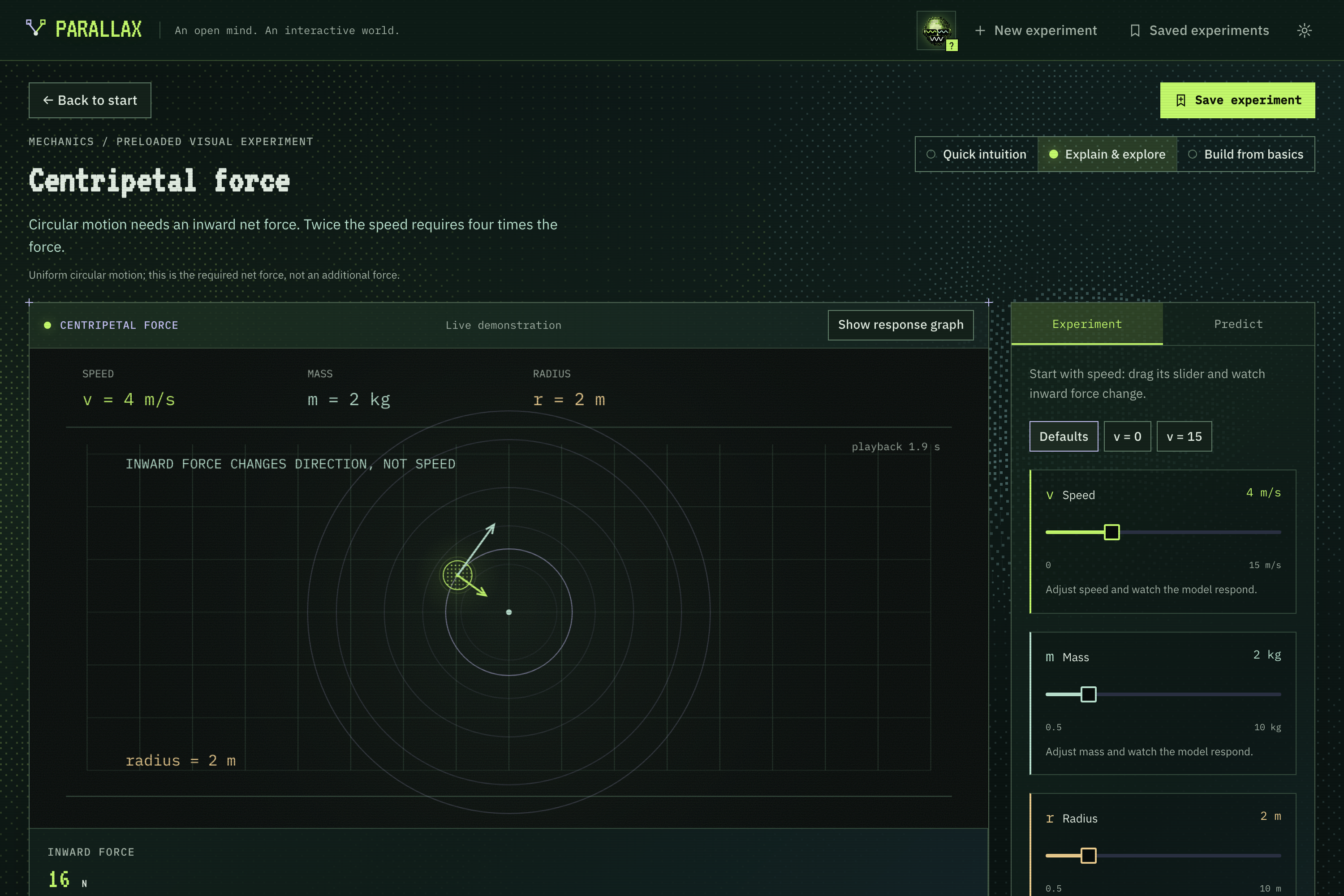
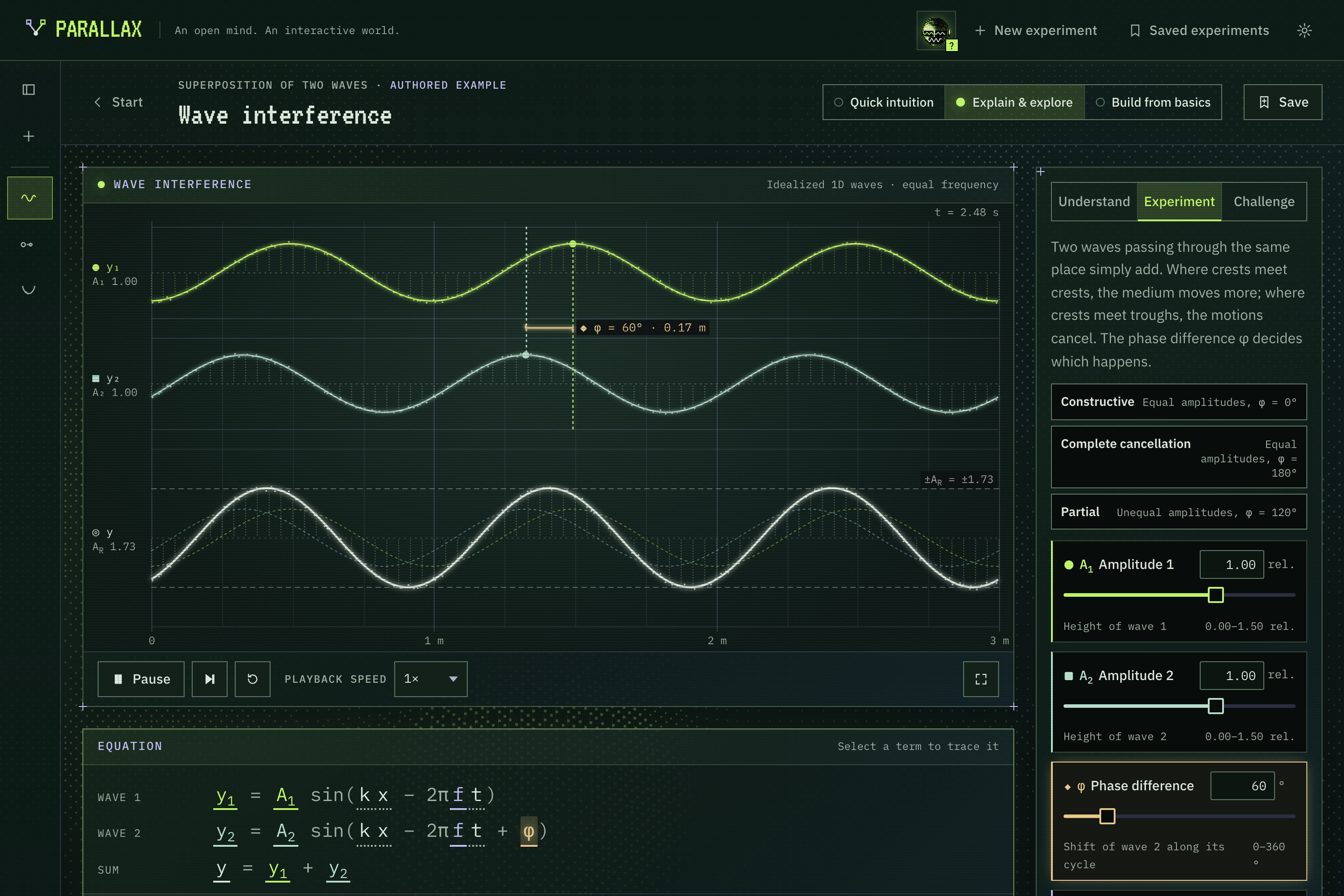
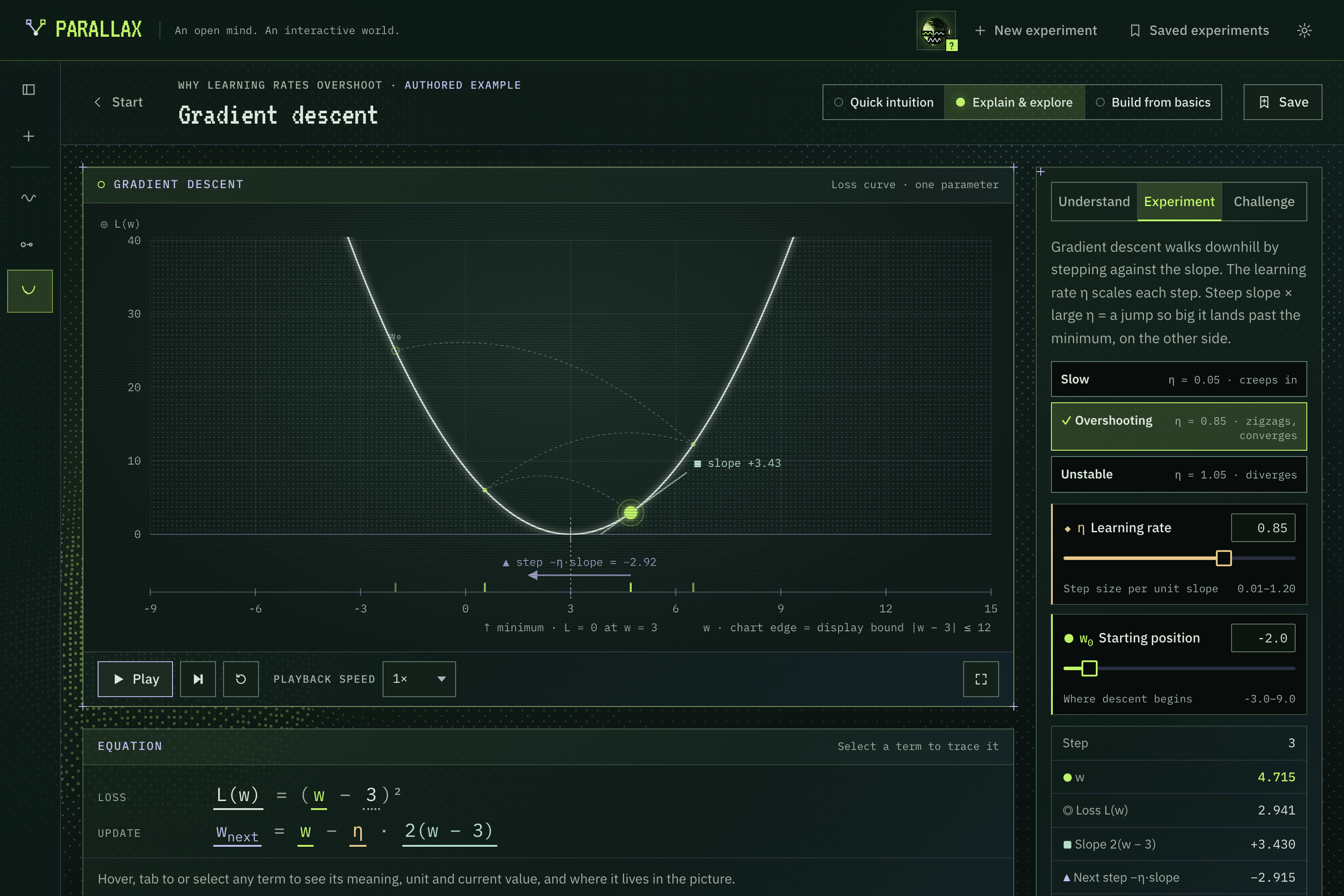
- Change a variable, see the whole idea. Every term in the equation is linked to its slider and to the object it controls in the picture. Hover the symbol φ and the phase marker, the slider and the readout light up together.
- Predict, then test. Each lesson asks you to commit to a prediction ("What happens when these equal waves are half a cycle apart?") before revealing the result and explaining why.
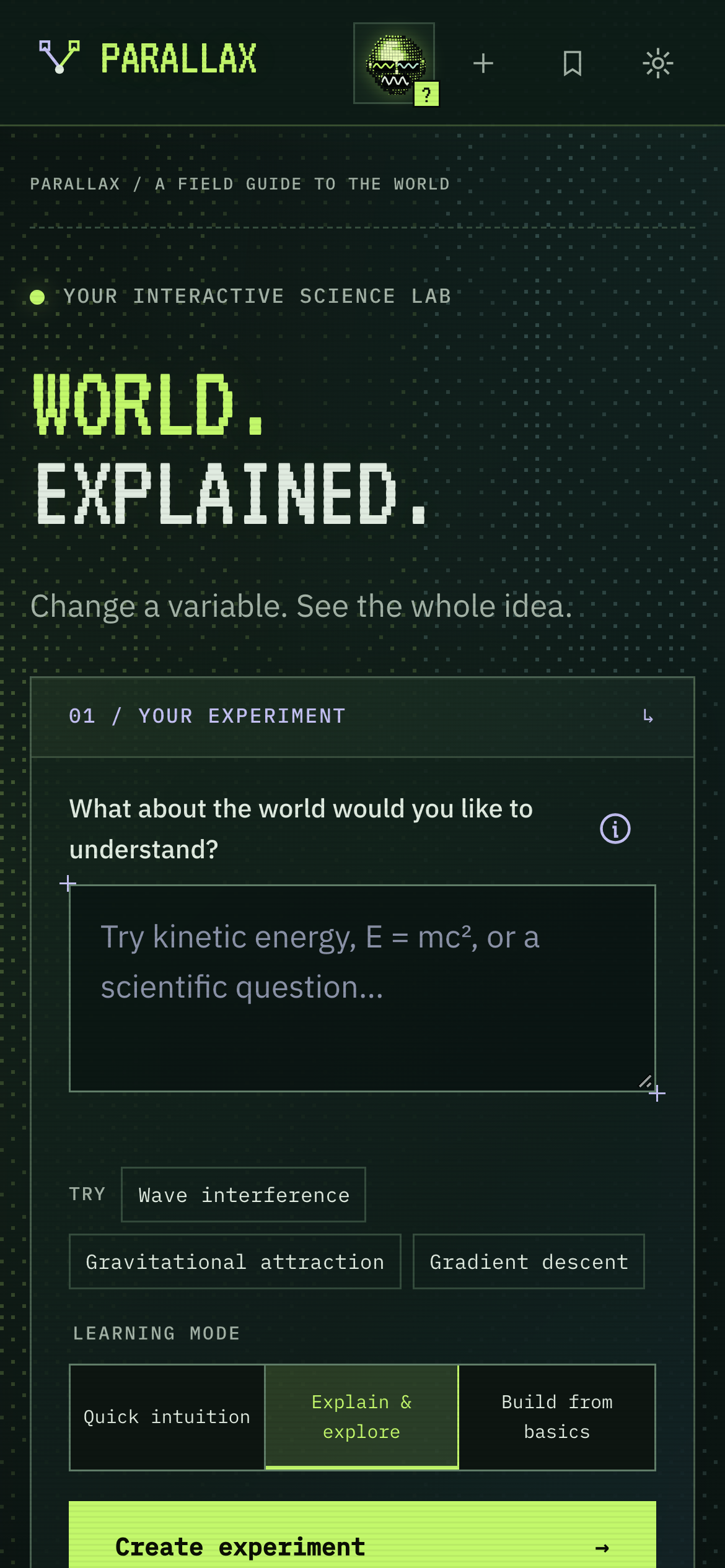
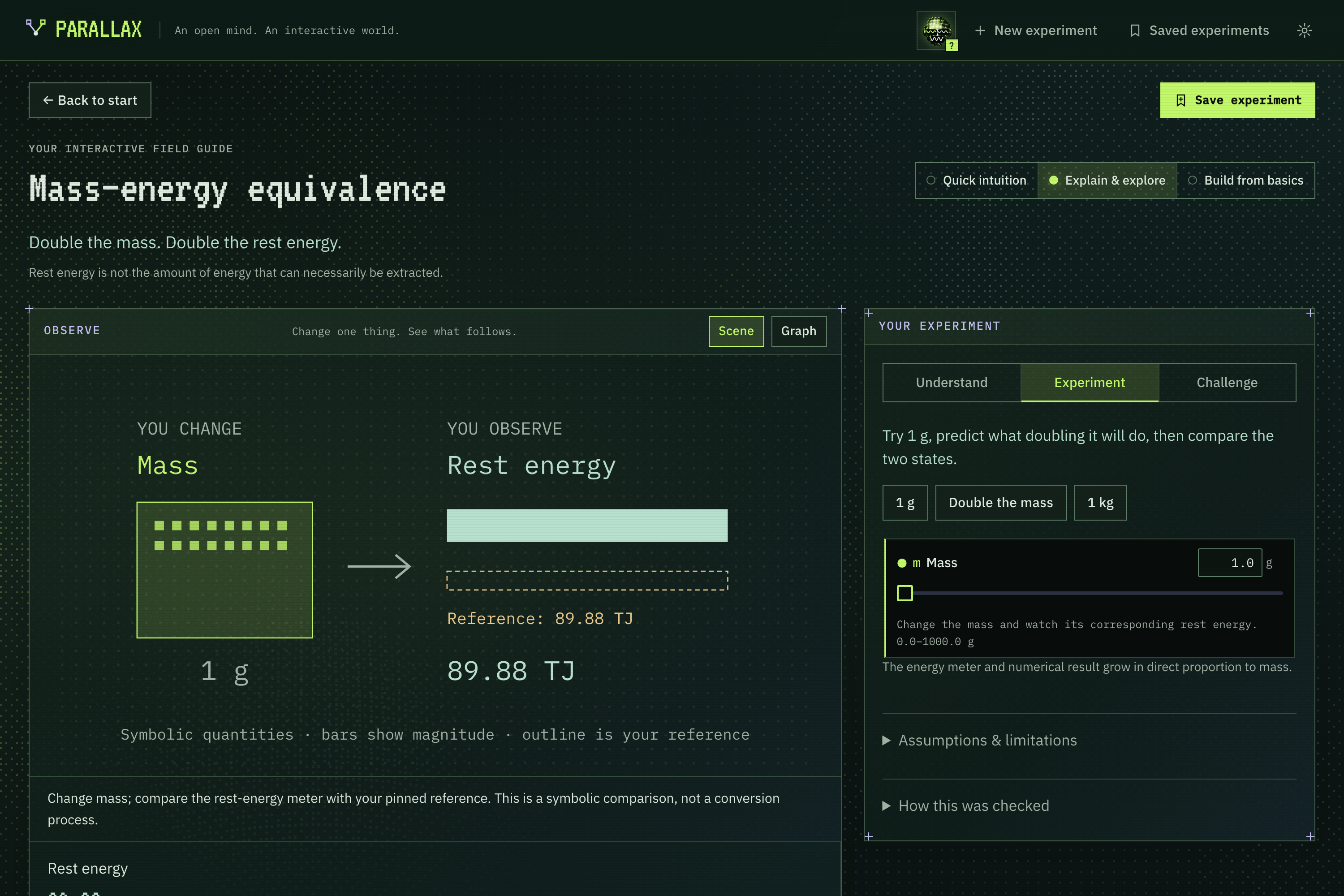
- Three learning modes. Quick intuition, Explain & explore and Build from basics change the depth without losing your settings.
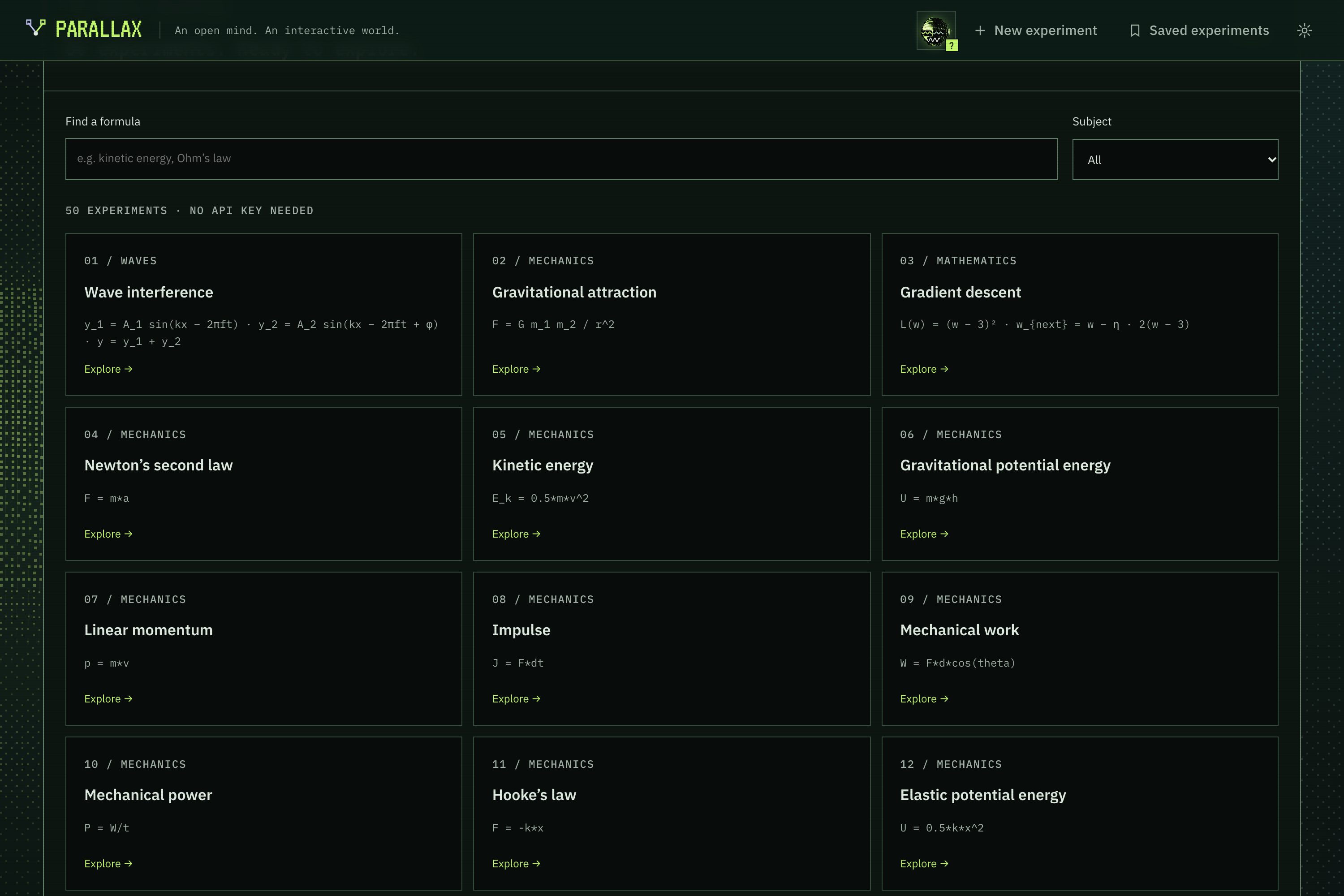
- A library of 50 formulas loads instantly with no API call, from kinetic energy to Ohm's law, each with its own hand-built visual.
- Anything else goes to AI. Custom questions are turned into structured lessons with the formula, units, parameter ranges, a visual and predictions, then checked before you see them.
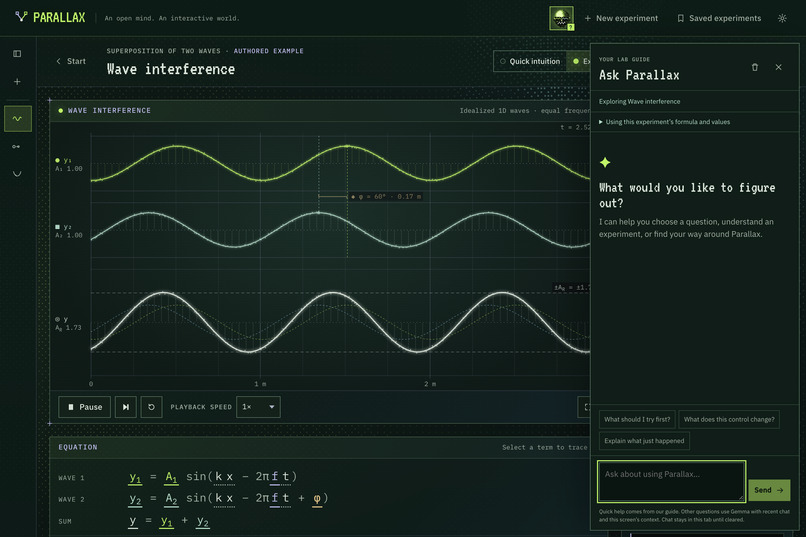
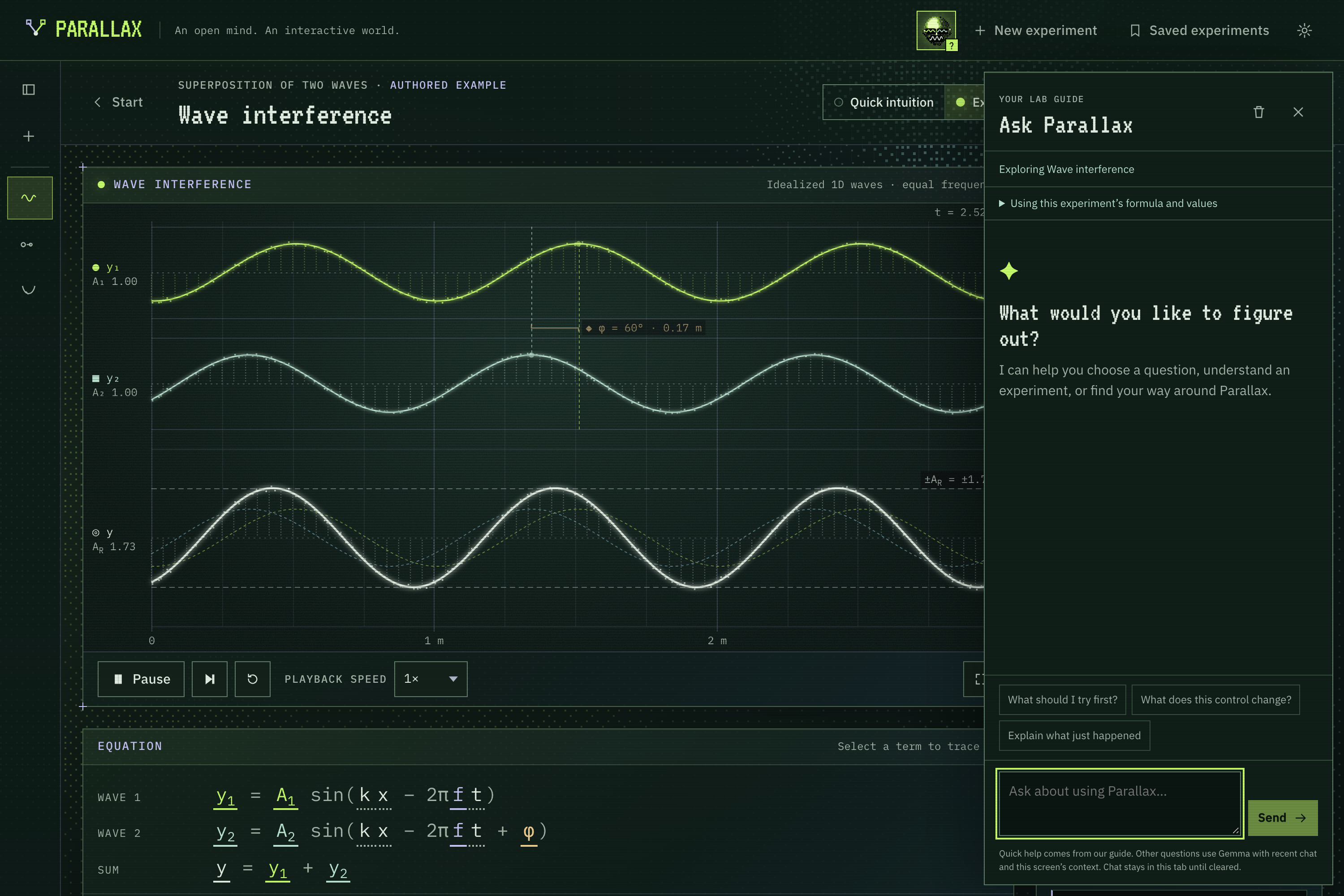
- A robot guide answers questions about what is on your screen, grounded in your current experiment's values.
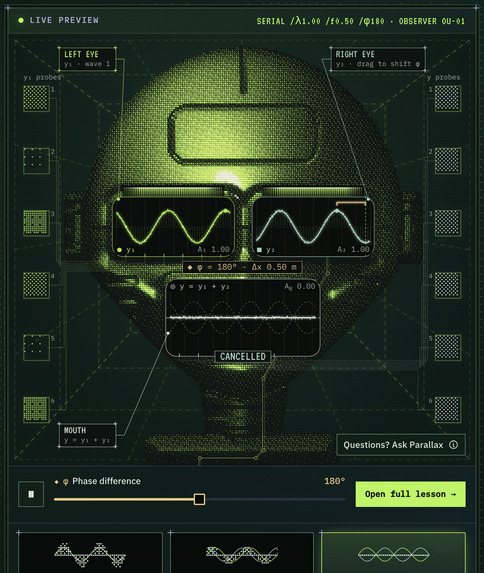
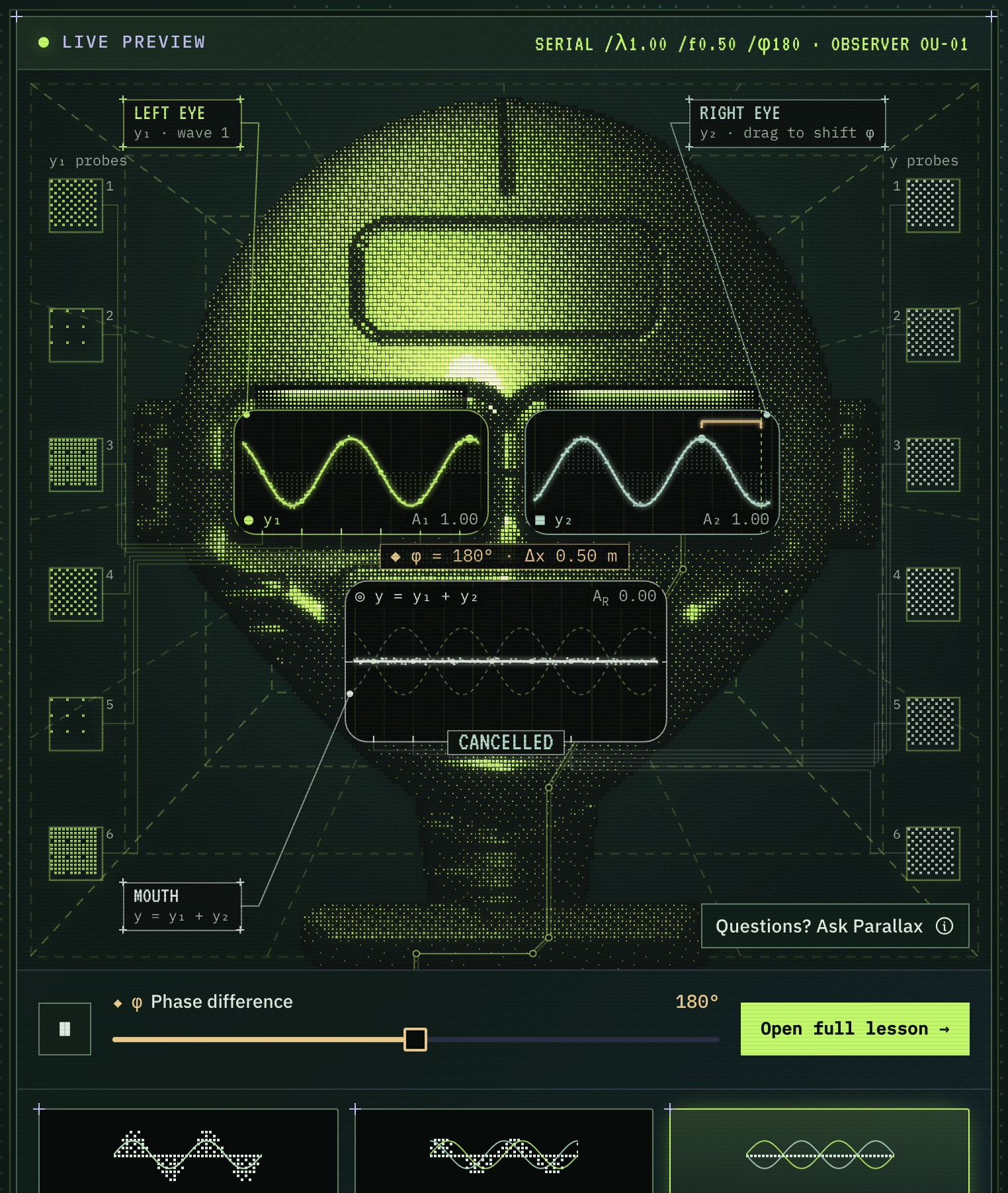
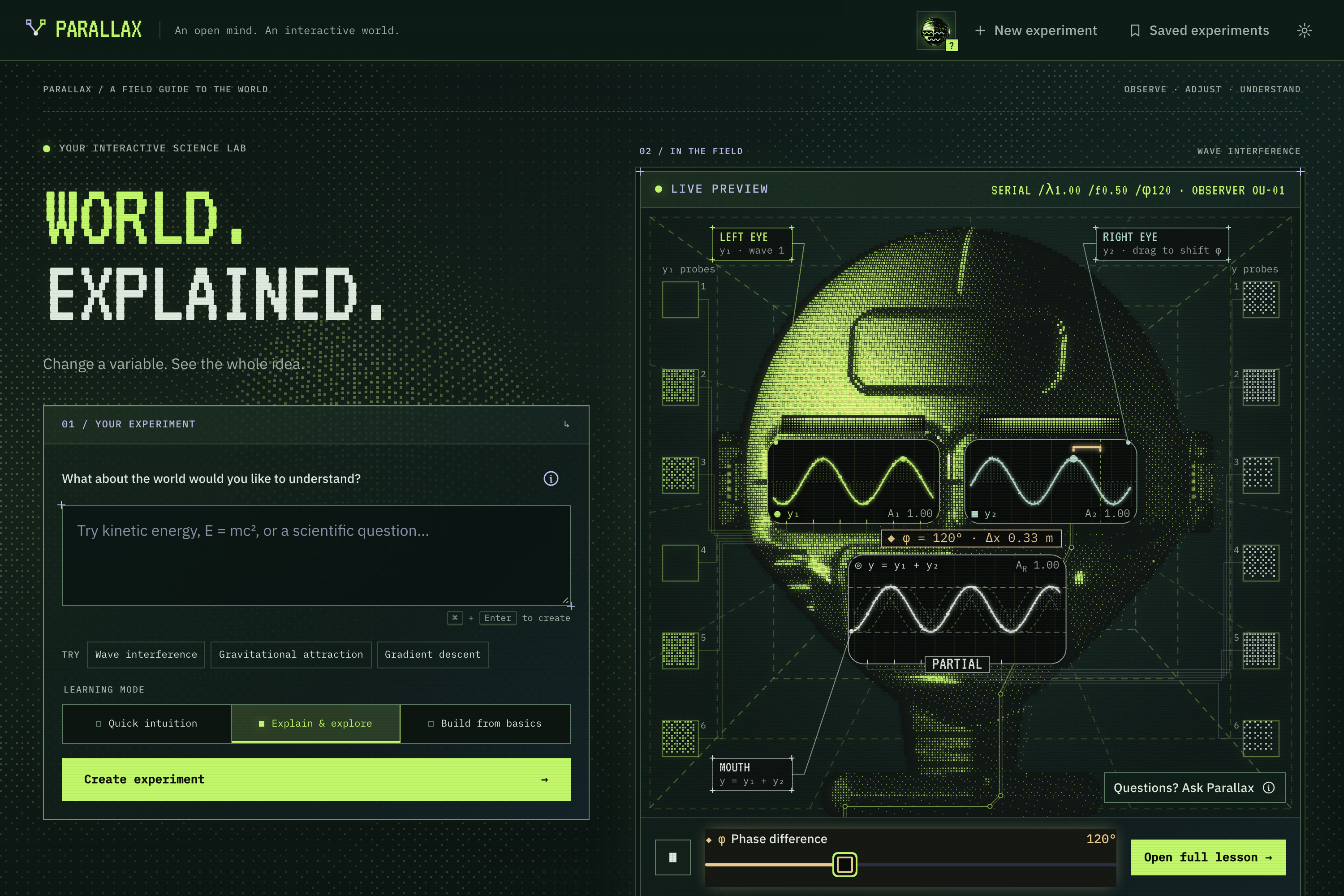
The home page is an "observer" robot whose eyes are two live waves and whose mouth is their sum. Set the phase to 180° and its mouth goes flat.
How we built it
- Front end: React + TypeScript + Vite. Simulations draw on HTML5 Canvas and SVG at device-pixel resolution and pause when off-screen or when the tab is hidden.
- Physics first: every lesson separates the model (pure, unit-tested functions) from the rendering. For example, we test that doubling the separation in Newton's law always gives exactly a quarter of the force, and that the wave sum equals $y_1 + y_2$ everywhere.
- AI lessons: a Node server calls OpenAI with a strict JSON schema, so API keys never reach the browser. Each generated lesson is evaluated by a shared lesson engine (dimensions, unit conversion, numerical reference cases, parameter boundaries). Generated visuals run in a sandboxed iframe and must agree with the engine's numbers, or we fall back to a safe shared view.
- Formula library: 50 authored scenes built with mathjs, tested at the minimum, default and maximum of every slider.
- Robot guide: Gemma via Google AI Studio, given the live state of the experiment you are looking at.
- Design: a phosphor-terminal look built from ordered dithering. The robot's head is a height field shaded as a halftone dot matrix, and it turns to follow your cursor.
- Testing: Vitest for the math (300+ tests) and Playwright for end-to-end checks: interactions, slider stability on large screens, every library formula, and accessibility settings.
Challenges we ran into
- AI output looked right but wasn't. Early generated lessons had syntax errors, raw LaTeX in labels, sliders that changed nothing and frequencies shown as
600000000000000.00 Hz. We stopped trusting "it renders" and added checks: the code must parse, the visual must report numbers that match our engine, and labels must not clip or overlap. - Honest physics in a fun interface. It was tempting to exaggerate the visuals. Instead, the robot's eyes and mouth share one vertical scale, so heights compare truthfully, and models are labelled as idealized wherever they are.
- A slider that shook on big monitors. On large screens, a side panel was scrollable by a phantom 5 px, and hovering a slider swapped text of a different height. Together they created a feedback loop that made the panel jitter. We fixed every layout shift and wrote a test that drags 48 sliders across three screen sizes and fails if anything moves.
- Performance. The dot-matrix robot first recomputed its whole surface on every mouse move (4 seconds for 30 moves). Caching the surface and only relighting it brought that to about 0.5 seconds.
Accomplishments that we're proud of
- Linked representations: equation, picture and controls light up together, by keyboard as well as mouse.
- A home screen that is itself an experiment, not a mock-up.
- 50 instant lessons plus AI lessons that are checked, not just generated.
- Respect for reduced motion, keyboard navigation and screen readers throughout.
- A few hidden easter eggs. Try typing
E = mc^2, or holding the robot's gaze.
What we learned
- Generated content needs verification, not just generation.
- Most of what makes an interface "feel broken" is layout shifting under the pointer.
- The best explanations combine a model you can manipulate with a prediction you have to commit to.
- Small stories matter. Opening Newton's law shows him under an apple tree; click it and you learn the real point of the anecdote.
What's next for Parallax
- More authored lessons (Newton's first and third laws, circuits, optics) and side-by-side comparisons.
- Classroom mode: teachers share an experiment with preset predictions.
- Saved experiments that sync across devices.
- Letting learners ask the robot "why?" at any moment of an experiment.
Built With
- css3
- gemma
- github
- godaddy
- google-ai-studio
- gpt-5.6
- html5
- javascript
- mathjs
- node.js
- openai
- playwright
- react
- svg
- typescript
- vercel
- vite
- vitest


Log in or sign up for Devpost to join the conversation.