-
-
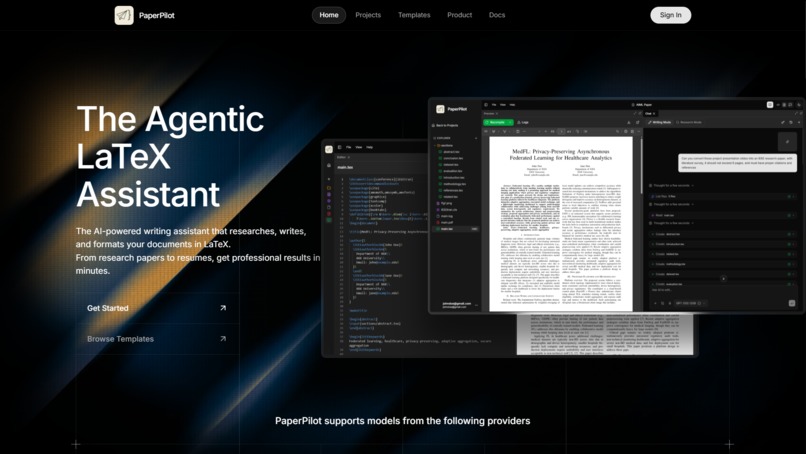
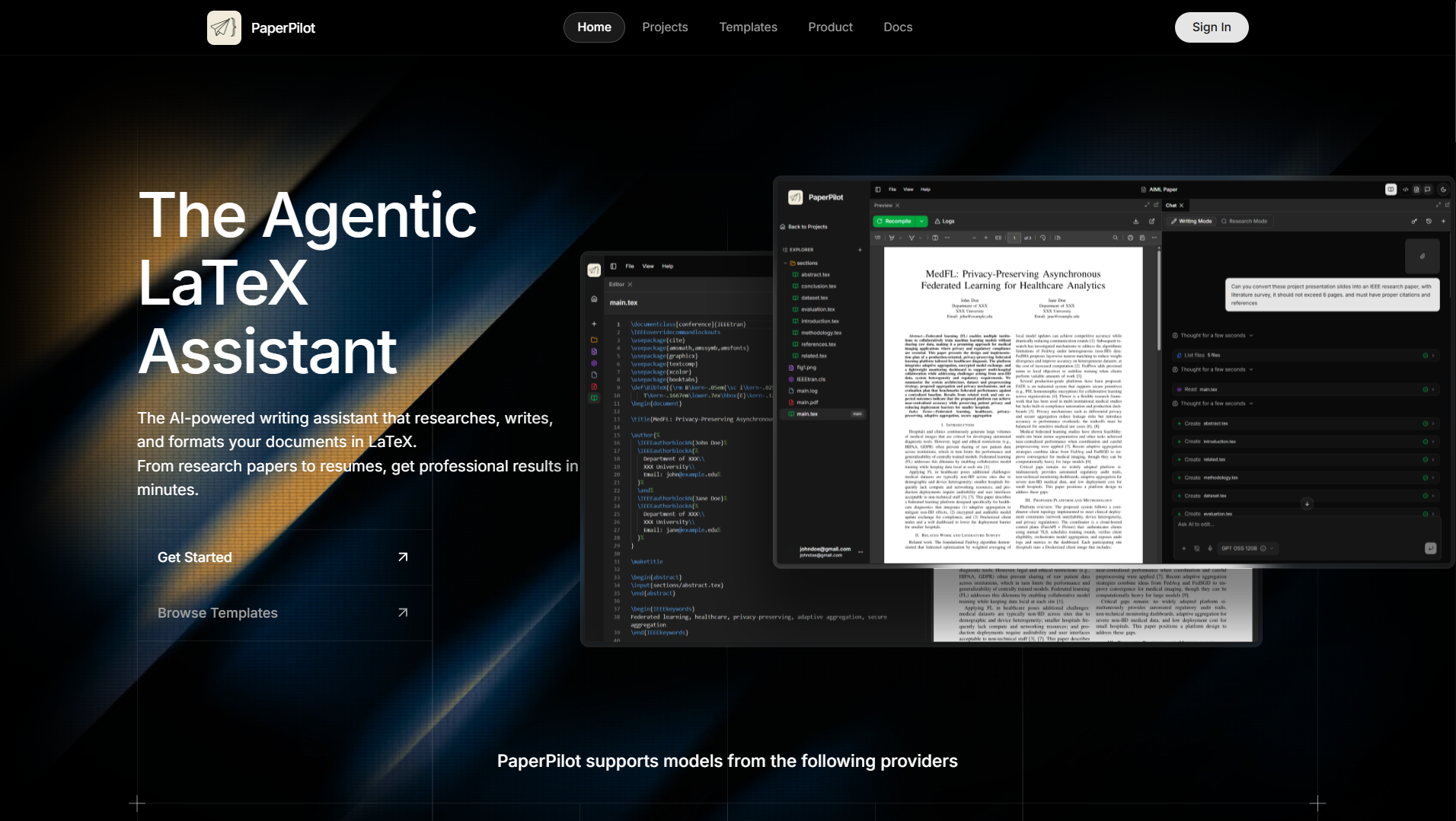
PaperPilot Landing Page
-
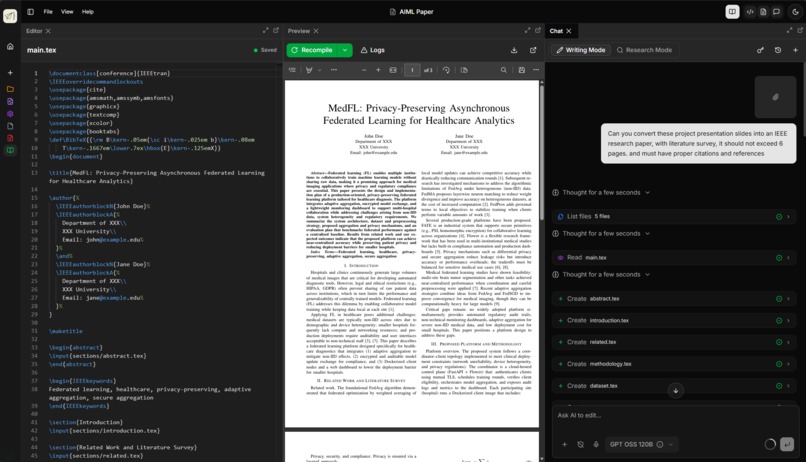
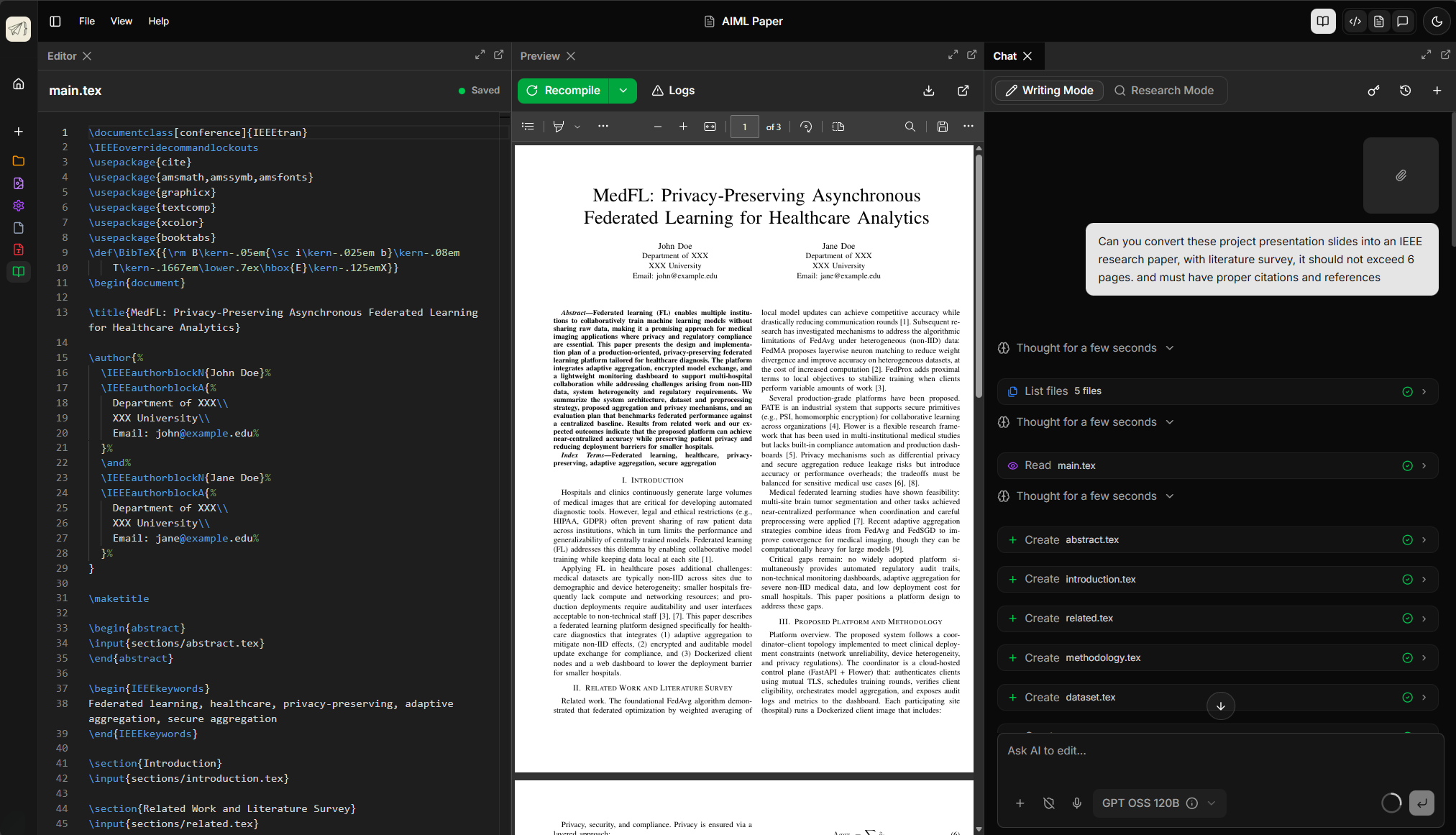
Agentic LaTeX Workspace
-
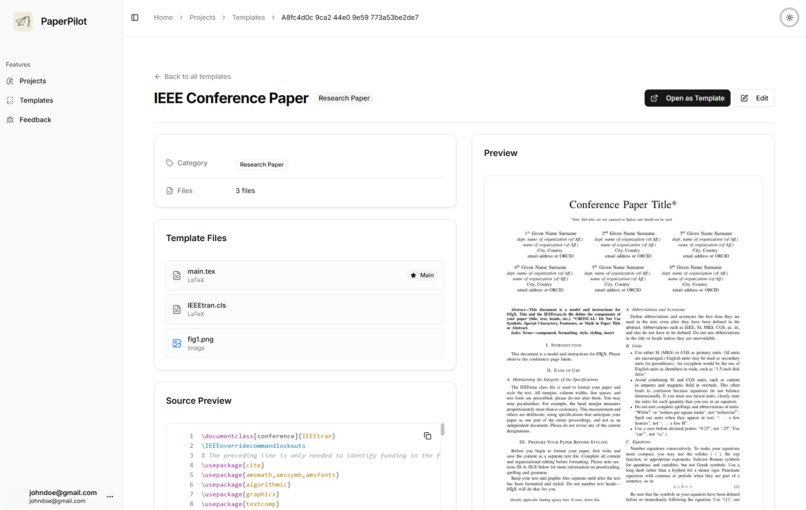
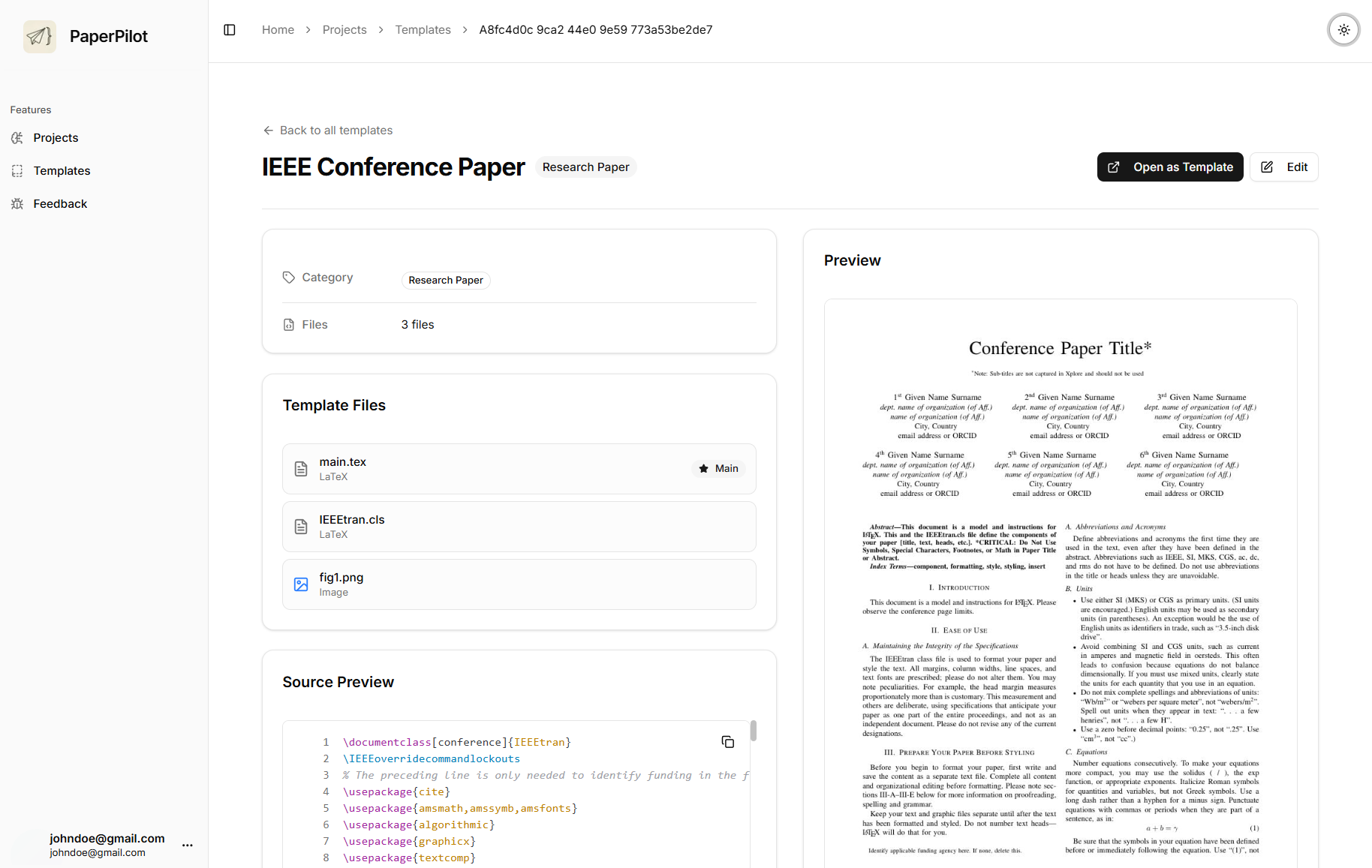
Built-in Templates
-
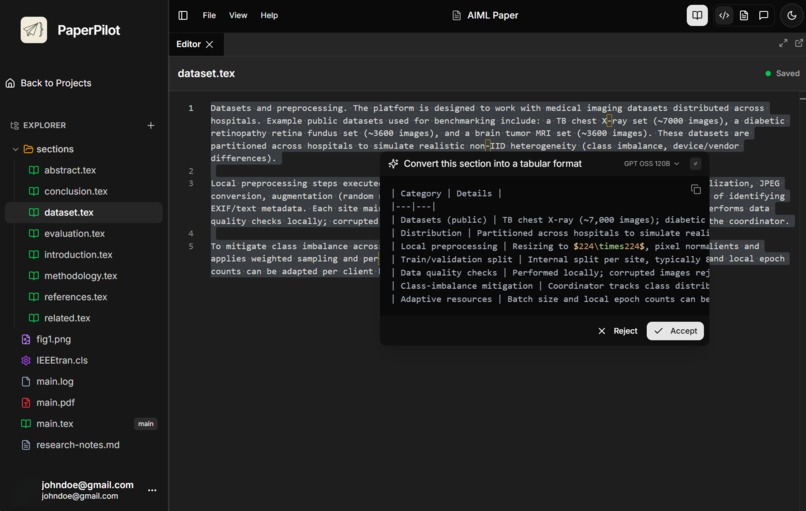
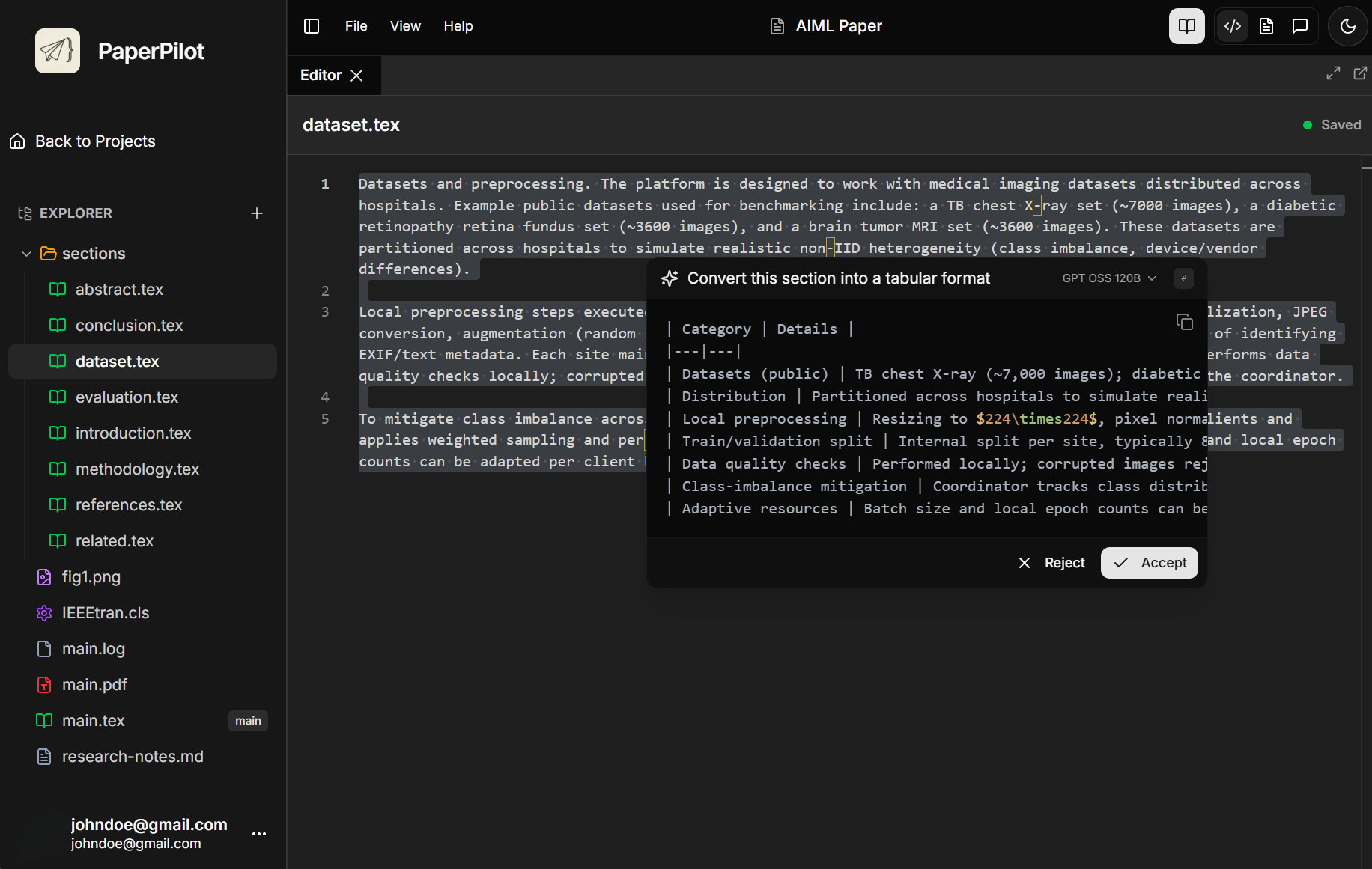
Inline AI Suggestions
-
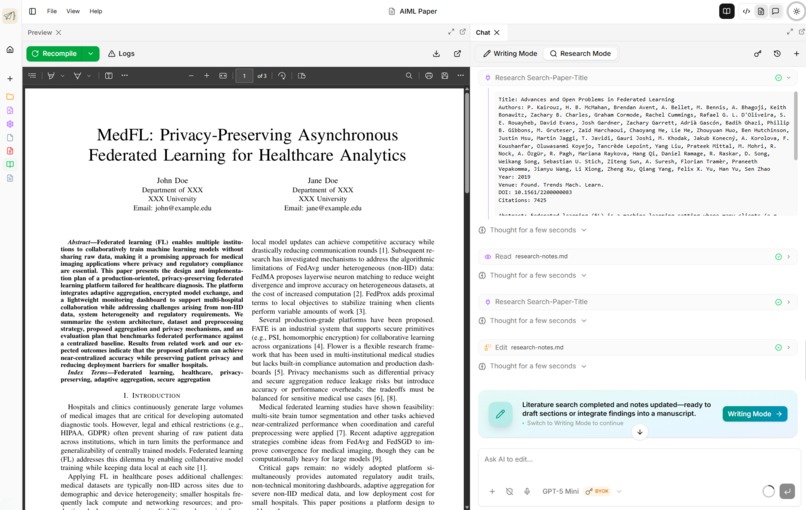
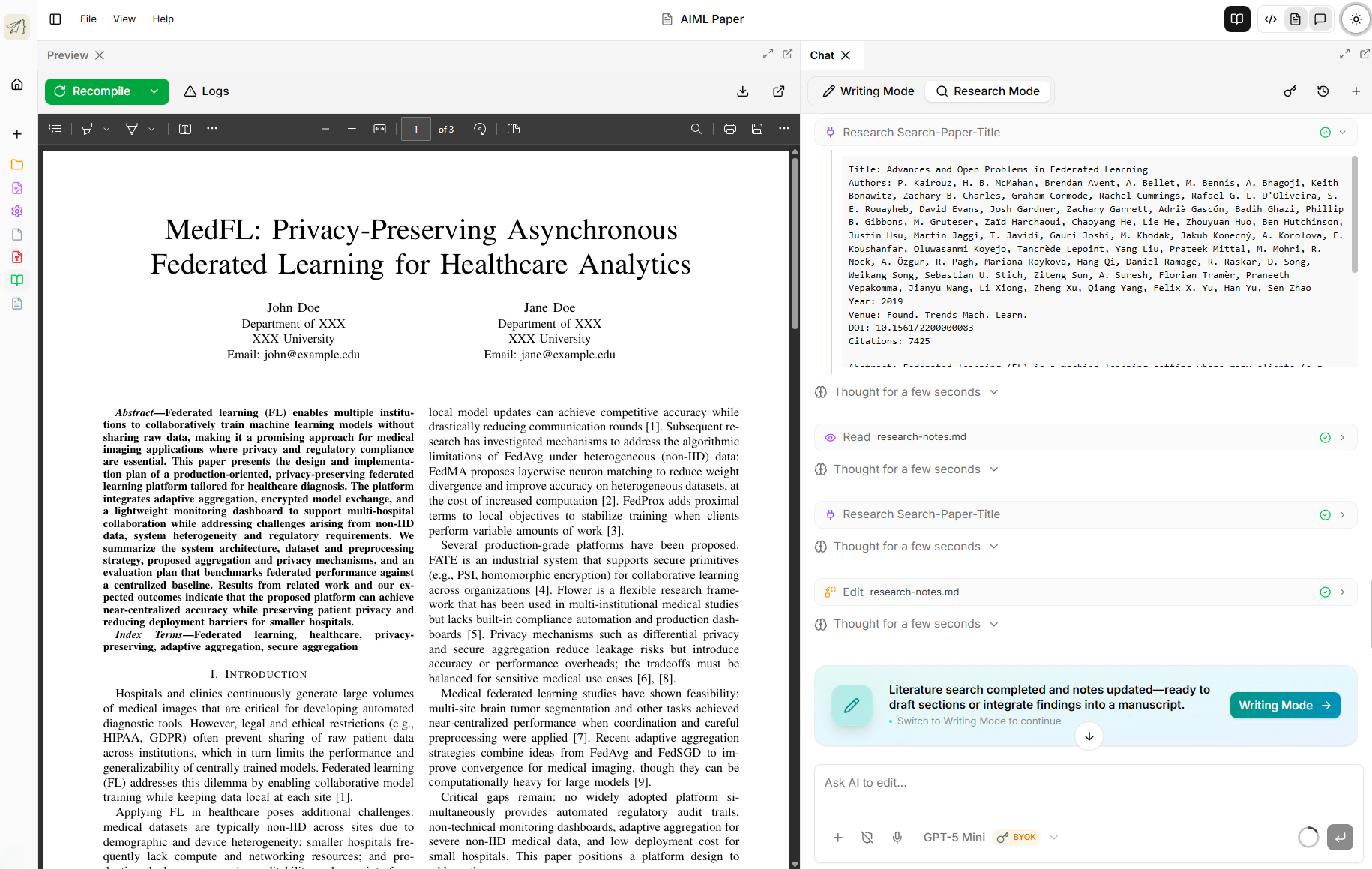
Research Agent with MCP Tools
Inspiration
The idea for PaperPilot started at home. I watched my mom trying to build a professional resume and she really wanted that clean, polished look you only get with LaTeX. The problem was that she didn’t know LaTeX at all. Watching her struggle with the syntax made me realize there was a massive gap between wanting a professional document and actually being able to code one. I wanted to build something that would let her just "vibe code" her resume while the AI handled the technical heavy lifting under the hood.
While I was building that for her, I realized this could go much further. Researchers spend a huge amount of time fighting with formatting and citations instead of actually writing their papers. I decided to expand the project into a full workspace that helps academics and professionals alike.
What it does
PaperPilot is an AI-powered LaTeX workspace that functions like a specialized IDE for research and writing. It combines a professional editor with autonomous agents that can:
- Research: Use Semantic Scholar and arXiv to find papers, download preprints, and maintain structured research notes.
- Write and Edit: Directly manipulate workspace files to draft sections, restructure chapters, and ensure consistent formatting.
- Diagnose: Monitor compilation logs in real-time to explain LaTeX errors in plain English and apply fixes automatically.
- Preview: Provide a side-by-side live PDF preview with high-performance rendering.
Demo Access
You can try out PaperPilot with the following test credentials:
- Email:
test@gmail.com - Password:
test123
How I built it
I wanted the project to be fast and clever. Here is a breakdown of the technical stack I used to bring it to life:
- Frontend: Built with Next.js 15 and Tailwind CSS 4. I used Framer Motion for the animations and Supabase to handle project management and user authentication.
- Editor and Preview: The workspace uses the Monaco editor for syntax highlighting and autocomplete. For the feedback loop, I built a side-by-side Live PDF Preview that supports both native browser rendering and a custom viewer.
- Backend: A FastAPI service handles the heavy lifting. I used Docker during development for a consistent LaTeX environment, while the production version uses TeX Live for efficient cloud compilation.
- AI Intelligence: Everything is powered by Gemini 3 Flash via the Gemini API. The model's massive context window is what allows the agent to maintain a full map of a multi-file LaTeX project.
- The Coding Process: The entire codebase was built in collaboration with Antigravity, an agentic AI coding assistant. Having an AI that can proactively suggest architectural changes and handle complex refactors made it possible to build a multi-agent system this complex in a hackathon timeframe.
- Research Integration: I used the Model Context Protocol (MCP) to connect the agent to Semantic Scholar and arXiv. This lets the autonomous agent search for papers, analyze preprints, and generate BibTeX citations directly in the workspace.
Challenges I ran into
One of the biggest hurdles was the feedback loop. LaTeX is a heavy system and getting a PDF to preview in real time while an AI is actively editing the source code was difficult. I had to spend a lot of time optimizing how files are saved and compiled to make sure the user isn't just sitting there waiting for a loading bar.
Another challenge was error handling. LaTeX error logs are notoriously difficult to read. I had to build a system where the AI parses those logs and explains the errors in plain English. If a package is missing or a bracket isn't closed, the agent can often just fix it automatically instead of the user having to hunt through hundreds of lines of logs.
Accomplishments that I'm proud of
I am incredibly proud of moving the AI from a simple "chat box" to an actual agent that has agency over the workspace. Seeing the agent successfully troubleshoot a broken tabular environment or automatically split a large file into modular chapters felt like a huge win. Successfully integrating the Research MCP to allow for real-time academic discovery inside the editor also felt like a major milestone for the user experience.
What I learned
Through this project, I learned that AI is much more useful when it has the power to act on its environment. Moving from a simple chat interface to an agent that can split files, restructure chapters, and manage a workspace changed how I think about building software. Building this also taught me that even the most complex tools can be made accessible if you put a smart enough interface in front of them. It has been a massive learning experience in blending traditional software engineering with modern AI agents.
What's next for PaperPilot
The goal is to make PaperPilot the definitive workspace for academic research. Next on the roadmap is:
- GitHub Integration: Allowing users to import existing LaTeX repositories and synchronize their work.
- Real-time Collaboration: Bringing Google Docs style multi-user editing to the LaTeX world.
- SyncTex Support: Enabling direct jumping between the PDF preview and the corresponding source code line.
- Offline Mode: A desktop version that can run local LaTeX distributions while still leveraging the AI agents.

Log in or sign up for Devpost to join the conversation.