-
-
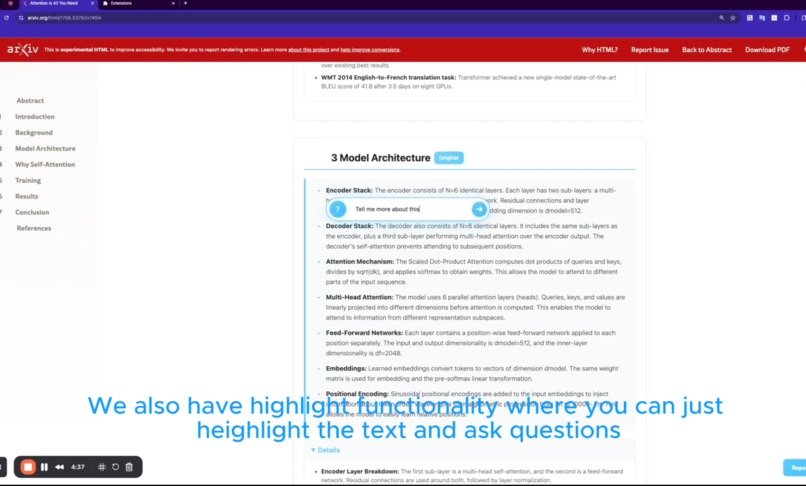
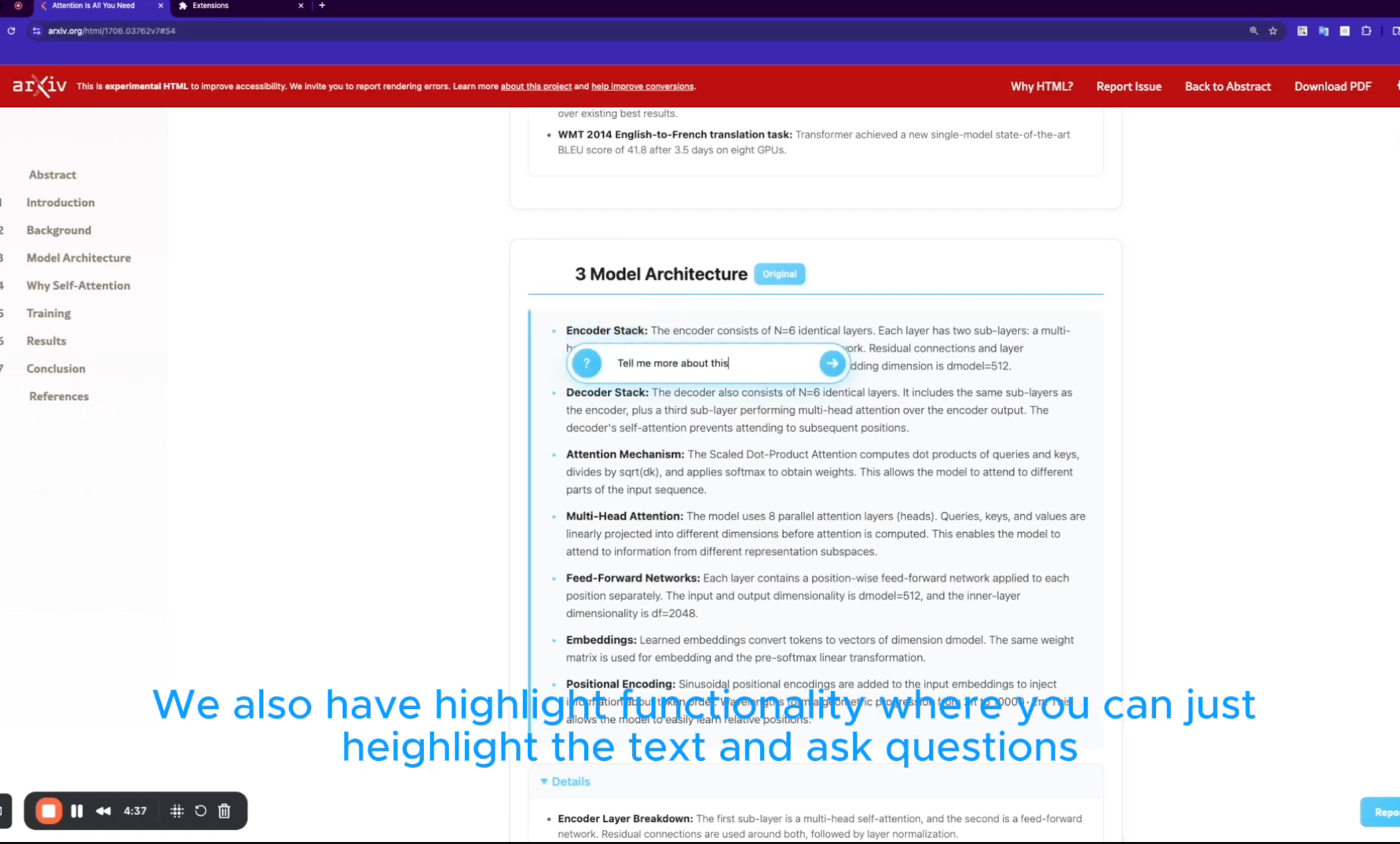
highlight Q&A
-
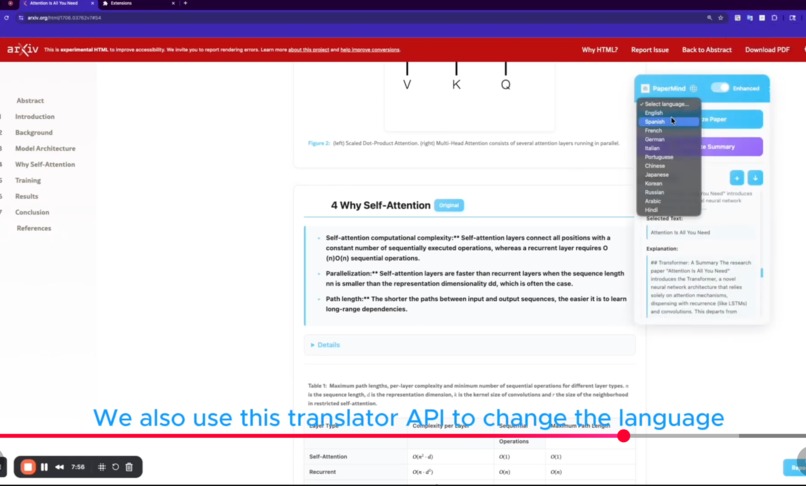
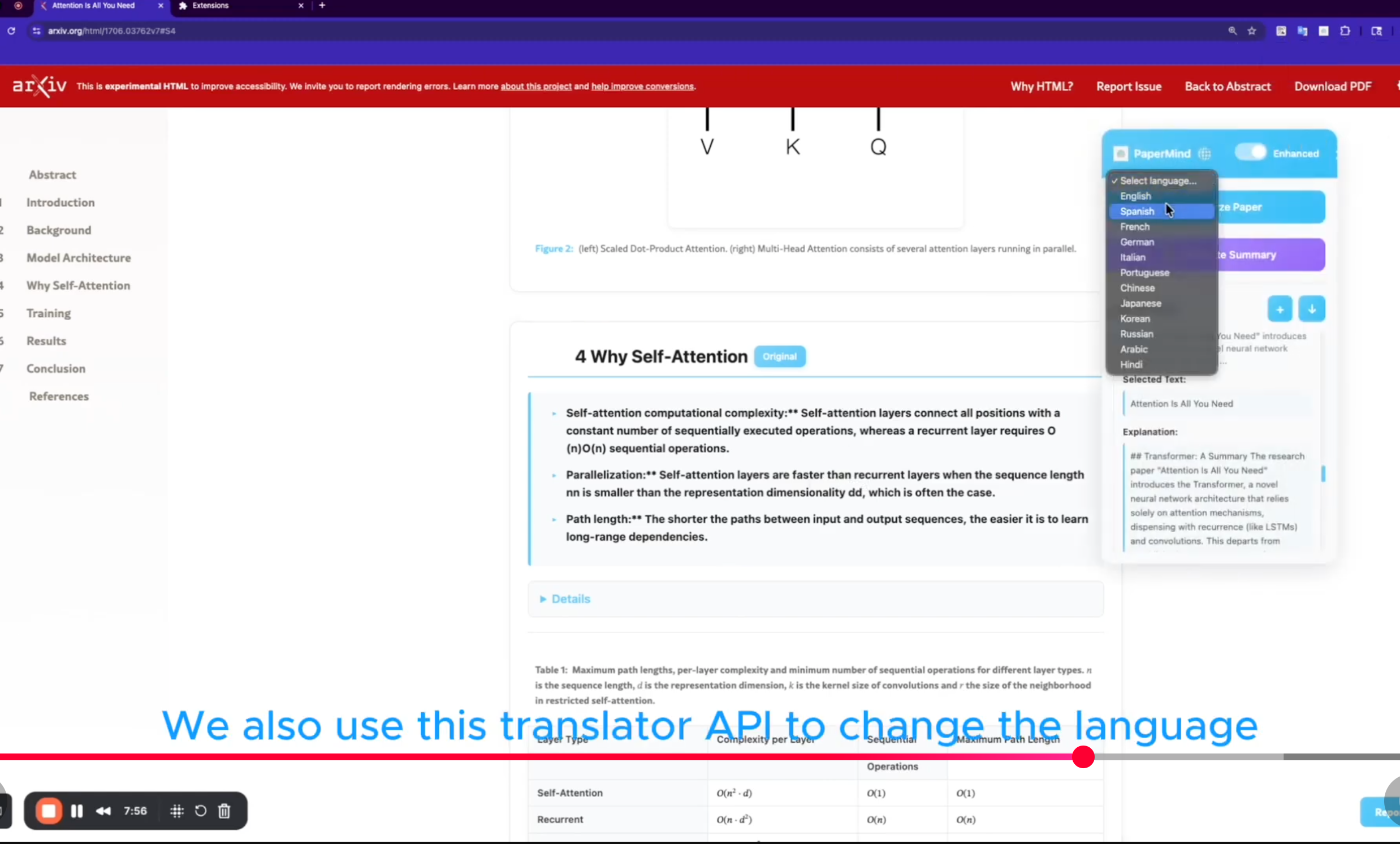
translate notes to different language
-
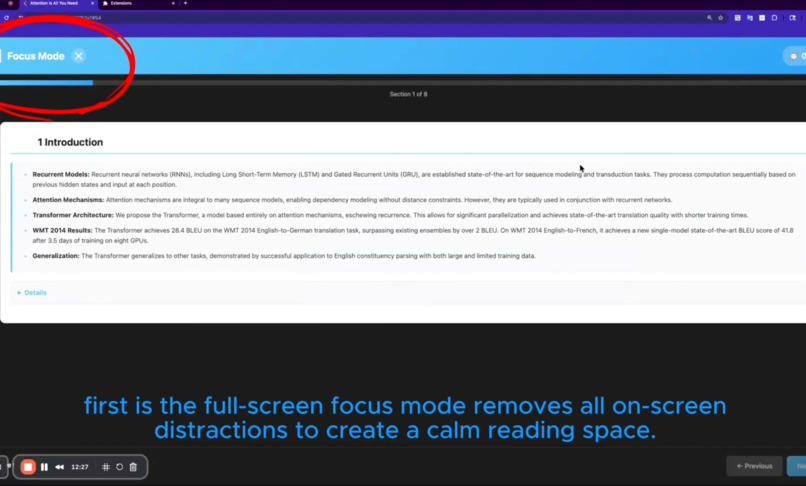
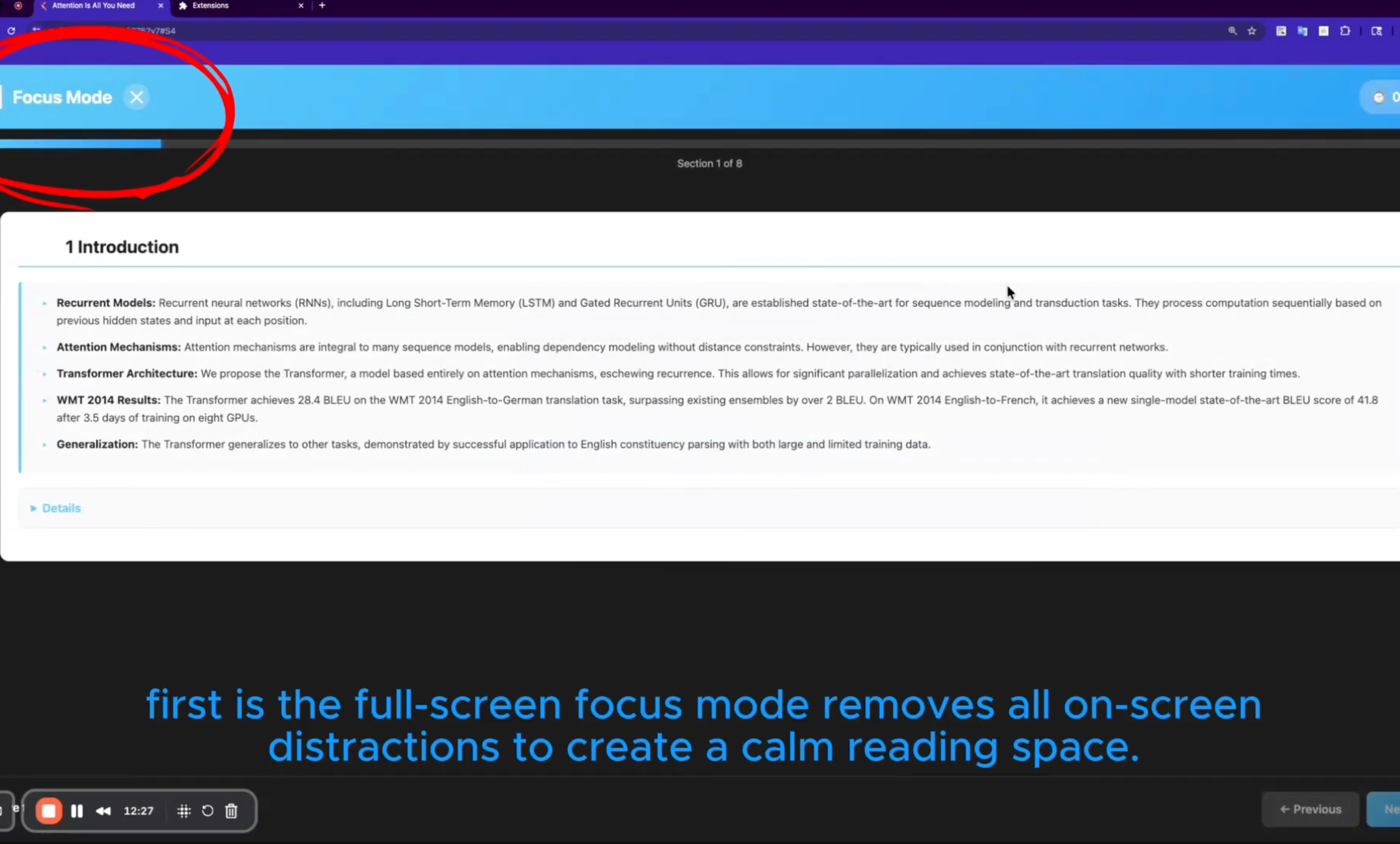
focus mode for adhd
-
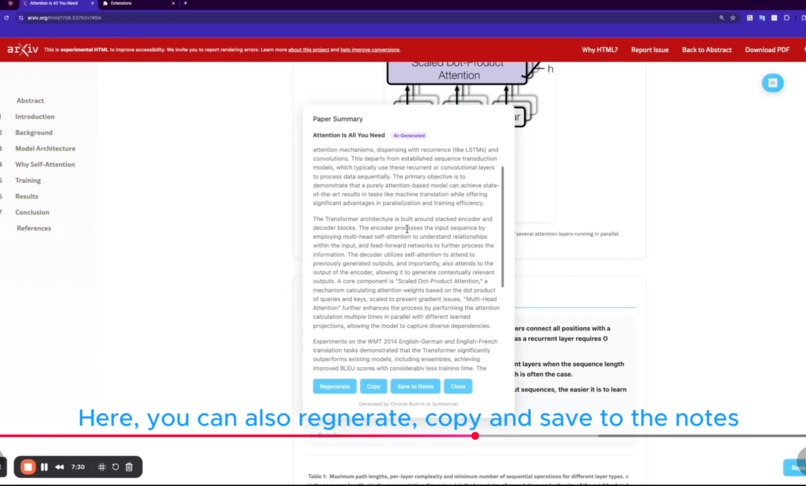
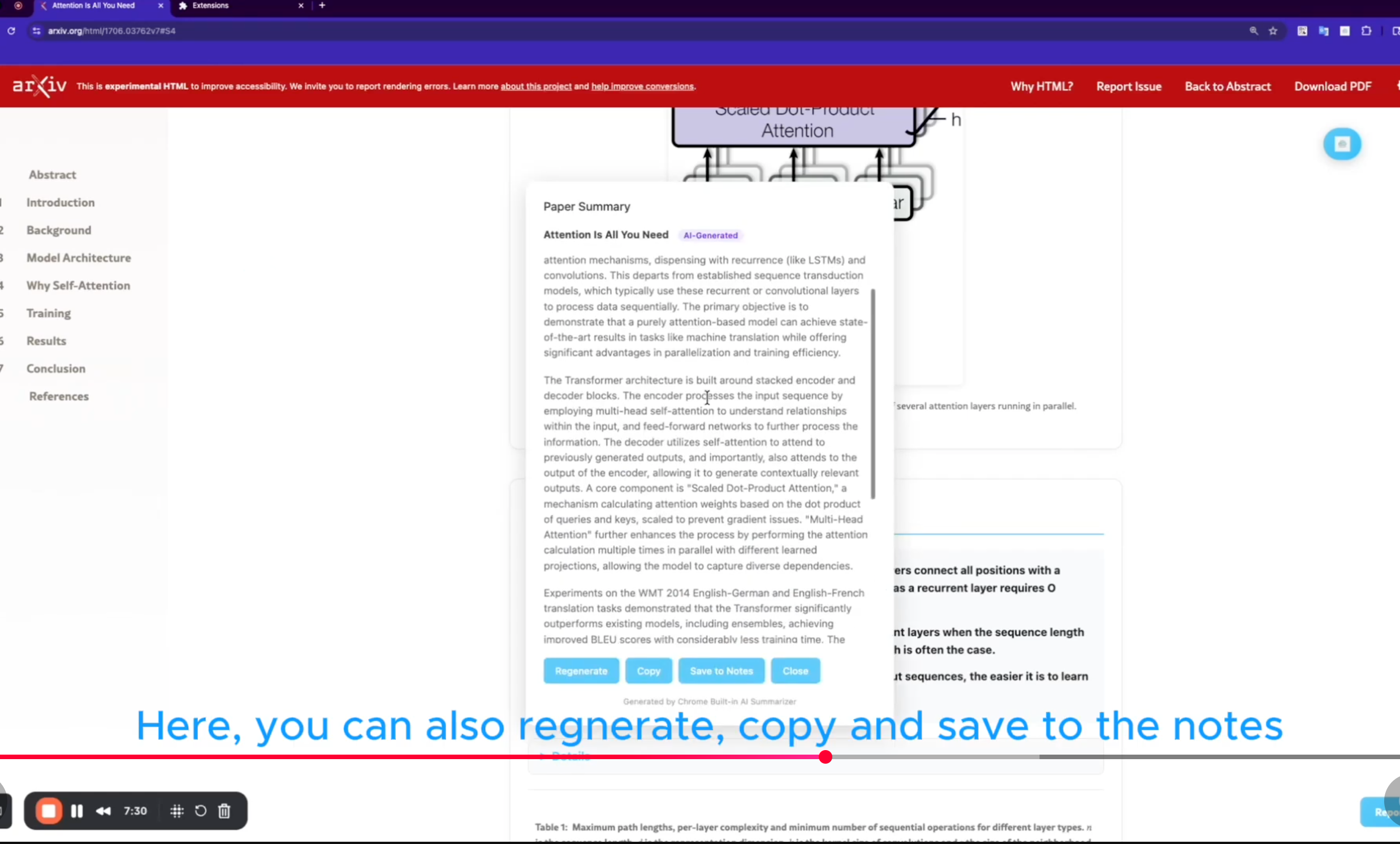
entire paper summary
-
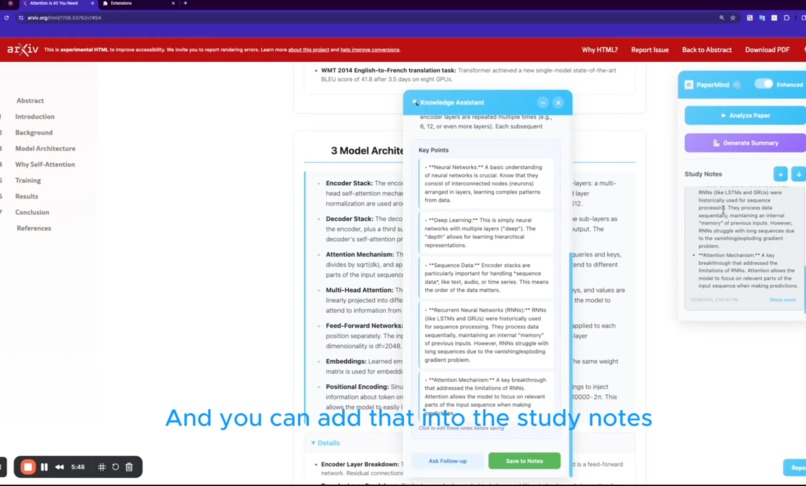
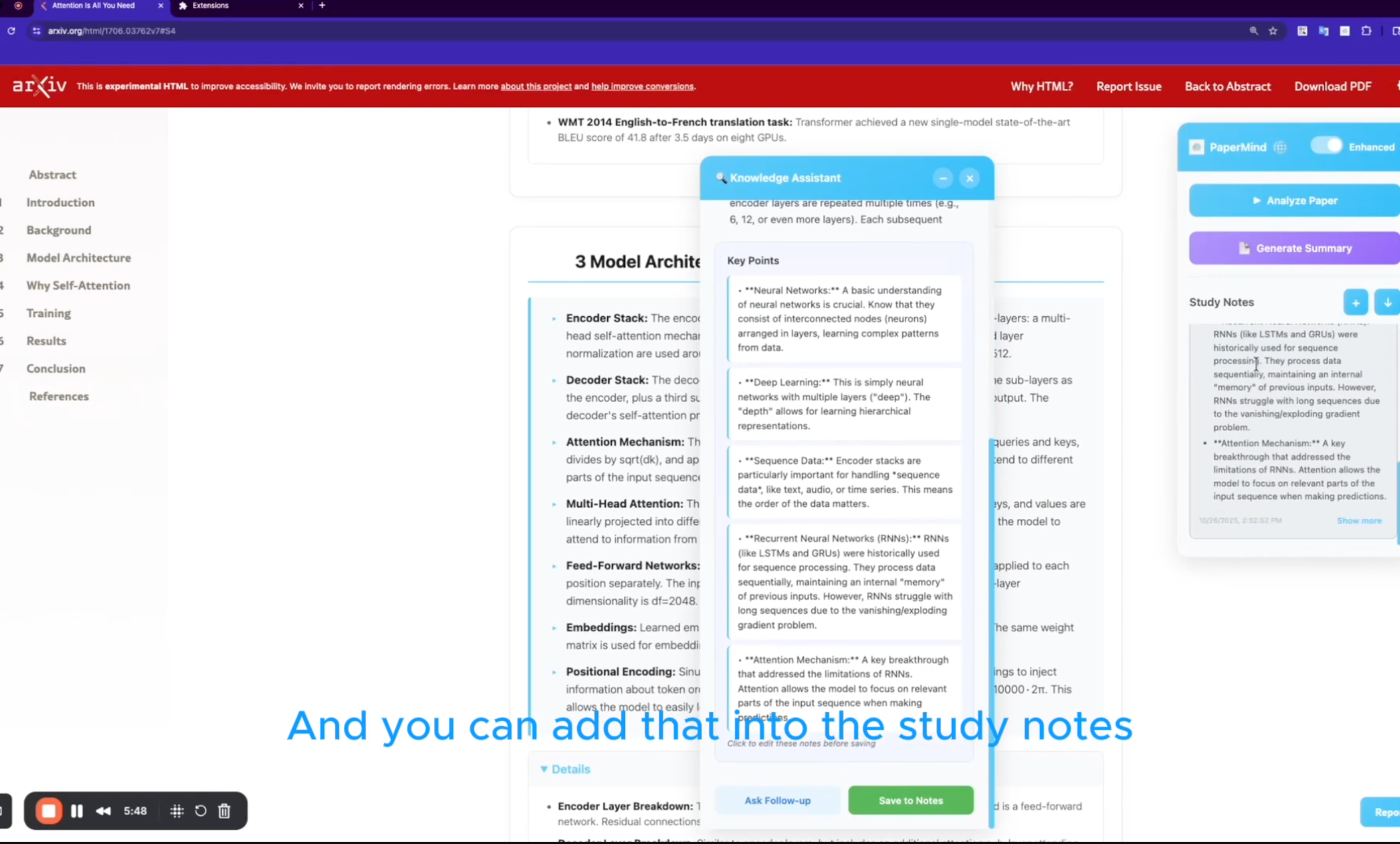
add study note and transform entire page into synthesized information
Inspiration
Reading dense research papers is often time‑consuming and intimidating. Our team wanted to make academic content more approachable by letting people interact with papers directly in their browser. Inspired by Chrome’s new built‑in AI capabilities, we set out to build a research assistant that could summarize complex sections, answer questions about the text and visualize key concepts.
What it does
PaperMind is a Google Chrome extension that turns any online paper into an interactive learning experience. Its main features include:
- AI‑powered analysis: uses Chrome’s Prompt and Summarizer APIs to break down text into digestible sections.
- Interactive Q&A: lets you ask questions about the highlighted content and receive context‑aware responses.
- Smart summarization: automatically extracts key points and generates concise summaries.
- Visual learning tools: generates diagrams, section breakdowns and methodology visualizations to help you understand research structures.
- Multi‑language support: integrates a translator API so you can work with papers in several languages.
How I built it
The extension is written in JavaScript/TypeScript and built as a Chrome Manifest V3 extension. A content script injects UI components into the current page and captures highlighted text. The background script communicates with Chrome’s Prompt API to retrieve summaries, and with the Summarizer API to generate diagrams and key‑point lists. We also built a translator helper to provide multi‑language support. The user interface is styled with custom CSS and uses a small popup window for settings and interactive Q&A.
Challenges I ran into
Working with the new Prompt and Summarizer APIs required experimentation to get accurate results. We also had to adjust the highlight box positioning on different websites and handle varying document structures. Integrating translation while keeping the extension lightweight was another challenge.
Accomplishments that I’m proud of
We successfully delivered a seamless browser experience that stays client‑side and respects user privacy. PaperMind can summarize complex academic text, answer questions and generate helpful visuals, all without leaving the page. The multi‑language support and contextual responses are features we’re particularly excited about.
What I learned
We learned how to build Chrome extensions using Manifest V3, how to work with Google’s experimental AI APIs and how to design user‑friendly interfaces for browser tools. We also gained experience in handling asynchronous API calls and managing state in content scripts.
What’s next for PaperMind: Chrome Built‑in AI Research Assistant
We plan to support more document formats (like PDFs), improve the diagram generation and add note‑taking functionality. We also want to refine the translation system and explore integrating other AI models to enhance accuracy and speed.
Built With
- gemininano
- javascript
- prompt-api
- summarizer-api
- translation-api

Log in or sign up for Devpost to join the conversation.