-
-
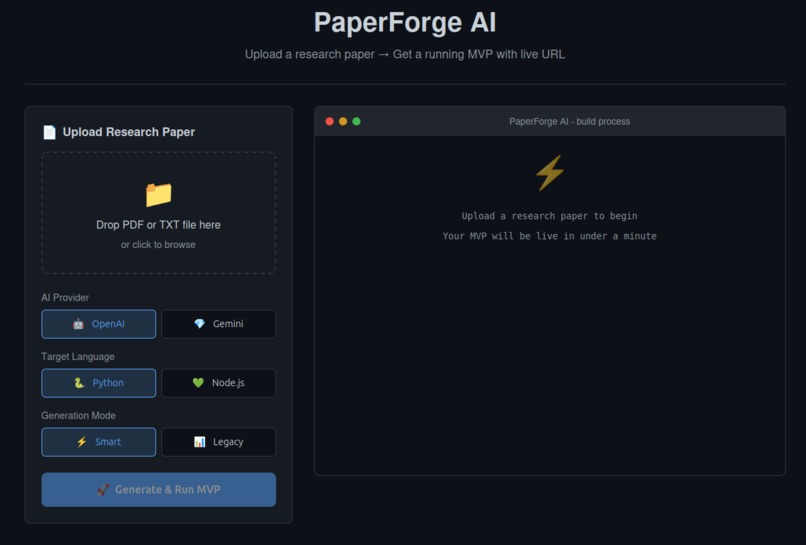
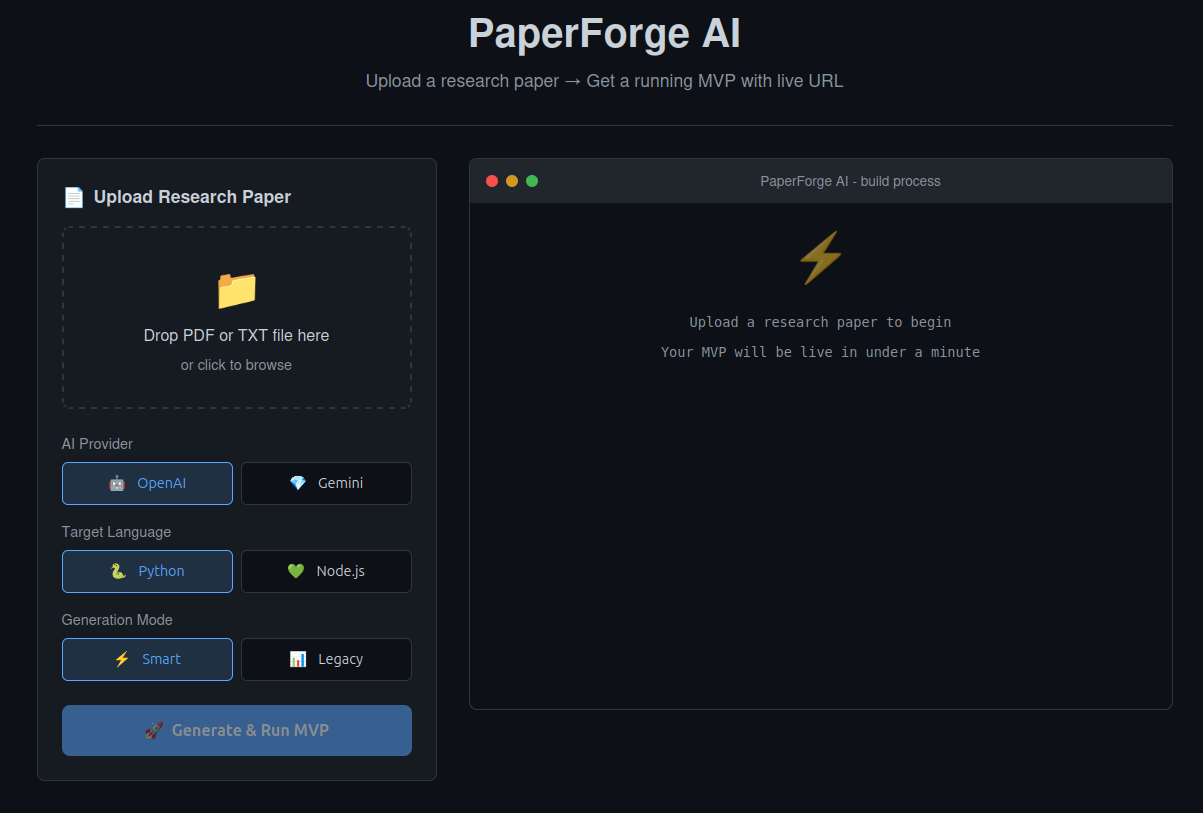
PaperForgeAI Screenshort
Inspiration
Every year, thousands of brilliant research papers never leave academia because turning them into working software is slow and expensive. A researcher publishes an algorithm with pseudocode and mathematical proofs, but the gap between that paper and a running application is enormous , it requires software architecture decisions, dependency management, API design, deployment configuration, and debugging. We wanted to eliminate that gap entirely and give researchers, startups, and developers a way to go from paper to prototype instantly.
What it does
PaperForge AI takes a research paper (PDF) describing an algorithm and automatically converts it into a runnable MVP, complete with REST APIs, Docker deployment, and live URLs.
You upload a paper. Choose your language (Python/Flask or Node.js/Express). Watch the AI pipeline run in real time through a terminal-style interface. Then download the project as a ZIP or just access it via the provided live url.
It works best with papers that describe sorting algorithms, graph algorithms, optimization methods, data structures, recommendation systems, and system design concepts.
How we built it
We built a multi-stage AI pipeline powered by Google Gemini: Planning Stage — Parses the paper content, designs API endpoints, data models, and file structure Analysis Stage — Generates detailed logic specifications for each file, class signatures, and function contracts Coding Stage — Generates files sequentially, where each file has context from previously generated files for coherence Debugging Stage — Automatically detects runtime errors and applies precise SEARCH/REPLACE fixes Deployment Stage — Builds a Docker image, runs the container, and returns a live URL The backend is a Flask server using Server-Sent Events (SSE) for real-time progress streaming to the browser. PDF parsing is handled by PyMuPDF. The frontend is vanilla HTML/CSS/JavaScript — no build step needed. All project data is stored in JSON files, so no database is required.
Generated projects include everything needed to run: application entry point, algorithm implementation, JSON-based storage, Dockerfiles, docker-compose.yml, and deployment configs for Render.
Challenges we ran into
AI output consistency — LLMs don't always return valid JSON. We built a multi-fallback JSON parser that handles markdown fences, partial responses, and malformed output. Code coherence across files — Generating all files at once led to import mismatches and broken references. Switching to sequential generation (where each file sees previous files as context) solved this. Runtime error fixing — Early versions replaced entire files when fixing bugs, which often introduced new errors. A SEARCH/REPLACE format made fixes minimal and precise. Docker deployment failures — Generated code would sometimes build successfully but crash at runtime due to missing exports or incorrect entry points. We added automatic health checks and error detection post-deployment. Model deprecation — Gemini tokens were depleting very fast, so we had to wait 24hrs for it to reset.
Accomplishments that we're proud of
The multi-stage pipeline produces dramatically better code than single-prompt generation — files actually reference each other correctly and the project runs as a whole Real-time SSE streaming transforms the user experience from "waiting and hoping" to watching each stage execute live in a terminal-style display A complete end-to-end flow: upload a PDF, get a running Docker container with a live URL — no manual steps in between The auto-debugging stage that catches runtime errors and fixes them without regenerating entire files Supporting both Python and Node.js output from the same pipeline
What we learned
Multi-stage AI pipelines produce dramatically better results than single-prompt generation Sequential file generation with shared context is key to coherent multi-file projects The gap between "code that compiles" and "code that runs" is where most of the real engineering happens Real-time feedback (SSE streaming) completely changes how users perceive and trust an AI tool Keeping the stack simple (Flask, vanilla JS, JSON storage) makes the project easier to deploy and maintain than reaching for heavy frameworks
What's next for PaperForgeAI
Support for more paper types — extending beyond algorithms to ML model papers, system architecture papers, and data pipeline designs GitHub integration — automatically create a repository with CI/CD pipelines for the generated project Cloud deployment options — one-click deploy to Render, Railway, or Fly.io directly from the web interface Collaborative editing — allow users to review and refine the generated code before deployment Paper comparison — upload multiple papers implementing similar algorithms and generate a benchmark comparing them Fine-tuned models — train specialized models on paper-to-code pairs for higher quality generation

Log in or sign up for Devpost to join the conversation.