-
-
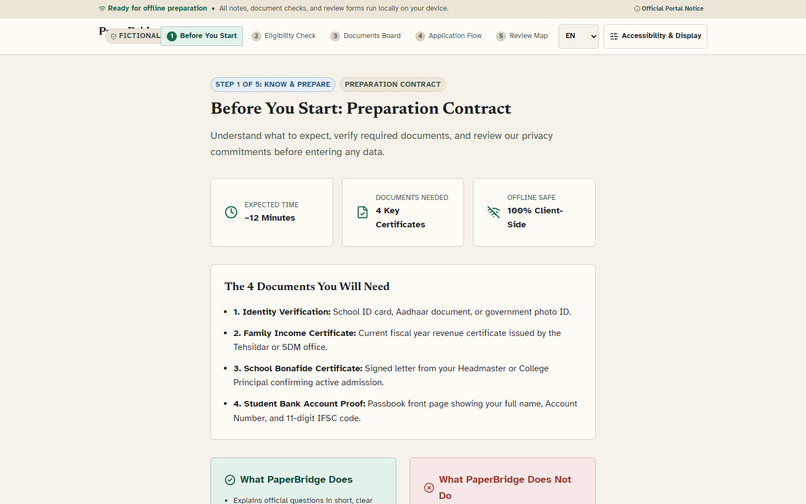
PaperBridge’s evidence-linked, one-decision-at-a-time scholarship preparation journey.
-
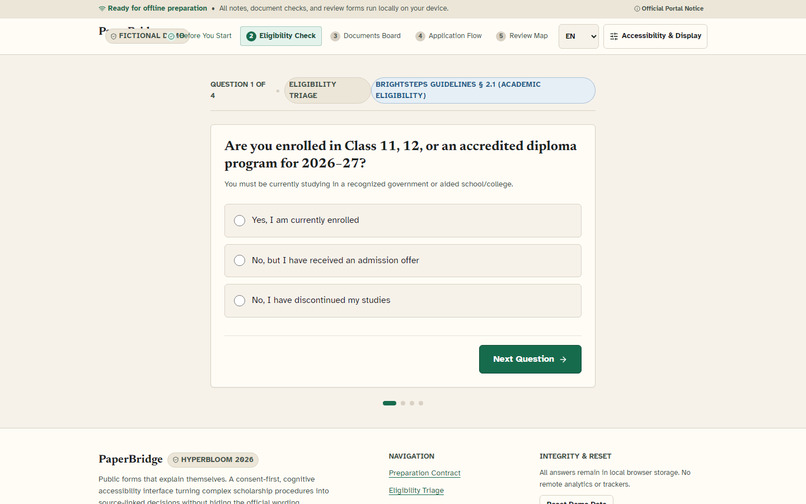
A calm civic interface that keeps plain-language guidance connected to official source wording.
-
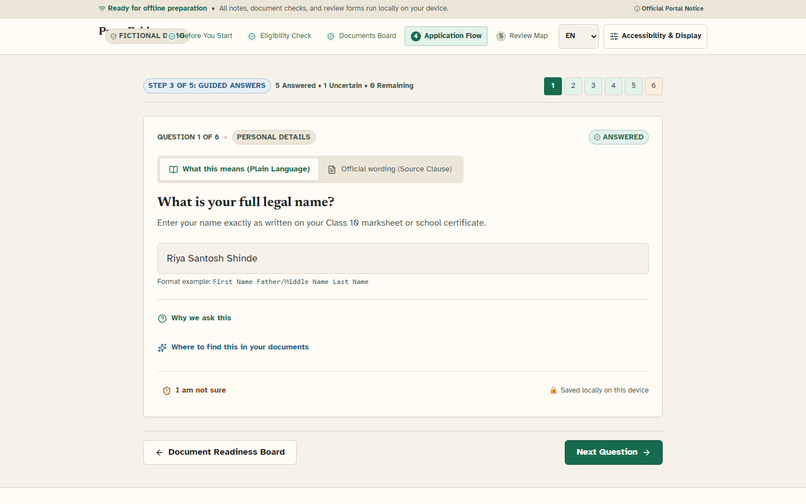
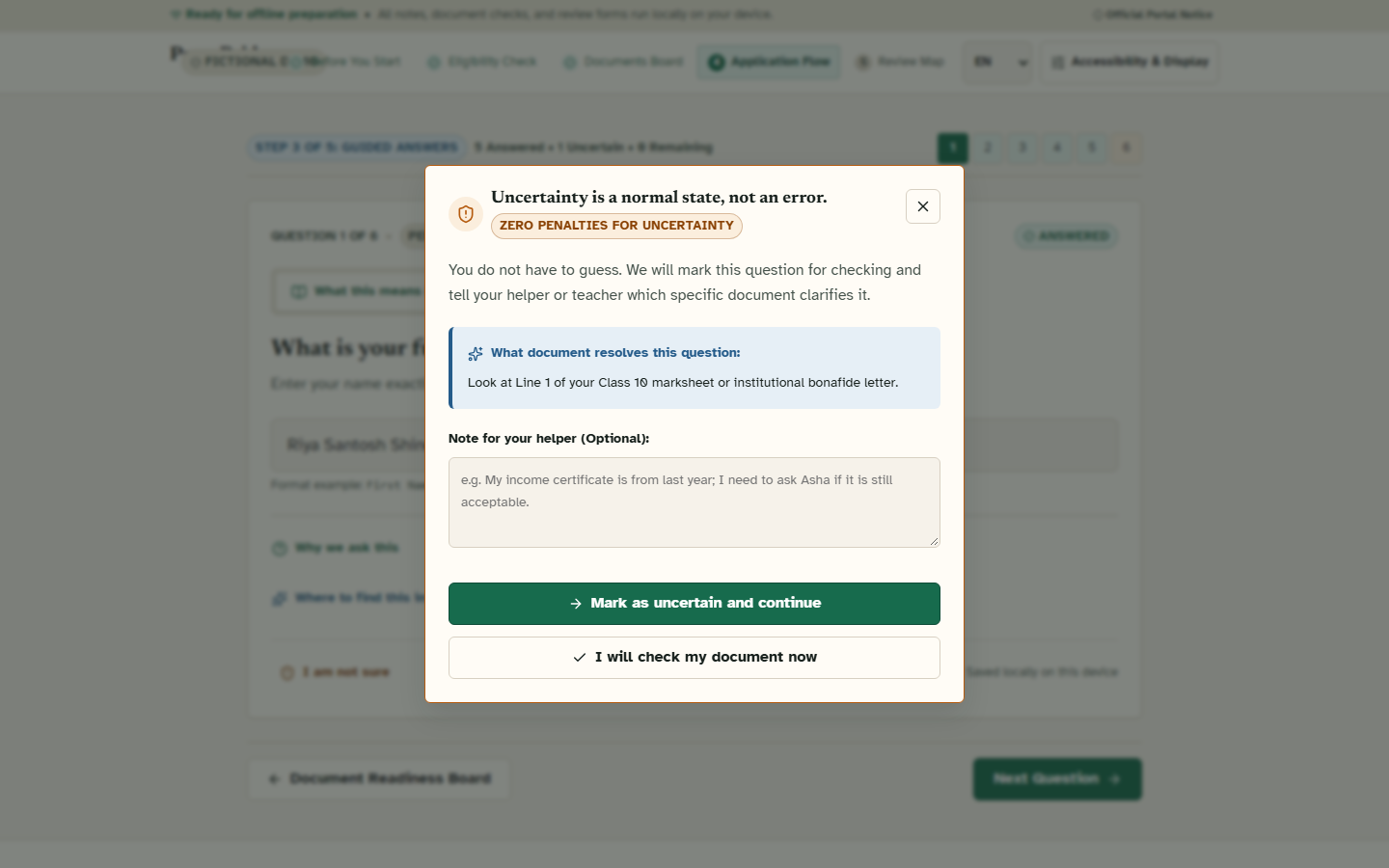
Accessible decision support treats uncertainty as useful information instead of an error.
-
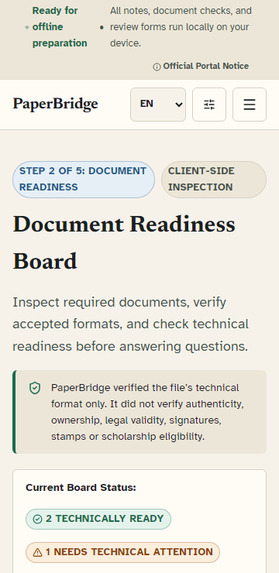
Responsive PaperBridge journey designed for low-cost mobile screens without horizontal overflow.
-
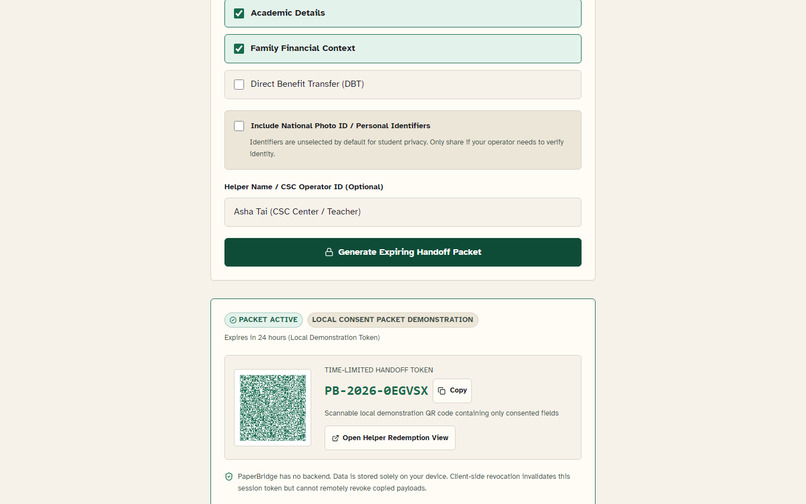
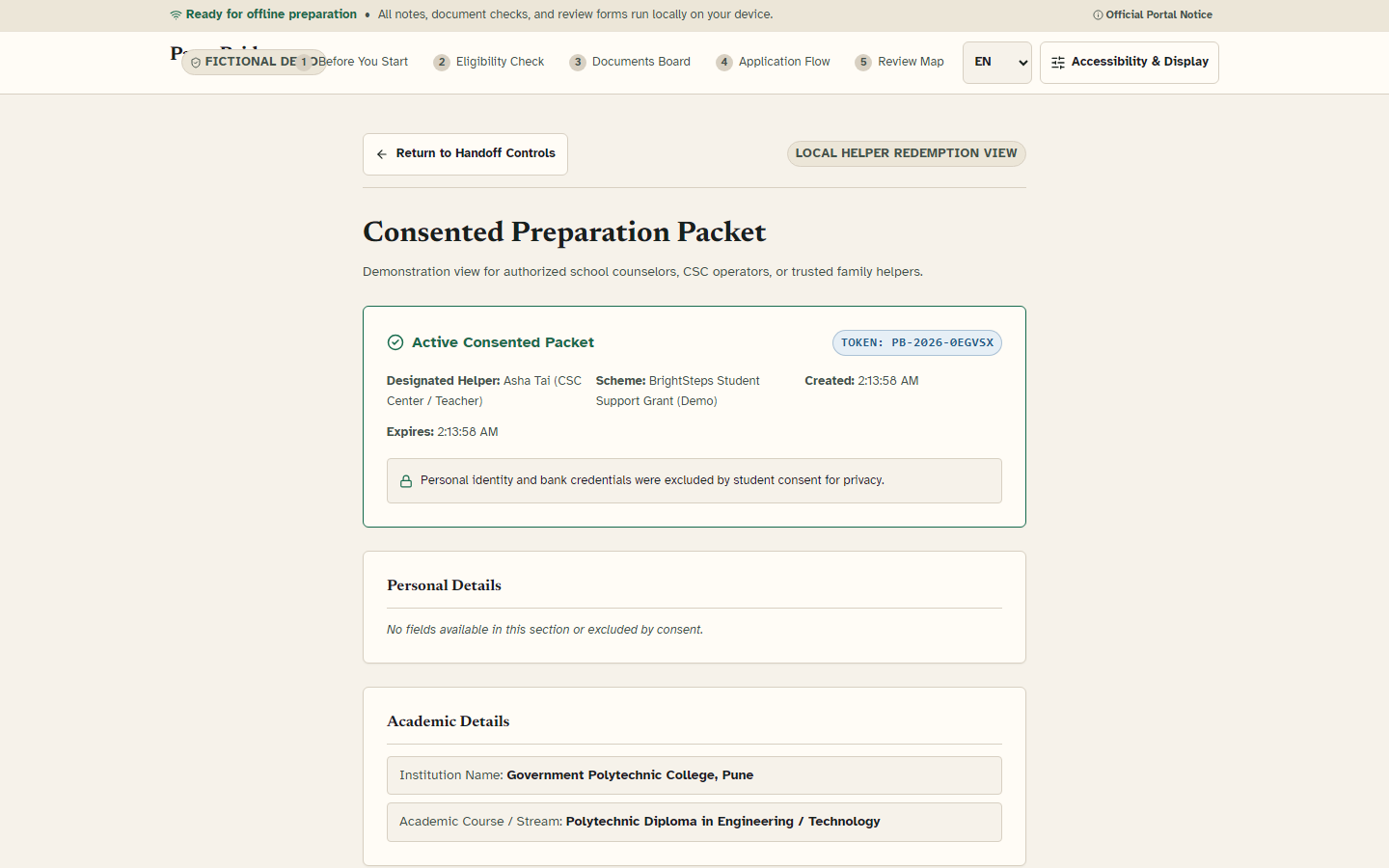
A time-limited local QR handoff keeps sensitive identifiers excluded by default.
-
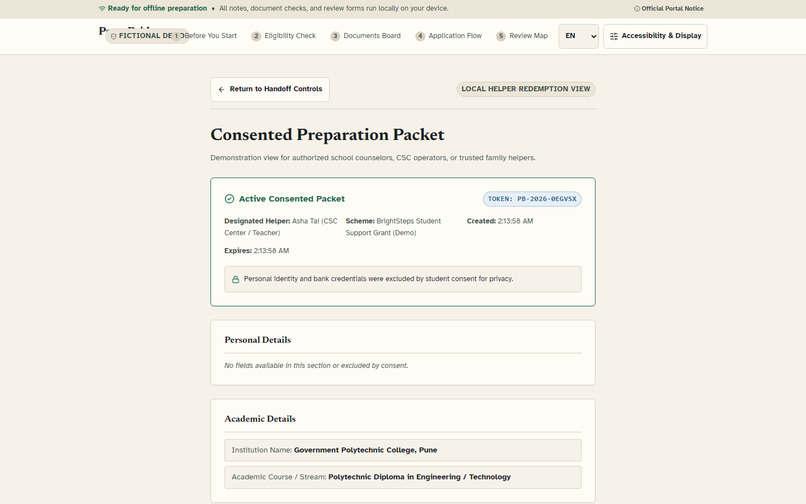
The helper view explains the packet’s scope, expiry, and honest privacy limitations.
-
Consent controls let applicants choose which preparation sections a helper may view.
-
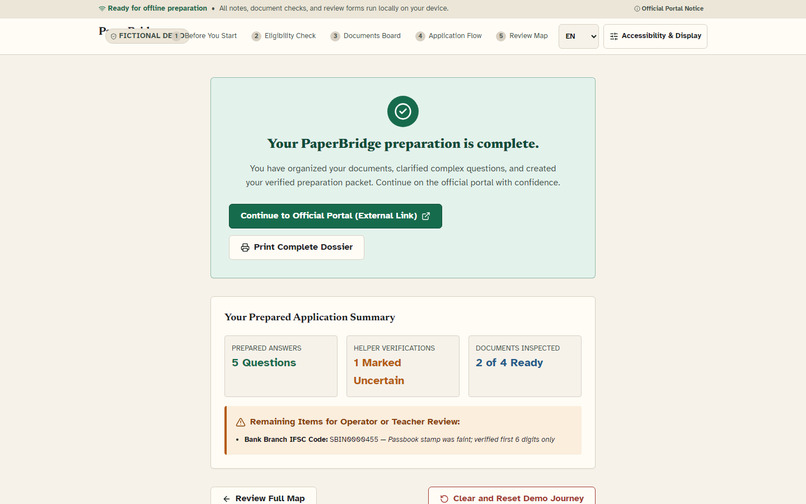
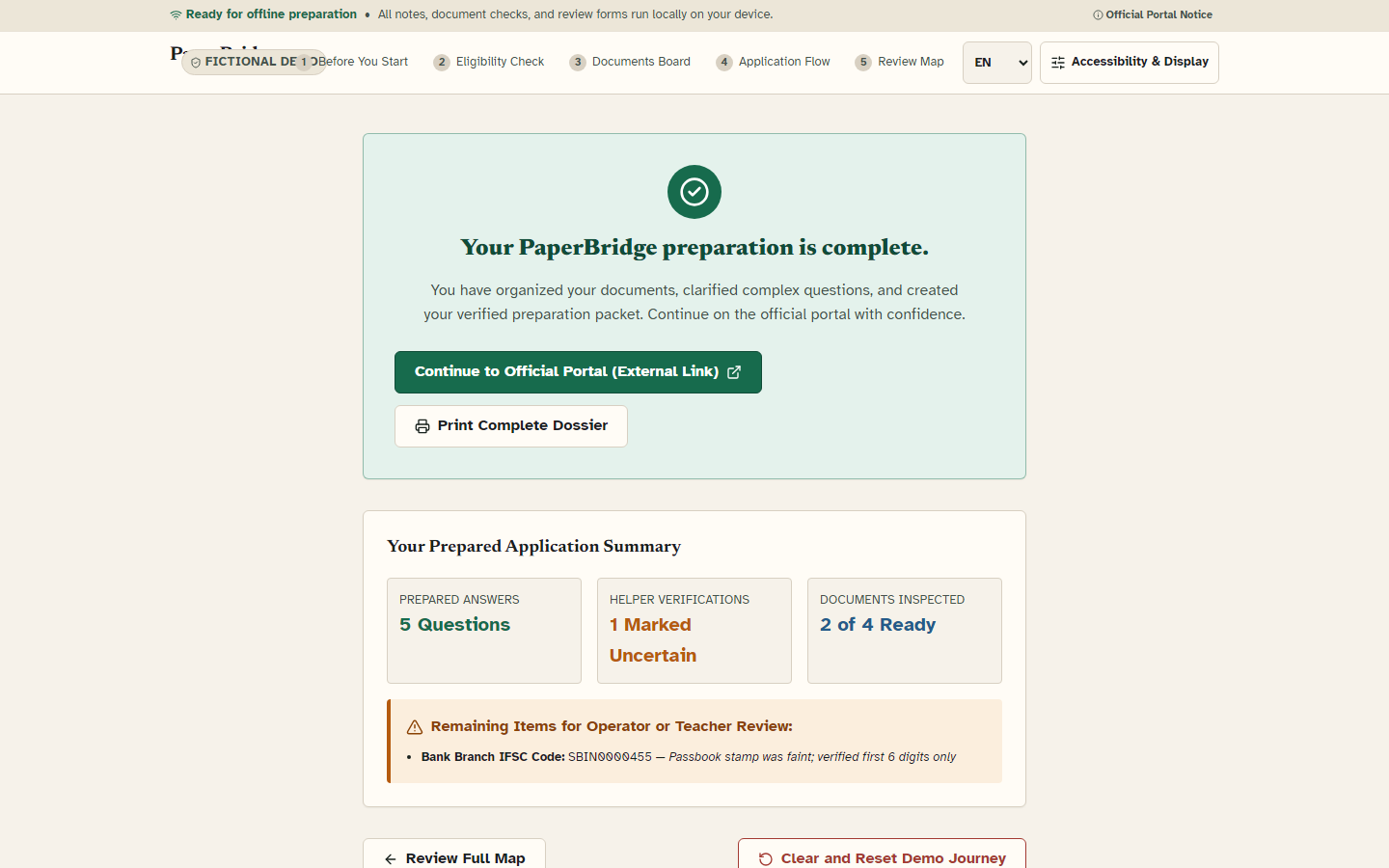
The final dossier summarizes evidence, unresolved questions, and next actions before official submission.
-
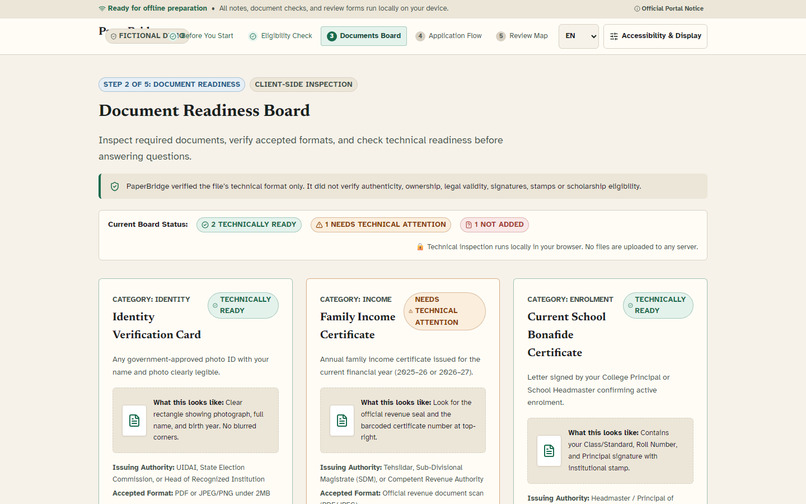
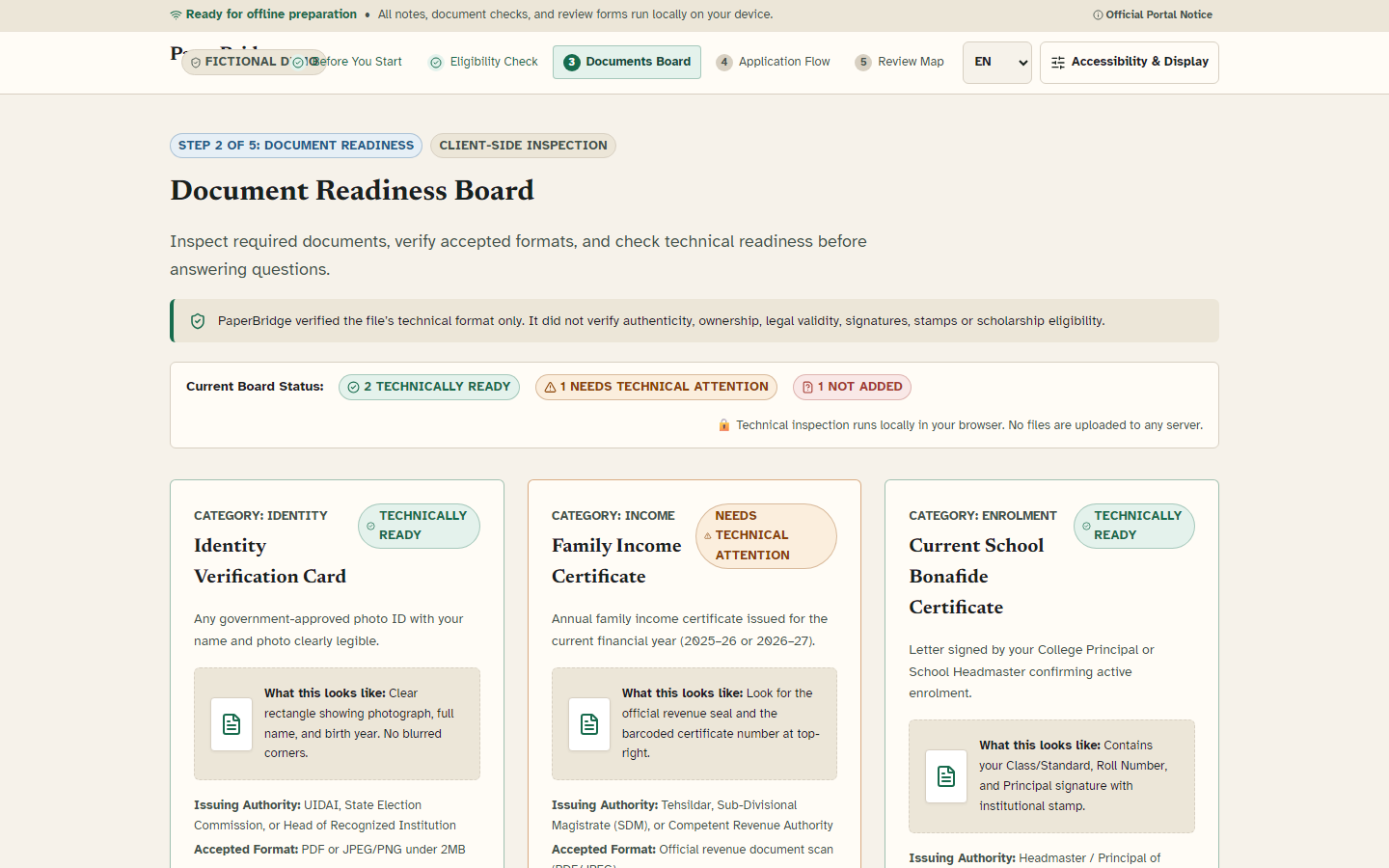
Document readiness feedback makes missing, unclear, and accepted evidence immediately understandable.
-
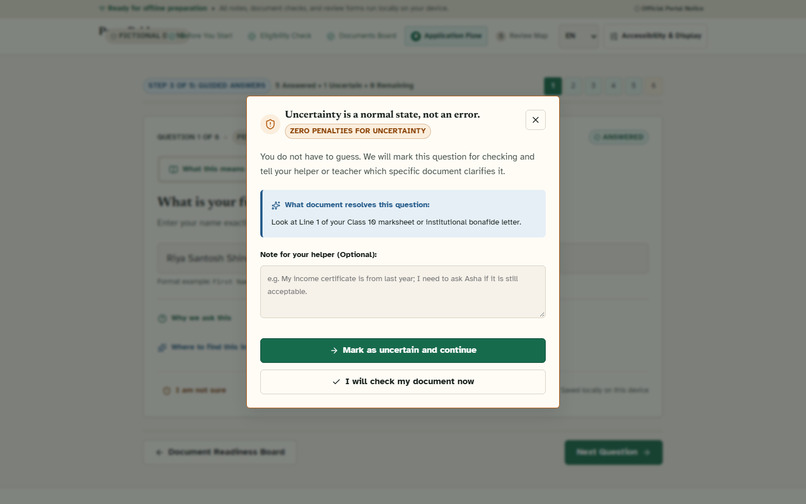
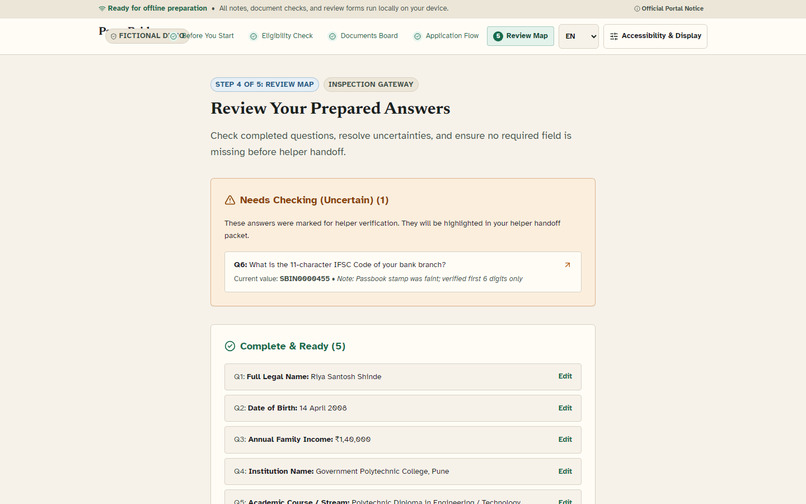
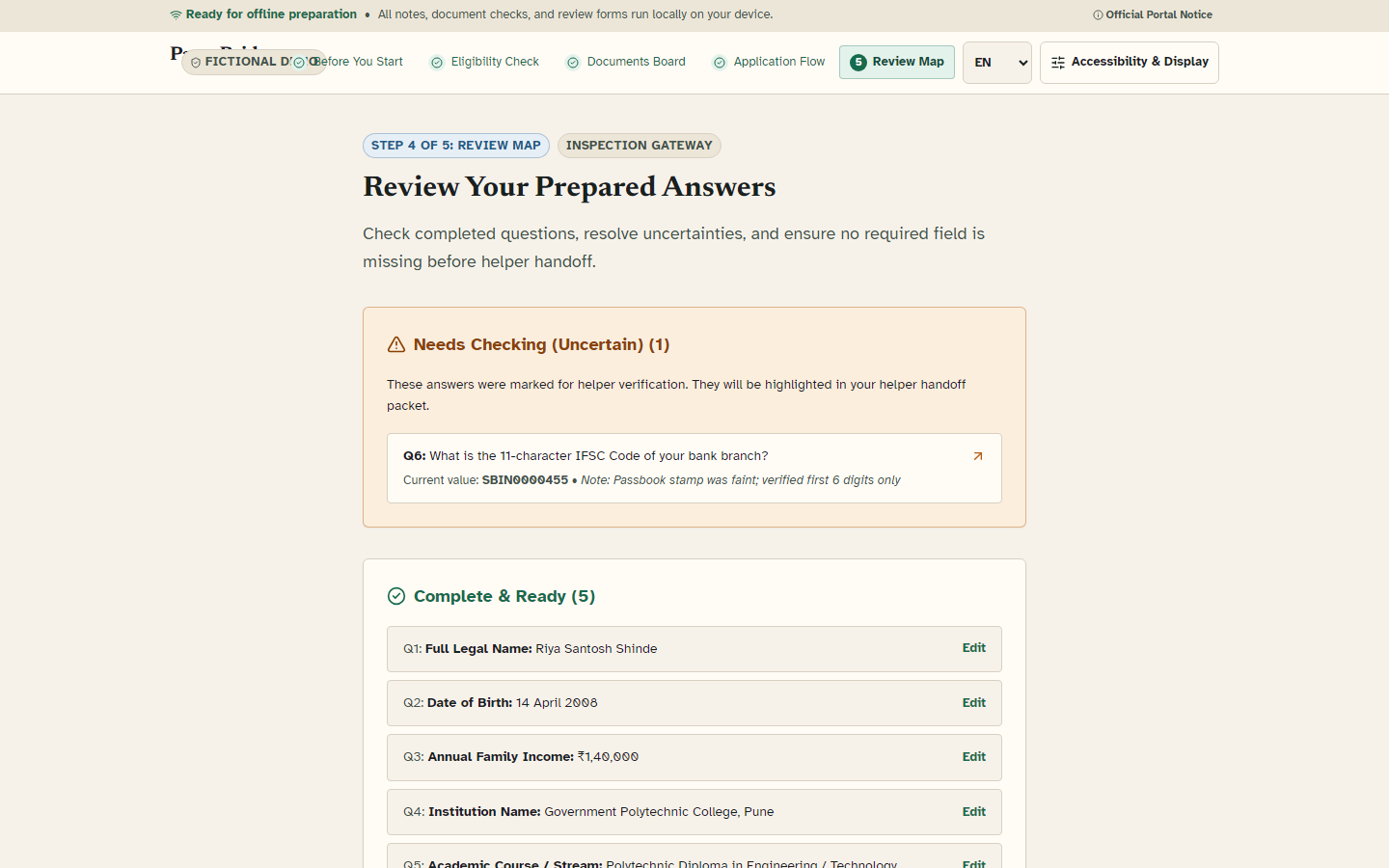
The review map groups complete, uncertain, and missing answers into an actionable final check.
-
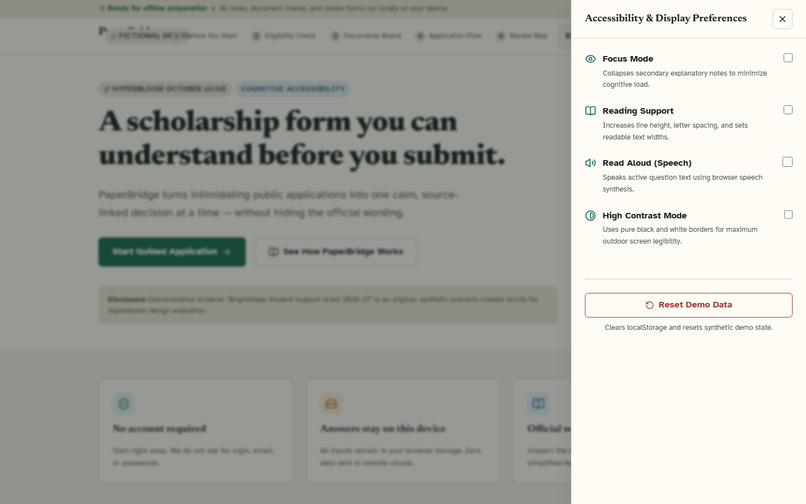
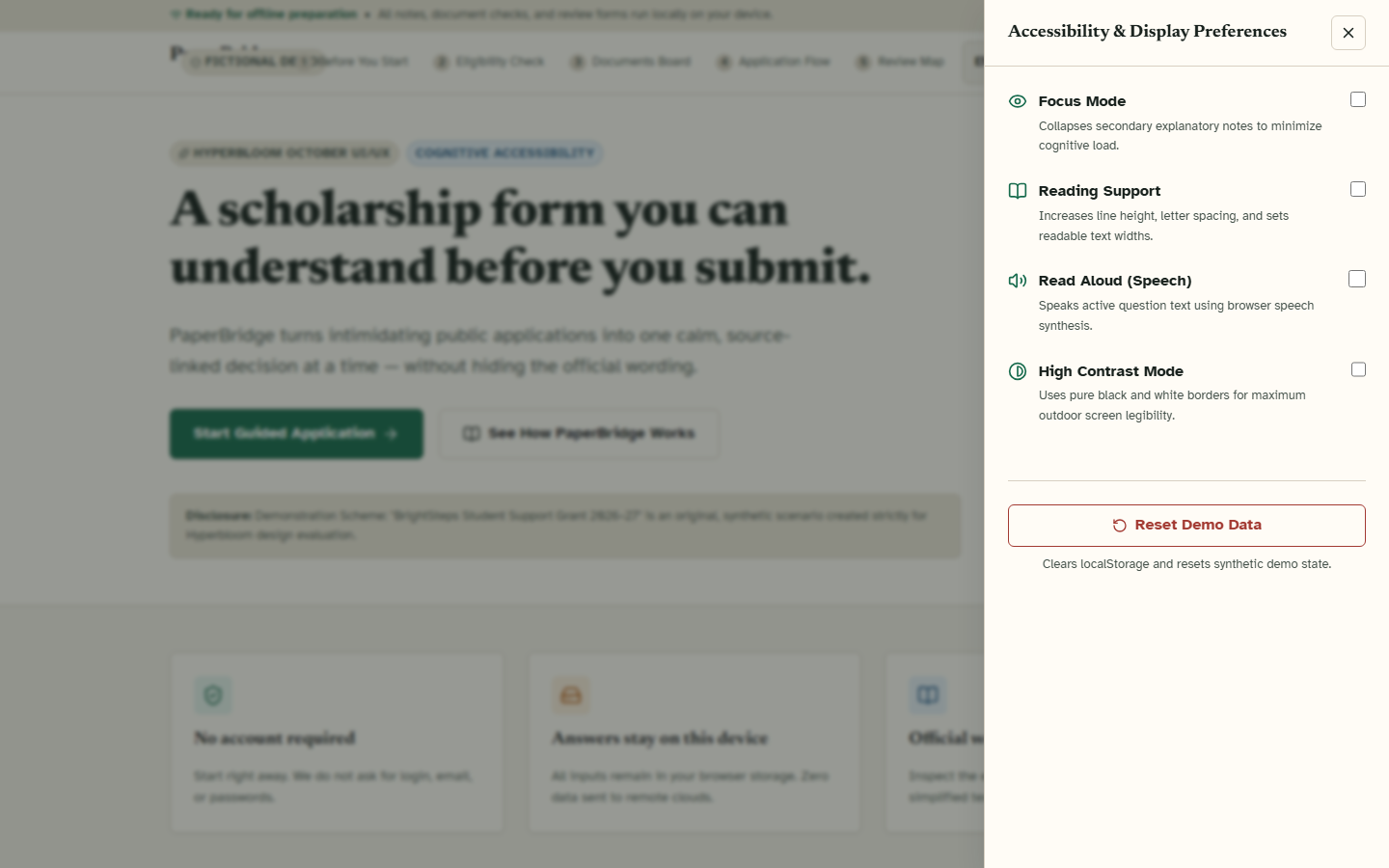
Reading, focus, contrast, motion, and speech controls support different cognitive needs.
Inspiration
Scholarship applications can fail long before eligibility is evaluated. First-generation students often face dense legal wording, unfamiliar evidence requirements, and interfaces that force a confident answer even when the honest answer is “I’m not sure.” Getting help can also mean surrendering a phone, password, or full document bundle to another person.
PaperBridge explores a more dignified model: public forms that explain themselves while preserving the authority of the original wording.
What it does
PaperBridge is a local-first scholarship-application preparation experience. It does not determine legal eligibility or submit to a government portal. Instead, it helps an applicant understand, prepare, review, and selectively share a fictional application dossier.
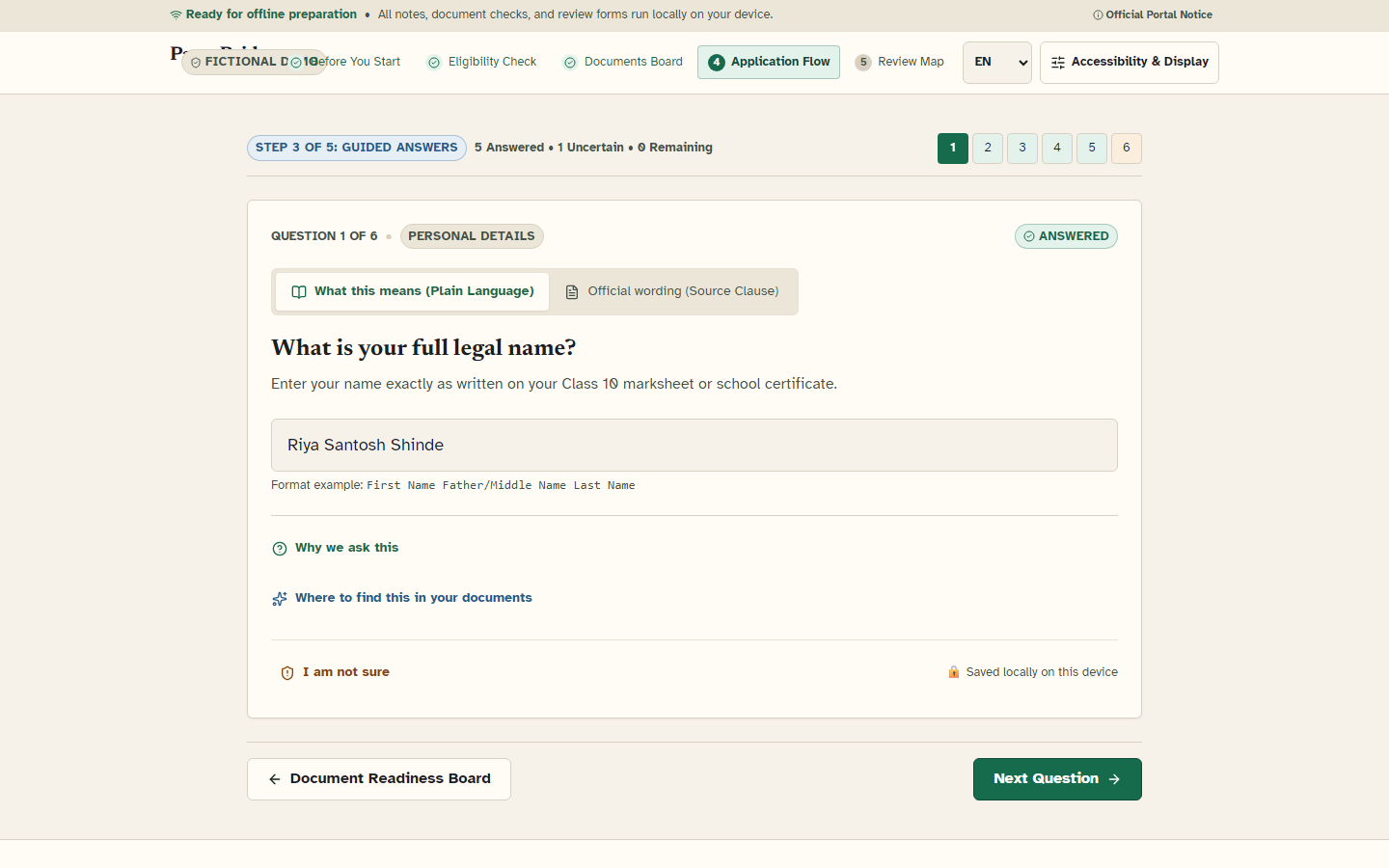
- Plain meaning + official wording: difficult questions expose simple guidance beside source-linked official text.
- Uncertainty as valid information: “I’m not sure” provides evidence guidance and feeds an honest review map.
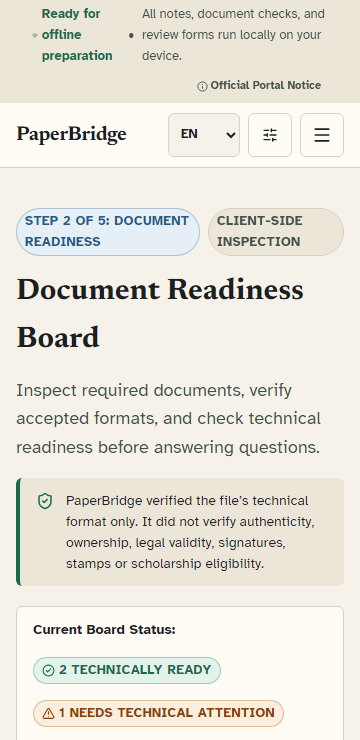
- Document Readiness Board: synthetic identity, income, enrolment, and banking documents receive clear local feedback.
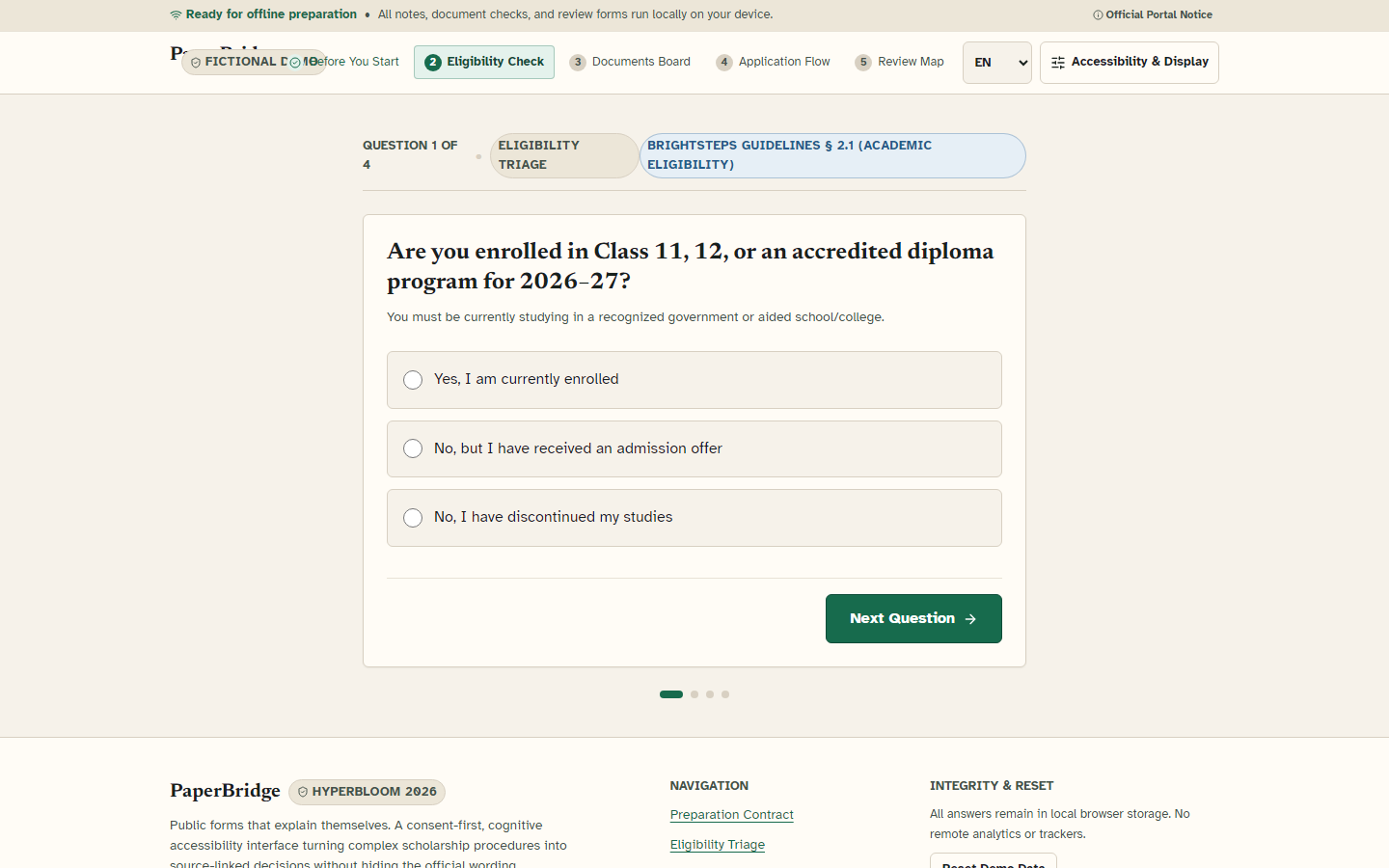
- One-decision-at-a-time flow: dense forms become focused questions with visible progress.
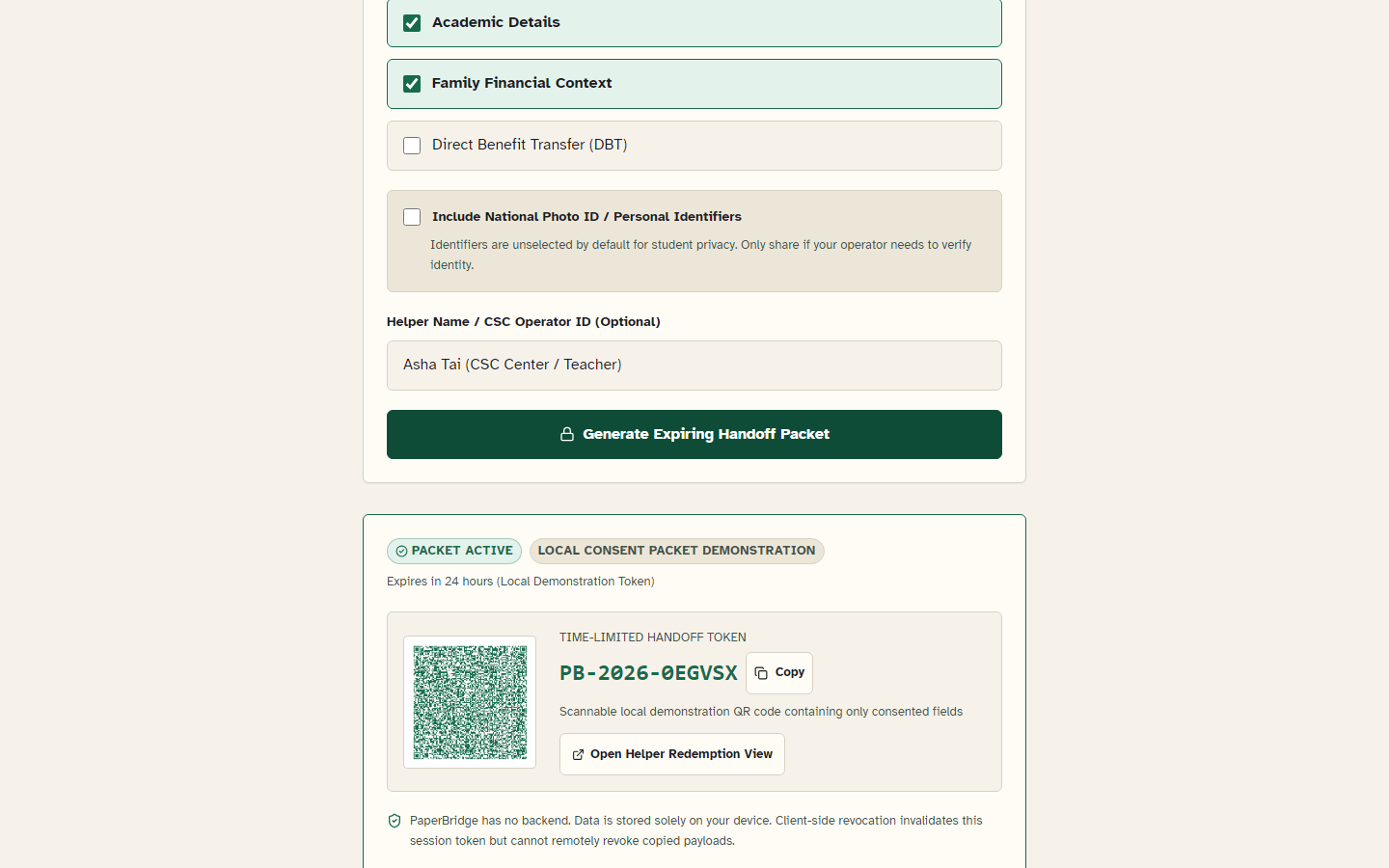
- Consent-controlled helper handoff: applicants choose sections, generate a time-limited local packet and QR code, and exclude identifiers by default. Local revocation clears this browser’s state, while the interface honestly warns that a copied packet cannot be remotely recalled.
- Cognitive accessibility: Focus Mode, Reading Support, high contrast, reduced motion, keyboard navigation, and browser-native read-aloud.
- Multilingual foundation: English, Hindi, and Marathi experiences for Indian households.
- Offline-ready PWA: core routes and saved state remain available during cold offline navigation after installation.
Design approach
Warm paper surfaces, deep civic green, restrained saffron attention states, source-blue evidence markers, editorial typography, and notebook-like structure create a calm civic-service experience rather than a generic dashboard.
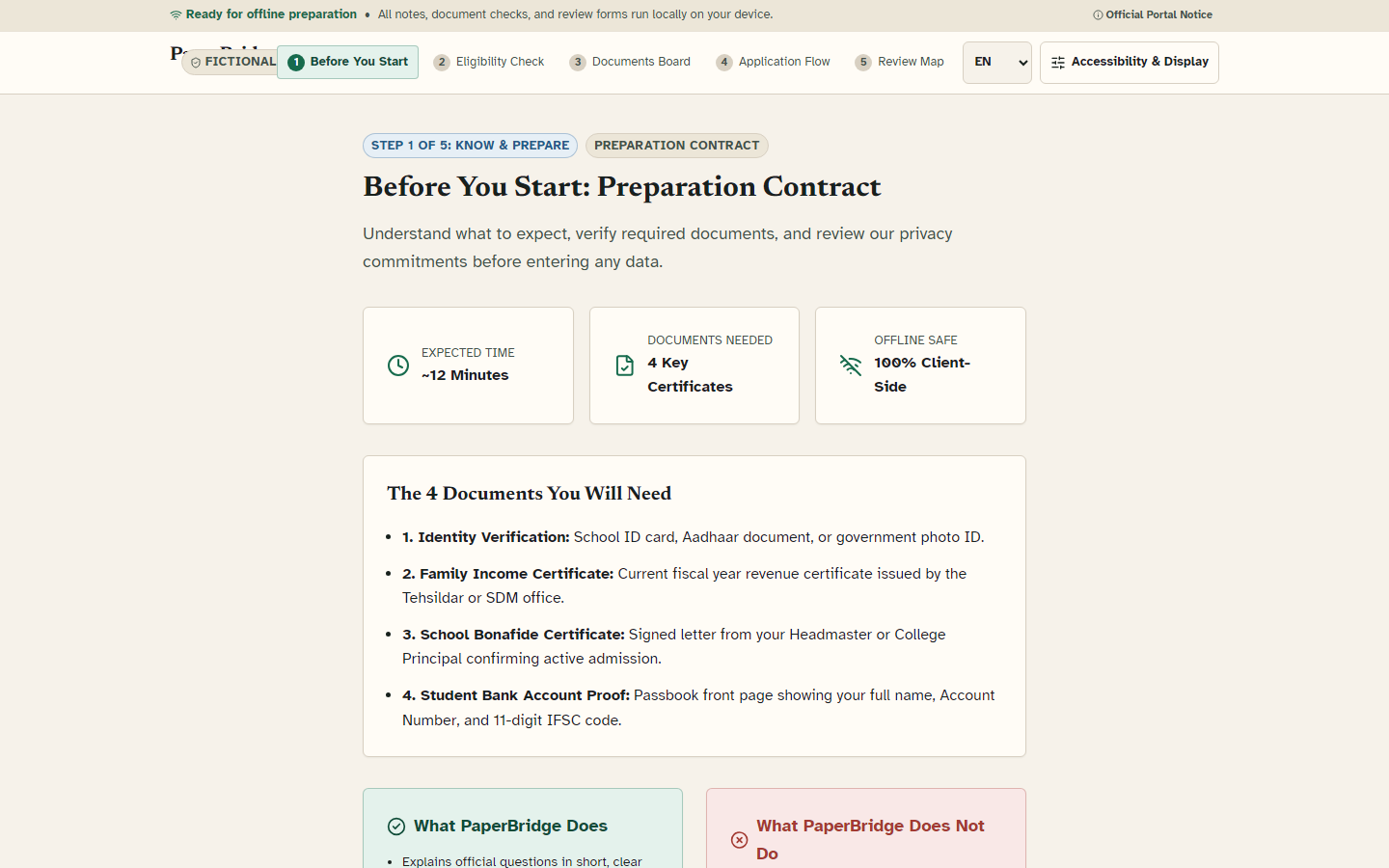
The evidence-first journey moves from preparation contract and eligibility triage through document readiness, one-question decisions, uncertainty review, selective helper handoff, and a final preparation dossier.
How we built it
PaperBridge is a React 19 and TypeScript application built with Vite and React Router. A typed deterministic reducer manages the journey, browser storage keeps progress on-device, and a service worker provides offline support. New helper packets are generated in URL fragments rather than server-visible query strings. All showcased documents and identifiers are fictional.
The interface uses a custom token-based CSS system, Lucide icons, self-hosted Atkinson Hyperlegible and Newsreader fonts, Web Speech APIs, QR generation, Vitest, Playwright, and axe-core. The core demonstration uses no trackers and requires no external AI service.
Verification
The release is backed by 46 unit/component tests and 27 Playwright browser tests. Automated checks cover document inspection, keyboard journeys, accessibility controls, responsive layouts from 320px to 1920px, zero horizontal overflow, offline cold navigation, saved-state recovery, and helper-handoff validation. The latest measured Lighthouse result is 94 Performance, 100 Accessibility, 100 Best Practices, and 91 SEO. These results support an accessibility target; they are not formal WCAG certification.
Challenges we ran into
The hardest design problem was simplifying official language without silently changing its meaning. The dual-layer card keeps plain guidance and source-linked official text inspectable together.
The second challenge was designing helper access without pretending a static browser demo provides server-enforced security. PaperBridge uses explicit consent scopes, expirations, excluded identifiers, validation, and honest limitations instead of overstating encryption or remote revocation.
The third challenge was maintaining the same calm hierarchy across budget-phone widths, keyboard-only use, high contrast, reduced motion, and multiple languages.
Accomplishments that we’re proud of
- Treating uncertainty as useful application data instead of user failure.
- Creating an evidence-linked interaction pattern judges can understand quickly.
- Building a complete offline-capable journey rather than a static mock-up.
- Making privacy boundaries visible inside the interface.
- Shipping deep automated browser coverage for a design-focused hackathon.
What we learned
Cognitive accessibility is product architecture, not surface polish. Simplified guidance earns more trust when its source remains visible, and assistance becomes safer when consent is granular and limitations are stated plainly.
What’s next for PaperBridge
Next steps are field usability sessions with students and scholarship facilitators, manual screen-reader verification, additional fictional schemes, and—after privacy and legal review—a server-backed handoff with enforceable remote expiry.
AI disclosure
Generative AI coding assistance supported implementation, test scaffolding, and research synthesis. Product decisions, content boundaries, interaction design, and evidence claims were reviewed against the working repository and automated tests. The demo uses Microsoft Heera system text-to-speech over deterministic application screenshots; no real applicant data appears.
Built With
- accessibility
- axe-core
- localstorage
- playwright
- pwa
- react
- react-router
- service-worker
- typescript
- vite
- vitest
- web-speech-api


Log in or sign up for Devpost to join the conversation.