-
-
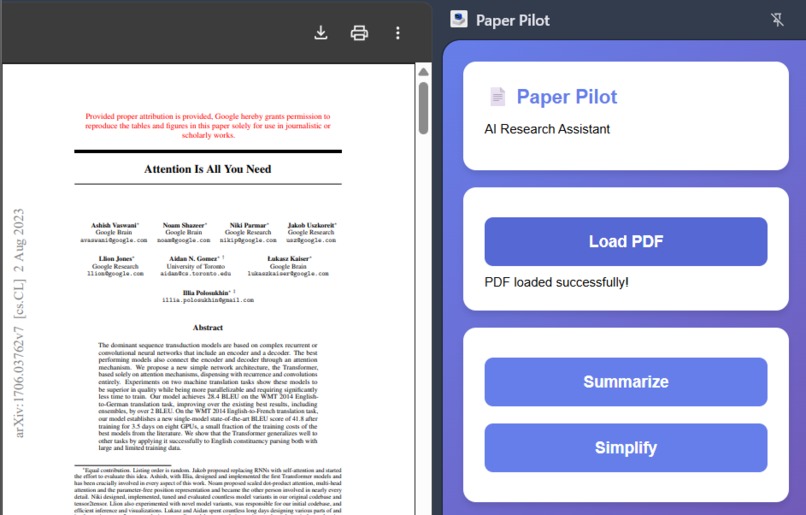
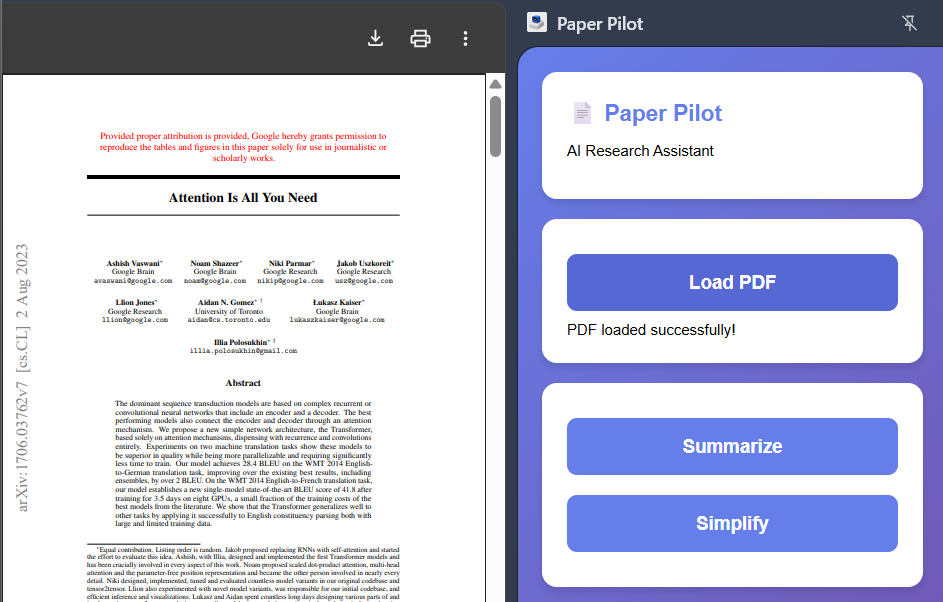
Open a PDF in your browser and click Load PDF, the document will be process and show 'PDF loaded successfully!' now choose your choice!
Inspiration
Iam a Student at University of Birmingham, As a student myself, I often find reading research paper is overwhelming. and, downloading each paper and uploading it to Chat GPT or Claude is time consuming when working on deadline. I always thought of way to quickly get the idea and summarization for reference or citations. Google Chrome Built-in AI Challenge was the perfect opportunity to build a solution as it is right inside the browser.
What it does
Paper pilot is a Chrome extension designed to make reading research papers (pdf) faster and easier. When you click the extension button, Paper Pilot appears in the side panel. With one click, it reads the entire document locally.. Then, using Chrome's built-in AI models, you can instantly summarize or simplify depending on your need.
How i built it
I used web technologies HTML, CSS, JavaScript within the Chrome Extension framework Manifest V3 and core logic resides in sidepanel.js. i used chrome.ai.summarizer.create() for generating summaries and chrome.ai.rewriter.create() for simplifying the text. background.js handles opening the side panel when the action icon is clicked.
Challenges we ran into
Learning manifest.json Understanding the structure, permissions, and how different components like background, content, side panel interact took some learning
Accomplishments that we're proud of
This project was a good introduction to Chrome Extension development and the power of on device Ai API's. I learned a lot about Manifest V3, side panels, JavaScript Promises handling browser APIs and the importance of error handling and debugging techniques. It was exciting to see this running directly in the browser.
What i learnt
in this project i learnt about Chrome Extension development and the power of on device. and, i really wish to build more Useful extensions and make it available on the web store.
What's next for Paper Pilot
Currently sometimes the extension runs into error sometimes, So, the plan is to make it debug it and make it error free and to add translation feature using the Translator API.
Built With
- chrome-extensions-api
- css
- html
- javascript
- pdf.js

Log in or sign up for Devpost to join the conversation.