Inspiration
Managing household inventory can be a tedious task, especially when it comes to keeping track of food items, their categories, and expiration dates. We wanted to create a solution that simplifies this process using modern technology, making it easier for users to manage their inventory efficiently and reduce food waste.
What It Does
PantryPal is a smart inventory management app that allows users to:
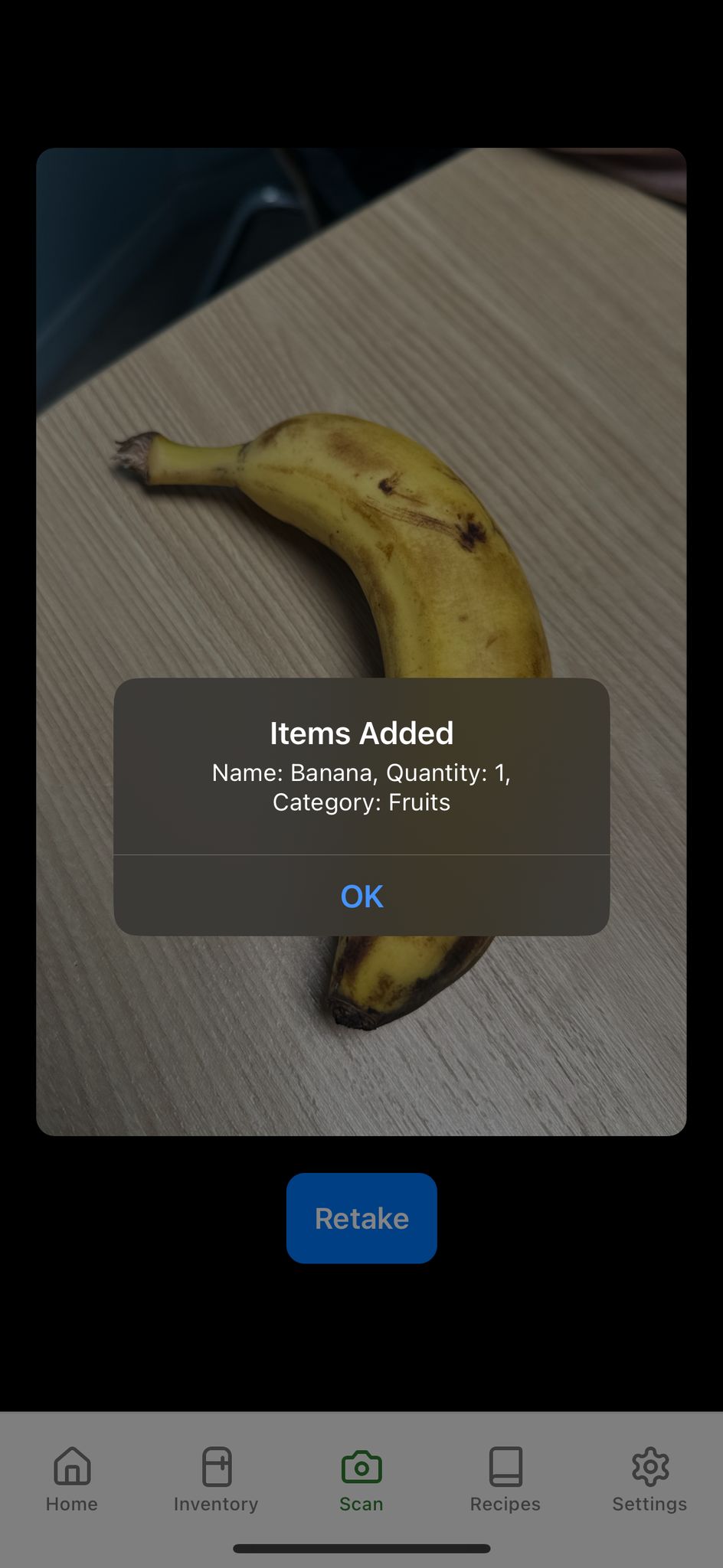
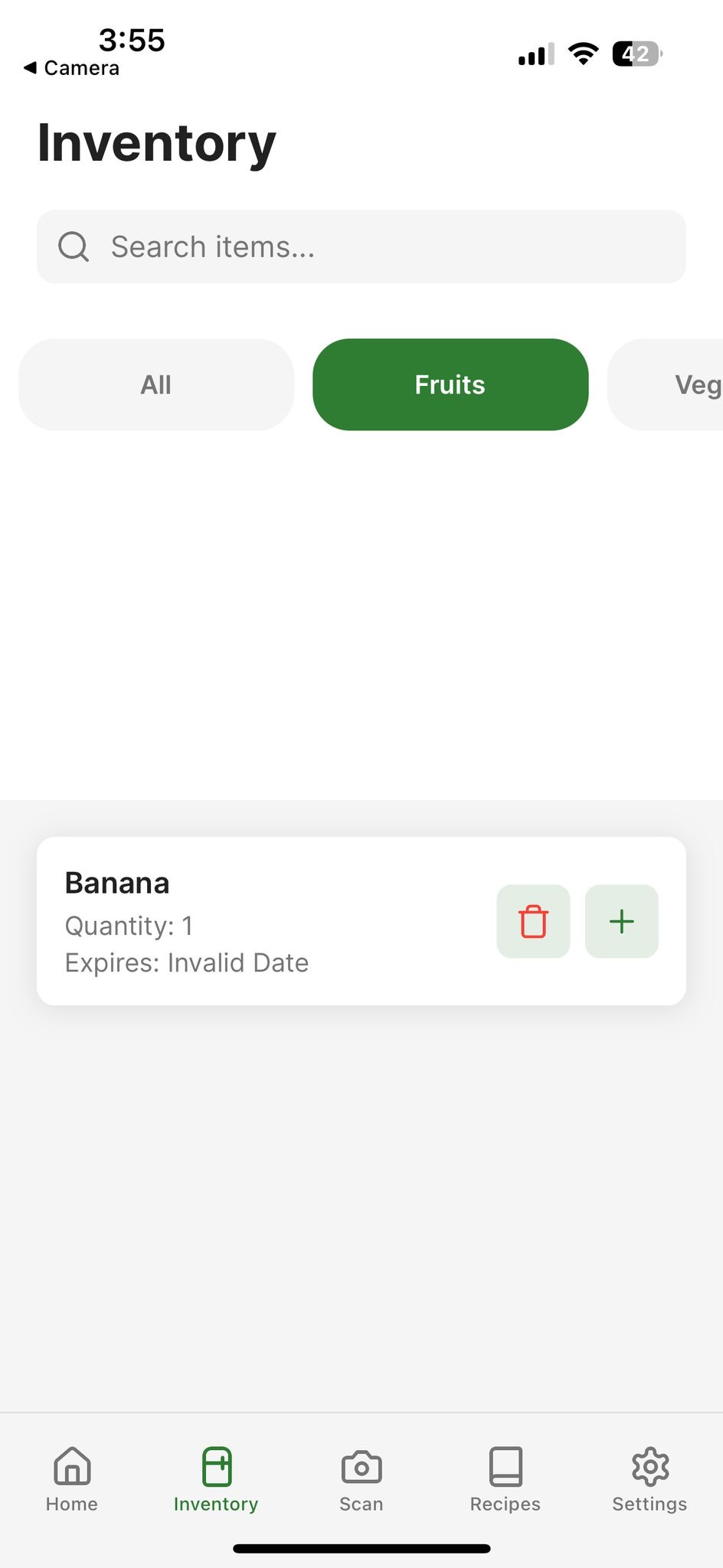
Scan Items: Use the camera to detect items and automatically categorize them (e.g., Fruits, Vegetables, Dairy). Track Inventory: View all items in an organized list, filter by categories, and search for specific items. Manage Quantities: Add or remove items and update their quantities easily. Track Expiration Dates: Keep track of when items expire to reduce waste. Dark Mode Support: The app adapts to light and dark themes for better usability.
How We Built It
We used a combination of modern technologies to build the app:
Frontend: React Native: For building a cross-platform mobile app (iOS and Android). Expo: To simplify development and testing. React Native Camera: For capturing images and scanning items. React Native Gesture Handler: For smooth touch interactions. Lucide Icons: For clean and modern UI icons. Backend: Roboflow API: For object detection and classification of scanned items. Axios: For making API requests to Roboflow. State Management: Zustand: For managing global state (inventory and theme preferences). Styling: React Native Stylesheet: For creating responsive and reusable styles. Custom Themes: Light and dark themes for better user experience. Utilities: Expo Image Manipulator: For resizing and compressing images before sending them to the API. AsyncStorage: For persisting inventory data locally on the device. Challenges We Faced Object Detection Accuracy: Ensuring the Roboflow API detects objects accurately, even with varying lighting conditions and angles. Dynamic UI Updates: Managing real-time updates to the inventory list when items are added or removed. Cross-Platform Compatibility: Ensuring the app works seamlessly on both iOS and Android devices. User Experience: Designing a clean and intuitive UI that is easy to navigate.
Accomplishments We're Proud Of
Successfully integrating the Roboflow API for object detection. Building a responsive and visually appealing UI with light and dark mode support. Implementing a robust inventory management system with filtering, searching, and category-based organization. Reducing food waste by helping users track expiration dates.
What We Learned
How to integrate machine learning APIs (Roboflow) into a React Native app. The importance of optimizing image processing for better performance. Best practices for managing global state in a React Native application using Zustand. Designing for usability and accessibility in mobile apps.
What's Next for PantryPal
Cloud Sync: Allow users to sync their inventory across multiple devices using cloud storage. Notifications: Send reminders for items nearing their expiration dates. Multi-Language Support: Expand the app to support multiple languages for a global audience. Advanced Analytics: Provide insights into user consumption patterns to help them make better purchasing decisions. Custom Categories: Allow users to create and manage their own categories. Tech Stack Frontend: React Native, Expo Backend: Roboflow API State Management: Zustand Styling: React Native Stylesheet, Custom Themes Utilities: Axios, AsyncStorage, Expo Image Manipulator Icons: Lucide Icons
How to Use
Open the app and navigate to the Scan tab. Use the camera to scan an item. The app will detect the item and add it to the inventory. Navigate to the Inventory tab to view all items, filter by categories, or search for specific items. Manage quantities, update expiration dates, or remove items as needed.
Built With
- expo.io
- react-native
- yolov8


Log in or sign up for Devpost to join the conversation.