-
-
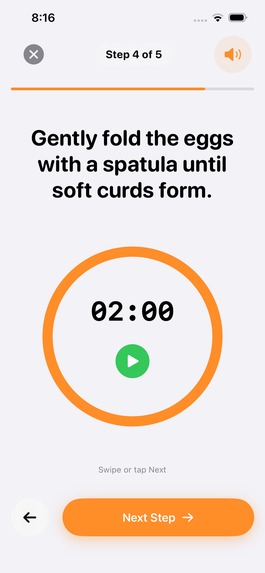
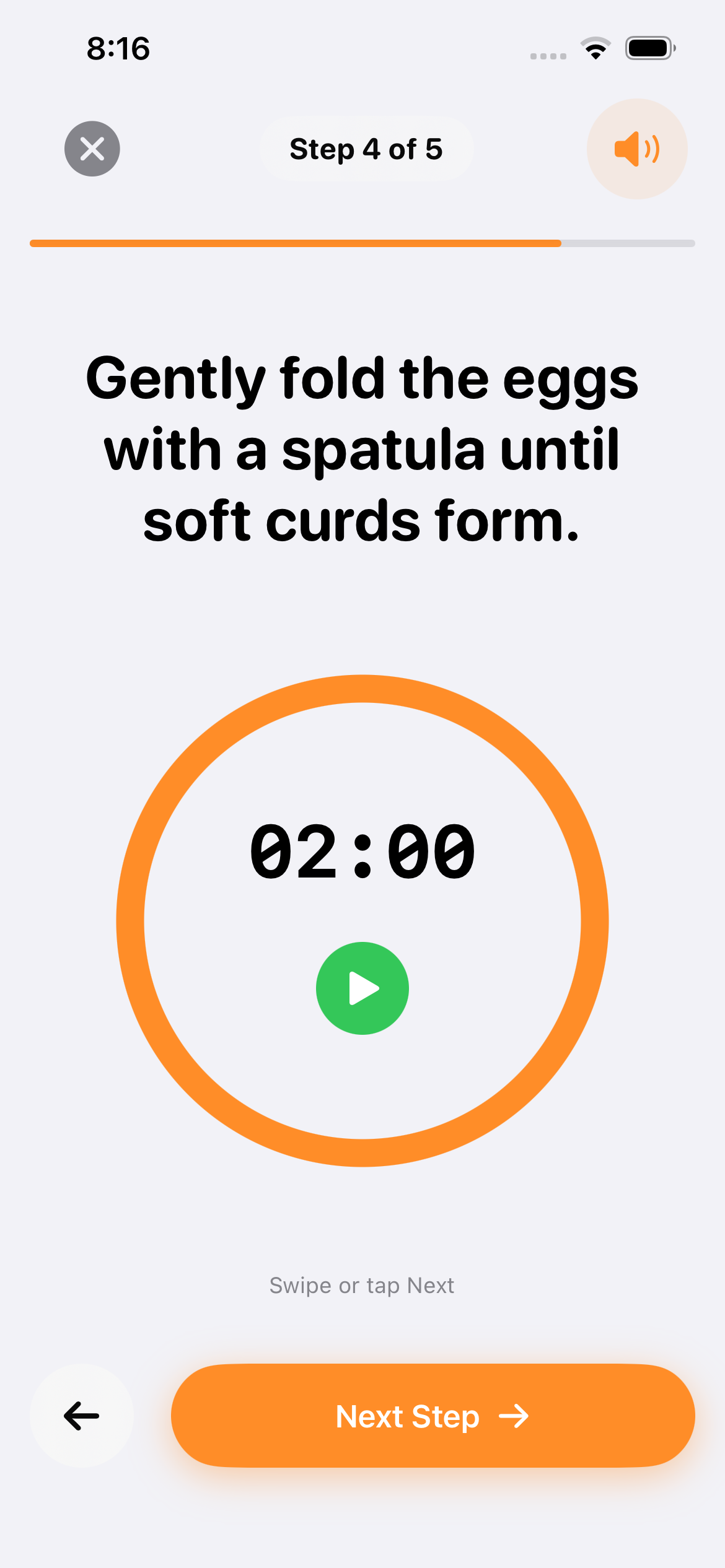
Cooking screen with timer, instructions and voice assistance
-
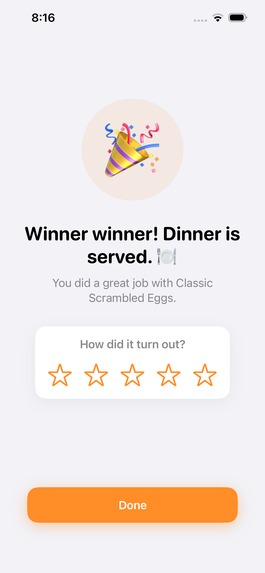
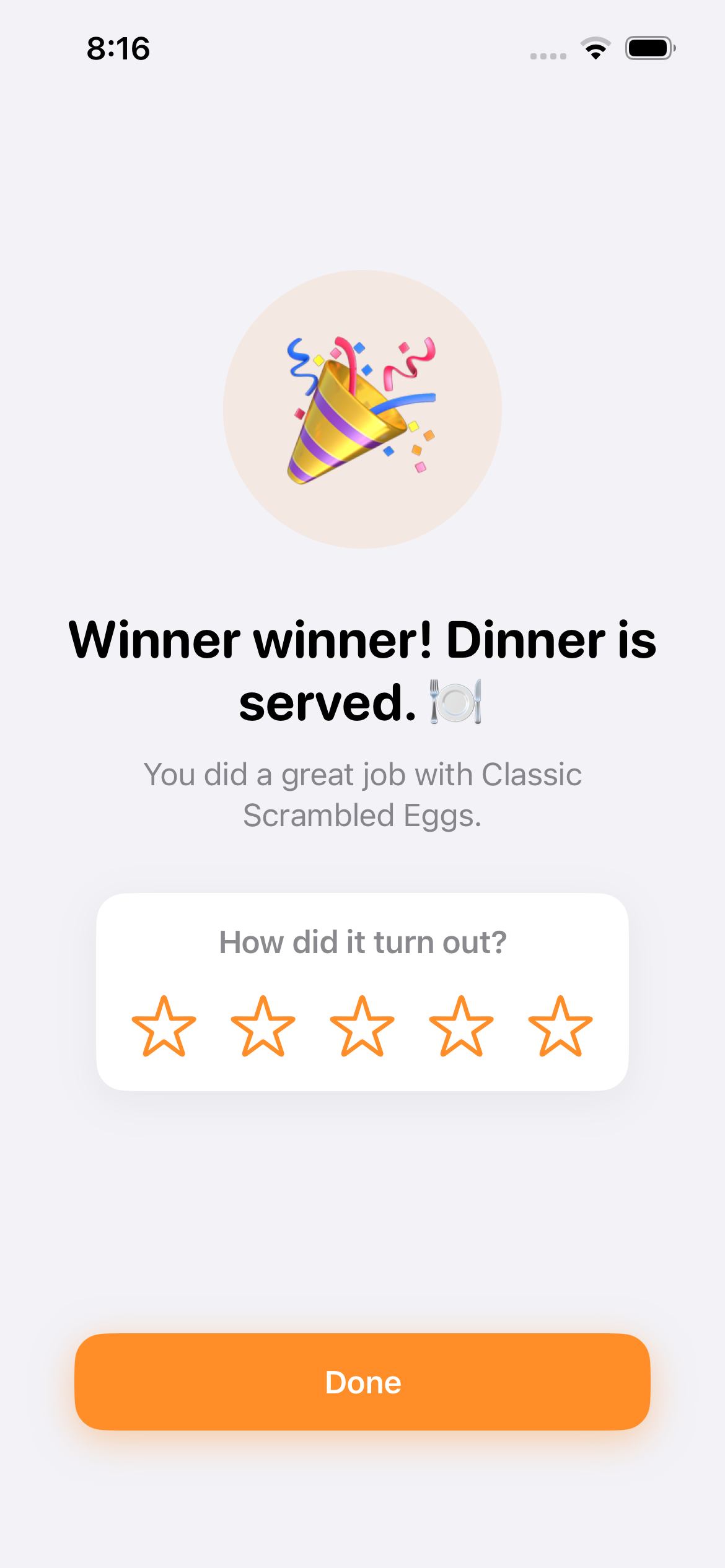
Cooking completion
-
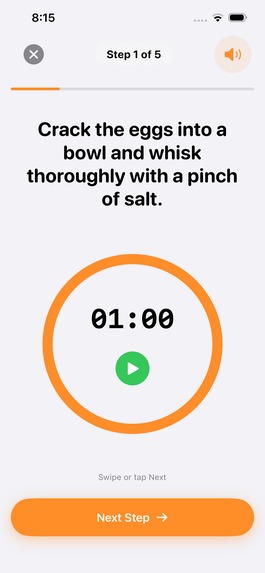
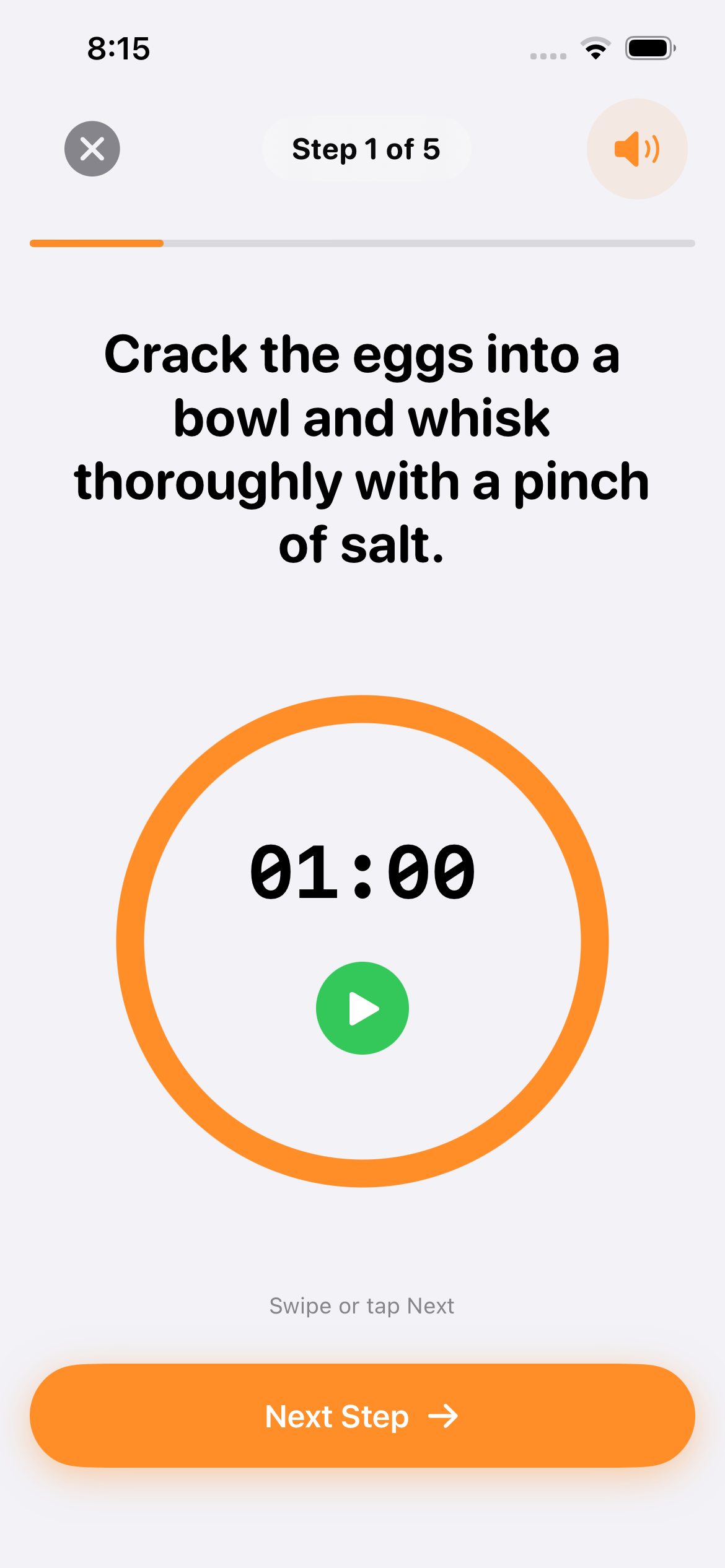
Cooking screen
-
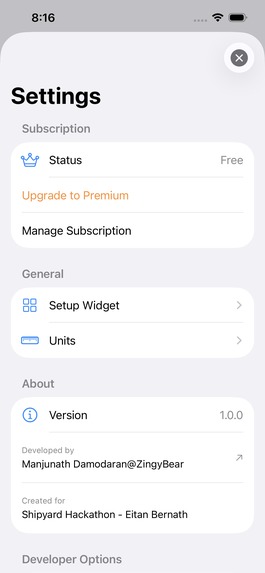
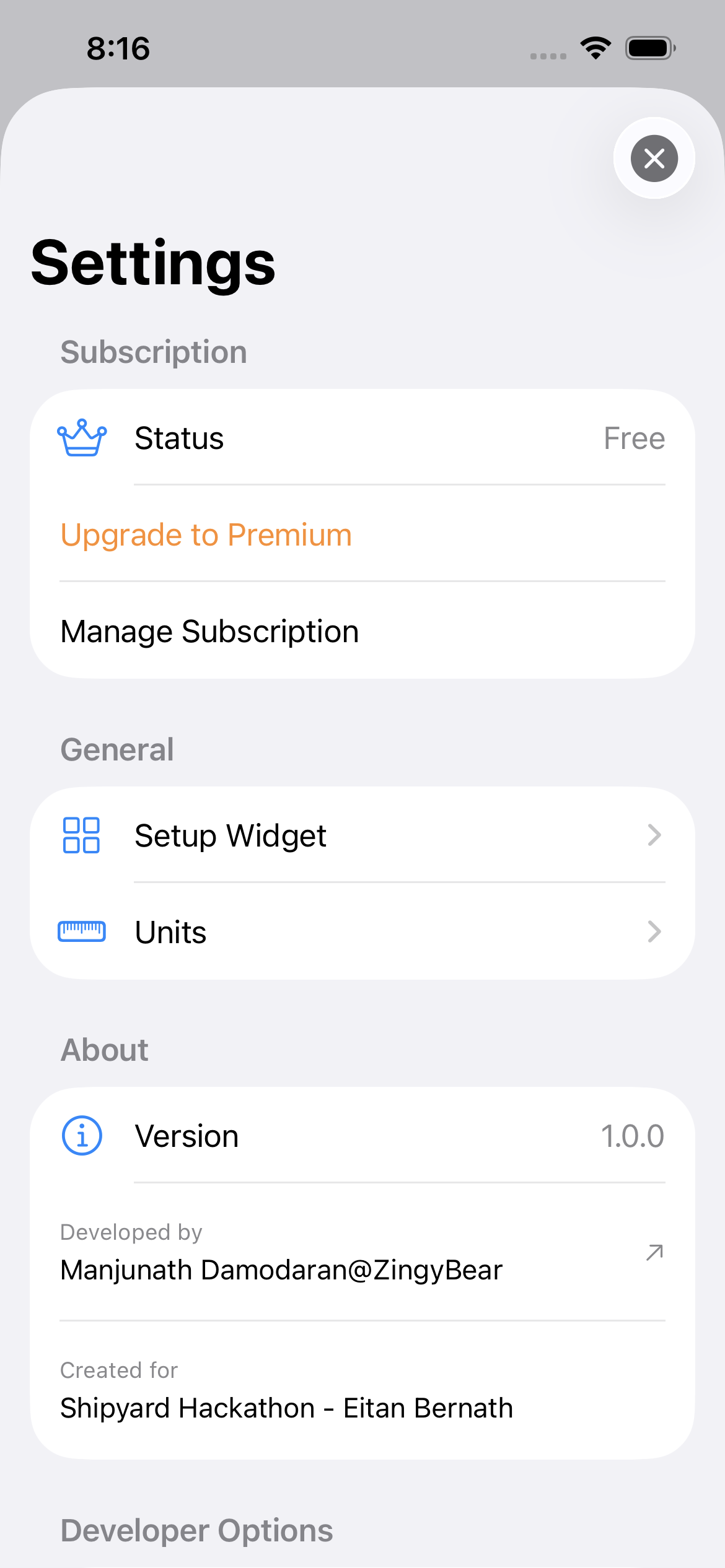
Settings
-
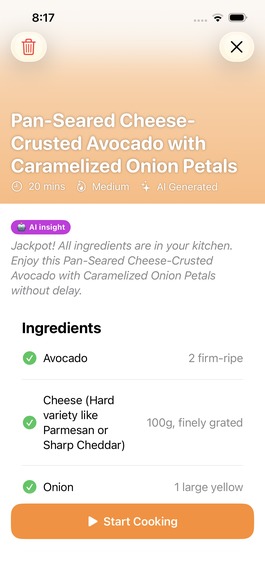
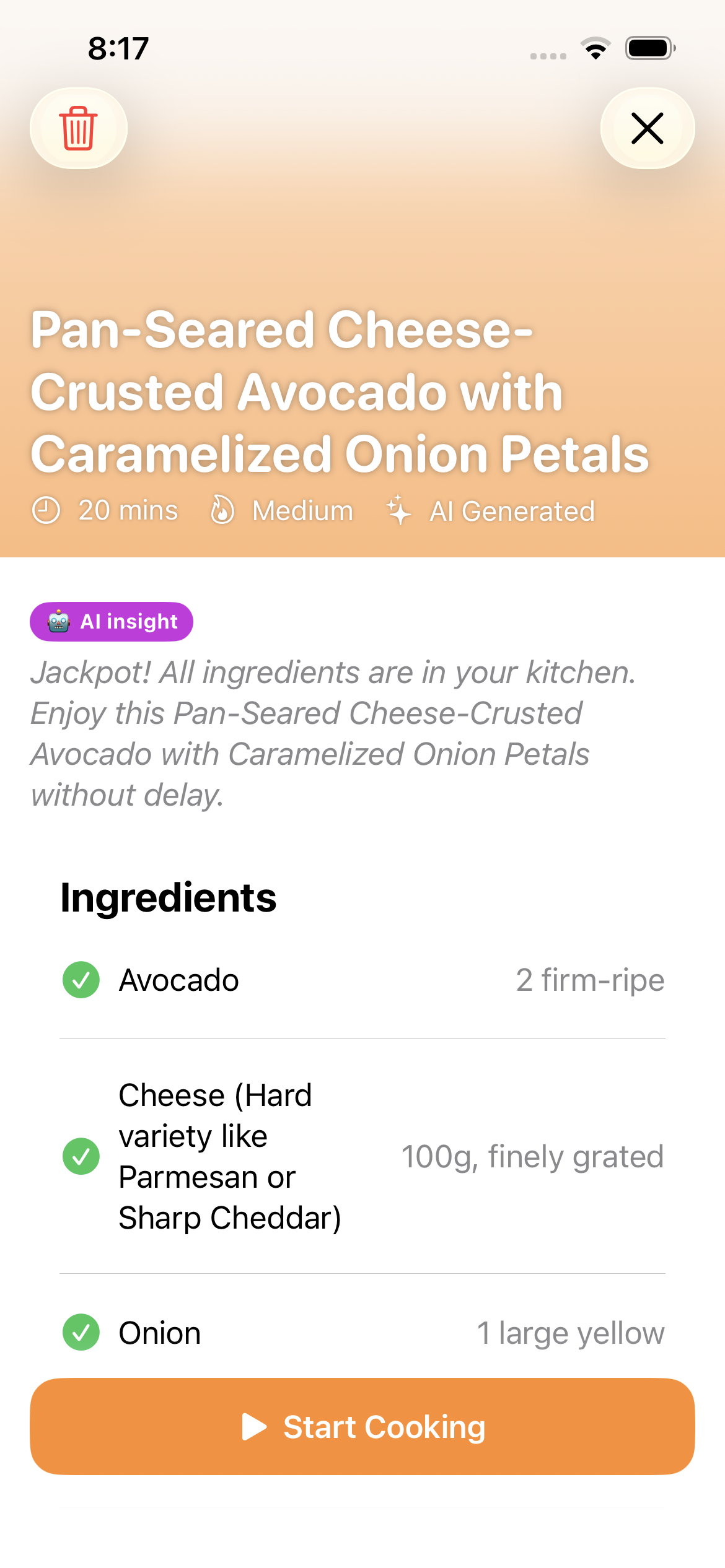
AI generated recipe
-
-
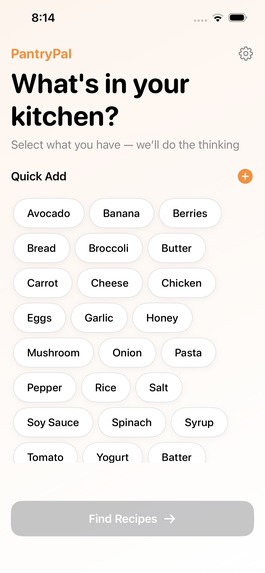
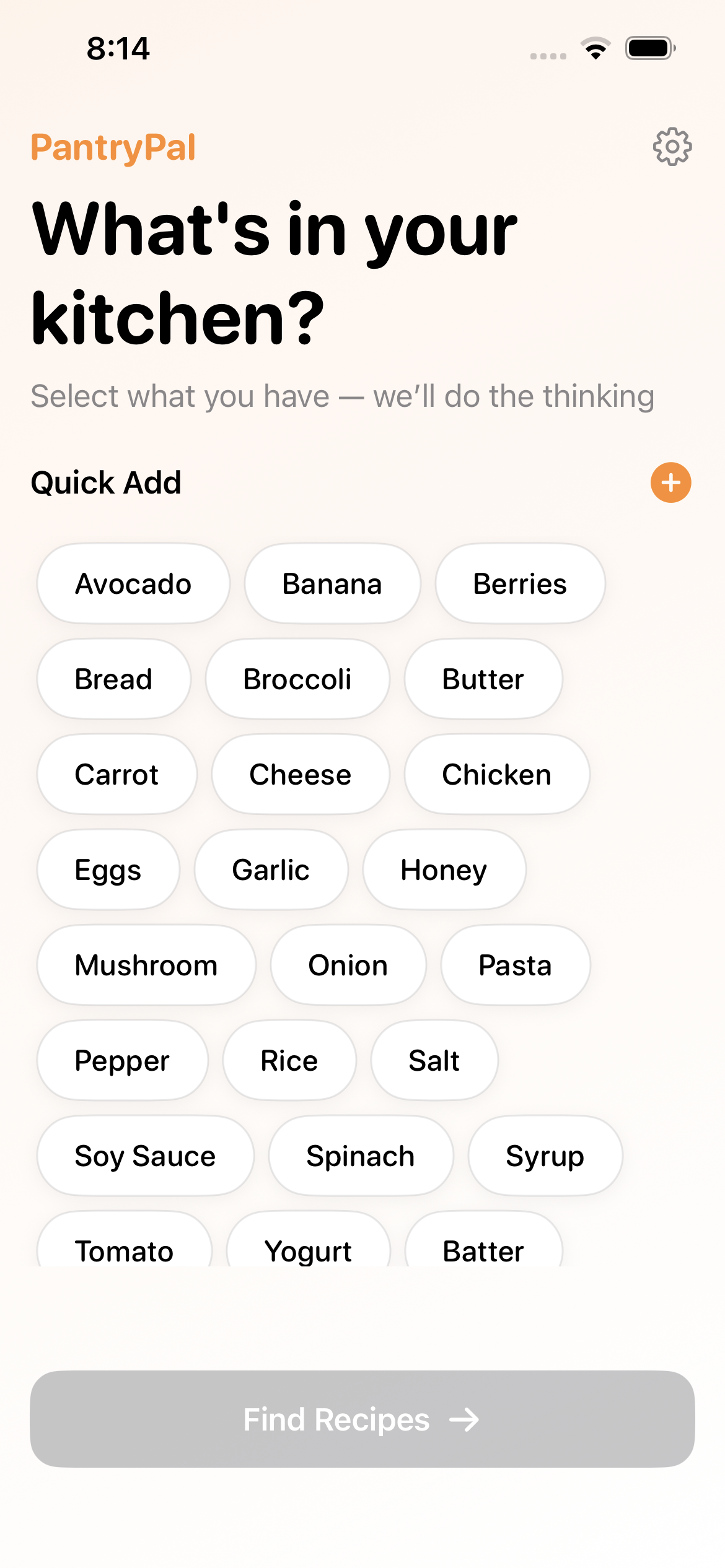
Home screen
-
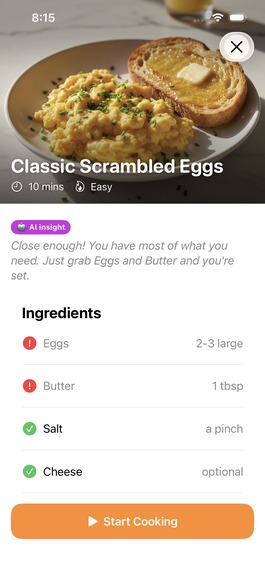
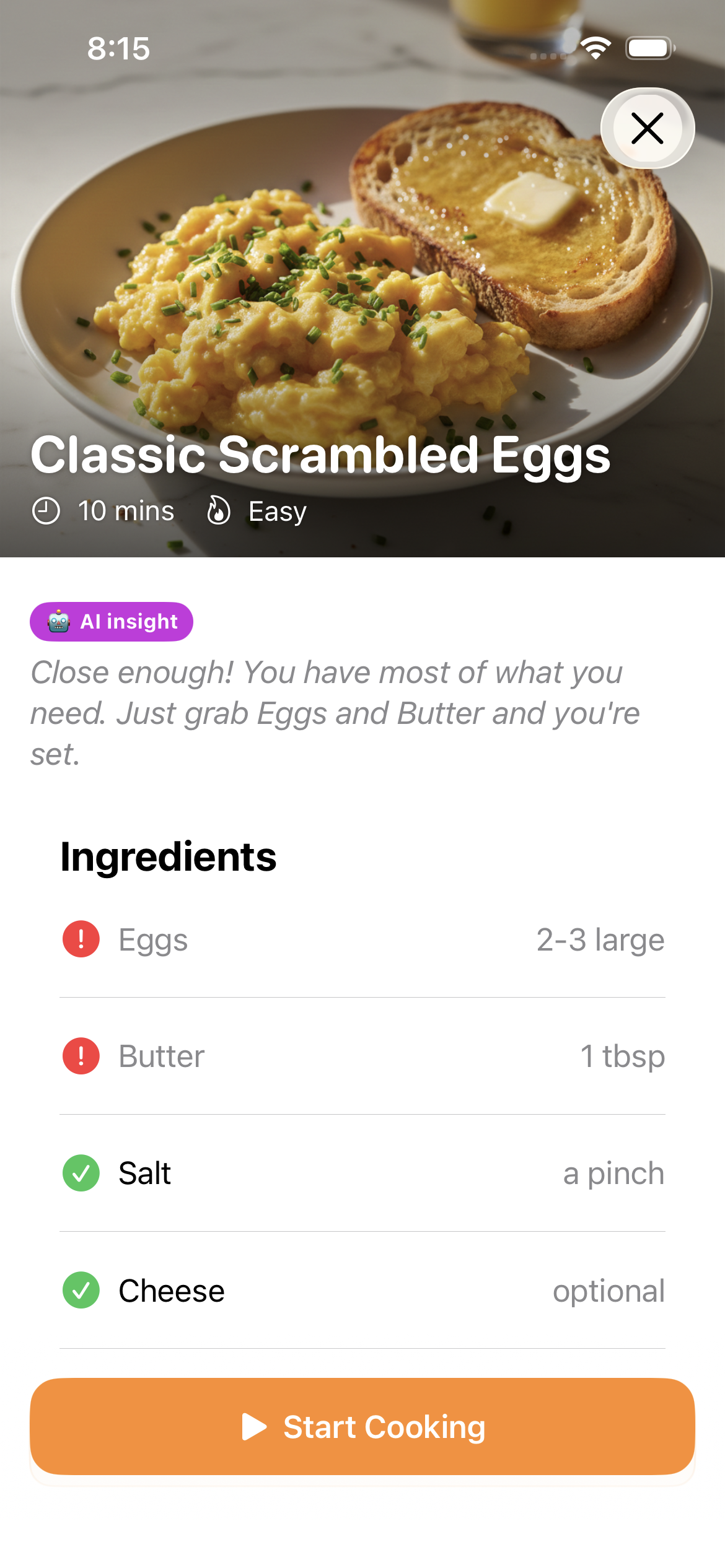
Recipe details screen
-
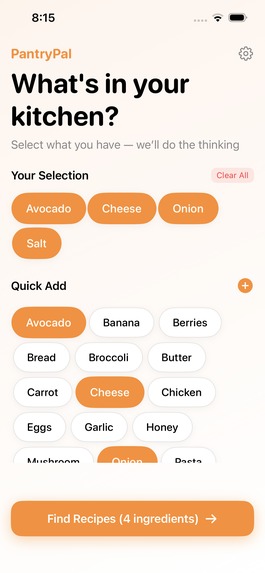
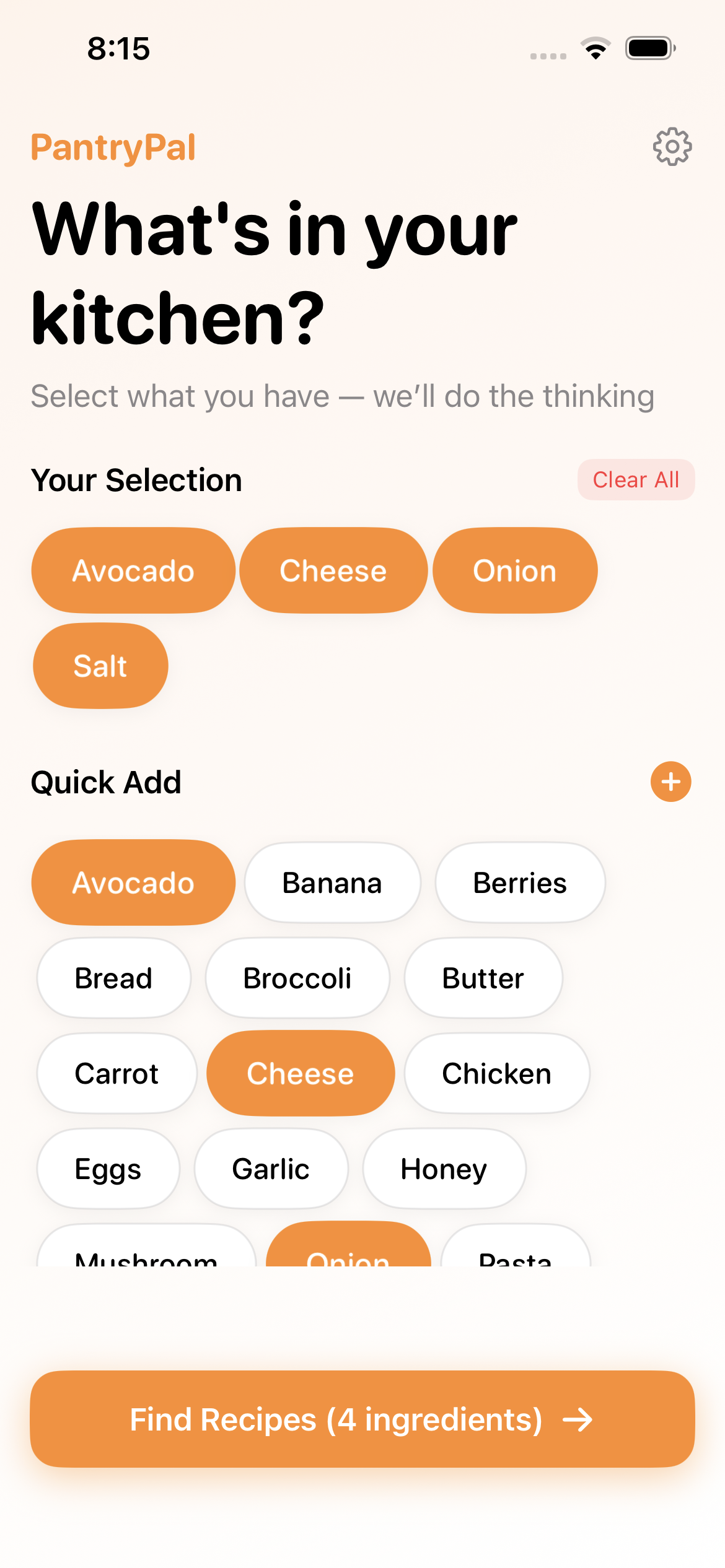
Home Screen with ingredients selected
-
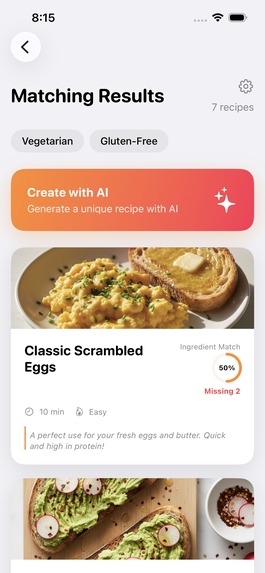
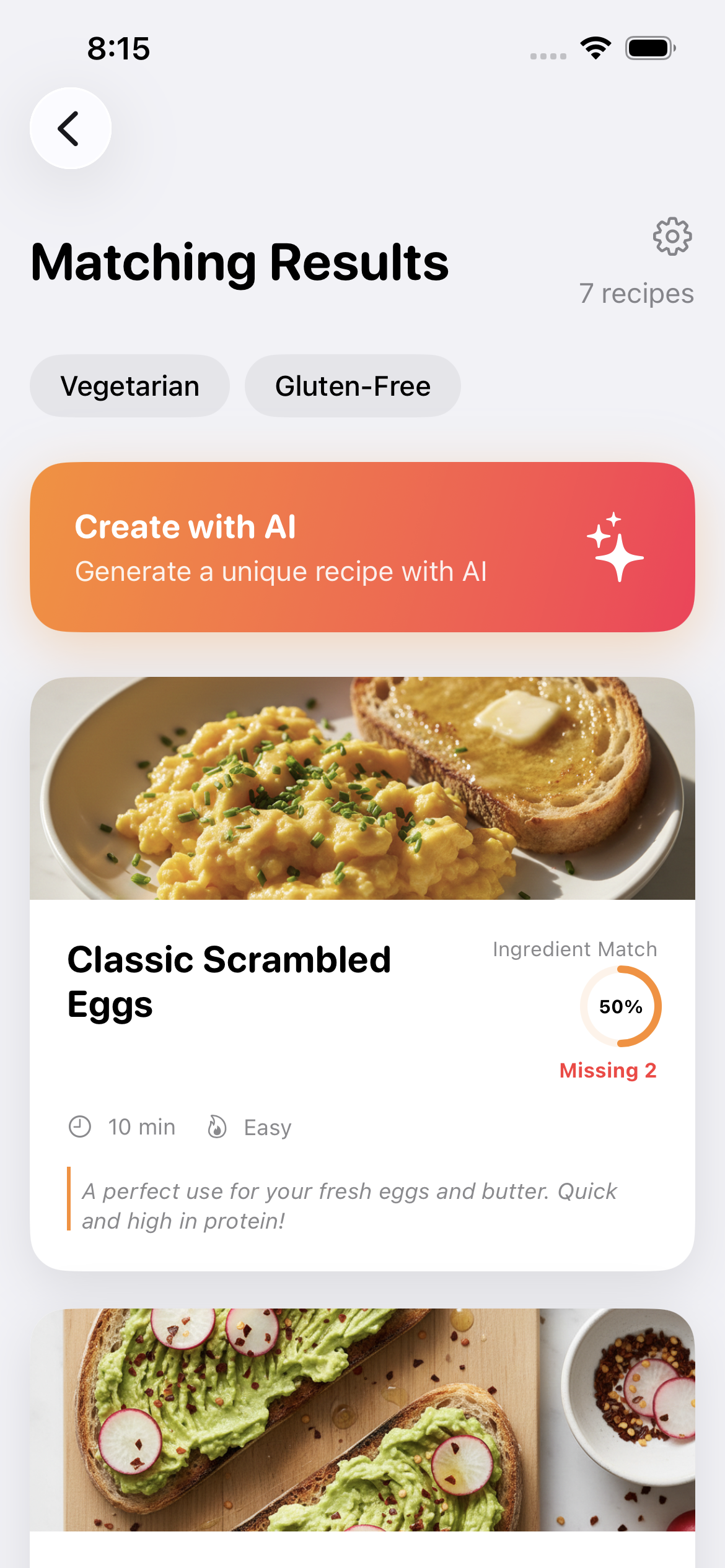
Search results screen
-
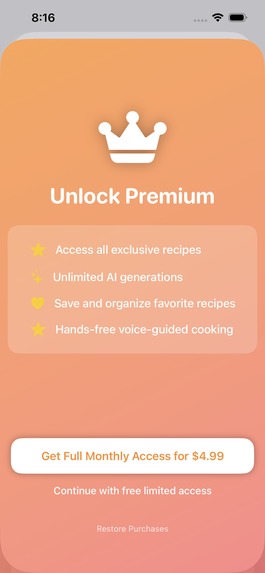
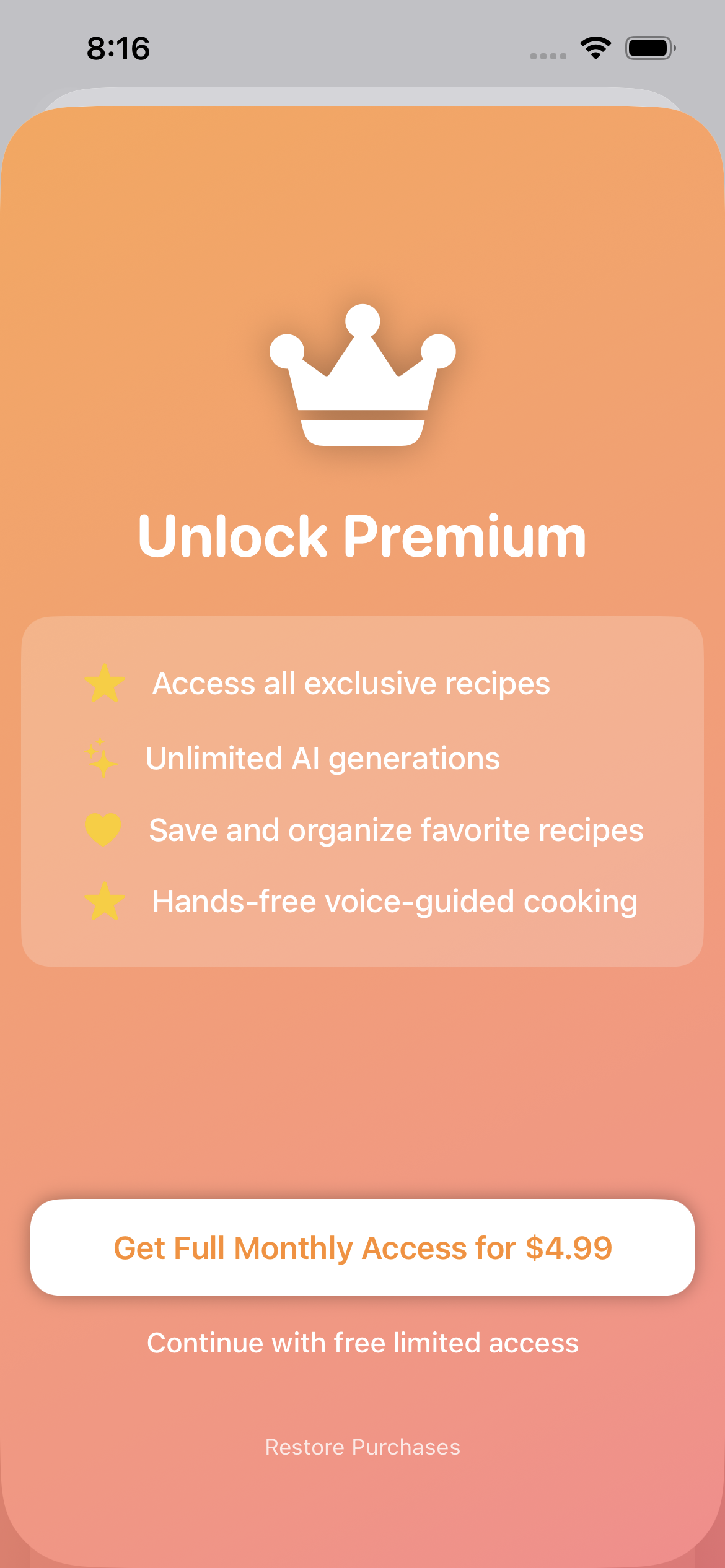
Paywall
-
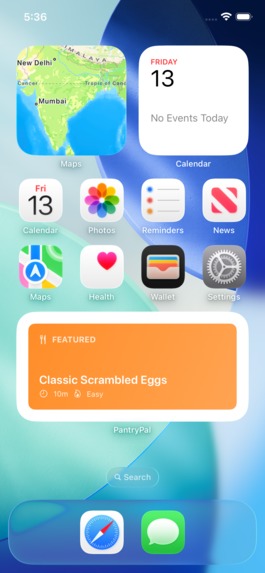
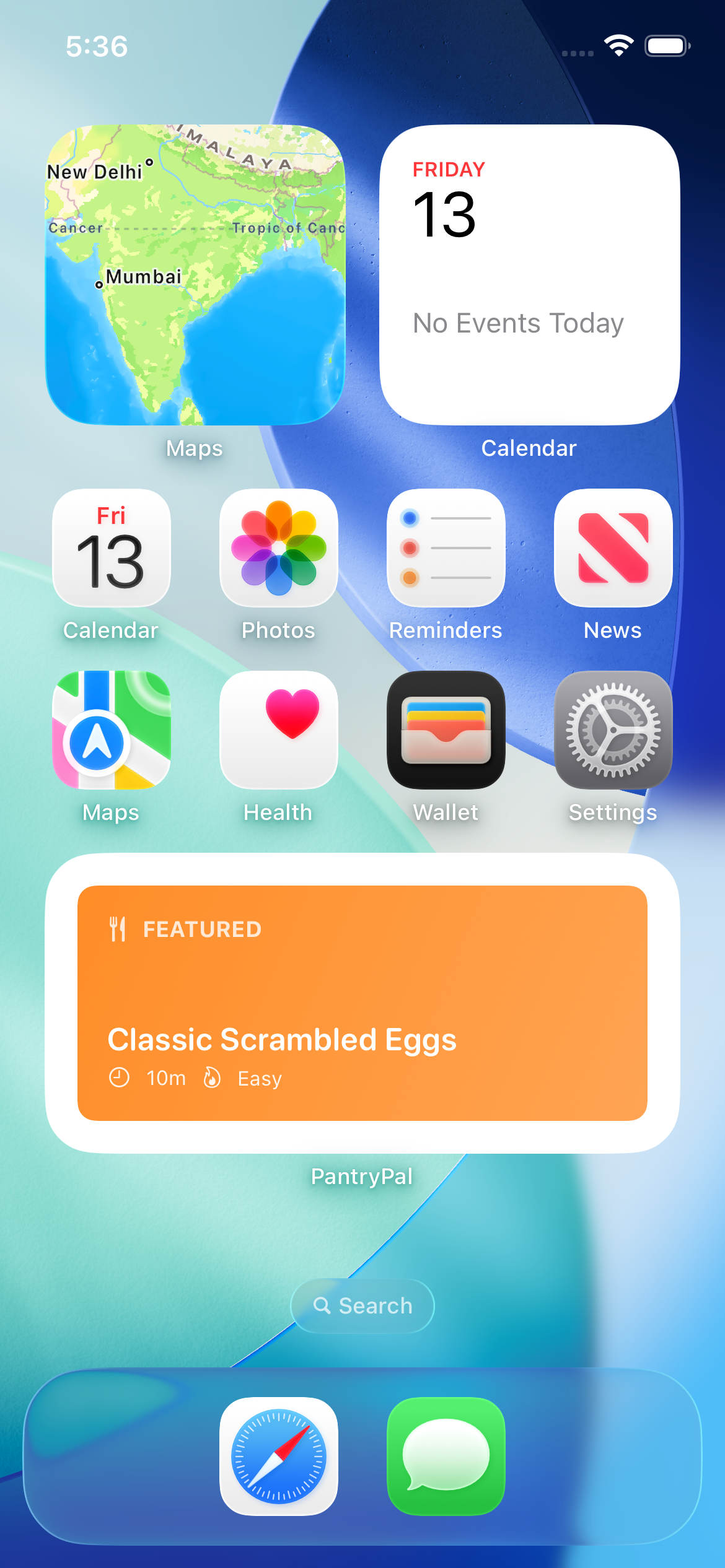
Widget
Easy Recipes — PantryPal
Inspiration
I looked up a sobering stat: the average household throws away about $1,500 worth of food every year, mostly because people don't know what to cook with what they have.
I thought — what if an app started with what's already in your kitchen instead of what you need to buy? What if it could even invent a recipe on the spot using AI? That's how PantryPal was born. We wanted to make cooking feel less like a chore and more like a creative, zero-waste experience.
This hackathon provided the perfect opportunity to try this idea.
What it does
PantryPal helps you cook meals using ingredients you already have at home. Here's how it works:
Tap what you have. You see a screen of common ingredients — eggs, pasta, chicken, cheese, tomatoes, and more. Just tap the ones sitting in your kitchen right now.
Get instant recipe matches. PantryPal shows you recipes ranked by how well they match your ingredients. A recipe that uses all your ingredients shows "100% match." One that needs something extra might show "85% match — missing 1 ingredient."
Generate custom AI recipes. This is the magic. Tap "Create with AI" and PantryPal sends your ingredients to Google's Gemini AI, which invents two completely unique recipes — with full ingredient lists, step-by-step instructions, and cooking timers. These recipes don't exist in any cookbook. They're made just for you.
Cook hands-free. Enter Cooking Mode for a full-screen, step-by-step experience. The app reads each step aloud using text-to-speech, so your hands can stay on the food. Built-in timers count down automatically. Swipe to move between steps.
Never forget what to buy. Found a recipe but missing one ingredient? One tap exports it straight to your iPhone's Reminders app as a shopping list.
Filter for your diet. Toggle Vegetarian or Gluten-Free filters, and PantryPal only shows recipes that fit.
Widget on your home screen. A home screen widget shows a featured recipe — tap it and you're taken directly into the app.
How we built it
The app is 100% native iOS, built with Swift and SwiftUI. I chose a lean architecture with no custom backend — the entire app runs on the user's device, keeping it fast and free to operate.
Architecture: We used the MVVM (Model–View–ViewModel) pattern to keep the code organized. Models define the data (recipes, ingredients, cooking steps). Views are the screens. The ViewModel is the brain that connects everything — it handles ingredient selection, recipe filtering, match scoring, and coordinates all the services.
AI Recipe Generation: We integrated Google's Gemini Flash API. When a user taps "Create with AI," we send their selected ingredients to Gemini along with a carefully crafted prompt that specifies the exact JSON structure we need back — recipe name, ingredients with amounts, step-by-step instructions with timer durations, difficulty ratings, and an AI explanation. The response is parsed and displayed as fully interactive recipe cards.
Subscriptions: We used RevenueCat to manage our freemium model. It handles payment processing, subscription tracking, receipt validation, and analytics — all without us needing to build a single server endpoint. It detects whether the app is running in development, TestFlight, or production and uses the right API keys automatically.
Voice-Guided Cooking: We used Apple's built-in AVSpeechSynthesizer for text-to-speech. It works offline, costs nothing, and reads cooking instructions aloud so users can cook hands-free.
Home Screen Widget: Built with WidgetKit, it shares data with the main app through App Groups and supports deep linking — tapping the widget opens the featured recipe directly.
Reminders Integration: Using Apple's EventKit framework, we let users export missing ingredients to the built-in Reminders app with a single tap — turning "what I need" into a shopping list instantly.
Data Storage: All recipes (both built-in and AI-generated) are stored as JSON files on the device. User preferences are saved with UserDefaults. No database, no cloud sync, no complexity.
Challenges we ran into
Getting consistent AI output. The biggest challenge was making Gemini return recipes in a reliable, parseable format every single time. AI models can be unpredictable — sometimes the JSON would have extra fields, missing commas, or unexpected formatting. I solved this by writing a very specific prompt that includes the exact JSON schema I expect, and by building robust parsing that gracefully handles edge cases.
Making Cooking Mode actually usable. The first version of Cooking Mode was just text on a screen. In user testing, people said they couldn't read it while cooking — their hands were wet, the phone was far away, and the text was too small. I completely redesigned it: large fonts, full-screen steps, swipe navigation, voice narration, and haptic feedback when moving between steps. It went from "nice feature" to the thing people loved most.
Subscription testing is painful. Testing in-app purchases on iOS is notoriously tricky. Apple's sandbox environment behaves differently from production — purchases expire in minutes, receipts look different, and error messages are cryptic. RevenueCat helped a lot, but we still spent significant time building developer tools (like a manual premium toggle) so we could test both free and premium experiences without waiting for sandbox purchases to go through.
Balancing free vs. premium. I went back and forth on what to give away and what to charge for. Too little free content and users leave. Too much and nobody subscribes. I landed on giving the full core experience for free (ingredient matching, built-in recipes, cooking mode) and making AI generation and premium recipes the upgrade. The AI feature is the natural upsell — once you see it generate a recipe from your exact ingredients, you want more.
Recipe match scoring. Getting the match algorithm to feel "right" took iteration. A naive percentage (ingredients matched / total ingredients) sometimes ranked a 2-ingredient recipe above a complex one. We tuned the scoring to balance match percentage with missing ingredient count, so the most practical recipes float to the top.
Accomplishments that we're proud of
Zero backend, full product. PantryPal has AI-powered recipe generation, a subscription system, a home screen widget, voice-guided cooking, and Reminders integration — all without a single server. Everything runs on-device or through managed services. This means zero hosting costs and instant scalability.
The Cooking Mode experience. When you're actually cooking with PantryPal — hands covered in flour, phone propped against the wall, the app reading steps aloud and counting down timers — it genuinely feels like having a helpful friend in the kitchen. We built something people actually use while cooking, not just browse.
AI recipes that actually work. The Gemini-generated recipes aren't just technically valid — they make culinary sense. The AI understands flavor pairings, cooking techniques, and timing. It even explains why the recipe works in a dedicated explanation section.
Seamless monetization. The upgrade from free to premium feels natural, not pushy. Users experience the AI feature, see its value, and choose to subscribe. RevenueCat handles the rest — purchase flow, receipt validation, cross-device restore — all working flawlessly.
A polished, complete experience. From the animated splash screen to the celebration message when you finish cooking ("Dinner is served!" at 7 PM, "Breakfast is ready!" at 8 AM), every detail was considered. Haptic feedback, smooth animations, dietary filters, ingredient persistence between sessions, a home screen widget with deep linking — it all adds up to an app that feels finished, not hacked together.
What we learned
Prompt engineering is a real skill. Getting an AI to return consistent, structured data isn't just about asking nicely. It requires specifying exact schemas, giving examples, and handling failures gracefully. We learned that the quality of the prompt directly determines the quality of the product.
The best feature is the one people use with dirty hands. We spent time on many features, but the voice-guided cooking mode got the strongest reaction. It taught us that the best features solve problems people have in the moment — not in theory.
RevenueCat saves weeks of work. We estimated that building our own subscription system would take 3–4 weeks. RevenueCat gave us a production-ready system in an afternoon. For a hackathon, choosing the right tools is as important as writing good code.
SwiftUI makes ambitious UI possible. Features like animated ingredient chips, full-screen cooking mode with swipe navigation, circular timer views, and gradient overlays would have taken significantly longer in UIKit. SwiftUI let a small team build a visually rich app in a short time.
Start with the user's actual problem. Every good decision we made came from asking "what would someone actually need while standing in their kitchen?" Every bad decision came from asking "what's a cool feature we could add?"
What's next for Easy Recipes — PantryPal
Pantry Memory. Right now, you select ingredients each time. Next, we want PantryPal to remember your pantry — track what you have, what you've used, and suggest recipes before things expire.
Photo-Based Ingredient Detection. Point your camera at your fridge or countertop, and PantryPal automatically identifies the ingredients using on-device image recognition. No tapping needed.
Meal Planning. A weekly meal planner that uses your current pantry to map out meals for the week and generates a single consolidated shopping list for everything you're missing.
Social & Sharing. Share your AI-generated recipes with friends. Rate community recipes. Build a personal cookbook of your favorites.
Nutritional Information. Show estimated calories, protein, carbs, and fat for every recipe — both built-in and AI-generated.
More Dietary Options. Expand beyond vegetarian and gluten-free to include vegan, dairy-free, keto, halal, and allergy-specific filters.
Apple Watch Companion. A simple Watch app that shows the current cooking step and timer on your wrist — perfect when your phone is across the kitchen.
Android Version. Bring PantryPal to Android using Kotlin and Jetpack Compose, reaching millions more home cooks.
I believe PantryPal can become the default answer to "what should I cook tonight?" — and we're just getting started.
Built With
- gemini
- revenuecat
- swiftdata
- swiftui

Log in or sign up for Devpost to join the conversation.